Confluence Sniper Pro
- Indicators
-
Yuki Nakayama
 I am Yuki, an independent developer in Japan. I build indicators and utilities for MetaTrader 5 and publish them here on the MQL5 Market. Every tool has a free edition, so you can see how it behaves on your own charts before you consider the paid one.
 - Version: 1.21
- Updated: 5 October 2026
- Activations: 5
Confluence Sniper Pro marks entries only when several independent methods agree on the same bar, and it settles the one argument every signal tool eventually loses: repainting. Every live signal is written to a local ledger file the instant its bar closes, and the gold arrows on history are replayed from that record, never recomputed. A clearly separate hollow arrow shows the model estimate on older bars, so the two are never confused. The tool only ever appends to that file and never rewrites a past line. The promise is honest and simple. Do not take a no repaint claim on faith. Audit this one.
Shared foundation
Confluence Sniper Pro builds on the free edition, whose listing and reviews are public on this Market.
Five engines, one verdict
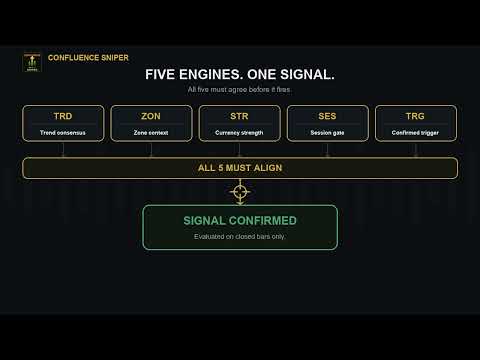
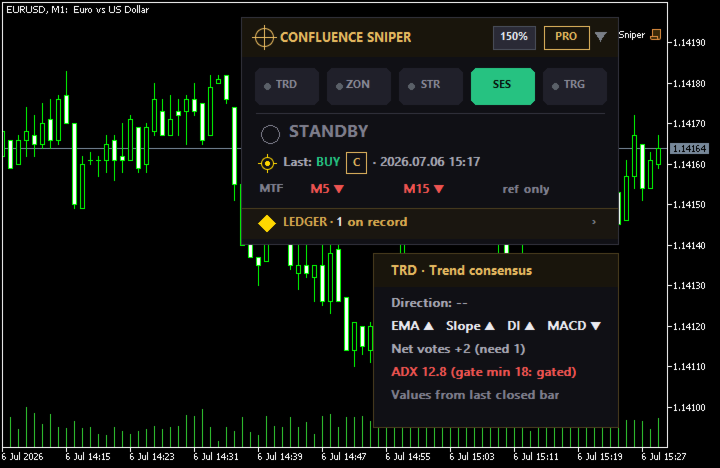
Each closed bar is judged by five separate checks that each cast a vote. Trend consensus reads a multi model agreement on direction behind an ADX strength gate. Zone context checks whether price is reacting at a fresh order block. Currency strength compares the base and quote baskets. A session and volatility gate keeps signals inside your chosen hours and away from dead or overheated markets. A price action trigger confirms the actual break or engulfing on the bar. A signal prints only when the trigger and enough engines align, and each one is graded A, B, or C so you can see at a glance how much agreement stands behind it. The grade counts how many checks agreed on that bar; it is not a win rate and not a probability.
The ledger is the product
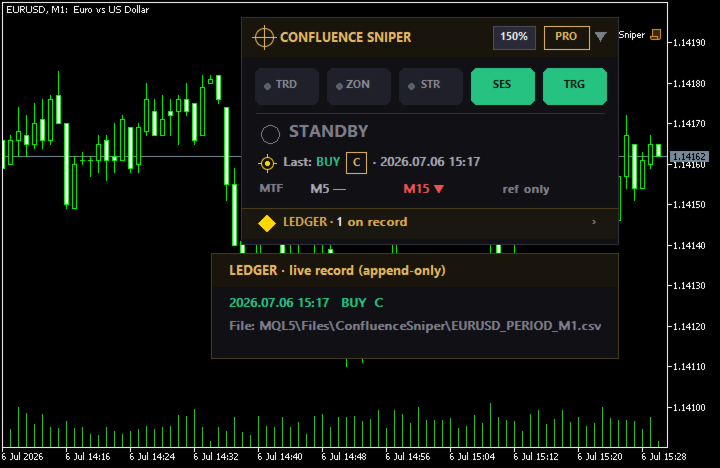
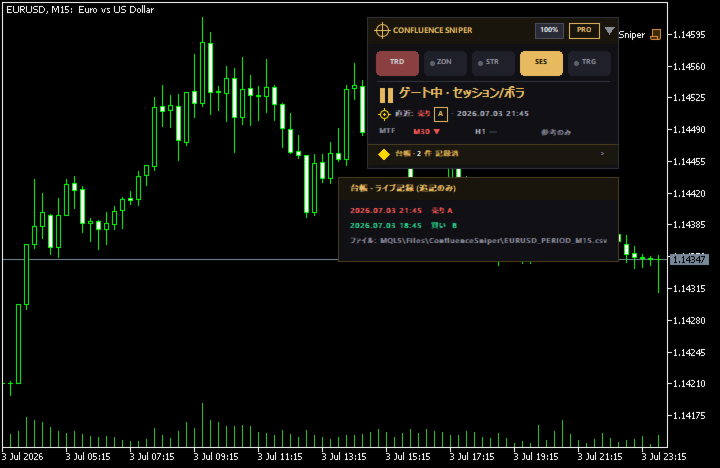
Live signals are recorded, and the panel reports exactly how many are on record. Point at the ledger seal to read the recent fires straight from the file, with the file path shown so you can open the raw record yourself in any text editor. This is not a screenshot you have to trust. It is a receipt. In the only setting we have measured so far, a four-week Strategy Tester run on a gold M15 chart with the default inputs, made with the free edition that Pro builds on, each of the ten arrows first appeared once its bar had closed, none was moved or removed later, and attaching the indicator again drew the ten arrows on the same bars at the same prices.
What Pro adds
Pro turns every live fire into an alert on your terms, as a terminal popup, a push notification to your phone, or an email. A higher timeframe context row shows where the larger trend stands, marked clearly as context that never changes a grade, because an honest calibration found it added no measurable edge. Since 1.20 Pro also includes the multi-symbol scanner described below.
Scanner
Pro adds a second panel that scans Market Watch, or a list you type, on one timeframe, the chart's own by default. Every symbol goes through the same five engines and the same grade rule as the chart, and B and A fires are listed newest first, for up to 150 symbols, 50 by default. A filled triangle is a fire the scanner watched as the bar closed; only those are alerted, through the Popup, Push and Email switches you already use, and several fires in the same step go out as one push or email within the MQL5 sending limit. An outlined triangle is a fire found when the scanner started and looked back; it is shown but never alerted. A symbol that already has a Confluence Sniper Pro chart on the scan timeframe is left to that chart: the scanner still lists its fires but does not alert them. If the same instrument is in Market Watch under two names, for example USDJPY and USDJPY#, both are scanned and both are alerted.
If a Confluence Sniper chart has recorded that bar in its ledger, the row carries the ledger mark; the scanner only reads the ledger and never writes to it. Click a row to open that symbol's chart. One scanner runs per terminal; if Pro sits on several charts, one of them scans and the others say so. Two practical notes. The strength engine adds the currency pairs it needs to Market Watch, so a Market Watch scan can include pairs you did not pick yourself; use the manual list when you want a fixed set. And the scanner's memory follows the terminal's Max bars in chart setting under Tools, Options, Charts: on our test machine, one PC and one broker's demo account, 50 symbols took about 0.7 GB at the default 100,000 bars and about 0.17 GB at 5,000, and the figure varies with the symbols and their history. The panel's status card shows the current value.
Read it at a glance, or drill in
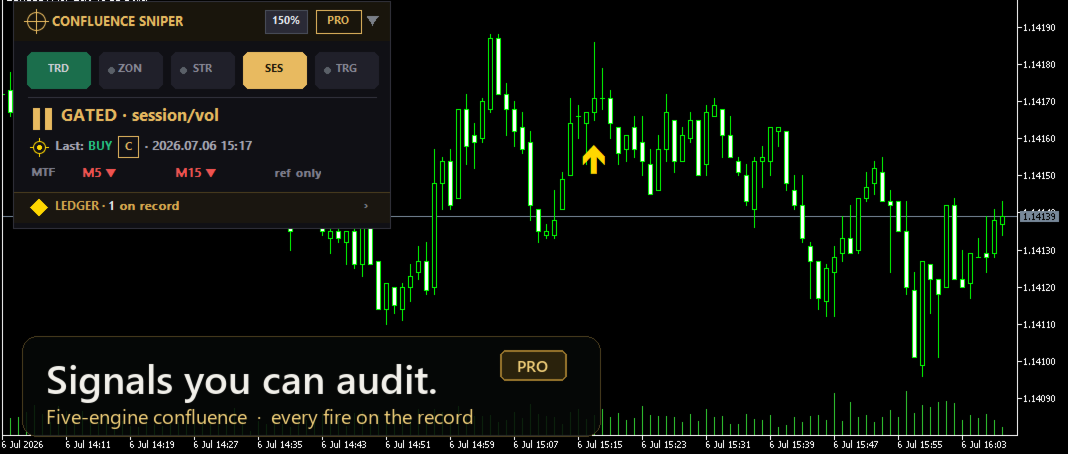
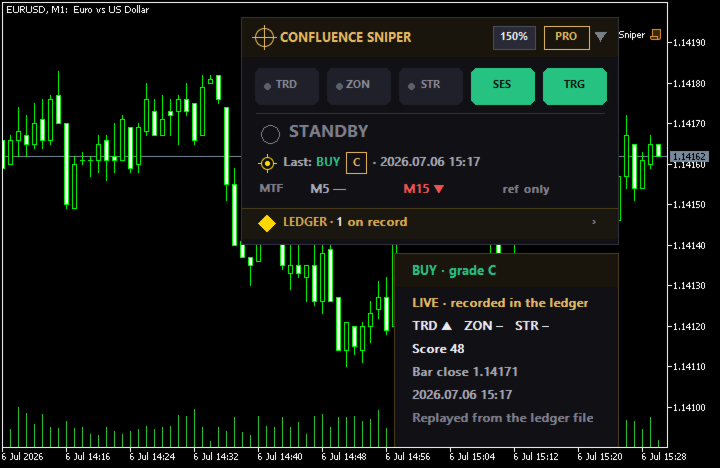
The panel stays visual. One stance line tells you the current lean, a row of engine chips shows which methods agree, and a gold arrow marks a live fire. Point at any element and a card opens with the numbers behind it, so a newer trader gets a clean picture while an experienced one gets the detail. Drag the header to move the panel, use the on panel size button to scale it, and collapse it to a single bar when you want the chart back. Every input and every row of the panel is explained in the user guide on the author's blog: Confluence Sniper user guide
What it does not do
It makes no win rate promise and shows no invented statistics. It reports what the engines see and what actually fired, and it leaves the decision to you. Confluence Sniper Pro also sits at the center of a family of focused tools, so when one engine earns your attention, the dedicated indicator for it goes deeper.
Buy once and every future version is yours for free. This tool is actively maintained, and its roadmap is shaped directly by user feedback, so the features keep growing after you buy. Tell me in the comments what you would add or change and it goes on the list.
Shared foundation
Confluence Sniper Pro builds on the free edition, whose listing and reviews are public on this Market.
Five engines, one verdict
Each closed bar is judged by five separate checks that each cast a vote. Trend consensus reads a multi model agreement on direction behind an ADX strength gate. Zone context checks whether price is reacting at a fresh order block. Currency strength compares the base and quote baskets. A session and volatility gate keeps signals inside your chosen hours and away from dead or overheated markets. A price action trigger confirms the actual break or engulfing on the bar. A signal prints only when the trigger and enough engines align, and each one is graded A, B, or C so you can see at a glance how much agreement stands behind it. The grade counts how many checks agreed on that bar; it is not a win rate and not a probability.
The ledger is the product
Live signals are recorded, and the panel reports exactly how many are on record. Point at the ledger seal to read the recent fires straight from the file, with the file path shown so you can open the raw record yourself in any text editor. This is not a screenshot you have to trust. It is a receipt. In the only setting we have measured so far, a four-week Strategy Tester run on a gold M15 chart with the default inputs, made with the free edition that Pro builds on, each of the ten arrows first appeared once its bar had closed, none was moved or removed later, and attaching the indicator again drew the ten arrows on the same bars at the same prices.
What Pro adds
Pro turns every live fire into an alert on your terms, as a terminal popup, a push notification to your phone, or an email. A higher timeframe context row shows where the larger trend stands, marked clearly as context that never changes a grade, because an honest calibration found it added no measurable edge. Since 1.20 Pro also includes the multi-symbol scanner described below.
Scanner
Pro adds a second panel that scans Market Watch, or a list you type, on one timeframe, the chart's own by default. Every symbol goes through the same five engines and the same grade rule as the chart, and B and A fires are listed newest first, for up to 150 symbols, 50 by default. A filled triangle is a fire the scanner watched as the bar closed; only those are alerted, through the Popup, Push and Email switches you already use, and several fires in the same step go out as one push or email within the MQL5 sending limit. An outlined triangle is a fire found when the scanner started and looked back; it is shown but never alerted. A symbol that already has a Confluence Sniper Pro chart on the scan timeframe is left to that chart: the scanner still lists its fires but does not alert them. If the same instrument is in Market Watch under two names, for example USDJPY and USDJPY#, both are scanned and both are alerted.
If a Confluence Sniper chart has recorded that bar in its ledger, the row carries the ledger mark; the scanner only reads the ledger and never writes to it. Click a row to open that symbol's chart. One scanner runs per terminal; if Pro sits on several charts, one of them scans and the others say so. Two practical notes. The strength engine adds the currency pairs it needs to Market Watch, so a Market Watch scan can include pairs you did not pick yourself; use the manual list when you want a fixed set. And the scanner's memory follows the terminal's Max bars in chart setting under Tools, Options, Charts: on our test machine, one PC and one broker's demo account, 50 symbols took about 0.7 GB at the default 100,000 bars and about 0.17 GB at 5,000, and the figure varies with the symbols and their history. The panel's status card shows the current value.
Read it at a glance, or drill in
The panel stays visual. One stance line tells you the current lean, a row of engine chips shows which methods agree, and a gold arrow marks a live fire. Point at any element and a card opens with the numbers behind it, so a newer trader gets a clean picture while an experienced one gets the detail. Drag the header to move the panel, use the on panel size button to scale it, and collapse it to a single bar when you want the chart back. Every input and every row of the panel is explained in the user guide on the author's blog: Confluence Sniper user guide
What it does not do
It makes no win rate promise and shows no invented statistics. It reports what the engines see and what actually fired, and it leaves the decision to you. Confluence Sniper Pro also sits at the center of a family of focused tools, so when one engine earns your attention, the dedicated indicator for it goes deeper.
Buy once and every future version is yours for free. This tool is actively maintained, and its roadmap is shaped directly by user feedback, so the features keep growing after you buy. Tell me in the comments what you would add or change and it goes on the list.