Published products

Order Block Zones marks one specific candle pattern in your chart's price data, the last opposite-colour candle before a strong move that breaks structure, and draws it as a clean supply or demand zone. Traders call these order blocks; the tool finds them by a fixed rule on the candles and does not see any actual institutional orders.
How a zone is found is transparent, not a black box. A bearish candle whose high is then broken upward by a displacement leg becomes a demand zone. A bullish cand
FREE

Order Block Zones PRO lets you trade on M15 or H1 while seeing the higher-timeframe order block zones, H4 and daily by default, on the same chart, each tagged with its timeframe, so you do not have to switch charts to know where the bigger zones sit.
When price comes within your chosen distance of a fresh zone, PRO alerts you with a popup and, if you turn it on, a push notification on your phone, and the panel keeps a log of the last twenty alerts of the current session.
Order Block Zones PRO

Trend Dashboard PRO watches every symbol on your list across up to six timeframes and alerts you by popup, sound, push or e-mail when one of them lines up for a LONG or SHORT entry on a closed bar. Click the signal card and that pair opens on your trading timeframe, so you go from the alert to the chart in one click. The list button next to the bell shows what fired in this session and whether each push and e-mail went through, so you can check what you missed while you were away. Why PRO (vs a

Gold Pulse PRO watches gold while you cannot: it alerts you when a session opens, when today's range reaches your chosen share of the average day, when price comes near a key level, when the macro readout flips, and before high-impact US news. One panel shows which session you are in, how much of the average day's range is used, where the key levels are and how far price is from each, and whether the US dollar and risk markets read as a HEADWIND or a TAILWIND for gold. That macro line is read fr

Trend Dashboard is a free multi timeframe trend indicator for MetaTrader 5 that shows trend direction and trend strength for every symbol on your list, across up to six timeframes from M5 to D1, in one panel. Rows come from your own symbol list or straight from Market Watch (up to 100 symbols by default, 300 at most), so forex pairs, gold (XAUUSD), indices, metals and crypto sit side by side on one screen. Color gives the direction, a rounded bar gives the ADX strength, and the right-hand column
FREE

Gold Pulse is a free gold indicator for MetaTrader 5 built only for XAUUSD. It puts on one panel the context a gold trader checks before every entry: a session clock for Tokyo, London and New York with a countdown to the next session, how much of the average daily range (ADR) today has already used up, ATR and the live spread, a trend bias on M15, H1 and H4, and auto-drawn key levels on the chart with their distance from price. A MACRO line reads the US dollar through the seven USD pairs and a r
FREE

Confluence Sniper is a free confluence indicator for MetaTrader 5 that marks an entry only when several independent checks agree on the same closed bar: trend consensus, order block and fair value gap (FVG) context of the kind smart money concepts (SMC) traders watch, currency strength, a session and volatility gate, and a price action trigger. It also settles the one argument every signal tool eventually loses: repainting. Every live signal is written to a local ledger file the instant its bar
FREE

Currency Strength Duel is a free currency strength meter for MetaTrader 5. It answers one question, which currency is being bought right now and which is being sold, by ranking the 8 forex majors from strongest to weakest on the last closed bar of the timeframe you pick (H1 by default), with optional gold and Bitcoin rows, and it alerts you when the leader changes. Pair the strongest currency against the weakest. It resolves the common broker suffixes (#, ., m, micro, pro, +, _i, c) on its own,
FREE

Prop Firm Risk Guardian is a free prop firm risk management panel for MetaTrader 5, built for a funded account or a challenge account. It shows in real time how close you are to breaching your daily loss limit and your trailing max drawdown, counts down to the daily reset, and works out the largest lot size your own rules allow right now, so the lot you type into the next order is one your remaining buffer can absorb if the stop is hit. Pick a preset for a 2-step, 1-step or instant challenge, or
FREE

Execution Caliper is a free execution cost measuring tool for MetaTrader 5, not a trading robot. It sits on one chart and measures what your broker account actually charges on that symbol, spread by hour of day, commission, swap, the rollover band and weekend gaps, then divides that cost by the stop width of the EA you are thinking of running. The result is one ratio, cost as a share of your stop. The free edition reports this as a floor because it contains no slippage measurement; the optional
FREE

Helps you stay within the loss limits of a funded or challenge account — with a seatbelt that fastens itself. PRO automatically sends a close order for every open position on the chart symbol the instant a daily-loss or max-drawdown limit is breached, and refuses its own order buttons for as long as the account stays past the limit. Plus one-click BUY / SELL at the largest lot your own rules allow right now, with an arm-then-confirm so a single misclick never fires a trade.
Utility tool. No str

Confluence Sniper Pro marks entries only when several independent methods agree on the same bar, and it settles the one argument every signal tool eventually loses: repainting. Every live signal is written to a local ledger file the instant its bar closes, and the gold arrows on history are replayed from that record, never recomputed. A clearly separate hollow arrow shows the model estimate on older bars, so the two are never confused. The tool only ever appends to that file and never rewrites a
What this is
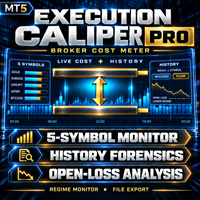
Execution Caliper Pro is a measuring instrument, not a trading robot. It measures how much execution cost your account charges on up to five symbols at once, divides each of those costs by the stop width you entered for that symbol, and then reads your own closed trade history to show what the same measurement looks like on the trades you have already made. Unless you arm the optional slippage probe described below, it sends no orders and opens no positions, and armed or not it tou