Prime Trend Pro
- Indicators
-
Artem Koliada
 MQL4/MQL5 Developer 💻 | Turning trading strategies into profitable code. Expert Advisors (EA) & Custom Indicators for MT4/MT5. Let's automate your trading
 - Version: 2.7
- Updated: 12 July 2026
- Activations: 8
PrimeTrend Pro
PrimeTrend Pro is a trend-following indicator built on an ATR ratchet engine. It adds a set of independent signal-quality filters and a multi-symbol, multi-timeframe dashboard. The indicator is designed to show three things on one screen: the current trend direction, the quality of the current signal, and the level of agreement across other timeframes and symbols.
This is an indicator. It does not open, modify or close positions. All trading decisions remain with the user. The indicator does not guarantee any trading results. Test it on a demo account before use.
Engine
The core is an ATR channel with a one-way ratchet: in an uptrend the support level can only move up, in a downtrend the resistance level can only move down. Version 2.7 adds the following options.
Flip hysteresis. A trend reversal requires the close to break the level by an additional configurable fraction of the ATR value, which reduces flips caused by short spikes in ranging markets.
Two-bar confirmation (optional). The first close beyond the level sets a pending state. The reversal is applied only if the next bar also closes beyond the level.
Adaptive multiplier (optional). The channel width is scaled by the ratio of fast ATR to slow ATR within a fixed clamp range. The channel widens when volatility rises and narrows when it falls.
Two ratchet modes. Classic mode anchors the channel to the bar median. Chandelier mode anchors it to the highest high and lowest low of the period, which follows price more closely in strong trends.
Data-driven seeding. The initial trend direction is taken from price data instead of a fixed value, so the historical line does not depend on the amount of loaded history.
Signal quality filters
Each filter can be enabled or disabled separately. A signal that does not pass a filter is not hidden. It is drawn in a different color, so the reason for the missing clean BUY or SELL state is always visible.
Efficiency Ratio filter. Measures how directional the recent price path is and marks inefficient movement as flat.
ADX filter. A ranging-market filter that can be used together with or instead of the Efficiency Ratio filter.
Volume delta confirmation. The indicator calculates tick-volume delta as the volume of bullish bars against the volume of bearish bars over a lookback window. A BUY trend without bullish dominance, or a SELL trend without bearish dominance, is marked as unconfirmed.
Baseline filter. Signals against a long-period EMA are marked as counter-trend.
Volume filter. Signals formed on low volume are marked as unreliable. The volume of the forming bar is scaled by elapsed time so that it is not flagged unfairly.
Stable live bar
Window-based filters are noisy while the current bar is forming, which can cause the live state to change several times inside a bar. The indicator takes a snapshot of the filter results on the last closed bar and keeps the classification of the live bar until it closes. Closed bars are never recalculated.
Dashboard
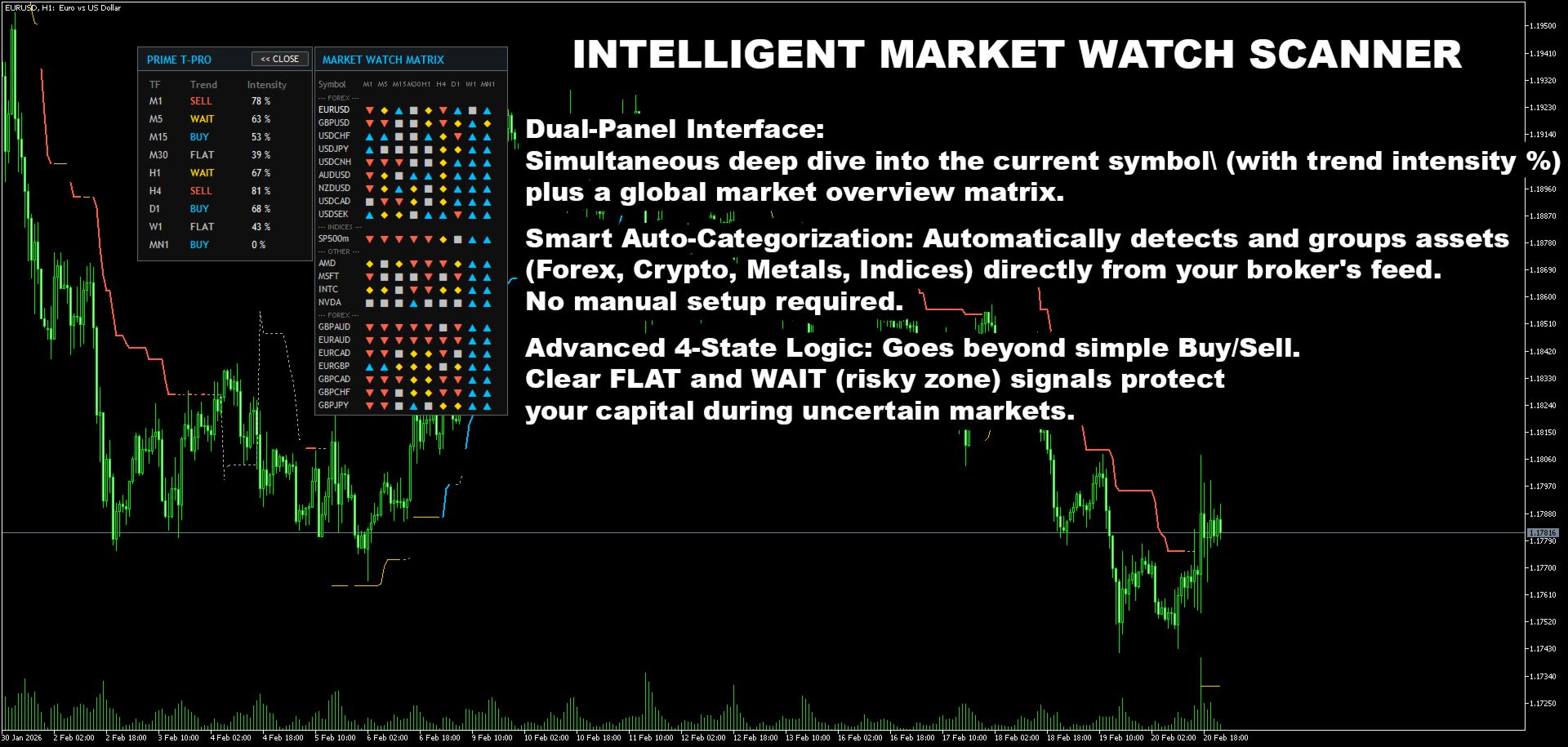
Timeframe column. Trend state and signed volume-delta dominance for the current symbol from M1 to MN1.
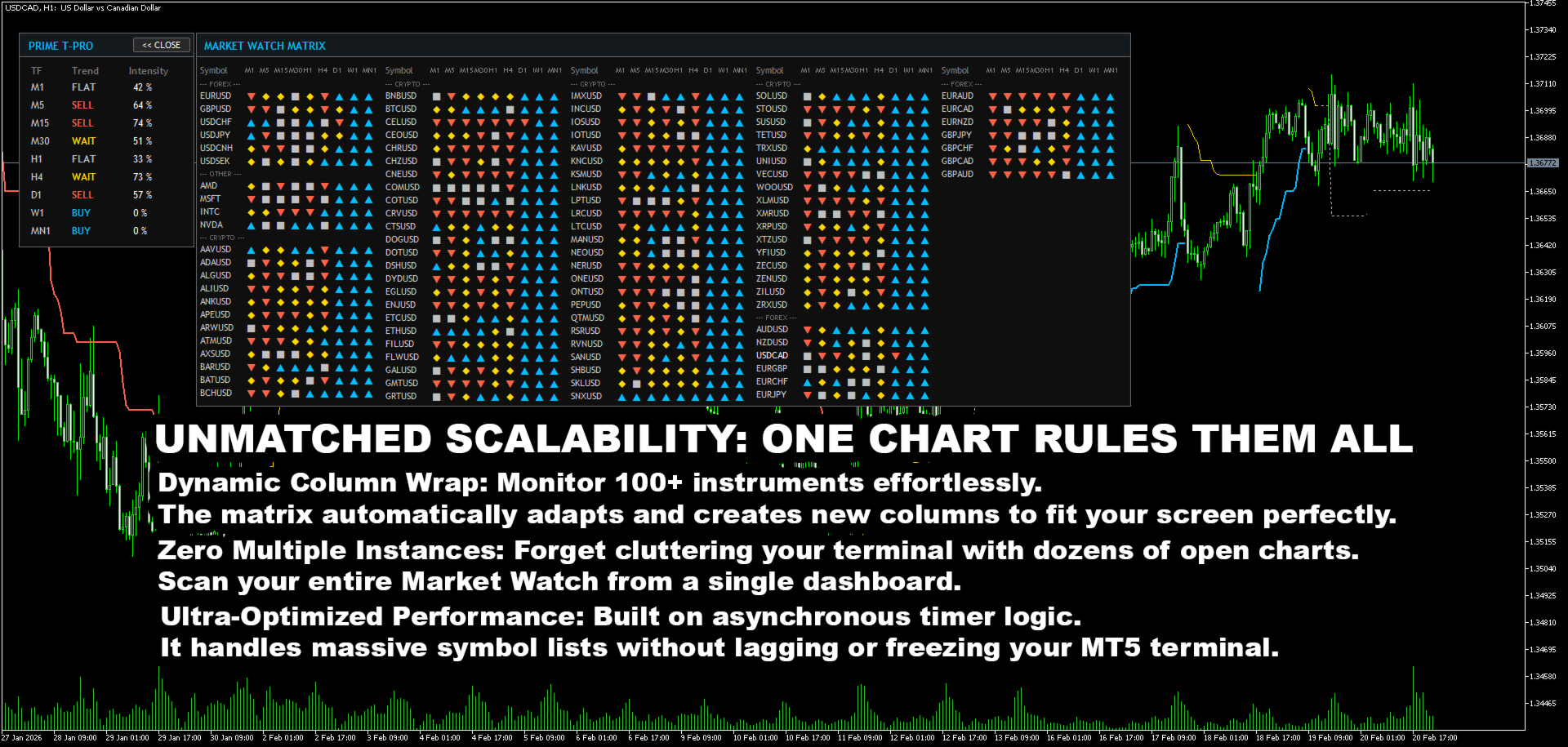
Market watch matrix. The same nine-timeframe scan for every symbol from the Market Watch window or from a custom list, with grouping by asset class, sorting by category, name, bullish agreement or bearish agreement, tooltips for each cell, and small delta history charts. Clicking a symbol name switches the chart to that symbol.
Volume delta panel. A histogram of signed delta dominance over the last 35 bars.
Confluence score. A single value summarizing agreement across the nine timeframes. In weighted mode higher timeframes carry more weight, so that several correlated minute charts do not dominate the result. A plain-count mode is also available.
Confirmed bar mode. When alerts are set to bar close only, the whole panel reads the last closed bar of each timeframe and does not change inside a bar.
The panel can be dragged, its position is saved per chart, and it can be drawn behind the candles.
Alerts
Screen, push and email alerts can be enabled for trend changes on every symbol and timeframe shown in the matrix. In confirmed mode alerts use closed-bar data only. The first scan after attaching the indicator records the initial state and does not send alerts.
Performance notes
No indicator reads are made in the drawing path. All multi-symbol data is cached and refreshed on a timer. Data for other symbols is requested only when the matrix is opened. Volume delta, volume average and Efficiency Ratio use rolling-window calculation. The panel is redrawn only when the data changes. The number of scanned symbols is limited by an input parameter.
Input parameters
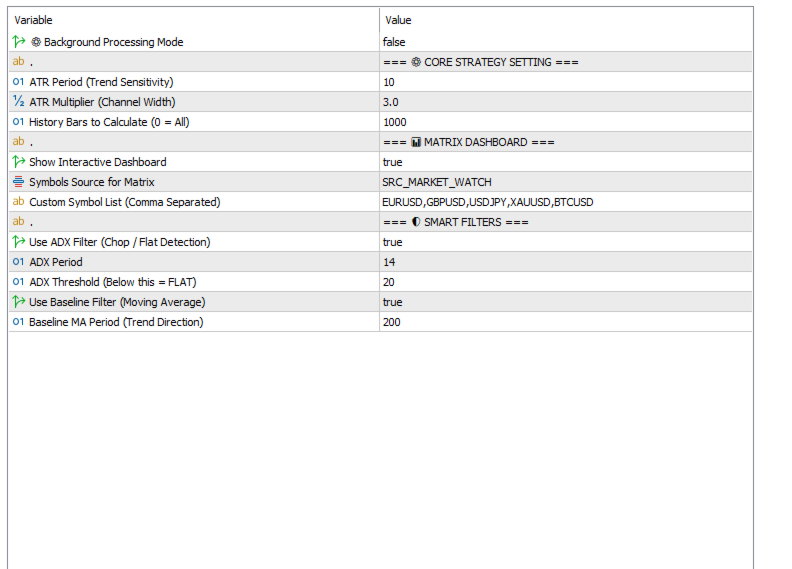
Core strategy
- ATR Period, default 10. Trend sensitivity. A lower value gives faster reaction and more reversals.
- ATR Multiplier, default 3.0. Channel width. A lower value gives a tighter channel and more reversals.
- History Bars, default 1000. Number of bars to calculate. Zero means the whole history.
Engine
- Ratchet Anchor Mode, default Classic. Classic or Chandelier anchoring.
- Flip Hysteresis, default 0.15. Extra breach depth in ATR units. Zero disables it.
- Confirm Bars, default 0. Set to 1 to require a second close beyond the level.
- Adaptive Multiplier, default false. Scales the channel width by the volatility regime.
- Slow ATR Period, default 100. Reference period for the adaptive multiplier.
- Min and Max Factor, defaults 0.7 and 1.6. Clamp range for adaptive scaling.
- Stable Live Bar, default true. Locks live-bar filter results to closed-bar data.
Filters
- Use ADX Filter, default false. ADX below the threshold marks the state as flat.
- Use ER Gate, default true. Efficiency Ratio below the level marks the state as flat.
- ER Period and Level, defaults 20 and 0.30.
- Use Delta Confirm, default true. A trend against the volume delta is marked as unconfirmed.
- Delta Min Percent, default 50. Required dominance on the trend side, from 50 to 100.
- Use Baseline Filter, default false. Signals against the long EMA are marked as unconfirmed.
- Use Volume Filter, default false. Low-volume signals are marked as unreliable.
Reading the chart line
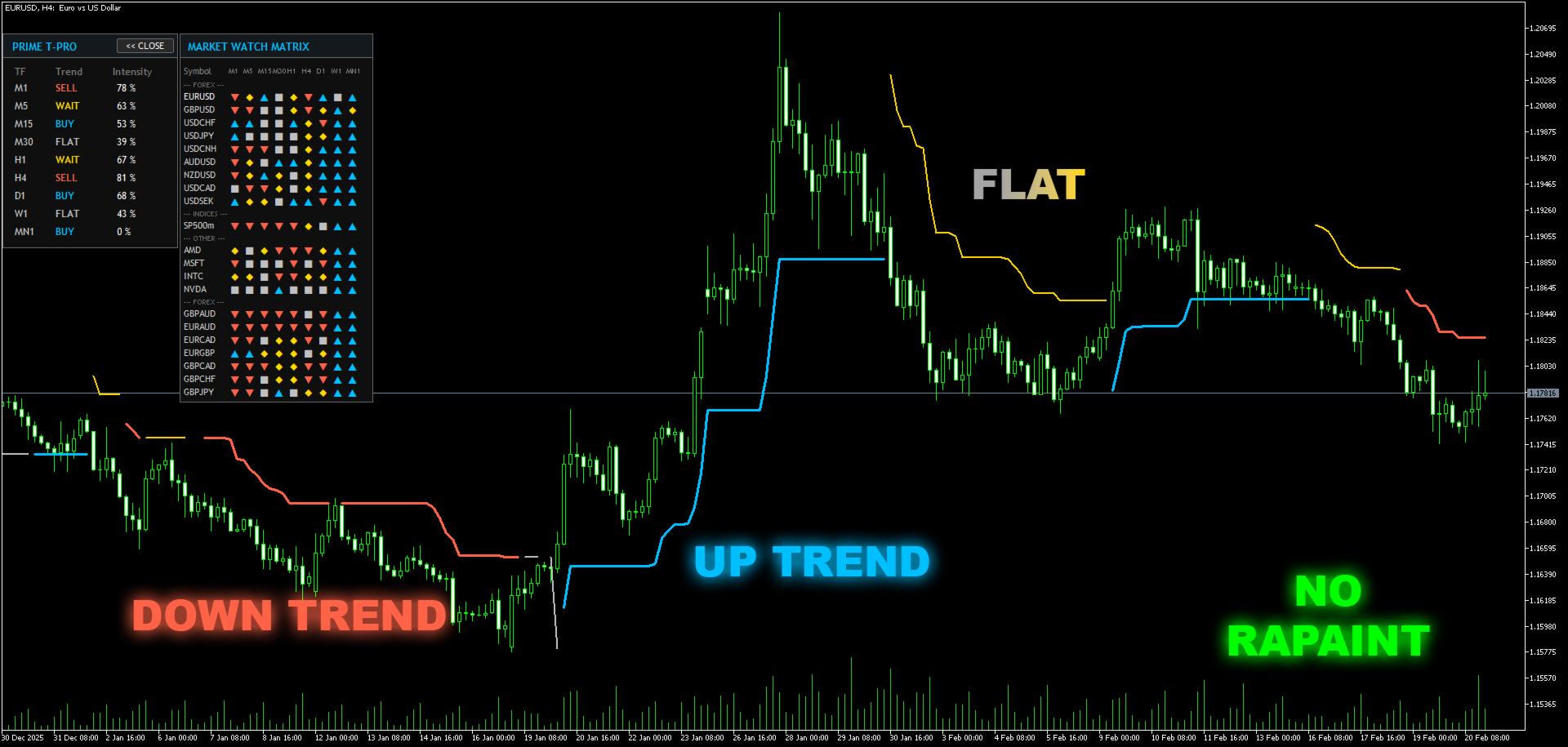
The indicator draws one trailing line. Its color and style carry the state.
- Solid blue: confirmed uptrend, all enabled filters passed. The line can be used as a trailing reference.
- Solid red: confirmed downtrend, all enabled filters passed.
- Dotted gray: flat state reported by the Efficiency Ratio or ADX filter.
- Solid gold: a trend exists but one of the confirmation filters did not pass.
The line on closed bars does not change. The trend on the forming bar can change with the current close, which is inherent to any logic based on the close price. With default settings the color classification of the live bar is locked until the bar closes.
Suggested settings
Conservative: default values with Confirm Bars set to 1. Fewer signals and one bar of delay on reversals. Suitable for H1 and higher.
Balanced: default values. Hysteresis 0.15, Efficiency Ratio filter on, delta confirmation on. Suitable for M15 to H4.
Fast: Flip Hysteresis 0.05, ER Level 0.20, delta confirmation off. More signals and more noise. Intended for liquid symbols and short timeframes.
Run the selected profile on a demo chart for some time before changing other inputs, and change one input at a time.
Notes
In the Strategy Tester the panel shows only the tested symbol, because the tester does not supply data of other symbols to a multi-symbol indicator. The signal line and all filter logic work in the tester exactly as in live mode.
When the matrix is first opened, some cells stay empty until the terminal loads the history of the corresponding symbol and timeframe.
On very thin symbols the delta value can stay near its maximum for a short window. Increasing the volume delta lookback period reduces this effect.
The indicator does not trade. Buffer values are available for reading from an Expert Advisor: buffers 0 to 3 hold the line states, buffer 4 holds the trend direction, buffer 6 holds the signed delta value.
Support and questions are handled in the product comments section and through the mql5.com messaging system.