Candle Breakout Expert Advisor
- Experts
-
Tom Seljakin
 🥇🚀 Professional Forex & Crypto Solutions
We are a professional team of developers and market-making specialists with 12+ years of experience in the Forex and cryptocurrency markets. - Version: 4.0
- Updated: 1 February 2021
- Activations: 5
Get access to our complete collection of professional Expert Advisors when you purchase any single EA for just $40.
🚀 Candle Breakout EA – Automated Price Action Trading
The Candle Breakout EA is an automated trading system designed around previous-candle high/low breakout strategies.
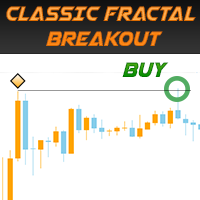
The EA monitors the previous candlestick's highest and lowest prices. When the market breaks either level, it can automatically execute a trade according to your selected order type and trading conditions.
This approach is suitable for various trading strategies, including:
- Daily timeframe breakout trading.
- Monday morning candle breakout strategies.
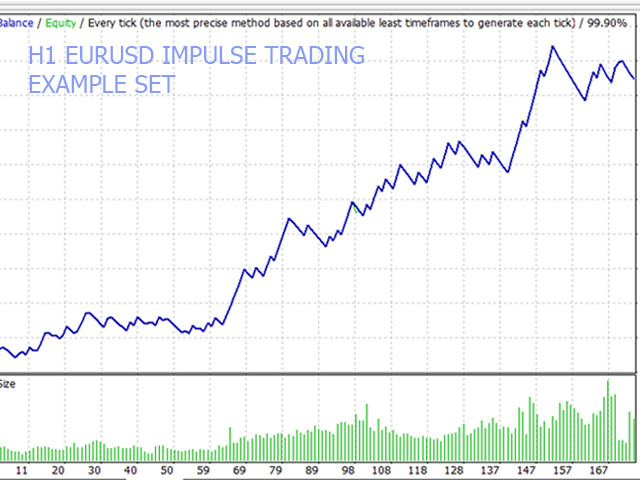
- Intraday momentum and impulse trading.
- Previous-candle high/low breakout systems.
⚙️ Advanced Trading Features
The Candle Breakout EA offers extensive customization options:
✅ Trading Time Filter – Restrict trading to specific hours and trading sessions.
✅ Day-of-Week Filter – Select exactly which weekdays the EA is allowed to trade.
✅ Candle Size Filter – Set minimum and maximum candle sizes to filter potential trading opportunities.
✅ Moving Average Trend Filter – Control which order types can be opened depending on whether the market trades above or below the selected Moving Average.
✅ Confirmed Breakout Trading – Choose whether trades should be opened immediately after a breakout or only after the breakout candle closes beyond the previous high/low.
✅ Flexible Order Execution – Select the type of order to execute when the previous candle's high or low is broken.
✅ ATR-Based Stop Loss & Take Profit – Automatically calculate trade protection and profit targets using Average True Range.
✅ Advanced Order Management – Configure automatic position closing when an opposite order is opened or when the opposite price extreme is broken.
📊 Main EA Settings & Parameters
1. General Settings
- Order Comment / Magic Number: Identify and manage the EA's trades.
- Maximum Allowed Slippage: Define the maximum permitted execution slippage.
2. Money Management
Choose your preferred position-sizing method:
- Fixed Lot: Trade with a predefined lot size.
- Lot Size Per Balance: Automatically adjust position size according to account balance.
- Risk Per Trade: Calculate position size based on your selected percentage risk per trade.
Additional parameters:
- Fixed lot size.
- Lot increment per balance.
- Risk percentage per trade.
- Reference account balance for lot calculations.
3. Trading Time & Date Settings
- Enable or disable the trading period filter.
- Configure trading start and end times.
- Select specific weekdays on which the EA is permitted to trade.
For example, entering 1,2 allows trading on Monday and Tuesday only.
4. Entry Conditions
- Enable or disable the Moving Average filter.
- Configure the MA calculation period.
- Define permitted order types above and below the MA.
- Select the order type to execute after a high/low breakout.
- Set minimum and maximum candle sizes.
- Add additional pips to the breakout levels.
- Enable confirmed breakout trading, requiring a candle close beyond the previous high or low.
5. Stop Loss & Take Profit Management
Choose between two calculation methods:
Fixed: Set predefined Stop Loss and Take Profit distances.
ATR-Based: Automatically calculate Stop Loss and Take Profit using the Average True Range indicator.
Customizable parameters include:
- ATR period.
- Stop Loss ATR multiplier.
- Take Profit ATR multiplier.
- Fixed Stop Loss and Take Profit distances.
6. Notifications & Error Handling
Configure notifications when:
- A new trading order is opened.
- An execution or trading error occurs.
🎁 GET THE COMPLETE EA COLLECTION
Remember: purchasing any single EA for $40 gives you access to our entire EA collection FREE.
Recommended Broker: FXTM
https://forextime.com/?Referral=38370
For detailed explanations of every input parameter, visit the EA's comments/documentation page.
📢 Join our FxNeuroLink Telegram Community:
Discover automated trading solutions, professional Forex information, and new EA releases.
FxNeuroLink – Smarter Trading Through Automation. 🚀