Algorex Trade Pilot MT4
- Utilities
-
Daniel Schwoerer
 Algorex Trading Solutions, founded 2013, based in Zürich. Rule-based trading systems, indicators and tools for futures, indices and gold, built by a trader and tested before release.
- Version: 1.13
I built Algorex Trade Pilot for myself. Spontaneous trades and revenge trading have burned me many times: a quick entry without a plan, a loss, then the next trade only to win it back, bigger and worse than the first.
Trade Pilot puts a short, honest check between the impulse and the click, and it takes the order buttons away from me when I am in no state to trade. It never opens a trade by itself: every order needs your click.
Risk, size and lines
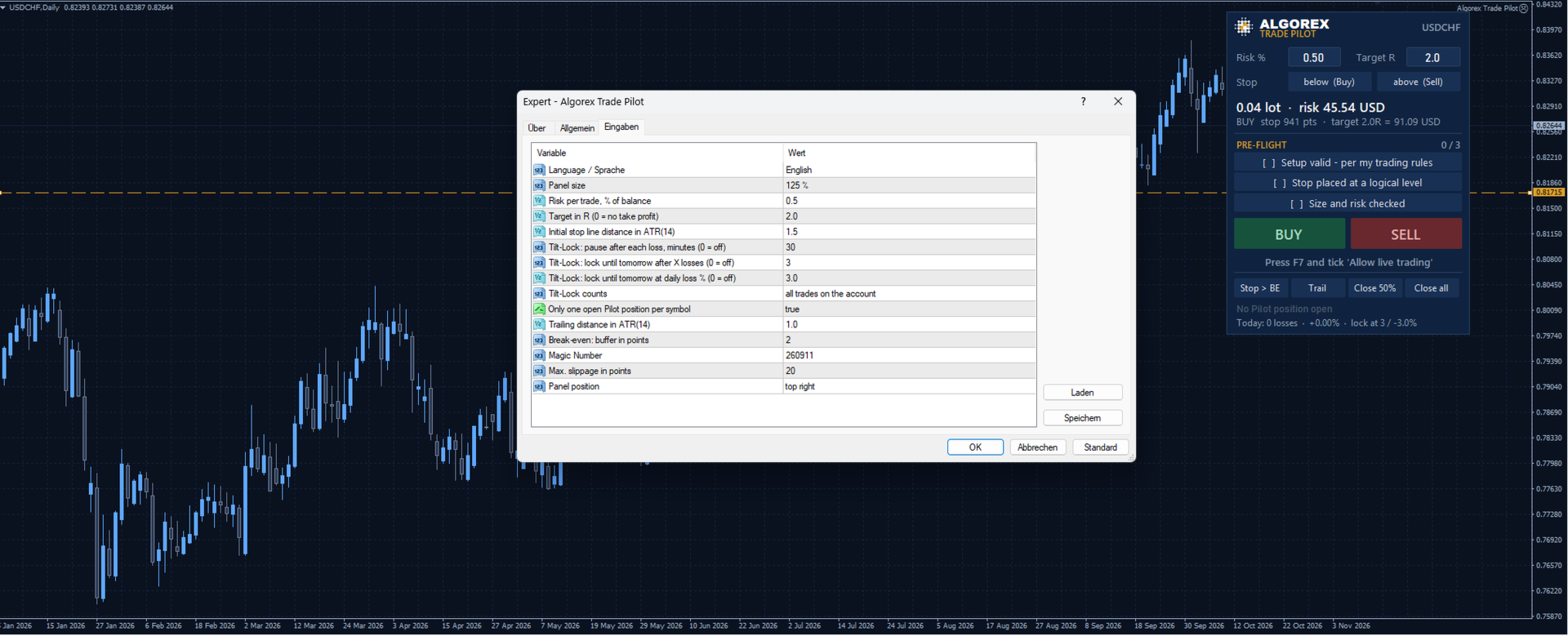
- Enter your risk per trade in percent of the balance
- Drag the red stop line on the chart: below price means BUY, above price means SELL
- The lot size and the money at risk are calculated live
- Optional green target line as a multiple of the risk (R)
- Drag the amber entry line away from the price to place a limit or stop order instead of a market order; drag it back to the price to return to market
Pre-Flight checklist
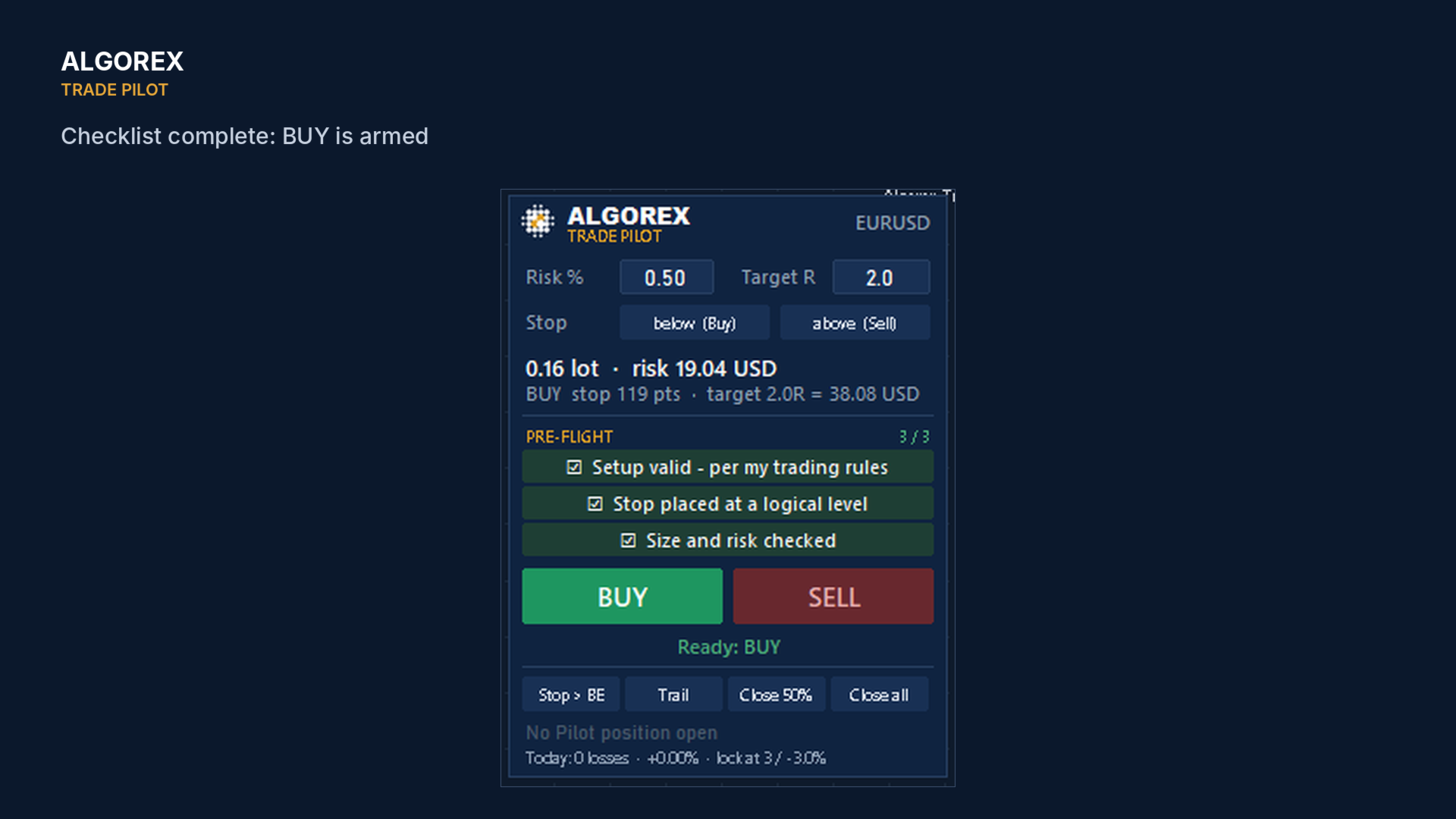
- Setup valid according to my trading rules
- Stop placed at a logical level
- Size and risk checked
BUY and SELL stay locked until all three boxes are ticked. The checklist resets after every trade.
How the Tilt-Lock works
- It works on the level of the Trade Pilot panel: while the lock is active, its BUY and SELL buttons are disabled and the stop line disappears
- It reads the closed trades of the current broker day (server time): by default all trades on the account, including manual trades and trades of other EAs, or only Trade Pilot trades if you choose so
- Pause after every losing trade: the buttons stay locked for a set time (default 30 minutes), with a countdown on the panel
- Lock until the next broker day after a number of losing trades (default 3) or at a daily loss in percent of the balance (default 3 %)
- The lock ends by itself at the start of the next broker day. To lift it earlier you would have to remove the EA or change its settings: a deliberate step, not a reflex
- Honest limit: Trade Pilot does not block MetaTrader's own order window, one-click trading or other EAs. It is a brake for the trader who decides to trade through the panel, not a cage
Trade management
- Stop to break-even with a small buffer, trailing stop in ATR
- Close 50 %, close all (also cancels a waiting order)
- While a position is open the panel shows lot, open price, stop and target
Inputs
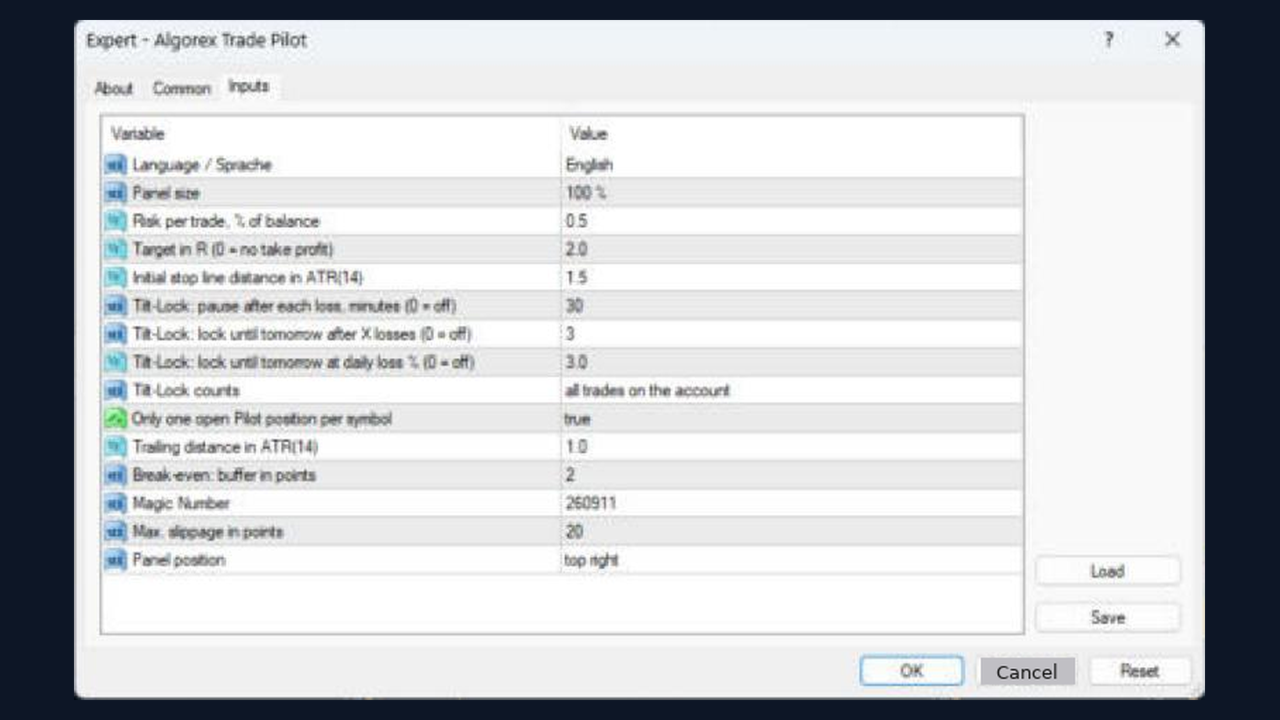
- Language, panel size, panel position
- Risk per trade, target in R, initial stop distance in ATR
- Tilt-Lock settings, one position per symbol, trailing distance, break-even buffer, magic number, slippage
Trading involves risk of loss. Test on a demo account first.