Smart Elliott Waves
- Indicators
-
Issam Kassas
 I’m Issam Kassas, the developer behind Issam Algo. I build MetaTrader 5 indicators and Expert Advisors for chart analysis and trading automation.
Current OFFER: Buy Smart Trend Trading System MT5 and receive Smart Universal Expert Adviser MT5 as a free bonus.
Smart Trend Trading System MT5: - Version: 1.0
- Activations: 20
Smart Elliott Waves
Message me on MQL5 after purchase to receive Smart Universal Expert Advisor for FREE, plus the online course, PDF manual, and private group access.
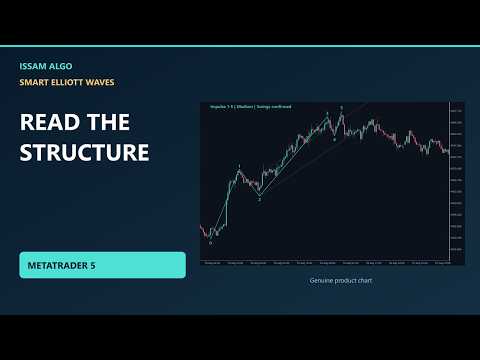
Explore possible Elliott wave structures directly on your MetaTrader 5 chart. Smart Elliott Waves labels price swings, organizes 22 selectable pattern types, and lets you browse different interpretations and earlier patterns from one panel.
Use it to study a chart and organize your analysis. It is an indicator: it does not open, manage or close trades.
What you can explore
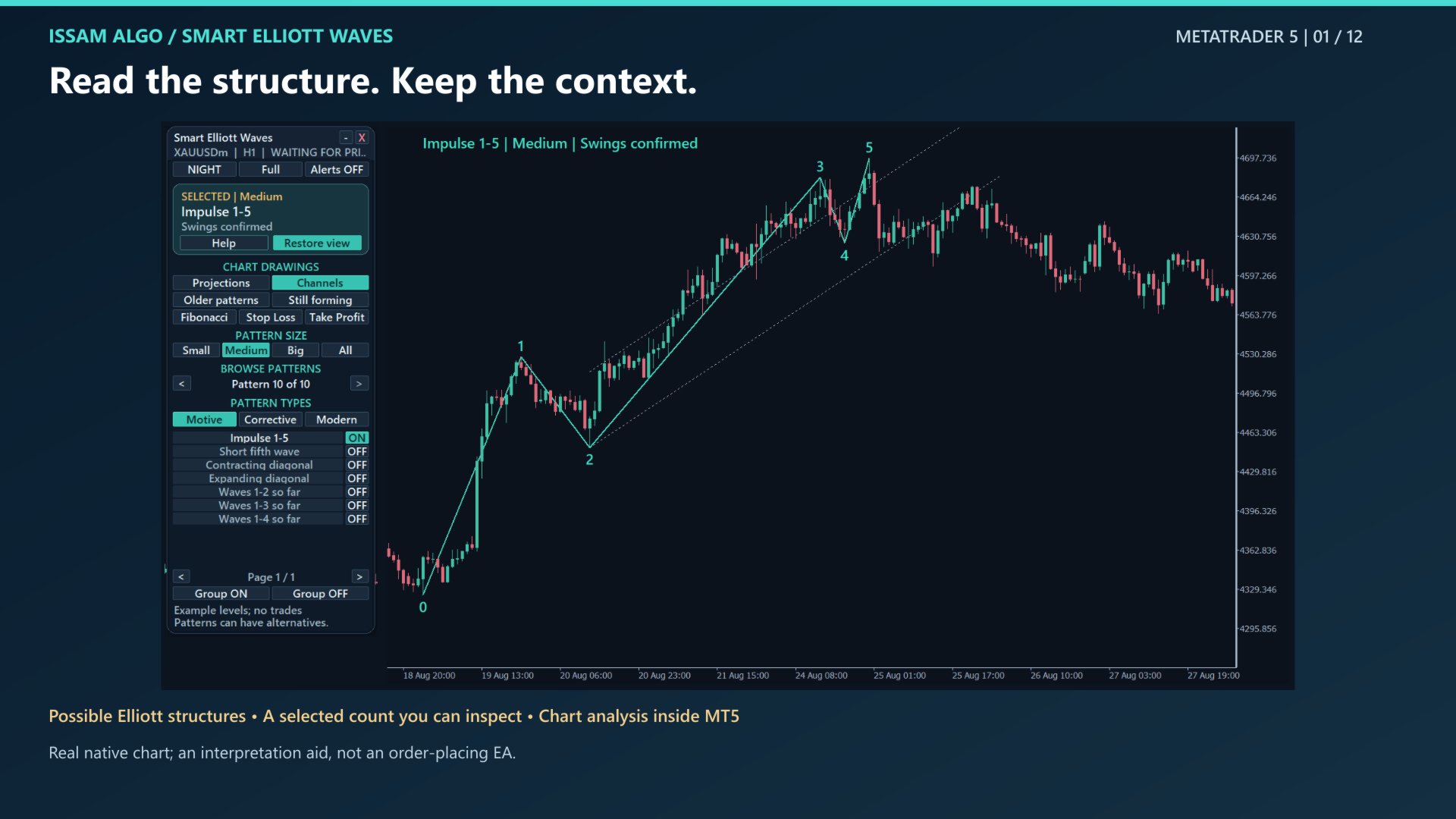
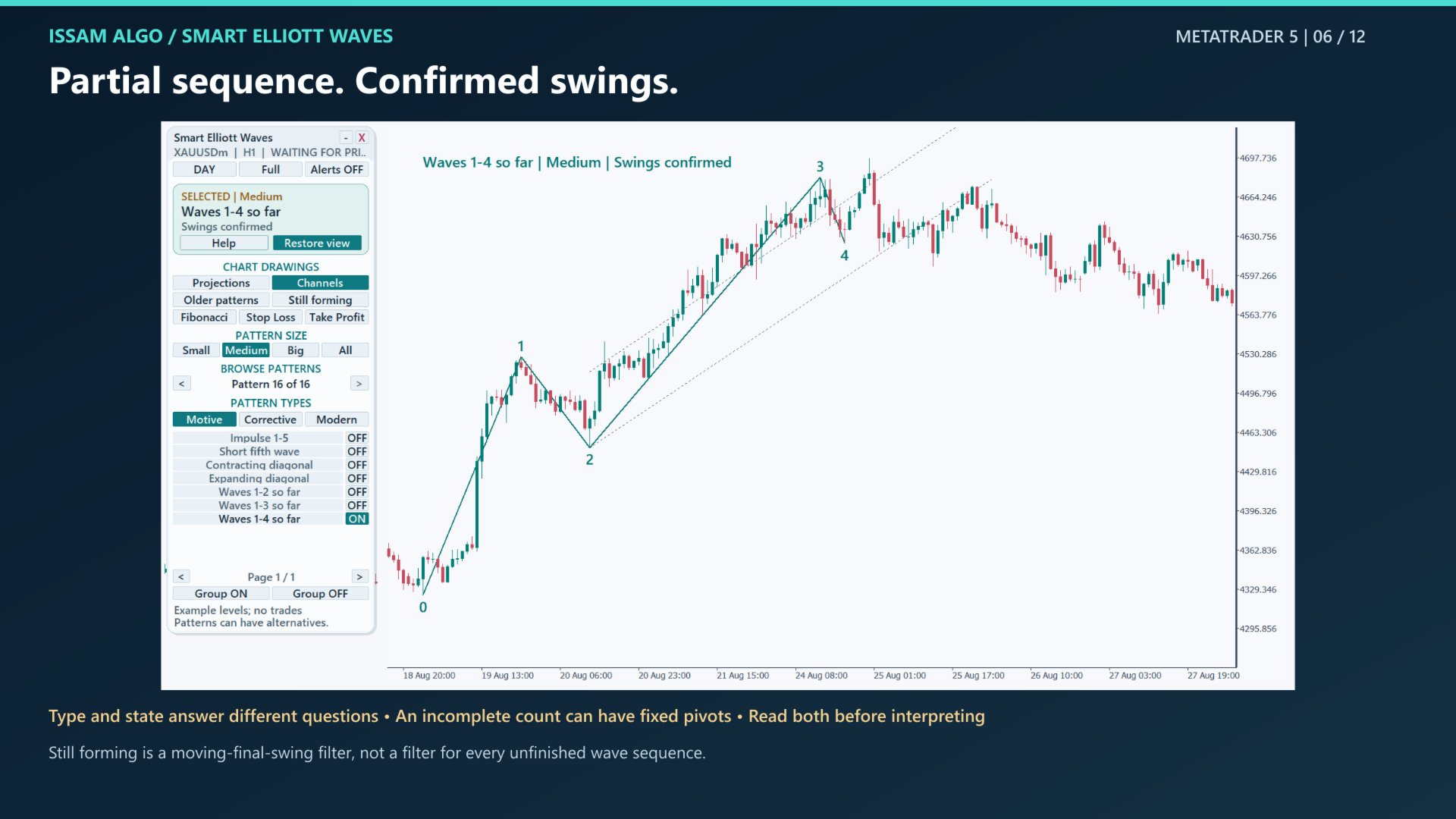
The Motive tab includes five-wave impulses, short fifth waves, contracting and expanding diagonals, and partial sequences through waves 2, 3 and 4.
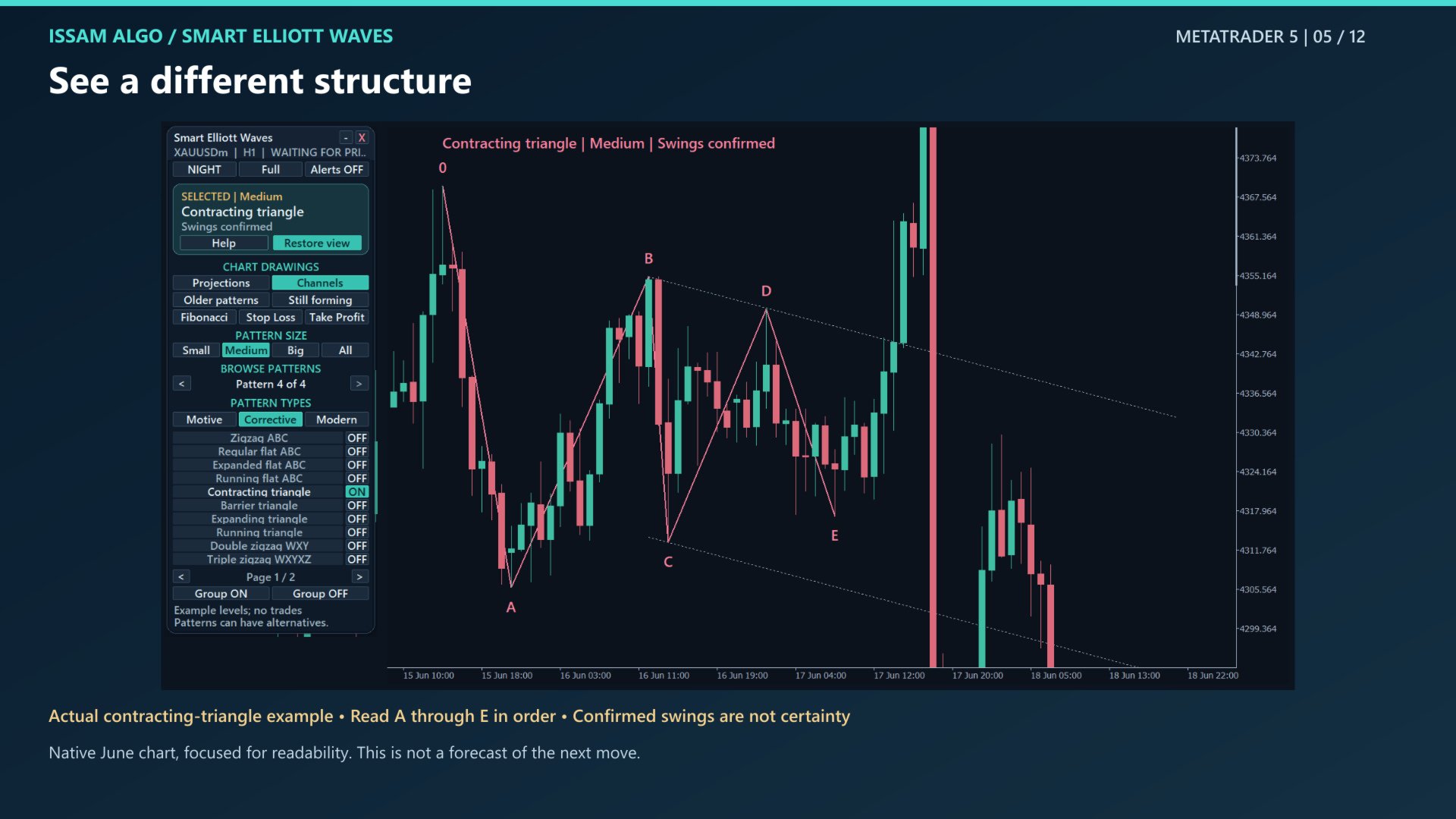
The Corrective tab includes ABC zigzags and flats, four triangle types, and WXY / WXYXZ combinations. The Modern tab adds three experimental interpretations: Neutral, Diametric and Symmetrical. These experimental types are disabled in the default Classical selection.
Small, Medium and Big let you compare relative pattern sizes. All displays the available sizes together. These are detector sizes, not formal Elliott wave degrees or fixed durations.
A panel built for chart work
Choose Day or Night, switch between Full, Standard and Compact layouts, drag the panel, or minimize it. The selected-pattern card identifies the current interpretation and whether its swings are confirmed or the last swing is still forming.
Browse toward older or newer patterns with the arrows. Show on chart brings the selected pattern into view; Restore view returns to the previous chart view. Select individual types or enable and disable a whole group. Built-in Help explains the controls in plain English.
Separate controls show or hide projections, channels, Fibonacci guides, older patterns, forming patterns, and available example stop and target levels. Projections are possible future paths; turning them off does not remove the detected wave lines.
Understand what the chart is showing
Swings confirmed means the detector has fixed the observed turning points for the current data and settings. It does not prove that an Elliott interpretation is correct. A partial sequence can already have confirmed swings.
Last swing forming means the final turning point can still move or disappear. Recognition requires later candles, so a label drawn at an earlier turning point was not necessarily available at that time. Different interpretations can coexist, and changes to history or settings can change the result.
Example levels, with clear limits
Eligible structures can show a hypothetical entry, stop and two targets. The entry uses the close when the example becomes known, rather than the earlier turning-point price. Some pattern types intentionally have no example levels.
Issued example prices remain fixed while their later status is tracked. The chart can report an active example, a touched stop or target, expiry, or an unknown touch order when a candle reaches both sides. These are chart examples, not recorded trades or a performance backtest. Projected paths do not predict exact future prices or arrival times.
Alerts and setup
Alerts start OFF. Choose popup, push or email in Inputs, configure the required MT5 notification settings, then enable the panel's Alerts control. Newly detected patterns with confirmed swings can notify you. Attaching the indicator or re-enabling alerts establishes a quiet starting point instead of replaying historical notifications.
Enabled pattern types filter alerts. The Small / Medium / Big buttons filter chart display only, so an alert may refer to another size.
To open Inputs, press Ctrl+I, select Smart Elliott Waves, choose Properties or Edit, and open Inputs. Practical settings appear first, followed by appearance and advanced analysis controls. Saved panel choices can override the starting choices when Remember Panel is enabled.
Requirements and support
For MetaTrader 5 desktop. No DLL, external image, custom library or companion indicator is required. The guide and course explain installation, the panel, examples, alerts and troubleshooting. Contact me through MQL5 messages for setup help.
Wave interpretations are uncertain and historical examples do not establish a trading edge. This product makes no profit, accuracy or non-repainting guarantee. Large history settings can reach the calculation limit and pause analysis; use a practical scan window for your chart.
Inputs and starting defaults
The parameter labels below match the English MT5 Inputs dialog. Each label explains its function. ON and OFF are the initial switch values; saved panel choices can take precedence.
01 Patterns and chart drawings
- Candles to scan (100-50000): 3000
- Maximum candles in one pattern (30-5000): 600
- Pattern types enabled at start: Classical
- Starting pattern size: Medium
- Show the control panel: ON
- Starting panel layout: Full
- Show example entry, stop loss and targets: ON
- Show possible future waves: ON
- Show older patterns beside the selected pattern: OFF
- Show Fibonacci retracement levels: ON
- Show pattern channel lines: ON
- Include patterns whose last swing can still move: ON
- Maximum extra older patterns to show (0-10): 3
02 Alerts for newly detected patterns
- Turn alerts on at start: OFF
- Alert on new patterns with confirmed swing points: ON
- Show an alert window in MT5: ON
- Send alerts to the phone configured in MT5: OFF
- Send alerts to the email configured in MT5: OFF
03 Panel size, position and colours
- Starting colour theme: Night
- Remember panel position, switches and filters: ON
- Name for this copy (use a unique name on this chart): Main
- Automatically size the panel to fit the chart: ON
- Manual panel size multiplier (auto size OFF; 0.75-1.5): 1.0
- Panel width before scaling (minimum 320 pixels): 340
- Starting distance from the left edge (pixels): 10
- Starting distance from the top edge (pixels): 20
- Match chart colours to the panel theme: ON
- Allow dragging the panel by its title: ON
- Chart label text size (7-16): 10
- Pattern line thickness (1-4): 2
- Candle spacing between future-wave points (2-100): 18
04 Advanced - swing size and pattern matching
- Small swings: candles checked on each side: 3
- Medium swings: candles each side (more than Small): 6
- Big swings: candles each side (more than Medium; max 100): 12
- Triangle flat-side tolerance (0.05 = 5% of wave A): .05
- Experimental wave-size similarity (0.60 = 60%): .60
- Experimental wave-duration similarity (0.35 = 35%): .35
05 Example trade levels
- Candles used to measure average price movement (ATR): 14
- Extra stop distance as ATR multiple (0.20 = 20%): .20
- Example levels expire after this many candles (1-1000): 60
06 Performance and troubleshooting
- Maximum calculation time in milliseconds (10-10000): 2500
- Show waiting status after no price update for seconds: 300
- Write troubleshooting details to the MT5 log: OFF