Smart Harmonic Patterns
- Indicators
-
Issam Kassas
 https://issamalgo.com/
I’m Issam Kassas, creator of Issam Algo. I develop MetaTrader indicators, Expert Advisors, and trading tools that connect analysis with execution. - Version: 1.0
- Activations: 20
Contact me first after your purchase
Send Issam a private message on MQL5 for the PDF user guide, course access and help with your setup. Product support is available through MQL5 messages and the product comments. Contact is for onboarding and support; it is not required to unlock the indicator.
Smart Harmonic Patterns
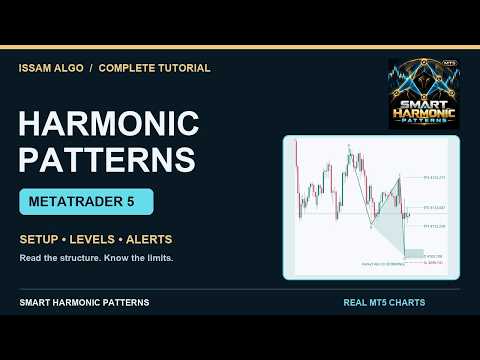
Review harmonic price structures directly on your MetaTrader 5 chart. Smart Harmonic Patterns combines an 88-variant catalog, an ATR-based ZigZag detector and a chart panel for selecting the patterns and drawings you want to see.
Use it for visual analysis and discretionary trade planning. The indicator does not place or manage orders, and the displayed reference levels are not executed trades.
Choose the patterns you follow
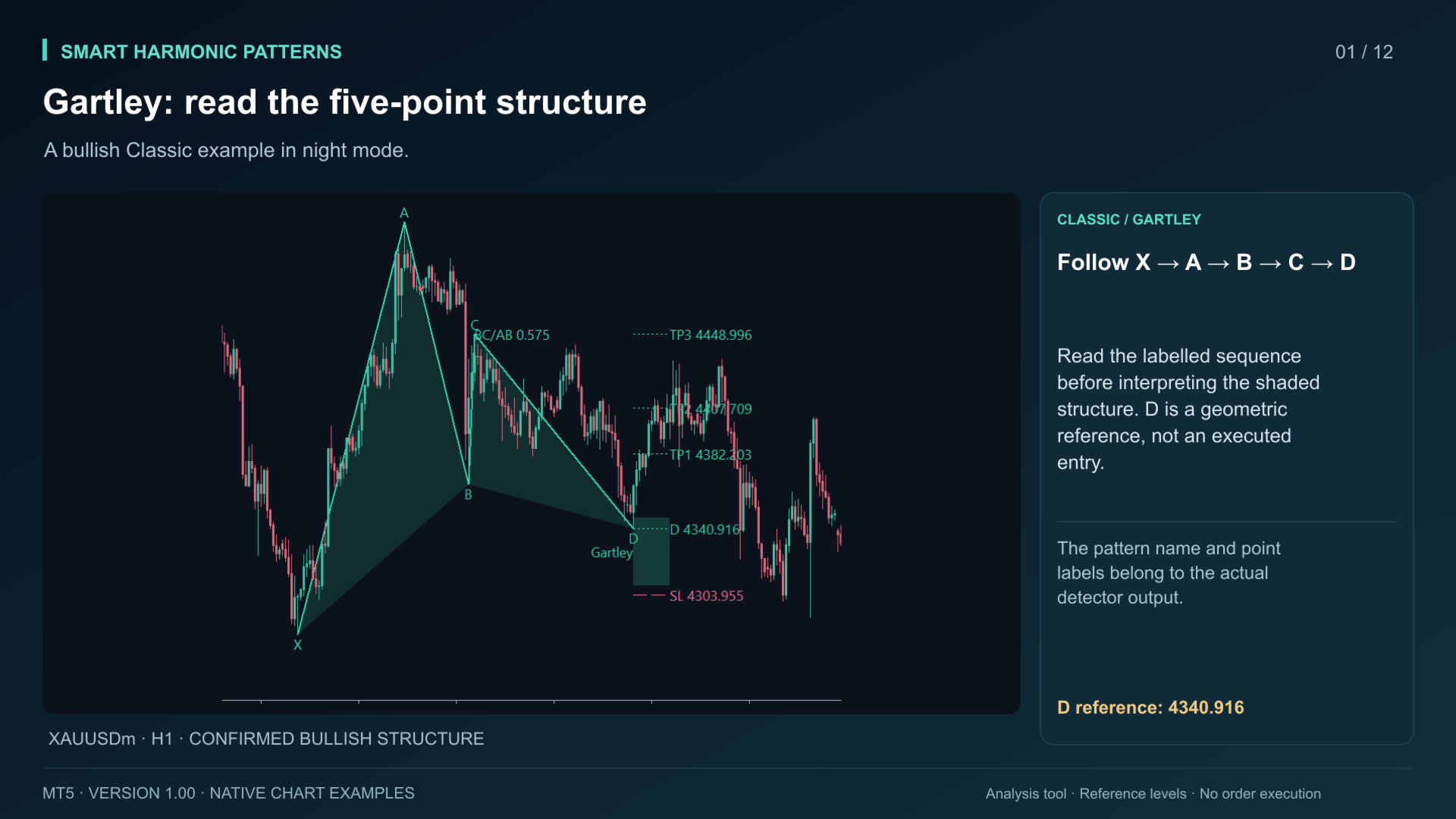
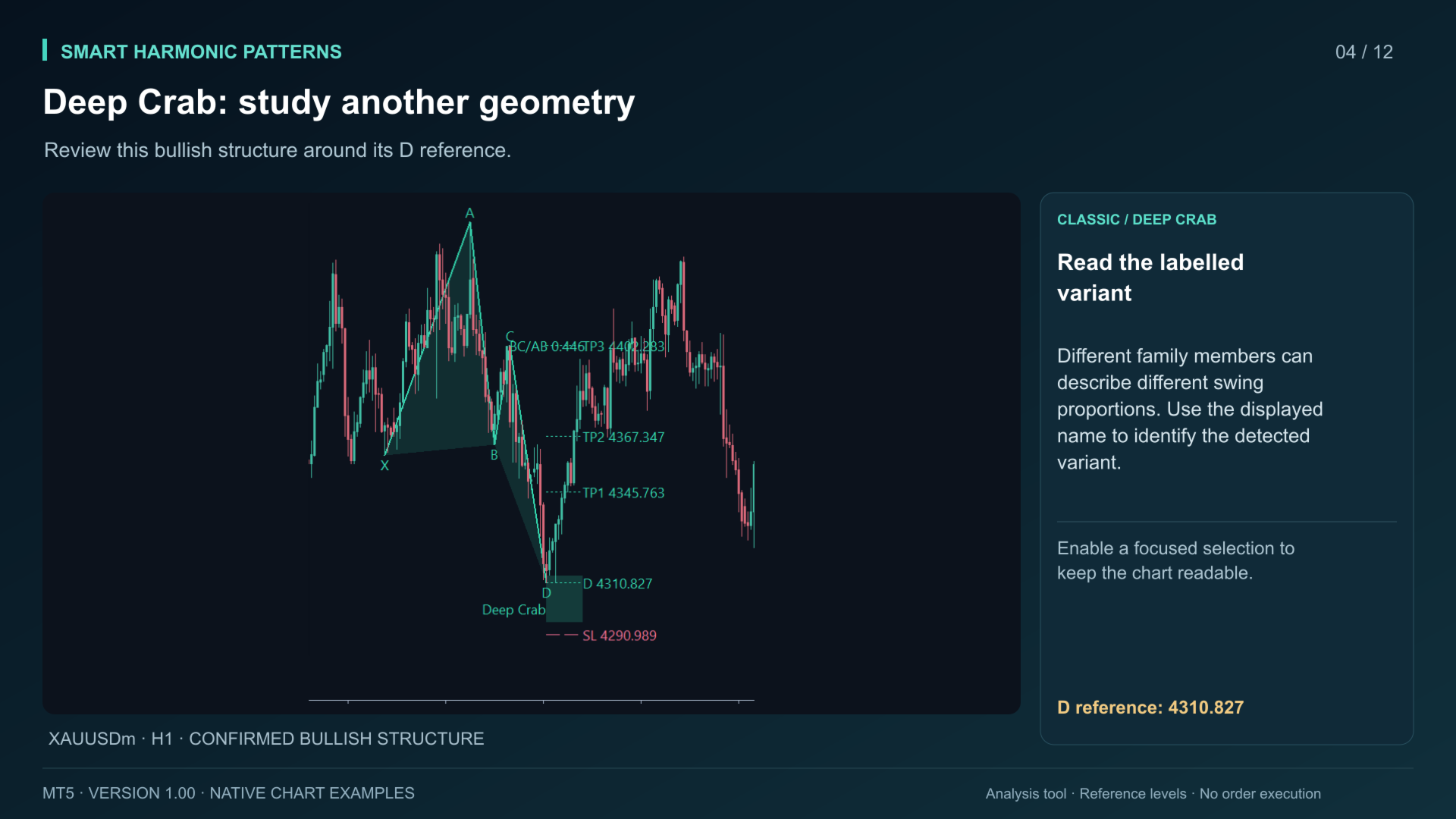
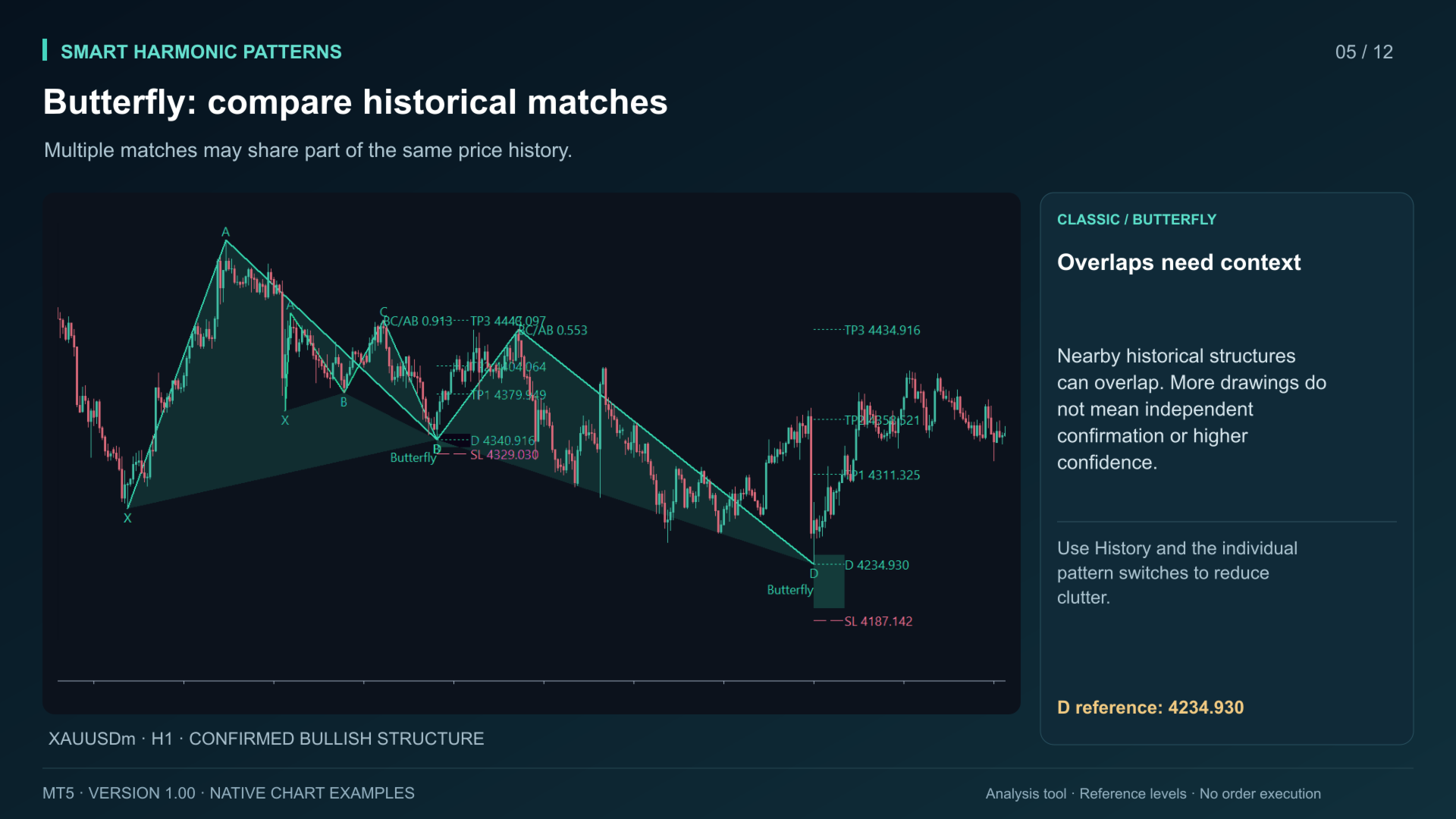
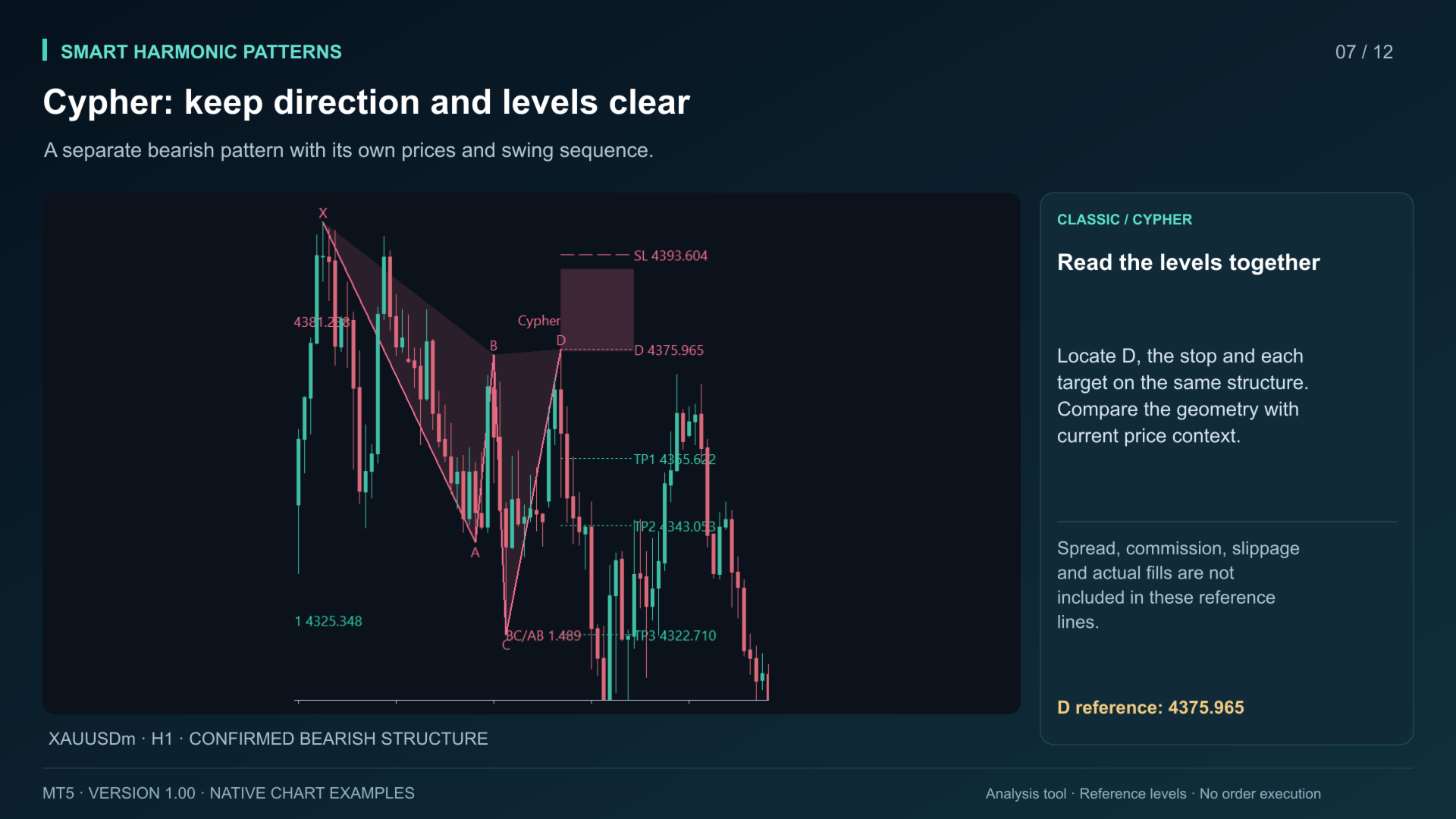
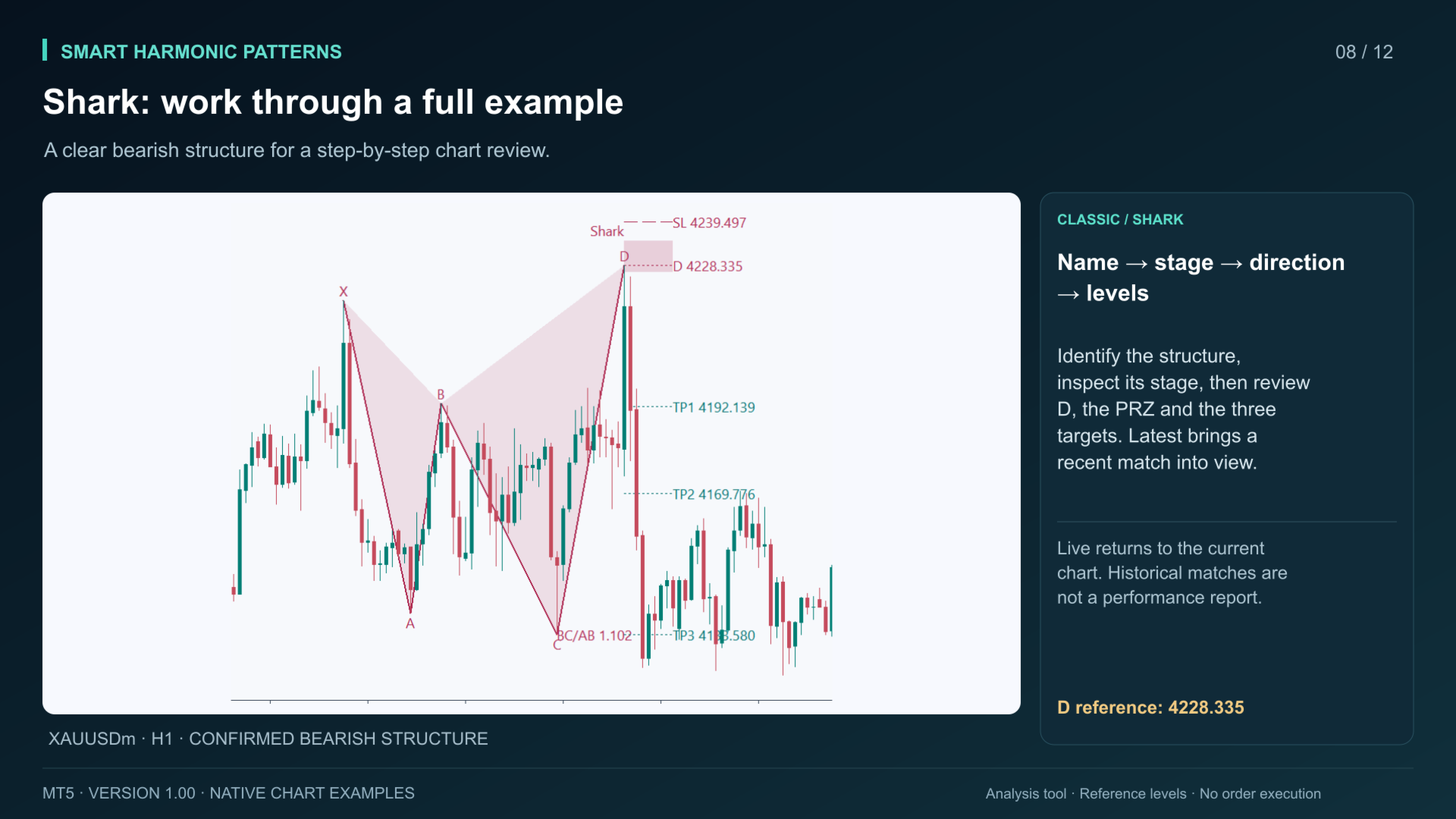
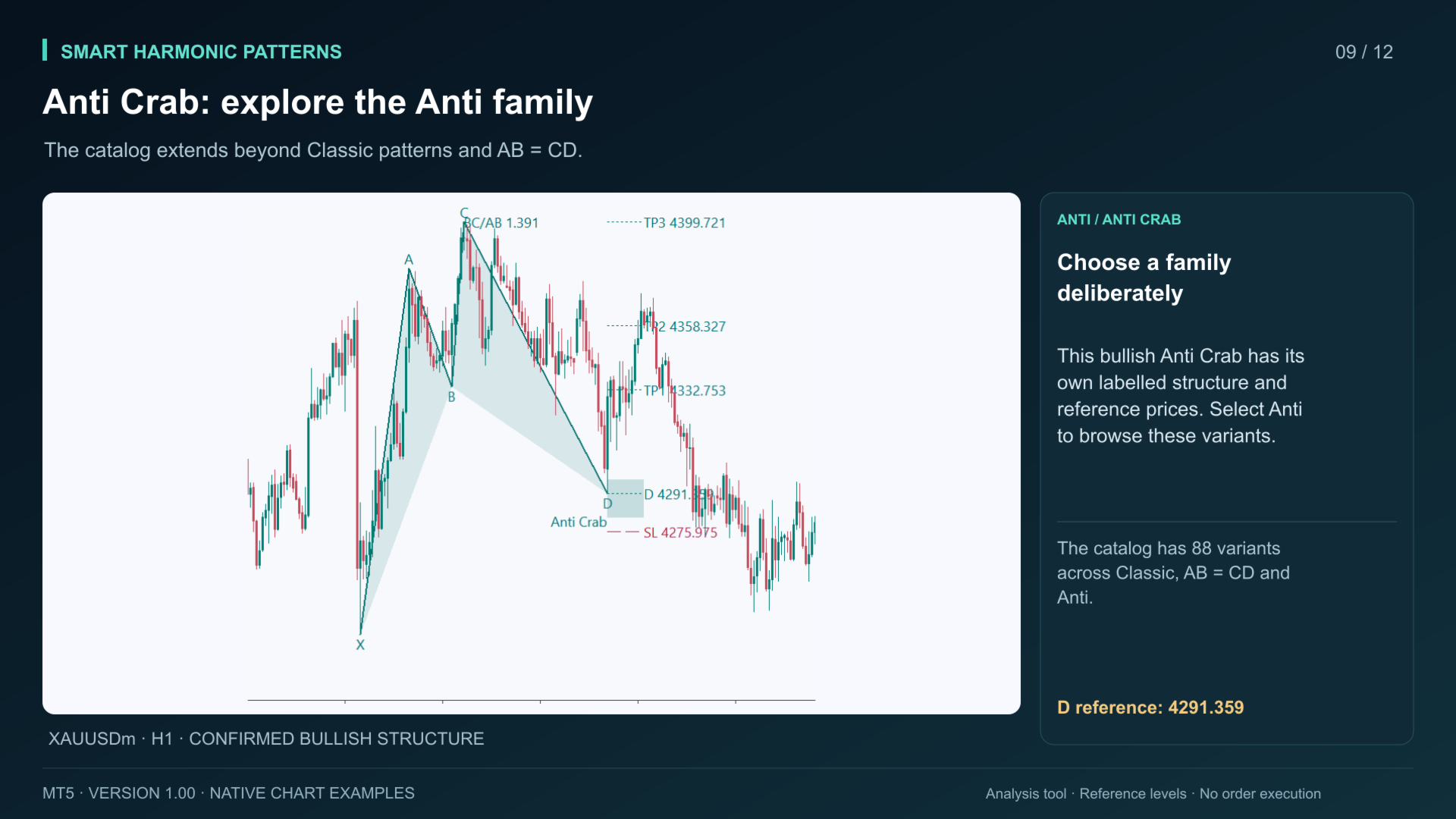
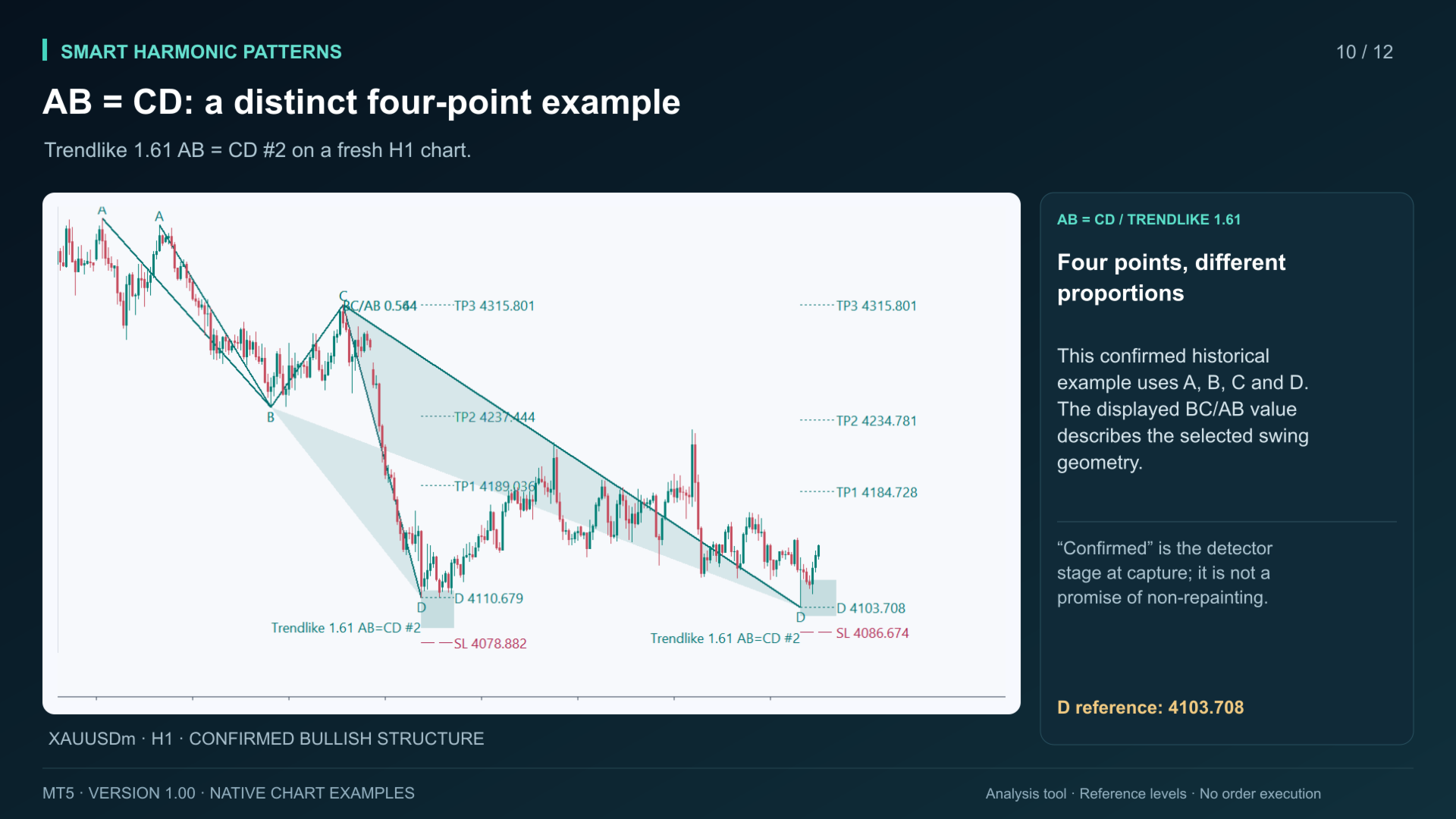
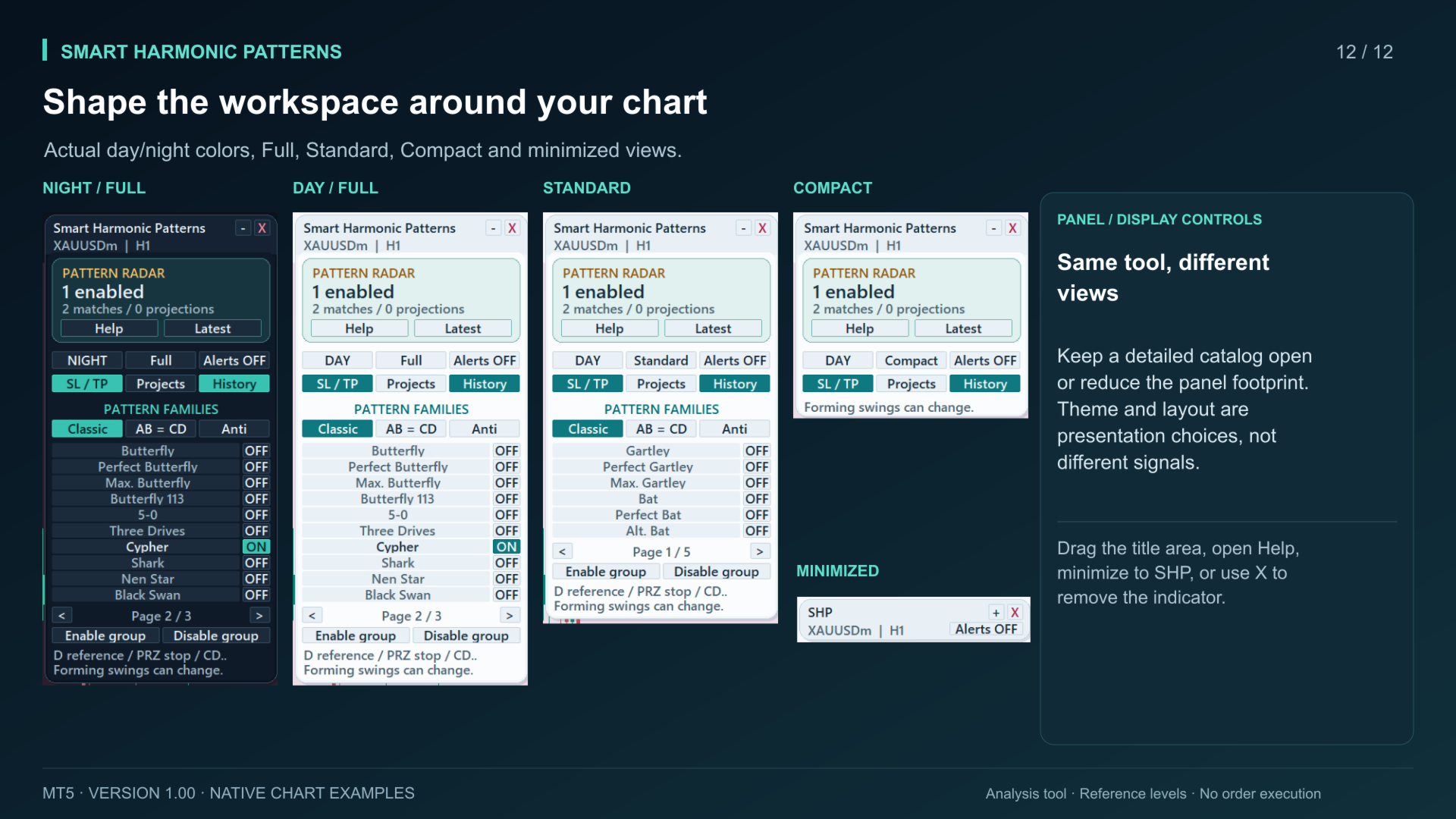
Browse three groups: Classic, AB = CD and Anti. Enable individual variants or a whole group. The catalog includes Gartley, Bat, Butterfly, Crab, Cypher, Shark and related variants. Start with the focused default selection, then expand the selection to suit your analysis.
Pattern Radar shows how many variants are enabled and how many matches and projections are visible under the current settings. Latest brings the most recent visible structure into view; Live returns to the live chart view.
Keep the chart organized
Switch between Full, Standard and Compact panel modes. Use day or night colors, drag the title area to move the panel, minimize it to the SHP header, or remove the indicator with X. Help is available from the panel.
Control reference levels, projections and confirmed historical swings separately. Saved panel settings can retain your selection, display switches, theme, mode, alert master state and position when Remember Panel is enabled.
Understand the reference levels
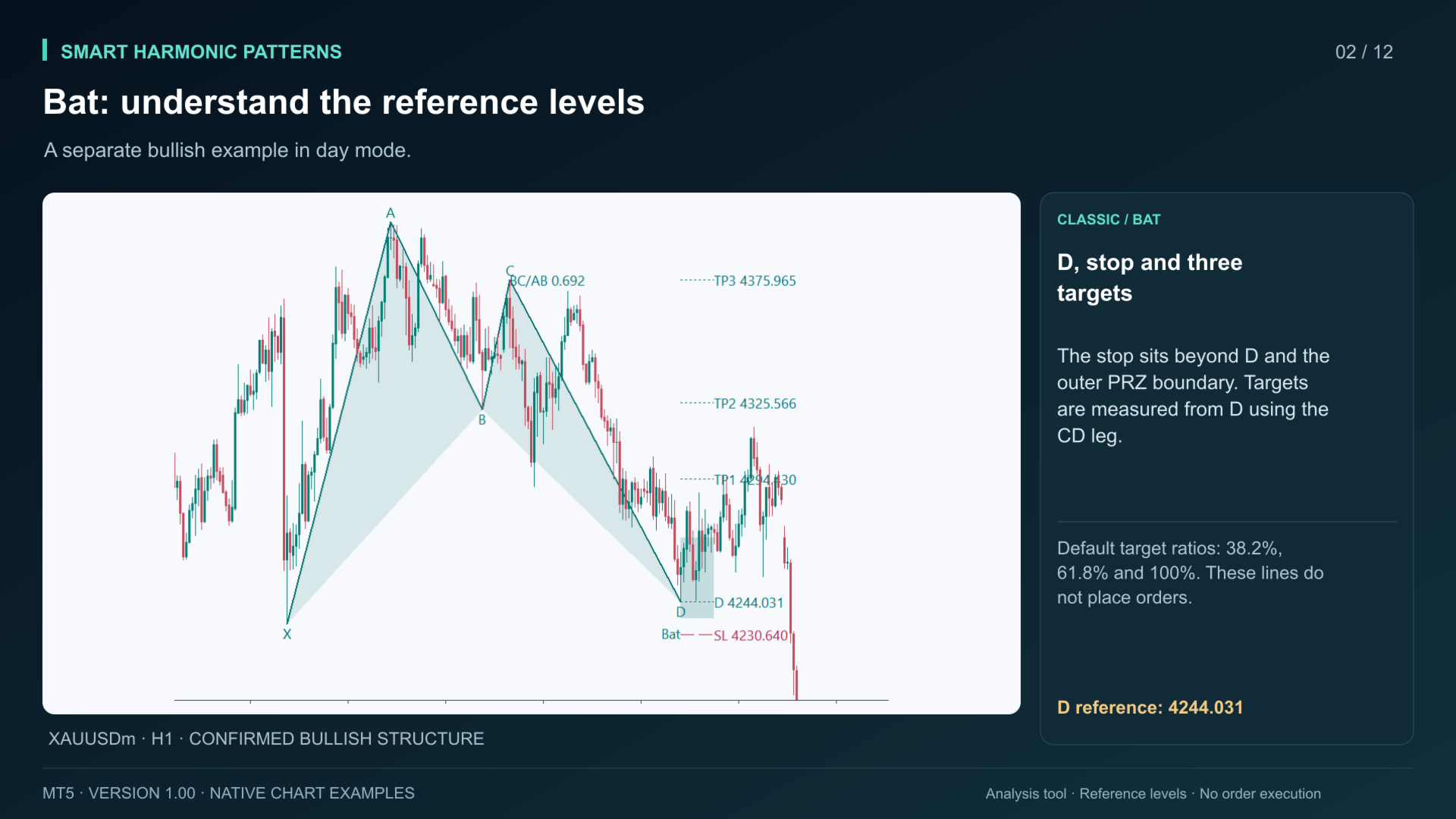
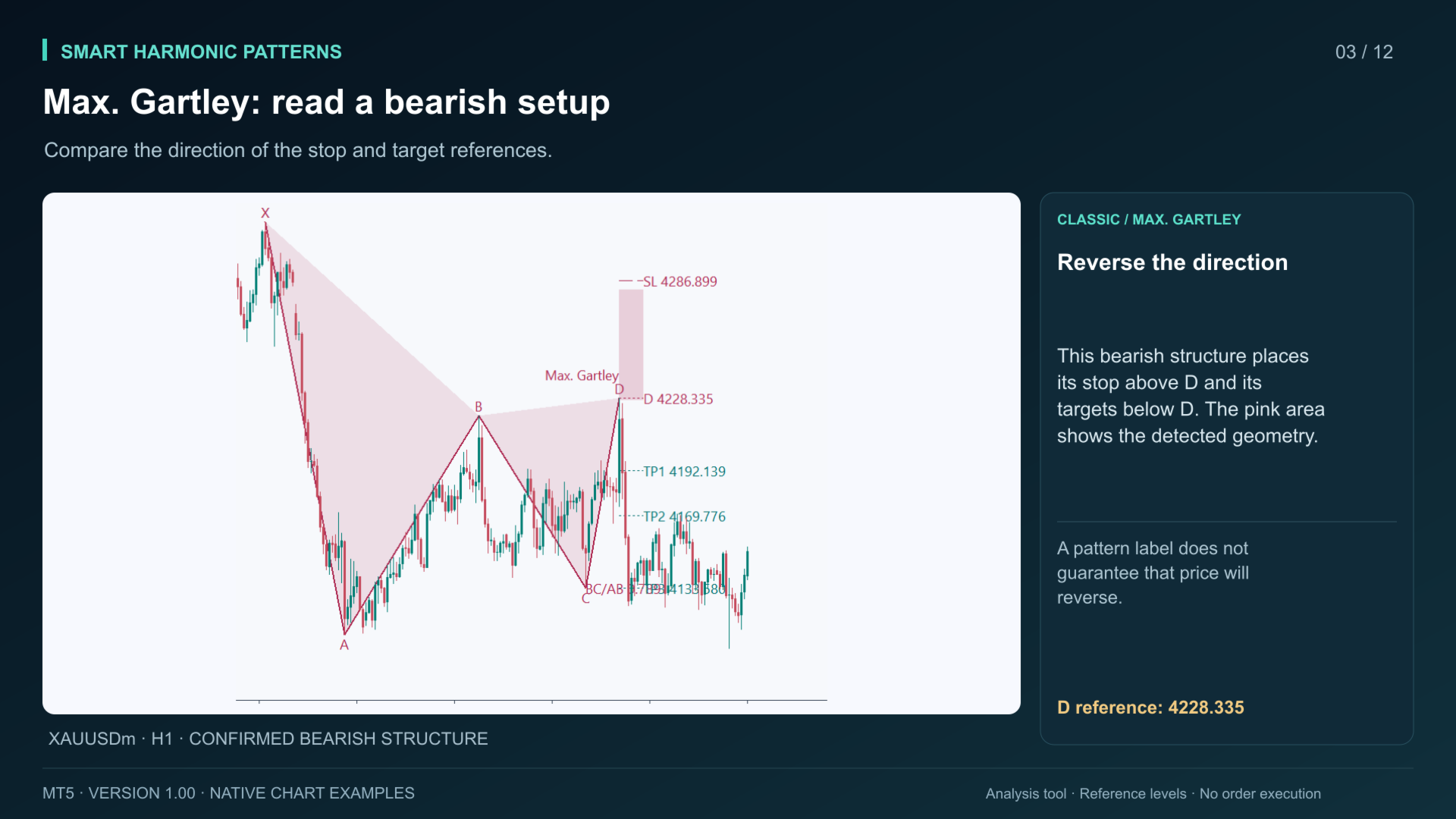
For a detected structure, the D price is the reference. The displayed stop is placed beyond D and the pattern's outer potential reversal zone boundary, with a configurable buffer. The default targets are 38.2%, 61.8% and 100% of the CD leg measured from D in the pattern direction.
These are geometric reference levels. They do not account for your fill, spread, commission, slippage, position size or broker order restrictions. A pattern or zone does not guarantee a reversal.
Use alerts deliberately
Enable the master alert switch and choose terminal popup, mobile push or email in Inputs. Push and email require a working configuration in MetaTrader 5. Choose confirmed, forming or projected events; forming and projection alerts are disabled by default.
The initial baseline is silent. Alerts are event-gated to avoid repeating the same event on every tick. The closed-bar option waits until the pattern's D candle has closed. The master switch is off by default.
Setup and limitations
Install the indicator in MetaTrader 5 desktop, attach it to a chart and allow the terminal to load history. The defaults process a 1,000-bar public window with a maximum pattern span of 300 bars. No DLL, external indicator, custom library or separate service is required.
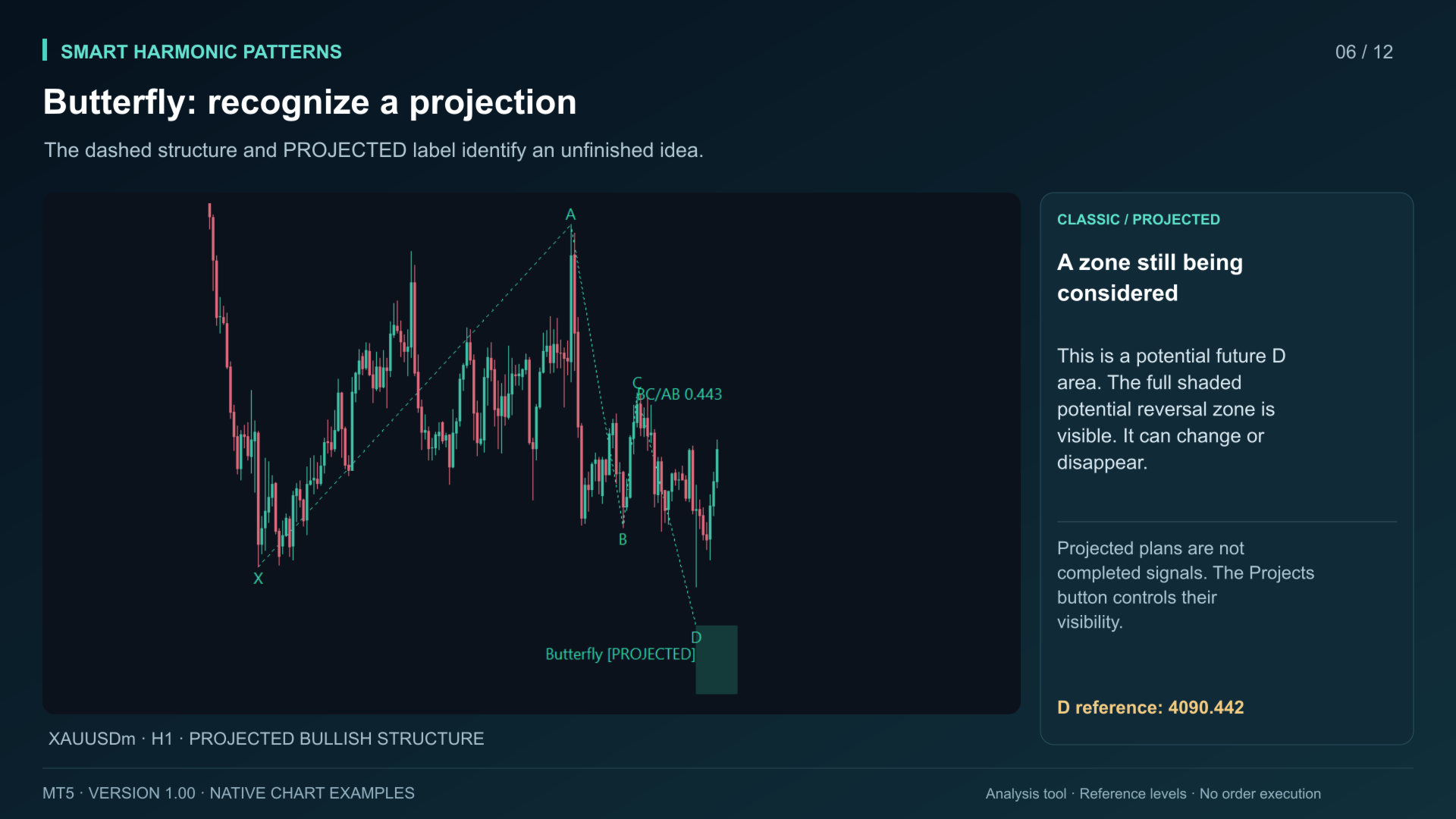
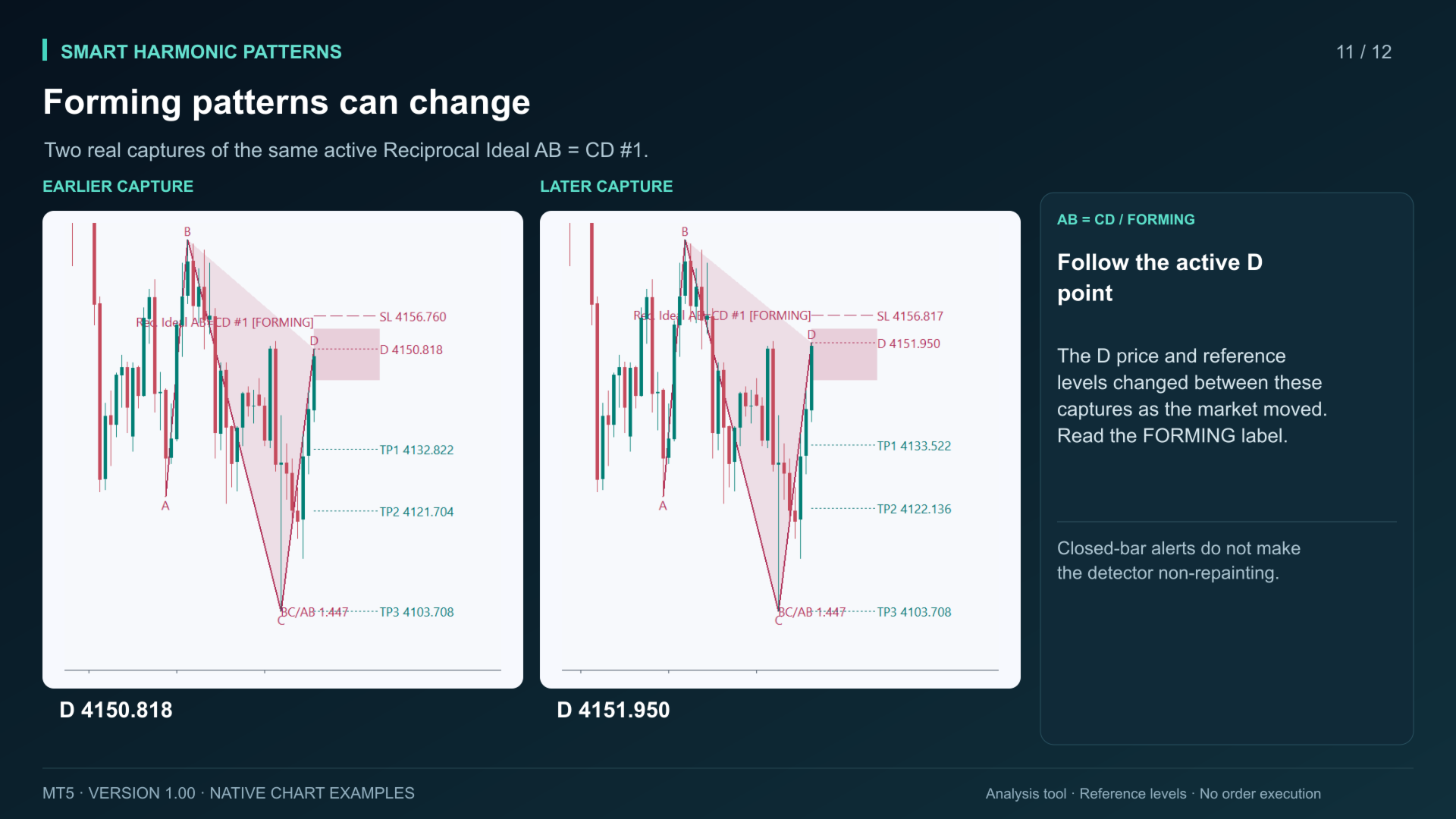
Active ZigZag swings and projected patterns can change as prices develop. Confirmation is delayed by swing detection. Closed-bar alerts do not make the detector non-repainting. This is a single-chart analysis tool, not a multi-symbol scanner or an automated trading system.
The two public buffers contain ZigZag peak and trough prices. They are not buy/sell entry buffers or a trade-plan API. No direct automation compatibility or trading profitability is claimed. Review the guide, test your settings on a demo chart and make your own trading decisions.