
Advanced Line Tools
- Indicators
- Version: 3.0
- Updated: 17 September 2026
- Activations: 20

Advanced Line Tools is a drawing and graphical structure management tool designed to make analysis in MetaTrader 5 faster, more precise, and more organized.
Rather than simply drawing lines, the indicator allows you to create interactive structures capable of recognizing candles, prices, and important points on the chart.
With a compact interface directly on the chart, you can create, edit, and manage your analysis without constantly switching between MetaTrader 5's native tools.
Main Features
Advanced Line System
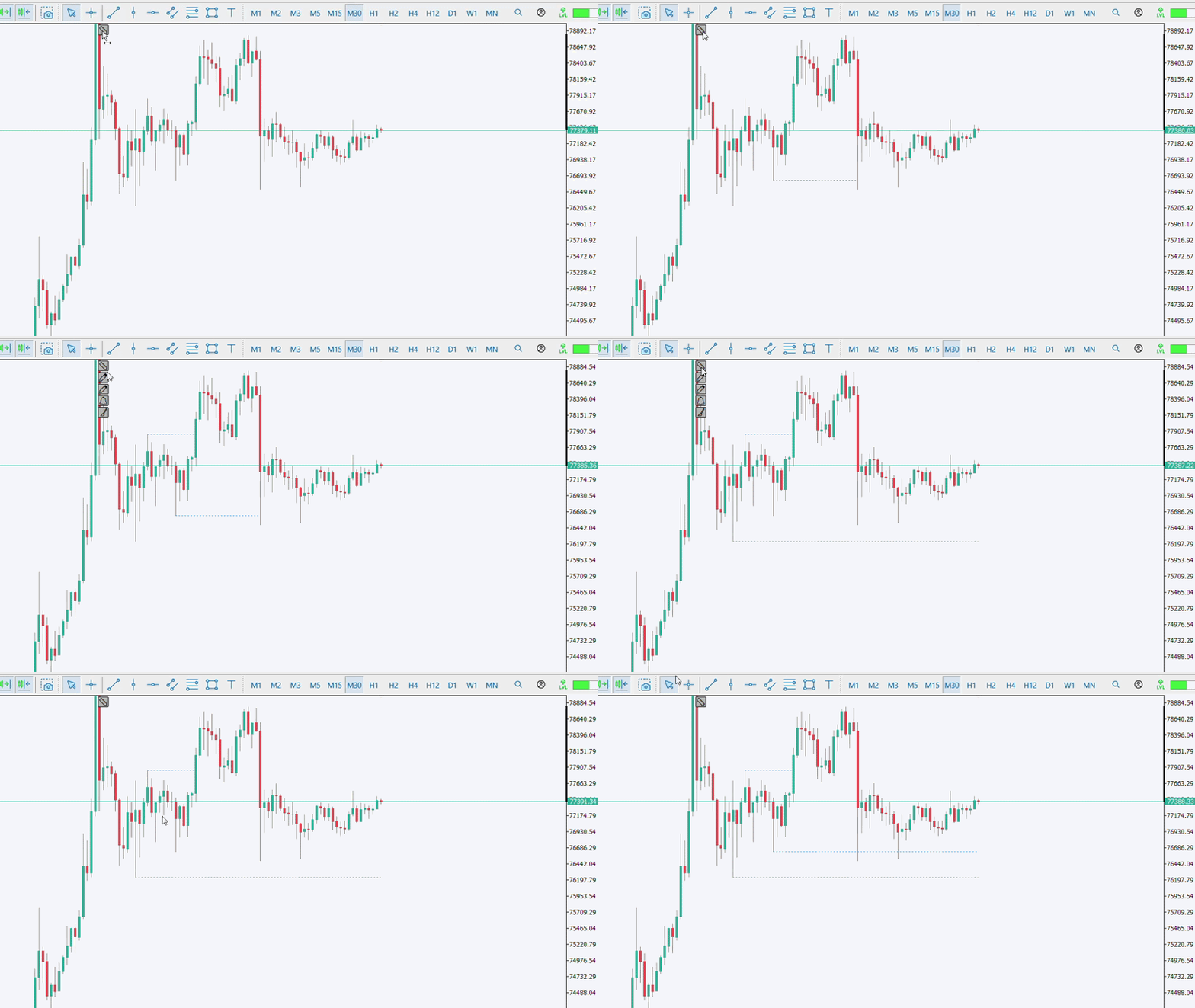
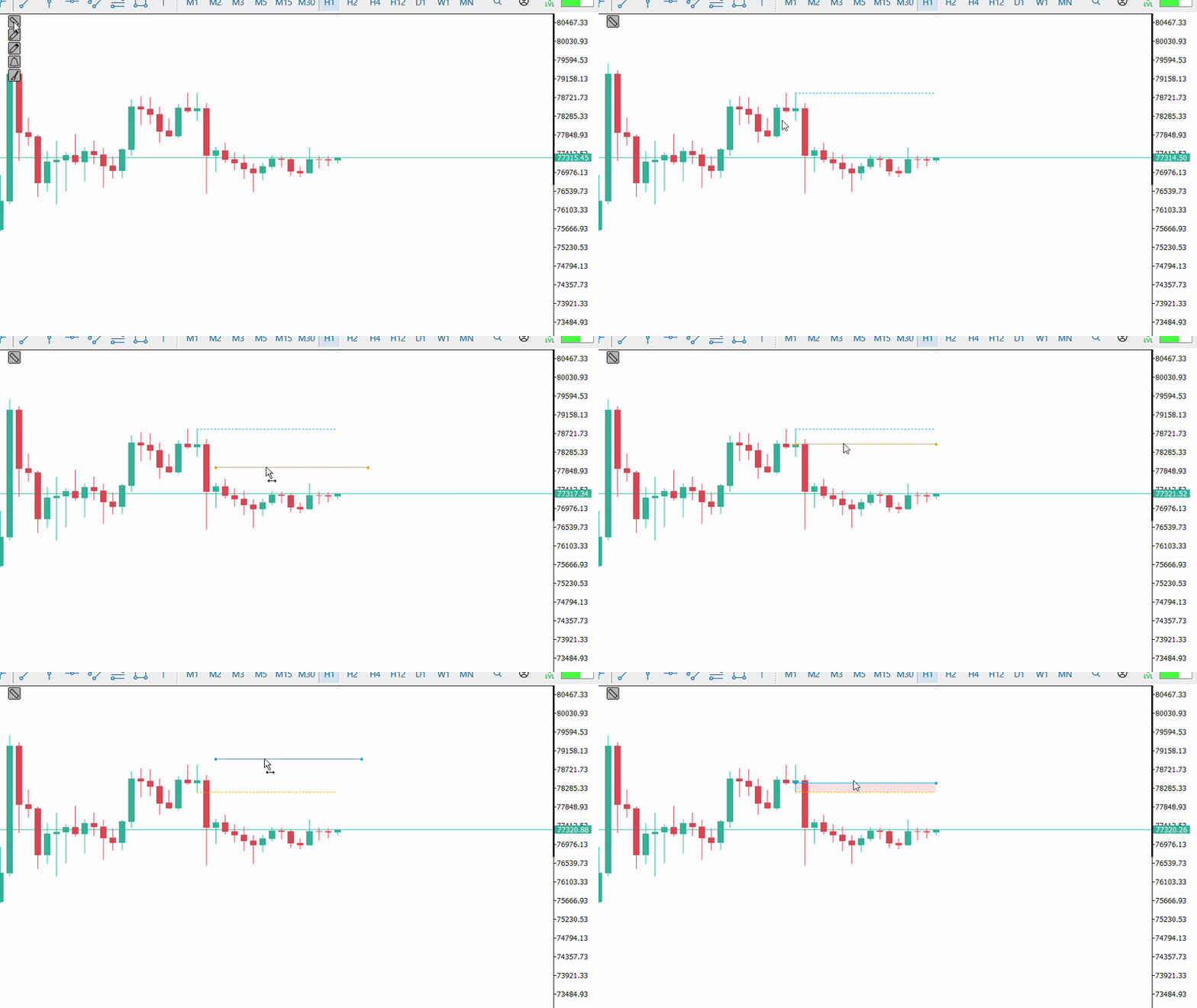
Create lines directly on the chart through the Advanced Line Tools panel.
Once created, structures can be intuitively selected and edited, allowing you to:
- Move the entire line
- Adjust the starting point
- Adjust the ending point
- Change its length
- Reposition the structure while preserving its references
- Edit existing lines directly on the chart
Visual controls appear only when needed, keeping the chart organized during analysis.
Advanced Magnetism — Smart Anchoring
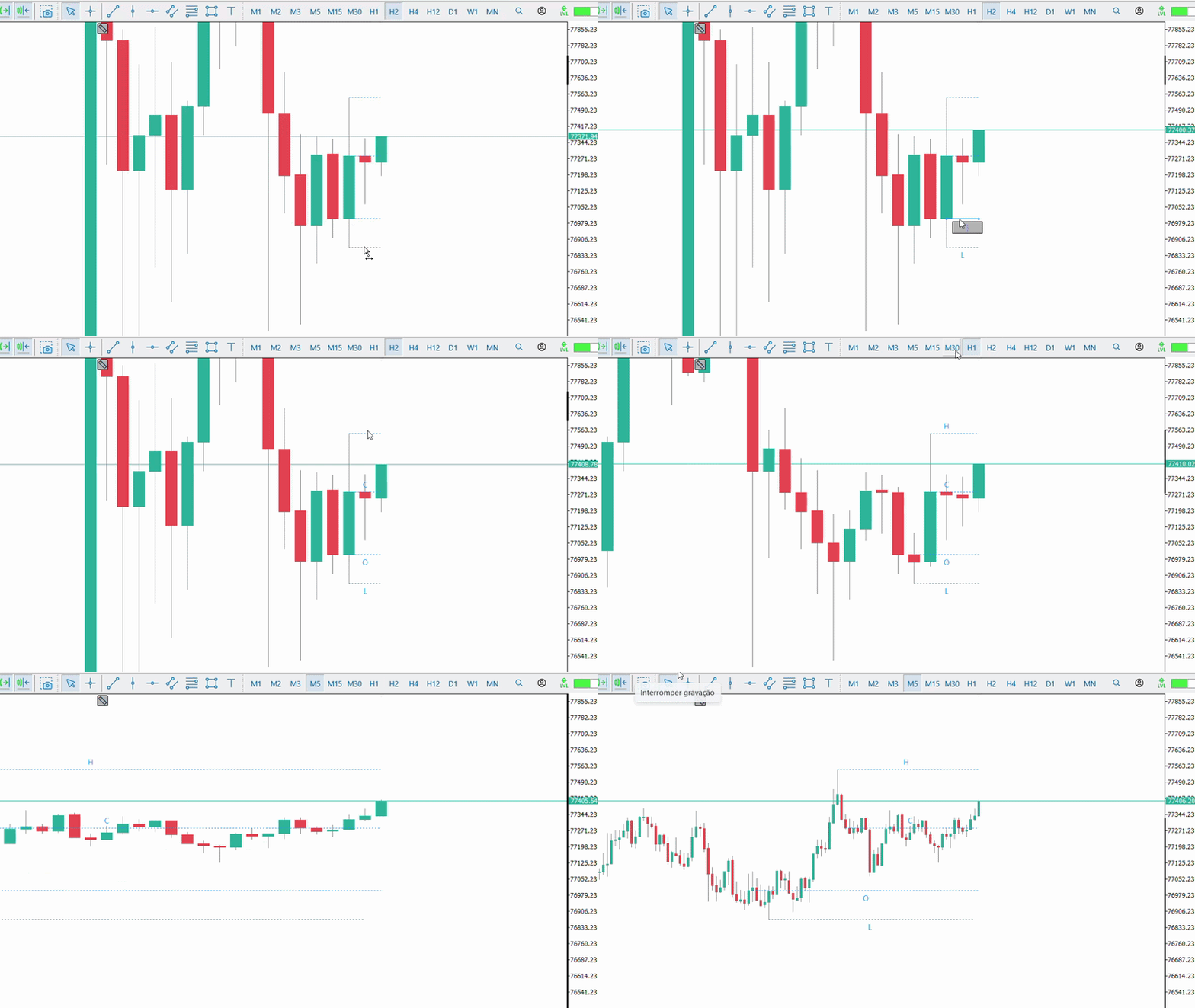
When positioning a line near a candle, Advanced Line Tools identifies the main structural points and allows the line to be precisely anchored to:
HIGH • LOW • OPEN • CLOSE
This makes it easier to position the line exactly on the desired reference.
Lines remain linked to the candle structure, providing greater precision during analysis.
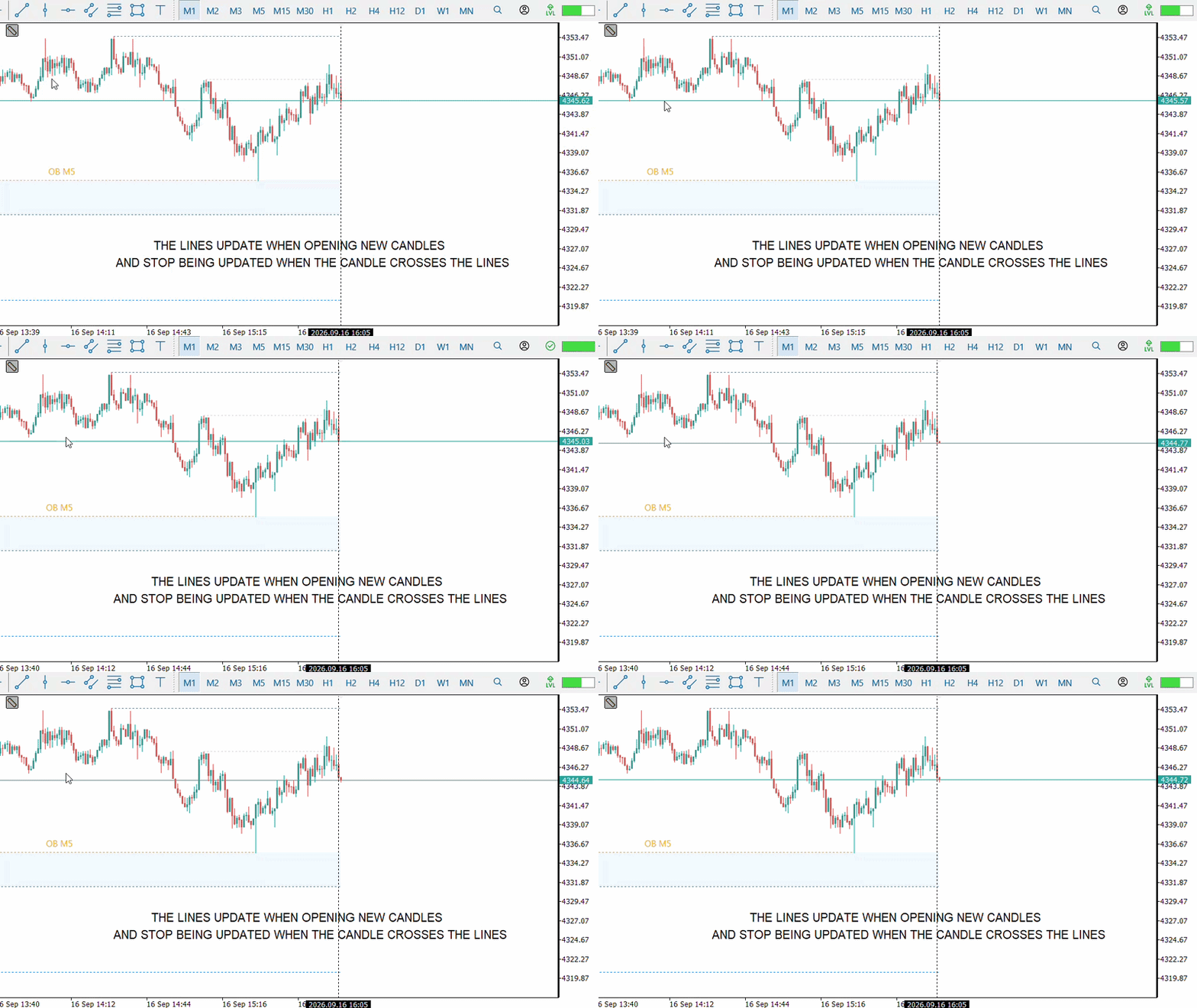
Intelligent Line Projection
Lines can automatically follow the evolution of the chart.
While a structure remains active, its projection continues to advance as new candles are formed.
When the market meets the condition that should stop the projection, the line can be frozen at the corresponding point.
This allows you to create structures that evolve with the market instead of remaining only as static drawings.
Intelligent Recovery and Offline Detection
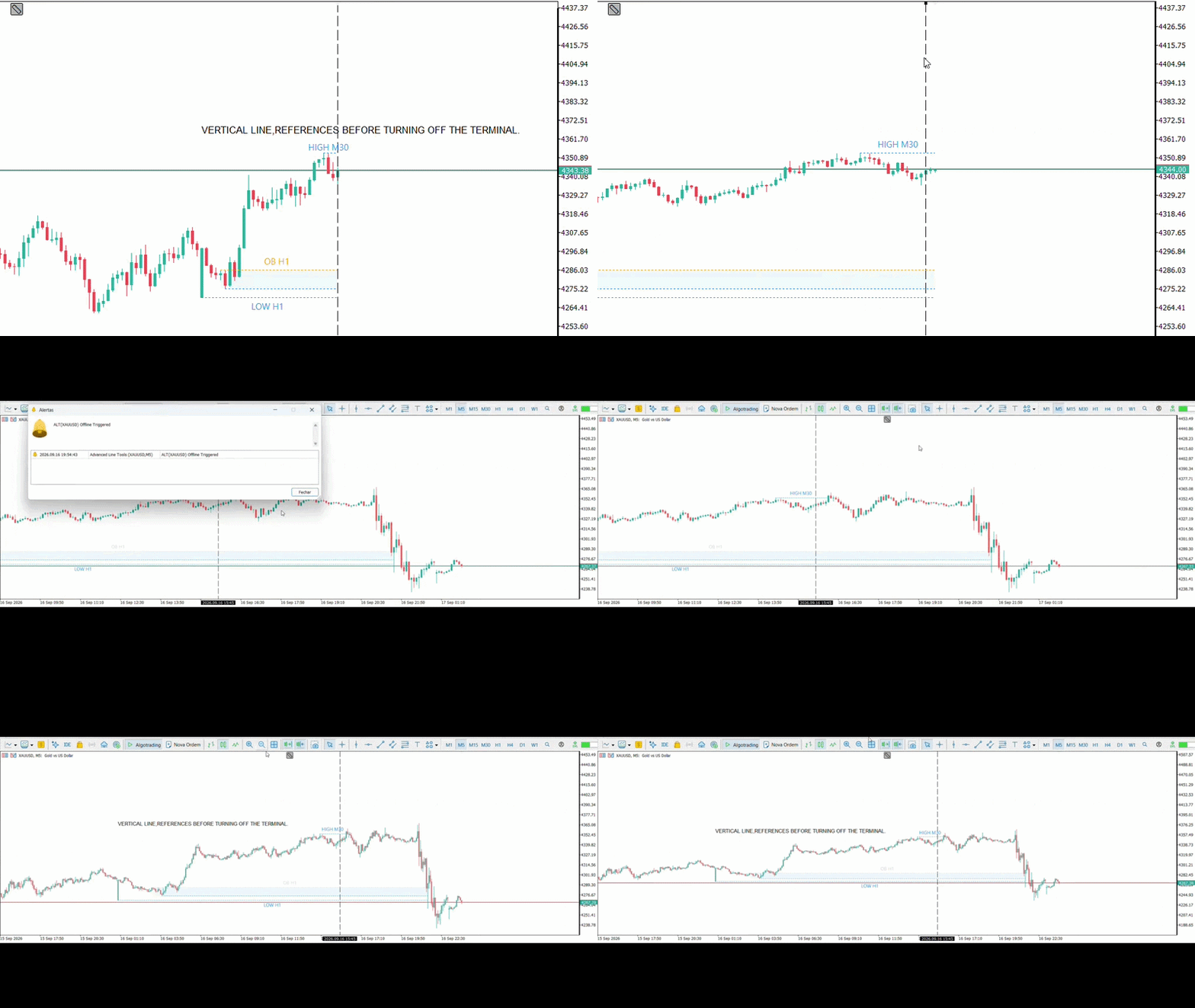
Advanced Line Tools preserves the continuity of structures even when MetaTrader 5 is not kept open continuously.
When the terminal is started again, the indicator recovers its lines and checks what happened during the offline period.
If a line was crossed while MetaTrader was closed, this event can be identified during startup.
Lines that are still active continue following new candles normally after recovery.
Intelligent Alert Lines
Turn a line into a market-monitored level.
The indicator identifies the line's relationship to price and monitors its crossing. When the level is reached, the alert is triggered.
It can be used to monitor:
Support • Resistance • Breakouts • Liquidity • Entries • Important Price Levels
The visual state of the line allows you to identify whether the alert is active or has already been triggered.
Offline Alert Recovery
If an alert line is crossed while MetaTrader 5 is closed, Advanced Line Tools can identify the event when the terminal is started again.
This makes it possible to identify that a monitored level was reached even without keeping the platform open throughout the entire period.
Candle Range and Candle Regions
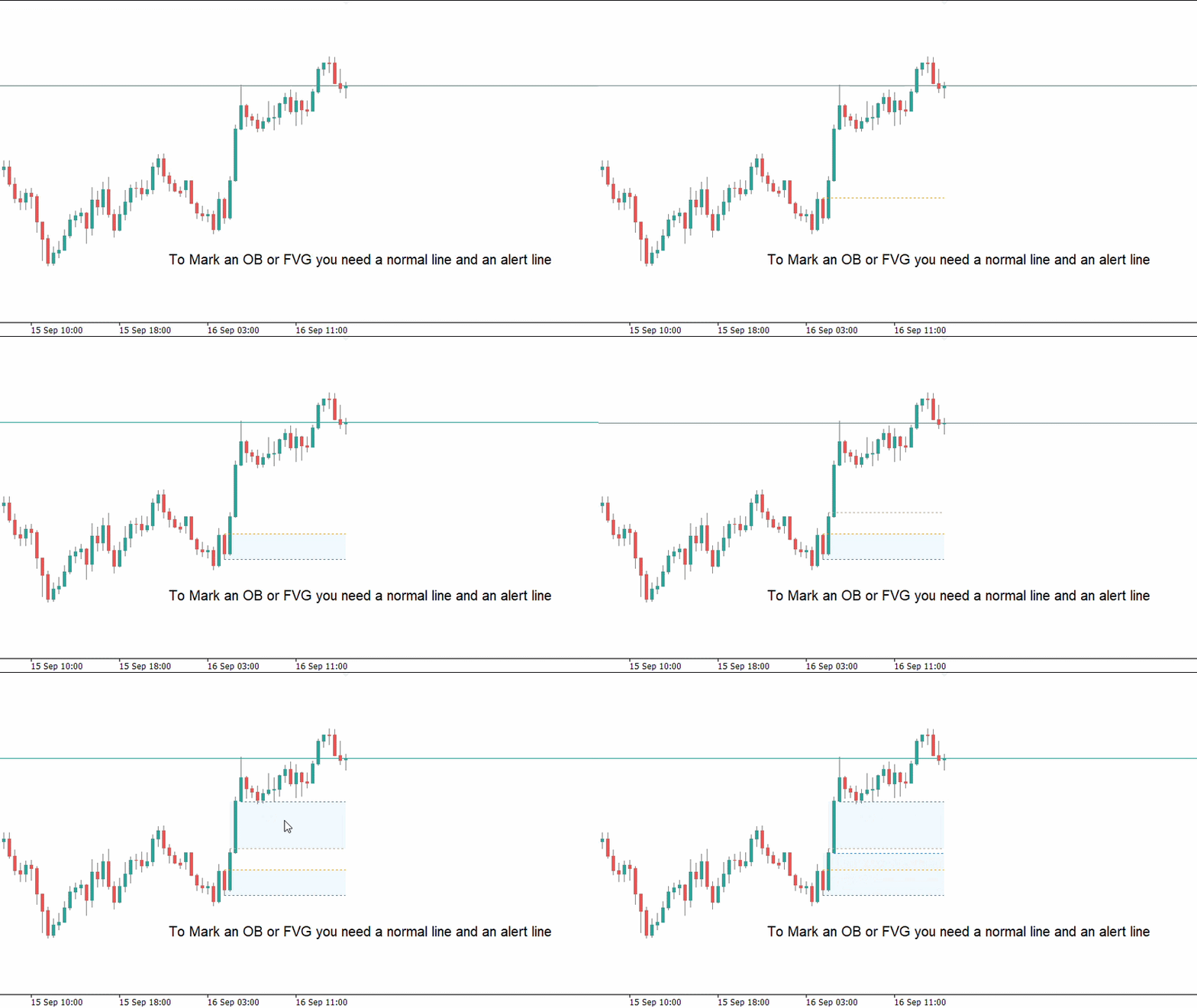
Advanced Line Tools can transform two lines anchored to different points of the same candle into an automatic visual region.
Simply use two different lines on distinct OHLC references of the same candle. For example, one line on HIGH and another on LOW, or one on OPEN and another on CLOSE.
When the indicator recognizes a valid combination, the region between the two references is automatically created.
Available combinations are:
HIGH + LOW
OPEN + HIGH
CLOSE + LOW
CLOSE + HIGH
OPEN + LOW
OPEN + CLOSE
This allows you to quickly highlight the full range, body, or different regions of a candle without manually drawing rectangles.
Fair Value Gap — FVG
Advanced Line Tools also allows you to create Fair Value Gap (FVG) regions using the tool's own lines.
In a three-candle formation with a valid gap between the first and third candles, simply draw one line on the corresponding reference of the first candle and another line on the third candle.
When the two lines represent the boundaries of a valid FVG, the indicator recognizes the formation and automatically creates the region between them.
Regions can use different colors depending on their position relative to the market, making gaps and areas of interest easier to visualize.
Intelligent Multi-Timeframe Synchronization
Structures preserve their references when switching between different chart periods.
A line created and anchored to a structure on a specific timeframe maintains its logical relationship when you switch to another period for more detailed market analysis.
This allows you to perform Top-Down analysis while maintaining the same references across different timeframes.
Dynamic Text System
Add notes directly to your lines.
The integrated editor allows you to write and modify text without relying on MetaTrader 5's native tools.
Texts follow the structure and are dynamically positioned to maintain clear readability and reduce interference with price action.
Visual State Feedback
Lines display different visual states according to their function and current status.
This allows you to recognize structures as:
Normal • Selected • Unselected • Active Alert • Already Triggered
The goal is to keep the chart organized even when several structures are being used simultaneously.
Integrated Control Panel — On-Chart Interface
The main tools can be accessed through a compact panel directly on the chart.
The panel can be expanded or minimized and can also be controlled through a customizable hotkey.
Default key: V
The interface provides access to line creation mode, alert lines, native alert history, and removal of structures created by Advanced Line Tools.
Designed for Continuous Use
Advanced Line Tools has been optimized to work with multiple structures simultaneously.
The indicator uses selective visual updates and optimized structure management to maintain a smooth experience during drawing, movement, projection, and market monitoring.






































User didn't leave any comment to the rating