Royal Copier Client
- Utilities
- Janet Abu Khalil
- Version: 2.20
- Updated: 3 April 2026
- Activations: 10
Royal Copier — Professional MT4 Trade Copier
Royal Copier is a professional real-time local trade copier for MetaTrader 4. It now includes both functions inside one single MT4 Expert Advisor. From the inputs, you simply choose whether the EA will run in Master Mode or Client Mode.
This means the same EA can be used on the source account or on the receiving account, while preserving the original copier behavior.
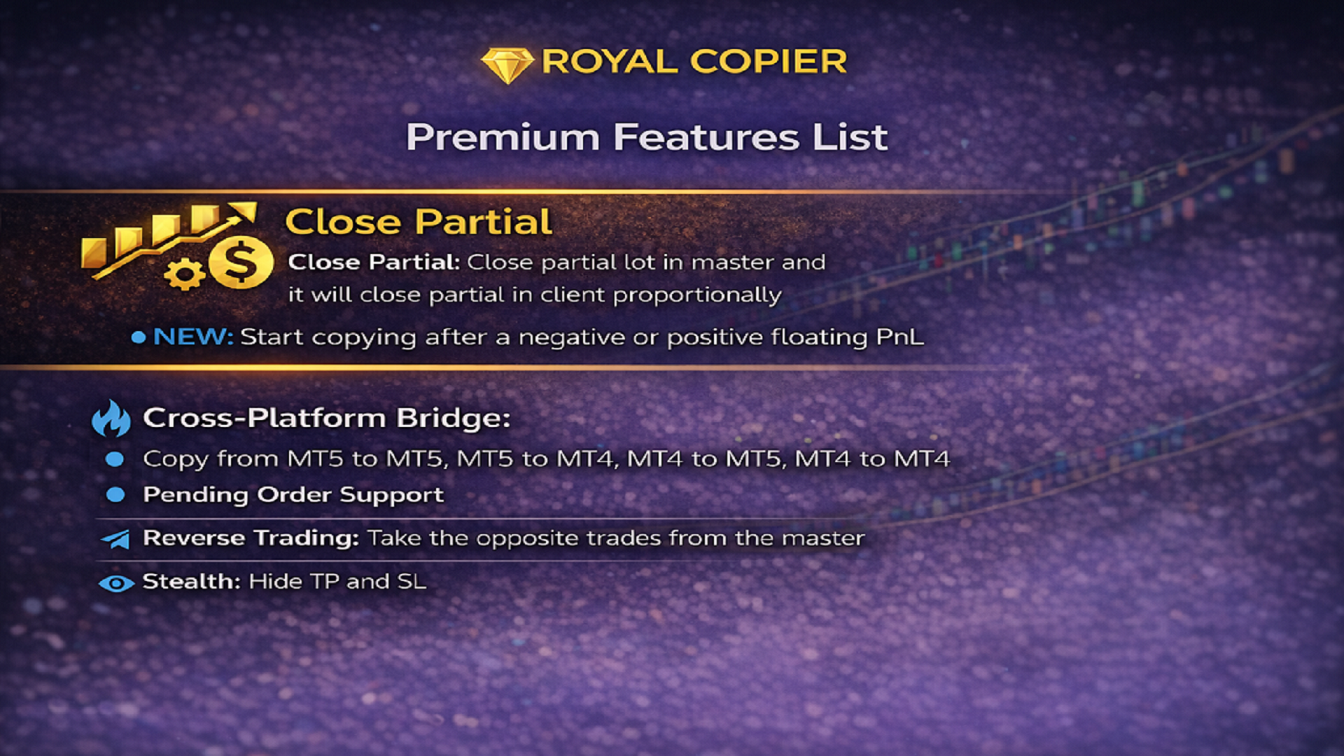
Royal Copier supports copying between accounts in all common combinations:
- MT4 to MT4
- MT4 to MT5
- MT5 to MT4
- MT5 to MT5
For MT5 copying, use MT5_Copier.
How It Works
Royal Copier is a local copier that works through a shared file on the same Windows PC. When the EA is set to Master Mode, it monitors the source account and writes all trade activity to the shared file. When the EA is set to Client Mode, it reads that file and mirrors the same actions on the receiving account.
The copier can synchronize:
- Market orders
- Pending orders
- Trade closures
- Partial closes
- Stop Loss and Take Profit modifications
- Pending order updates and deletions
Both terminals must run on the same Windows PC. No direct internet connection is required between the accounts themselves.
Key Features
- One single MT4 EA with selectable Master or Client mode
- Real-time synchronization with configurable interval
- Copies market orders, pending orders, modifications, and closures
- Proportional partial close synchronization
- Live Stop Loss and Take Profit synchronization
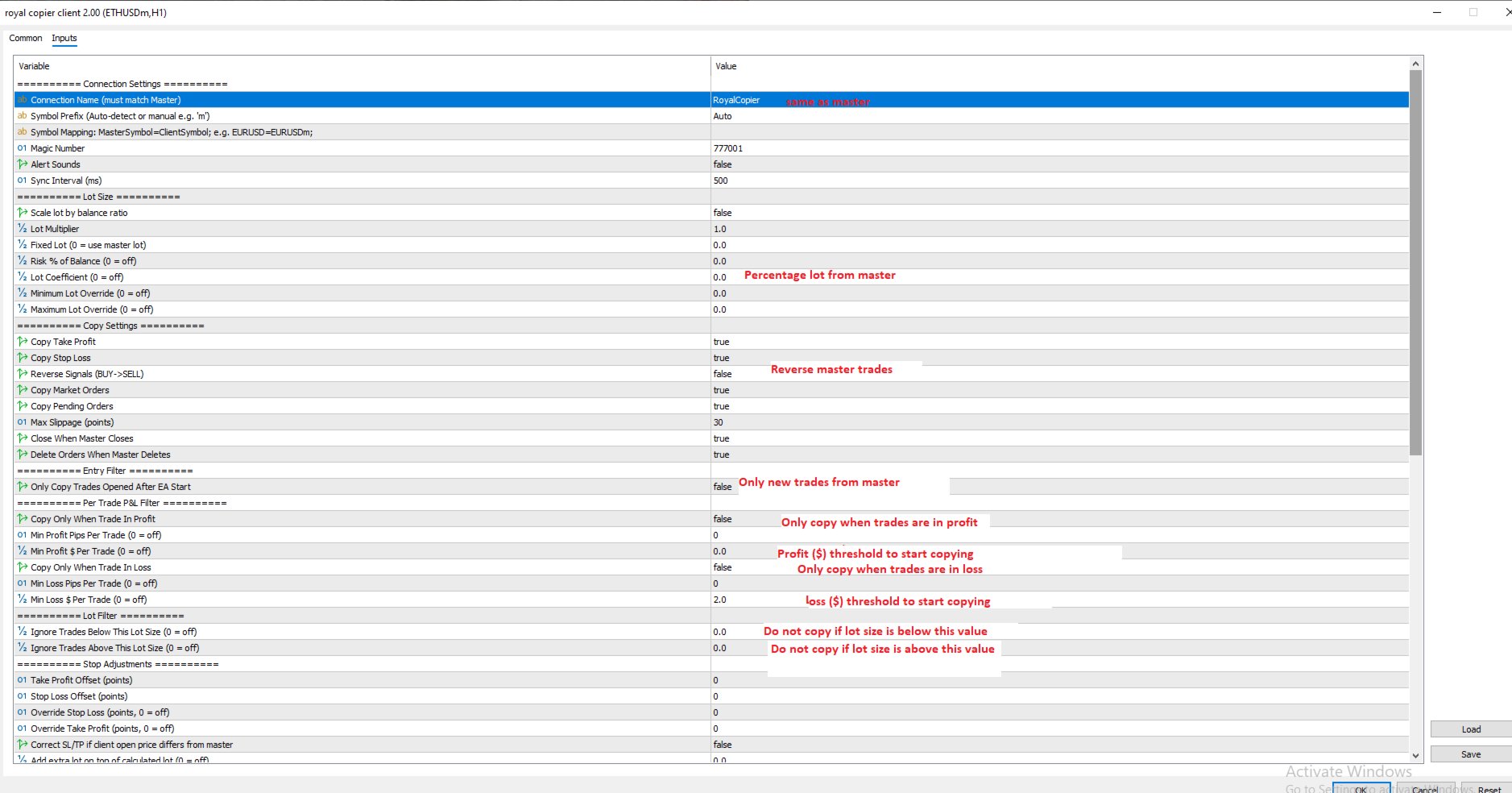
- Multiple lot sizing modes:
- Multiplier
- Fixed lot
- Risk percentage
- Balance coefficient
- Balance ratio scaling
- Copy only profitable trades or only losing trades
- Minimum pips and minimum dollar filters
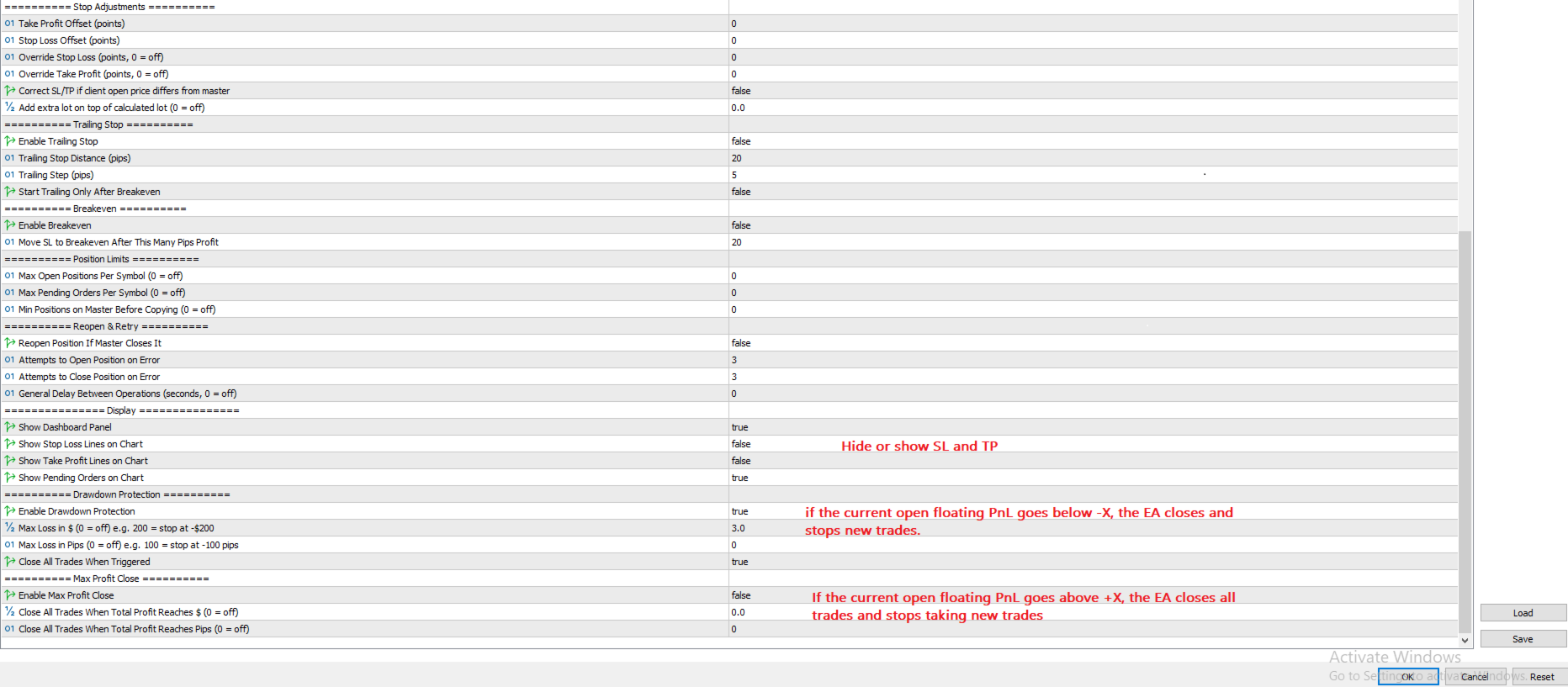
- Drawdown Protection to stop copying and close trades when a loss limit is reached
- Max Profit Close to close all copied trades when a target is reached
- Symbol prefix and suffix auto-detection
- Manual symbol mapping for cross-broker copying
- Trailing stop and breakeven management on the Client side
- Filter by symbol, trade direction, lot size range, and active trading hours
- Reverse mode to copy BUY as SELL and SELL as BUY
- New Trades Only mode
- Position limits per symbol
- Configurable retry attempts for opening and closing operations
- Optional delay between operations for strict brokers
- Optional display of SL/TP lines and pending orders on chart
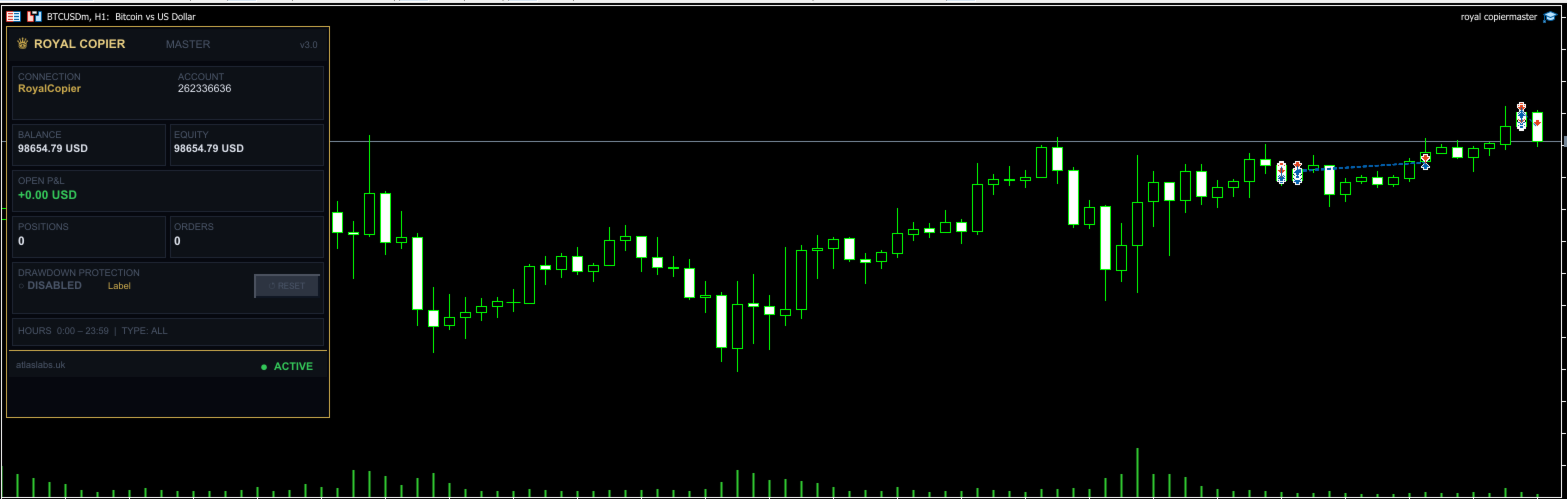
- Live dashboard panel showing account stats, active settings, and protection status
- One-click Reset button after Drawdown Protection or Max Profit Close is triggered
- Multiple Clients can copy from one Master simultaneously
How To Use
To use Royal Copier as Master:
- Attach the EA to any chart on the source account
- In the inputs, choose Master Mode
- Set your Connection Name
- Keep the EA running on the source terminal
To use Royal Copier as Client:
- Attach the same EA to any chart on the receiving MT4 account
- In the inputs, choose Client Mode
- Use the same Connection Name as the Master side
- Configure lot sizing, filters, drawdown protection, profit targets, and other client settings as needed
To copy between MT4 and MT5:
- Use this EA on the MT4 side in either Master Mode or Client Mode, depending on your setup
- For MT5 copying, use MT5_Copier
- Make sure both sides use the same Connection Name
When both sides are running correctly, the copier will synchronize trades in real time according to your settings.
Requirements
- MetaTrader terminals installed on the same Windows PC
- AutoTrading enabled on both terminals
- Allow DLL imports enabled if required by your setup
- The same Connection Name used on both sides
Supported Markets
- Forex
- Gold
- Indices
- Crypto
- Other broker-supported instruments
Important Note
Royal Copier is a technical trade-copying tool only. It does not provide signals, financial advice, or portfolio management services.
Documentation
A full PDF documentation file with detailed explanations of all parameters and settings is available upon request.