Discord to MT4
- Utilities
-
Janet Abu Khalil
 Professional software engineer and trader with 5 years of experience in the financial markets. I am part of the AtlasLabs.uk Engineering Division, where I develop trading solutions, software tools, and technical systems. My background includes networking, system support, and troubleshooting, helping
 - Version: 2.0
- Activations: 5
Discord to MT4 Pro
Discord to MT4 Pro is a professional Expert Advisor for MetaTrader 4 that reads trading messages from a Discord channel and executes them automatically on your MT4 account.
It is designed for traders who receive signals through Discord and want direct execution inside MetaTrader 4 with flexible handling for market orders, pending orders, range entries, ladder entries, one-order-per-TP logic, break-even, trailing stop, partial close, daily protection rules, and fully customizable signal wording.
The EA can understand standard signal formats and also custom wording such as buy now, long now, I am buying, sell now, short now, close all, break even, partial close, and many others.
It supports single entry signals, range entries, open TP signals, fixed or signal-based SL/TP handling, ladder pending orders across a price range, and optional one-order-per-TP execution.
This EA is suitable for signal followers, private communities, Discord trading groups, and users who want to automate Discord-based execution on MetaTrader 4.
Installation guidance: please read the full setup guide here:
Readme / Installation Guide
Important:
This product connects to Discord through WebRequest. You must allow the required Discord URL in MetaTrader 4 WebRequest settings.
Required WebRequest URL:
https://discord.com
How it works
- The EA connects to your selected Discord channel using your bot token and channel ID.
- It checks new channel messages every few seconds.
- It reads and parses signal content.
- It detects the action such as BUY, SELL, CLOSE, BREAKEVEN, or PARTIAL CLOSE.
- It extracts symbol, entry, SL, TP, range, or open TP information from the message.
- It sends the corresponding order to MetaTrader 4.
- It can optionally create ladder orders, one order per TP, trailing stop, break-even, and partial close management.
Supported signal behavior
The EA can work with messages such as:
BUY XAUUSD 4073 - 4070
SL 4068
TP 4080
I am buying Gold now @ 4073 - 4070
SL: 4068
TP: OPEN
SELL EURUSD 1.1200
SL 1.1230
TP1 1.1180
TP2 1.1160
Close all
Move SL to BE
Partial close Gold
Main features
- Discord channel polling and signal detection
- Automatic BUY and SELL execution
- Market order and pending order support
- Range entry support
- Ladder entry support across a price range
- One order per TP level mode
- Signal-based or fixed SL/TP
- Open TP support
- Trailing stop support
- Break-even support
- Partial close support
- Maximum open positions filter
- Daily loss and daily profit protection
- Custom symbol prefix and suffix support
- Custom keyword support for buy, sell, close, break-even, and partial close
- Optional tick and currency correction maps for special broker symbols
- Pending order expiry control
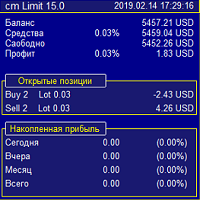
- Detailed panel on chart
Inputs
=== Discord Connection ===
Enable debug logging
If enabled, the EA writes extra detailed messages into the Experts log for troubleshooting.
Discord Bot Token
Your Discord bot token from the Discord Developer Portal.
Discord Channel ID
The Discord channel ID to read signals from.
Poll interval (seconds)
How often the EA checks for new Discord messages.
=== Trade Execution ===
Auto symbol from signal
If true, the EA tries to detect the symbol from the Discord message automatically.
Default symbol if not in signal
Fallback symbol used when the message does not contain a recognized symbol.
Symbol suffix
Optional broker suffix such as m or .i.
Example: XAUUSDm
Symbol prefix
Optional broker prefix used before symbol names.
Magic number
Magic number used for all EA positions and orders.
Slippage (points)
Maximum allowed price difference used when deciding whether to place market or pending orders.
=== Risk ===
Risk mode
Controls how lot size is calculated.
Available values:
fixed_lot
pct_balance
pct_equity
Fixed lot size
Lot size used when risk mode is fixed_lot.
Risk % of balance/equity
Percentage used when risk mode is pct_balance or pct_equity.
Max open positions
Maximum number of positions allowed for this EA.
Set 0 for unlimited.
=== SL / TP Mode ===
SL mode
Controls stop loss logic.
Available values:
signal
fixed
none
Fixed SL in pips
Used when SL mode is fixed.
TP mode
Controls take profit logic.
Available values:
signal
fixed
trailing
partial
none
Fixed TP in pips
Used when TP mode is fixed.
=== Trailing Stop ===
Enable trailing stop
If true, the EA manages open positions with a trailing stop.
Activate after X pips profit
Profit level required before trailing stop starts.
Trail distance in pips
Distance between current price and trailing stop.
=== Break-Even ===
Enable break-even
If true, the EA moves stop loss to break-even when profit reaches the chosen level.
Move SL to BE after X pips profit
Profit level required before break-even is applied.
BE offset pips
Additional positive offset beyond exact entry price.
=== Partial Close ===
Enable partial close on TP1
If enabled, the EA can partially close a position when TP1 behavior is used.
% to close at TP1
Percentage of volume to close.
=== Filters ===
Max daily loss $
Stops trading after the maximum daily loss is reached.
Set 0 to disable.
Max daily profit target $
Stops trading after the maximum daily profit is reached.
Set 0 to disable.
=== Range Orders (Ladder) ===
Split range entry into ladder orders
If enabled, a range entry such as 4073 - 4070 can be split into multiple pending orders.
Price step between orders
Distance between ladder orders.
Cap order count at MaxPositions
If enabled, the ladder order count will not exceed Max open positions.
Auto step = range / max positions
If enabled, the EA calculates ladder spacing automatically from the range size.
Assign all TPs to each range order
If enabled, all ladder orders use the same TP logic instead of only the first TP behavior.
Distribute TPs sequentially across range prices
If enabled, the ladder orders assign TP levels in sequence.
=== Multi-TP Orders ===
One order per TP level
If enabled, the EA places one separate order for each TP level.
Lot per TP order
Lot size used for each TP order.
If set to 0, the EA uses the normal lot calculation.
=== Pending Orders ===
Cancel pending after X min
Expiry time for pending orders.
Set 0 to leave pending orders without expiry.
Close remaining positions when any TP hit
If enabled, all remaining positions for the symbol are closed when any TP event is triggered.
=== Symbol Tick Correction ===
Tick factors
Optional correction map for special symbols.
Example:
XAUUSD=100,US30=10
Currency factors
Optional correction map for specific symbols requiring custom conversion factors.
Example:
HK50=0.18,JP225=0.006
=== Custom Signal Keywords ===
Use custom keywords
If enabled, the EA uses your custom wording lists instead of only built-in wording detection.
Buy words
Comma-separated list of words or phrases treated as BUY signals.
Sell words
Comma-separated list of words or phrases treated as SELL signals.
Close words
Comma-separated list of words or phrases treated as CLOSE signals.
Break-even words
Comma-separated list of words or phrases treated as break-even instructions.
Partial close words
Comma-separated list of words or phrases treated as partial close instructions.
SL words
Comma-separated list of words used to identify stop loss in messages.
TP words
Comma-separated list of words used to identify take profit in messages.
Entry words
Comma-separated list of words used to identify entry wording in messages.
Important parser behavior
The EA can detect:
BUY
SELL
LONG
SHORT
Close instructions
Break-even instructions
Partial close instructions
It can parse:
single entry prices
range entries
SL values
TP1 TP2 TP3 values
TP OPEN or OPEN TP behavior
If a message contains TP OPEN, the EA treats the signal as open take profit and sends orders without a fixed TP.
If a pending or market TP level is invalid for the order direction, the EA removes the TP instead of sending an invalid stop configuration.
Examples
Example 1
BUY XAUUSD 4073
SL 4068
TP 4080
Result:
The EA places a buy trade with SL 4068 and TP 4080.
Example 2
I am buying Gold now @ 4073 - 4070
SL 4068
TP OPEN
Result:
The EA places pending buy orders or a pending range setup depending on settings, with SL 4068 and no fixed TP.
Example 3
SELL EURUSD 1.1200
SL 1.1230
TP1 1.1180
TP2 1.1160
Result:
The EA can either use TP1 as the main TP, split partial positions, or place one order per TP depending on selected settings.
Setup guide
- Open MetaTrader 4
- Go to Tools > Options > Expert Advisors
- Enable Allow WebRequest for listed URL
- Add:
https://discord.com - Click OK
- Attach Discord to MT4 Pro to a chart
- Enter your Discord bot token
- Enter your Discord channel ID
- Set your default symbol and suffix if needed
- Adjust risk, SL/TP, trailing, break-even, and ladder options
- Enable Algo Trading
- For full installation guidance, open the Readme here
Notes
If your broker uses symbols like XAUUSDm, set:
Default symbol = XAUUSDm
Symbol suffix = m
For private Discord communities, make sure your bot has access to the selected channel.
The EA ignores bot-authored Discord messages when reading the channel feed.
The product is intended for execution automation only. Signal quality depends entirely on the Discord messages provided by the signal source.
Disclaimer
This Expert Advisor is an execution automation tool.
It does not provide financial advice, investment advice, or signal generation.
Users are fully responsible for their own broker account, settings, risk management, and use of third-party signals.