Telegram to Discord MT4 Bridgr

  • Utilities
  • Janet Abu Khalil
    Janet Abu Khalil
    • Software Engineer | Trader at  AtlasLabs.uk
    • Lebanon
    • 2303
    4.4 (7)
    Professional software engineer and trader with 5 years of experience in the financial markets. I am part of the AtlasLabs.uk Engineering Division, where I develop trading solutions, software tools, and technical systems. My background includes networking, system support, and troubleshooting, helping
  • Version: 1.0
  • Activations: 10

Telegram to Discord Pro for MT4

Telegram to Discord Pro is a bridge Expert Advisor for MetaTrader 4 that reads trading signals and trade management messages from a Telegram bot, channel, or group, and then forwards them to your Discord channel in a clean and customizable format.

This EA is built for traders, signal providers, private communities, and automation users who want to mirror trading messages from Telegram to Discord in real time.

It can detect and forward message types such as Buy, Sell, Close, Breakeven, and Partial Close. It can also read signal details such as symbol, entry price, stop loss, take profit levels, and open TP text, then send the information to Discord either in a formatted layout or as the original raw text.

The EA supports both regular Telegram messages and Telegram channel posts, making it suitable for private channels, public channels, groups, and bot-based workflows.

For help with Discord and Telegram setup, please read the README guide.

What this EA does

Telegram to Discord Pro connects to Telegram using your bot token and chat ID, checks for new updates every few seconds, analyzes the incoming text, identifies the signal or instruction type, and sends the result to your Discord channel using your Discord bot token and channel ID.

This EA is designed as a forwarding and formatting bridge. It does not open trades. Its role is to monitor Telegram messages and publish them clearly and automatically to Discord.

Main Features

  • Reads Telegram messages from a bot chat, group, or channel
  • Supports Telegram message updates and channel posts
  • Automatically forwards signals to Discord
  • Detects Buy, Sell, Close, Breakeven, and Partial Close messages
  • Extracts symbol, entry, SL, TP, and TP OPEN text from messages
  • Supports formatted output and original text forwarding
  • Includes compact mode for shorter Discord messages
  • Includes optional Telegram message ID, timestamp, and chat information
  • Supports custom signal keywords
  • Includes log control: enable or disable
  • Includes a visual panel on the chart
  • Includes expiry protection

Important Setup Note

To use this EA, you must allow the required WebRequest URLs in MetaTrader 4.

Go to:

Tools -> Options -> Expert Advisors

Enable:

Allow WebRequest for listed URL

Add these URLs:

Input Parameters

=== Telegram Connection ===

Enable debug logging
Turns internal debug logs on or off in the Experts tab.
Set false for normal use. Set true only for testing or troubleshooting.

Telegram Bot Token (from BotFather)
Your Telegram bot token. This is required so the EA can read updates from Telegram.

Telegram Chat ID / Channel ID / Group ID
The ID of the source Telegram chat the EA should monitor. This can be a private chat, group, or channel ID.

Optional Telegram message_thread_id
Optional reserved field for Telegram thread or topic workflows. Kept for compatibility.

Poll interval (seconds)
How often the EA checks Telegram for new messages.
Lower values mean faster forwarding but more frequent requests.

Telegram WebRequest timeout ms
The maximum wait time for a Telegram WebRequest response in milliseconds.

=== Signal Parsing ===

Auto symbol from signal
If true, the EA tries to detect the symbol directly from the Telegram message text.

Default symbol if not in signal
If no symbol is found in the message, this symbol is used as a fallback.

Symbol suffix (e.g. m or .i)
Optional suffix added to detected symbols. Useful for brokers using symbols such as XAUUSDm.

Symbol prefix
Optional prefix added to detected symbols.

Compatibility magic number
Compatibility field preserved from bridge-style input structures.

Compatibility slippage (points)
Compatibility field preserved from bridge-style input structures.

=== Compatibility / Formatting ===

fixed_lot | pct_balance | pct_equity
Compatibility field kept for bridge consistency. It does not affect forwarding behavior.

Fixed lot size
Compatibility field preserved.

Risk % of balance/equity
Compatibility field preserved.

Max open positions (compatibility)
Compatibility field preserved.

=== SL / TP Mode ===

signal | fixed | none
Compatibility field preserved for signal interpretation structure.

Fixed SL in pips (if mode=fixed)
Compatibility field preserved.

signal | fixed | trailing | partial | none
Compatibility field preserved.

Fixed TP in pips (if mode=fixed)
Compatibility field preserved.

=== Trailing Stop ===

Compatibility option
These trailing settings are preserved for compatibility with copier-style input structures.

Compatibility option
Trailing activation level preserved for compatibility.

Compatibility option
Trailing distance preserved for compatibility.

=== Break-Even ===

Compatibility option
Break-even enable parameter preserved for compatibility.

Compatibility option
Break-even activation level preserved for compatibility.

Compatibility option
Break-even offset preserved for compatibility.

=== Partial Close ===

Compatibility option
Partial close enable parameter preserved for compatibility.

Compatibility option
Partial close percentage preserved for compatibility.

=== Filters ===

Max daily loss $ (0=off)
Compatibility field preserved.

Max daily profit target $ (0=off)
Compatibility field preserved.

=== Range Orders (Compatibility) ===

These inputs are preserved for compatibility with wider signal bridge structures.

Preserve range mode option
Compatibility parameter for range orders.

Preserve range step option
Compatibility parameter for range step.

Preserve option
Compatibility parameter for range cap at max positions.

Preserve option
Compatibility parameter for range auto step.

Preserve option
Compatibility parameter for range all TPs.

Preserve option
Compatibility parameter for range sequential TPs.

=== Multi-TP Orders (Compatibility) ===

Preserve option
Compatibility parameter for one order per TP.

Preserve option
Compatibility parameter for lot per TP order.

=== Pending Orders (Compatibility) ===

Preserve option
Compatibility parameter for pending expiry.

Preserve option
Compatibility parameter for close on any TP hit.

=== Symbol Tick Correction ===

Example: XAUUSD=100,US30=10
Compatibility field preserved for symbol tick correction maps.

Example: HK50=0.18,JP225=0.006
Compatibility field preserved for currency coefficient maps.

=== Custom Signal Keywords ===

These settings allow you to define your own words or phrases for signal detection. This is useful if your Telegram provider uses uncommon wording.

Use custom keywords
If true, the EA uses your custom keyword lists instead of the built-in default detection logic.

Buy words
Comma-separated list of words or phrases that should be treated as Buy signals.

Sell words
Comma-separated list of words or phrases that should be treated as Sell signals.

Close words
Comma-separated list of words or phrases that should be treated as Close instructions.

Breakeven words
Comma-separated list of words or phrases that should be treated as Breakeven instructions.

Partial words
Comma-separated list of words or phrases that should be treated as Partial Close instructions.

SL words
Comma-separated list of words indicating Stop Loss in messages.

TP words
Comma-separated list of words indicating Take Profit in messages.

Entry words
Comma-separated list of words indicating Entry in messages.

=== Discord Connection ===

Discord Bot Token
Your Discord bot token. Required for sending messages to your Discord channel.

Discord Channel ID
The Discord channel ID where forwarded messages will be posted.

Discord WebRequest timeout ms
The maximum wait time for a Discord WebRequest response in milliseconds.

Send startup message on init
If true, the EA sends a confirmation message to Discord when it starts successfully.

Send original Telegram message too
If true, the EA also sends the original Telegram message in addition to the formatted output.

=== Discord Formatting ===

Send formatted output
If true, the EA sends a structured Discord message showing symbol, action, entry, SL, TP, and other details when detected.

Compact one-block format
If true, the Discord message will be shorter and more compact.

Include Telegram chat info
Adds the Telegram chat ID to the forwarded Discord message.

Include Telegram message ID
Adds the Telegram message ID to the forwarded Discord message.

Include local time
Adds the local platform time to the forwarded Discord message.

Include raw detected action
Adds the internally detected action text such as BUY, SELL, CLOSE, BREAKEVEN, or PARTIAL_CLOSE.

Include TP OPEN text
If the signal contains text such as TP OPEN or OPEN TP, it can be shown in the Discord output.

Include SL/TP modes
If SL or TP values are not explicitly found, the EA can show the configured mode text.

Use emoji in Discord text
Display compatibility option for an alternative message style.

=== Bridge Events ===

These settings allow you to choose which Telegram message types should be forwarded.

Forward new trade messages
If true, Buy and Sell messages are forwarded.

Forward close messages
If true, Close messages are forwarded.

Forward breakeven messages
If true, Breakeven messages are forwarded.

Forward partial close messages
If true, Partial Close messages are forwarded.

How the EA works

1. The EA connects to Telegram using your bot token.

2. It checks for new updates using your Telegram chat or channel ID.

3. It identifies the message type and extracts the content.

4. It detects the action such as Buy, Sell, Close, Breakeven, or Partial Close.

5. It extracts available fields such as symbol, entry, SL, TP, and message ID.

6. It sends the final result to your Discord channel using your Discord bot.

Examples of supported messages

BUY XAUUSD 3350
SL 3340
TP 3360
TP 3370

SELL GOLD NOW 3345
TP 3338
TP 3330
SL 3355

CLOSE GOLD

MOVE SL TO BE

PARTIAL CLOSE XAUUSD

Who this product is for

  • Traders who publish signals in Telegram and want to mirror them to Discord
  • Signal communities using both Telegram and Discord
  • Discord server owners who need automatic signal delivery from Telegram
  • Automation users who need a trading message bridge between platforms

Notes

  • This EA is a bridge and message forwarding tool
  • It does not execute trades
  • Valid Telegram and Discord bot credentials are required
  • Telegram bot access depends on proper bot permissions in the source chat or channel
  • Discord posting depends on proper bot permissions in the target channel

Support and Setup Help

For help with Discord and Telegram setup, please read the README guide.

Recommended products
Trade Assistant Pro 36 in 1
Makarii Gubaydullin
4.76 (21)
Multifunctional tool: Lot Calculator, Grid Orders, R/R ratio, Trade Manager, Supply and Demand zones, Price Action and much more Demo version   |   User manual Trade Assistant   doesn't work in the strategy tester: you can download the Demo Version HERE  to test the utility . Contact me for any questions  / ideas for improvement / in case of a bug found If you need a MT5 version, it is available   here Simplify, speed up and automate your trading process . Expand the standard terminal capabilit
MarketSqueezeEURUSD
Opengates Success International
MarketSqueezeEURUSD EA Utility MarketSqueezeEURUSD EA Utility is an Utility EA that works in line with a particular Trading system to remove stress of measuring the pips for distance, take-profit and stop-loss. Upon just a click, it will open both the Buystop and Sellstop pending orders at once. The system states that whenever there is a squeeze market pattern on EURUSD on 15M Time-frame, just place an horizontal line on the highs of the long line of the squeeze and place another horizontal line
This tool will perform Trailing stop loss and Break even management for orders. Helps you limit or reduce the time spend watching orders on the screen, especially when you need to go to sleep. Just add this EA to 1 chart, you can manage all pairs. You can filter orders by comment, magic number, symbol, and order ticket number. When Breakeven it can add shift/offset pips (to cover the commission...). You can try in strategy tester before purchase. The EA will add Buy and Sell alternately, so yo
Trade Auto Close
Makarii Gubaydullin
Automatic Trade Closure: at time, or Profit / Loss trigger With this utility, you can automate the trade closure under a given condition. Multifunctional tility : 66+ features, including this tool  |   Contact me  if you have any questions  |   MT5 version To activate the Auto-Close, you need to set the following parameters (on the panel): 1. Symbol   for which the function will be applied: for a specific   [Symbol]   / or for   [ALL]   symbols. 2.   Condition,   when to close: [if total] / [if
Grid Trading
Waseem Raza
5 (3)
Grid Trading EA is a semi-automated one-click trading EA for both Normal Trading and Grid/Martingale Trading . Normal Trading Simply click Buy or Sell directly from the chart. The EA will automatically manage trades by: Setting Stop Loss and Take Profit Managing Trailing Stop Grid / Martingale Trading When Grid Trading mode is enabled, the EA will automatically open additional grid orders at specified distances while increasing the lot size based on your settings. Inputs & Settings Lots — Initia
Trading Control Pad
Sukunthakan Ngernbamrung
Trading Control Pad is a useful tool for all traders. To send BUY/SELL, pending order, modify and automatic setting SL and TP in one click by the current symbol. The Trading Control Pad can help you being comfortable and quickly trading.  Pad can help you automatic and manual partially close some lot at the target, breakeven and trailing stop. The Trading Control Pad features / Functionality Showing the currency pair, the total positions, the number of buy and sell orders. Standard tools for op
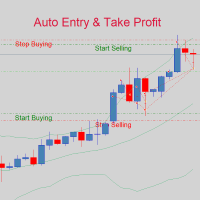
If you are good at market analysis this Semi-automatic EA will help you to manage trade for entry and take profit as you analyzed You job is set the zone for buying or selling by moving the lines on MT4 chart For Supply and Demand Strategy - Support & Resistance System.. Buy low sell high from potential reversal point For this tool you only need to set the Market zone for buy or sell Start lots should be small for low drawdown for 0.01 standard lots for each $200 or more Default setting is for t
SFG Grid Manager MT4 – Smart Grid & Mirror System SFG Grid Manager MT4 is a professional automatic grid manager that follows an existing position (manual or EA) and opens one averaging trade per defined step (GridPips). When the primary trade closes or disappears, all the grid trades opened by the manager are closed automatically. It works on any broker with Netting or Hedging accounts and is fully compatible with manual trading or external Expert Advisors. ️ Main Features Follows a primar
Our Basic Support and Resistance indicator is the solution you need to boost your technical analysis. This indicator allows you to project support and resistance levels on the chart / MT5 Version Features Integration of Fibonacci Levels:  With the option to display Fibonacci levels alongside support and resistance levels, our indicator gives you an even deeper insight into market behavior and possible reversal areas. Performance Optimization:  With the option to update extended lines only at th
AnyChart MT4
Irek Gilmutdinov
AnyChart is a multifunctional tool allowing you to work with non-standard charts in MetaTrader 4. It includes collector of ticks and generator of charts for trading (hst files) and testing (fxt files). Supported chart types are second, tick and renko ones. Settings Starting Date - start date for chart plotting. Ending Date - end date for chart plotting. Chart Type - chart type: Time - time chart, each bar contains a certain time interval; Tick - volume chart, each bar contains a certain number
Equity Master Stop v2
Frank William Jr Colbert
Trading tool combining a sophisticated equity stop-loss, dynamic take-profit management (Breakeven & Trailing), and symbol-group-based closing logic. It is a complete risk management and trade supervision tool. Features: All features of `Equity Master Stop v1` (floating profit/loss limits, exit protection, skip hours). Take-Profit Override: Can force a TP on any order to lock in a `MAX_FLOATING_PROFIT`. Step Breakeven: Locks in increasing amounts of profit as a trade moves favorably (e.g., aft
Ultimate Trailing Stop EA
BLAKE STEVEN RODGER
4.33 (15)
This EA Utility allows you to manage (with advanced filtering) unlimited open orders (manual or EA) with 16 trailing stop methods: fixed, percent, ATR Exit, Chandelier Exit, Moving Average, Candle High Low Exit, Bollinger Bands, Parabolic, Envelope, Fractal, Ichimoku Kijun-Sen, Alligator, Exit After X Minutes or Bars, RSI and Stochastic. The trailing stop can be either real or virtual, and you can exit fully or with a partial close percent on touch or bar close.  Moreover, you can add (overrid
You can change the time period of the chart at the touch of a button. You can also change multiple charts at the touch of a button. You can also change multiple charts at the touch of a button, saving you the trouble of changing time periods. We are live-streaming the actual operation of the system. https://www.youtube.com/@ganesha_forex We do not guarantee your investment results. Investments should be made at your own risk. We sharll not be liable for any disadvantage or damage caused by th
News Scalping Executor is an utility which helps to trade high impact and huge volatility   news . This utility helps to create two opposite orders with risk management and profit protection. It moves automatically stop loss level to avoid losses as much as possible by using many different algorithms. It helps to avoid trading the news if spread suddenly becomes very huge. It can lock profit by moving stop loss or partially closing of orders. To be profitable with this type of trading you shou
Set TP & SL by Price – Auto Order Modifier for MT4 Automatically set precise TP and SL price levels on any trade ️ Works with all pairs and EAs, filter by symbol or magic number This Expert Advisor lets you define and apply exact Take Profit (TP) and Stop Loss (SL) levels to your trades using direct price values (e.g., 1.12345 on EURUSD). No points, no pips. Just clean, accurate trade management across all orders or filtered by chart or magic number. Key Features: Instantly modify TP
It is so very disappointing when the price does not have enough points to achieve Take Profit and makes a reversal. This EA sets virtual levels near the TakeProfit levels. This EA sets virtual levels next to TakeProfit orders. If these levels are reached by price, breakeven or trailing stop is applied for an order. Features This EA does not set new orders. The aim of this EA is to manage stop losses of existing orders that are set by another EA or manually (magic number equals 0). For correct w
Trade Manager G2 MT4
Ida Bagus Putu Mahardika
TRADE MANAGER G2 – PRODUCT DESCRIPTION By Ida Bagus Putu Mahardika Trade Manager G2 – All-in-One Trading Panel for Professional Execution & Risk Management Trade Manager G2 is a next-generation trading panel designed to give you full control over order execution, position management, and profit optimization in real time on MetaTrader 5. With a modern card-based user interface and individual TP actions per level, this panel elevates your trading experience to the next level. KEY ADVANTAGES OF
TOKYO SNIPER USDJPY                   Precision Trading for the Tokyo Session Live Signal:    • MQL5 Signal: https://www.mql5.com/en/signals/2359128    • 1+ year full track record: Search "HACHI FXTF" on myfxbook.com    ("HACHI" = Japanese domestic product name) 22-Year Backtest (2004-2025) | 99.90% Mod
A professional panel for manual trading that keeps the whole trade cycle in one window on the chart, from a precise entry to protecting your account. Size every position strictly to a defined risk, build the trade with lines directly on the chart using the RR Tool, and place market and pending orders, grids and OCO. The panel takes position management off your hands: partial closing across up to five levels, six types of trailing stop, breakeven and Virtual SL/TP. Daily, weekly and monthly limit
TSTrendLineSymbol
Salvatore Labriola
Utility, which draws buy or sell trendlines, which can also become support or resistances able to close any position on the screen Algorithm that calculates the gain of the position, at the touch closure of the line.   The benefits you get: Works on forex and CFD, timeframe from M1 to Weekly. Easy to use screen control panel. Audible warning messages at the touch of the line. Easy to use.
TesterPro
Miguel Angel Barahona Ochoa
TesterPro is a panel designed for use in the MT4 Strategy Tester. It allows you to simulate buy and sell orders, set lot size, take profit, and stop loss. You can modify your open orders and partially close them at any time. You can also adjust take profit and stop loss levels simply by dragging the corresponding lines with the mouse. During your backtesting, TesterPro  provides a real-time report with detailed information about your performance, including deals won, deals lost, total profit, an
Criflow Scalper Pro
Cristian Spedicato
CRIFLOW SCALPER PRO  Advanced Trade Management & Smart Scaling System CRIFLOW SCALPER PRO is an Expert Advisor designed to transform any manual operation into an advanced professional management system, automating scaling, capital protection and profit maximization. It's not just an input EA: is an intelligent order management engine designed for serious traders, scalpers and professionals. ⸻ Smart Trade Detection • Automatically detect manual trades • Intervenes in real time witho
STRATEGY - We use risk and reward ratio of 1:5 to maximize the profit - We use trailing stop to lock profit and minimize loss ALERT User will get notified with alert with the following condition: - Max  Spread - Max  Orders UPDATE - Free Update and Support COMPATIBILITY - MT4 and MT5 - M1 Timeframe - All Currency Pair WHAT YOU GET 1) Free Online Forex Training (Normal Price: USD 299) 2) Free Expert Advisor (EA) (Normal Price: USD 288) 3) Free Copy Trading (CT) (Normal Service Fee: 20%) *Aft
Mir Station MT4
Marta Gonzalez
Mir Station MT4  it is a Secure Automated Software for trade Forex market and indices. The architecture is a Fully Automatic Autonomous Robot Expert capable of independently analyzing the market and making trading decisions Mir Station MT4     Have  neurals nets to used the correct algoritm in the correct market situation Mir Station MT4         It is an advanced trading system. This is a fully automatic Expert Advisor.      Mir Station MT4     is a plug and play system Mir Station MT4     It
ISS Station MT4
Marta Gonzalez
ISS Station MT4        it is a Secure Automated Software for trade Forex market and indices. The architecture is a Fully Automatic Autonomous Robot Expert capable of independently analyzing the market and making trading decisions       ISS Station MT4         Have neurals nets to used the correct algoritm in the correct market situation       ISS Station MT4               It is an advanced trading system. This is a fully automatic Expert Advisor.        ISS Station MT4     is a plug and play
The Arrow Scalper
Fawwaz Abdulmantaser Salim Albaker
1 (2)
Dear Friend..  I share with you this simple Expert Adviser .. it is full automatic  this Expert Adviser following the trend of the pair you install on or any stocks or indices , it is works like that: - when the trend on H4 chart show a start of up trend the expert will wait till the 15M & 1H charts show an up trend the EA will open a buy order directly , and do the same for down trend and open a sell order the buy or sell  order lot size and take profit and stop loss will measured manually  by
FREE
RetraceX Scalper
Mazhar Ul Hassan Noorul Hassan Noor Ul Hassan
Overview RetraceX Scalper is an advanced pullback scalping bot that utilizes Support & Resistance levels to identify high-probability retracement entries. It ensures precise trade execution with minimal risk and maximum reward, making it an ideal tool for traders who focus on quick pullback opportunities. Key Features Support & Resistance Detection: Identifies strong market zones for accurate trade setups. Pullback Entry Optimization: Scans for high-probability retracement entries to maximize
This is a script used for placing pending orders. However, this does not create a trivial grid of orders, but a little "thinks and counts" ;) The general idea that guided me when writing this script is the concept of playing the demand and supply zones by setting pending "limits", but with a predetermined level of risk that I accept. Operating principles: - put a rectangle on the graph, which is supposed to reflect the "zone" we are going to play, - drag the Pending_Orders_1v6_Rectangle script t
Grid Maestro
Ruslan Brezovskiy
Grid Maestro is a utility that automatically builds a grid of orders based on specified parameters: grid step, number of orders, and volume multiplier. The first trade is opened manually by the user. Functionality and Features: The utility places virtual pending orders (red line) and take profit (green line) after the user manually opens a trade or after a pending order placed manually by the user is triggered. Initially, one pending order is set in the grid, and as they are triggered, subseq
TradeMngr
Edgar Enrique Retontali
TradeManager 1.0 is an Expert Advisor for MetaTrader 4 y 5 that streamlines real-time trade management. Through a graphical control panel, you can send market and pending orders, move stop losses to breakeven, and automatically calculate position size based on your risk settings. Below is a comprehensive overview of its features and input parameters. Key Features Market Orders & Pending Orders BUY/SELL Buttons : Instantly open long or short positions at market. BUY STOP / SELL STOP / BUY LIMIT
Buyers of this product also purchase
Forex Trade Manager MT4
InvestSoft
4.98 (443)
Trade Manager MT4 is an advanced position size calculator and trade management tool for MetaTrader 4, designed to help traders plan trades faster, control risk more precisely, and manage open positions directly from the chart. It combines order placement, risk based lot calculation, Stop Loss and Take Profit management, Break Even, Trailing Stop, Partial Close, Equity Protection, and external trade management in one panel. Whether you trade forex, indices, metals, commodities, or crypto, Trade M
Local Trade Copier EA MT4
Juvenille Emperor Limited
4.96 (110)
Experience exceptionally  fast trade copying with the Local Trade Copier EA MT4 . With its easy 1-minute setup, this trade copier allows you to copy trades between multiple MetaTrader terminals on the same Windows computer or Windows VPS with lightning-fast copying speeds of under 0.5 seconds. Whether you're a beginner or a professional trader, the Local Trade Copier EA MT4 offers a wide range of options to customize it to your specific needs. It's the ultimate solution for anyone looking to inc
Trade Assistant MT4
Evgeniy Kravchenko
4.43 (197)
It helps to calculate the risk per trade, the easy installation of a new order, order management with partial closing functions, trailing stop of 7 types and other useful functions. Additional materials and instructions Installation instructions   -   Application instructions   -   Trial version of the application for a demo account Line function -   shows on the chart the Opening line, Stop Loss, Take Profit. With this function it is easy to set a new order and see its additional characteris
Working Trial Download Copy Cat More Trade Copier MT4 is not just a simple local trade copier; it is a complete risk management and execution framework designed for today’s trading challenges. From prop firm challenges to personal portfolio management, it adapts to every situation with its blend of robust execution, capital protection, flexible configuration, and advanced trade handling. The copier works in both   Master (sender) and Slave (receiver)   modes, with real-time synchronization of
TradePanel MT4
Alfiya Fazylova
4.84 (95)
Trade Panel is a multi-functional trading assistant. The app contains over 50 trading functions for manual trading and allows you to automate most trading tasks. Before making a purchase, you can test the demo version on a demo account. Download the trial version of the application for a demonstration account: https://www.mql5.com/en/blogs/post/750865 . Full instructions here . Trade. Allows you to perform trading operations in one click: Open pending orders and positions with automatic risk cal
Unlimited Trade Copier Pro is a tool to copy trade remotely to multiple MT4, MT5 and cTrader accounts at different computers/locations over internet. This is an ideal solution for you if you are a signal provider and want to copy your trades to other receivers globally on your own rules. One provider can copy trades to multiple receivers and one receiver can get trade from multiple providers as well. The provider can even set the subscription expiry for each receiver, so that receiver will not b
The product will copy all telegram signal to MT4   ( which you are member  ) , also it can work as remote copier.  Easy to set up, copy order instant, can work with almost signal formats, image signal, s upport to translate other language to English Work with all type of channel or group, even channel have "Restrict Saving Content", work with  multi channel, multi MT5 Work as remote copier: with signal have ticket number, it will copy exactly via ticket number. Support to backtest signal. How to
Trade Reverse Copie4
Chukwuemeka Kingsley Anyanwu
Feel free to contact me for any extra features :) [SEE MT5 VERSION  https://www.mql5.com/en/market/product/128846 The Local Reverse Copier is an Expert Advisor designed to synchronize positions between a Master account and a Slave account with a twist: it reverses the trades. When a buy position is opened on the Master account, the EA opens a sell position on the Slave account, and vice versa. This allows for a unique form of trade copying where positions are mirrored in opposite directions bet
VirtualTradePad PRO SE MT4 — advanced trading panel and chart workspace for MetaTrader 4 VirtualTradePad PRO SE is a professional trading panel and trade-management workspace for MetaTrader 4 . It helps traders open, manage, protect, close and analyze trades faster from one chart-based interface. The product was created for active manual traders who need more than a simple set of buttons. PRO SE combines one-click execution, pending orders, position control, partial close, basket profit/loss log

News Filter EA MT4
Rashed Samir
5 (10)
News Filter EA: Advanced Algo Trading Assistant News Filter EA is an advanced algo trading assistant designed to enhance your trading experience. By using the   News Filter EA , you can integrate a Forex economic news filter into your existing expert advisor, even if you do not have access to its source code. In addition to the news filter, you can also specify   trading days   and   hours   for your expert. The News Filter EA also includes   risk management   and   equity protection   features
Strategy Builder offers an incredible amount of functionality. It combines a trade panel with configurable automation (covert indicators into an EA), real-time statistics (profit & draw down) plus automatic optimization of SL, TP/exit, trading hours, indicator inputs. Multiple indicators can be combined into an single alert/trade signal and can include custom indicators, even if just have ex4 file or purchased from Market. The system is easily configured via a CONFIG button and associated pop-up
The Risk to Reward Ratio Manager is a visual order management tool and position size calculator designed to support disciplined trading and professional risk management. It allows traders to visually set entry, stop-loss, and take-profit levels directly on the chart, while automatically calculating the lot size and risk-to-reward ratio before sending an order. The tool helps standardize trade preparation and ensures that each position is opened with a predefined and controlled level of risk. Thi
PZ Trade Pad Pro MT4
PZ TRADING SLU
3.67 (3)
Effortlessly calculate lot sizes and manage trades to save time and avoid costly errors The Trade Pad Pro EA is a tool for the Metatrader Platform that aims to help traders manage their trades more efficiently and effectively. It has a user-friendly visual interface that allows users to easily place and manage an unlimited number of trades, helping to avoid human errors and enhance their trading activity. [ Installation Guide | Update Guide | Troubleshooting | FAQ | All Products ] One of the k
MT4 to Telegram Signal Provider   turns your trading account into a signal provider. Every trade action, whether manual, by EA or from your phone, is instantly sent as a message to Telegram. You can fully customize the format or use a ready-made template for quick setup. [ Demo ] [ Manual ] [ MT5 Version ] [ Discord Version ]  New: [ Telegram To MT5 ] Setup A step by step user guide is available. Key Features Ability to customize order details sent to subscribers You can create a tiered subs
Zone Trader MT4
Lee Samson
5 (1)
Trade support and resistance or supply and demand zones automatically once you have identified the key areas you want to trade from. This EA allows you to draw buy and sell zones with a single click and then place them exactly where you expect price to turn. The EA then monitors those zones and will automatically take trades based on price action you specify for the zones. Once the initial trade is taken, the EA will then get out in profit at the opposite zone you place, which becomes the target
Automatic profit locking when target profit is reached EquityTargetCloser   — is a utility expert advisor for MetaTrader 5 that automatically closes all market positions and deletes pending orders as soon as   equity exceeds the current balance by a specified profit amount . After all positions are closed, the target automatically increases: the new threshold = new balance + specified profit. The EA does not open trades, it only manages existing positions, helping to reliably lock in profit and
DrawDown Limiter MT4
Haidar Lionel Haj Ali
5 (8)
Drawdown Limiter EA You are in the right place if you were searching for Drawdown control, Drawdown limiter, Balance protection, Equity Protection or Daily Drawdown Limit related to Prop Firm, FTMO, or Funded account trading, or if you want to protect your trading account. Have you suffered from controlling your drawdown when trading funded accounts? This EA is meant for you. Prop firms usually set a rule called “Trader Daily Drawdown”, and if it is not respected, you are disqualified.  I am an
Trade Copier Professional — Local Copy Solution Trade Copier Professional is a reliable local trade copying system for MetaTrader 4/5. It allows traders to replicate positions instantly across multiple accounts on the same computer, with built‑in safety controls and a professional dashboard. Overview The EA operates in both Master and Slave modes from a single file, with seamless switching. Trades can be copied between MT4 and MT5 terminals without internet dependency, using local file‑based
Trading History MT4
Siarhei Vashchylka
5 (9)
Trading History - A program for trading and money management on the history of quotes in stratagy tester. It can work with pending and immediate orders, and is equipped with trailing stop, breakeven and take profit functions. Very good for training and testing different strategies. Manual (Be sure to read before purchasing) Advantages 1. Allows you to test any trading strategy in the shortest possible time 2. An excellent simulator for trading training. You can gain months of trading experience
Trade Copier Global
Laszlo Tormasi
5 (15)
Trade Copier Global: The name speaks for itself. This copier allows you to copy orders between MT4 terminals even if they are not installed on the same computer. Features Copying trades between MT4 terminals around the world with a short delay. Automatically recognizes symbol prefixes. Can connect many Slaves to the same Master. Supports pending and market orders. Supports partial order close (with limitations, see below) Can send messages and notifications to the Slaves from the Master Several
Custom Alerts AIO: All-in-One Market Scanner – No Setup Required Overview Custom Alerts AIO is the fastest and easiest way to monitor multiple markets for real-time trading signals—without any setup or extra licenses. It comes with all required Stein Investments indicators already embedded, making it the perfect plug-and-play solution for traders who value simplicity and performance. Just load it to any chart and start receiving alerts across Forex, Metals, Crypto, and Indices. Shares can be a
MACD Divergence Scanner is a multi-timeframe and multi-symbol dashboard and alert that checks all timeframes and symbols to find regular and hidden divergences between price chart and MACD indicator. This divergence scanner is integrated with support and resistance zones so you can check the MACD divergences in the most important areas of the chart to find trend reversals in the price chart. Download demo version   (works on M 1,M5,M30,W1   timeframes) Full description of scanner parameters ->  
Telegram to MT4 Coppy
Sergey Batudayev
4.09 (11)
Telegram to MT4: The Ultimate Signal Copying Solution Streamline your trading with Telegram to MT4 , the cutting-edge utility designed to copy trading signals directly from Telegram channels and chats to your MetaTrader 4 platform—without the need for DLLs. This robust solution ensures seamless execution of signals with unparalleled precision and customization options, saving you time and boosting your efficiency. [ Instructions and DEMO ] [ FAQ ] [ How atach logs properly ] [Settings descrition
Telegram to MT4 Multi-Channel Copier automatically copies trading signals from your Telegram channels directly into MetaTrader 4. No bots, no browser extensions, no manual copying. You receive a signal on Telegram and the EA opens the trade on your terminal in a few seconds. The product includes two components: a Windows application that listens to your Telegram channels, and this Expert Advisor that executes the signals on your MT4 terminal. An MT5 version is also available. Setup guide and app
Support and Resistance Dashboard for MT4 is a multi-timeframe and multi-symbol scanner and alert system that finds S/R zones and pivot points for all timeframes and symbols and alerts when price has interaction with them. If you are using support and resistance (or supply and demand) zones in your trading strategy, this dashboard and its alert and filtering system is a big time saver for you. Download demo version   (works on M 1,M5,M30,W1   timeframes) Full description of scanner parameters ->
King Trade Copier MT4
Mohammed Maher Al-sayed Mohammed Ahmed Saleh
King Trade Copier MT4 – Lightning-Fast Local Trade Copier (Master + Slave in ONE file) King Trade Copier is a professional local trade copier that mirrors every trading action from one Master account to unlimited Slave accounts on the same PC or VPS — with an internal copy latency of just a few milliseconds. It was built by a real trader for daily real-money use, with one goal: whatever happens on the Master must happen on the Slave, instantly and without exceptions. Watch the demo video to s
SmartFastTrade AI
Muhammad Faisal Sagala
Transform Your Trading with SmartFastTrade AI: Speed and Ease at Your Fingertips! Introduction Are you a trader struggling with slow order execution? Do you want a tool that can assist you in making quick and accurate trading decisions? If yes, then SmartFastTrade AI is the answer to all your trading needs. With its unique combination of speed, user-friendliness, and advanced features, SmartFastTrade AI will help you unlock your full trading potential. Let's delve deeper into why this innovativ
Master Close via Telegram can help you perform some management tasks on MT4/MT5 remotely via your Telegram by one click, easy to set up & use. Demo here (see more Master Notify   Master Control  ) ************************************************************************************ LIST OF COMMANDS: info_acc -  Get account info info_pen -   Get pending orders details info_pos -   Get positions details info_pos_sum -   Get positions summary close_pen -   Delete all pending orders close_pos_all -
Auto Trade Copier
Vu Trung Kien
4.76 (85)
Auto Trade Copier is designed to copy trades to multiple MT4, MT5 and cTrader accounts/terminals with 100% accuracy. The provider and receiver accounts must be on the same PC/VPS. With this tool, you can copy trades to receiver accounts on the same PC/VPS. All trading actions will be copied from provider to receiver perfectly. This version can be used on MT4 accounts only. For MT5 accounts, you must use Auto Trade Copier for MT5 . Reference: - For MT4 receiver, please download Trade Receiver Fre
RSI Divergence Scanner is a multi-timeframe and multi-symbol dashboard and alert that checks all timeframes and symbols to find divergences between price chart and RSI indicator. This divergence scanner is integrated with support and resistance zones so you can check the RSI divergences in the most important areas of the chart to find trend reversals in the price chart. Download demo version   (works on M 1,M5,M30,W1 timeframes) Full description of scanner parameters ->   click here . How to get
More from author
Poison Ivy
Janet Abu Khalil
5 (1)
Info: Working trading pairs :  XAUUSD, GOLD  Timeframe: H1 Min deposit: $100 Min leverage 1:20  Works with any broker, though an ECN broker is recommended Features: No martingale No grid trading No averaging No dangerous money management techniques Hard stop loss and take profit for every trade Stable results since 1999 with 99.9% quality quotes Not sensitive to broker conditions Easy to install and use FTMO and Prop firm ready Complies with FIFO rules (Need to disable Hedging in EA settings)
Telegram to mt5 pro
Janet Abu Khalil
4 (4)
Telegram to MT5 Pro — Advanced Telegram Signal Copier with Auto-Fix, Multi-TP, Risk Control and Full Trade Management Telegram to MT5 Pro — Professional Telegram Signal Copier Telegram to MT5 Pro is a high-performance trade copier that automatically executes signals from Telegram directly into your MetaTrader 5 account, with full control over risk, execution, and trade management. The system consists of two components: • The Expert Advisor (EA) running inside MetaTrader 5 • A companion desktop
Royal Copier
Janet Abu Khalil
5 (1)
Royal Copier — Professional MT5 Trade Copier Royal Copier is a professional real-time local trade copier for MetaTrader 5. It now includes both functions inside one single MT5 Expert Advisor. From the inputs, you simply choose whether the EA will run in Master Mode or Client Mode . This means the same EA can be used on the source account or on the receiving account, while preserving the original copier behavior. Royal Copier supports copying between accounts in all common combinations: MT5 to MT
Martingale Super EA Martingale Super EA is a professional grid-based Expert Advisor designed for controlled basket trading with separate BUY and SELL engines, basket close by pips, flexible grid progression, and optional advanced recovery logic. The EA supports independent BUY and SELL operation, separate basket management for each side, optional combined basket close, and a configurable grid structure. Grid progression can be set to Fixed Lot , Sum Grid , or Custom Grid mode. In Custom Grid mod
FREE
Gold M1 Pro
Janet Abu Khalil
5 (1)
Gold M1 Pro Gold M1 Pro is an automated Expert Advisor developed for trading XAUUSD on the M1 timeframe. It includes a standard Gold strategy, an independent AI trading engine, and a hybrid mode that allows both systems to operate together. LIVE SIGNALS Standard Strategy https://www.mql5.com/en/signals/2381033 TRADING MODES Standard Mode Uses the main Gold M1 Pro strategy and analyzes short-term Gold movements through multiple internal trading conditions before opening positions. AI Mode Uses t
What is Telegram to MT4 Pro? Telegram to MT4 Pro automatically copies signals from private, public, and restricted Telegram channels and groups directly to your MetaTrader 4 account. Telegram to MT4 Pro is a professional signal copier that automatically copies trading signals from any Telegram channel or group directly to your MetaTrader 4 account in real time, with full control over every trade. The system has two parts working together: This Expert Advisor — installed on your MT4 chart to exec
Royal Copier — Professional MT4 Trade Copier Royal Copier is a professional real-time local trade copier for MetaTrader 4. It now includes both functions inside one single MT4 Expert Advisor. From the inputs, you simply choose whether the EA will run in Master Mode or Client Mode . This means the same EA can be used on the source account or on the receiving account, while preserving the original copier behavior. Royal Copier supports copying between accounts in all common combinations: MT4 to MT
MT4 to Telegram Pro is a complete MT4 to Telegram copier and publishing solution that transforms your MetaTrader 4 terminal into a real time Telegram signal, reporting, and notification system. It can copy market orders, pending orders, closed trades, partial closes, trade modifications, and news alerts directly from your MT4 account to your Telegram channel or group. One of its strongest advantages is flexibility. All messages are editable in plain text, so you are not locked into fixed wording
MT4 to Discord Pro is a professional MetaTrader 4 to Discord publishing and notification system that sends your trading activity directly from MT4 to any Discord channel in real time. It transforms your MetaTrader 4 terminal into a complete Discord alert solution for traders, signal providers, communities, account managers, and anyone who wants to publish trading activity automatically in a clean and professional format. The EA can send alerts for new market orders, pending orders, trade closes,
Discord to MT4
Janet Abu Khalil
Discord to MT4 Pro Discord to MT4 Pro is a professional Expert Advisor for MetaTrader 4 that reads trading messages from a Discord channel and executes them automatically on your MT4 account. It is designed for traders who receive signals through Discord and want direct execution inside MetaTrader 4 with flexible handling for market orders, pending orders, range entries, ladder entries, one-order-per-TP logic, break-even, trailing stop, partial close, daily protection rules, and fully customizab
What is Discord to Telegram Pro? Discord to Telegram Pro is a professional bridge for MetaTrader 4 that automatically reads messages from your selected Discord channel and forwards them directly to your Telegram channel, group, or private chat. This Expert Advisor is designed for signal providers, private communities, Discord trading groups, and users who want to automatically forward Discord messages to Telegram without manual copy and paste. The system works inside MetaTrader 4 as a bridge: It
Poison Ivy Pro
Janet Abu Khalil
Poison Ivy - Trading EA with News Filter Poison Ivy is an automated trading expert advisor for multiple symbols Built to work best on GBPUSD, on H1 timeframes Minimum deposit: 100 USD for every 0.01 lot; preferred 500 USD for every 0.01 lot Very Important : Kindly, do not use the EA without the set file ! NEWS BACKTEST FEATURE   EA supports full backtesting with news filter enabled Request historical news CSV file after purchase Includes 2022-2025 data with quarterly updates Dual-source news: F
Bitcoin Sniper
Janet Abu Khalil
Bitcoin Sniper is a fully automated Expert Advisor developed exclusively for BTCUSD on MetaTrader 5. Once attached to the chart and configured, the EA manages trading automatically with no manual execution required during active sessions. The system is designed for traders who want a structured BTCUSD solution with controlled risk settings, trade frequency limits, trailing management, and daily protection options. Feel free to check out my Gold EA here: https://www.mql5.com/en/market/product/162
Tokyo Crown
Janet Abu Khalil
Tokyo Crown — Session Expert Advisor for GBPUSD and USDJPY Tokyo Crown is a disciplined, low‑frequency Expert Advisor designed for controlled trading on GBPUSD and USDJPY, including prop‑firm style accounts. It focuses on one high‑quality setup per day on average per symbol, using fixed stop loss and take profit, no hidden martingale, and strict equity protection. Strategy overview Tokyo Crown analyzes the Asian and early London session structure and looks for clean breakouts or mean‑reversion o
PropPass – Prop Firm Challenge EA Prop Firm Challenge and Risk Management Automation System Introductory Offer Only 5 licenses are available at this price. After the first 5 copies are sold, the price will increase. Main Purpose The main purpose of PropPass is to structure trading so that: • if the challenge fails in any phase, the real account recovery side may help recover the challenge cost and help the trader continue toward the prop firm process • if the challenge passes, the trader recei
MT5 to Telegram Pro is a complete MT5 to Telegram copier and publishing solution that transforms your MetaTrader 5 terminal into a real time Telegram signal, reporting, and notification system. It can copy market orders, pending orders, closed trades, partial closes, trade modifications, and news alerts directly from your MT5 account to your Telegram channel or group. One of its strongest advantages is flexibility. All messages are editable in plain text, so you are not locked into fixed wording
MT5 to Discord Pro is a professional MetaTrader 5 to Discord publishing and notification system that sends your trading activity directly from MT5 to any Discord channel in real time. It transforms your MetaTrader 5 terminal into a complete Discord alert solution for traders, signal providers, communities, account managers, and anyone who wants to publish trading activity automatically in a clean and professional format. The EA can send alerts for new market orders, pending orders, trade closes,
Discord to MT5
Janet Abu Khalil
Discord to MT5 Pro Discord to MT5 Pro is a professional Expert Advisor for MetaTrader 5 that reads trading messages from a Discord channel and executes them automatically on your MT5 account. It is designed for traders who receive signals through Discord and want direct execution inside MetaTrader 5 with flexible handling for market orders, pending orders, range entries, ladder entries, one-order-per-TP logic, break-even, trailing stop, partial close, daily protection rules, and fully customizab
What is Discord to Telegram Pro? Discord to Telegram Pro is a professional MetaTrader 5 bridge that automatically reads messages from your selected Discord channel and forwards them directly to your Telegram channel, group, or private chat. This EA is designed for signal providers, private communities, Discord trading groups, and users who want to relay Discord messages to Telegram automatically without manual copy and paste. The system works inside MetaTrader 5 as a bridge: It connects to Disco
Telegram to Discord Pro for MT5 Telegram to Discord Pro is a bridge Expert Advisor for MetaTrader 5 that reads trading signals and trade-management messages from a Telegram bot chat, channel, or group, then forwards them to your Discord channel in a clean and configurable format. This EA is made for traders, signal providers, private communities, and automation users who want to mirror Telegram trading messages into Discord in real time. It can detect and forward messages such as Buy, Sell, Clos
Filter:
No reviews
Reply to review