Buffer Finder MT5
- Utilities
- Version: 1.2
- Updated: 30 September 2026

Buffer Finder MT5
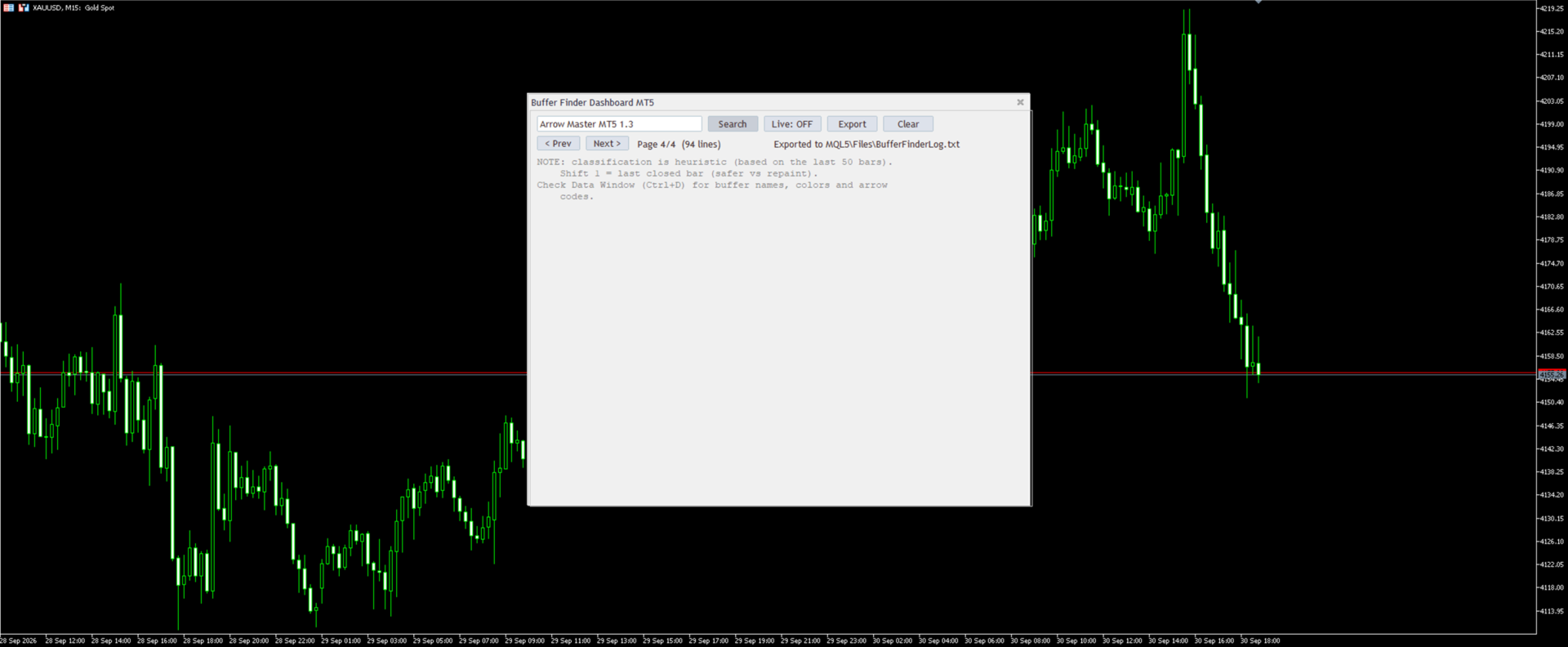
Is a custom technical Utility for MetaTrader 5, designed to inspect and analyze buffers of other indicators for EA integration, signal detection, or debugging.
Support and questions via MQL5 product comments.
For questions, updates, and to connect with other traders, join my official MQL5 group ForexEAandMore
Major update in Version 1.2
All update Infos in the first comment.
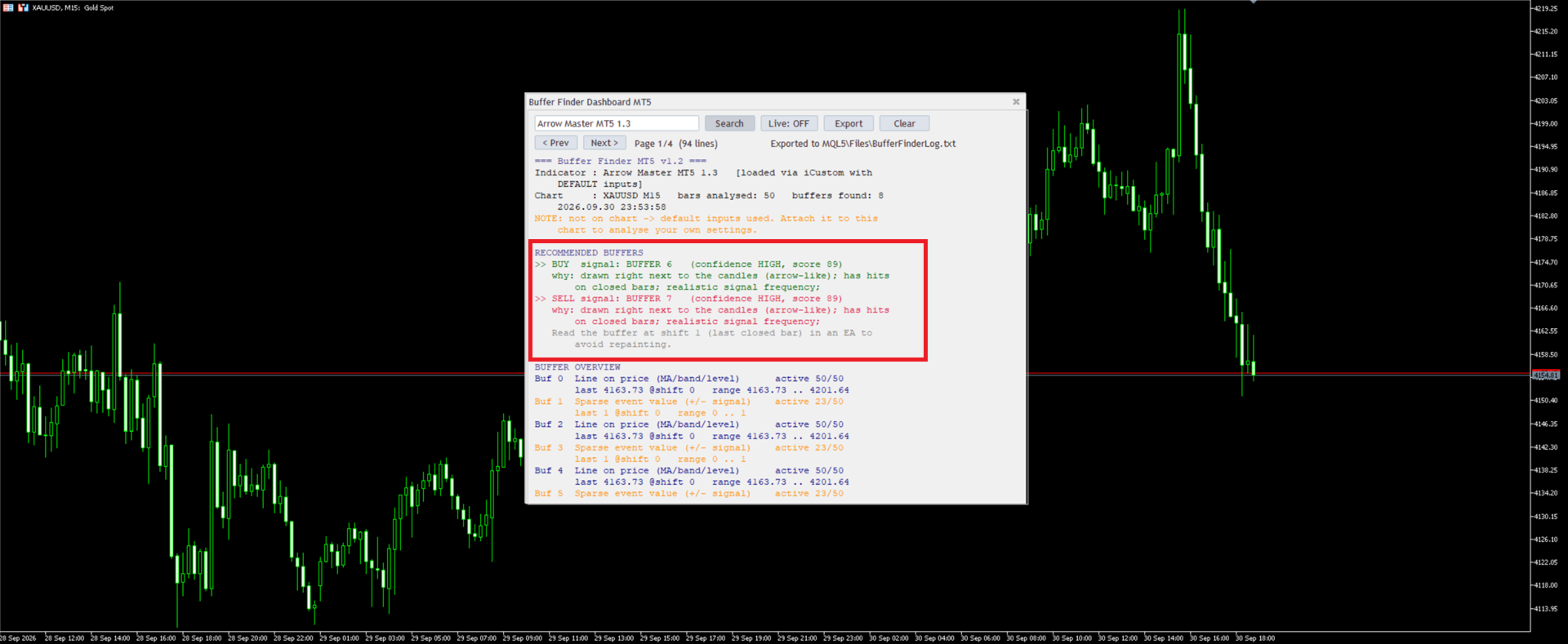
You can check now the indicator directly without loading in the chart by filling the exact indicator name in the search box and click Search.
Key Features
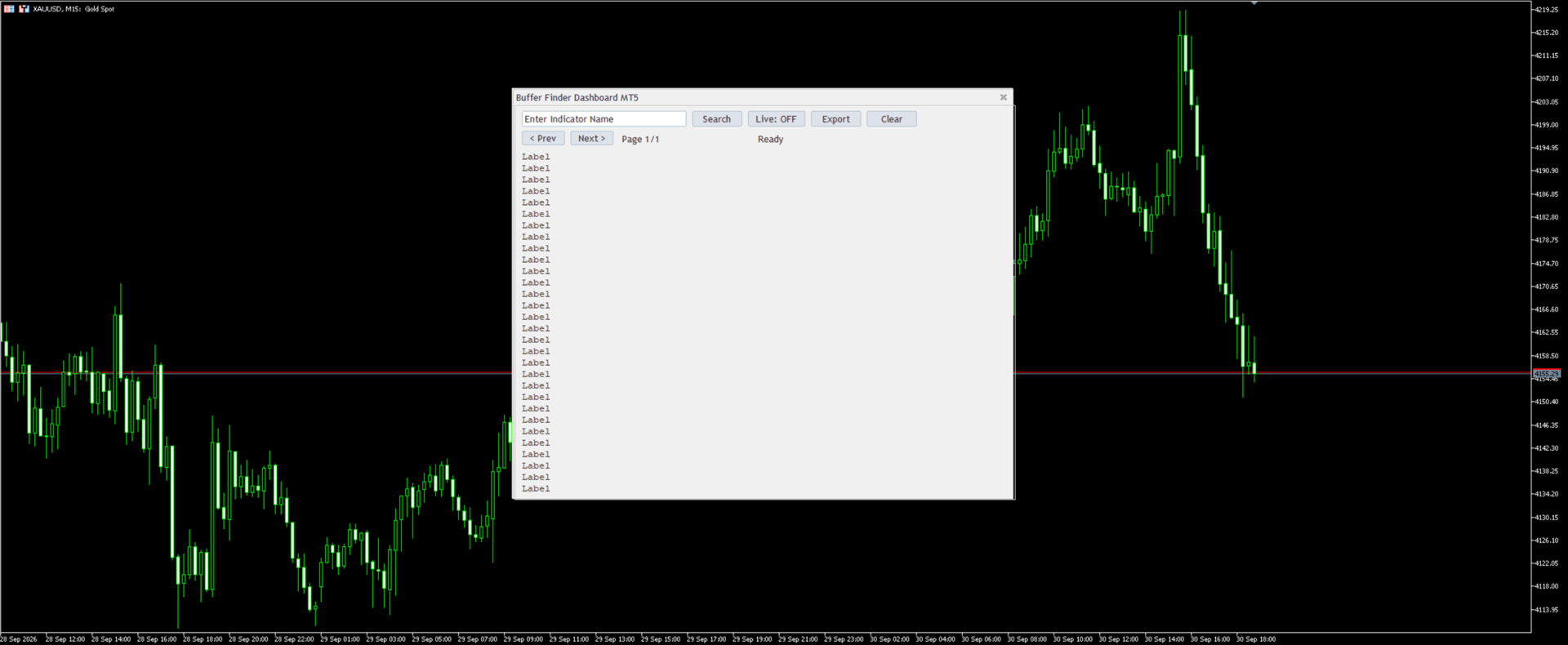
- User-Friendly Dashboard: Input an indicator name and click "Search" to scan the chart or load it dynamically via iCustom from standard folders (Indicators, Market, Examples).
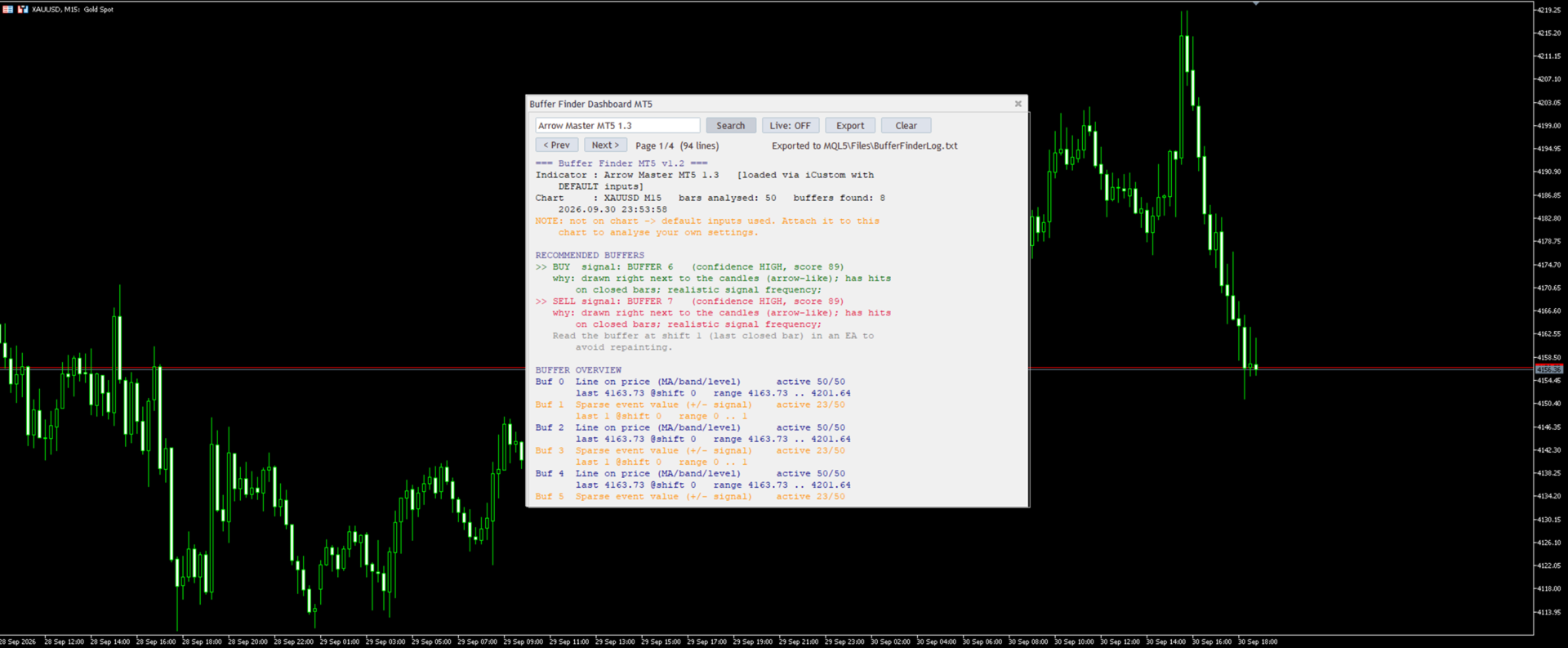
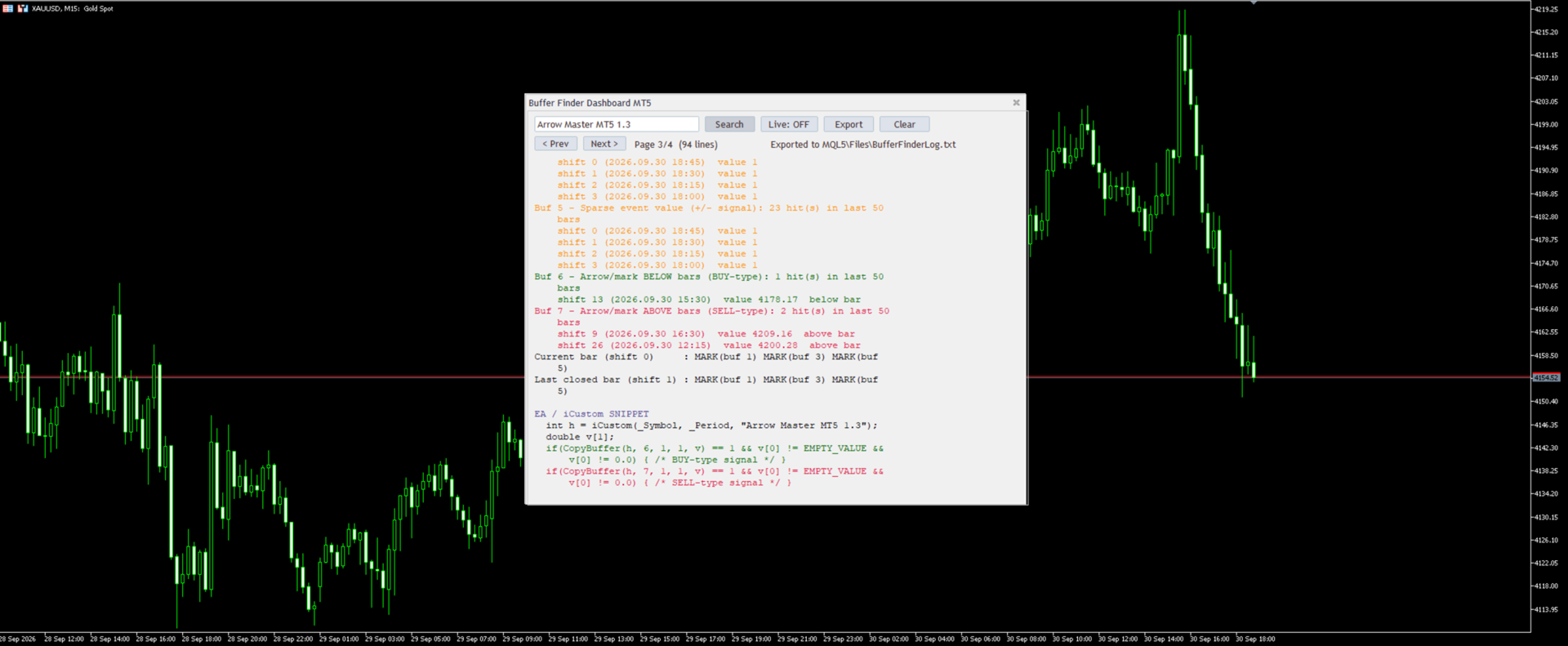
- Buffer Inspection: Extracts and displays data for recent bars (default: 5), checking up to 30 buffers; highlights potential color buffers (0-32 integers) or arrow/signal buffers (sparse non-empty values).
- Signal Detection: Suggests likely buy/sell patterns and advises checking visuals in the Data Window (Ctrl+D).
- Customization Options: Adjustable position, size, font, background color, max result lines; auto-resizes for optimal display.
Perfect for developers building EAs, troubleshooting indicators, or exploring data structures.
Note: Uses default parameters for dynamic loads..
Buffer Finder is not updating or reading buffers in the Strategy Tester.
| Setting | Default | What it does |
|---|---|---|
| DefaultIndicatorName | empty | Name pre-filled in the search box |
| AutoSearchOnStart | false | Runs the search automatically on start (needs a default name) |
| BarsForAnalysis | 50 | How many recent bars are analysed |
| MaxBuffers | 64 | Maximum number of buffers to probe (1 to 512) |
| RecentValuesShown | 8 | Bars listed per buffer in the recent-values section (0 turns it off) |
| MaxSignalsShown | 4 | Maximum number of signals listed per buffer |
| LiveRefreshSec | 5 | Refresh interval in seconds when Live mode is on |
| PageLines | 30 | Result lines per page (also sets the window height) |
| DashboardBackgroundColor | clrNONE | Window background color (clrNONE is the default look) |
| LabelFontSize | 10 | Font size of the text and buttons |
| DashboardX | 300 | Window position from the left |
| DashboardY | 20 | Window position from the top |
| DashboardWidth | 700 | Minimum window width |
| MaxLineChars | 62 | Long lines wrap at this many characters (MT5 text objects hold about 63) |
| DebugLog | false | Prints debug lines to the Experts tab |
| ExportToFile | true | Appends every analysis to the log file |
| LogFileName | BufferFinderLog.txt | Log file name, saved in \MQL5\Files |
Disclaimer
This indicator is provided for informational purposes only and does not constitute financial advice. Past performance calculated using historical data does not guarantee future results, and trading involves risk of loss. Always test the product in a demo account, combine it with appropriate risk management, and consult a professional advisor if necessary. The developer assumes no liability for any trading decisions made based on this tool. Translations are available via MQL5 tools for global accessibility.