
KC GridMaster v2 Semi Auto Grid EA
- Utilities
-
Kaan Caliskan
 All the products in my profile are for sale, complete with source code and all sales rights. If you are interested, please contact me via private message or at fxkaanc@gmail.com
Algorithmic Trading Engineer, Economist & Fund Manager | 13+ Years in the Markets - Version: 2.23
- Updated: 25 November 2025
- Activations: 10
KC GRIDMASTER v2 is a Trade Management Panel designed to assist in managing manual trades and risk calculations. It is not a fully automated grid robot but a utility that automates specific trade management tasks based on user inputs. The tool calculates weighted average costs for multiple positions and manages them as a single basket.
New Feature (v1.80): RSI Auto-Entry Mode
The utility includes an optional feature to automate entries based on RSI indicators.
-
Enable/Disable: Controlled via the UseAutoTrading parameter.
-
Logic: Opens a BUY position when RSI drops below the defined Oversold level and opens a SELL position when RSI rises above the Overbought level.
-
Management: Once a trade is opened automatically, the utility applies the standard risk management settings (ATR-based TP/SL, Breakeven, etc.) defined in the panel. This feature only operates when there are no existing active trades to avoid interference with manual operations.
Position Management Logic
The utility calculates the weighted average entry price when multiple positions are open. Risk management functions such as Take Profit, Stop Loss, and Breakeven are executed based on this average price rather than individual order levels.
Key Features
1. Dynamic TP/SL (ATR-Based)
The utility can calculate Take Profit and Stop Loss levels dynamically using the Average True Range (ATR).
-
ATR Lock: Captures the ATR value at the moment of entry to maintain fixed targets despite subsequent market volatility.
2. Basket Breakeven Function
Monitors the total profit of the position basket.
-
Auto-Trigger: When the basket reaches a specified profit target (defined in Points or ATR), the Stop Loss for all positions is moved to the average entry price plus a defined offset.
-
Manual Trigger: Users can manually trigger the breakeven function using the panel button.
3. Basket Trailing Stop
Activates after the breakeven point is secured. It updates the stop level as the price moves in the favorable direction based on the defined trailing step and distance.
4. Profit and Loss Limits
Allows setting monetary limits for account protection.
-
Fixed Profit: Closes all trades in the basket when the total profit reaches a specified USD amount.
-
Fixed Loss: Closes all trades when the total floating loss reaches a specified USD amount.
5. Information Panel
Displays real-time data on the chart:
-
RSI Status (Overbought/Oversold zones).
-
EMA Trend direction based on short-term (14/21) and long-term (200) EMAs.
-
Current ATR values.
Usage Workflow
-
Analyze the market using the panel indicators (RSI, EMA, ATR).
-
Enter a trade manually or enable the RSI Auto-Entry mode.
-
The utility places initial trades and pending limit orders (if configured).
-
The system monitors the average cost line and updates TP/SL levels.
-
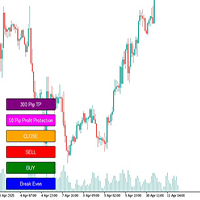
Positions can be closed manually via the "CLOSE" button or automatically via risk settings.
Main Parameters
-
Lot Settings: Initial lot size, Lot Multiplier methods.
-
Trade Settings: TP/SL mode (Manual or ATR), GridDistance (points between levels), MaxOrders (maximum levels).
-
Breakeven Settings: Trigger mode (Points, ATR, or Price), Start Distance, BreakEvenOffset (extra pips).
-
Trailing Settings: Trailing Start, Trailing Step.
-
Risk Settings: Max Risk Percent, Fixed Profit ($), Fixed Loss ($).













































User didn't leave any comment to the rating