ZScore Panel MT4
- Indicators
-
Kaan Caliskan
 All the products in my profile are for sale, complete with source code and all sales rights. If you are interested, please contact me via private message or at fxkaanc@gmail.com
Algorithmic Trading Engineer, Economist & Fund Manager | 13+ Years in the Markets - Version: 1.0
- Activations: 10
Z-Score Panel Pro
Professional Multi-Timeframe Z-Score Dashboard with Advanced Alert System
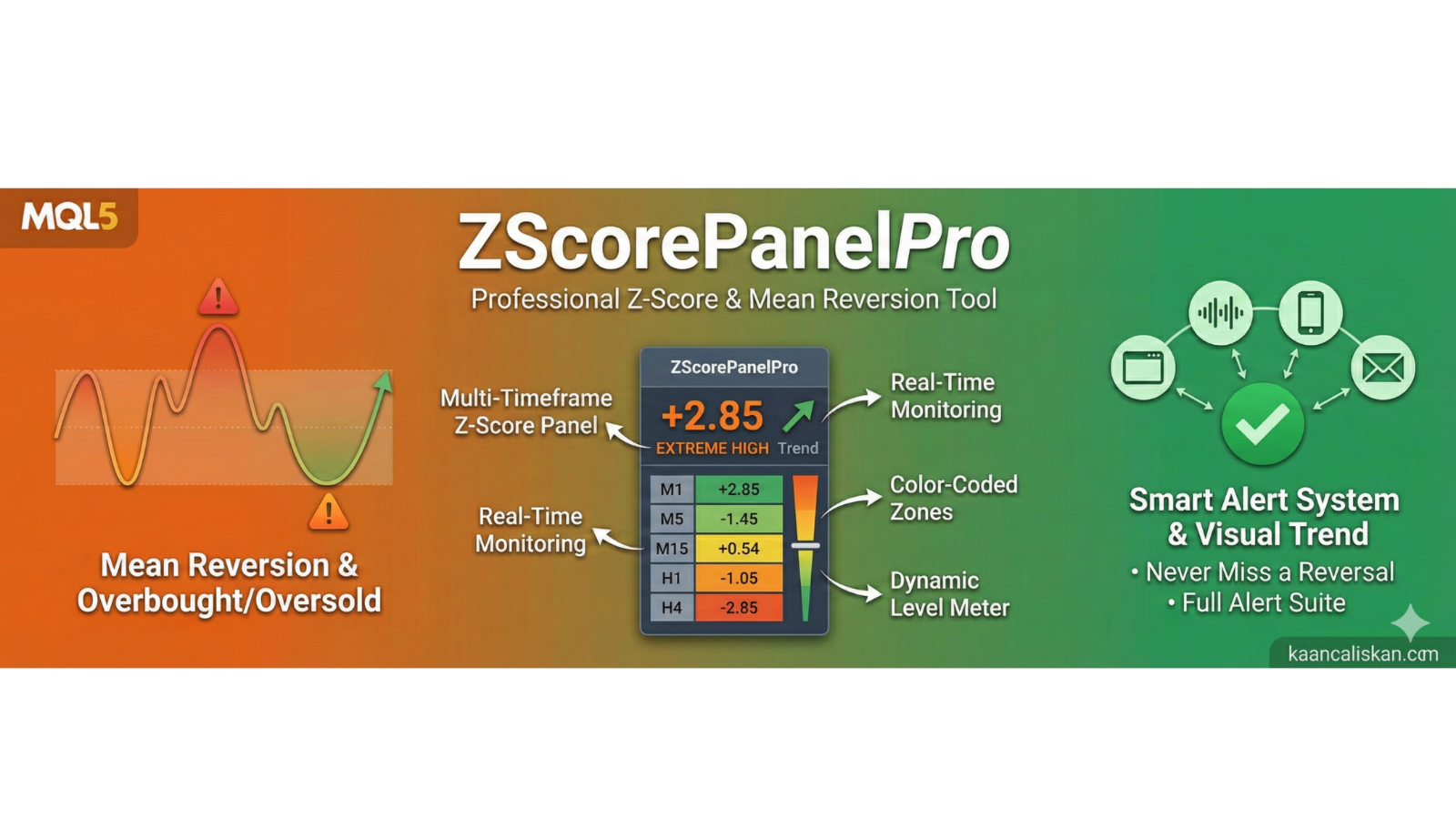
Z-Score Panel Pro transforms complex statistical analysis into an intuitive visual dashboard that helps traders identify overbought and oversold market conditions with precision. This professional-grade indicator displays real-time Z-Score calculations across multiple timeframes, providing instant market insight through color-coded zones and comprehensive alert notifications.
Unlike basic Z-Score indicators, Z-Score Panel Pro offers a complete monitoring solution with multi-timeframe analysis (M1 to D1), customizable threshold levels, visual trend indicators, and an intelligent alert system that notifies you via popup, sound, push notification, or email when significant Z-Score levels are breached.
Perfect for traders who seek statistical confirmation of price extremes, mean reversion opportunities, and multi-timeframe confluence analysis.
Read More: Complete Guide to Z-Score Panel Pro: Settings, Strategies & Configuration
Limited Offer: First 50 downloads are FREE! After that, this product will be paid. Download now to secure your free copy.
Key Features
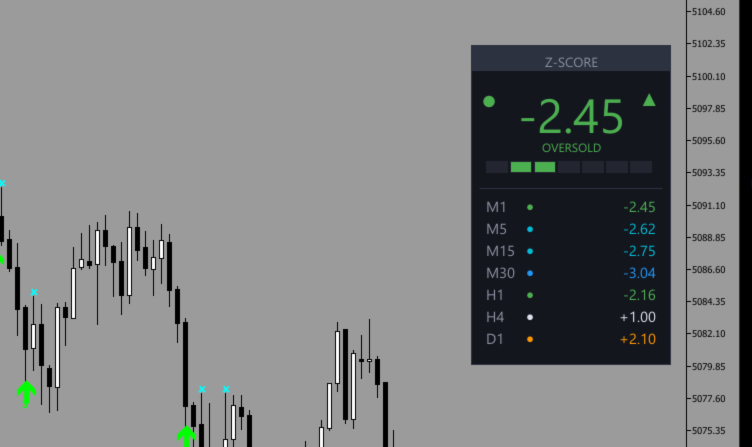
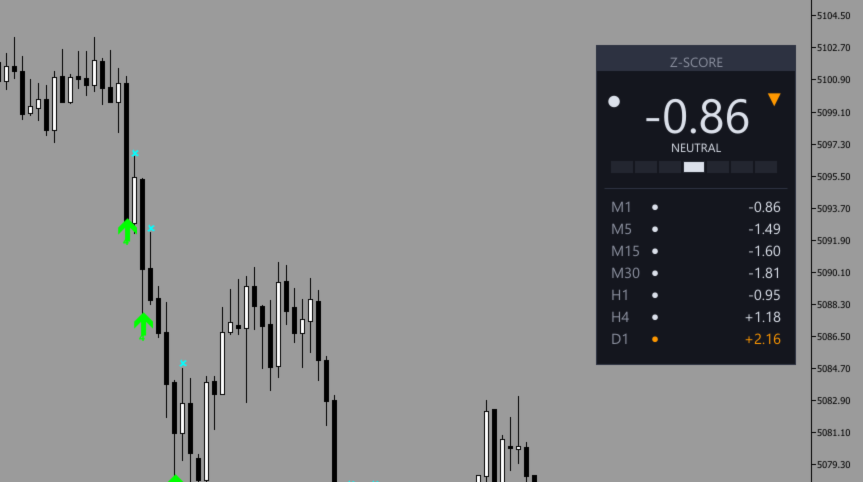
- Multi-Timeframe Z-Score Display: Monitor Z-Scores across 7 timeframes simultaneously (M1, M5, M15, M30, H1, H4, D1) with independent calculations for comprehensive market analysis
- Three-Level Alert System: Customizable Warning, Danger, and Extreme zones with independent alert triggers for precise notification control at critical Z-Score thresholds
- Complete Alert Methods: Receive notifications via popup alerts, sound alerts, push notifications to mobile, and email alerts with configurable cooldown periods to prevent spam
- Professional Visual Dashboard: Modern gradient-style panel with color-coded zones, trend direction arrows, signal dots, and dynamic level meter for instant market assessment
- Flexible Calculation Options: Choose between SMA or EMA-based Z-Score calculations with customizable periods and applied price (Close, Open, High, Low, Median, Typical, Weighted)
- Customizable Design: Three panel styles (Modern, Classic, Minimal), four corner positions, adjustable colors, fonts, and sizes to match your chart aesthetics
- Buffer Data Access: Z-Score values stored in indicator buffers for easy integration with Expert Advisors and automated trading systems
How It Works
Z-Score Panel Pro calculates the statistical Z-Score by measuring how many standard deviations the current price is from its moving average. The formula: Z-Score = (Price - MA) / Standard Deviation. Positive values indicate price is above average (potentially overbought), while negative values suggest below-average prices (potentially oversold). The multi-timeframe display allows you to see Z-Score convergence or divergence across different time periods, providing powerful confluence signals for mean reversion trading strategies.
Perfect For
- Mean Reversion Traders: Identify extreme price deviations and potential reversal points using statistical analysis with multi-timeframe confirmation
- Range-Bound Strategy Users: Spot overbought/oversold conditions in ranging markets with precise threshold levels and visual zone indicators
- Multi-Timeframe Analysts: Compare Z-Score readings across different timeframes to find confluence zones and stronger reversal setups
- Automated System Developers: Access Z-Score buffer data via iCustom() for integration into Expert Advisors and automated trading strategies
Settings & Configuration
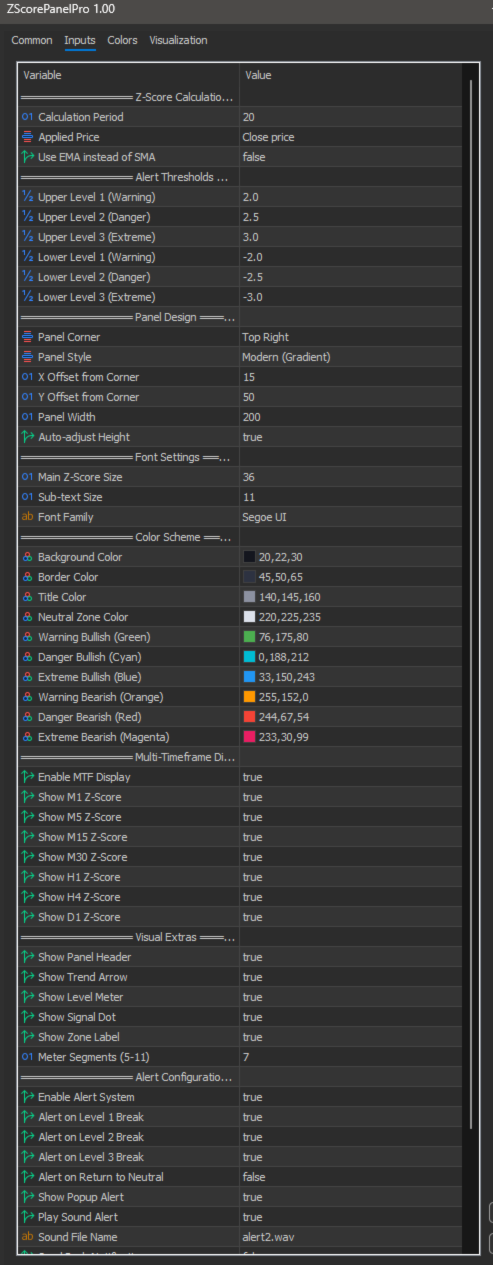
Z-Score Panel Pro offers extensive customization with 40+ parameters organized into logical groups:
- Z-Score Calculation: Period (default 20), Applied Price, SMA/EMA toggle
- Alert Thresholds: Three levels for both upper and lower zones (±2.0, ±2.5, ±3.0)
- Panel Design: Corner position, style (Modern/Classic/Minimal), dimensions, auto-height
- Font Settings: Main value size (default 36), sub-text size, font family
- Color Scheme: Fully customizable colors for background, borders, zones (6 distinct zone colors)
- Multi-Timeframe: Enable/disable each timeframe independently (M1, M5, M15, M30, H1, H4, D1)
- Visual Elements: Toggle header, trend arrow, level meter, signal dot, zone label
- Alert System: Independent level alerts, return-to-neutral alerts, cooldown period (default 300 sec)
For complete parameter explanations, calculation formulas, and configuration examples, please refer to the detailed blog guide linked above.
Support & Community
- Community Group: Join our MQL5 community group for updates, tips, and discussions
- More Products: Click here to explore my other products
- Direct Support: Contact via MQL5 messaging for technical assistance
Updates & Version History
This product is actively maintained with regular updates based on user feedback and market conditions. Check the "What's new" tab above for the latest version information, or join our community group for update announcements.
Note: A free demo version is available for testing in Strategy Tester. Download the demo to evaluate the product before purchasing.
For Developers
Z-Score Panel Pro stores calculated values in indicator buffers, making it easy to integrate into Expert Advisors:
// Access Z-Score value in your EA double zscore_buffer[]; int handle = iCustom(_Symbol, _Period, "ZScorePanelPro", 20, PRICE_CLOSE, false); CopyBuffer(handle, 0, 0, 1, zscore_buffer); double current_zscore = zscore_buffer[0]; // Example: Trade on extreme Z-Score if(current_zscore > 2.5) { // Potential mean reversion sell setup } else if(current_zscore < -2.5) { // Potential mean reversion buy setup }
Buffer Data Access
| Index | Description |
|---|---|
| 0 | Z-Score Value (current calculation) |
| 1 | Upper Threshold (internal calculation) |
| 2 | Lower Threshold (internal calculation) |
| 3 | Color Index (zone identification) |