Crystal Trade Manager
- Utilities
-
Muhammad Jawad Shabir
 🔧 Expert Developer of Advanced Algorithmic Trading | AI, Neural Logic & Custom Systems
Welcome to my profile! - Version: 5.63
- Updated: 22 August 2026
What this tool is
Crystal Trade Manager FREE is a chart-side trade utility for MT5 that helps discretionary traders manage risk, position size, and exits with one-click controls and on-chart automation. The FREE version is fully functional on demo accounts for testing; on real accounts it enables essential manual tools while advanced automation remains locked.
-
Demo accounts: All features enabled for testing and evaluation.
-
Real accounts: Core manual tools enabled; advanced automation is disabled.
This is a trade manager/utility, not a strategy signal provider. It does not place trades automatically by itself unless you use its explicit buttons or keyboard hotkeys on demo for evaluation.
Key capabilities
Available on real and demo (FREE features)
-
Drawdown Protection
Daily floating P/L tracking with a configurable maximum drawdown percentage. Automatically locks trading for the day when the limit is reached. Optionally closes pending orders when lockout triggers. -
Lot-Size Control per Symbol
Set a maximum total lot allowance per symbol; newest positions beyond the limit can be auto-reduced or blocked and pending orders removed. -
One-Click Utilities
– Close 50% of all positions on the current symbol
– Delete all pending orders on the current symbol
– Double the active exposure on the current symbol (subject to the lot-limit rule) -
Information Dashboard
On-chart panel showing Balance, Equity, floating P/L, daily closed P/L, daily growth and drawdown, per-symbol exposure (long/short counts and lots), and usage vs. the lot cap. -
Candle Timer
Optional on-chart timer with configurable position and font size. -
Notifications & Status Banners
Optional alerts/status messages for important actions or lockouts. -
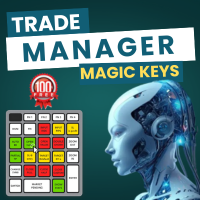
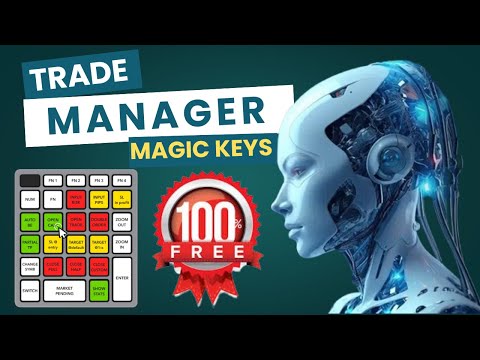
Magic Keys Panel
Clean, movable panel with clearly labeled buttons for common trade actions.
Available on demo only (locked on real; upgrade required to use on live)
-
Auto Close at Target
Two modes:-
Target Amount in account currency (close all symbol positions when floating P/L ≥ profit target or ≤ loss target).
-
Target Price mode with on-chart TP/SL price selection lines and “smart” buttons to arm/confirm targets.
-
-
Auto SL/TP Placement
Set default SL/TP distances in pips for new entries; automatically applies and adjusts per symbol’s tick size and digits. -
Break-Even Automation
Move SL to entry plus an offset after a user-defined profit in pips. -
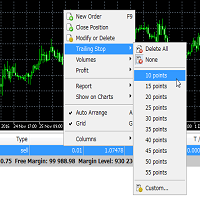
Trailing Stop Automation
Arm trailing after an activation profit; continuously trails at a defined distance. -
Keyboard Shortcuts
Quick actions via keys 1–6 for panel buttons. -
Keyboard Trading
B/S hotkeys to send market orders with a default lot.
Inputs (grouped)
-
Auto Close at Target (Demo-only)
Enable/disable, choose amount or price-target mode, set profit and loss thresholds. -
Drawdown Protection (Free)
Enable/disable, maximum daily drawdown percentage options, auto-close pending orders on lockout. -
Auto SL/TP (Demo-only)
Enable/disable, SL and TP distances in pips. -
Break-Even (Demo-only)
Trigger profit in pips, additional offset in pips beyond entry. -
Trailing Stop (Demo-only)
Activation profit in pips, trailing distance in pips. -
Maximum Lot Size (Free)
Enable/disable, cap per symbol. -
Candle Timer (Free)
Enable/disable, font size, screen corner. -
Notifications (Free)
Enable/disable platform alerts and visual banners. -
Display (Free)
Enable/disable dashboard panel. -
Magic Keys & Shortcuts
Show/hide keys panel; enable/disable numeric shortcuts (Demo-only) and keyboard trading (Demo-only). -
Chart Auto-Shift
Auto-shift the chart while using target-price controls.
All inputs use standard MT5 types and honor each symbol’s point size and digits.
How it works (high level)
-
The EA identifies account type at initialization and exposes the appropriate feature set.
-
A timer loop updates daily drawdown, floating P/L, the candle timer, and the dashboard.
-
A position cache minimizes per-tick overhead when calculating floating P/L for the current symbol.
-
Per-symbol operations (close 50%, delete pendings, double entry, close all, break-even, trailing) only act on the chart’s symbol to avoid unintended cross-symbol changes.
-
Trading lockout persists for the remainder of the trading day once the daily drawdown threshold is breached; new positions are prevented/closed accordingly.
-
Smart target-price lines and buttons allow selecting and confirming TP/SL levels directly from the chart (demo).
No DLLs or external libraries are required; standard MT5 trade classes are used.
Typical usage
-
Risk guardrails first
Set Drawdown Protection and Lot-Size cap. Confirm the dashboard shows the limits. -
Evaluate automation on demo
Enable Auto Close at Target, Auto SL/TP, Break-Even, and Trailing.
Use the target-price mode to practice placing on-chart TP/SL lines and confirming them via smart buttons. -
Define hotkeys
If you prefer the keyboard workflow, enable shortcuts and B/S trading on demo to learn the muscle memory. -
Move to live workflow
On real accounts, continue using the FREE features (drawdown guardrails, lot cap, 50% close, delete pendings, double entry) while keeping automation switched off.
Platform & symbol notes
-
Platform: MetaTrader 5, netting or hedging accounts supported via standard trade classes.
-
Symbols/Timeframes: Works on any symbol and timeframe; the manager acts on the current chart symbol only by design.
-
Market hours: The target-amount auto-close checks market-open status per symbol and suspends actions when closed.
-
Sounds/Alerts: Optional platform alerts and simple operation sounds.
Changelog (v5.59 highlights)
-
Optimized position cache and floating P/L refresh to reduce per-tick overhead.
-
More robust daily drawdown tracking and lockout persistence using global variables.
-
Improved target-price smart buttons and chart object housekeeping.
-
Safer per-symbol scoping for all “close/delete/double” actions.
-
Dashboard refinements: exposure summary, lot-cap usage, daily growth and drawdown display.
-
Quality-of-life fixes for chart auto-shift, status banners, and panel redrawing.
Installation
-
Place the file in MQL5/Experts and attach it to the chart of the symbol you want to manage.
-
In MT5 settings, allow algo trading if you intend to use on-chart buttons or keyboard on demo for evaluation.
-
Configure inputs (drawdown, lot cap, optional features).
-
Test on demo first to validate your workflow and broker specifics.
Important
-
This utility does not guarantee profits or loss prevention. Use appropriate money management and test thoroughly on demo before any live deployment.
-
Some features are intentionally locked on live accounts in the FREE edition. Unlocking them on live accounts requires the PRO edition.
-
The EA interacts only with positions and orders on the chart’s symbol. Attach it to multiple charts if you want to manage multiple symbols.
trade manager MT5, risk manager EA, prop firm tool, FTMO trade manager, daily drawdown guard, auto SL TP MT5, break-even EA, trailing stop EA MT5, manual trading panel, crystal forex, scalping risk panel, trade assistant MT5, prop firm challenge tool, auto close all MT5, partial close EA MT5, account safety EA, equity protection EA, discipline trading MT5, professional trade manager, trading dashboard MT5





































































goood one