Maria Telegram

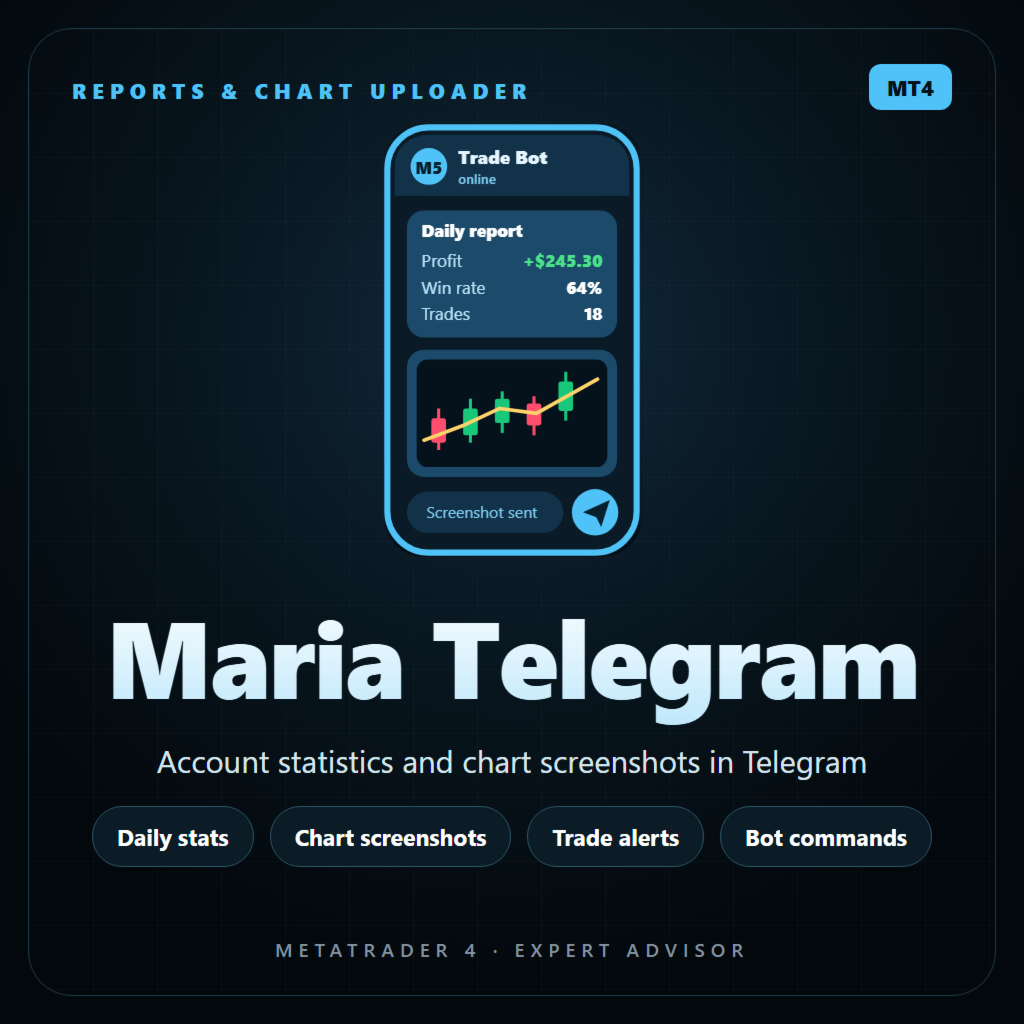
Maria Telegram keeps you informed about your MetaTrader 4 account on your phone. Attach it to any chart, enter your Telegram bot token and chat ID, and it sends clear reports, a card for every opened and closed trade, risk alerts and chart screenshots to your private chat, group or channel. It only reads the account: on a live chart it never opens, changes or closes trades.

REPORTS

  • Daily report at your time (broker server time), with an option to skip Saturday and Sunday.
  • Extra report every N minutes if you want it.
  • Weekly summary on Friday and monthly summary on the last day of the month: result, trades, wins and losses, win rate, profit factor, best and worst trade, average win and loss.
  • Every report shows balance, equity, margin level, floating P/L, drawdown (floating and maximum from the loaded history), closed P/L for today, this week and this month with trades and win rate, and your open positions.
  • Optional screenshot of the chart attached to scheduled reports.

TRADE CARDS

  • Trade opened: type, lots, symbol, price, SL and TP with distance in pips, and the money at risk with % of balance.
  • Trade closed: result, pips, duration, whether SL or TP was hit, and today's total.
  • Trades opened or closed within a few seconds (grids, baskets) are grouped into one message.
  • Optional chart screenshot after each close.
  • Magic number filter: watch all trades or only one EA.

ALERTS

  • Drawdown alert when the floating loss reaches your % of balance, and again at 2x and 3x that level.
  • Low margin alert when the margin level falls below your limit.
  • Alerts always ring, even in quiet hours.

TELEGRAM COMMANDS

  • /stats - full account report
  • /chart - screenshot of the chart the EA runs on
  • /positions - open trades
  • /today - today's closed trades
  • /help - list of commands

Only your own chat ID is answered. Give Maria Telegram its own bot, because two programs reading commands from the same bot take each other's messages.

PANEL ON THE CHART

  • Status, send queue, last message, next report, commands state.
  • Today's closed P/L, floating P/L, drawdown and equity.
  • Buttons: SEND STATS, SEND CHART, POSITIONS, SEND TEST.

PRIVACY AND QUIET HOURS

  • Privacy mode for public channels: hides account number, name, broker, lots and money amounts and shows results in % instead.
  • Quiet hours: messages arrive silently at night (PC time).

RELIABLE SENDING

  • A send queue with retries that follows Telegram's speed limits.
  • Screenshots are uploaded only after the file is fully written.
  • A wrong token or chat ID pauses sending with a clear message on the panel instead of endless retries.
  • If the EA runs on several charts with the same account and chat, only one of them sends, so you never get double messages.
  • The bot token and chat ID are remembered encrypted on this PC: type them once.

SETUP (3 minutes)

  1. In Telegram, create a bot with @BotFather and copy its token.
  2. Find your chat ID: your numeric user ID for a private chat, a group ID (starts with -100) or a public channel name like @mychannel. For a group or channel, add the bot there (as an admin for channels).
  3. In MT4 open Tools > Options > Expert Advisors, tick "Allow WebRequest for listed URL" and add https://api.telegram.org
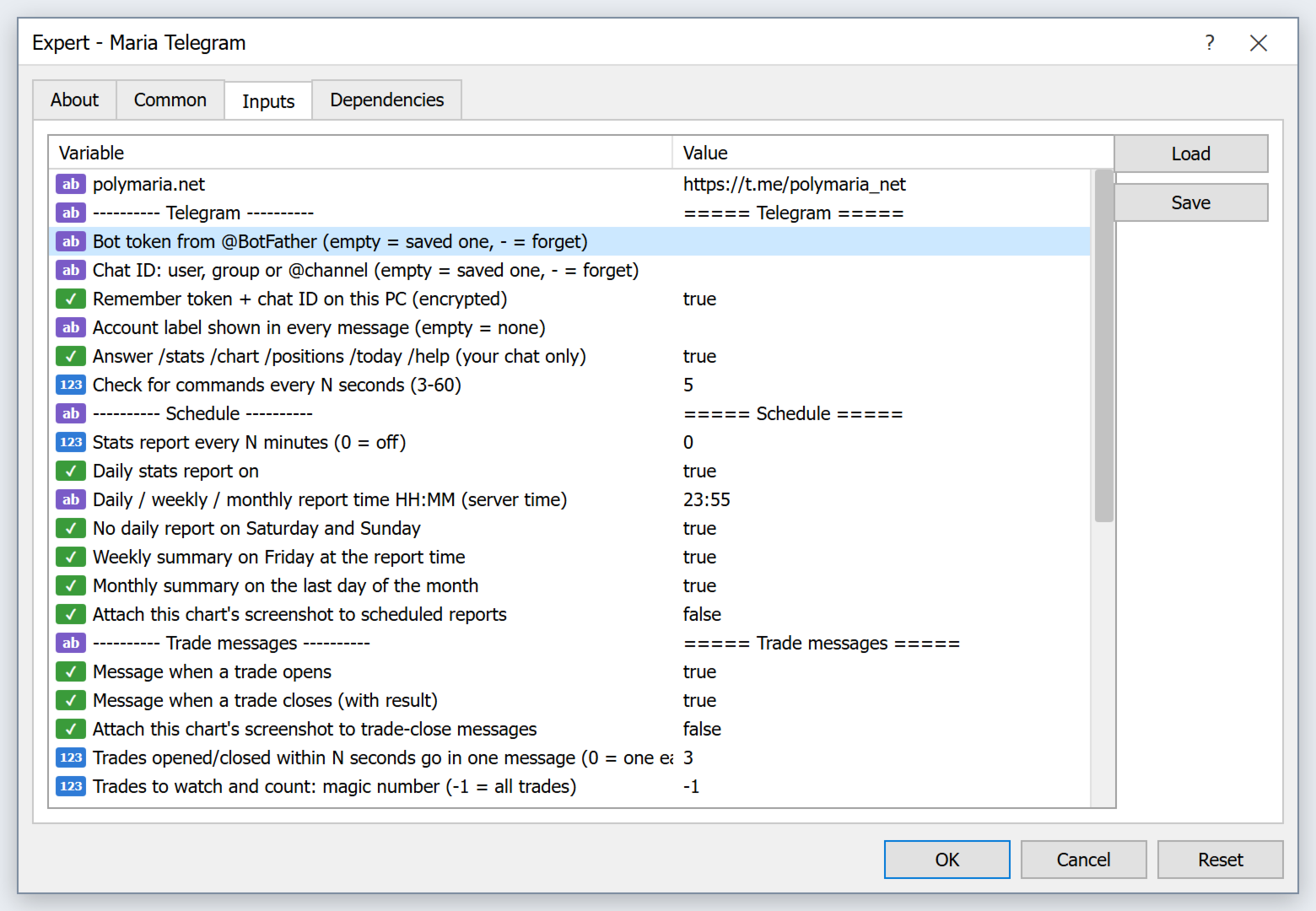
  4. Attach Maria Telegram to any chart, paste the bot token and chat ID in the inputs and press SEND TEST.

IMPORTANT

  • Maria Telegram does not trade on live or demo charts. It only reads account data and sends messages.
  • Statistics use the account history loaded in MT4. In the Account History tab choose "All History" for complete numbers.
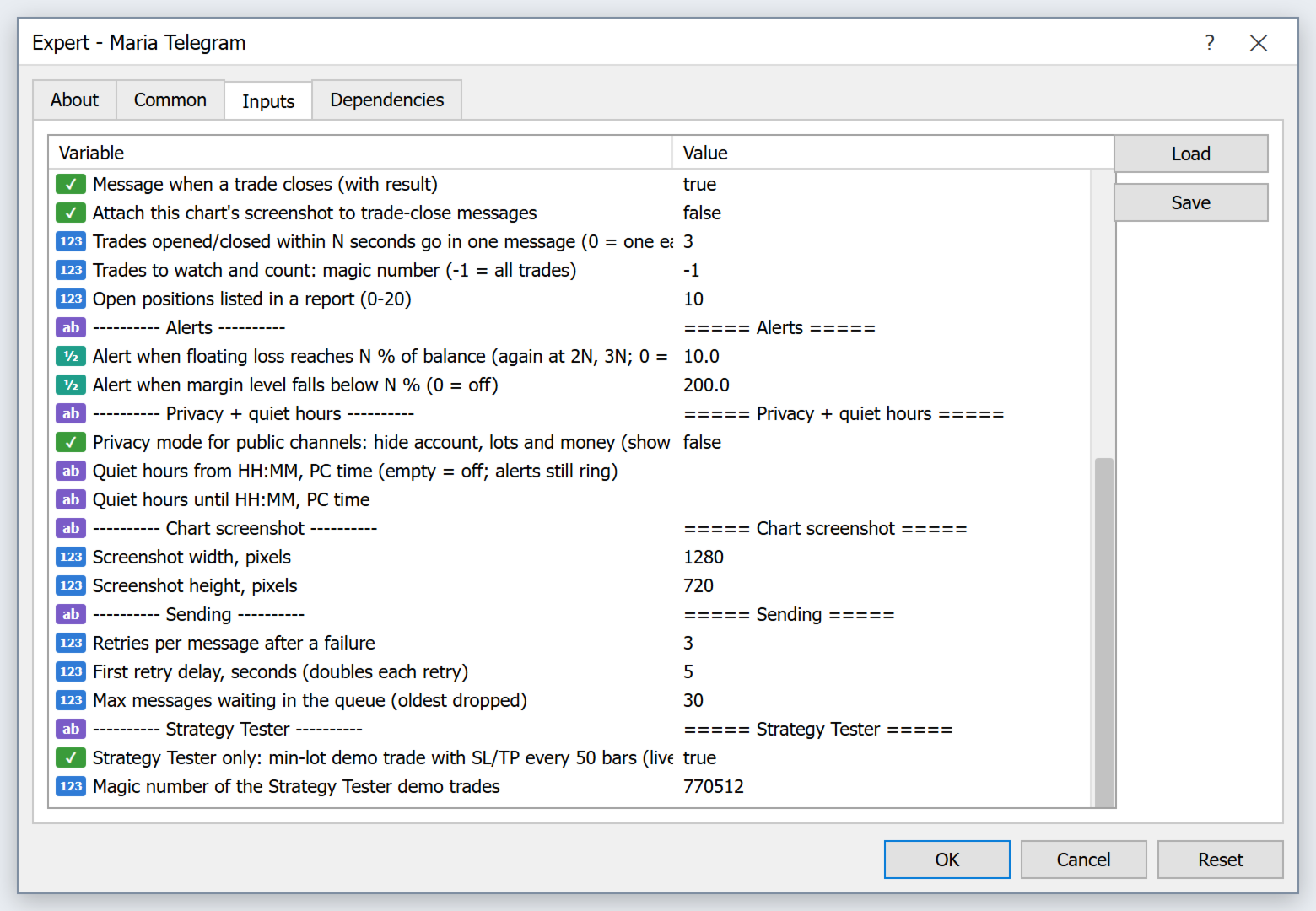
  • MetaTrader 4 does not allow web requests in the Strategy Tester. In the tester the messages are written to the log instead of being sent, and small demo trades are placed only so the statistics can be checked.
  • Report times use broker server time, quiet hours use your PC time.

MAIN INPUTS

  • Bot token, chat ID, remember on this PC, account label
  • Telegram commands on / off, check interval
  • Report every N minutes, daily report on / time, skip weekends, weekly and monthly summary, chart with reports
  • Trade opened / closed messages, chart after close, group window in seconds, magic number filter, positions per report
  • Drawdown alert %, margin level alert %
  • Privacy mode, quiet hours from / to
  • Screenshot size, retries, queue size
Recommended products
Every trader is watching over his account over and over.... trying to anlayse every system he or she has. With this tool you are able to  export your complete history of every account export withdrawls / deposits / rebates to a separate file export account status with balance / equity / current drawdown recalculate micro to standard lots / profits ...  export decimal by "." or ","  combine a series of Magic Numbers to one unique Magic Number   filter to ignore OrderComments.
Robot scalper for M5 timeframe. Trades on the GBPUSD currency pair. This robot has been specially developed by a company of professional traders for trading in the pound sterling. The robot approximately opens 5 to 15 trades every day. It is best to trade with brokers that have a low spread on GBPUSD up to 10 pips. The recommended minimum deposit to start is $500 or more. Advantages: does not use martingale. not a net. every trade has a stop loss. professional bot specifically for the GBPUSD p
Exp Swing
Vladislav Andruschenko
4.44 (64)
It uses the model of a famous strategy called Swinger (Pendulum, Cheburashka) - alternate placing of pending orders with increased lot. The strategy lies in placing two opposite pending orders. When the price moves in a certain direction, one pending order is triggered, while the lot size of the other order is increased. The EA provides three types of opening pending orders (TypeofTrade) Auto-opening after placement (Instant opening AutoTrade) Opening and management after manual opening (Manual

FREE
King Box Thor
Nguyen Cong Hoan
The product has a great combination of pending orders and trends to help investors manage capital effectively. The bot does not have a martingale, so it is always safe of capital. Run the D1 timeframe pairs. The main parameters can be installed: Lot -  Startot . Auto-Grid   -    ON/OFF AutoLot  - ON/OFF TP - Takeprofit   -pips. SL - StopLoss  - Pips. Magic -  Number magic. TralllingStop  - ON/OFF Comment  - KING Tralling - pips
MRKD Vector
Jay Benedict Alfaras
MRKD Vector — Smart Trade Management Utility MRKD Vector is a powerful and intuitive order execution tool designed for efficient manual trading in MetaTrader 5. Built with precision and speed in mind, MRKD Vector simplifies trade management by giving you full control over entries, stops, and targets — all from a sleek interface. Key Features: Quick Order Execution Place trades with ease using a clean, fast interface built for active traders. Intuitive SL, TP, and Lot Size Control Adjust sto
Usdjpy Killer MT4
Benbyaanda Silvere Henri Sedric Kabore
USDJPY Killer   a powerful and unique expert advisor (EA) designed specifically for the USDJPY pair. Unlike most robots on the market that are hastily put together and sold to maximize profits from naive buyers, USDJPY Killer is built on a discretionary and psychologically sound approach to the market. This EA was not created to be a money-making product for mass distribution, but rather as a temporary release to raise capital for a larger goal: launching my own proprietary trading firm.   Once
CycleMind Pro
Muhammad Abdulrahman Omar Naima Allah Al-rais
Professional Single-Symbol Cycle Trading EA with Money Management Toggle & Hard Safety Rules Overview This Expert Advisor is a professional automated trading system designed for MetaTrader 4 , built to operate on one chart / one symbol only . It follows a cycle-based position management approach with controlled layered entries, strict spacing protection, and multiple hard safety rules. The EA also includes a built-in Money Management ON/OFF toggle button directly on the chart, giving the user
QuantumGuard Pro - Intelligent Quantum Risk Management Trading System Core Features Five independent fund management groups for smart risk diversification Triple protection mechanism: profit target + drawdown protection + global risk control Professional trading panel for one-stop trade execution 24/7 real-time risk monitoring and protection Automatic display of average price lines for each group One-click close single group orders for precise control Order group highlighting for clear status o
What is this?  This script not only can help you to place all type of orders, included market order " BUY " / " SELL " and pending order " BUYSTOP " / " BUYLIMIT " / " SELLSTOP " / " SELLLIMIT ", but also, it allow you to place order lots by money management concept. How to use this script? 1. Open the chart you want to trade; 2. Drag and drop the script to that chart; 3. Input the parameter what you want to do; 4. Double check the order information, then click "Yes" to confirm to place order;
MV Liquidity Sniper High EA
Norma Binti Abdul Razak
MV Liquidity Sniper High EA If you’re the type who doesn’t like staring at charts all day, this EA is built to help simplify your trading flow with a more structured setup. This EA uses High Line (HA) as Liquidity Level together with momentum detection to automate entries, exits, and recovery flow. Simple concept: Price closes above the HA High Line → BUY Price closes below the HA High Line → SELL The EA continuously follows market direction based on the active High Line level. Entry Logic The
Harvest GOLD
Sayan Vandenhout
Harvest GOLD USES THE TREND WAVE INDICATOR AND IT CAN IDENTIFY THE BEGINNING AND THE END OF A NEW WAVE TREND MOVEMENT. AS AN OSCILLATOR, THE INDICATOR IDENTIFIES THE OVERBOUGHT AND OVERSOLD ZONES. IT WORKS GREAT TO CATCH THE SHORT TERM PRICE REVERSALS AND USES A MARTINGALE STRATEGY TO CLOSE ALL TRADES IN PROFIT. USE DEFAULT SETTINGS ON H1 OR HIGHER TIME FRAME ON ANY PAIR FOR MORE ACCURATE TRADES WHY THIS EA : Smart entries calculated by 3 great strategies The EA can be run on even a $30000
Trades Manager Buy and Sell Close The Close Buy and Sell Expert Advisor is a free EA given to help traders manage trades easily especially during volatile market environment. Features: It helps to quickly close trades either in profit or loss. Close for separate Buy Only  Close for separate Sell Only  Close for both Buy and Sell Only  Control Box can be minimized, closed or moved around from the chart. It works for all open trades opened on the terminal. Contact me for your specific coding
FREE
SESSION PILOT MT4 – MARKET SESSION & NEWS FILTER Session Pilot is an intelligent filtering tool designed to focus trading activity on the most liquid market sessions and avoid trades during high-volatility news events. The system continuously monitors current time and upcoming economic announcements. MAIN FEATURES • Automatic detection of London, New Y
Trade Desk for MT4
Mostafa Saad Saeed Shawara
Trade Desk is a trade panel and trade manager for MetaTrader. Plan the entry on the chart, size the position with a lot size calculator , then manage open positions from one desk: stop loss , multiple take profit , break even and trailing stop . Additional instructions: Trial version for demo accounts — Trade Desk for MetaTrader 5 Most chart tools help you place a trade. A position manager is what you still need after the order is filled. Trade Desk keeps both jobs on the same chart. Build the

Semi Auto Recovery Zone
Sirinya Pakkaman
5 (1)
Details of each condition Type 1. Set no use Hedging Martingale, to open the order by yourself only through the push button. TP and SL follow setting. Set Setting_Hedging =false;     Use_Signal =false;  Type 2. Semi Auto Recovery Zone You have to open the order by yourself only through the push button. If in the wrong direction and Set true on Hedging Martingale, EA will fix the order with the zone system by use Hedging Martingale Set Setting_Hedging =true;     Use_Signal =false;  Type 3. Use
Signal Provider Utility Pro (Telegram & Discord) The Professional Solution for Signal Providers. Automated Broadcasting | Smart GUI Panel | Performance Reports Stop managing your signals manually.   Signal Provider Utility Pro   is the realiable bridge between your MetaTrader 4 terminal and your community on Telegram and Discord. Designed for high-performance signal services, this tool gives you instant control over your broadcasts without ever needing to open the settings window. From   real-ti
This indicator allows you to monitor the vitals of your account and notifies of some events, in accordance with user settings. Keep your finger on the pulse of trading. Control elements Main panel of the indicator shows the following values: chart symbol, bid/ask prices, spread, free margin, equity, total number of orders and total profit/loss. There are also two buttons: "Alarm" and "Mute". "Alarm" button starts up a timer, which will notify user in a period of time, defined in the settings. I
FREE
Multi Take Profit Manager Automatically close portions of your open trades at up to three profit targets. This utility is designed for manual traders who frequently open multiple positions and want to scale out of trades automatically as profit targets are reached. Instead of manually closing positions one by one, the utility can partially close your total open position at predefined Take Profit levels, helping you lock in profits while allowing the remaining positions to continue running. Key F
Pro Manager EA
Konanani Mushiyana
Pro Manager EA What is Pro Manager EA? The Advanced Pro Manager EA is a professional trade management Expert Advisor for MetaTrader 4 that  does not open trades  but provides comprehensive management of your existing open positions. Key Features Multi-Instrument Management No need to load EA on multiple charts, works on just one Manages all trades across all currency pairs from a single chart         2.  Multiple Exit Methods: Trailing Stop Loss - With start trigger and following distance Profi
Drawdown Guardian
Khachik Babayans
Drawdown Guardian is a risk-control utility for MetaTrader 4 designed to help traders monitor and enforce daily and overall loss limits through configurable protective actions. This product is not a trading strategy, does not generate entry signals, and does not promise profits. Its purpose is to reduce the risk of breaching the limits defined by the user by applying warnings, trade restrictions, pending-order cleanup, and emergency actions when thresholds are reached. Supported preset profil
Details of each condition Type 1. Set no use Hedging Martingale, to open the order by yourself only through the push button. TP and SL follow setting. Set Setting_Hedging =false; Set Setting_TrailingStop =false; if not use. Type 2. Semi Auto Recovery Zone You have to open the order by yourself only through the push button. If in the wrong direction and Set true on Hedging Martingale, EA will fix the order with the zone system by use Hedging Martingale Set Setting_Hedging =true; Set Setting_Tra
Ikka Martingale
Noor Ghani Rahman
The Ikka Martingale Strategy The EA is design to trade on the basis of martingale with average TP, but here it start from two type of initial trades " Limit Orders and Stop Orders Pending"  for determination of trend direction so You should be want to run different different settings for every pair as you will Optimize the that pair and it will make Profit as It only closes the Open trades on specified Take Profit value in Points.


Grid Trading
Waseem Raza
5 (3)
Grid Trading EA is a semi-automated one-click trading EA for both Normal Trading and Grid/Martingale Trading . Normal Trading Simply click Buy or Sell directly from the chart. The EA will automatically manage trades by: Setting Stop Loss and Take Profit Managing Trailing Stop Grid / Martingale Trading When Grid Trading mode is enabled, the EA will automatically open additional grid orders at specified distances while increasing the lot size based on your settings. Inputs & Settings Lots — Initia
Andrews Pitchfork channels is a triple trend channel tool consisting of three lines. In the middle, there is a median trend line on both sides that has two parallel equidistant trend lines. These lines are usually drawn by selecting three points based on the heights moving from left to right on the response heights or graphs. As with the normal trend lines and channels, the outward trend lines mark potential support and resistance areas. Parameters Trend_period - the period setting to be calcu
NAS100 Auto Sl And TP
Moustapha Boulouz
5 (2)
Introducing NAS100 Auto SL and TP Maker for MT4: Never miss setting StopLoss and TakeProfit again with our NAS100 Auto SL and TP Maker, an indispensable assistant for traders navigating the Nasdaq 100 market on MetaTrader 4. This tool is designed for those who seek a seamless solution to automate the management of StopLoss and TakeProfit levels. Key Features: Effortless Automation: Automatically monitors Nasdaq 100 trades without StopLoss and/or TakeProfit. Dynamically adjusts levels based on us
FREE
Forex Diamond EA
Lachezar Krastev
5 (6)
PROMOTION! -50% OFF Promo price: $267 (Regular price $547) Live Results:   https://www.mql5.com/en/signals/2379493 Forex Diamond EA – Reliable Automated Trading Powered by Smart Algorithms Forex Diamond EA is a proven expert advisor designed to deliver consistent results using a combination of trend and counter-trend strategies. Trusted by thousands of traders since its launch, Forex Diamond EA stands out with its intelligent trading logic, adaptive money management, and ability to thrive in va
PositionPilot — One-Click Trade Manager PositionPilot puts professional trade execution and position management directly on your chart. One click — and your trade is protected. Unlike most EAs that only handle their own orders, PositionPilot works with ALL positions — manual, from other EAs, or opened via its panel. One-Click Execution BUY/SELL buttons with auto lot by risk % Hotkeys F1–F6 for keyboard-only trading Auto SL/TP with configurable ratio ️ Smart Risk Management Balance or equity-
FREE
Heaven Assistant: Simplify Your MT4 Management Simplify the management of the MetaTrader 4 (MT4) platform with the Heaven Assistant . This Expert Advisor (EA) is a robust tool that allows you to control and customize your trading environment in an efficient and user-friendly manner. Key Features: Multiple Pairs Opening: Quick access to most currency pairs, both major and minor, plus exotic pairs. The ability to open indices, metals, and cryptocurrencies with a single click. Template Change: Easi
CopyMasterPro MT4
Kum Tong Yu
3 (1)
# CopyMaster Pro Trade Copier ## What Is This CopyMaster Pro is a local trade copying tool that syncs trades between multiple MT4/MT5 terminals. One account trades, others follow automatically. No server needed, no VPS required. Works on a single computer with multiple terminals. ## What It Does Copies trades from one account to others. You open a gold position on Account A, Account B and C will follow. You close on A, others close too. Simple as that. ## Why This One **Free** — No monthl
FREE
Zirk Trading Management Zirk Trading Management is a powerful trade management utility for MetaTrader that helps traders execute trades with consistent risk management. It is designed to simplify position sizing by automatically calculating the correct lot size based on your chosen risk percentage and stop-loss distance. Instead of manually calculating lot sizes, simply set your desired account risk (e.g., 1%), place your stop loss, and the utility instantly determines the appropriate trade vol
Buyers of this product also purchase
Unlimited Trade Copier Pro is a tool to copy trade remotely to multiple MT4, MT5 and cTrader accounts at different computers/locations over internet. This is an ideal solution for you if you are a signal provider and want to copy your trades to other receivers globally on your own rules. One provider can copy trades to multiple receivers and one receiver can get trade from multiple providers as well. The provider can even set the subscription expiry for each receiver, so that receiver will not b
Strategy Builder offers an incredible amount of functionality. It combines a trade panel with configurable automation (covert indicators into an EA), real-time statistics (profit & draw down) plus automatic optimization of SL, TP/exit, trading hours, indicator inputs. Multiple indicators can be combined into an single alert/trade signal and can include custom indicators, even if just have ex4 file or purchased from Market. The system is easily configured via a CONFIG button and associated pop-up
The FFx Hidden Manager panel will help you to manage easily your orders directly on the chart. Below all features described: TP, SL and TrailingStop are hidden Each order has its own lines on chart Drag & Drop any line to change the TP/SL as per your need Option to move automatically the SL line at breakeven when TP #1 is reached Option to choose the TP/SL type (by pips or price) Option to choose the TrailingStop type (by pips, MA, Fractals, PSAR or ATR) Define which order(s) you want to manage
FFx Risk Calculator
Eric Venturi-Bloxs
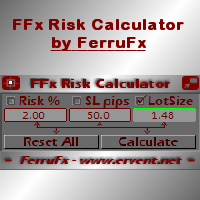
FFx Risk Calculator panel will help you to calculate very easily your trades size, SL or the risk directly on the chart. All features are described below: Option to select which parameter to calculate: Risk, Stop Loss or Lot Size The panel will show if the lot size is allowed according to the current account free margin Button to maximize/minimize the panel Drag and Drop the panel anywhere on the chart How to use it? Select the parameter you want to be calculated. It will be based on the 2 other
News Trader Pro
Vu Trung Kien
4.38 (16)
News Trader Pro is a unique robot that allows you to trade the news by your predefined strategy. It loads every piece of news from several popular Forex websites. You can choose any news and preset the strategy to trade it, and then News Trader Pro will trade that news by selected strategy automatically when the news comes. News release gives opportunity to have pips since the price usually has big move at that time. Now, with this tool, trading news becomes easier, more flexible and more exciti
FFx Watcher PRO
Eric Venturi-Bloxs
The FFx Watcher PRO is a dashboard displaying on a single chart the current direction of up to 15 standard indicators and up to 9 timeframes. It has 2 different modes: 1. Watcher mode: Multi Indicators User is able to select up to 15 indicators to be displayed User is able to select up to 9 timeframes to be displayed 2. Watcher mode: Multi Pairs User is able to select any number of pairs/symbols User is able to select up to 9 timeframes to be displayed This mode uses one of the standard indicat
Elliott Wave Counter is a panel for rapid and user-friendly manual markup of Elliott waves. One can select a color and a level of marks. There are also functions for removing the last markup and the entire markup made by the tool. Markup is made in one click. Click five times - have five waves! Elliott Wave Counter will be a great instrument both for beginners and professional analysts of Elliott waves. Elliott Wave Counter Installation & Inputs Guide if you want to get   notifications  about th
If you wish to draw Support and Resistance lines, view: daily market opening, classical pivot levels, Fibonacci pivot levels, trend lines, Fibonacci levels, the remaining time to candle closing, and current spread. If you seek to place your orders with the exact lot that meets your desired stop loss risk. If you wish to do all this and more with just one click, then this is the perfect tool to use. This tool will allow you to feel more relaxed when deciding to open orders, as well as predicting
Unlimited Binary Options Copier Remote is a powerful tool to copy binary options trades remotely between multiple accounts at different locations over internet. This is an ideal solution for signal provider, who want to share his binary options trades with the others globally on his own rules. One provider can copy trades to unlimited receivers and one receiver can get trade from unlimited providers as well. The provider can set the subscription expiry for each receiver, so that receiver will no
This is an Expert Adviser use for manual trading as a background EA or combine with external EA to open orders. Loss Recovery Trading is one of your options to handle the lose positions instead of using stop loss by setting a zone recovery area and target to exit the turn rounds sequence. How It Work? If the market goes against your first positions direction at the specific of losing points, the EA will open an opposite direction position with calculated larger lot size and also keep the first
Telegram Publisher Agent  is an add-on that allows traders to send signals to their Telegram channels and groups in real-time. With customizable messages, chart screenshots, and other features, the tool helps traders share their trading insights and strategies with their followers. The tool also features a beautiful design with light and dark theme switch, providing users with an aesthetic and functional trading experience. Telegram Publisher Agent was designed to Publish all your trades as sig
如果产品有任何问题或者您需要在此产品上添加功能,请联系我 Contact/message me if you encounter any issue using the product or need extra feature to add on the base version. There is Demo version of this panel Dashboard Babon Scalping System Demo in my product list, please try it out to get familiar with all functionalities for free, LINK . This system basically utilizes TDI, Heiken Ashi Trend, Price Trend on H1 time-frame and TMA on H1&H4 time-frame to generate the trend (big picture). Then the system will zoom in to genera
Pairs Trade
Oleg Pechenezhskiy
The Pairs Trade indicator is a utility for semi-automatic pair trading. It allows combining the charts of two arbitrary instruments, even if the schedules of their trading sessions are different. It displays a spread chart in the form of a histogram with an overlaying moving average. It calculates the swap that will be charged for the synthetic position (in the deposit currency). It is possible to set a level for automatic opening of a synthetic position on the spread chart (analogous to the 'se
Corporate Report
Pavel Verveyko
5 (1)
The script displays info about the share's corporate reports and dividends. The data is downloaded from   investing.com : Report date Profit per share (EPS) Revenue Market capitalization Amount of dividends Date of payment of dividends Dividend income The product cannot be tested in the tester (since it is not possible to receive data from the Internet). Before launching:  Add 2   URL   https://ru.investing.com/earnings-calendar/Service/getCalendarFilteredData  and   https://ru.investing.com/di
This Stacker EA will: Automatically set Stop loss on a new order Automatically set Take profit on a new order Stack (or open up to 4 additional orders at the same time) when a new order is placed, the SL/TP can be preset individually for each order. Provides a transparent replacement for the standard 1-click trading buttons in MetaTrader 4 (1 click still works and SL/TP will automatically be set as well as Stacking). Automatically calculate lot order size according to preset risk management perc
Currencies Cleaner panel will give you an overview of all the most traded market's currencies in a single click. First of all the panel will refresh all your charts, opening them four times in all timeframes needed. 1 - CURRENCIES It uses a complex algorithm to study the movement of 17 different indicators. It means that the algorithm not only "reads" the actual value of an indicator, but also creates a probability of success using the position of this value on the indicator and the last moveme
Buy or rent it and request a copy of the Antimartingale EA for free  Trendline based utility, you design your trendlines or horizontal lines, the EA opens trades for you Possibility to trade on break and/or bounce events Indipendent break and bounce settings Configurable market, stop and limit orders T1T2 Logic to lock profits and minimize losses Trailing Stop Loss Max Spread check Notifies you when your trendlines are crossed No strange trendline name or syntax, you decide the color of tr
FXFledgling Exit Tool is a complete risk management tool that analyzes both the open trades and the direction of the pair of open trades. As long as the suggested entry and lotsizing management presented here is followed strictly, you will have a high chance (but no guarantee) of surviving the trade. What It Does It is used as an exit tool. It helps the trader to manage any manual trade that he transacted. It does the following: Trail Stop Dynamic Stop Loss - a calculated stop-loss that changes
This utility records the swap, which allows you to monitor and analyze the changes in the swap. The program writes a file with the swap data for every pair selected in the Market Watch. The data are recorded to a csv file at the specified time, the file is located in <terminal root directory>/MQL4/Files. File format: Date Day Time Currency pair Long-swap Short-swap 16.01.2018 Mon 23:30 EURNOK -34.81 27.14 16.01.2018 Mon 23:30 EURDKK -0.022 -0.032 16.01.2018 Mon 23:30 EURGBP -2.38 0.15 To start r
Crypto Market Pro
Daniil Kurmyshev
5 (1)
New opportunities for analyzing cryptocurrency in the usual MetaTrader 4. For example : We select the symbol of the cryptocurrency and attach any indicators, Expert Advisors or scripts. Startup Mode View cryptocurrency; Data collection. Capabilities Work as with a standard currency chart; Automatic update of open charts; Selection of individual cryptocurrency for updating; Selection of individual timeframes for updating; Work on the desired timeframes; Open charts do not affect the work of Cry
Telegram Notify
Kin Hang Tan
1 (1)
Notify Telegram is a utility that bridge your MetaTrader4 trading activities to your Telegram chat/channel. It will help you to monitor your MetaTrader4 actions such as placing trade, modifying order's TP/SL, closing trades etc and send a notification message to your dedicated Telegram chat/channel. It does not execute any trade on your MetaTrader4 account. It can be useful for monitoring EA performance or providing signal to your Telegram channel/group subscribed. Parameters Token ="" - enter
Easy Strategy Builder
Gheis Mohammadi
5 (3)
The  Easy Strategy Builder (ESB)  is a " Do It Yourself " solution that allows you to create a wide range of the automated trading strategies without any line of codes. This is the world’s easiest method to automate your strategies that can be used in STP, ECN and FIFO brokers. No drag and drop is needed. Just by set conditions of your trading strategy and change settings on desired values and let it work in your account. ESB has hundreds of modules to define unlimited possibilities of strategi
Telegram ChartSnap is an utility tool to bridge your MetaTrader 4 activities to your Telegram chat/group/channel. It will screen shot your MetaTrader 4 chart and send it to your dedicated Telegram chat/group/channel through a Telegram bot. The whole process will keep repeating based on a time cycle that predetermined by the user. It is a convenient tool for those who like to get access to their favorite system/dashboard that only available at MetaTrader Desktop. Beside that, trader can easily s
Fibonacci Expansion and Retracement Analysis Fibonacci retracing and extended line tools for the MT4 platform, ideal for traders who use the DiNapoli point trading method and the Golden Section trading The main function: 1. You can draw multiple sets of Fibonacci retracements directly, and the relationship between important return points is clear at a glance. 2. Can draw Fibonacci extensions 3. The Fibonacci foldback and extension of the line can be moved left and right for easy observation
Советник риск-менеджер с огромным арсеналом возможностей защиты вашего депозита. Для инвесторов, которые решили передать капитал в доверительное управление. Когда у трейдера нет доступа к настройкам - нивелирует торговые риски. А также для трейдеров, которые осознали необходимость стороннего контроля за их торговлей для улучшения торговых результатов.  Для максимальных результатов - должен стоять на отдельном VPS сервере и у трейдера не должно быть возможности менять настройки в торговый период.
Grid Hero War Pad
Chock Hwee Ng
3.4 (5)
Grid Hero War Pad is a  GRAPHICAL MANUAL TRADER version of the original Grid Hero EA, designed and created for ADVANCED TRADERS who are experienced in plotting their own market entries. It is coded using ADVANCED GRAPHICAL INTERFACE programming, that combines the power of discretionary trading with Grid Hero algorithm in the form of a graphical console with button-click easy execution. It allows you to execute trades manually using Market Orders and Pending Orders, and then automatically uses th
The advantage of using this EA This EA directly updates takeprofit and stop losses that are still empty in a manual order Parameters Multiplier: Multiplier value of the previous transaction Distance: Distance hedging from the previous order Takeprofit: take profit taken from the last price + the value of this column We recommend that you do not add more than one manual transaction in the same pair martingale hedging | manual hedging | hedging manual | hedging lot | best robot | best ea
MirrorEA
Eugenio Bravetti
The new version of  MirrorSoftware 2021  has been completely rewriten and optimized.  This version requires to be loaded only on a single chart because  it can detect all actions on every symbol and not only the actions of symbol where it is loaded. Even the  graphics and the configuration mode  have been completely redesigned. The MirrorSoftware is composed of two components (all components are required to work):  MirrorController  (free indicator): This component must be loaded into the MASTER
Open charts
Maksim Slovakov
Скрипт открывает графики по всем инструментам находящимся в окне "Обзор рынка" и по желанию может задать для всех графиков один шаблон. Так-же можно удалить все графике открытые в терминале Мт4. В скрипте имеются следующие настройки: "Таймфрейм" по умолчанию M30;             (Можно поставить свой: M1, M5, M15, M30, H1, H4, D1, W1, MN.) "Задержка" по умолчанию "0";                  (Задержка перед открытием следующего графика в миллисекундах.) "Шаблон" по умолчанию "True";                (True=пр
По факту вы выставляете виртуальные Buy Stop и Sell Stop которые срабатывают после закрытия свечи. Данный помощник позволяет заранее выставить уровень Stop Loss и Take Profit. Так-же имеется демо режим для предварительного расчёта параметра риск/прибыль. Помощник имеет следующие настройки "Лот" по умолчанию "0.01" "Проскальзывание" по умолчанию "60"        (Значение в пунктах) "Номер Ордера" по умолчанию "0"               (Магический номер ордера) "Цвет Комментариев" по умолчанию "Black"  "Шрифт
More from author
AbuTrader
Murodillo Eshkuvvatov
2025 year ending PROMO (valid till 01.01.2026year) Launch promo: Free get 70000 Files + 5000 video courses -> contact me after purchase Hello, I am   Murodillo Eshquvvatov , An EA (Expert Advisor) completely different from all other EAs on the market. You might like trading METALS or Index. But I like to move in most major active pair, flexibility for every broker I like PROFIT. Any currency pair that can provide good long-term profits is where I will focus. That's why this EA focuses on just
BitcoinRobot
Murodillo Eshkuvvatov
4.2 (5)
SET FILE Manual Guidebook  Why Bitcoin trading 1.   Elite Precision Precision – Redefining Trading Cutting-edge algorithms fine-tuned for pinpoint execution. Smart setups crafted to navigate risks and seize opportunities. 2. Adaptive Market Strategies with Real-Time Price Movement Markets shift—but Bitcoin Robot is built to adapt instantly: Trading in trending, volatile, or ranging conditions. Captures breakouts, reversals, and price surges before they happen. Dynamic strategy adjustments en
AfterMathMT4
Murodillo Eshkuvvatov
AfterMath - one panel, two ways to trade Most tools make you choose: a robot that trades without you, or a manual assistant that waits for you. AfterMath is both, and you pick which one on the chart, not in the settings. When you attach it, the panel asks a single question - AUTO TRADING or MANUAL TRADING - and shows you only the controls for the mode you chose. A SWITCH button in the header takes you back to that choice at any time, so the same chart can run the robot in the morning and beco
Maria AI
Murodillo Eshkuvvatov
Maria AI - AI Market Chat and Trade Coach (MT4) =============================================== Maria AI SHORT DESCRIPTION (one line for the Market card) Ask an AI about any market right in your MT4 chart: it reads live prices, the chart picture, news and the calendar, draws key levels and coaches every trade. FULL DESCRIPTION Maria AI puts an AI market analyst inside your MetaTrader 4 chart. Type a question in plain words, for example "what is happening on gold?" or "should I wait before bu
Maria Trade Manager
Murodillo Eshkuvvatov
Maria Trade Manager is a trade desk for manual traders, right on your MetaTrader 4 chart. Before you click BUY or SELL, the panel draws the trade plan on the chart: entry, stop loss and take profit zones with the money at risk, the reward and the risk:reward ratio. Drag a line to change the plan, then open the order with one click. After the trade is open the panel keeps protecting it with breakeven, trailing stop, partial take profit and a daily guard. The panel has three tabs: TRADE, PROTECT a
Maria Copier
Murodillo Eshkuvvatov
Maria Copier copies trades from one MetaTrader 4 account to other MetaTrader 4 accounts that run on the same computer or VPS. Attach it to one chart in the MASTER terminal and to one chart in every SLAVE terminal, use the same channel name, and the slaves follow the master within a fraction of a second. One EA does both jobs: you choose MASTER or SLAVE in the inputs. The master writes its open orders to a small file in the shared Common\Files folder several times per second. Each slave reads tha
Maria News
Murodillo Eshkuvvatov
Maria News is a news straddle Expert Advisor for MetaTrader 4. Around a big release (NFP, CPI, FOMC and others) price often jumps hard in one direction, but nobody knows which one in advance. Maria News places buy stops above price and sell stops below price at the same distance, so whichever way the spike goes, one side is triggered. Every order has its own take profit and stop loss. Place the grid with one click, or let the auto news mode place it a few seconds before each event you selected.
Maria Indicators
Murodillo Eshkuvvatov
Maria Indicators replaces a crowded chart full of separate indicators with one small panel. Every tool is built in, so there is nothing else to install: switch a tool on or off with one click, or load a ready preset for your trading style. The panel remembers your choice for each chart, so everything comes back the same after a restart or a timeframe change. CHART TOOLS MA: fast and slow moving averages (periods, method, price and colours are inputs). BANDS: Bollinger Bands with upper, middle an
AbuTraderMT5
Murodillo Eshkuvvatov
2025 year ending PROMO (valid till 01.01.2026year) Launch promo: Free get 70000 Files + 5000 video courses -> contact me after purchase Hello, I am   Murodillo Eshquvvatov , An EA (Expert Advisor) completely different from all other EAs on the market. You might like trading METALS or Index. But I like to move in most major active pair, flexibility for every broker I like PROFIT. Any currency pair that can provide good long-term profits is where I will focus. That's why this EA focuses on jus
BitcoinRobotMT5
Murodillo Eshkuvvatov
Guidebook Why Bitcoin trading 1.   Elite Precision Precision – Redefining Trading Cutting-edge algorithms fine-tuned for pinpoint execution. Smart setups crafted to navigate risks and seize opportunities. 2. Adaptive Market Strategies with Real-Time Price Movement Markets shift—but Bitcoin Robot is built to adapt instantly: Trading in trending, volatile, or ranging conditions. Captures breakouts, reversals, and price surges before they happen. Dynamic strategy adjustments ensure continued p
AfterMathMT5
Murodillo Eshkuvvatov
AfterMath - one panel, two ways to trade Most tools make you choose: a robot that trades without you, or a manual assistant that waits for you. AfterMath is both, and you pick which one on the chart, not in the settings. When you attach it, the panel asks a single question - AUTO TRADING or MANUAL TRADING - and shows you only the controls for the mode you chose. A SWITCH button in the header takes you back to that choice at any time, so the same chart can run the robot in the morning and beco
Filter:
No reviews
Reply to review