Maria News
- Experts
-
Murodillo Eshkuvvatov
 Great time of day, all great traders!!
I am the Owner of PolyMaria, and I have experience in coding trading for 9 years, including 7 years as a full-time trader !!
Website: www.polymaria.net - Version: 1.0
- Activations: 5
Maria News is a news straddle Expert Advisor for MetaTrader 4. Around a big release (NFP, CPI, FOMC and others) price often jumps hard in one direction, but nobody knows which one in advance. Maria News places buy stops above price and sell stops below price at the same distance, so whichever way the spike goes, one side is triggered. Every order has its own take profit and stop loss. Place the grid with one click, or let the auto news mode place it a few seconds before each event you selected.
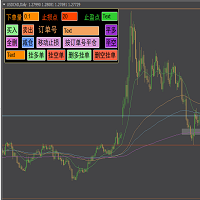
ONE-CLICK PANEL
- PLACE puts the buy stops and the sell stops in one click; BUY STOP and SELL STOP place one side only.
- 1 to 20 stop orders per side: the first at the Start distance, each next one a Step further.
- TP, SL, Trailing and Breakeven, each with its own ON/OFF switch and value box, editable right on the panel.
- Total TP: closes everything when the floating profit of all trades reaches your money target.
- X buttons cancel the buy stops, the sell stops or both. CLOSE ALL cancels the stops and closes every position.
- Preview lines show on the chart where the stops will go before you place them.
- Level table: every grid level with its state (waiting, open with P/L, done, cancelled).
- Info rows: balance, equity, free margin, floating P/L, spread, candle countdown.
- The panel remembers your values per chart. HIDE folds it to a small header.
AUTO NEWS MODE
- Switch MANUAL / AUTO NEWS on the panel.
- Choose which news to trade: impact (high, medium and high, or all) and a keyword list (Non-Farm, CPI, FOMC, Federal Funds Rate, Unemployment Rate, GDP, Retail Sales, PCE by default; empty = every event).
- The grid is placed a set number of seconds before the release (60 by default) and never later than 3 seconds before it.
- If the spread is too wide or the price feed is frozen, Auto waits and checks again every second. If the release time comes first, the event is skipped and the reason is shown on the panel.
- Unfilled stops of the auto grid are cancelled a set number of minutes after the release (5 by default). Grids you placed by hand are never touched.
- TEST event input: a fake high-impact USD event in N minutes, to watch the whole cycle on a demo account.
NEWS ON THE CHART
- Weekly economic calendar for the chart's two currencies (gold and silver use USD): time, currency, event, forecast, previous value and a countdown.
- Impact colours, country flags and dotted vertical lines with event labels on the chart.
- The news table can be dragged anywhere and collapsed.
PROTECTION
- Spread guard: no stops are placed while the spread is wider than a set % of the first stop distance. The panel shows the spread in green (OK) or red (WIDE).
- Spike guard (optional): closes a fill that slipped too far past its stop price.
- OCO (optional): when one side fills, the other side's stops of the same grid are cancelled.
- Checks before every order: broker stop and freeze levels, lot limits, free margin for the whole side, the broker's limit on the number of orders.
- Prices are rounded to the symbol's tick size.
HOW TO USE
- Attach Maria News to a chart. It is made for gold and works on any symbol.
- For gold leave "Distances are in" = Price ($1 move = 1.00). For forex, indices and other symbols set it to Points.
- Allow the news feed: Tools > Options > Expert Advisors > tick "Allow WebRequest for listed URL" and add https://nfs.faireconomy.media
- Set the lot, Start, Step, TP and SL on the panel, then press PLACE before a release, or switch to AUTO NEWS.
IMPORTANT
- News trading carries high risk: spreads widen and orders can fill with slippage. Try it on a demo account first and use a lot size you can afford to lose.
- MetaTrader 4 has no news calendar in the Strategy Tester. There the EA simulates a release every few hours (input "Strategy Tester only"), so the grid logic can be tested. Live trading does not use this.
- Use a broker that allows pending orders close to price during news.
MAIN INPUTS
- Mode: Manual or Auto news
- Distances are in: Price or Points
- Lot size, stop orders per side, first stop distance, step between stops
- Take profit and stop loss on new orders, with their distances
- Trailing stop, breakeven, Total TP (account money)
- Spread guard %, spike guard and max slippage %, OCO
- Auto news: impact, seconds before, minutes to cancel, event keywords, max price age, TEST event
- News table: which impact to show, vertical lines, extra hours shift
- Magic number, max slippage when closing
- Strategy Tester only: simulated news every N hours