Multi Engine UT Bot Trend Tracker Matrix
- Indicators
- Version: 1.0
- Activations: 5

Multi-Engine UT Bot Trend Tracker Matrix (MT5)
The Multi-Engine UT Bot Trend Tracker Matrix is an advanced, multi-layered technical analysis indicator designed for MetaTrader 5. Built for precision trend-following, it combines two completely independent tracking engines with an integrated high-performance moving average filter and an on-screen tactical momentum dashboard.
Unlike simple trailing-stop variants, this system utilizes a conditional dependency execution model, requiring multiple market conditions to align across different sensitivities before confirming a high-probability trade signal.
Key Structural Features
-
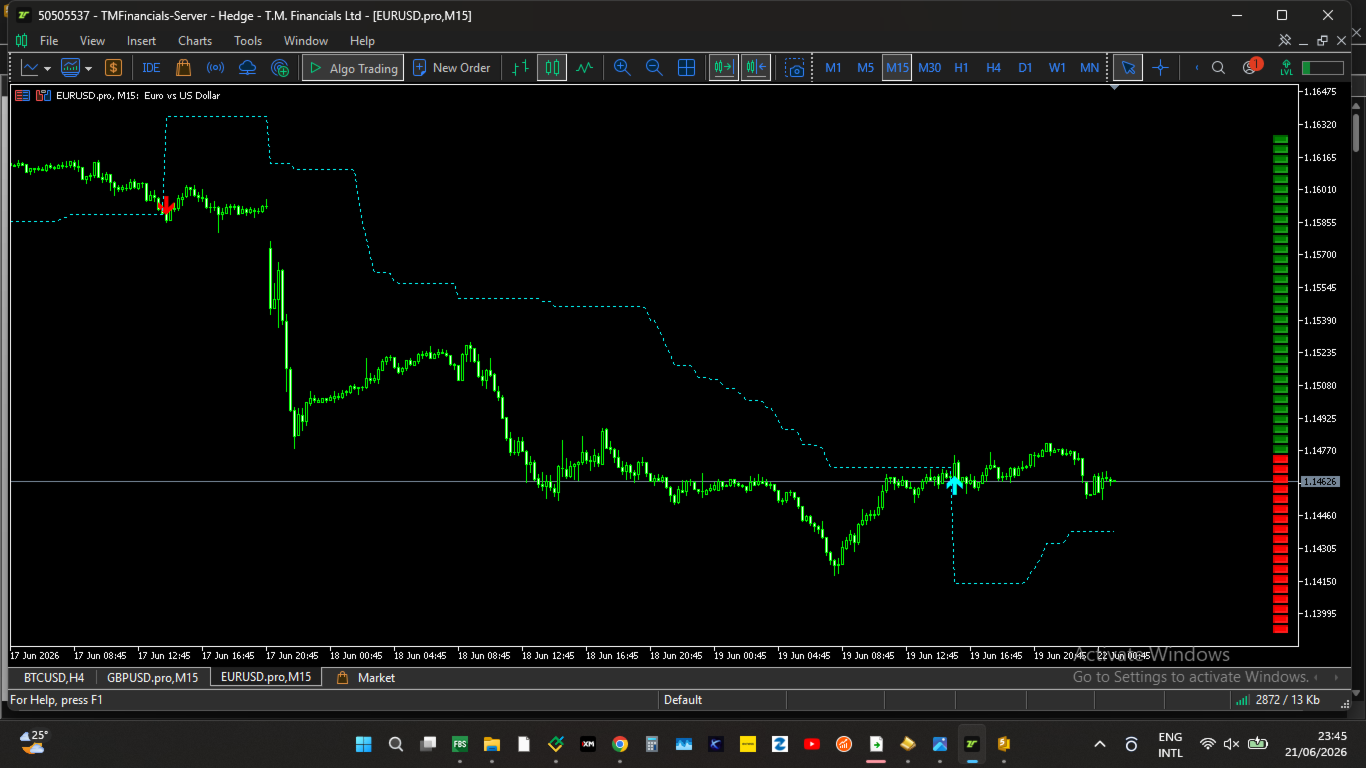
Engine 1 (The Directional Anchor): Acts as the primary macro-trend filter. It uses an ATR-based trailing matrix to establish the foundational market regime (Bullish/Bearish).
-
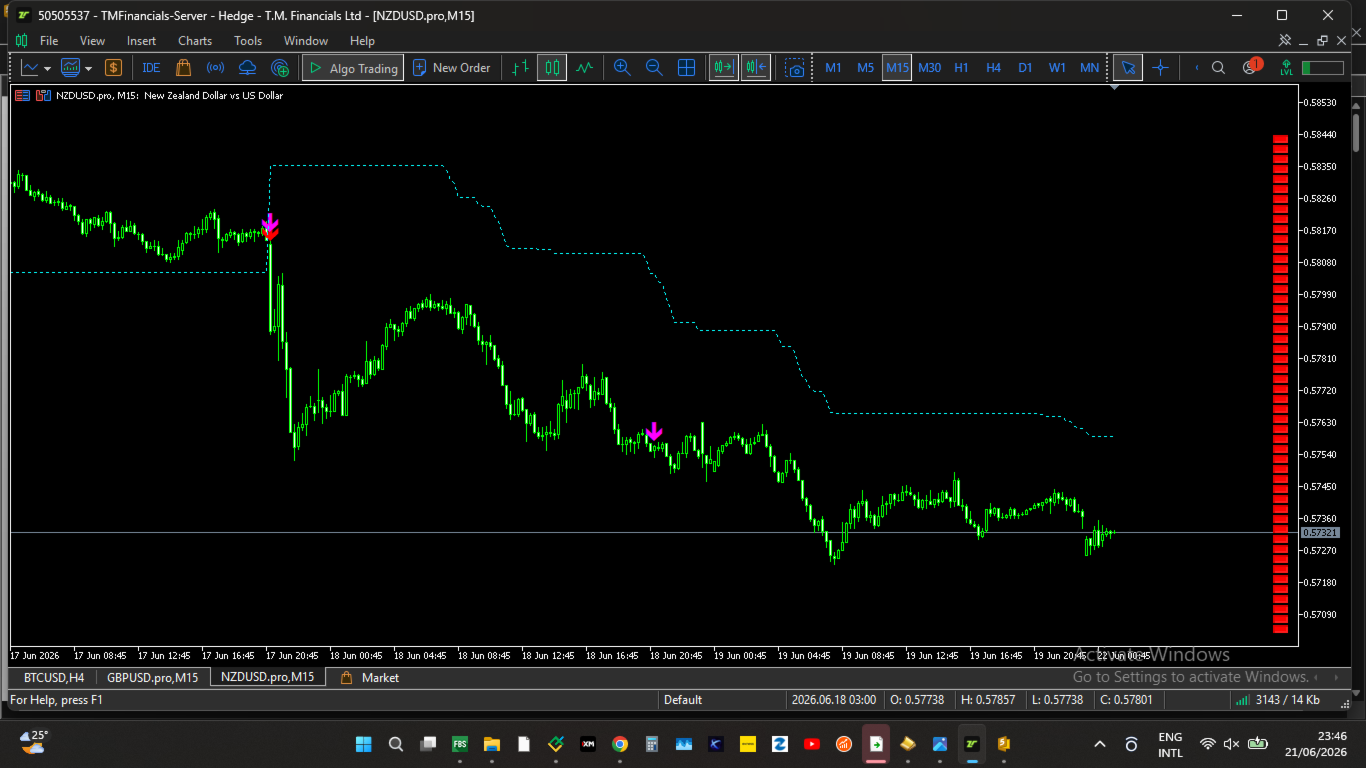
Engine 2 (The Dependent Execution Engine): A secondary, highly sensitive micro-engine. It generates execution alerts only when its direction perfectly aligns with the established state of Engine 1, completely filtering out noise during chop or choppy trend transitions.
-
Multi-Regime Trend Filter MA: Includes a built-in moving average filter supporting five structural types: SMA, EMA, SMMA, LWMA, and a highly responsive Hull Moving Average (HMA) to ensure you are always trading on the correct side of institutional momentum.
-
On-Screen Right-Hand Sidebar Matrix: An independent, real-time vertical dashboard that renders visual momentum block components directly onto your chart screen pixels. It displays the history state of the recent bars at a glance, eliminating the need to look back across crowded charts.
-
Heikin Ashi Smoothing Integration: Both Engine 1 and the Visual Panel include toggles to run calculations using smoothed Heikin Ashi pricing matrices ($(\text{Open}+\text{High}+\text{Low}+\text{Close})/4$) rather than raw bar closes, filtering out flash spikes and false breakouts.
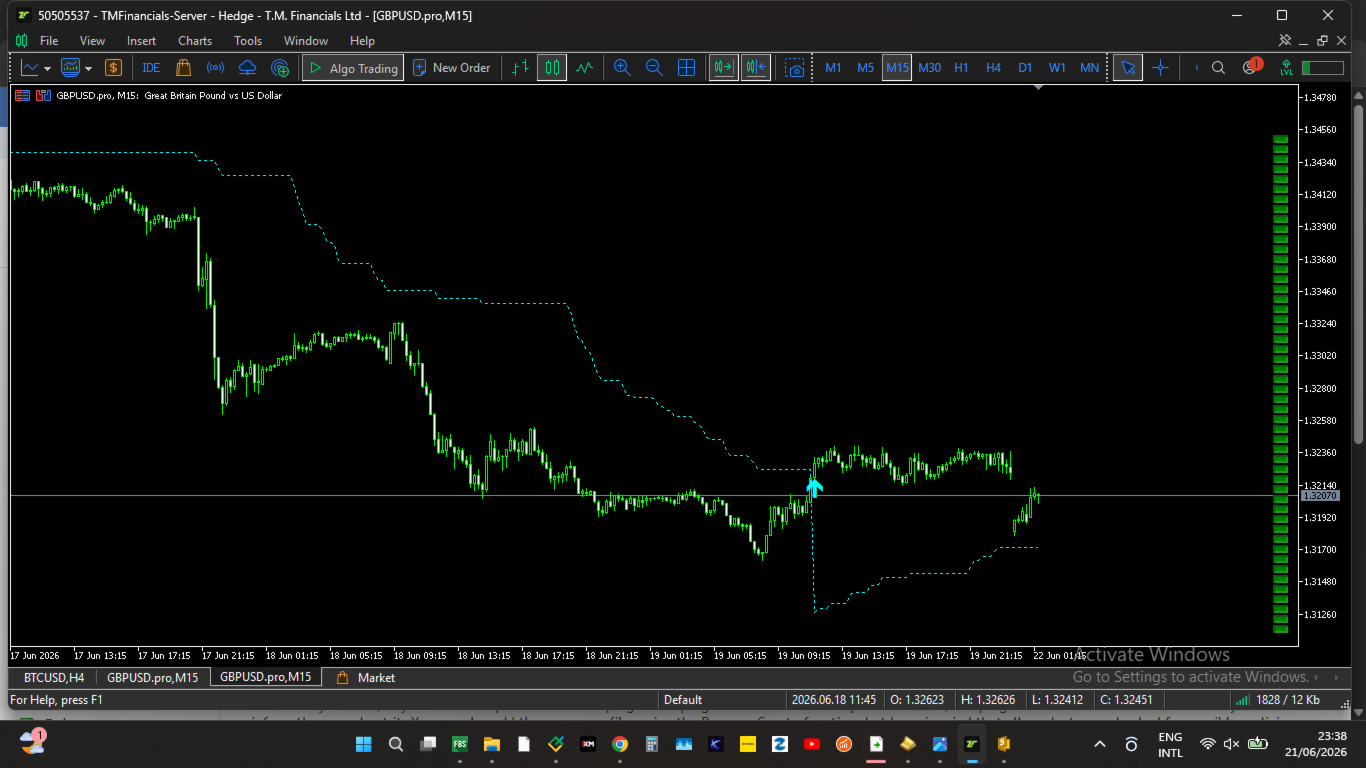
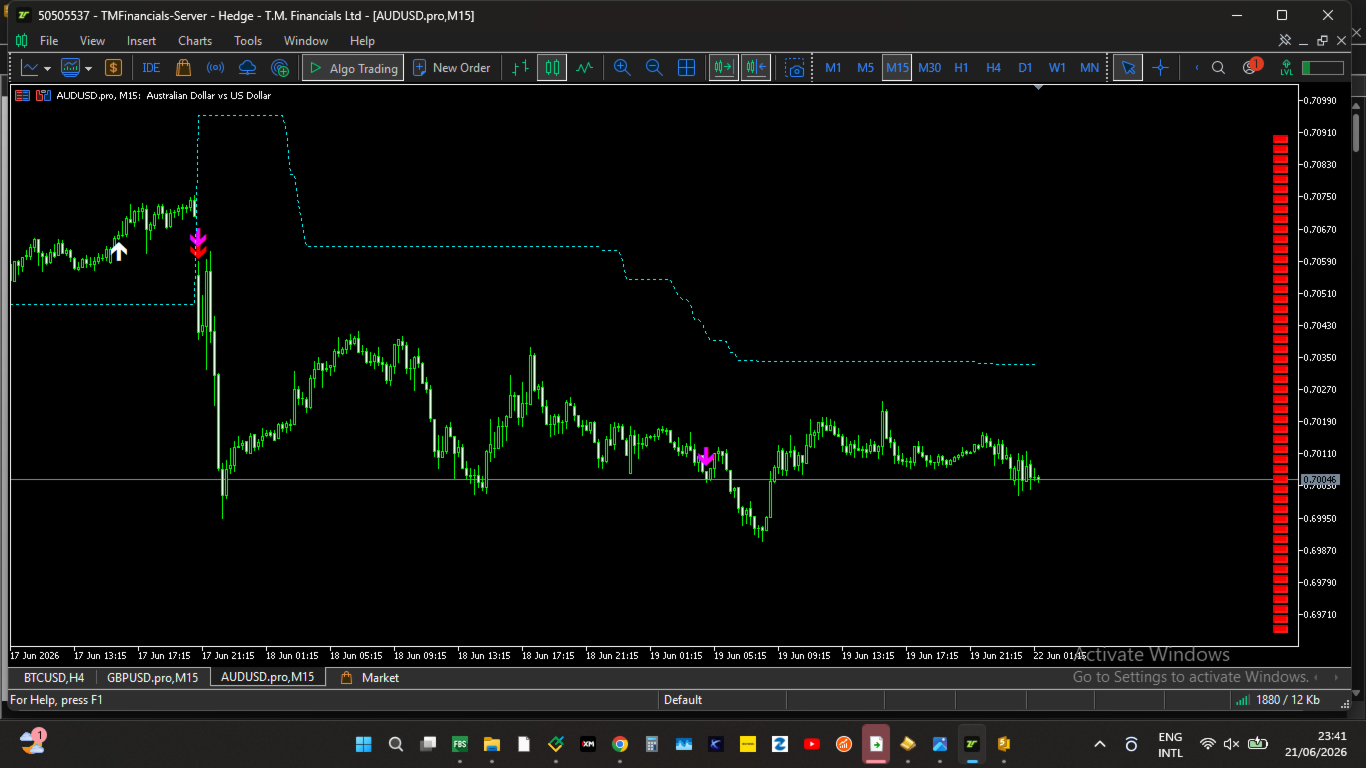
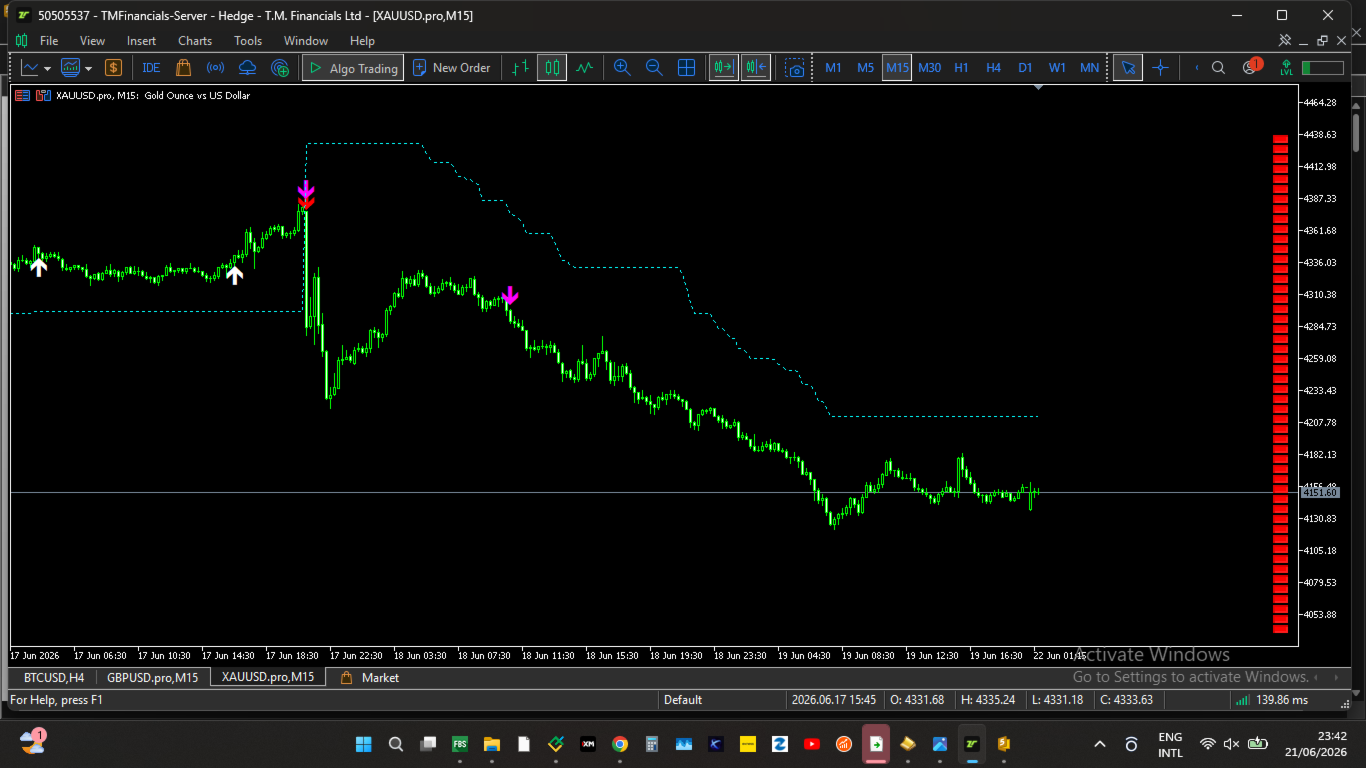
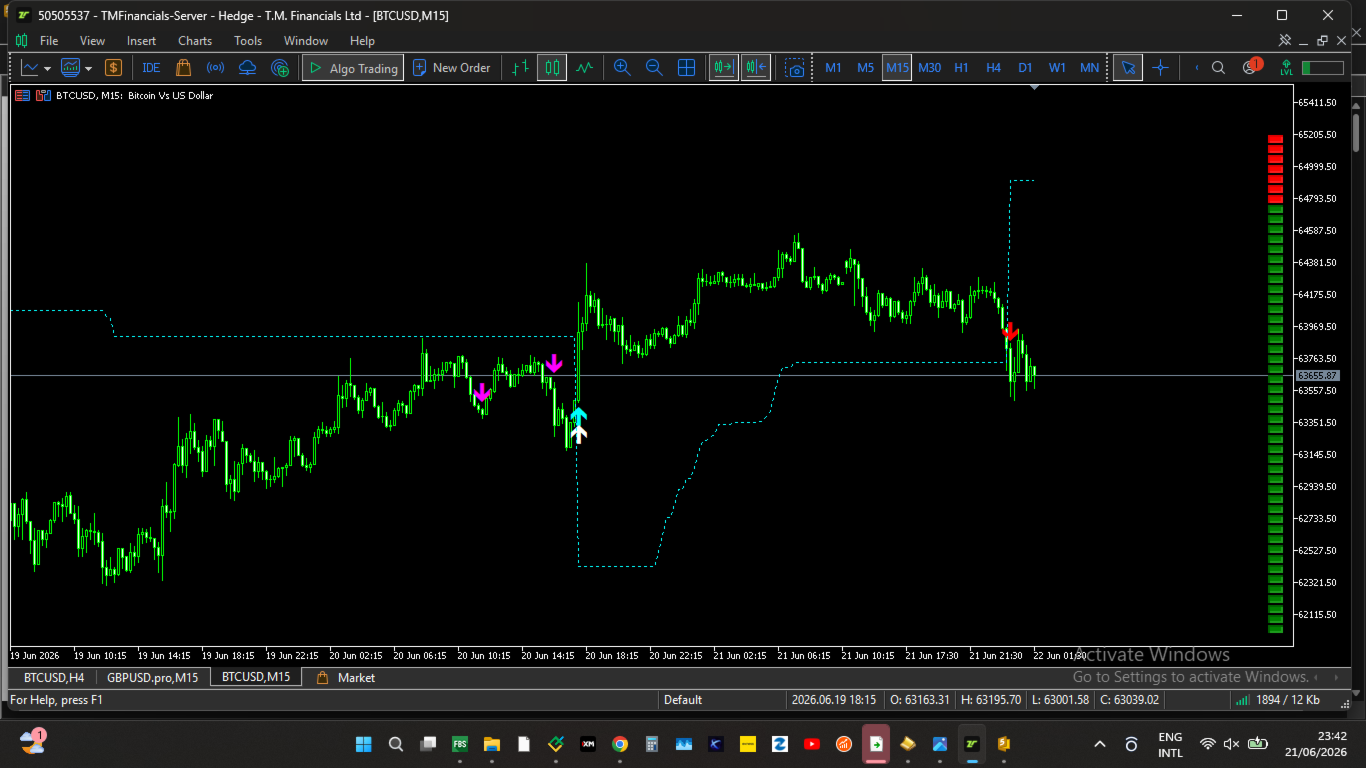
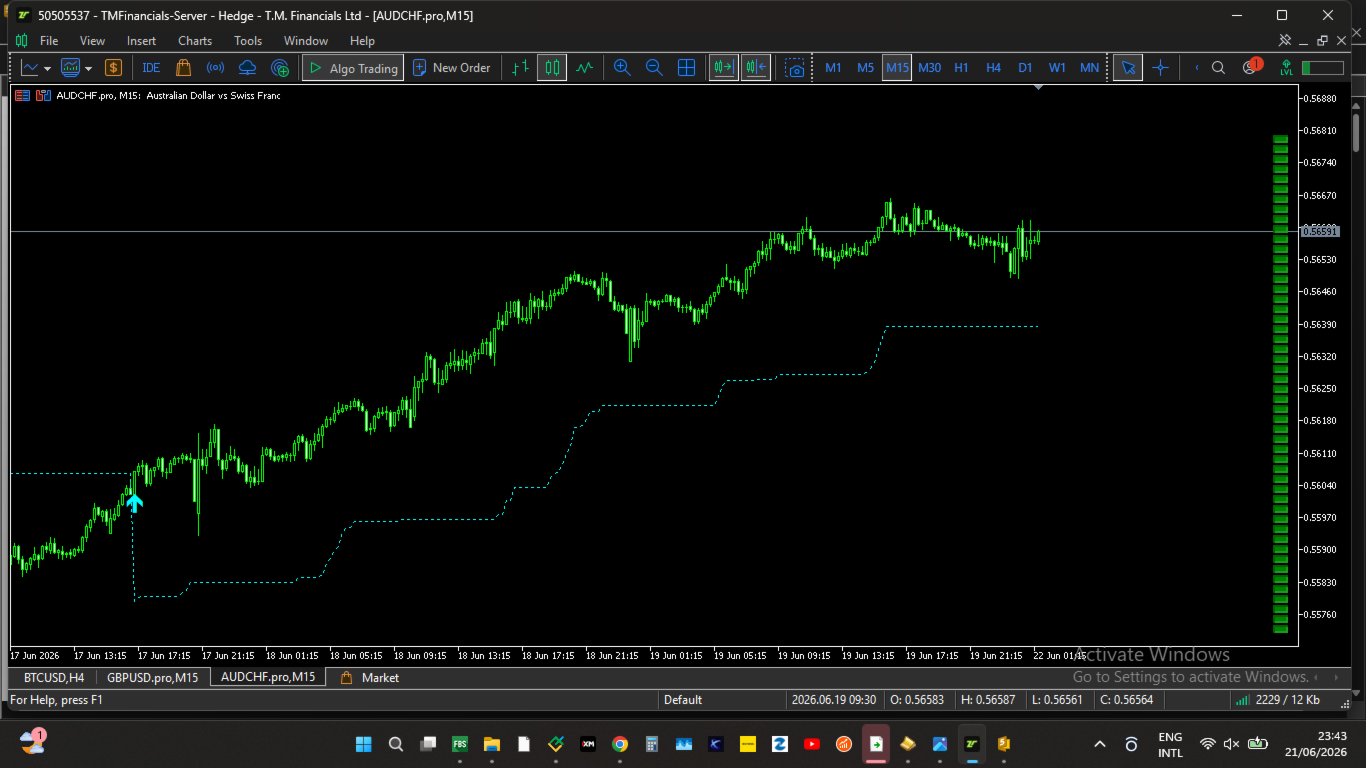
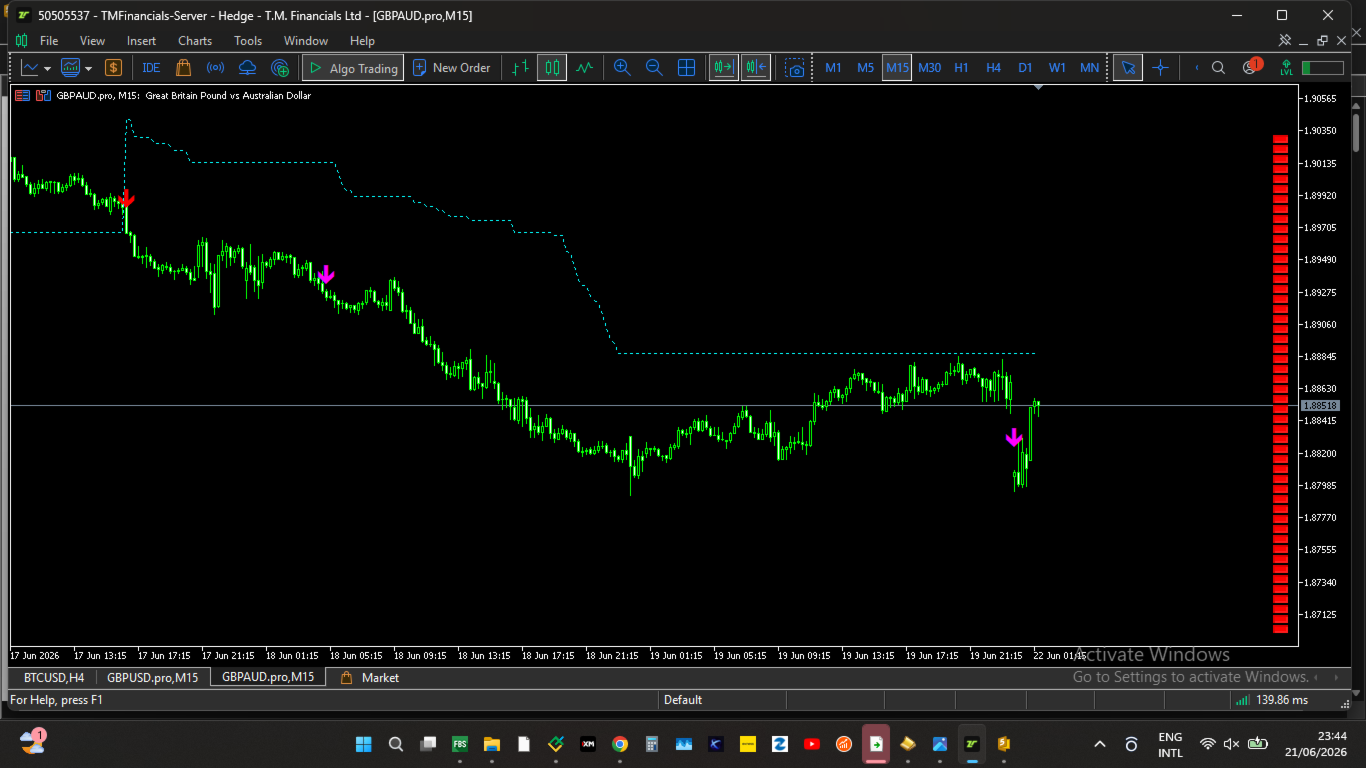
On-Chart Visual Signals & Layout
-
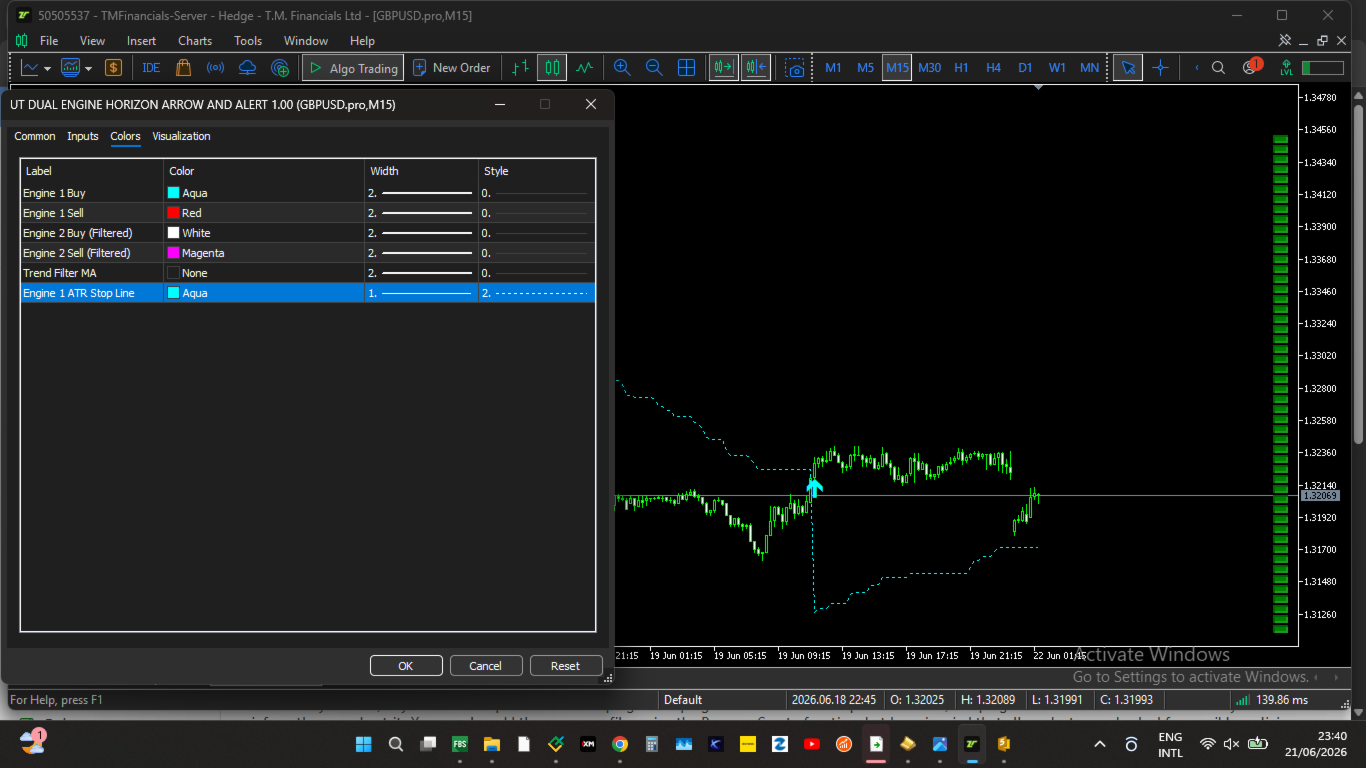
Green Arrows ($\blacktriangle$): Engine 1 Macro Buy Trigger (Confirmed above Trend Filter MA).
-
Red Arrows ($\blacktriangledown$): Engine 1 Macro Sell Trigger (Confirmed below Trend Filter MA).
-
Orange Arrows ($\blacktriangle$): Engine 2 Dependent Conditional Buy Setup.
-
Magenta Arrows ($\blacktriangledown$): Engine 2 Dependent Conditional Sell Setup.
-
Aqua Dotted Line: Live visual plotting of Engine 1's Trailing Stop loss levels.
-
Gold Solid Line: Selected Trend Filter Moving Average Line.
-
Right-Hand Sidebar Panel: Bright Green (Bullish) and Bright Red (Bearish) structural blocks displaying real-time historical momentum.
System Parameters
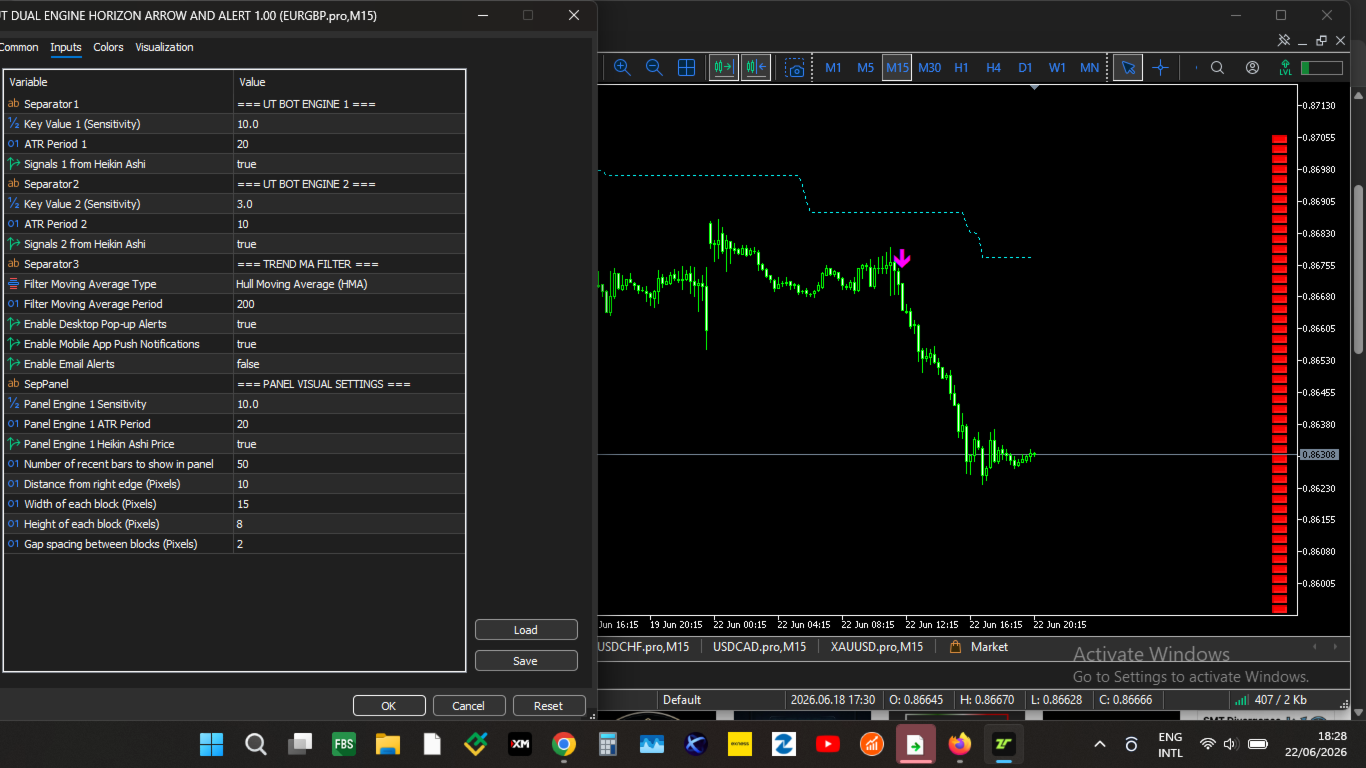
The indicator features a fully separated inputs menu, allowing you to optimize your signals independently from your visual dashboard configurations:
| Parameter Category | Input Setting | Description |
| UT BOT ENGINE 1 | KeyValue1 / ATRPeriod1 | Controls sensitivity and volatility tracking for Main Engine 1. |
| UseHeikinAshi1 | Toggles smoothed Heikin Ashi calculation source. | |
| UT BOT ENGINE 2 | KeyValue2 / ATRPeriod2 | Controls independent sensitivity parameters for Execution Engine 2. |
| UseHeikinAshi2 | Toggles smoothed price source for Engine 2. | |
| TREND MA FILTER | FilterMAType | Select between SMA, EMA, SMMA, LWMA, or HMA. |
| FilterMAPeriod | Lookback length for the institutional trend line. | |
| NOTIFICATION SETTINGS | PopupAlerts / PushAlerts / EmailAlerts | Multi-channel alert configuration for real-time desktop pop-ups, mobile push alerts, or emails. |
| PANEL VISUAL SETTINGS | Panel_KeyValue1 / Panel_ATRPeriod1 | Separate mathematical variables driving the independent sidebar dashboard. |
| BarsToShow | Controls how many historical blocks render vertically on screen. | |
| BoxWidth / BoxHeight / BoxSpacing | Customizes look, dimensions, and layout of screen panel blocks. |
Trading Recommendations
-
Timeframes: Optimized for M5, M15, and H1 charts.
-
Assets: Highly effective on trending Forex pairs, Indices (GER40, US30), and Commodities (Gold/Oil).
-
Strategy Tip: Use Engine 1 to gauge overall structural direction, use the Sidebar Panel to confirm immediate momentum, and execute entries precisely on the Engine 2 arrows.