Quadra Zone Entries MT4
- Indicators
-
Kestutis Balciunas
 With over 16 years of active experience in financial markets, I specialize in developing high-performance forex trading strategies, technical indicators, and automated Expert Advisors for MT4/MT5. My work spans precision-engineered trading systems designed for accuracy, consistency, and real-world
 - Version: 1.0
- Activations: 10
See more MT5 version at: Quadra Zone Entries MT5
See more products at: All Products
How It Works
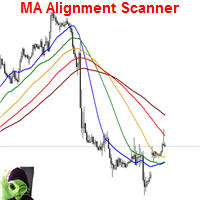
EMA Ribbon and Crossover Signals default periods of 5, 11, 15, 18, 21, 24, 28, and 34. When all eight EMAs are aligned in a bullish sequence — shorter-period EMAs above longer-period EMAs — the ribbon renders in warm amber and orange tones. When the sequence is bearish, the ribbon switches to uniform gray, making trend direction identifiable without reading individual line values. A separate EMA 200 (purple) is plotted as a visual reference for longer-term trend context.
BUY and SELL arrows with labels are drawn when EMA 2 (period 11) crosses EMA 8 (period 34). The signal fires once per confirmed crossover bar and triggers alerts through whichever channels are enabled in the inputs.
ATR Trade Zones
When a signal fires, the indicator calculates an Entry zone (yellow), four Take Profit levels (TP1–TP4, green), and a Stop Loss level (red) using the Average True Range with a configurable period (default 14). The ATR multiplier for the stop loss and the spacing factor for take-profit levels are both adjustable inputs. Each zone is drawn as a horizontal line with a colored box that extends bar by bar to the right, keeping the zones visible as price develops. The number of take-profit levels displayed is controlled by the TP_Count input (1 through 4).
Screener and Dashboard
The multi-symbol screener monitors up to nine user-defined symbols and classifies each as Long, Short, Bullish, or Bearish based on the current EMA ribbon state. Results are displayed in a compact panel at the top-right of the chart. Symbols must be present in the broker's Market Watch for the screener to retrieve data; any symbol not available will show as inactive.
The multi-timeframe trend dashboard occupies the bottom-right panel and evaluates the EMA ribbon condition on the 5-minute, 15-minute, 30-minute, 1-hour, and Daily timeframes for the current chart symbol. A combined status row summarises overall directional agreement across the three configurable timeframes (CombinedTF1, CombinedTF2, CombinedTF3). Both panels update on every new tick.
Key Features
- Eight-period EMA ribbon (5/11/15/18/21/24/28/34) with color-coded bullish/bearish state
- EMA 200 plotted as a separate reference line (purple, configurable period)
- BUY/SELL arrow signals at EMA 2 / EMA 8 crossovers
- ATR-based Entry zone, four Take Profit levels, and Stop Loss level per signal
- Colored boxes extend with each new bar, keeping zones anchored to current price action
- Configurable ATR period, stop-loss multiplier, and take-profit spacing factor
- Multi-symbol screener: monitors 9 user-defined symbols, displays Long / Short / Bullish / Bearish status
- Multi-timeframe dashboard: evaluates EMA ribbon on 5m, 15m, 30m, 1h, and Daily; combined status row for three selectable timeframes
- Four alert channels: popup, sound, email, push notification — fires once per confirmed crossover bar
- All panels and line layers can be toggled individually via input switches
- Works on all symbols and all timeframes
Special offer: ALL TOOLS, just $30 each!
New tools will be $30 for the first week or the first 3 purchases!
Trading Tools Channel on MQL5: Join my MQL5 channel to update the latest news from me
Compatibility and Notes
- Works on all symbols and all timeframes
- Screener symbols must be visible in the broker's Market Watch; symbols not present in Market Watch will not return data
- ATR zones are recalculated at each new crossover signal; existing zone lines remain on chart until a new signal replaces them
- Alerts fire once per confirmed crossover bar to prevent duplicate notifications on the same signal
- A free demo version is available — use the Demo button on this page to test before purchasing
- If you have some questions or if you need help, contact me via Private Message.