Quadra Zone Entries MT5
- Indicators
-
Kestutis Balciunas
 With over 16 years of active experience in financial markets, I specialize in developing high-performance forex trading strategies, technical indicators, and automated Expert Advisors for MT4/MT5. My work spans precision-engineered trading systems designed for accuracy, consistency, and real-world
 - Version: 1.0
- Activations: 10
Quadra Zone Entries is a multi-component MT5 indicator that combines an eight-period EMA ribbon, ATR-derived trade zones, a multi-symbol screener, and a multi-timeframe trend dashboard into a single, self-contained tool. It is designed for traders who want entry signals and broader market context without switching between charts or running separate indicators. The ribbon identifies trend direction at a glance; the ATR zones provide objective entry, stop-loss, and target levels for each signal;
the screener and dashboard extend that picture across nine symbols and five timeframes simultaneously.
Check MT4 version at: Quadra Zone Entries MT4
See more products at: All Products
For live examples and new tools, visit my profile and send a Friend request so you don’t miss updates!
How It Works
EMA Ribbon and Crossover Signals default periods of 5, 11, 15, 18, 21, 24, 28, and 34. When all eight EMAs are aligned in a bullish sequence — shorter-period EMAs above longer-period EMAs — the ribbon renders in warm amber and orange tones. When the sequence is bearish, the ribbon switches to uniform gray, making trend direction identifiable without reading individual line values. A separate EMA 200 (purple) is plotted as a visual reference for longer-term trend context.
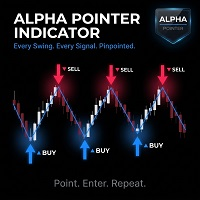
BUY and SELL arrows with labels are drawn when EMA 2 (period 11) crosses EMA 8 (period 34). The signal fires once per confirmed crossover bar and triggers alerts through whichever channels are enabled in the inputs.
ATR Trade Zones
When a signal fires, the indicator calculates an Entry zone (yellow), four Take Profit levels (TP1–TP4, green), and a Stop Loss level (red) using the Average True Range with a configurable period (default 14). The ATR multiplier for the stop loss and the spacing factor for take-profit levels are both adjustable inputs. Each zone is drawn as a horizontal line with a colored box that extends bar by bar to the right, keeping the zones visible as price develops. The number of take-profit levels displayed is controlled by the TP_Count input (1 through 4).
Screener and Dashboard
The multi-symbol screener monitors up to nine user-defined symbols and classifies each as Long, Short, Bullish, or Bearish based on the current EMA ribbon state. Results are displayed in a compact panel at the top-right of the chart. Symbols must be present in the broker's Market Watch for the screener to retrieve data; any symbol not available will show as inactive.
The multi-timeframe trend dashboard occupies the bottom-right panel and evaluates the EMA ribbon condition on the 5-minute, 15-minute, 30-minute, 1-hour, and Daily timeframes for the current chart symbol. A combined status row summarises overall directional agreement across the three configurable timeframes (CombinedTF1, CombinedTF2, CombinedTF3). Both panels update on every new tick.
Key Features
- Eight-period EMA ribbon (5/11/15/18/21/24/28/34) with color-coded bullish/bearish state
- EMA 200 plotted as a separate reference line (purple, configurable period)
- BUY/SELL arrow signals at EMA 2 / EMA 8 crossovers
- ATR-based Entry zone, four Take Profit levels, and Stop Loss level per signal
- Colored boxes extend with each new bar, keeping zones anchored to current price action
- Configurable ATR period, stop-loss multiplier, and take-profit spacing factor
- Multi-symbol screener: monitors 9 user-defined symbols, displays Long / Short / Bullish / Bearish status
- Multi-timeframe dashboard: evaluates EMA ribbon on 5m, 15m, 30m, 1h, and Daily; combined status row for three selectable timeframes
- Four alert channels: popup, sound, email, push notification — fires once per confirmed crossover bar
- All panels and line layers can be toggled individually via input switches
- Works on all symbols and all timeframes
Compatibility and Notes
- Works on all symbols and all timeframes
- Screener symbols must be visible in the broker's Market Watch; symbols not present in Market Watch will not return data
- ATR zones are recalculated at each new crossover signal; existing zone lines remain on chart until a new signal replaces them
- Alerts fire once per confirmed crossover bar to prevent duplicate notifications on the same signal
- A free demo version is available — use the Demo button on this page to test before purchasing
- If you have some questions or if you need help, contact me via Private Message.