ShadowBandsMT4
- Indicators
- Hai Yang Wu
- Version: 1.1
- Updated: 11 December 2025
📈 Shadow Bands Pro – MT4 说明(中英文)
English Description (MT4)
Shadow Bands Pro – Advanced Reversion System for MT4
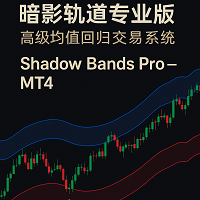
Shadow Bands Pro is a non-repainting (on candle close) trend-reversal and mean-reversion indicator designed for traders who need clear, rule-based entries and exits.
By combining a dynamic volatility band, entity-break logic, and a built-in statistics panel, it helps you quickly see where price is stretched and where high-probability reversals may occur.
Key Features
-
Non-repainting on close – signals stay fixed once the candle closes
-
Triple “shadow bands”: glow, mid, and core for precise overbought/oversold zones
-
Entity-break logic to filter fake breakouts and chase only strong reversals
-
Built-in statistics panel: win rate, positive / negative signals, updated in real time
-
Dynamic TP & SL lines based on ATR multipliers (TP1/TP2/TP3 & SL1/SL2/SL3)
-
Smart signal cooldown to avoid over-trading in choppy markets
-
Bilingual labels (English / Chinese) with one-click language switch
-
Custom chart skin with red/green candles optimized for visual clarity
-
Full control over period, multiplier, ATR length, and which TP/SL levels are active
How to Use
-
Attach Shadow Bands Pro to your MT4 chart and set your preferred language and risk profile.
-
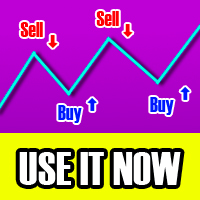
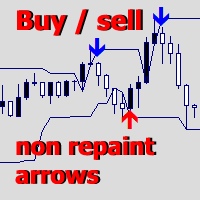
Look for buy arrows near the lower band and sell arrows near the upper band.
-
Use the automatically drawn TP/SL lines as a structured exit plan or as visual references for your own strategy.
-
Monitor the statistics panel to evaluate performance on each symbol and timeframe.
Notice: Shadow Bands Pro is a decision-support tool, not a guarantee of profit. Always combine it with sound risk management and your own trading plan.
【Update】
How to Set Up Mobile Push Notifications (Required Steps)
The code only generates the signal command. You must configure the MetaTrader 4 (MT4) platform for your phone to actually receive these notifications.
Step 1: On Your Mobile Phone
-
Open the MetaTrader 4 App on your phone.
-
Go to Settings -> Chat and Messages.
-
Find your MetaQuotes ID at the bottom of the screen (it is a unique combination of letters and numbers). Write this ID down.
Step 2: On Your PC / Desktop
-
Open MT4 on your computer.
-
Click Tools in the top menu bar -> Options (or use the shortcut Ctrl+O).
-
Switch to the Notifications tab.
-
Check the box: Enable Push Notifications.
-
In the MetaQuotes ID field, enter the ID you retrieved from your phone in Step 1.
-
Click the Test button. If configured correctly, your phone should immediately receive a test message from MT4.
Step 3: Indicator/EA Settings
-
When attaching the code/EA to your chart, look for the Inputs tab.
-
Find the section labeled: === Notifications ===.
-
Ensure the Push Notification setting is set to true.
Result:
Once this setup is complete, whenever a valid signal occurs (confirmed after the candle closes), you will receive a pop-up alert on your PC and an immediate push notification on your phone.