
Volatility Master
- Indicators
-
INTRAQUOTES
 ➡️Important Links:
🔸All Indicator & Script List: https://www.mql5.com/en/users/somfx/seller - Version: 1.18
- Updated: 15 October 2026
- Activations: 5
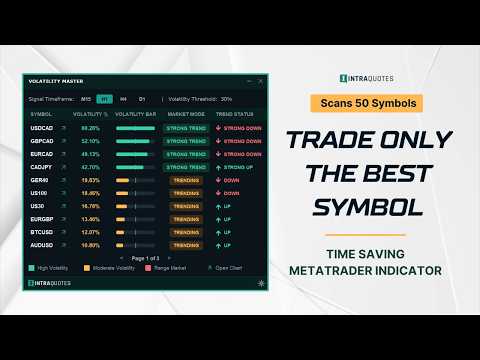
Volatility Master for MetaTrader is a real-time dashboard tool that scans up to 50 symbols to identify high-volatility, trending markets instantly. With bullish/bearish signals, customizable alerts, and a user-friendly interface, it helps you avoid range-bound conditions and focus on high-probability trades. Clarity leads to confidence. Trade confidently and protect your capital effectively with this powerful dashboard.
We don't offer free or bonus indicators in exchange of reviews from you. You won't need any free products with this indicator to make it work. ;) Enjoy!
Hurry! Price increases to $249 after next 9 purchases.
- User Manual: Here
- MT5 Version: Here
- MQL5 Channel - For daily market insights & updates: Join Here
- Explore all the indicators and strategy posts here: Welcome Page
- Blog post: Trading Strategy: 3-in-1 combo of Volatility Master + Hydra Trend Rider + IQ FX Gann Levels
Disclaimer:
Products are sold strictly AS-IS. We provide lifetime bug fixes, but we do not accept custom modification requests. Please utilize the backtest feature or 1-month rental to ensure this tool fits your exact manual trading style before purchasing.- Read the full product description before purchasing.
- Due to regulatory and compliance restrictions, our service, including personalized technical support and one-on-one troubleshooting, is unavailable in India, Pakistan, and Bangladesh. Products purchased from these regions are ineligible for these services after purchase. For setup, operation, and troubleshooting guidance, please refer to the user manual.
- Intraquotes products are sold exclusively on MQL5. We never contact users privately, sell off-platform, or provide personal trading advice.
1. How does Volatility Master help?
Volatility Master eliminates chart clutter by consolidating high-volatility market data into a single, actionable interface. Designed to save time, it helps you filter out flat markets and focus exclusively on high-probability setups.
- Indicator works best for scalpers, day traders, and swing traders, as it displays volatility of M15, H1, H4 and D1.
- At-a-Glance Dashboard: Monitors up to 50 assets simultaneously with multi-page navigation (10 symbols per page).
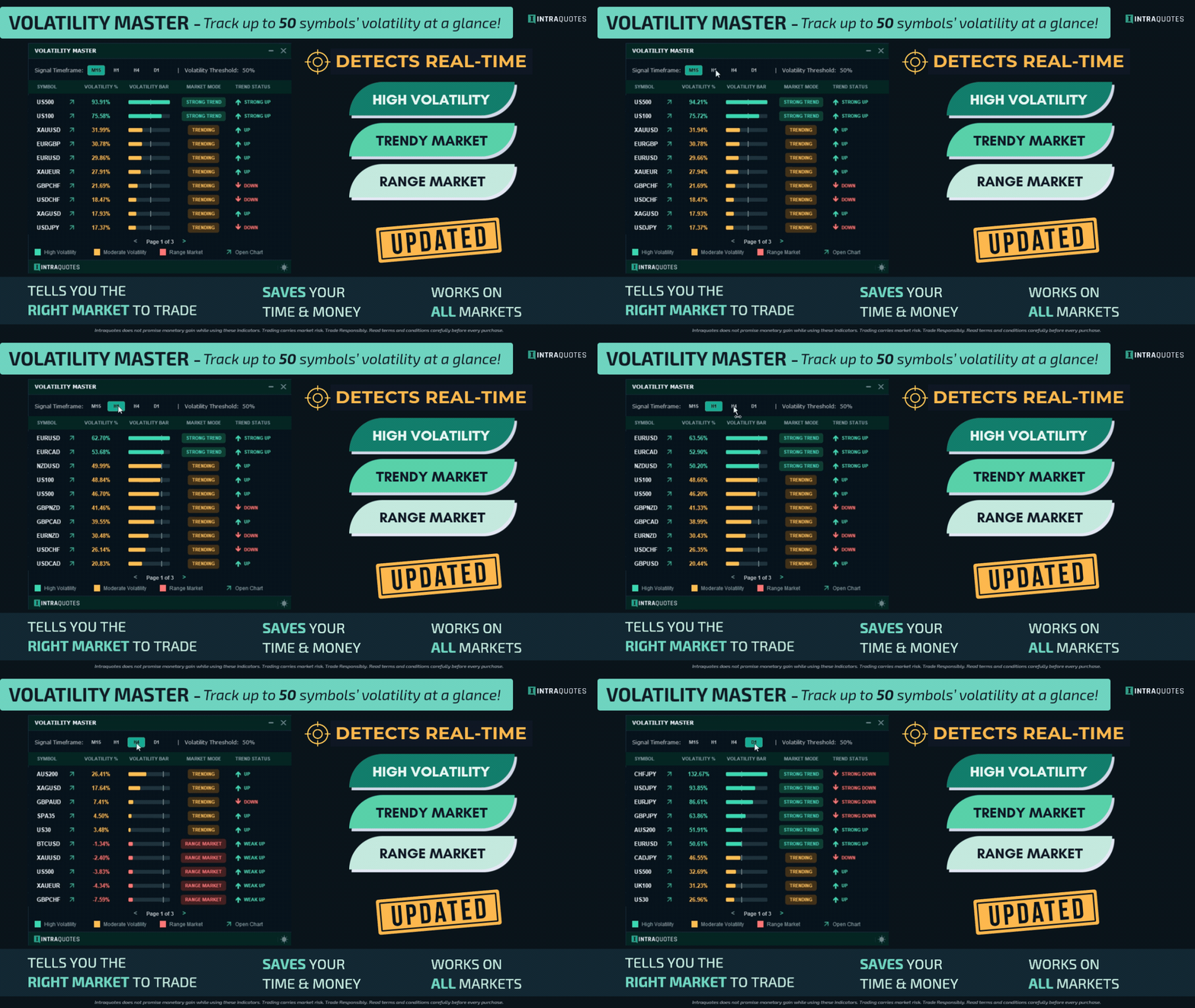
- Multi-Timeframe Analysis: Supports M15, H1, H4, and D1 timeframes for scalpers, intraday, and swing traders.
- Instant Directional Signals: Displays clear real-time Bullish, Bearish, or Ranging states, not just raw volatility metrics.
- Auto-sorted Volatility Signal: The dashboard automatically sorts the highest volatile pairs from top to bottom.
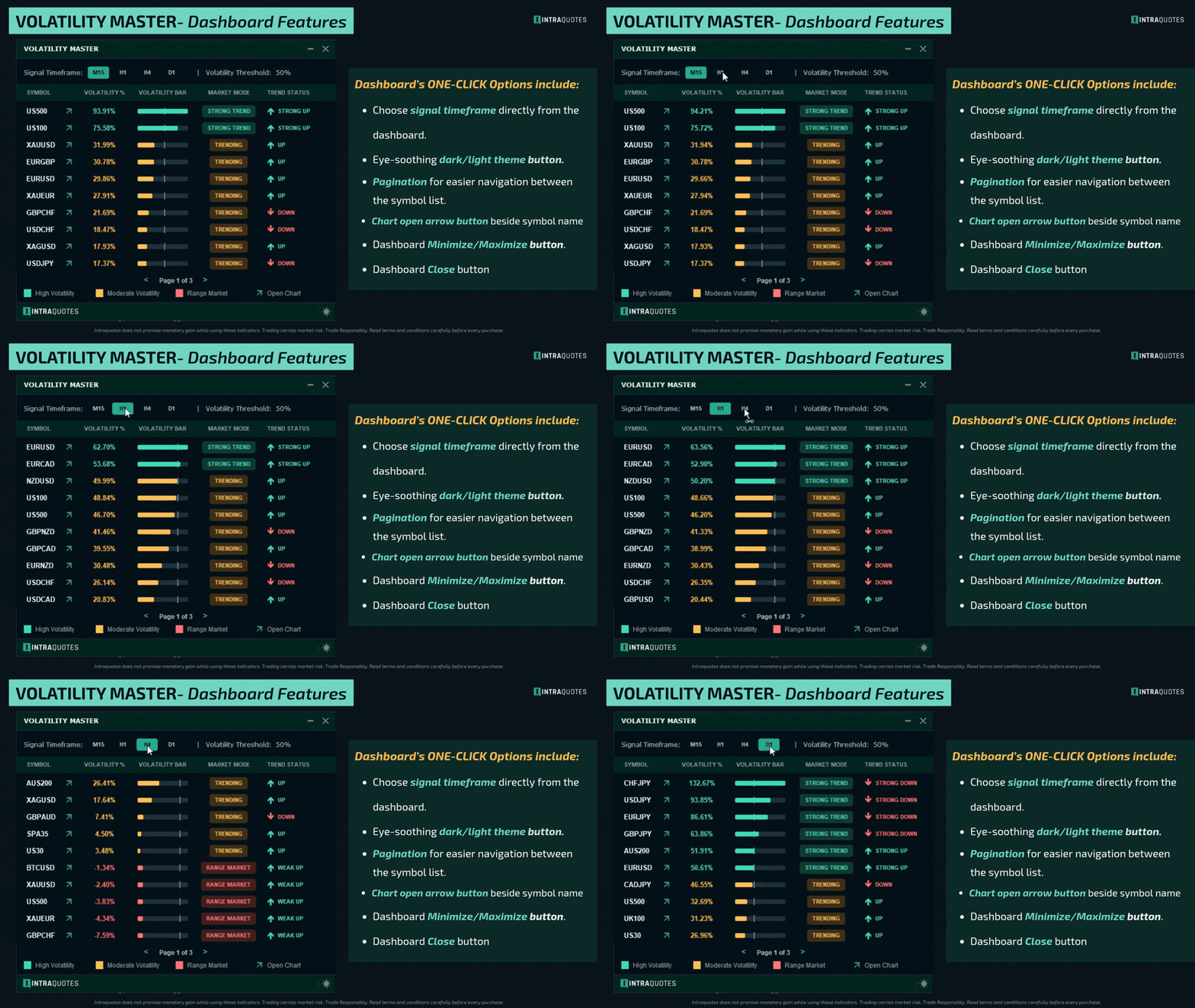
- 1-Click Chart Navigation: Click on the arrow beside your desired symbol name to open its chart instantly.
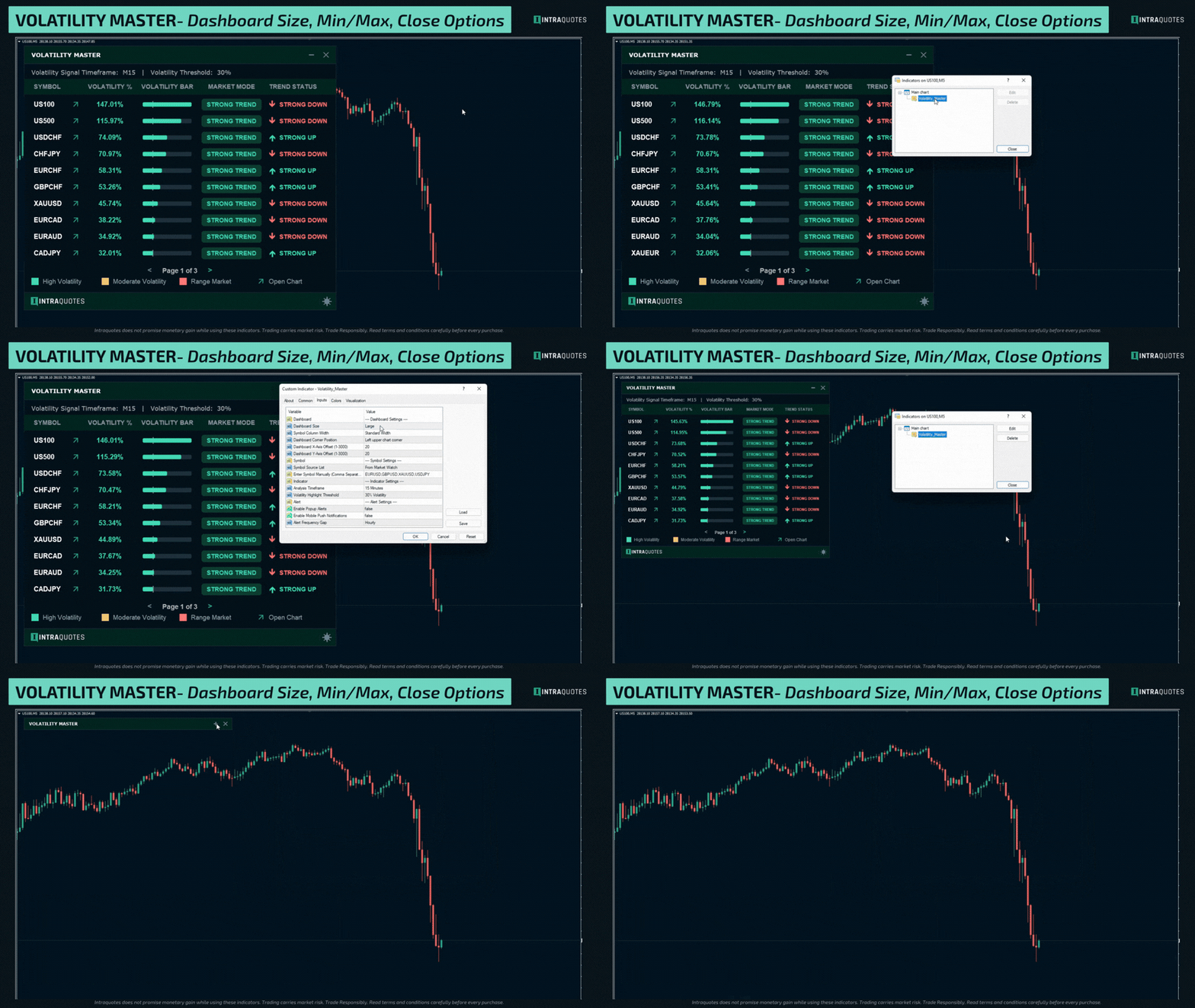
- Fully Customizable Display: Switch between Light/Dark themes, adjust cell widths, dashboard position across 4 chart corners, and increase dashboard size for a bigger display.
- Default Timeframe: The default timeframe H1 is loaded when you attach the indicator. (Note: You can instantly change this using the timeframe buttons on the dashboard and it stays the same even if you change the chart or chart timeframe).
2. Indicator Usage
- Indicator supports all the symbols, FX, Gold, Crypto and Indices. Compatible with live charts and not offline charts or custom "artificial" symbols created via EAs or scripts.
- Supports one dashboard per MetaTrader terminal for optimal performance.
- For optimal performance, attach the dashboard to a separate, dedicated chart (not the active chart where you execute trades)
- Indicator operates only on standard MetaTrader 4 / MetaTrader 5 platforms. Third-party or modified environments are not supported.
- Does not provide Data Window values or buffers for EA integration.
3. Indicator Installation and Alert
Installation: Go to MT4/MT5 Terminal —> Toolbox —> Market —> Purchased —> Click Install. Drag the indicator from the Navigator window onto a fresh blank chart.
Mobile Alerts: In MT4/MT5, press Ctrl + O —> Open Notifications tab —> Enter your MetaQuotes ID from your mobile app —> Test connection.
4. Indicator Settings
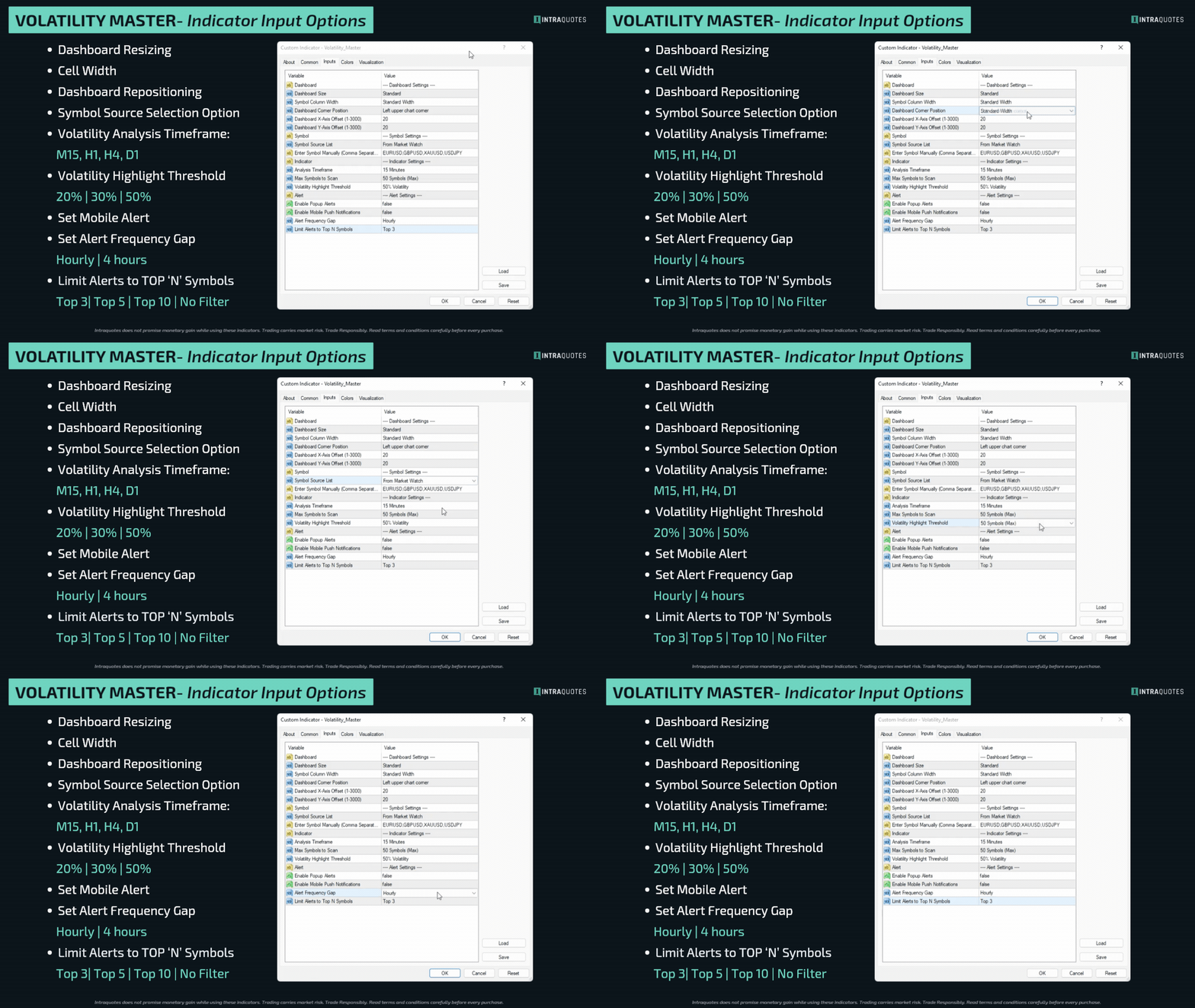
Dashboard Size: Choose between Standard or Large to fit your screen resolution.
Symbol Column Width: Select Wide if you trade Crypto or Indices with long names (e.g., Volatility 75 Index, High frequency Vol 25 Index) to prevent text clipping.
Dashboard Corner & X/Y: Choose which corner the dashboard attaches to and easily adjust its exact position using the X and Y offsets.
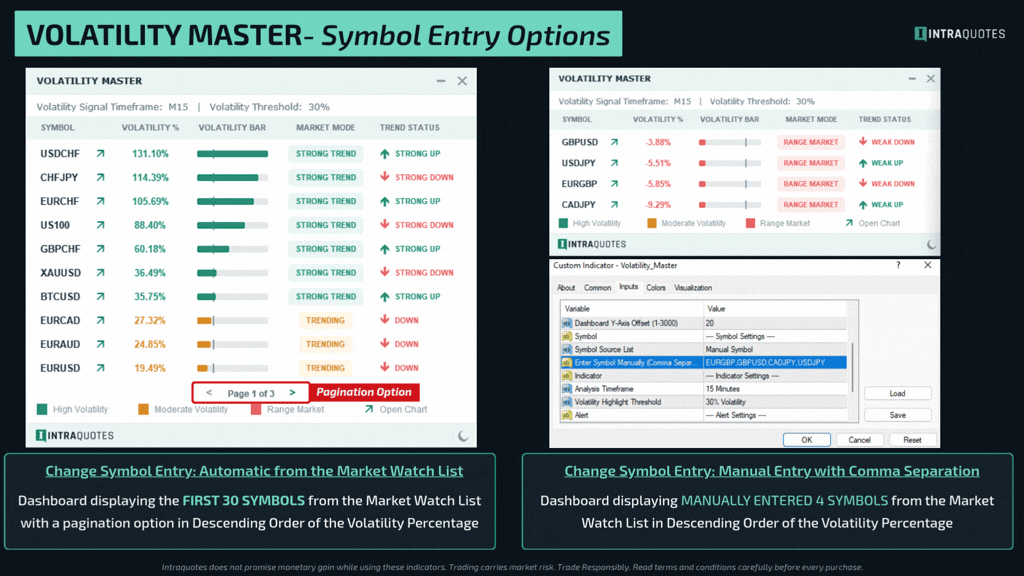
Symbol Source: Choose Market Watch to auto-load your active pairs, or manually type exactly what you want to scan. (Product Manual includes a tip on how to save symbol sets to make it easier for you)
Manual Symbol: If "Manual" is selected under symbol source option, type your pairs here separated by commas (e.g., EURUSD,GBPUSD,BTCUSD).
Default Timeframe: The default timeframe loaded when you attach the indicator. (Note: You can instantly change this using the timeframe buttons on the dashboard).
Max Symbols to Scan: Set the absolute limit of symbols (30 or 50) the dashboard will scan and display.
Volatility Threshold: Set your desired volatility percentage (20%, 30%, or 50%), which will be displayed in Green as High Volatility.
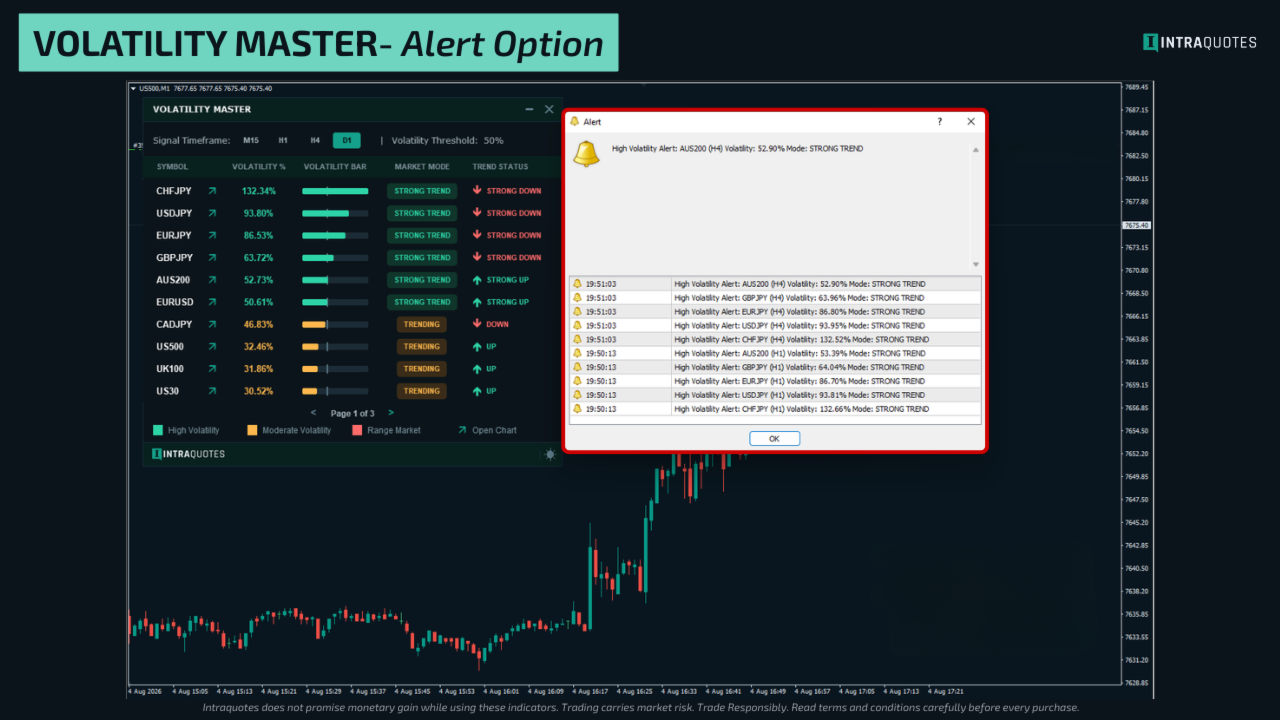
Popup / Push Alerts: Enable to receive MT4/MT5 desktop popups or mobile push notifications.
Alert Frequency Gap: Prevents alert spam by pausing notifications for 1 or 4 hours after an alert fires.
Limit Alerts: NEW smart filter! Instead of getting alerted for every pair that crosses the threshold, you can now choose to receive alerts only for the Top 3, Top 5, or Top 10 most volatile pairs at that moment. You can also set it to ‘No filter’ to get alert of all symbols that cross the threshold.
Indicator Backtesting:
Please note that during visual backtesting, MetaTrader is restricted to analysing a single timeframe and symbol. Consequently, you can backtest your selected symbol and timeframe to observe historical volatility data and evaluate the indicator’s performance.
5. How to use Volatility Master for Trading?
The Volatility Master is designed to keep you updated with the highest momentum and out of dead markets. The dashboard automatically sorts the best pairs from top to bottom. Strategies to use the Volatility Master have been explained in the User Manual with live charts.
Below is the shorter version for faster understanding.
- Follow the Colour Code
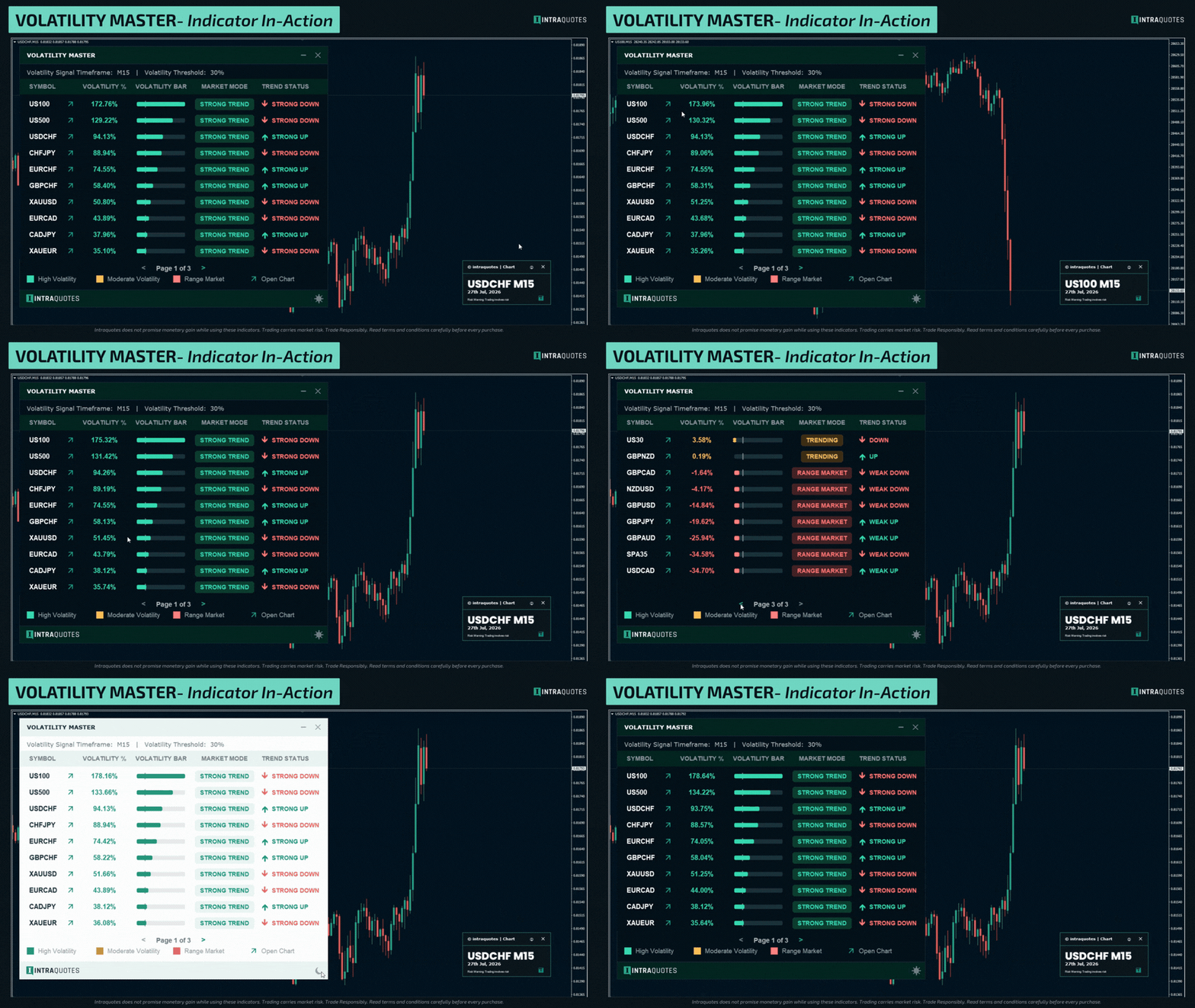
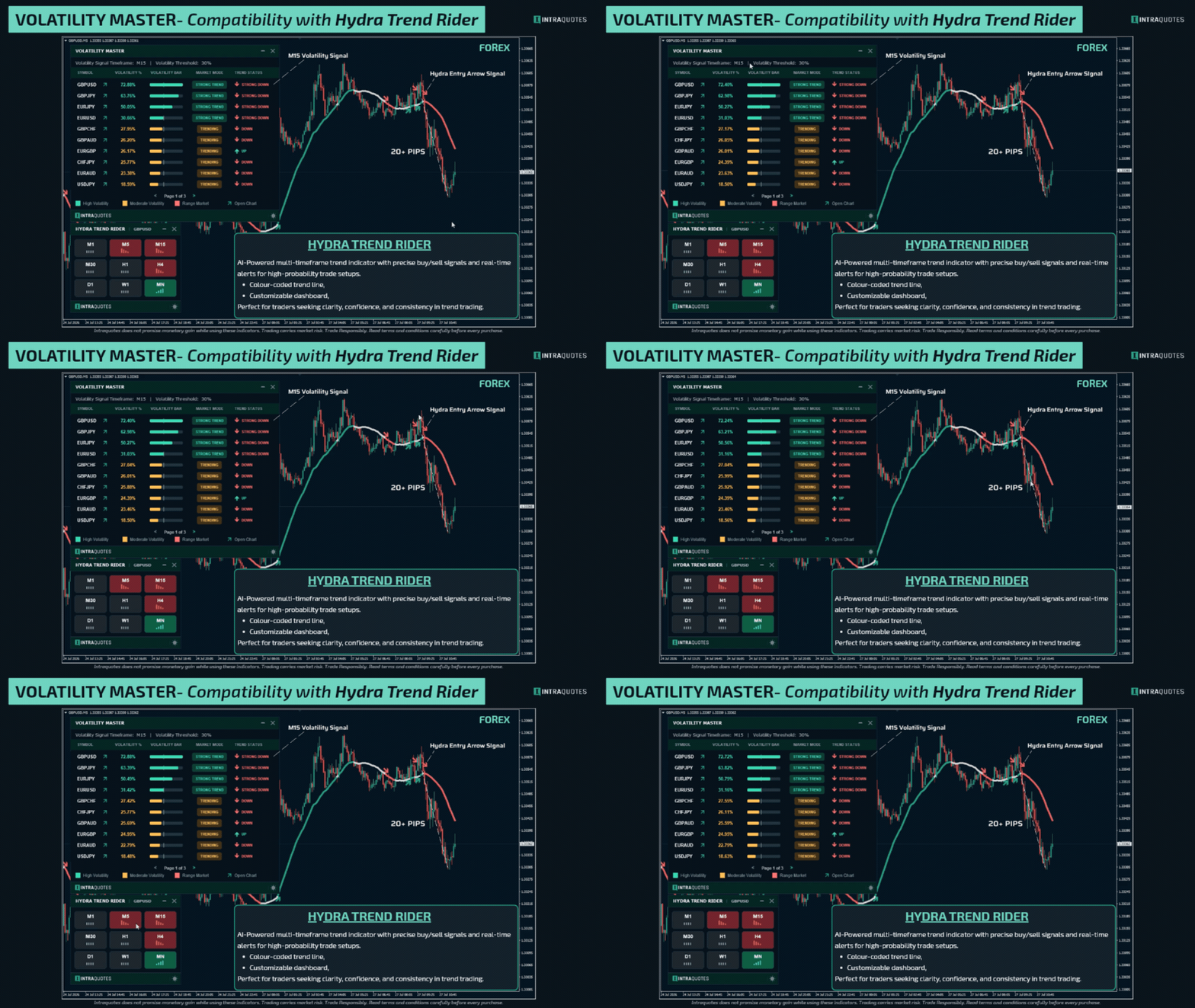
Green (High Volatility & Strong Trend): These are the best pairs to trade in real-time. They have broken the volatility threshold and are moving fast.
Yellow (Moderate Volatility): The pair is trending but lacks explosive momentum. Good for slower, pullback-style trading.
Red (Range Market): The market is dead, flat, or squeezing (consolidating). Do not trade these pairs. - Trade in the Direction of the Trend
Once you find a Green (High Volatility) pair, look at the Trend Status column.
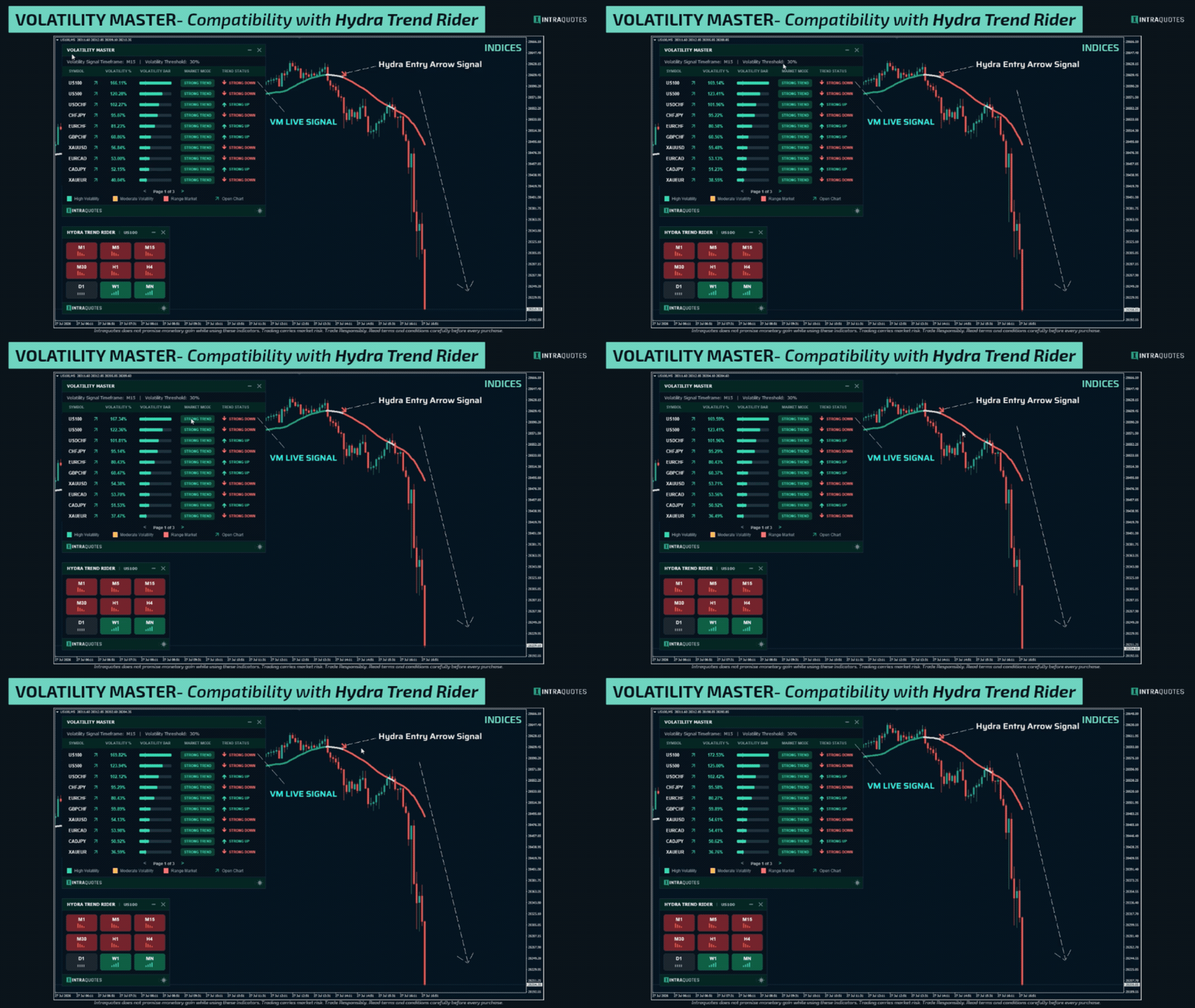
If it says STRONG UP, look for BUY setups on your chart.
If it says STRONG DOWN, look for SELL setups on your chart.
For better trend confirmation signal and entry precision, pair it up with the Hydra Trend Rider (check the user manual for more details) - Interact with the Dashboard
Switch timeframes instantly by clicking the M15, H1, H4, or D1 buttons at the top of the dashboard to scan the volatility signal of the same symbols on different timeframes without leaving your current chart.
Once you find your suitable symbol to trade, click on the arrow icon on the dashboard placed beside your chosen Symbol Name, and the indicator will instantly change your current chart to that pair so you can check your symbol’s real-time status instantly on the same chart. - Pro Tip for Alerts:
If you are scanning 30-50 pairs, set your Alert Settings to Top 3 or Top 5. This ensures you only receive notifications for the absolute strongest movers in the market, keeping your trading hyper-focused and stress-free with less noise!
End Notes:
Indicator Technical Support: Message here
Stop wasting time in low-volatile markets and start trading with confidence in trending markets. Volatility Master is the ultimate tool for identifying high-probability opportunities, saving you from frustrating range-bound conditions. With real-time signals, customizable settings, and a user-friendly dashboard, this indicator gives you the edge to trade smarter and more efficiently. Upgrade your trading game today, get Volatility Master now.
Trading financial markets carries inherent risks and may not be suitable for every investor. This indicator is designed as a tool to assist in trading decisions but does not guarantee profits or prevent losses, which could exceed your initial investment. Past performance is not a reliable indicator of future outcomes. Users are encouraged to fully understand the risks and seek independent financial advice if needed. Any trading decisions made using this indicator are at the user's discretion and responsibility.
Related Topics: market volatility, multi-timeframe volatility signal, Trend analysis, volatility trading strategy, volatility trading, trend following, forex, multi-currency analysis, volatility dashboard, volatility scanner, trending symbols, bullish bearish signals, volatility percentage, market volatility tracking.






















































great product