 MetaTrader 5
 Experts
 Indicators
 Libraries
 Utilities
 Widgets
 Rules
Rules
Watch the Market tutorial videos on YouTube
How to buy а trading robot or an indicator
Run your EA on
virtual hosting
virtual hosting
Test аn indicator/trading robot before buying
Want to earn in the Market?
How to present a product for a sell-through
Expert Advisors and Indicators for MetaTrader 4 - 64
 Trading robots perform market transactions automatically, while indicators allow you to better analyze quotes and predict the price behavior.
With these applications, you will be able to perform deals in MetaTrader 4 in a more informed manner, while capturing more opportunities.
Trading robots perform market transactions automatically, while indicators allow you to better analyze quotes and predict the price behavior.
With these applications, you will be able to perform deals in MetaTrader 4 in a more informed manner, while capturing more opportunities. 
Dear Friends .. As I promised you , this is a demo version of my Expert Advisor that works only on Daw Jones (US30)
It works on simple strategy , Scalper and trend EA . It use the manual lot size that you put in parameters and use the trailing stop to minimize the lost value as much as it dose ,, So u need to put the lot size ( usually it 0.1 minimum in most companies ) and put your Trailing stop value (if you want to cancel the trailing just put 0 in the parameter ) (for DJ try to multiply
FREE

This is a pending order closer, created to fulfill a made for MAC project. The EA originally could not be installed directly on the platform, and this is an attempt to install using this method. You can use it, but it might eventually be removed. You can also contact the original client and request their access. Unauthorized use is prohibited, and you are welcome to contact the developer or employer/client. Use it at your own risk.
FREE

This indicator graphically displays profit ($),risk/reward and % of risk according SL&TP Open orders on Current Symbol. when you open orders on current symbol and set StoplLoss and TakeProfit this indicator automatically calculate Risk/Reward and calculate %risk Of Equity Account that your order get stop Loss. If you trade on several symbols at the same time, you can install the indicator on each one separately and see the relevant calculations on each one.
FREE
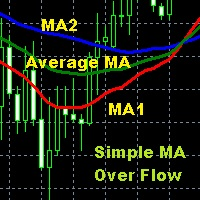
Moving Average is one of the indicators that is widely used in technical analysis which can help to smooth price movements by eliminating some price fluctuations that are less relevant based on past price calculations, so that an average line of price movements is formed within a certain time period. Simple Moving Average Over Flow is an indicator writen by MQL$ language that is given a special additional moving average line based on certain calculations so as to make this moving average better
FREE
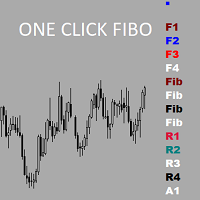
Утилита предназначена для упрощения графического анализа.Настроив один раз , можно сохранить в шаблон,все настройки сохранятся.В настройках меняются уровни фибоначчи , цвета,стили и толщина линий также текстовые метки на кнопках.Есть возможность расширить функционал , добавить временные зоны Фибоначчи ,Фибо арки ,линии по углу ,продление прямоугольных зон до текущей цены.Присылайте рекомендации,все можно осуществить в рамках бесплатной утилиты.
FREE
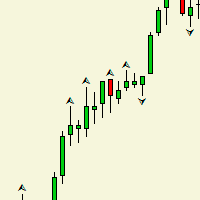
Индикатор рисует на графике фрактал, и в чем отличие между обычным фракталом? спросите вы. Ответ таково,_ после формирования второго бара фрактал рисуется и не удаляется в отличие от обычного. Данный индикатор создан в целях расширения Торгового робота. Она составляет одним из важнейших частью робота. Таким как выход из торгов. У индикатора нет входных параметров.
FREE
Indicator overview Trend indicator usage Moving averages. Highest quality alerts that need no introduction. It is completely loyal to the original algorithm and uses other useful features.
Easy to trade Carry out all kinds of notifications It's not a new paint and it's not a back paint. Setting Indicator SSMA50 in Time frame H1 for any pair currency and Gold Spot. EMA200 in Time frame H1 for any pair currency and more than EMA250 for Gold spot. Using it for maximum benefit Set up notificatio
FREE
指标功能:完成十字光标跟随,多个窗口鼠标位置的同步显示。 功能 开启 :点击"H"标签,标签变成"S",开启十字光标,通过鼠标点击,完成第二个以上窗口的位置同步。 可以大周期同步小周期 (注意:在大周期同步小周期时,要注意小周期中的数据是否足够多) , 也可以小周期同步大周期。 功能关闭:点击 "S"标签,会变成"H"。或者通过键盘的"ESC"键,关闭。
指标可以多个窗口加载,也可以单窗口加载。
参数设置: LabWindow:标签显示的窗口 LabConer :标签显示的角落位置 LabX :标签位置横坐标 LabY :标签位置竖坐标 LabShowBackup :标签背景显示于背景 LabFontName :标签的字体名称 LabFontSize :标签的字体大小
FREE

A simple, time-based execution utility that closes all open trades at a specific hour and minute each day. It operates continuously, checking every tick for the designated closing time.
Features: Inputs for `CloseHour` (0-23) and `CloseMinute` (0-59). Independent controls for closing Buy and Sell orders. Once the current time equals or exceeds the set time, all eligible orders are closed.
Effective Uses: Daily Cut-off: Automatically close all intraday trades at the end of your trading session
FREE
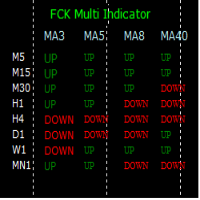
The FCK Multi Indicator for MT4 displays trend direction of multiple indicators on multiple time frames for a pair. So, forex traders can see the trend direction at a snap and trade with confluence of multiple indicators. Furthermore, it helps traders to see the trend in multiple time frames and trade in the direction of the overall market trend. Additionally, it shows the stop loss, pips to stop, pips in profit of any open position. The indicator display is very neat and is very helpful for bot
FREE
LEADING AND LAGGING INDICATORS DASHBOARD https://www.mql5.com/en/users/earobotkk/seller#products P/S: If you like this indicator, please rate it with 5 stars in the review section, this will increase its popularity so that other users will be benefited from using it.
This dashboard scans all time frames(M1,M5,M15,M30,H1,H4,D1,W1,MN1) and shows up trend and down trend for MACD, PSAR, RSI, STOCHASTIC, MOVING AVERAGE, BOLLINGER BANDS by changing the colours of the relevant boxes. It also shows ca
FREE

ClickDrag draws lines and moves objects on the chart easily.
Click and then Drag to start drawing a trend line. Moving the mouse horizontally draws a price line. Moving the mouse vertically draws a date line. Existing lines and objects can be moved by Click&Drag.
Displays the price and time difference between the start point to end point.
After start Click&Drag, Shake left and right to change the color. Shake up and down to delete.
- What is Click & Drag ? 1. press the left mouse button (pre
FREE

TRADE COPIER - INVESTOR PASSWORD - COPY TRADE - MT4 x MT5 CROSS PLATFORM Note: You need both "Mirror Copier Master" on the master account that will be followed by the client account and "Mirror Copier Client" on the client account that will follow the master account Blogs : https://www.mql5.com/en/blogs/post/756897 HOW IT WORKS : https://www.youtube.com/watch?v=V7FNpuzrg5M
MT4 Version Master : https://www.mql5.com/en/market/product/114774 Client: https://www.mql5.com/en/market/product/11484
FREE
Indicador Gratuito desarrollado por Mr Beast Inversiones Mr Beast : Gestión de riesgo profesional. Brindo a la comunidad la entrada a productos de M Beast. Echar un vistazo a mis señales y expert advisors. Descuentos de hasta 70% Diclaimer: La negociación en Forex, CFD y Opciones conlleva un riesgo de pérdida sustancial y no es adecuada para todos los inversores. El alto grado de apalancamiento puede actuar en su contra y también en su favor, Antes de decidirse a operar en productos tan apalanca
FREE

The indicator allows you to trade binary options. The recommended time frame is М1 and the expiration time is 1 minutes. The indicator suitable for auto and manual trading. A possible signal is specified as a arrows above/under a candle. You should wait until the candle closes! Arrows are not re-painted Trade sessions: London and New York section Currency pairs: AUD/CAD Working time frame: M1 Expiration time: 1 minute The indicator also shows good results when using the martingale strategy - "Ma
FREE

This is a multi time frame demand and supply indicator for MT4 platform. You can use multi time frame demand and supply levels on smaller time frames. Additionally you can choose to kill every level has has been tested. you have narrow bands that is you can select the whole demand and supply level or just a narrow section Finally, you also get price range for the zones. Awesome
FREE

Standard RSI uses a fixed smoothing factor. Every bar gets the same weight whether the market is trending cleanly or chopping sideways. That is why most RSI signals fail during consolidation. Mystical RSI measures how chaotic price action is on every bar using the Fractal Dimension Index and dynamically adjusts its smoothing in real time. When the market trends, it reacts fast. When the market chops, it slows down and filters out noise. No manual adjustment needed. How It Works The indicator
FREE

RSI Bands is a powerful indicator which displays an upper and lower band corresponding to the RSI overbought and oversold levels. The band shows what price must be reached during that specific candle in order for the RSI overbought/oversold level to be reached. This is an extremely useful tool for spotting when a trend has begun and when a trend is about to end. The indicator provides buffers, allowing you to use it in your own Expert Advisor. Please message me if you have any questions.
CURREN
FREE

AR Canada is a fully automated trading robot optimized for USDCAD H1. This free version trades only a fixed lot with minimum volumes. No hedging, no martingale, no grid, no arbitrage, etc. The EA applies the trading algorithm based on crossing the moving averages. Take Profit and Stop Loss values are fixed and have a ratio of 1:4. Positions are closed by the EA when Take Profit or Stop Loss level is reached.
Parameters MagicNumber = 3 - unique EA magic number.
FREE
Function Indicate Buy Sell Signals Indicate Strength of Buy Sell Signals This system is for both type of traders (Short & Long Term) Instead of Other Calculations, Parabolic Sar & Awesome are also used In Any time frame this can be use. What is in for Trader? Trading Switch: Short Term & Long Term Finally, we all knows that Forex Trading needs completely concentrate & proper cash management, So I never promising that my program will never give you loss but I tried well to provide good and respo
FREE
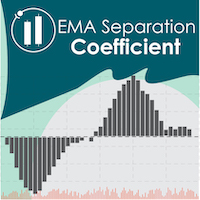
EMA Separation Coefficient reflects the separation between short-term and long-term exponential moving average trend resistance, as well as the direction of the current movement. Pay attention to potential crossover points when the coefficient approaches zero, this may indicate an upcoming breakout or reversal. Wait for confirmation of the trend before entering the trade, and exit when the coefficient forms a max (for calls) or a min (for puts). This is a small tool to help visualize the differe
FREE

<LOGIC> EA will place order based on the original logic. This EA should work with take profit and stoploss. Default TP is 50pips and SL is 50pips.
If the order was closed with stoploss, EA will stop in that day. Next day, EA will restart and trade again with lot size increasing. Lot size and volume multiple is changeable in the parameters.
<Best Pair and TF> EURUSD and GBPUSD TF H1
<Default set> Already optimized
TP 50pips SL 50pips Martingale Volume muti X 2 Max martingale 5
FREE

Future WPR - or backward WPR - is a special modification of WPR: it uses standard formula, but applies it in reverse direction. The indicator calculates WPR from right to left, that is from the future to the past. It 'knows' and uses the future price movements at any bar where the right-side history provides sufficient number of "forthcoming" bars, that is period bars or more. Conventional WPR is also shown for reference. Both WPR and backward WPR are normalized to the range [0..1] as a more con
FREE

Harvesting is an Expert Advisor (EA) that works by sending orders automatically based on the best positions it detected. This EA also sets Stop loss value that can dynamically change following the price, when the order moves to more profit. And this EA cannot be run on its own, traders need to take part in monitoring and taking action to close all profitable orders, as in harvesting.
Pairs and timeframes This EA tested on GPBUSD pair and M1 timeframe as in screenshots. Therefore Harvesting coul
FREE

Discret Trader is a trading robot designed to generate daily profits in the foreign exchange market. Discret Trader is perfect for those who want to start with little money and make automatic trading. With minimum loss and a high accuracy of over 95%, Discret Trader has been specially designed as an automatic trading platform with minimum risk and high profit opportunities.
Discret Trader is a fully automatic, professional trading robot, designed specifically for the foreign exchange market G
FREE
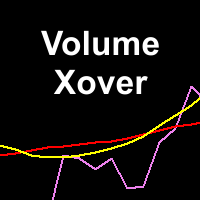
This indicator determines minimum volumes needed during a candle formed so that it would be higher than current volume's average. Although you can place MAs on your volume indicator, this indicator has non-repaint characteristic so you may not to worry about sudden volume increase. This indiator also draw volume indicator for its own. Input Description: period: Period used for indicator. Must be higher than 1. Output Description: VolumeXover: This indicator's main feature. During the time the vo
FREE
Spread Monitoring is a unique product for analyzing a spread. Unlike most similar indicators, Spread Monitoring uses ticks rather than bars allowing you to detect abnormal spread expansions. Features
Works on ticks rather than bars. Simple and easy indicator configuration. Works on all timeframes. Works on any financial instrument. No repainting.
Parameters
Total - number of displayed ticks. clrSpread - indicator line color.
FREE

Here are several indicators that work together. It basically works with moving averages and various levels of ATR creating a dynamic channel through which the price is drained. As I always recommend, you should try it before using it in live so that you understand how it works. The market entry signal is similar to other MA indicators, but with this one you also have a graphical analysis of the moment when the trend is found and dynamic levels to adjust your stop loss and take profit depending
FREE

Network EURUSD - сеточный советник, настроенный для торговли валютной парой EURUSD. Для определения моментов для открытия сделок советник использует несколько индикаторов. Рекомендуемый период графика для торговли с настройками по-умолчанию - M15.
Настройки: Take profit
Размер тейк профита
Volume
Размер лота
Balance
Баланс для расчёта лота. Если ноль, то лот будет фиксированным
Period for indicators Период для индикаторов.
FREE

Advanced Trade Information Dashboard – MT4
Everything I need to know about my account and open positions, right on the chart.
I got tired of clicking between the terminal, the trade tab, and the calculator just to check my margin, pip value, or total profit in pips. So I built this dashboard to put it all in one place.
What It Shows Total P&L – Real profit/loss from the positions I care about (filter by symbol, magic number, or include swap/commission).
Margin Level – The one number that k
FREE

AutoClusterEdge – Nguồn điện có cấu trúc. Phục hồi chiến lược.
AutoClusterEdge là một hệ thống tự động dịch hoàn toàn được thiết kế cho các giao dịch dựa trên hệ thống mạng. Hệ thống tích hợp Chỉ số sức mạnh tương đối (RSI), Đường trung bình động (MA) và Phạm vi biến động thực trung bình (ATR) để khởi tạo và quản lý các cụm giao dịch, điều chỉnh mô-đun thế một cách hoạt động bằng cách sử dụng chuỗi Fibonacci và thực hiện lệnh thoát chiến lược có điều kiện. Hệ thống này đặc biệt phù hợp với nhữn
FREE

Are you tired of having many open charts and watching many different currency pairs? MCTSI will monitor the strengths of 56 currency pairs and show you the best pairs to trade, no more guessing which currency is stronger/weaker, no more trading a pair that is not moving positively. This is the BASIC version. MCTSIP is the more advanced version and can be found here: https://www.mql5.com/en/market/product/20994 You may have many charts open trying to determine the best currency pair to trade on
FREE

Fully automated and safe medium-term multicurrency trading robot based on a strategy consisting of several standard indicators. The LockerStop parameter activates the virtual protective stop logic. If LockerStop is not zero, and the loss of an open positions is greater than LockerStop , the EA opens an opposite protective position. The closure of two positions is based on interval virtual stop logic. It is recommended to use the H1 timeframe and the following currency pairs: EURUSD and GBPUSD. C
FREE

This is a very simple yet useful tool to close positions with different conditions and methods. You can use panel buttons to close positions or set multiple rules to close all positions. Panel has two main tab, Active Order and Pending Orders:
Active Tab:
You can set profit or loss target to close all positions.
You can set equity target to close all positions,
You can set a special time to close all positions. Moreover, by panel buttons you can close only buy/sell positions or only negative/pos
FREE

Warning:::
Th3Eng Panda trader strategy 2 is the lite version of Th3Eng Panda Pro trader EA
Th3Eng Panda trader EA is a powerful expert advisor that works perfectly for scalping trades as well as swing trades with martingale system(you can disable it==> factor=1 in setting). You can setup it on H4/H1, and on all forex pairs and all CFD pairs. And on M5/M15 and enable reverse strategy from setting if you want.
Requirements: Minimum Balance: 1000$ (10 cent, standard or micro). Spread: all s
FREE

Usual martingale grid. The decision-making logic is based on 3 lines of the Moving Average indicator. In the settings, the period of only the first line is set, the periods of the remaining two are calculated based on the first (the period of the second line = the period of the first line multiplied by 2, the period of the third line = the period of the first line multiplied by four and + the period of the first line)
Buy signal: The first line is directed upwards and is above the second and t
FREE

The indicator measures volumes on different charts and instruments. Its main advantage is the ability to compare separate brokers. The less Middle Volume and Tick / Second , the more reliable is the broker. There is a comment in the upper left corner Comment data: Tick/Second — number of ticks per second for a selected instrument Middle Volume — average volumes in the penultimate bar This indicator allows tracking a relative market activity for different timeframes. If the volumes are lower than
FREE

The DrawdownProtector is a custom MetaTrader 4 (MT4) EA designed to manage floating losses in trading accounts. Let’s break down its key features: Floating Loss Management : The EA monitors the account’s floating profit and loss (P/L). If the floating loss exceeds a user-defined threshold (default: $100), the EA takes action. Order Closure : When the floating loss surpasses the threshold, the EA closes all open orders. It ensures that no further losses accumulate beyond the specified limit.
FREE
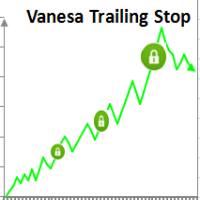
Setting Take profit (TP) to fixed level does not optimize your trade while using trailing stop requires traders to stay all time to screen. Vanesa Trailing Stop does trail stop by preset scenarios automatically. Vanesa Trailing Stop provides 3 (maximum) TP levels in points. For example: Level 1< Level 2 < Level 3. Traders provide value of trailing stop level for each TP level as parameters. Whenever total gain of a trade in points reaches the first TP level, EA will start doing trailing stop wit
FREE

Please visit = https://www.mql5.com/en/market/product/186079 for slave EA
MT5 Version = https://www.mql5.com/en/market/product/186048 Free Demo Version = https://c.mql5.com/6/1033/COPYTRADE_BIN7D.zip User Manual : download here Best EA Trade Copier for MT4. EA Trade Copier is a powerful and reliable trade copying solution that transfers trades from one Master account to multiple Slave accounts in real time. Whether you manage multiple trading accounts, investor accounts, VPS terminals, or p
FREE

Советник Strong Storm, это робот торгующий мартином от уровней перекупленности/перепроданности. Определяет зоны по Стохастике, при грамотном ММ отличный основной робот. Реализовать с помощью этого советника можно любую торговую идею на двух Стохастиках.
Параметры TakeProfit – тейк-профит в пунктах; Magic – Мэджик ордера; Lot – размер лота; Slippege – проскальзывание; Distence – дистанция между ордерами; Mult – множитель лота; ZoneBuy – зона покупки ; Zone Sell – зона продажи; Com – ко
FREE

YOU CAN NOW DOWNLOAD FREE VERSIONS OF OUR PAID INDICATORS . IT'S OUR WAY OF GIVING BACK TO THE COMMUNITY ! >>> GO HERE TO DOWNLOAD
Momentum channel is a simple momentum based system yet with a great degree of accuracy in detecting turning points. The market momentum are defined by Average True Range Channels . When price breaks these channels most times , it is an indication of a shift in market momentum and thus a possible new trend formation. The system can be traded on any time frame and
FREE
Transform your trading approach with reliable bullish and bearish patterns [ Installation Guide | Update Guide | Troubleshooting | FAQ | All Products | Get Help ]
This indicator evaluates volatility and price directionality simultaneously, which finds the following events. Decisive and sudden price movements Large hammers/shooting stars patterns Strong breakouts backed by most market participants Indecisive but volatile market situations It is an extremely easy to use indicator... The blue
FREE

Binary Options Receiver Free is a free tool to copy binary options trades from other traders at different locations over internet, who use Remote Binary Options Copier to send. To start copying via this tool, provider must add a free license in his list first. That means you can use this free tool to copy binary options trades from a provider, who authorized you to do so and issued a free license. Reference : If you need both sending and receiving features, please check Remote Binary Options Cop
FREE

SI Connect is a utility that establishes the connection to our servers to use FX Volume. This tool is part of the Stein Investments ecosystem - 18+ tools plus Max, your 1-on-1 AI trading mentor.
Always on, knows every indicator in depth, available the moment you need to think something through. Meet him at https://stein.investments
Technical instructions to prepare your terminal for the usage of SI Connect Allow web requests and insert https://stein.investments to the list of allowed URLs in
FREE

Here is the provided text with line breaks:
This is the logic of a Forex EA.
This EA is very unique.
Normally, entries are made immediately based on overbought and oversold values of the RSI indicator.
However, this EA is different.
It is slightly modified.
It doesn't enter immediately once it becomes oversold.
Instead, it waits a bit after oversold conditions to see a reversal before entering.
The same theory applies to overbought conditions.
After it becomes overbought, it waits a w
FREE

Manually backtesting your strategy or trading system on MT4 Strategy Tester like you do on TradingView, but with free offline history data provided by MT4 or your broker, which means more resposive and much more lower timeframe data available. Because MT4 Strategy Tester doesn't detect mouse events, we will use the MT4 Horizontal Line tool and Arrows tool to modify the TP/SL/Entry and etc. on the screen.
Features:
70% TradingView backtesting user experience, due to the Strategy Tester's limi
FREE

Unleashed False Breakout EA strategy trade idea is Support & Resistance key level of price action. Price breakout Support & Resistance than reverse in the zone. Before execute order horizontal line will appear on the key level of Support & Resistance .When there's open order and losses, it will automatically recover the amount of losses on the next execute order as profit. Blue (support) Pink (resistance) Timeframe: M30 H1 Currency:
USDCAD EURUSD XAUUSD *Note on the input take profit in (
FREE
Discover IT MACD Crossover, your ultimate ally for maximizing your profits in the foreign exchange market. Our Expert Advisor (EA) leverages the powerful MACD technical indicator to execute trades automatically with unparalleled precision.
Key Features:
- MACD Crossover Strategy: IT MACD Crossover is based on the proven strategy of MACD crossover to identify trading opportunities. Crossings between fast and slow exponential moving averages (EMA) trigger buy or sell signals, suitable for all m
FREE

The Tarantulas expert Advisor is a night scalper and a robot for position trading at the same time.
Thanks to deep settings, this expert Advisor becomes an indispensable assistant in trading.
On the basis of this EA, you can implement dozens or even hundreds of profitable strategies.
Smart position tracking and time trading functions are enabled.
Trading is performed on pullbacks from overbought and oversold zones on trend changes.
The trend is determined using the author's "Providec Trend
FREE

Automatic advisor designed for the forex market.
This trading robot is based on breakdown of trading levels.
All types of accounts are suitable, but it is better to use accounts of the Standard and ECN types.
The timeframe can be used any, but not higher than 1H. The system is waiting for breakdown of the level and closing of the bar. In simple language, you can set the time interval more simply you can skip a signal or it's too late to go into a deal.
The Expert Advisor always displays Stop
FREE

Main: Not martingale, not a grid; Working on all symbols;
Signals: There is a good rational algorithm. Work of two indicators: Stochastic and OsMA (you can set a separate Timeframe for each indicator)
Stop Loss/Take Profit: There is a good money management system (there are several type for trailing stop loss); There is virtual levels of Stop Loss / Take Profit; There is smart lot (percent by risk) or fix lot
Important: EA can work on closed candles, and on current candles; Quickly opti
FREE
Double Moving Averages with Special Time Frame and Fibonacci (DMA_Special_TF_with_Fibo) Author: Mir Mostofa Kamal
Version: 1.00
Platform: MetaTrader 4 (MT4) Overview Double MA With Special Time Frame with Fibo is a powerful, all-in-one custom indicator designed for traders who want to combine moving average crossover strategies with multi-time frame logic and Fibonacci retracement levels . It intelligently adapts its behavior based on the current chart time frame and adds visual and audibl
FREE

Bigger chart labels would allow the user to be entirely aware of which chart he/she is on. Each chart window is unique, containing different patterns and economic motives so acknowledging the chart window would be absolutely essential! There are well known Economic Time Zones included in clear view, by choice! Simple does it! Use your computing mouse scroller, clicking with the right finger on the label, in order to customize the label properties. From there, choose your preferred color, fon
FREE

AR Canada is a fully automated Expert Advisor. It does not require any adjustments and is optimized for trading USDCAD H1. The product is a free version. It trades only using a fixed lot with the minimum volume. The Expert Advisor DOES NOT use hedging, martingale, grid strategies, arbitrage, etc. It uses a trading algorithm based on the intersection of two moving averages for analyzing the market conditions, as well as support and resistance levels. The Take Profit and Stop Loss values are fixed
FREE

Название стратегии: " Среднесрочный трендовый трейдинг "
Цель стратегии: Использование комбинации скользящих средних и индикатора относительной силы (RSI) для определения среднесрочных трендов и моментов входа в рынок.
Используемые индикаторы:
Скользящие средние (Moving Averages):
Длинная скользящая средняя: 50-периодная SMA (простое скользящее среднее)
Короткая скользящая средняя: 20-периодная SMA
Индикатор относительной силы (RSI):
Правила входа в позицию:
Покупка (Long Entry):
Когд
FREE

Average Price Plus is an essential indicator for day-to-day operations. With it, you can graphically check the average price between several open orders on your chart. The average price is the breakeven point between your orders. In addition to the average price, the indicator also shows you the number of pips and the financial value resulting from your open orders, the percentage gains, the number of lots in operation and the number of open orders. Negative values in "pips" or in financial val
FREE

# VylFocusTrainer — User Guide
## Product Description (for MQL5 Market)
VylFocusTrainer is a professional pre-session breathing warm-up tool for MetaTrader 4, designed to help traders enter a calm, focused state before starting to trade.
Unlike standard trading tools, this utility doesn't analyze the market or open trades. Its job is to prepare you — the trader — for disciplined, emotionally balanced trading. Through a guided 2-minute breathing session with visual cues, it helps reduce str
FREE

Grid, martingale, and averaging strategies share one weakness: a stop-loss tight enough to matter is usually tighter than your broker's minimum Stop Level allows. Traders work around this by tracking stops virtually inside the terminal — but a virtual stop only works while the terminal is running. If your connection drops, your VPS reboots, or the platform crashes, a purely virtual stop offers zero protection at the exact moment you need it most. Grid SL Guardian runs two protection layers at
FREE

~~~~~Product Description~~~~~ This Ea can use to modified all Sell Limit (SL) or Take Profit (TP) entry with same symbol or not to value that u entry on input box . Sell Limit (SL) can be use as Breakeven (BE) when u entry value on input box . Only if empty = True , just change all value follow input box if your order not set Sell Limit (SL) or Take Profit (TP) . May be some broker delay to use this EA Just trade with amount you dare to lose .
FREE
The MA in Color_PRT Indicator offers valuable insights into market trends by displaying moving averages in different colors based on their direction. Green indicates an uptrend, red for a downtrend, and yellow for a consolidation phase. Traders can use this indicator to easily identify potential entry and exit points in their forex trades. When the lines change color, it can signal a change in market direction, giving traders an opportunity to adjust their strategy accordingly. Additionally, th
FREE

Introducing MACD Jurik—an advanced indicator designed to enhance your forex trading strategy by integrating custom moving averages based on the Moving Average Convergence Divergence (MACD) with the MetaTrader 4 indicator, MACD.
Jurik moving averages are renowned for their accuracy and reliability in analyzing price movements in the forex market. They offer traders smoother representations of price action, reducing noise and providing clearer signals for identifying trends and potential reversa
FREE

This indicator softens the value of the RSI (Relative Strength Index) and reduces its volatility. You can use this indicator in your expert advisors, indicators and strategies. With this indicator, you don't need to have two indicators on the chart at the same time. For example, an RSI indicator and a Moving Average indicator If you have any questions or concerns, contact me.
FREE

基于波段交易策略,使用低风险的交易策略来最大程度地尽量及时的获取利润. 策略原理 1、进场:点差限制,时间限制,ATR限制,确保波幅不会太大,布林带上轨开空单,布林带下轨开多单。 2、出场:点差限制,点差太大了平不了仓,这个请注意,平台时间0-1点点差会很大。多单在中轨上平台,空单在中轨下平仓。中轨就是布林带用到的那根均线,不知道的,自己了解下布林带的原理. 使用说明 1、适用品种:GBPCAD,GBPAUD,GBPNZD,EURNZD,EURAUD,EURCAD,AUDCAD,AUDCHF等等. 2、适用周期:M5,或者M15. 3、时间设置:参数中设置的是平台时间,须注意GMT的偏离换算........
FREE

================================================================================ The utility is useful when you have to load history data for many symbols and timeframes. It loads the symbol used in the market watch. One symbol is scanned for all timeframes. Then the charts will be closed and the next symbol is scanned. You cannot abort the operation. Wait till it is done. ================================================================================
FREE

Dear Friends,
"All The best" is a simple trend based EA. As of now work well only in GBPUSD Pair with one minute, In future All major pairs support will given. The Default lot size is 0.01 and SL &TP set as 0. You can change this setting. My prefered SL is 100 points. 100 points=10 Pips(pls set by points). I will not set TP for better profit.
Note: This EA work only when you using Zero spread or Raw spread account type.
Regards, Sankar Ganesh G
FREE

...................................................................................................................... ............rsi................ ...........................................rsi for times M30 and D1............................................. ...............................almost every one uses rsi at 1 time frame but.............................. ..................................when we have 2times rsi what can see .....
FREE
Indicator overview Trend indicator usage Moving averages. Highest quality alerts that need no introduction. It is completely loyal to the original algorithm and uses other useful features.
Easy to trade Carry out all kinds of notifications It's not a new paint and it's not a back paint. Setting Indicator SMA50 in Time frame H1 for any pair currency and Gold Spot. EMA200 in Time frame H1 for any pair currency and more than EMA250 for Gold spot. Using it for maximum benefit Set up notification
FREE

This product is based on the single indicator TREND MATE. Link: https://www.mql5.com/es/market/product/50082
The aim of this EA is to watch for all pairs in a single panel in order to have a quick view of changes or new uptrends/downtrends. It is possible to watch from your mobile by sending push notifications when changes appear. If you want to have all push notifications for even exit trends you may receive multiple messages.
FREE
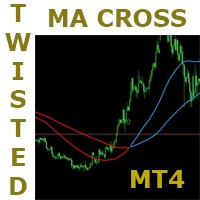
This is a very simple but very powerful strategy. It has a lot of potential. This strategy is based on the popular moving average crossover but with a very interesting twist to it. It has some mechanisms to delay signals untill direction is clear and confirmed. Follow the indication colors and arrows for trade ideas It has a potential winning rate of somewhat greater than 70%. Try it in all timeframes and determine which one is good for you. ===========
FREE
MetaTrader Market - trading robots and technical indicators for traders are available right in your trading terminal.
The MQL5.community payment system is available to all registered users of the MQL5.com site for transactions on MetaTrader Services. You can deposit and withdraw money using WebMoney, PayPal or a bank card.

You are missing trading opportunities:
- Free trading apps
- Over 8,000 signals for copying
- Economic news for exploring financial markets
Registration
Log in
You agree to website policy and terms of use
If you do not have an account, please register