Volume Profile Sessions PRO
- Indicators
-
JETINVEST
 Roberto Junqueira, is Trader for over 20 years and has been developing indicators and trading experts for more than 10 years for the Forex, Cryptocurrencies and Stock Exchanges markets.
 - Version: 1.0
- Activations: 5
Volume Profile Sessions PRO: Asia, London and New York volume profiles plus the daily profile, for any symbol, live and in the Strategy Tester.
See where volume was traded in each trading session, which prices the market accepted and which levels are still untouched.
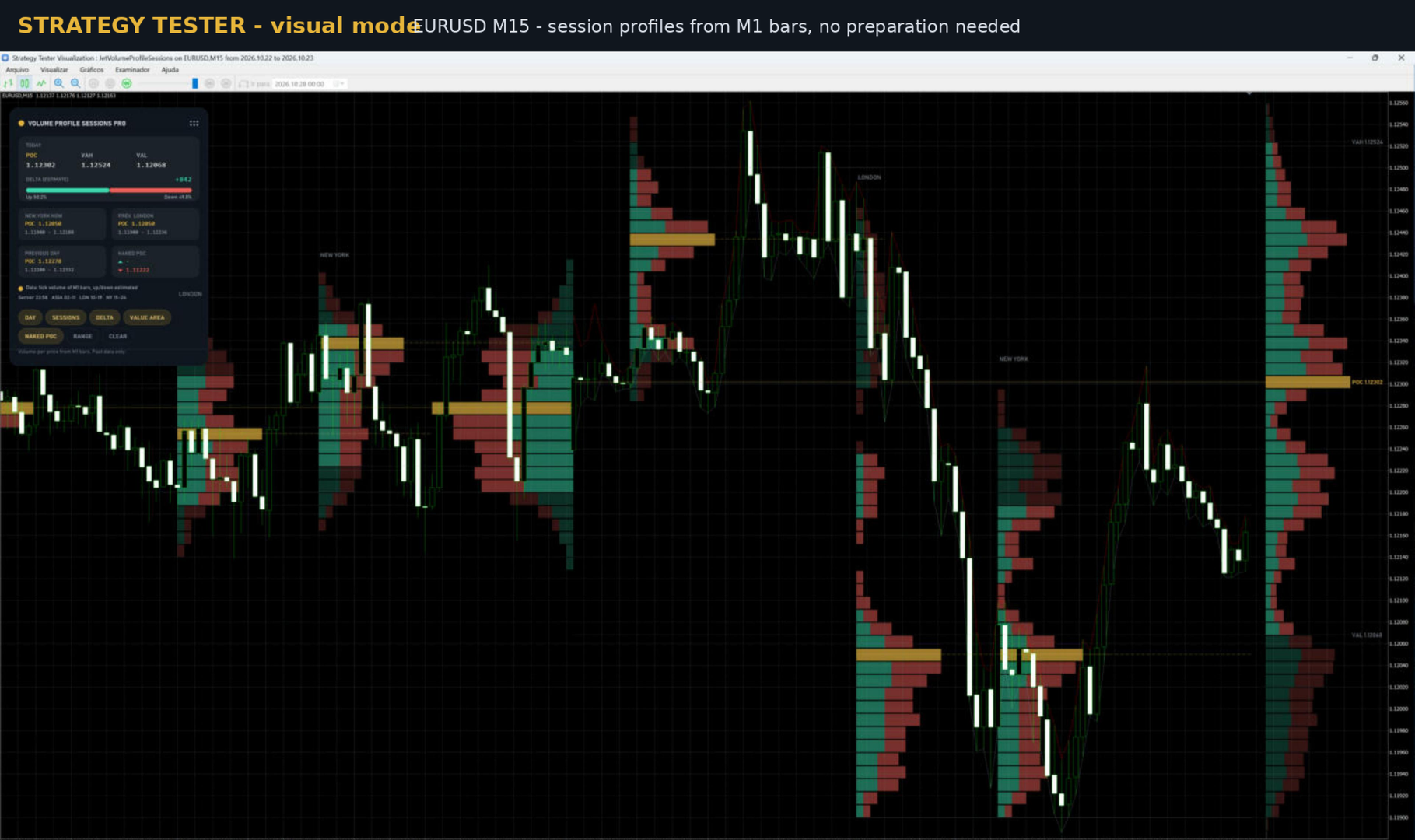
WORKS IN THE STRATEGY TESTER, NO PREPARATION
The profiles are built from 1-minute bars. The MT5 Strategy Tester provides M1 history before the test start date, so session profiles, previous days and naked POCs are already on the chart on the first bar of the test, in visual mode and for Expert Advisors. Nothing to download or prepare.
WHAT IT SHOWS
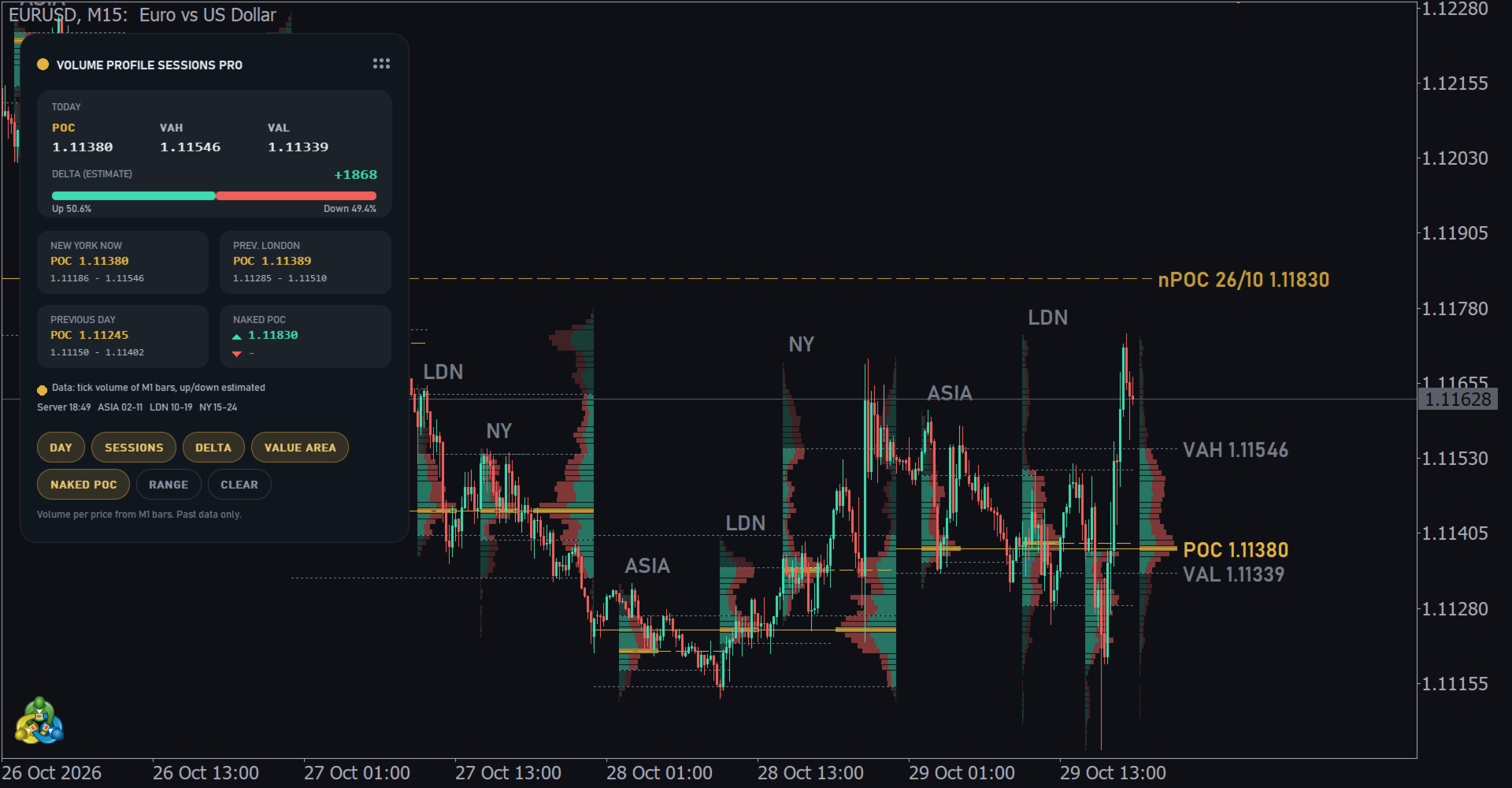
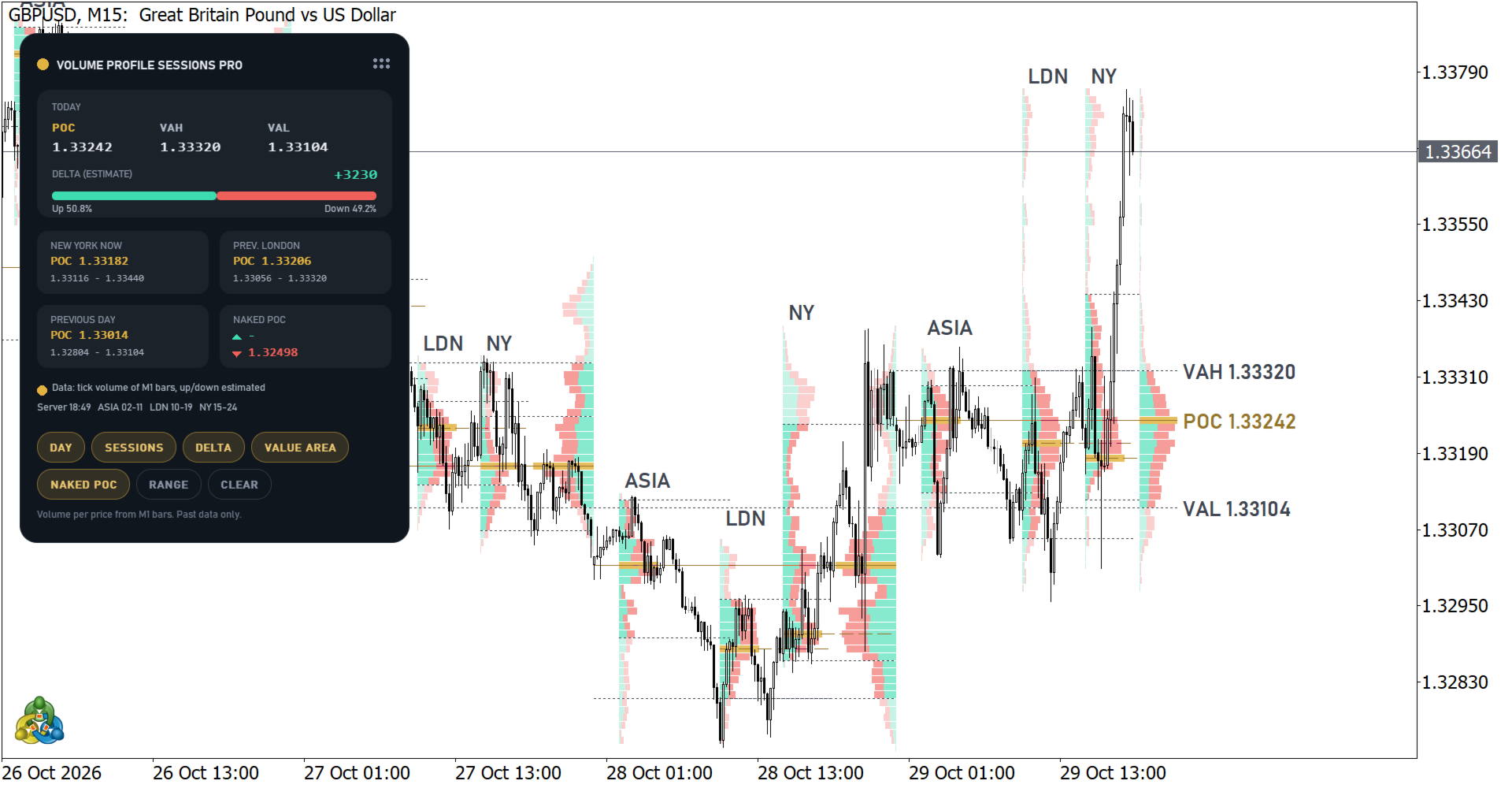
- Session profiles for Asia, London and New York with POC, VAH and VAL. Each session can be turned on or off and its hours set in broker server time.
- Daily profile of each day. With sessions shown, past days are drawn at the end of the day and today's profile to the right of the last bar.
- Up and down volume in each row (estimate, see DATA).
- Naked POCs of previous days, and optionally of sessions, extended until price touches them.
- Fixed range profile: press RANGE and click two points on the chart. Turn DAY and SESSIONS off to keep only your ranges; the panel then shows the latest range.
- Panel with today's POC, VAH, VAL and estimated delta, current and previous session, previous day, nearest naked POC above and below, server time and session hours. Drag the panel by its header. Buttons: DAY, SESSIONS, DELTA, VALUE AREA, NAKED POC, RANGE, CLEAR.
- Alerts when price touches a naked POC or crosses the previous day's VAH or VAL (popup, sound, push notification, e-mail).
- Lines and texts adapt to light and dark chart backgrounds.
SESSION HOURS
The default hours are for brokers on GMT+2 / GMT+3 (New York close), the most common server time: Asia 02:00-11:00, London 10:00-19:00, New York 15:00-24:00. If your broker uses another server time, change the six inputs; the panel shows the server time to help. A session that ends earlier than it starts continues into the next day.
DATA
- Volume per price comes from M1 bars: the volume of each bar is spread over the prices of its range. Real volume is used when the feed has it (stocks, futures), tick volume otherwise (forex, metals, CFDs). Tick volume counts price changes and is the usual activity measure on forex.
- The up/down split is an ESTIMATE: the share of a bar counted as up is the position of its close inside the bar range. It is not real buy and sell aggression.
- Row size is automatic (about 60 rows per day) or set in ticks.
FOR EXPERT ADVISORS
13 buffers, readable with iCustom/CopyBuffer, also in the tester:
0-2 developing day POC, VAH, VAL; 3 bar up volume (est.); 4 bar down volume (est.); 5 bar delta (est.); 6 day delta (est.); 7-9 previous day POC, VAH, VAL; 10-12 current session POC, VAH, VAL.
REQUIREMENTS
MetaTrader 5, any symbol, any timeframe (best from M1 to H1).
This indicator is an analysis tool. It does not open trades and does not promise results.