Volume Profile Multiple
- Indicators
- Version: 1.0
- Activations: 10

Volume Profile Multiple — Multi-Block Volume Profiles with Buffers for Algorithmic Trading
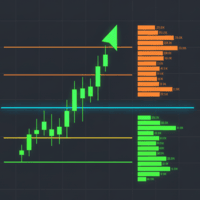
Tired of drawing Volume Profile block by block, redrawing and recalculating every time you change timeframe? Volume Profile Multiple automatically plots several consecutive volume profiles on the chart, revealing where institutional interest actually sat in each segment of the market — not just in the last visible range.
What it does for you
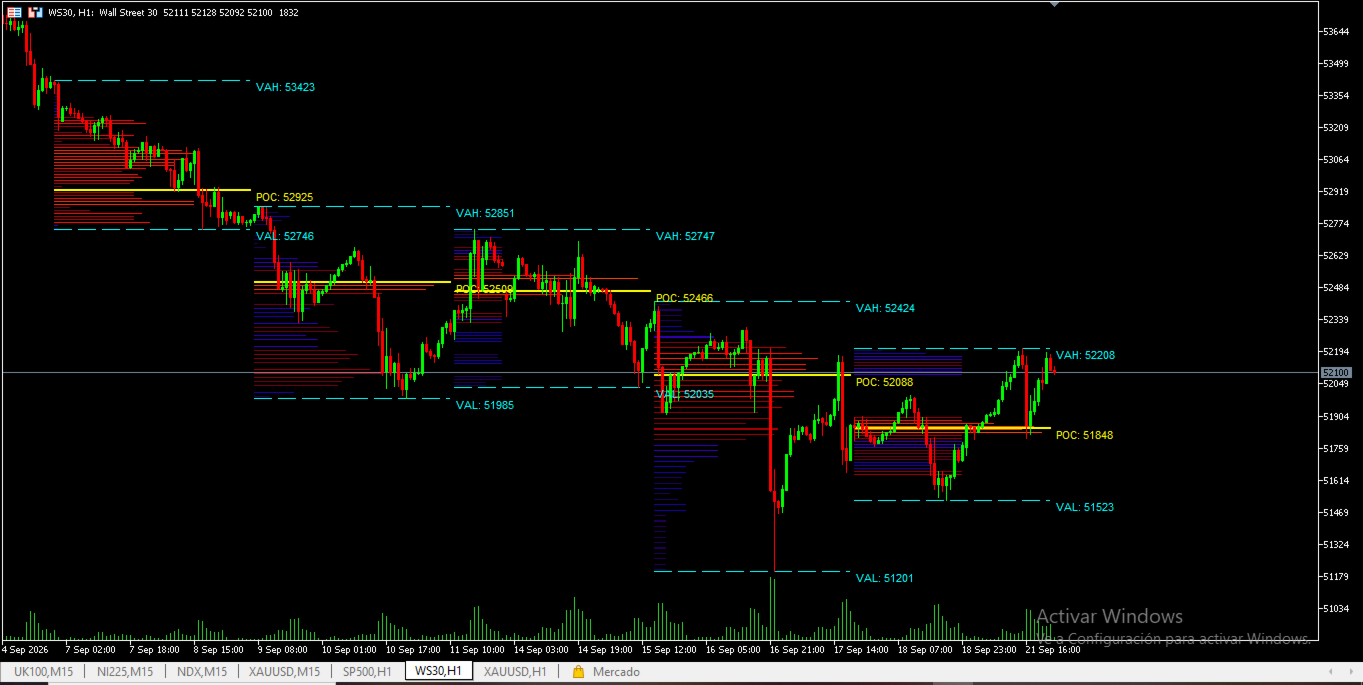
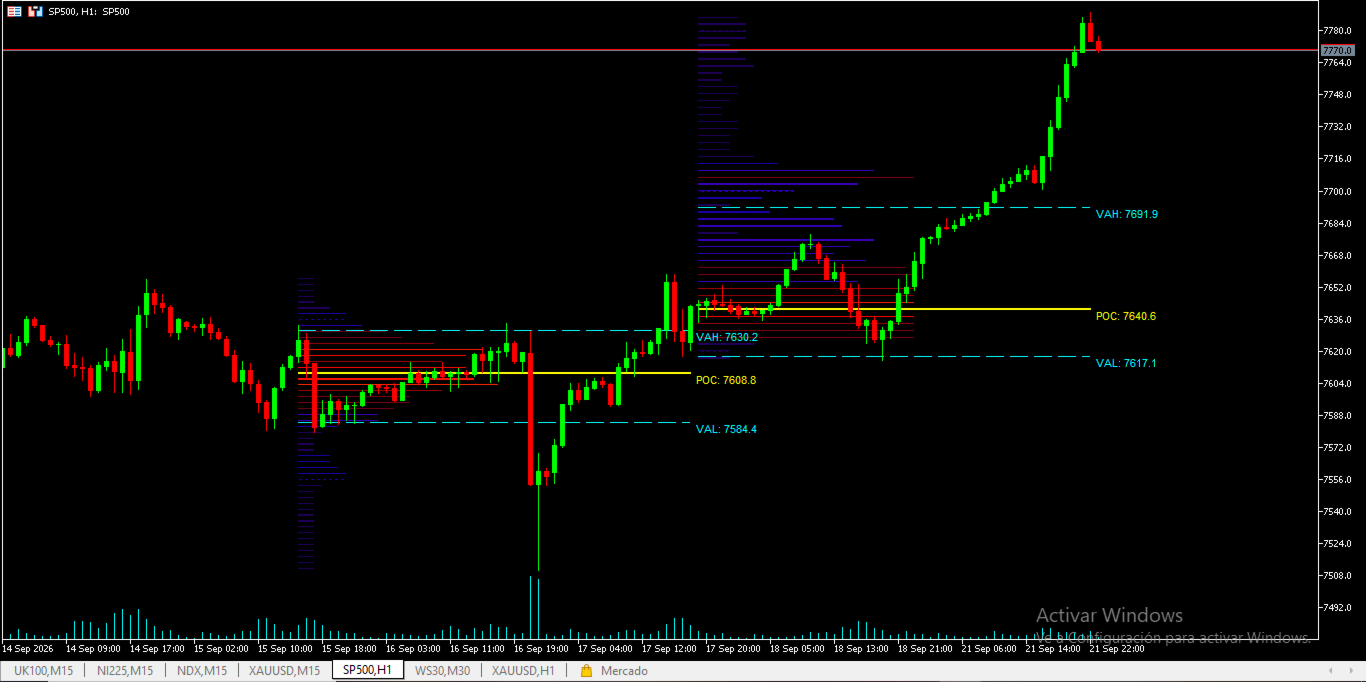
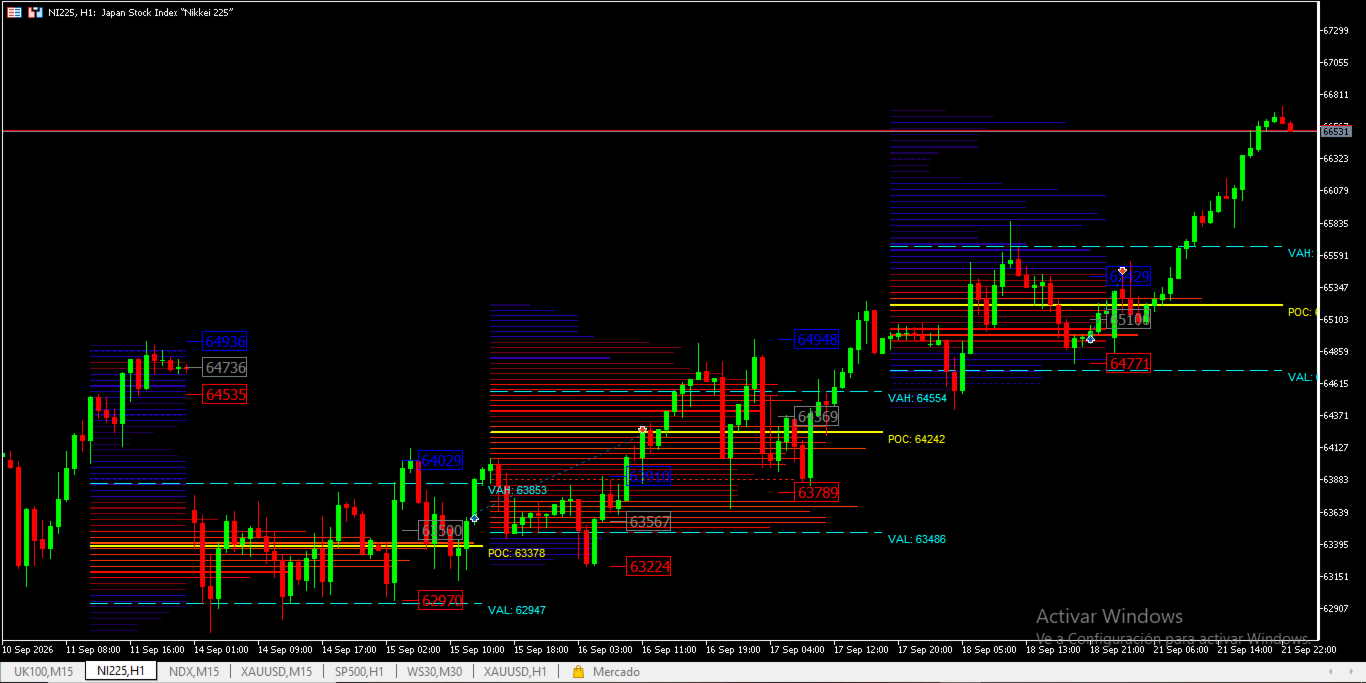
The indicator splits the price history into blocks of N candles each (you choose how many blocks and how many candles per block) and calculates a complete volume profile for each one: Point of Control (POC), Value Area High/Low (VAH/VAL), and high/low volume nodes (HVN/LVN). The result is a visual map of market structure block by block — ideal for spotting accumulation zones, volume-based support and resistance, and price rotations between value areas.
Built for algorithmic trading too
Unlike most Volume Profile indicators, this one isn't purely visual: it exposes 3 data buffers (POC, VAH, and VAL of the most recent block) fully compatible with StrategyQuant X and with any MQL5 Expert Advisor. This lets you build strategies that trade off these levels without reprogramming the volume-profile logic yourself — the indicator does the heavy calculation, your EA just reads the buffer.
Key features:
- Multiple consecutive volume profiles on a single chart
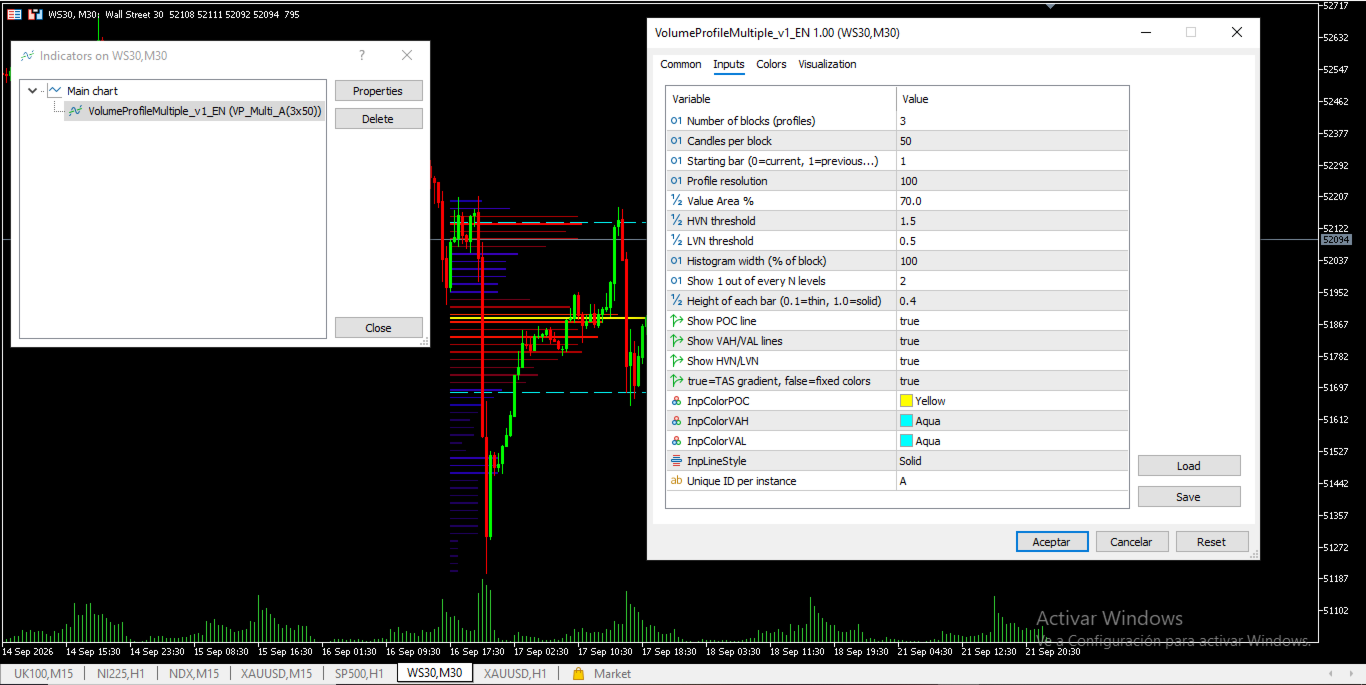
- Fully configurable number of blocks, candles per block, and starting point
- POC, VAH, and VAL lines and labels for every block
- TAS-style (Trade Accuracy System) color gradient or fixed colors, your choice
- Visual detection of HVN (high volume) and LVN (low volume) zones
- Adjustable profile resolution, histogram width, and level density
- Exportable buffers for StrategyQuant X and custom EAs
- Multiple simultaneous instances on the same chart via instance ID
- Lightweight: recalculates only on bar close or parameter change, no per-tick overhead
Ideal for:
- Discretionary traders working with Price Action and Volume Profile
- EA developers who want to use volume levels as an entry filter
- Analysts comparing volume structure across different time segments
Set the parameters once and let the indicator do the heavy lifting — clear profiles, precise levels, and data ready to automate.