ProTrader Toolbox EA
- Experts
- Version: 3.2
- Activations: 20

https://www.mql5.com/tr/users/bilisimprofesoru/seller
ProTrader Toolbox EA
Multi-Asset • Multi-Strategy Trading Toolkit
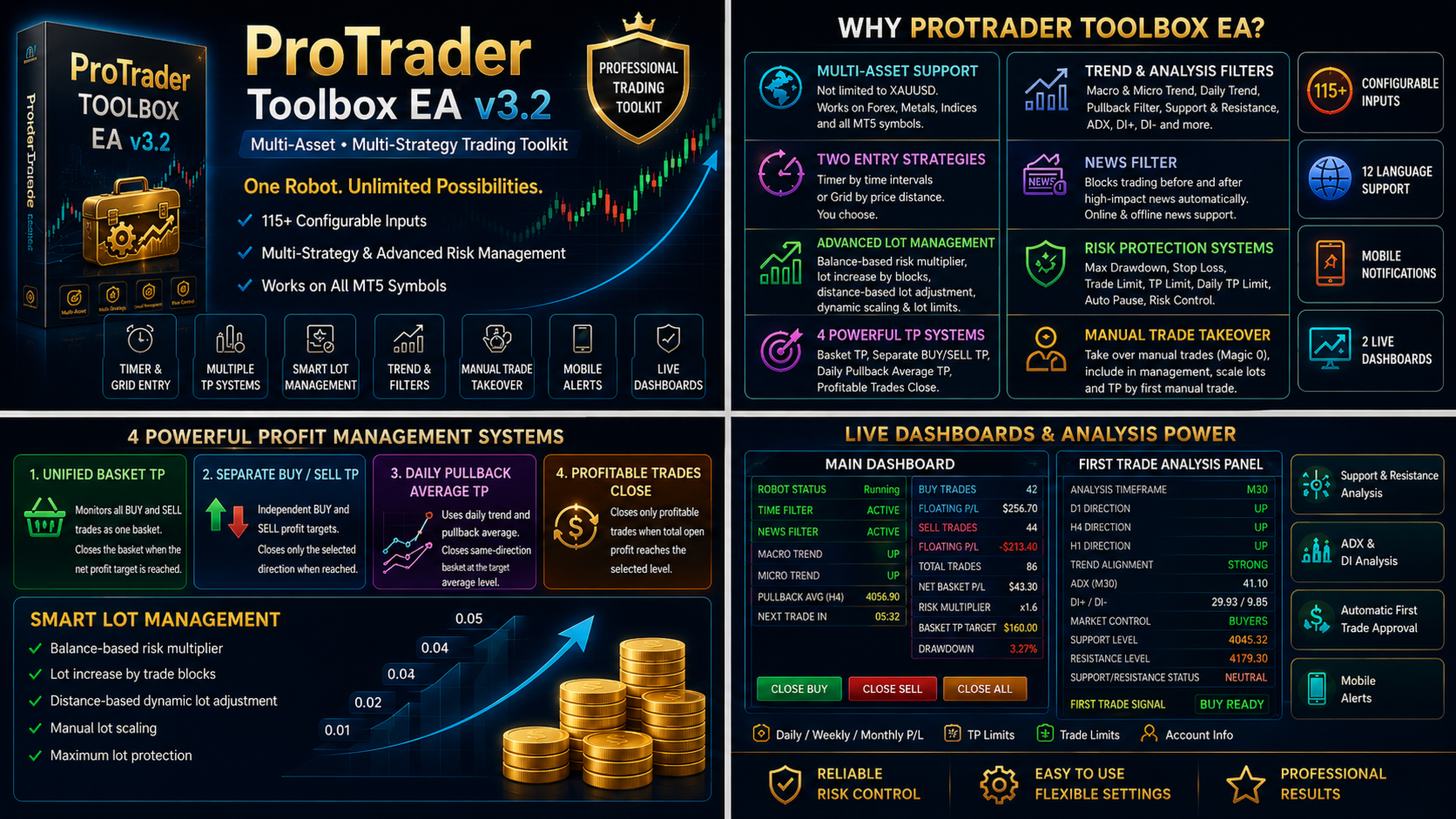
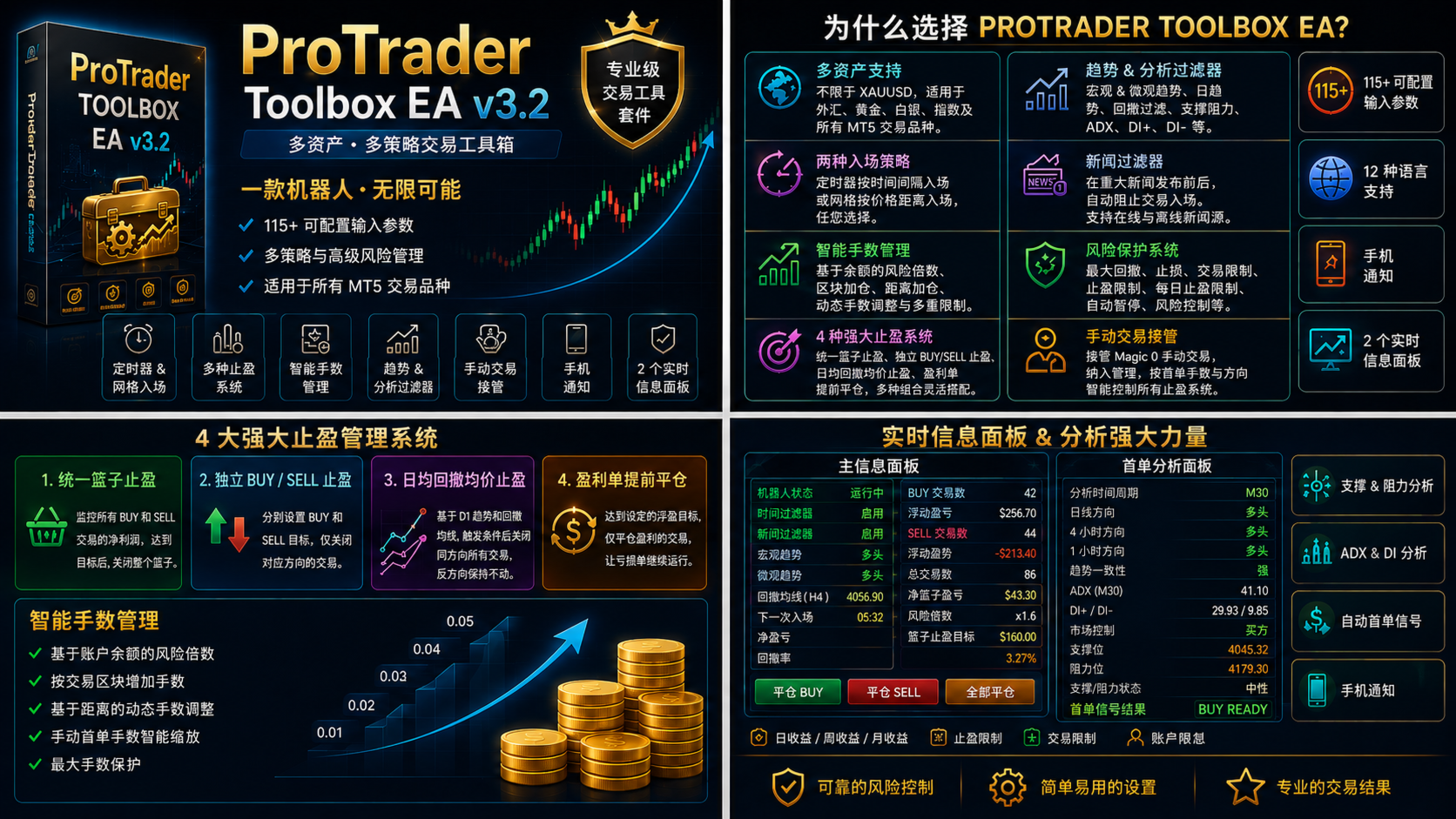
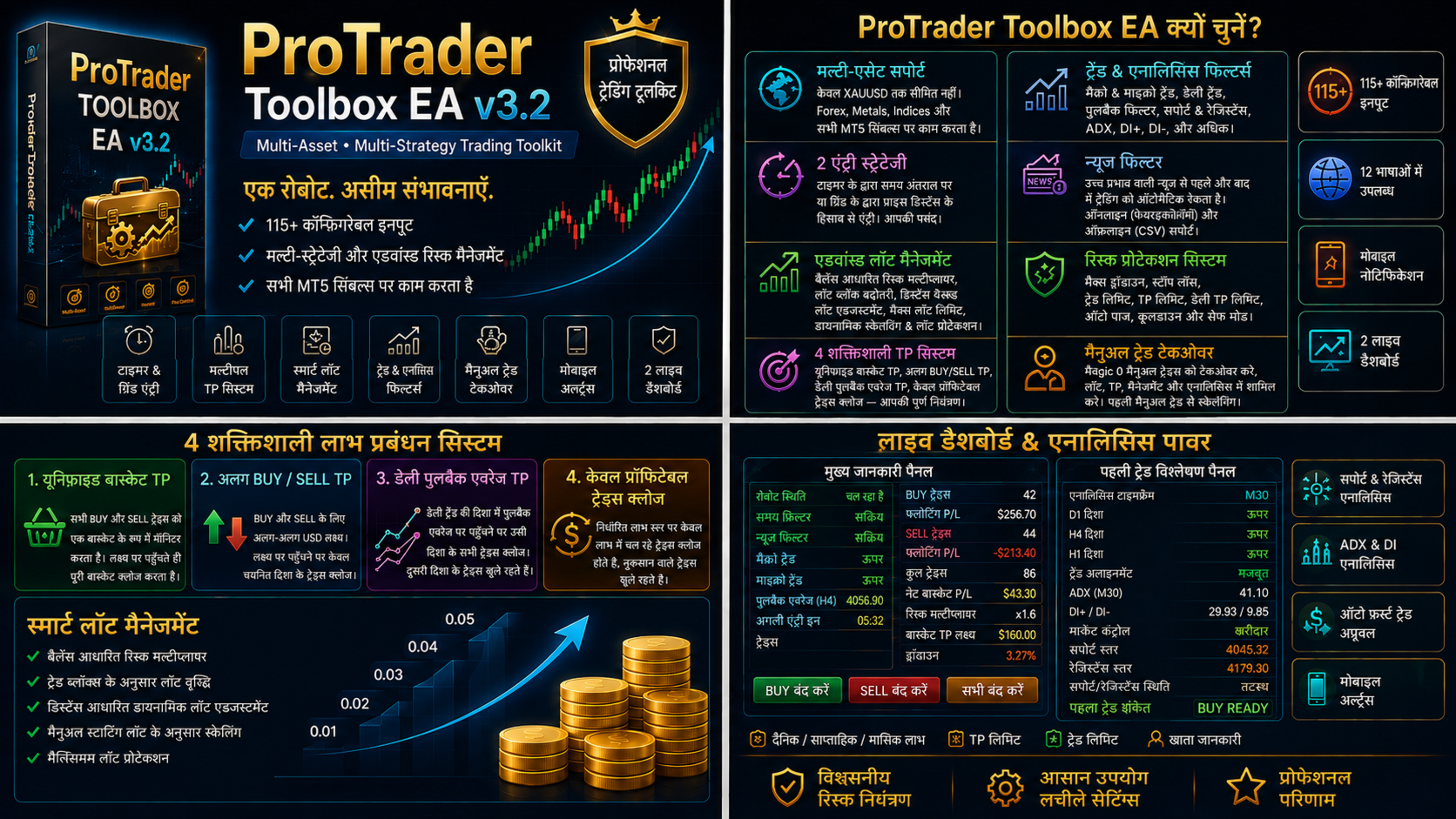
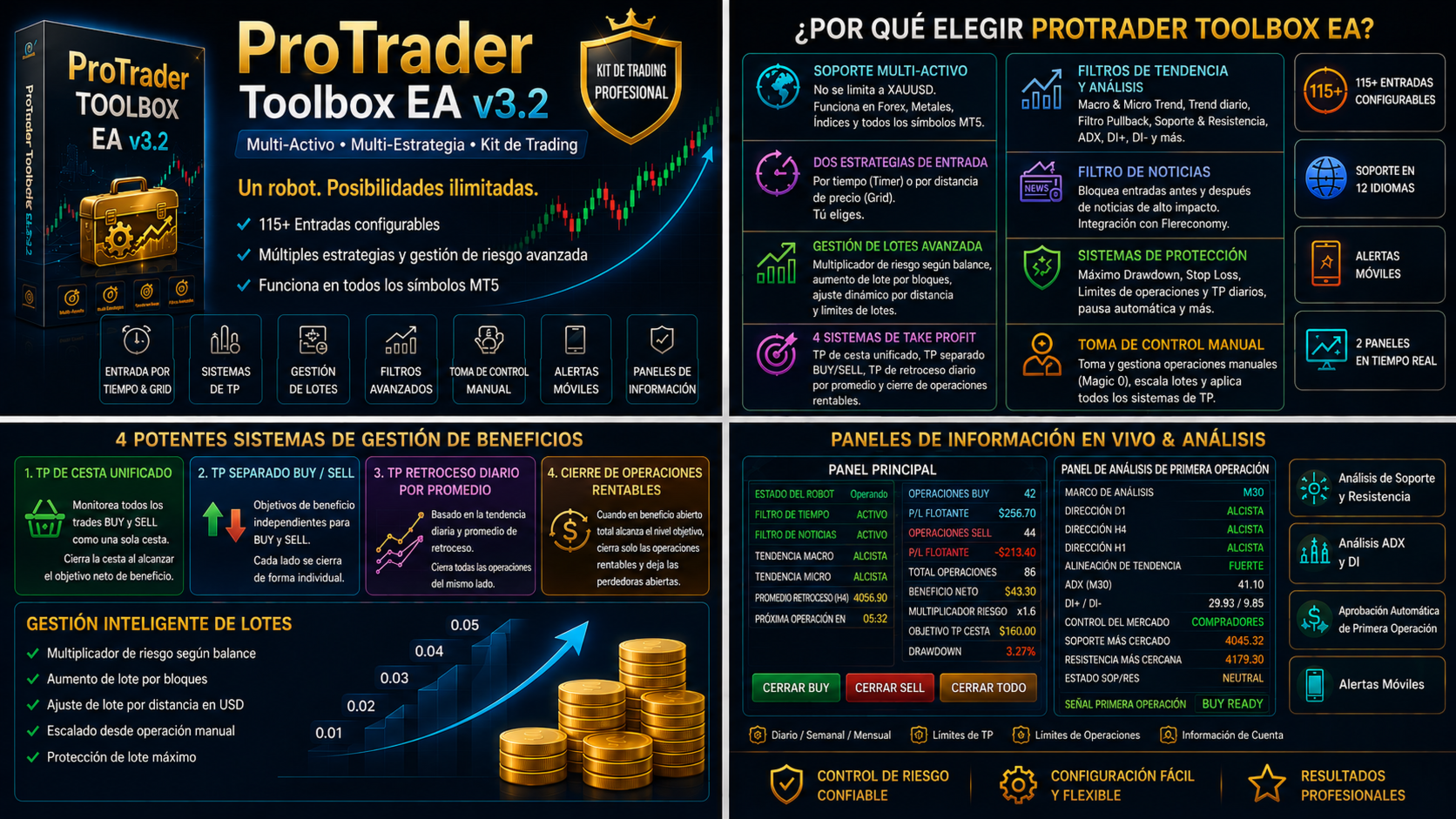
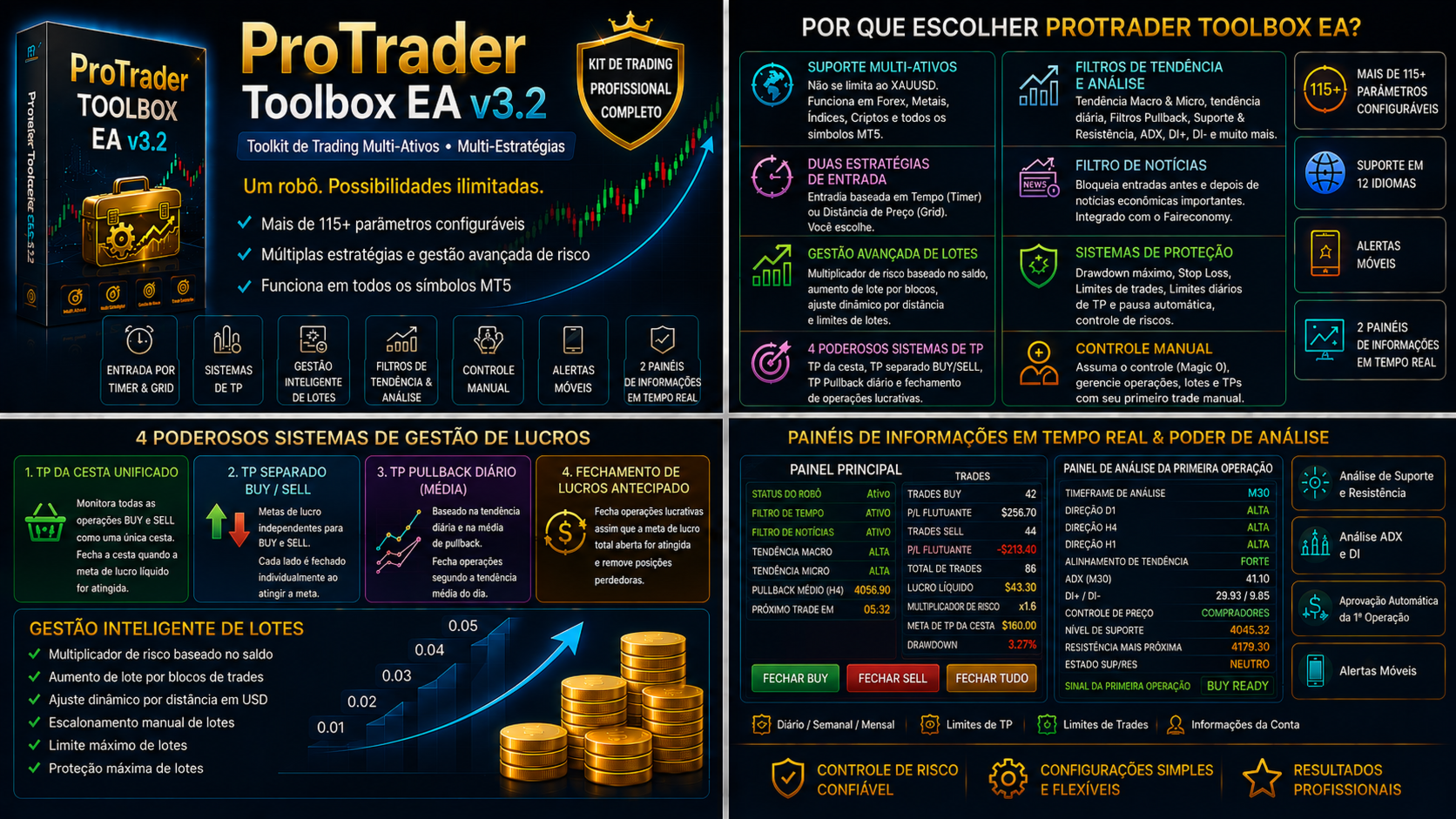
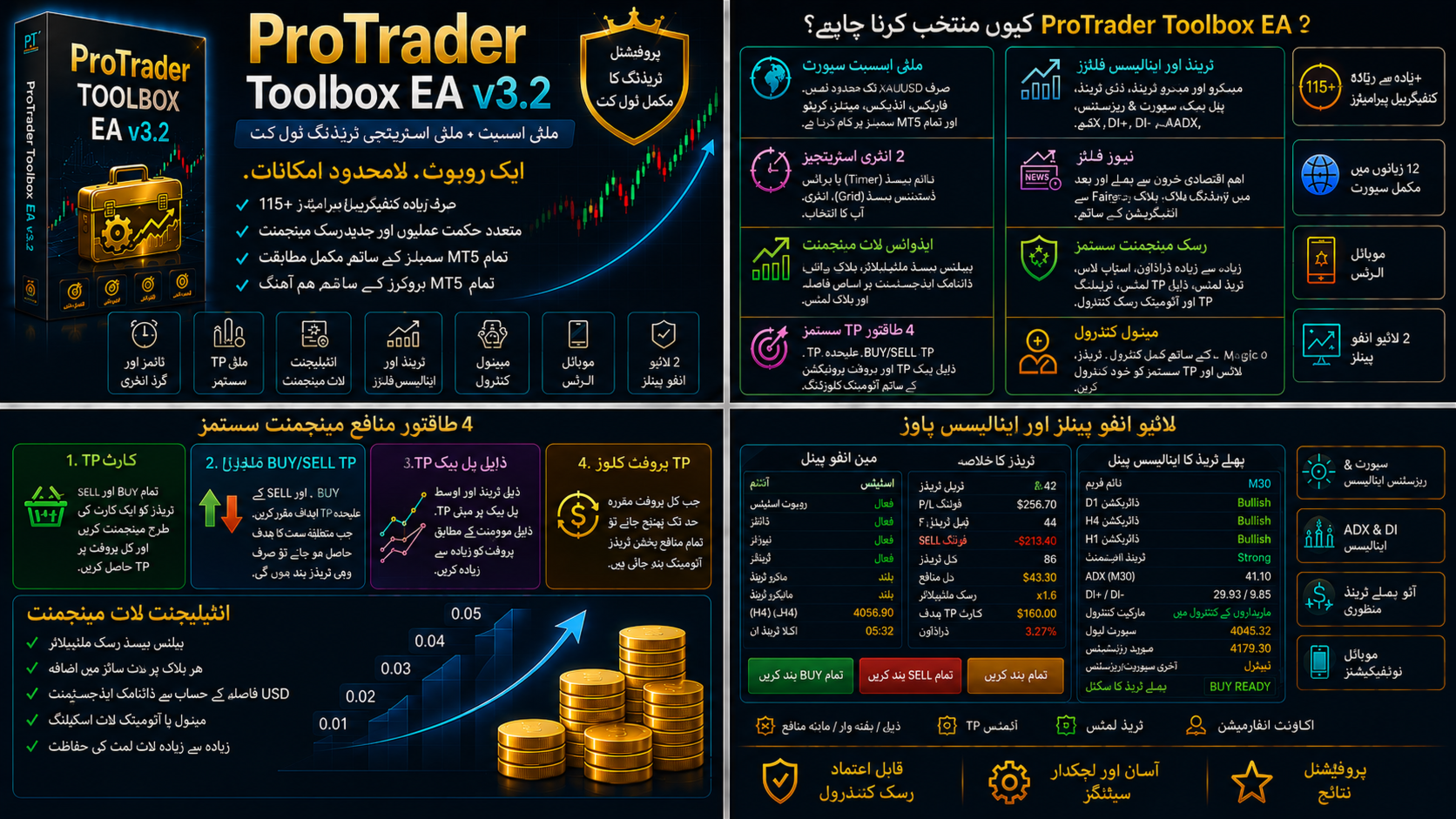
ProTrader Toolbox EA is a flexible MetaTrader 5 Expert Advisor designed for traders who want to build and manage different trading approaches from a single system.
With more than 100 configurable inputs, the EA combines entry timing, grid management, trend filters, risk controls, multiple take-profit methods, manual trade takeover, market analysis, mobile notifications, and live information panels.
The EA works on the symbol of the chart where it is attached. It is not restricted to XAUUSD and may be optimized for Forex pairs, precious metals, indices, and other supported CFD instruments.
Main Features
Flexible Trade Direction
Choose how the EA is allowed to trade:
- BUY only
- SELL only
- BUY and SELL together
- Independent BUY and SELL basket management
- Direction lock based on the first manual trade
- Filter-controlled directional entries
Timer and Grid Entry Modes
Two trade-entry methods are available:
- Timer Strategy: Opens new trades at configurable time intervals.
- Price Grid Strategy: Opens new trades after a minimum price distance is reached.
The dashboard displays the remaining time until the next Timer entry. New trades are opened only when the active filters, limits, and trading conditions allow them.
Advanced Lot Management
ProTrader Toolbox EA includes several lot-sizing methods:
- Fixed starting lot
- Balance-based automatic risk multiplier
- Manual risk level
- Block-based lot progression
- Configurable trades per lot step
- Adjustable lot increase
- Maximum lot protection
- Manual starting-lot scaling
The first trade in each direction can also be used as the reference for dynamic lot adjustment.
When price moves against the first BUY or SELL entry by the configured distance, the lot size of the next normal trade may increase. When price moves back toward the reference level, the lot size is automatically reduced.
Reaching a distance level does not open an extra trade. It only changes the lot size of the next Timer or Grid entry.
Multiple Take-Profit Systems
The EA includes several profit-management methods.
Unified Basket TP
BUY and SELL positions are monitored as one combined basket. When the defined net USD target is reached, the managed basket can be closed.
The target may scale automatically according to the starting lot.
Separate BUY and SELL TP
Independent USD targets can be assigned to BUY and SELL baskets.
- BUY target closes only BUY trades.
- SELL target closes only SELL trades.
- Both directions are monitored separately.
Daily Pullback Average TP
This mode uses the daily trend and a selected pullback moving average.
When the target average is reached:
- All managed BUY trades on the same symbol may be closed after a BUY trigger.
- All managed SELL trades on the same symbol may be closed after a SELL trigger.
- The opposite direction remains open.
The dashboard calculates the estimated total result if the same-direction basket is closed at the average-price level. Profitable trades, losing trades, and current swap values are included in the estimate.
Profitable Trades Only
When the configured basket-profit level is reached, the EA may close only positions currently in profit while leaving losing positions open.
Risk and Protection
The EA provides several account and basket protection options:
- Individual Stop Loss for each managed trade
- Maximum open-trade limit
- Total TP event limit
- Daily TP event limit
- Maximum drawdown protection
- Automatic pause after drawdown
- Configurable cooldown period
- Automatic pause after Stop Loss
- Margin and symbol-trading checks
- Broker lot and volume-limit validation
The current drawdown, limits, risk multiplier, and robot status are displayed live on the dashboard.
Aggressive Mode may be used when drawdown closure protection is not required. Safe Mode continuously monitors the configured account drawdown threshold.
Manual Trade Takeover
Manual trades with Magic Number 0 may be taken over and managed by the EA.
Depending on the selected settings, manual positions may participate in:
- Basket TP management
- Separate directional TP
- Daily pullback average TP
- Lot scaling
- Direction locking
- Profit calculations
- Panel statistics
The lot size and direction of the first manual trade may be used as the reference for the complete basket.
Magic Number separation helps prevent interference with positions belonging to other Expert Advisors.
Trading Hours and Session Controls
Trading hours are based on broker server time.
Available controls include:
- Configurable session start and end
- Separate hour and minute settings
- Blocking new baskets outside trading hours
- Continuing an existing basket outside session hours
- Closing all managed trades at session end
- Blocking new entries until the next session
- Closing the basket when BUY and SELL trade counts become equal
Session closing and hedge-equality closing can be enabled independently.
Entry Filters
Price Range Filter
Separate minimum and maximum entry prices may be defined for BUY and SELL trades.
Economic News Filter
The news filter can block new entries before and after selected economic events.
Available options include:
- Configurable minutes before and after news
- Selected currencies
- Multiple currency monitoring
- Impact-level filtering
- Online Faireconomy JSON data
- Local CSV data for Strategy Tester
- Refresh interval
- Request timeout
- Fail-safe blocking when news data is unavailable
Macro and Micro Trend Filters
Two independent moving-average filters are available:
- Macro trend for long-term direction
- Micro trend for short-term confirmation
Timeframe, period, MA method, and applied price can be configured separately.
Daily Trend and Pullback Filter
The EA determines the daily direction using a D1 moving average and waits for price to reach the selected pullback moving average.
Example logic:
- Daily BUY trend: wait for price below the pullback average.
- Daily SELL trend: wait for price above the pullback average.
The pullback timeframe is configurable and may also be used by the Daily Pullback Average TP system.
First Trade Analysis Panel
A second dashboard provides detailed market analysis for the first trade.
It can display:
- Selected analysis timeframe
- Support and resistance
- ATR-based proximity zones
- D1 direction
- H4 direction
- H1 direction
- Multi-timeframe trend alignment
- ADX
- DI+ and DI−
- Buyer or seller dominance
- Market control
- BUY confirmation
- SELL confirmation
- BUY READY, SELL READY, or WAIT status
Support and resistance may be used for information only or as an optional first-entry filter.
The automatic first-trade system can open the initial BUY or SELL position when the required confirmation is produced and all other active filters approve the entry.
Mobile Notifications
Push notifications may be sent for:
- BUY READY signals
- SELL READY signals
- Support-zone contact
- Resistance-zone contact
- Changes in buyer or seller dominance
Messages may include the symbol, timeframe, direction, and current analysis result.
Each notification group can be enabled or disabled separately.
Live Information Dashboard
The main dashboard displays:
- EA status
- Broker server time
- Time-filter status
- Price-filter status
- News-filter status
- Macro and micro trends
- Daily pullback average
- Next-trade countdown
- BUY trade count and floating result
- SELL trade count and floating result
- Combined basket result
- Active risk multiplier
- Dynamic profit target
- Stop Loss status
- Drawdown
- Trade and TP limits
- Manual-management mode
- Daily pullback TP estimate
- Daily, weekly, monthly, and total realized profit
Panel buttons allow the trader to:
- Pause or resume the EA
- Close BUY trades
- Close SELL trades
- Close all managed trades
12 Interface Languages
The dashboard and mobile notifications support:
- English
- Turkish
- Chinese
- Hindi
- Spanish
- Arabic
- French
- Bengali
- Portuguese
- Russian
- German
- Urdu
Customizable Interface
The main and analysis panels can be adjusted according to the chart layout.
Configurable options include:
- Panel position
- Panel width and height
- Font size
- Text color
- Row height
- Vertical spacing
- Text alignment
- Analysis-panel position and width
Long values are automatically resized to fit the available panel space.
System Continuity
Important operating data may be restored after a chart or terminal restart, including:
- Timer reference
- TP counters
- Daily TP status
- Manual basket direction
- Manual starting lot
- Automatic pause state
The EA also checks terminal permissions, symbol availability, margin requirements, broker lot steps, and volume limits before opening a trade.
Summary
ProTrader Toolbox EA combines:
- Timer and Grid entries
- BUY, SELL, and two-way trading
- Multiple take-profit systems
- Dynamic lot management
- Manual trade takeover
- Economic news protection
- Multi-timeframe trend analysis
- Automatic first-trade confirmation
- Drawdown and trade-limit protection
- Mobile notifications
- Two live dashboards
- 12 interface languages
It is not a single fixed strategy. It is a configurable trading toolkit that can be adapted to different symbols, brokers, account sizes, and market conditions.