EA Daily Drop Analyzer
- Experts
- Rafael Gazzinelli
- Version: 1.18
- Updated: 3 September 2025
- Activations: 5
Daily Drop Analyzer - Expert Advisor
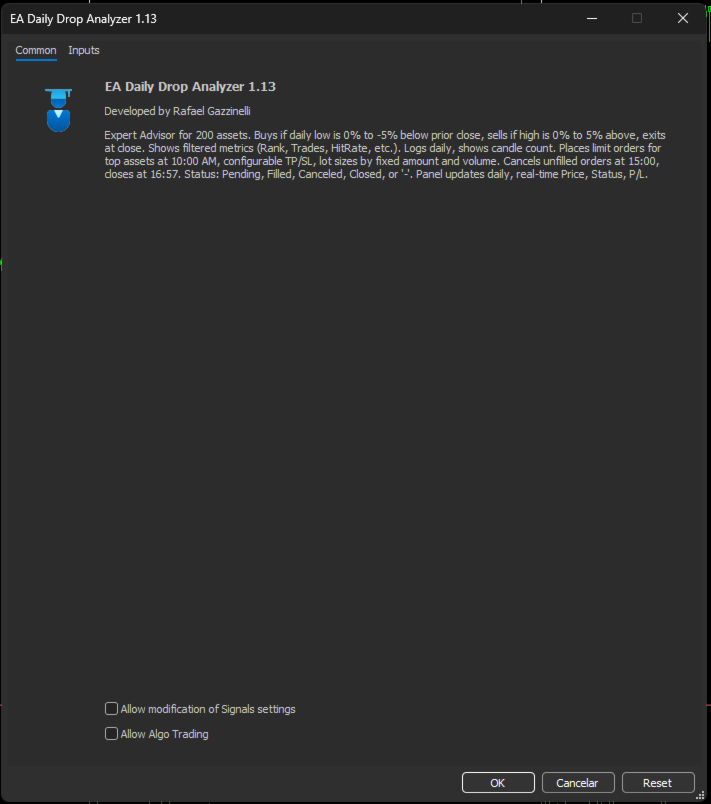
The Daily Drop Analyzer EA analyzes up to 200 assets and executes trades based on daily price ranges:
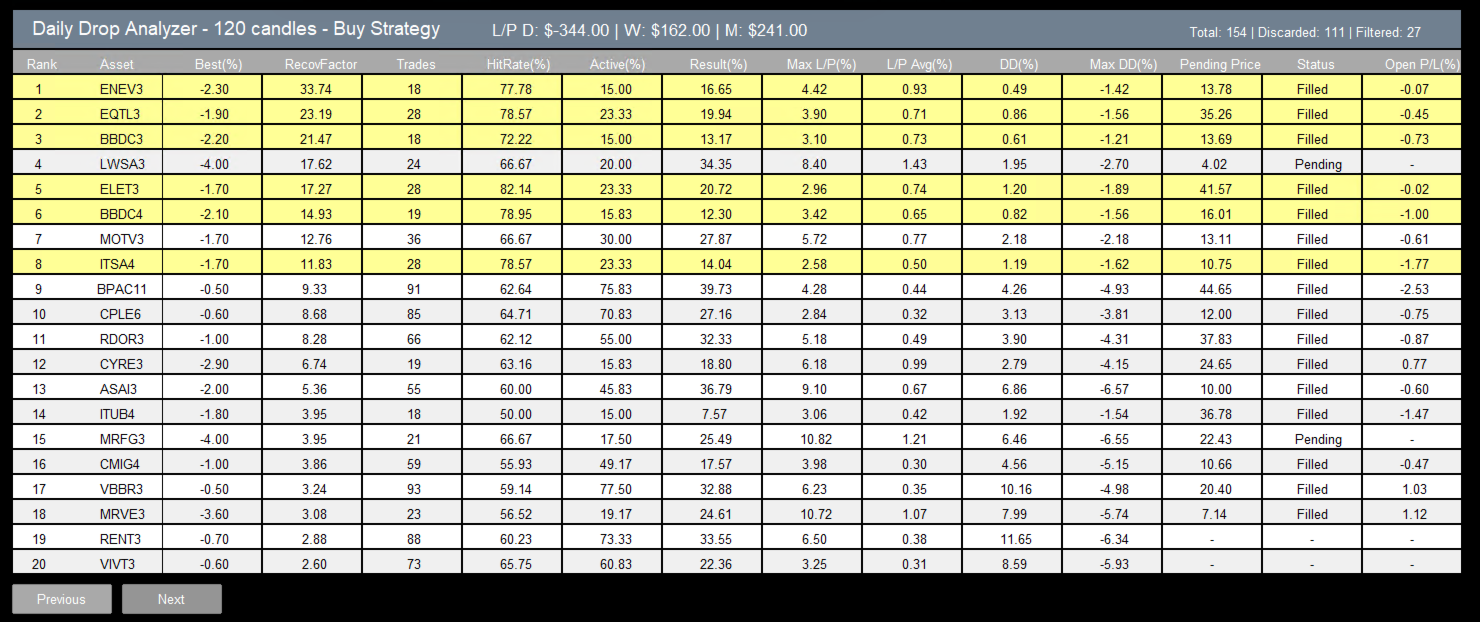
- Buy: when the daily low is between 0% and -5% below the previous close.
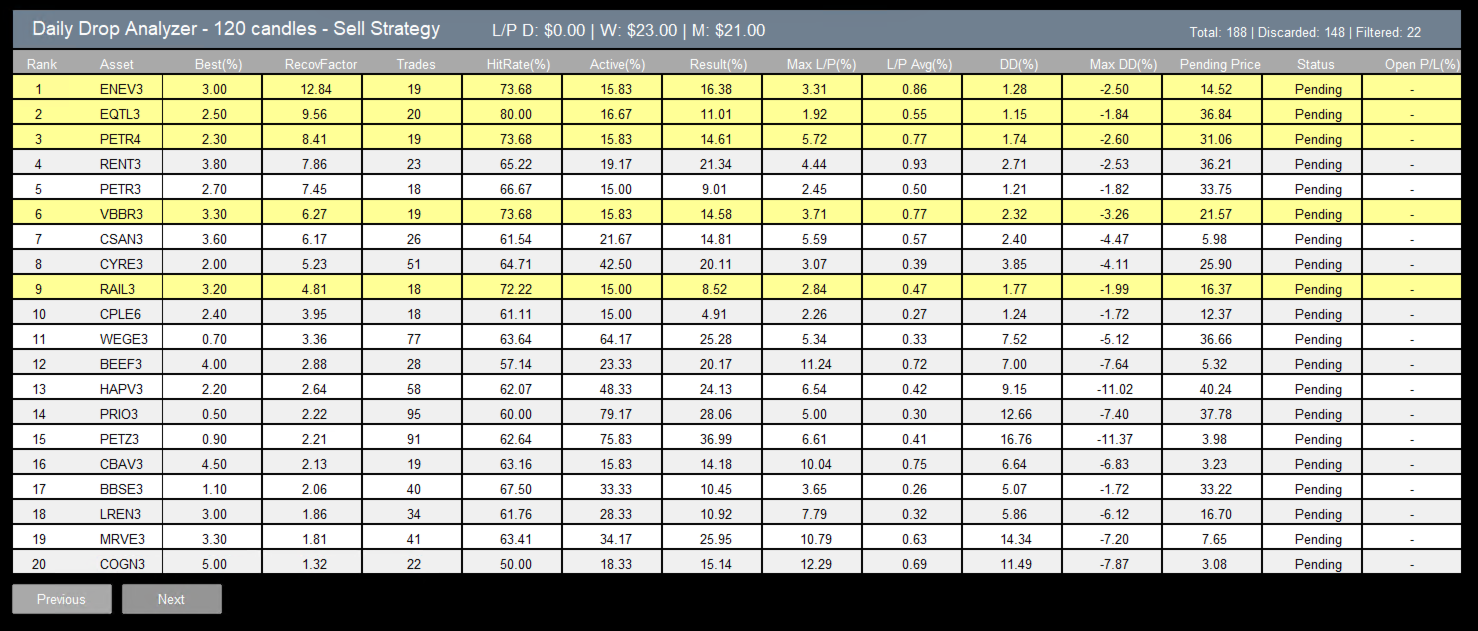
- Sell: when the daily high is between 0% and +5% above the previous close.
- Exit: all positions are closed at the end of the day.
The on-chart panel displays metrics such as Rank, Trades, HitRate, ActiveRate, GrossResult, Max L/P, AvgResult, Drawdown, Max DD, Pending Price, Status, Open P/L. Orders are placed at 10:00, unfilled orders are removed at 15:00, and all positions are closed at 16:56. Statuses include Pending, Filled, Canceled, Closed, or "-".
Position sizing can be adjusted by capital per asset and volume limits, with optional Take Profit and Stop Loss. The panel updates with real-time Price, Status, and P/L.
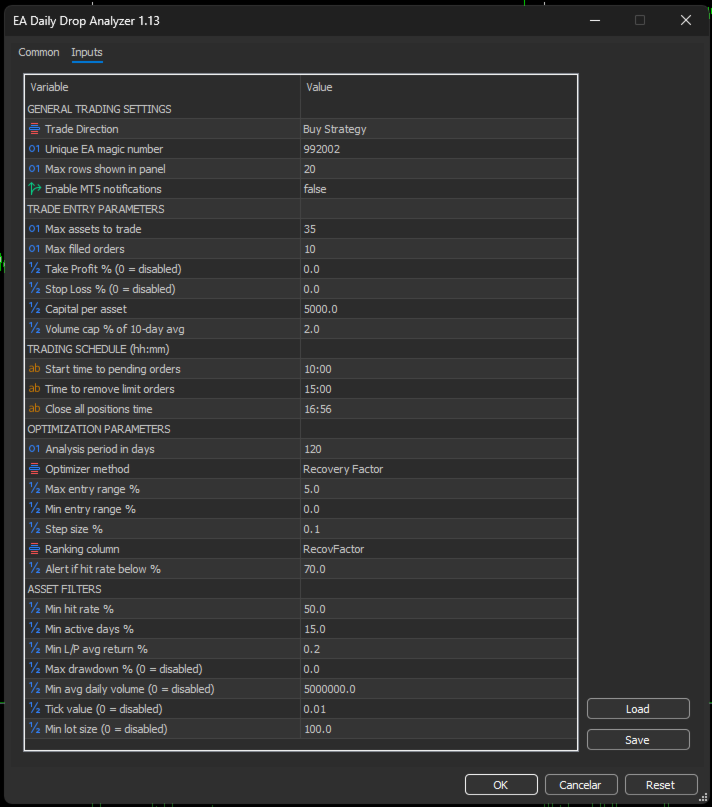
Configurable Parameters
GENERAL TRADING SETTINGS
- Trade Direction: choose Buy Strategy or Sell Strategy.
- Unique EA magic number: identifier used to tag EA orders.
- Max rows shown in panel: maximum rows displayed.
- Enable MT5 notifications: enable MetaTrader 5 push notifications.
TRADE ENTRY PARAMETERS
- Max assets to trade: maximum number of assets traded per day.
- Max filled orders: cap on simultaneously filled orders.
- Take Profit % (0 = disabled): percentage take profit.
- Stop Loss % (0 = disabled): percentage stop loss.
- Capital per asset: capital allocation per asset.
- Volume cap % of 10-day avg: volume limit relative to the 10-day average.
TRADING SCHEDULE (hh:mm)
- Start time to pending orders: time to place pending orders.
- Time to remove limit orders: time to cancel unfilled orders.
- Close all positions time: time to close all positions for the day.
OPTIMIZATION PARAMETERS
- Analysis period in days: number of daily candles used for analysis.
- Optimizer method: Total Result or Recovery Factor.
- Max entry range %: maximum entry drop/rise tested.
- Min entry range %: minimum entry drop/rise tested.
- Step size %: percentage step between tested levels.
- Ranking column: column used to rank assets.
- Alert if hit rate below %: visual alert threshold for hit rate.
ASSET FILTERS
- Min hit rate %: minimum hit rate required.
- Min active days %: minimum percentage of days with trades.
- Min L/P avg return %: minimum average return per trade.
- Max drawdown % (0 = disabled): maximum allowed drawdown.
- Min avg daily volume (0 = disabled): minimum average daily volume.
- Tick value (0 = disabled): minimum tick value filter.
- Min lot size (0 = disabled): minimum lot size filter.
Additional Notes
- Designed for daily (D1) analysis with a clear, non-intrusive panel.
- Ranks assets based on your selected metric and respects all active filters.
- Daily routine: place, manage, and close according to the configured schedule.
Related Tools
If you want to analyze all percentage steps for a single asset in detail, you can check out the Step Analysis Indicator.
If you prefer to use the same logic of this Expert Advisor with full automation features, but without placing trades, you can check the Daily Drop Analyzer Indicator.
If you prefer to use the same logic of this Expert Advisor with full automation features, but without placing trades, you can check the Daily Drop Analyzer Indicator.