 MetaTrader 5
 Experts
 Indicatori
 librerie
 Utilità
 Widget
 Regole
Guarda i video tutorial del Market su YouTube
Come acquistare un Robot di Trading o un indicatore
Esegui il tuo EA
hosting virtuale
hosting virtuale
Prova un indicatore/robot di trading prima di acquistarlo
Vuoi guadagnare nel Market?
Come presentare un prodotto per venderlo con successo
Nuove utilità di trading per MetaTrader 5 - 64
 Di seguito sono riportati i programmi di trading che semplificano il trading in MetaTrader 5. Passa il mouse su un'utilità per leggerne la descrizione e la sua funzione.
Position Manager serves as an expert advisor (EA) designed to enhance your trading experience by providing a user-friendly panel for intuitive management of your positions. This tool empowers you with a seamless interface, allowing for efficient handling of trades and improved control over your trading positions. The primary objective of Position Manager is to simplify and streamline the management of your positions, enabling you to make informed decisions with ease. Through its intuitive design

A simple script to remove all indicators from the current chart/ all charts.
How to use: Simply double-click the script, choose either delete all indicators from this chart or all charts, and all is set.
Terminate once perform the deletion, so don't worry about constantly deleting your setup indicator.
Thanks for purchasing, wish you happy trading, thanks!

Smart Manager Dashboard - with auto virtual TP and auto virtual SL for all trades. [Converted from MT4 version - All screenshots are from MT4]
-this EA is a powerful trade manager that can manage all symbols and all trades at once , all from one chart so it is a must have tool for every trader who keeps more trades at once. -it mainly does 2 things : INFO ABOUT TRADES and CLOSING TRADES (grouped by their symbol, so with this tool it is very easy and fast to manage even hundreds

Now, you have your very own SIMPLE LOT SIZE (POSITION SIZING) CALCULATOR ! There's no need to go to other websites just to compute for the exact lot size. It also opens the trade with a click of a button. All inputs on the calculator can be edited. So if you want to change the SL or TP or the lot size, you can do so before placing an order. ========================================== STOP LOSS . Stop loss in Pips (not points). Click on the SL Price text and it will change from green to red or r

The "Takeandstop" script is a powerful tool designed to streamline your trading workflow by automatically setting Take Profit (TP) and Stop Loss (SL) levels on your MetaTrader 5 chart. This script is particularly useful for traders who want to efficiently manage their risk and reward without the hassle of manually calculating and entering these levels. Key Features: Effortless TP and SL Placement: With a few clicks, the script allows you to set predefined Take Profit and Stop Loss levels for you
FREE

Delving deep into the sphere of finance and trading strategies, I decided to conduct a series of experiments, exploring approaches based on reinforcement learning as well as those operating without it. Applying these methods, I managed to formulate a nuanced conclusion, pivotal for understanding the significance of unique strategies in contemporary trading.
FREE

Introducing our cutting-edge Trade Copier Expert Advisor for MetaTrader 5 (MT5) – the ultimate solution for seamless trade replication across multiple accounts on the same server or computer. Elevate your trading experience and take control of your investment strategy like never before with our professional-grade Trade Copier. Key Features: Effortless Trade Replication: Our Trade Copier effortlessly duplicates trades from a master account to multiple slave accounts, ensuring that you never miss
FREE

I'm proudly introducing "Spread Eliminator" - Your Ultimate Solution against High Spreads in Forex Trading! Are you tired of hitting Stop Losses or having pending orders triggered at a bad price due to high spreads while trading? All this is now over with our revolutionary EA , Spread Eliminator! Can be used on Prop Firms that enforce high overnight spreads and/or high spreads during high volatile market conditions. Key Features: Smart Spread Monitoring: Spread Eliminator constantly monitors mar
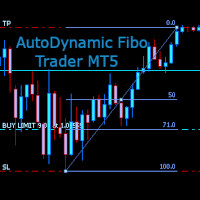
AutoDynamic Fibo Trader is a simple utility that allows the user to place a buy or sell limit or order based on the last fibonacci object drawn on the chart. This is to help the user to significantly reduce the amount of time the user takes to place a trade. All you need to do is draw a fib object with the low and high levels of where you want your stop loss and take profit to be, and decide where an entry level should be by specifying a fibo percentage level. The utility will automatically r

EA DIDI Alert – lettore di aghi del ATM SYSTEMS
Cerchi strumenti che ti aiutino a sfruttare le migliori opportunità di trading sui mercati finanziari? Successivamente, DIDI Alert – Agulhadas Detector di ATM Systems è l'unico consulente sul mercato che sfrutta la potente strategia di trading Needles Setup di Didi Aguiar con il DIDI INDEX, a differenza di altri consulenti dedicati a questa strategia. Dobbiamo sapere che disponiamo di una varietà di risorse. Molto completo, funzionale e pratico.
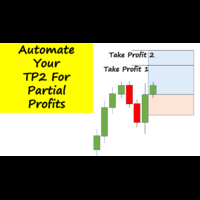
Have you ever been in a winning trade and wanted to close say half of position to lock in some profit. Well, this expert advisor does just that for you, and it's absolutely free. What you need to do is set what percentage of your trade you'd like closed and then set the price you like to close at. It that simple.
To get a better understanding of how it works, then watch the video below.
Note: The EA only works with one timeframe, changing timeframes will result in lose of all data by the EA i
FREE
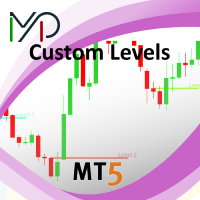
This utility identifies certain candle open times on chart, this can help you to see your favorite candle open and use it as it fits in your strategy. This tool is very useful for intraday charting and indicating your sessions. ___________________________________________________________________________________
Disclaimer: Do NOT trade or invest based upon the analysis presented on this channel. Always do your own research and due diligence before investing or trading. I’ll never tell you what
FREE

A simple script that closes all current orders.
Terminate once close all positions, so no worries about constantly closing your order.
How to use :
Drag the script from the navigator to the chart, and it will be activated.
Do remember to enable algo trading to use this script.
There are different version of the script that can choose whether to close all buy/sell posiitons, if you need this, do contact me in MQL5.

News Filter Protector è progettato per proteggerti dall'avere posizioni/ordini aperti sugli annunci di notizie. Nel mondo di oggi, dove le notizie possono causare volatilità imprevedibile e perdite estese, uno strumento del genere è molto utile per la tua tranquillità poiché non avrai più bisogno di controllare il calendario!
Esaminiamo gli input dell'EA per comprendere come funziona ciascun parametro: --------------------------------Impostazioni notizie---------------- ---------------- Va

Price Alert MT5 — Acquista una volta. Ricevi alert a vita.
C’è stato un periodo in cui restare un passo avanti nei mercati significava abbonarsi mensilmente a piattaforme sovrapprezzate…
20 $ qui, 50 $ là — tutto per ricevere poche notifiche al giorno. Non pagavi per il valore, pagavi perché non c’erano alternative.
Fino ad oggi.
Creato da un trader, per trader, questo strumento ti dà la totale libertà di impostare alert su qualsiasi prezzo desideri — e ricevere una notifica in millisecondi appe
FREE

Auto Trailing Assistant (ATA) - Revolutionary Forex Trade Management Utility Core Capability Auto Trailing Assistant is a sophisticated Meta Trader utility that helps traders automatically manage and optimize trading positions with unparalleled precision and flexibility. With its comprehensive set of features, this powerful tool enables traders determine minimum guaranteed profits for each position, displayed very colourfully on the Chart of your Meta Trader. Flexible Position Target

Risk Management Tool - Multi symbols: any symbol you want to manage - Manage manual orders / orders by EA - Limit spread - Open order by timeframe: 1m, 5m, 15m, 30m... - Auto set SL/TP by point range - Close orders by symbol - DCA / Martin option - Limit lot for DCA - Martin feature - Close all order when reach drawdown limit - Can set trading time: open hour - close hour - disable on Friday/Monday

The SCT(Smart Candle Trigger) mt5 is designed for the manual trader who needs assistance to open and manage orders in defined SUPPLY and DEMAND zones. Trader based on his/her strategy define zones on the charts and SCT will open positions based on candle confirmation of Engulf and PinBar once price come into trader zones. SCT works on all kinds of symbols: currency pairs, indices, metals, commodities, cryptocurrencies, etc. Benefits Save trader time and energy to follow candles of market for co

Versione MT4: https://www.mql5.com/en/market/product/91169 Versione MT5: https://www.mql5.com/en/market/product/110193 Segnale Live: https://www.mql5.com/en/signals/2345410
Vi presentiamo l'assistente di trading "Smart Trader", l'esperto consulente di riferimento, lo strumento definitivo a cui si affidano i trader professionisti di tutto il mondo per la sua impareggiabile adattabilità e le strategie di gestione del rischio all'avanguardia.
Il cuore di "Smart Trader" è il suo rivoluzionario si

Anti Grid Position Protector è uno strumento di utilità progettato per proteggerti dalla tentazione di incrementare una posizione in perdita nella speranza di un recupero dal drawdown, o di cercare di proteggerti quando non sei previsto.
-------------------Ingressi----------------------- ---- Consentire la copertura sulle posizioni in perdita? - È un input vero/falso (doppio clic per cambiarne il valore) che consente/impedisce l'apertura di un'operazione (ordine pendente o esecuzione d
Tick in tempo reale e registratore di esportazione dati in 1 minuto
Sfortunatamente, i dati storici sui prezzi del tuo broker non sono accurati, il che significa che mancano dati (gap), i prezzi non sono corretti e questo porta a risultati di backtest errati.
Il registratore dati salva i dati Tick / 1 minuto opzionali o entrambi in tempo reale separatamente in un file CSV. Un file al mese.
Tutto in formato MT5 in modo che questi dati possano essere facilmente importati per creare un simbolo

ATTENZIONE: l'applicazione non può funzionare nello Strategy Tester, se desideri provare la versione demo gratuitamente per una settimana, o hai delle domande, scrivimi una mail! Trovi il mio indirizzo sul mio profilo utente. TrendLine Auto Executor è un software capace di individuare le trendline che hai tracciato sul grafico ed aprire gli ordini non appena queste vengono toccate o superate. Il software permette di gestire due ordini alla volta per ogni chart tramite il tracciamento di due gru
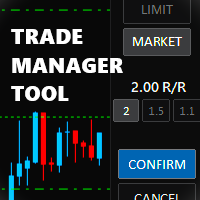
Trade Manager Tool uses adjustable lines displayed on your chart to let you prepare and visualize your order's entry, stop loss and take profit levels before you open a position. It will then use these levels along with your choice of maximum risk preset in order to calculate your optimal position size before sending the order to your broker. While providing an invaluable advantage to manual traders looking to control their risk and simplify their trading process, it also informs their deci

Maximize Your Trading Potential with Our Trailing Stop Expert Advisor! Are you tired of watching potential profits slip away due to unpredictable market fluctuations? Say goodbye to missed opportunities and hello to consistent gains with our revolutionary Trailing Stop EA, designed to safeguard your profits and minimize losses during your trading journey.
Why Choose Our Trailing Stop EA? 1. Flexible Trailing Stop Methods : Whether you prefer a fixed distance in pips or a percentage-based appro
FREE
This Expert Advisor is used to send messages from the PCT Multi indicator to Telegram.
The EA has 5 settings: - Channel name: The name of the Telegram channel. - Token: Your bot's Token. - Entries: Entry messages will be sent. - Results: Entry results will be sent. - Alerts: Alerts will be sent.
How to set up: In the Tools -> Options menu, in the "Expert Advisors" tab: - Check the "Allow WebRequest for listed URL:" option. - Click "add new URL" and add " https://api.telegram.org " (without the
FREE
This indicator is to be used in bot connectors for automation of Pct Multi indicator entries.
How to use: Configure the bot connector with the following information: Indicator name: pctmultibot Call buffer: 0 Put buffer: 1
Do not add this indicator to the chart, just configure it in the bot connector!
Pct Multi indicator:
https://www.mql5.com/en/market/product/111091
FREE
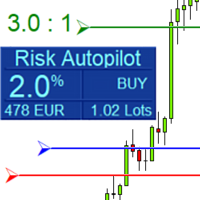
Maximize Your Trading Precision and Risk Management This unparalleled plugin ensures you trade at your desired risk level with automated precision, setting a new standard in efficient trading execution.
Exclusive Offer Limited time opportunity! Get this cutting-edge plugin for only $89 instead of $149 (Offer ends on October 31, 2025). Boost your trading potential now. This special discount won't last!
Streamlined Process 'Risk Autopilot Buttons' streamlines the process of setting StopLo
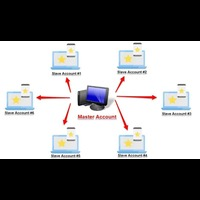
Forex Trade copier MT5. It copies forex trades, positions, orders from any accounts to any other account, MT5 even multiple accounts. The unique copying algorithm exactly copies all trades from the master account to your client account. It is also noted for its high operation speed and Tough error handling. It also can copy from demo account to live account too. It is one of the best free trade copiers that can do , MT5 or to multiple accounts MT5 to multiple accounts Features of Trade Copi

Il Risk to Reward Ratio Manager è uno strumento visivo di gestione degli ordini e di calcolo delle dimensioni delle posizioni, progettato per supportare un trading disciplinato e una gestione professionale del rischio. Consente ai trader di impostare visivamente i livelli di ingresso, stop-loss e take-profit direttamente sul grafico, calcolando automaticamente la dimensione del lotto e il rapporto rischio/rendimento prima di inviare un ordine. Lo strumento aiuta a standardizzare la preparazione

TradeCopier allows you to locally copy transactions between different MetaTrader 5 accounts on the same computer or vps with very little input from the user. Find out more: Her e Features One Chart Setup you only need one chart to trade all available symbols Multiple currency pairs support Very easy to use - minimal input from the user is required Has a very high refresh rate - it can refresh every 1 millisecond and in doing so reduce the lag between the transmitter account and receiver accoun
FREE

Trading panel for manual trading. Has a fairly wide functionality. Allows you to automatically calculate the order size, open both market and pending orders. It has a wide range of options for closing orders, it is possible to partially close orders, close orders after reaching a certain profit or loss, separately close profitable and unprofitable, buy and sell, as well as pending orders. The panel also contains a simple implementation of a grid of pending orders, reverse and lock functions, tr
FREE

Netting Strategy: Implements a netting strategy for managing multiple positions, optimizing trade efficiency. Flexible Order Distances: Allows users to customize order distances in pips, providing adaptability to various market conditions. Dynamic Take Profit Method: Utilizes a dynamic take profit mechanism, adjusting profit targets based on evolving market dynamics. Adaptive Take Profit Ratio: Users can customize take profit ratios in accordance with the lot size, allowing for precise profit o
FREE

Risk-o-meter is a Risk calculator Panel designed to help people who are new to trading, better understand how much they are risking for potential profit or loss. And also place future orders. Premium Fetaure: 1. Set pending order 2. Set Profit in Cash (RR)
Inputs: 1. Enter your Risk in % or currency 2. Enter your Return Ratio 3. Enter your Lot Size
Results: 1. SL line 2. TP Line
Features: 1. By moving the SL line, lot size will adjust to keep Risk fixed. 2. By moving the TP line, Risk Ration
Introducing Mini Orders Executor , your powerful and efficient trading companion designed to seamlessly execute orders directly from a user-specified text file . This innovative trading tool streamlines your trading process, providing a convenient and automated solution for executing trades with precision and speed.
Key Features :
**Text File Integration:** Mini Orders Executor is designed to effortlessly read and interpret orders from a plain text file, eliminating the need
FREE

Discover a New Wave Trading Strategy - Suitable for Currency Pairs like AUDUSD.s Strategy Highlights : Specially Designed Trend Indicator Graphics : Our strategy offers a unique graphical interface to help traders identify and capitalize on market fluctuations. Backtesting Validation : Traders are encouraged to backtest currency pairs like AUDUSD.s to validate the effectiveness of our strategy. Flexible Time Frames : Default recommendation is to trade in the 15-minute (M15) time frame,

The program is use to copy trading from MT5 to MT4 and MT5 on local PC or copy over the Internet . Now you can easy copy trades to any where or share to friends. Only run one Flash Server on VPS, also need allow the apps if you turn on Windows Firewall. Can not add more than 20 account copier to server at same time, include both MT4 and MT5 Get free Copier EA for MT4 and MT5 (only receive signal), download here Instants copy, speed smaller 0.1 seconds, easy to setup How to setup and guide
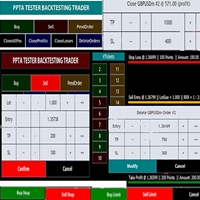
TESTER BACK TESTING AND TRADING MANAGER THE ONLY MT5 TOOL YOU CAN USE FOR BOTH LIVE TRADING AND BACKTESTING All functions can be used in both live trading and backtesting in MT5 Strategy Tester. This is one tool with many functionalities. Your ONLY tool for both trade management (live trading) and Backtesting in MQL5 Strategy Tester. The Tester Backtesting and Trading Manager can help you: 1. Trade Orders: a. Open Market Execution Orders (Buy or Sell)
b. Open Pending Orders (Buy Limit, Buy Stop

The EA supports closing orders based on the preset amount. It can close all orders on all pairs, or it can close orders based on Magic ID. Button "Close All" manual Input - Magic Number: Magic Number = 0: Close All pairs Magic Number diffrent 0: Close All with Magic - Money TP: Profitable in money. the EA will close all orders - Money SL: Loss in money. the EA will close all orders Contact: t.me/nguyenvanbo128
FREE

ATTENZIONE per una versione di prova gratuita visita il mio sito web. Manuale QUANTUM RiskGuard Management — Il tuo alleato definitivo per un trading senza compromessi. Lot Calculator — Calcolo automatico della size. Quantum — Rischio automatico per massimizzare i profitti e ridurre i drawdown. Automatic Journal — Incluso e scaricabile gratuitamente dal mio sito. Automatic Screenshot — Due screenshot: uno in apertura e uno in chiusura del trade. Partial Profit — Uscite parziali gestite in modo

Strumento di trading Binance per MT5
1. Questo prodotto include grafici in tempo reale da websocket, grafici storici e
aggiornamenti automatici al riavvio del terminale MT5 per un funzionamento fluido senza alcun intervento manuale, consentendoti di fare trading su Binance senza intoppi.
Trading, grafici in tempo reale e dati storici disponibili per Spot e Futures
Funzionalità del grafico:
1. Grafico OHLC in tempo reale tramite Websocket (WSS)
2. Cronologia degli aggiornamenti tramite API
3.

Lo scanner a candela precedente multivaluta o a barra precedente ti aiuta a scansionare grafici multisimbolo con qualsiasi intervallo di tempo personalizzato selezionato dalle impostazioni dell'indicatore.
Basato sul prodotto: https://www.mql5.com/en/market/product/78657
Può essere utilizzato per scansionare più simboli per il massimo minimo del giorno precedente, il massimo minimo della settimana precedente, il massimo minimo del mese precedente o qualsiasi intervallo di tempo personalizzato
Pivot Points Multi Symbol Scanner scansiona tutti i simboli disponibili in marketwatch per i punti pivot Floor, Woodie, Camarilla, Demark o Fibonacci.
Puoi selezionare qualsiasi intervallo di tempo per calcolare i punti pivot e ricevere avvisi quando il prezzo tocca questi livelli di supporto e resistenza.
Per punti pivot visivi Potresti essere interessato a questo prodotto: https://www.mql5.com/en/market/product/110072
Ha opzioni per scegliere vari tipi di avvisi
È possibile scegliere e im

Ti presentiamo Orders Executor, il tuo potente ed efficiente compagno di trading progettato per eseguire ordini senza problemi direttamente da un file di testo specificato dall'utente. Questo innovativo strumento di trading semplifica il tuo processo di trading, fornendo una soluzione comoda e automatizzata per eseguire operazioni con precisione e velocità.
Caratteristiche principali:
**Integrazione file di testo:** Orders Executor è progettato per leggere e interpretare facilmente gli ord

Multi-currency trading on one chart!
Creation and management of positions with trailing and breakeven, risk management and other useful functions. To fix profits, the Target profit parameter is provided; if it is greater than zero, all positions will be closed if the set value is exceeded. All positions and orders have set Stop Loss and Take profit. For multi-currency trading, taking into account the impact of news and switching symbols on the chart, it is useful to use the News impact indicato

The Wall Street Player (Master version). This EA tailored as a Discipline, Money and Risk Management tool is a powerful Trade Station utility designed for Forex, Cryptos, Commodities, Shares, Deriv synthetic pairs and any CFDs Market. It is designed to fit your strategy as a winner, and take your Edge of the market to the NEXT-LEVEL. The only thing to do is to get It on your chart and appreciate the possibilities and chart management abilities it has to offer for realizing that discipline and a

The Wall Street Player (Ultimatum version). This EA tailored as a Discipline, Money and Risk Management tool is a powerful Trade Station utility designed for Forex, Cryptos, Commodities, Shares, Deriv synthetic pairs and any CFDs Market. It is designed to fit your strategy as a winner, and take your Edge of the market to the NEXT-LEVEL. The only thing to do is to get It on your chart and appreciate the possibilities and chart management abilities it has to offer for realizing that discipline and

White label available. contact us for more info. dushshantharajkumar@gmail.com
Slides by Chart Walker "Slides" is a MetaTrader 5 (MT5) utility designed to streamline chart navigation by facilitating automatic chart switching. With "Slides," users can preset specific time intervals for chart rotation, enabling automatic transitions between different financial instruments or timeframes. This utility proves invaluable for traders who monitor multiple charts simultaneously, as it optimizes wor
FREE

Revolutionize Your Trading Experience with Our Advanced Management Panel Maximize efficiency and control with our cutting-edge Management Trades Panel, exclusively designed for discerning traders. Our innovative panel is a game-changer in the realm of financial trading, offering unparalleled functionality and user-friendly features. Key Features: Automated Daily Profit/Loss Closure : Set your desired profit or loss thresholds, and let our panel automatically close all current trades when these
FREE
Free until the end of the year.
Customer support : https://t.me/MeToolTrading
The free version will be published at the end of 2024.
Close All With Just One Click MT4: https://www.mql5.com/en/market/product/110795 Close orders with just one click, quickly and neatly. Supported order types: Market order, limit order, stop order .
Note: This software is very fast, there is no warning every time you press the button, please use caution when using, or use it proficiently in a demo account firs

Just a panel for drawing levels. Minimal but very useful thing. This is a further development of the free version. This is the version that I use myself and it has many behavior adjustments. ---- 12 types of customized levels. Support for rectangle and line levels. If you need to prevent a level from extending, add "noext" to the end of the name level object. For any update idea please contact me here. ---- This is not an indicator, don't download the demo, it doesn't work For test see free ver

Versione MT4: https://www.mql5.com/zh/market/product/109262 Versione MT5: https://www.mql5.com/zh/market/product/109258 Istruzioni per l'uso: https://www.mql5.com/zh/blogs/post/755183 Panoramica EA: Questo EA utilizza due broker, A e B, per operazioni di copertura. Quando l'ASK del broker A è più piccolo di quello del broker B, il broker A compra mentre il broker B vende, e poi osserva i profitti e le perdite di entrambi i conti. Quando il profitto totale raggiunge l'obiettivo, entrambi i conti

[Description] Panel Anywhere is a groundbreaking EA panel, being the first in the market to support browser operations. It addresses a pain point for all MT5 traders, offering a solution that has been lacking in the past. Additionally, the EA itself provides a comprehensive interface to meet all regular operational needs.
[Features] Browser Support: - View EA panel information from the browser, allowing you to manage your account anywhere, unrestricted by a computer or RDP. - WebEA URL: ht
FREE

A utility for automatically detecting the GMT offset of your broker To use the utility, place it in the Scripts folder of the terminal data directory, enable WebRequest in the terminal settings and add the address https://www.worldtimeserver.com/ to the list of allowed ones. Run the Check GMT script on the chart with any currency pair There is only one setting in the script: site = https://www.worldtimeserver.com/ just for your convenience. Copy this address from the sc
FREE
Supercharge Your Trading with HF TradeCopier !
Are you tired of manual trade execution and missed opportunities? Take your trading efficiency to new heights with the HF TradeCopier ! This cutting-edge solution empowers traders like you to effortlessly copy transactions between different MetaTrader 4 and MetaTrader 5 accounts, saving you time and maximizing your profit potential . With lightning-fast copying speeds of under 0.5 seconds , you can seize market opportunities instantly and s
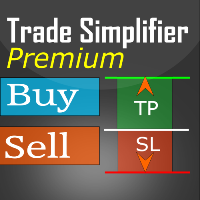
Trade simplifier premium is a trade panel that simplifies trade opening. It is simple and easy to understand, with key features to ease trading. Features include:
Order type selection Fixed lot entry from the chart user interface Easy Take profit entry field on the chart user interface Visual take profit selection and adjustment via the line that appears when you click the Take Profit button Easy Stop loss entry field in points on the chart user interface Visual Stop Loss selection and adjustm

Just a panel for drawing levels. Minimal but very useful thing. This is a reimagining of Color Levels Pro. ---- 4 types of customized levels. support for rectangle and line levels. The indicator parameters are very simple and are divided into blocks. For any update idea please contact me here. ---- Extension version " Levels tool pro " ---- don't suffer don't suffer ---- Enjoy your work!!!!!!!! ----
FREE

This script deletes all objects attached to all open charts. It's a bulk operation that can save a lot of time, avoiding the need to open the Objects List (Ctrl+B), pressing "List all", then manually selecting the objects and hitting "Delete" (for each single chart)... If you've tried "Delete all objects from chart", this script does the same thing, but to all open charts . So beware! You'll have to add all those Fibonacci retracements, trendlines, etc. back to your charts if you run this script
FREE

Smart Lot-Size Calculator And Trade Assistant for Mobile Trading Overview: This is the tool every trader in the market must have no matter if you are scalper, swing traders, day trader, or long term trader. This On-The-Go trading tool will help you stay disciplined and also stay free from daily trade management chores, Most traders face common problems like 1. Calculation of proper lot-size of a position to take controlled risk 2. Managing every trade and trailing stop-loss if trades goes in
FREE

Baby Shark Pro EA works using a series of indicators, mainly the RSI. This is an EA that uses martingale, so use with caution. But Baby Shark Pro EA gives you the ability to change the multiplier parameter, which allows it to decrease the martingale level. Thus, you determine the risk level you want. Unlike most of the other martingale, EA’s This doesn’t place random entries, rather it is riding on market movement RSI > 50. If the market moved the opposite direction after the first entry, th

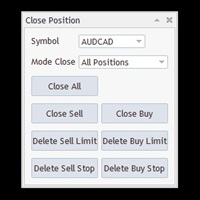
This is a utility panel to assist closing of open Deals. The panel has input filters to assist one select the right trades. The tool displays the number of trades to be closed as well as profits to be realized. One click close, Filter trades to be closed by: symbol, (Filter by a particular symbol in the trade terminal). magic number (If your orders are from particular EA with unique magic numbers). whether in profit, loss or All. (P/L=all trades, profiting = trades in profit, loosing = trades
FREE

Crypto Charting for MT5 – Integrazione grafici criptovalute in MetaTrader 5 Panoramica
Crypto Charting for MT5 offre dati OHLC in tempo reale tramite WebSocket. Supporta più exchange e aggiorna automaticamente i dati in MT5. Funzionalità Dati in tempo reale via WebSocket Aggiornamento automatico dei dati storici Sincronizzazione pianificata dopo interruzioni Compatibile con tutti i timeframe MT5 Dati OHLCV completi Supporto per il tester di strategia Riconnessione automatica Exchange supportati

Questo piccolo strumento ti aiuta a definire la gestione del rischio con un semplice trascinamento della linea sul grafico. Ti mostra la dimensione effettiva del lotto calcolata sulla percentuale del conto o sull'importo fisso in denaro direttamente sulla linea.
Tutto quello che devi fare è attivare la linea premendo il tasto "t" sulla tastiera e trascinare la linea fino al punto di stop loss. Questo è tutto.
Nelle impostazioni puoi definire il colore e la larghezza della linea e del testo, an
FREE

Achieve peace of mind with our EA companion! Simply set it and let it roll. Safeguard your trades on sluggish market days and holidays. Get updates on your balance and EA status every Friday evening, for example. Stay in the loop even if your terminal or VPS decides to take a break. Trading made easy – enjoy the tranquility! This EA has several functionalities
Closing of pending or open positions during pre-configured holidays. Automatic closing and reopening of pending positions during the nig

Simply deletes all objects from a chart, at once.
Q: Shouldn't I remove the indicator(s) from the chart instead, if I want to get rid of those objects? A: Absolutely. There are rare cases though, when you might end up with residual objects that don't programatically get removed from your chart, due to bugs or some other reason.
Q: Why use this script, when I can press Ctrl+B, list all objects, then manually select and delete each one? A: To save time, really. Maybe you have too many unwanted o
FREE
White label available. contact us for more info. dushshantharajkumar@gmail.com Replica Local Trade copier by Chart Walker
Replica, a MetaTrader 5 (MT5) local trade copier, is a powerful tool designed to streamline and automate trading processes for users within the MT5 platform. This innovative software allows traders to replicate trades from one account (master) to another (slave) in real-time, enabling efficient and synchronized trading across multiple accounts. With its user-friendly inte
FREE
Multi Take Profit Manager Automatically close portions of your open trades at up to three profit targets. This utility is designed for manual traders who frequently open multiple positions and want to scale out of trades automatically as profit targets are reached. Instead of manually closing positions one by one, the utility can partially close your total open position at predefined Take Profit levels, helping you lock in profits while allowing the remaining positions to continue running. Key F
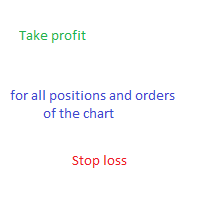
Expert for setting stop loss and take profit simultaneously for all orders or positions of a currency pair Once attached to the graph, the expert panel will appear on which there are buttons for setting and a green horizontal line, if you click on the line you can move it on the graph and choose the stop loss or take profit threshold with it, move the cursor over the panel and the value will be set where you have positioned the horizontal green line, press the button for the setting you want t

Cheers, traders! In today's video, dive into the world of advanced trading with our exclusive Trade Panel. This Cyber Monday, we're offering a special deal – get access for only $27 instead of the usual $60!
In this tutorial, we explore a semi-automated trading system that empowers manual traders to seize opportunities effectively. Watch as we demonstrate using real market scenarios, showing you how to set up trades, manage risk, and maximize profits.
Key Features of the Trade Pan

Il "Pannello commerciale dei modelli a candela" è lo strumento definitivo per i trader che fanno trading con i modelli a candela e desiderano che il processo di identificazione di un modello e di esecuzione di un'operazione sia rapido e semplice . Con varie ma importanti opzioni di input, questo strumento è adatto alle persone che desiderano automatizzare il trading manuale dei modelli di candele, o aiutarli a effettuare operazioni manualmente ma più velocemente di prima, o semplicemente in

Ciao amici
Investire è considerato un’attività difficile e rischiosa agli occhi delle persone. Ma se investi acquisendo conoscenze e competenze, il mercato non ti farà mai del male. La scrittura di filtri nel mercato dei capitali è una delle azioni che i professionisti intraprendono in questo campo per aumentare la produttività e risparmiare tempo. A causa dell'attività di un gran numero di simboli, il volume delle informazioni e dei dati memorizzati è molto elevato. Le persone attive in quest
Il MetaTrader Market offre un luogo pratico e sicuro dove acquistare applicazioni per la piattaforma MetaTrader. Scarica versioni demo gratuite di Expert Advisors e indicatori direttamente dal tuo terminale e testali nello Strategy Tester.
Prova le applicazioni in diverse modalità per monitorare le prestazioni ed effettuare pagamenti per i prodotti desiderati, utilizzando il sistema di pagamento MQL5.community.

Ti stai perdendo delle opportunità di trading:
- App di trading gratuite
- Oltre 8.000 segnali per il copy trading
- Notizie economiche per esplorare i mercati finanziari
Registrazione
Accedi
Accetti la politica del sito e le condizioni d’uso
Se non hai un account, registrati