 MetaTrader 5
 Experts
 Indicatori
 librerie
 Utilità
 Widget
 Regole
Guarda i video tutorial del Market su YouTube
Come acquistare un Robot di Trading o un indicatore
Esegui il tuo EA
hosting virtuale
hosting virtuale
Prova un indicatore/robot di trading prima di acquistarlo
Vuoi guadagnare nel Market?
Come presentare un prodotto per venderlo con successo
Nuove utilità di trading per MetaTrader 5 - 62
 Di seguito sono riportati i programmi di trading che semplificano il trading in MetaTrader 5. Passa il mouse su un'utilità per leggerne la descrizione e la sua funzione.
这是一个辅助ea,在电脑或者vps上开启后,可以方便的在手机上下单,自动设置止损止盈,特别适合超短线和剥头皮的快速止盈,让你在手机上就可以方便的设置损赢。这个ea只有两个参数,TP就是你想要设置的止盈数字,比如xauusd当前价格是2450.32,设置止盈100,当buy后价格达到2451.32的时候即可以止盈。 SL就是你想要设置的止盈数字,比如xauusd当前价格是2450.32,设置止损100,当buy后价格达到2449.32的时候即可以止损。这是一个很方便的工具,可以使您在使用mt5手机软件操作的时候,更方便快捷的交易,而不需要点开下单界面然后再输入止盈止损或者是下单后再去手动设置止盈止损,快人一步就是金钱。

Trade Advisor: padroneggiare il grafico
L'assistente Expert Advisor (EA) definitivo per i trader professionisti
VERSIONE Versione MT4 | Versione MT5 | Blog
v.3.0 - Integrazione del bot Telegram
Nota: la versione MT4 è più leggera della versione MT5
Trade Advisor: padroneggiare il grafico
Trade Advisor è un assistente di trading avanzato progettato per migliorare le strategie di trading integrando strumenti di analisi di mercato chiave e funzionalità fluide per i trader. Ecco una panoramic

Trader Protector: Professional Risk Manager for MetaTrader 5 Safeguard your trading account and optimize profits with Trader Protector - an advanced risk management tool for MetaTrader 5. Key Features: Multi-level Risk Control: Daily risk limit Monthly risk limit Risk per trade Trailing stop for daily profit Flexible Settings: Customizable risk percentages Choice of order execution modes Maximum lot size restriction Excessive Loss Prevention: Limits on losing positions (daily, weekly, monthly) A

The Telegram Blue Chili Alerter is still in full development. Many more options are still being programmed. Signals for trades will be added next. I am also happy to respond to customer requests. The only thing you need to do is create a Telegram bot and enter the bot token and chat ID in the presets. If you have any questions or want to know which features are still to come, just get in touch with me. I will be happy to help you and answer your questions as quickly as possible. Quick guide:
1:
By :ForextraderEanow Green Mower 10.0
This EA is Famous Grid Strategy that open grid of trades with the same size (not martingale) and make PROFIT even when the Forex price moves in the WRONG Direction
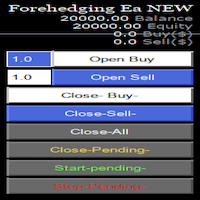
Semi Automatic Ea(MT5). Buy or Sell or Let it Trade . Either Buy or Sell Manually with the panel. Second option: Press Auto with one of the 4 options. Plug and play mode. This Panel can trade with very good result. As a Beginner trader as you ,if you want to be part of the 5% that can make it just give a chance and see for your self. 1:500-1000 leverage, lower then that rise the balance times 2' Recommend: Auto Trading choose one option from below. $5000. false/true $8000. false/true $250

## Version 2.50
I created this EA with the intention of making it free for everyone to use. It serves as a tool to assist in trading with money management, entering order lots according to a percentage of the account balance, and automatically setting TP/SL based on high/low prices.
In Version 2.50, The Auto TP/SL feature adjusts from the Line In (entry point), and Auto price in this version only shifts the entry line to the current price. Input settings: Ato update SL/TP Line >>> In version
FREE
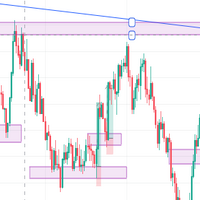
IMPORTANT NOTE THIS EA IS NOT FULLY AUTOMATED, IT ONLY TAKES POSITIONS IN ZONES YOU DEFINE IT ASSISTS YOU. SO YOU NEED TO WATCH THE CHART CLOSELY THE MAIN POINT OF THIS EA IS TO FORCE THE TRADER TO RESPECT ENTRY RULES <<CONFIRMATION IS THE KEY>>. SO THE TRADER WILL ONLY LOOK FOR ZONES THE EA WILL LOOK FOR CONFIRMATION CANDLES AND ENTER IF A CONFIRMATION IS FOUND FOR EXAMPLE: If price is in a Bullish zone. Rule, look for buys. If Bullish Candlestick Pattern or any other bullish candle pattern s

MQL Tool "Ofir Email to Telegram": Never Miss a Trading Alert Again! Tired of missing important alerts from your indicators and Expert Advisors (EAs)? Ofir Email to Telegram is the solution you've been waiting for! This revolutionary MQL tool automatically forwards all email alerts from your indicators and EAs directly to your Telegram account. Never again will you miss a trading opportunity or important notification! Here are just a few of the benefits of Ofir Email to Telegram: Quick and easy
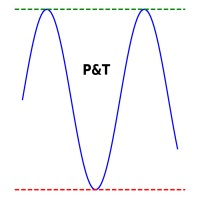
It is used to automatically detect and draw horizontal lines on a chart that represent price peaks and troughs based on analysis of historical price data.
The script allows the user to select the number of recent candles to analyze, the minimum gap between high and low, and the minimum number of candles needed to recognize a high or low. It is a useful tool for traders who want to automatically detect and visualize important support and resistance levels on a chart, making it easier to make in

Trade Utility Pro is a bot utility designed to help you manage trades more easily, quickly, and accurately. This utility features a control panel interface and supports MetaTrader 5 exclusively. This utility does not link to any account information or external sources, ensuring safety. Main Features: Open Trade Support: Lot size calculation Fixed Lot: Custom input lot required Money Risk Lot: Automatically calculated based on stop loss and money risk Account % Risk Lot: Automatically calculated
FREE

Introduzione a EA Auto Martingale MT5 Auto Martingale è un Expert Advisor (EA) che ti aiuta a creare facilmente operazioni di Dollar Cost Averaging (DCA) dalle tue operazioni manuali. Con impostazioni avanzate, EA Auto Martingale ti consente di creare una strategia Martingale perfetta a modo tuo, ottimizzando i profitti e gestendo i rischi in modo efficace. Principali funzionalità di Auto Martingale: Magic Number : Il valore predefinito è 0. Questo valore sarà automaticamente basato sulla tua pr
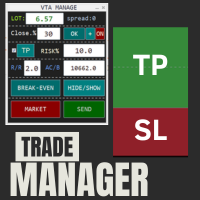
This is a trade manager which is designed to simplify your trading experience and allow you to enter any type of trade with the set risk management within seconds. This trade manager has two modes. (1) The Market order which opens instant orders and the pending orders which consists of buy stop order, buy limit orders, sell stop orders, sell limit order, all these trades can be achieved by moving your stop loss and entry to the desired point and the givn trade will be opened. You do not need to

TimeToClose The "TimeToClose" indicator is an essential tool for traders who need to monitor the remaining time before a candle closes. This indicator displays the remaining time directly on the BID line, providing a clear and precise reference during real-time trading. Key Features: Displays the remaining time for the current candle to close. Direct integration on the BID line for better visualization. Simple and user-friendly configuration. Ideal for all types of traders, from beginners to pro
FREE

Telegram Informer A simple and reliable utility for monitoring your account. To make it work, you just need to add the following commands to your telegram bot: show_info - Show account information buy_sl_del - Delete Stop Loss for Buy position buy_tp_del - Delete Take Profit for Buy position sell_sl_del - Delete Stop Loss for Sell position sell_tp_del - Delete Take Profit for Sell position all_sl_del - Delete all Stop Loss all_tp_del - Delete all Take Profit breakeven - Convert to breake

This EA get all the opened postions on the current symbol and add SL and TP And also MoveSl to perfect value. Principle Small SL according to current bid or ask. Ex: If current SL is too big compared to the configured SL, move it. But never move a position SL Higher
The EA also go through all positions and activate trailing stops, so that you never lose any winning position.
FREE

To manually open buy and sell at the same moment, with a certain StopLoss Distance, and earn from news movements. You have a button, that says 'Ready' or 'Wait'; to open the pair of hedging trades click once on the button at 'Ready' and wait for it to open; then wait for the market movement due to the news or any other reason to close one of the trades, once the earnings are large enough: manually close the trade that is left.

10 copie rimaste a 49,55 Prezzo successivo $ 65,77
The Big Market Trader è lo strumento di assistenza al trading AI definitivo che può aiutarti a rimanere al passo con il mercato. È progettato con la migliore tecnologia e ha un tasso di risposta ad alta frequenza per un trading tempestivo.
È dotato di automazione AI dinamica, che vedremo presto. Abbiamo un sistema di gestione del rischio avanzato. Opzione Equity Stop, sistema trailing stop, tecnologia time stop e spread utilizzata dai trader d

The wait is over, the AI for Traders has arrived!
The Elite Market AI is an Expert Advisor powered by one of the most advanced generative AI models available today. It processes the price and indicator data displayed on the screen, providing traders with valuable insights into the current market situation. This analysis can be crucial for making informed buy or sell decisions, assisting in trading strategy, and enhancing the accuracy of operations.
Configurations Country Code Description: Def

AIP – MT4/MT5 To Telegram 1 Main features of MT4/MT5 EA To Telegram: Send all types of orders (Open Order/Close Order/Modify Order/Pending Order/Delete Order) Close and Modify Order with replies to the corresponding Open Order Support sending to both private, public channels and group, topic group Support sending to multiple channels simultaneously Send Chart Screenshots Manage all symbols with a single EA on one terminal Automatic loading of templates, logos, and screenshots Support sen
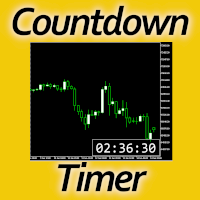
Timing can make the difference between a winning and a losing trade. Therefore, a bar countdown display is a must-have tool for any trader. Knowing exactly how much time is left, before the current bar will close, certainly helps decision-making in real time. Technical detail: This indicator uses the MQL5 function "OnTimer", ensuring the accurate measure of each passing second, rather than relying on the flow of incoming tick information from the server. Most other countdown indicators for MetaT
FREE

Ofir blue is the first full trading application for Telegram. It is proposed in 2 versions : OfirBlueLite (without trading) and OfirBluePro (with trading). The Pro version is still in beta (available on request).
To access Ofir Blue Lite, go to Telegram and open the bot @OfirBlueLite. All demos, tutorials and docs are available in Telegram.
Join the Telegram group @OfirBlueUserGroup to get updated information and support.
Features: Dashboard ️ Account summary ️» Profit of the day ️» Eq
FREE

Revolutionize Your Trading with Auto SLTPTS Expert Advisor .
Take your trading to the next level with this powerful, professional-grade Expert Advisor designed for serious traders who demand excellence in risk management and profit optimization.
Key Features :
️ Advanced Risk Management Suite : - Customizable Stop Loss protection - Smart Take Profit targeting - Dynamic Trailing Stop technology - Innovative Break Even system
Professional Trading Tools : - Intelligent Break Even trig

Advantages: - you do not need to drag each instrument with the mouse, just press the N-forward or B-backward key, which will significantly save your time when viewing trading instruments. Installed like a regular advisor. > Save it to the MQL folder in the Experts folder > then go to the terminal: view > Navigator > Expert Advisors > Scroll > drag it onto the screen and you can use it.
FREE

Utilities for MetaTrader 5 - Average Price Calculator Maximize your trading analysis without breaking the bank with our Utilities for MetaTrader 5 - Average Price Calculator, available to you completely free of cost. This tool is meticulously crafted to provide traders with a convenient solution for calculating average prices within the MetaTrader 5 platform. Key Features: Efficient Calculation : Quickly compute average prices to streamline your trading analysis, saving you valuable time and eff
FREE

DYJ Mathematical model trader is a system analysis software that allows indicator trading. It can directly analyze the overall profit and maximum floating loss of indicator trading. And draw beautiful performance histograms and curves. In this way, you can compare the different performances of indicators in each chart period, which is convenient for you to quickly respond to market trend changes and optimize the best trading plan. It requires an improved indicator signal source software, as show

Price live on the Chart Description: The Real-Time Price Display is a powerful tool for MetaTrader 5 users that provides continuous updates of the current bid (SELL) and ask (BUY) prices directly on your trading chart. This script is ideal for traders who need to stay updated on market prices at a glance. Key Features: Live Price Updates : Displays the latest bid and ask prices for your selected trading symbol in real-time. Customizable Display : Adjust the horizontal and vertical position of th
FREE

MetaTrader 5 플랫폼에서 사용되는 사용자 정의 인디케이터로, 다양한 타임프레임에서의 시장 트렌드를 시각적으로 표시하는 데 사용됩니다. 이 인디케이터는 사용자가 지정한 X 및 Y 좌표에 위치하는 패널을 생성하여, M1부터 MN1까지 총 21개의 타임프레임에 대한 트렌드를 각각 라벨 형태로 보여줍니다. 각 타임프레임의 트렌드는 20기간 단순 이동평균(SMA)과 50기간 단순 이동평균을 비교하여 결정되며, 상승 트렌드는 초록색, 하락 트렌드는 빨간색, 보합은 회색으로 표시됩니다. 또한, 모든 타임프레임에서의 트렌드를 종합하여 상승 비율을 계산하고, 이 비율에 따라 전체 시장 트렌드가 표시됩니다. 전체 트렌드는 일정 간격으로 깜빡이며 사용자에게 시각적 주의를 끌도록 설계되었습니다. 이 인디케이터는 시장 상황을 빠르게 파악하고자 하는 트레이더들에게 유용하며, 업데이트 간격과 깜빡임 간격은 사용자의 필요에 맞게 조정할 수 있습니다. 또한, 패널의 위치와 색상도 사용자 정의가 가능하
FREE

Presentazione di Stop Guardian: Migliora la tua gestione del rischio con il Trailing Stop e la chiusura dei profitti. Stop Guardian è un Expert Advisor (EA) progettato per ottimizzare la gestione del rischio nelle tue strategie di trading, combinando il Trailing Stop con un sistema di chiusura automatica delle posizioni basato sui profitti. Caratteristiche principali
Gestione automatica del rischio : Regola automaticamente le posizioni aperte utilizzando il Trailing Stop per proteggere i profi
FREE
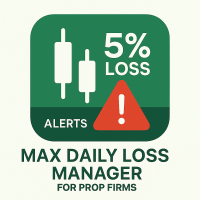
Prop Max Daily Loss Manager — Assistente di Gestione del Rischio Giornaliero per Aziende di Prop Trading Prop Max Daily Loss Manager è un'utilità per MetaTrader 5 progettata per trader che affrontano Challenges o operano su conti finanziati con aziende prop (come FTMO). Lo strumento monitora automaticamente il rischio giornaliero e aiuta a evitare di violare il limite massimo di perdita giornaliera stabilito. Caratteristiche Principali Chiusura automatica di tutte le operazioni quando viene ragg

The "FVG Screener PRO" is a utility tool designed to identify and alert on "fair value gaps" (FVGs), a concept popularized by ICT, but also to allow fast and efficient trade executions through its panel. This EA is intended to be used by traders who use fair value gaps in their trading. The panel provides a simple and intuitive interface for selecting the desired timeframes, enabling traders to focus on specific timeframes regardless of the timeframe that their chart is on. The EA scans the mar

A HalfTrend scanner for MT5 (MetaTrader 5) is a technical analysis tool designed to help traders identify trend reversals and trade opportunities in the market. The HalfTrend indicator itself is based on price movements and a specific algorithm that identifies changes in market direction. Here’s a detailed description of an MT5 HalfTrend scanner: Overview The MT5 HalfTrend scanner is an advanced tool that scans multiple currency pairs or financial instruments for potential trend reversal signals

Эксперт TerminalConnectionChecker - надежный инструмент для мониторинга соединения торгового терминала MetaTrader 4 с сервером. Он обеспечивает своевременное оповещение трейдера о потере связи или ее восстановлении с помощью настраиваемых звуковых сигналов. Этот э ксперт незаменим для трейдеров, которые хотят быть всегда в курсе состояния своего подключения.
Основная функция этого э ксперта - отслеживание состояния подключения. Как только связь пропадает, советник активирует звуковой сигнал

TradeMirror è uno strumento locale di copia degli ordini progettato per le piattaforme MT4/MT5, con supporto alla sincronizzazione delle operazioni in tempo reale. Tutorial Clicca sul link Tutorial di Trademirror per visualizzare altri tutorial. Vantaggi del Prodotto In linea con gli elevati standard di sicurezza, stabilità e privacy per i software finanziari, abbiamo ottimizzato tre aspetti fondamentali: Interfaccia grafica intuitiva per un utilizzo semplificato Protezione rafforzata della priv

This is a simple indicator type thing to track potential total risk if all the stop losses to be hit. It gives the sum of the total stop losses for a certain currency in positions and orders. These are the functions. (I will add more functions later, eg - total profits per symbol etc.) ( Add a comment if you need any feature. I will add it ) Total risk exposure - This is the total risk that can happen if all the stop losses in positions and open orders were to hit. Total positions risk - This is
FREE

The Pending Order Grid is a multi-symbol multi-timeframe script that enables multi-strategy implementation based on pending order grids. General Description
The Pending Order Grid allows the performing of a user-defined strategy through the creation of pending order grids. The script places pending orders of a given type (Buy Limit, Sell Limit, Buy Stop, or Sell Stop) at equidistant price levels to form each grid. The beginning and finish of every grid are defined by the Start Price and Sto
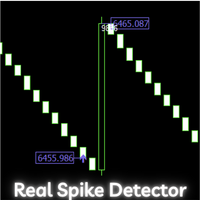
Boom and Crash Range Detector: Your Secret Weapon for Trading Spikes! Introducing the Boom and Crash Range Detector , a powerful tool designed to revolutionize your trading experience. Developed using a strategy composed and optimized with the help of a machine learning model, the system is built on vast amounts of historical data that have been analyzed to perfection. The result? A highly accurate system that identifies where those lucrative spikes are likely to occur. Here’s why this needs to

The Pending Order Grid is a multi-symbol multi-timeframe Expert Advisor that enables multi-strategy implementation based on pending order grids. General Description
The Pending Order Grid allows the performing of a user-defined strategy through the creation of pending order grids. The Expert Advisor places pending orders of a given type (Buy Limit, Sell Limit, Buy Stop, or Sell Stop) at equidistant price levels to form each grid. The user might set up different grids to exist simultaneously

The Position Selective Close is a multi-symbol multi-timeframe script used to close simultaneously various positions. General Description
The Position Selective Close possesses three operation modes (Intersection, Union and All) that control the way as four position features (symbol, magic number, type and profit) are used. The modes, available through the Selection Mode input parameter, relate to the features, available through the “Select by Feature” and “Feature” input pa
FREE

The Order Selective Delete is a multi-symbol multi-timeframe script used to delete simultaneously various pending orders. General Description
The Order Selective Delete possesses three operation modes (Intersection, Union and All) that control the way as three pending order features (symbol, magic number and type) are used. The modes, available through the Selection Mode input parameter, relate to the features, available through the “Select by Feature” and “Feature” input pa
FREE

The Environment State Info Print is a script to display the constants that describe the current runtime environment of a MQL5 program. General Description
The constants are divided into four groups in the Environment State section of the MQL5 documentation and each group is divided into enumerations/subgroups (with designations “Integer”, “Double” or “String”). The script displays constants in two ways: a single constant or all group constants. The constants are obtained by selecting the
FREE

The Double Trailing Stop is a multi-symbol multi-timeframe Expert Advisor that allows the Stop Loss and Take Profit trailing of positions. General Description
The Double Trailing Stop’s purpose is to secure profit and minimize losses of the opened positions. The Expert Advisor places stop orders (Stop Loss or Take Profit) at the Trailing Stop distance from the market price when the symbol's quote reaches/overcomes the Trailing Start distance from the position’s opening price (a single-time

The Multiple Position Opening is a multi-symbol multi-timeframe script used to open simultaneously various positions. Risk Management
The volume used to open a position is chosen between a fixed and a variable lot size, available through the Volume and Free Margin % input parameters, respectively. If there isn't enough money in the account for the chosen volume, this is reduced to the highest possible value (corresponding to free margin). If this reduction leads to a correct volume (if the

Introducing the Scalping Expert Advisor (EA) for Short Trades This Expert Advisor (EA) is meticulously designed for short trades scalping, offering a blend of precision and efficiency to maximize your trading performance. Below, we delve into the key functions and features that make this EA an essential tool for scalpers.
Key Features: Automatic Take Profit (TP) and Stop Loss (SL) Settings: Take Profit Input: Allows you to set a specific TP value, enabling precise control over your exit points
FREE

Il "FVG Screener" è uno strumento di utilità GRATUITO progettato per identificare e segnalare i "fair value gap" (FVG), un concetto reso popolare dall'ICT. Questo EA è destinato ad essere utilizzato dai trader che utilizzano i gap del valore equo nelle loro negoziazioni. Il pannello fornisce un'interfaccia semplice e intuitiva per selezionare gli intervalli di tempo desiderati, consentendo ai trader di concentrarsi su intervalli di tempo specifici indipendentemente dall'intervallo di tempo i
FREE

Axilgo Pip Piper CoPilot Elevate your trading game with the Axilgo Pip Piper CoPilot, the first in our revolutionary Pip Piper Series. This all-inclusive toolset is meticulously crafted for serious traders, focusing on key areas such as Risk Management, Trade Management, Prop Firm Rule Compliance, and Advanced Account Management . With CoPilot, you’re not just investing in a tool—you’re gaining a strategic partner in the intricate world of trading. Important Notice: To ensure you receive the fu
FREE
Enhance Your Trading with the Exit Manager Elevate your trading strategy with the Exit Manager, designed to ensure optimal closure of your trades at precisely the right moments. Once you've placed an order, our Exit Manager steps in and starts monitoring the order based on YOUR predetermined conditions, and can even trail your stop loss to mitigate risk.
Key Features: Set & Forget Functionality
With the Exit Manager, simply place your trade and let the tool do the rest. It continuously monitors

Welcome, we introduce the Manual Grid Assistant, which can be an excellent complement to your manual grid trading! The Manual Grid Assistant is an efficient and sophisticated trading tool that perfectly complements manual grid trading strategies. This tool allows you to manage manually opened positions on your behalf while ensuring maximum profit and controlling risk. One of its main advantages is that it automatically closes all open positions when a predefined total pip reach or a specified p

The Tick Data Record is a multi-symbol multi-timeframe Expert Advisor that records tick data for later graphical representation and analysis. General Description The Tick Data Record offers a(n) alternative/complement to the online/offline price charts displayed through the MT4/MT5 platform. The Expert Advisor permits to write and save the current/history values of Time, Bid, Ask, Spread, Last and Volume to a text file (“.txt”). The idea is to copy/open the obtained register to/in a spreadshe
FREE

MP Close By Loss Or Profit for MT5 The Reason I made this Expert is because I want traders who already found out how to be profitable in the market use an easier tool throughout their trading days. This Expert will consider your exposure of trades and close them based on profit targets and losses you set for your own Risk Management. I want to thank my friend who helped me on this Expert, and his brilliant work is now shared here with you. A bit of advice after running the expert on your platfo
FREE
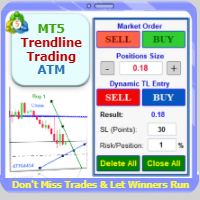
Trade with Confidence Using the Trendline Trading ATM (Advanced Trade Management)! Master entries, exits, and risk management with the powerful tools of the MetaTrader Trendline Trading ATM. This expert advisor equips you with a comprehensive suite of tools to trade consistently smarter, not harder. Take control of your trading risk and drawdown, capture profitable entries, and let your winners run. This innovative Trade Entry/Exit and Risk Management utility empowers you to: Precision Entr

This utility solves the problem of Metatrader not having the capacity to create custom session times, all markets are displayed forcefully in a 24h format.
Lots of traders prefer to ignore the overnight action and focus only on NY session and use the overnight gaps as part of their trading strategy.
ICT teaches this as "opening range gap", it's the gap between NY session end (16:15) and NY session start (09:30).
The default setting in this utility reflects the RTH (Regular Trading Hours) opti

If you want a reliable seconds chart that works properly, look no further.
This utility here uses tick data to create a precise seconds chart. You just need to load it on a M1 chart and choose how many seconds you want the chart to be.
The utility creates an offline chart that gets updated on every tick so it behaves as if it were a live chart. It receives tick data so you can load custom indicators on it.
It's not possible to trade from the seconds chart.
The screenshots below show a 30 se

"Telegram Notification EA for MetaTrader 5 with ThreadID Mode" Description: Introducing our advanced Expert Advisor (EA) tailor-made for MetaTrader 5, delivering seamless notifications for trade openings and closures, along with comprehensive profit and drawdown tracking. Stay ahead of the market curve with timely updates, empowering you to make informed decisions and optimize your trading strategy effortlessly. Key Features: Instant Trade Notifications: Receive real-time updates directly from y
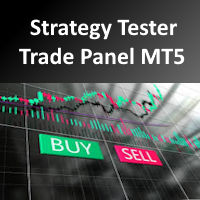
It's a trading dashboard appears on strategy tester, allows you to backtest your own strategies, testing them on multiple symbols and timeframes. It is equipped with useful features such as risk management, trailing stops, breakeven points, and more, enabling you to evaluate and refine your strategies effectively. Trading panels are typically designed to facilitate real-time trading and may not function properly on a strategy tester. However, this particular trading panel is specifically designe

"Notifiche di negoziazione" è uno strumento di utilità, mirato a informarti tramite notifiche mobili o avvisi sul terminale su ogni operazione aperta o chiusa, nonché sul risultato di profitto/perdita in $ di ciascuna operazione. È uno strumento che utilizzo da molto tempo e ho deciso di condividerlo gratuitamente!
Parametri di input: (ogni input è di tipo vero/falso , fare doppio clic su di esso per modificarne il valore) Notifica per posizioni chiuse PnL : se vero, ti avviserà
FREE

Questo strumento non funziona con Strategy Tester. Test version: https://www.mql5.com/en/blogs/post/753244 Questo strumento ti consente di visualizzare il rendimento del tuo account mostrando le metriche chiave in base al saldo del tuo account.
Puoi selezionare le linee, trascinarle e rilasciarle per visualizzare immediatamente le metriche chiave a diversi prezzi.
Se desideri tornare alla posizione originale dopo aver spostato le linee, fai semplicemente doppio clic e torneranno ai parametri o

Manage Positions is an MT5 script designed with five distinct options for efficiently managing open positions. It offers versatile functionality, allowing for both global impact across all currency pairs and localized influence on specific pairs of interest. Additionally, users can target particular currency pairs to tailor their actions accordingly. For instance, leaving the "LEAVE BLANK to Manage Positions for ALL Symbols" field empty enables closing all positions universally, while specifyin
FREE

Product introduction : Trade Manager Tool for MT5 Trade Manager Tool will help trader calculate almost exactly the risk based on your account automatically. Along with that, there are features to support capital preservation with Trailing Stop, BreakEven, Risk Limit such as Daily Limit Profit/Loss,etc.. helps you avoid overtrading.In particular, the panel is simply designed with many interactive buttons inside the panel and outside the chart to help trader interact more easily.These features re

Ladies and gentlemen, let me explain a simple tool that can help adjust stop-loss positions based on historical data and customized distance. Tool Name: Trailing Stop Pro Description: A trailing stop is a risk management tool commonly used in trading. It allows traders to set a dynamic stop-loss level that automatically adjusts as the price moves in their favor. Here’s how it works: Initial Stop-Loss: When you enter a trade, you set an initial stop-loss level. This is the price at which you’re
FREE

The Scientific Calculator is a script designed to compute science, engineering and mathematics expressions. General Description
The expression to calculate must obey syntax rules and precedence order, being constituted by the following elements: Integer and real numbers. Mathematical operators for addition (+), subtraction (-), multiplication (*), division (/) and exponentiation (^). Mathematical and trigonometric functions . Curved parentheses (()) to define the precedence and contain
FREE

Certainly! Let me provide descriptions for the News Filter tools available on both MetaTrader 4 (MT4) and MetaTrader 5 (MT5) platforms: News Filter for MT4 : Description : The News Filter for MT4 is an expert advisor (EA) template that allows traders to manage their positions during news events. It downloads news data from investing.com without using any external DLLs (Dynamic Link Libraries). Traders can customize their actions based on news releases. Features : Automatic News Detection : The
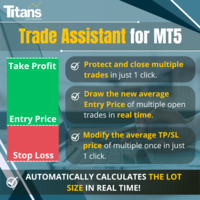
Cerchi un modo per operare nel mercato finanziario in modo più efficiente e redditizio? Lascia che ti presentiamo una soluzione che cambierà il tuo modo di approcciarti al trading. Con il nostro innovativo bot di trading MQL5, ti offriamo uno strumento che va oltre la semplice automazione: ti forniamo un sistema intelligente che si adatta e ottimizza in tempo reale, portando le tue operazioni a un livello superiore. Come funziona? Immagina di poter calcolare automaticamente la dimensione d

Indicatore di sincronizzazione del grafico: progettato per sincronizzare gli oggetti grafici nelle finestre del terminale. Può essere utilizzato come aggiunta a TradePanel . PROMOZIONE - Se avete già acquistato TradePanel, potete ottenere Chart Sync gratuitamente. Per ulteriori informazioni sulle condizioni, vi preghiamo di contattarci tramite messaggio privato! Prima dell'acquisto, puoi testare la versione Demo su un account demo. Demo qui . Per funzionare, installa l'indicatore sul grafico da
UR_TradeManager per MetaTrader 5 Massimizza il tuo potenziale di trading con UR_TradeManager, lo strumento definitivo per migliorare il trading, progettato specificamente per la piattaforma MetaTrader 4. Realizzato con precisione e funzionalità in mente, questo strumento completo è essenziale per i trader che mirano a elevare le loro capacità di analisi di mercato, esecuzione e gestione. Caratteristiche Principali: Dashboard di Trading Visiva : Gestisci i tuoi scambi direttamente da un cruscotto

This script exports the economic calendar from MT5 as a .csv-file into the common directory of the terminal (...\Terminal\Common\Files). The generated file news.csv is necessary for using the news filter in back testing the Range Breakout Day Trader EA.
Input parameters: Currency symbol 1-9: Country currency symbol from which the news will be exported Date from: Start date from which the calendar data will be exported Date to: End date to which the calendar data will be exported News data: Incl
FREE

Elevate your trading with this Metatrader 5 expert – the Position Volume Calculator. This tool takes the guesswork out of risk management and profit optimization. Simply input your desired stop-loss points with dragging the stop-loss line, and let the expert advisor compute the optimal position volume for your trade. Plus, with customizable reward ratios, it's easier than ever to set your take-profit points for maximum gains. Trade with confidence and precision. Try the Position Volume Calculat
FREE

VR Color Levels è uno strumento utile per coloro che applicano l'analisi tecnica utilizzando elementi come linea di tendenza, rettangolo e testo. È possibile aggiungere testo direttamente al grafico e acquisire screenshot. È possibile ottenere impostazioni, file di set, versioni demo, istruzioni e risoluzione dei problemi da [blog]
Puoi leggere o scrivere recensioni su [collegamento]
Versione per [MetaTrader 4] Il lavoro con l'indicatore viene eseguito in un clic . Per fare ciò, fare clic sul
FREE

Hai troppi grafici difficili da trovare? Fai fatica a individuare il grafico su cui è in esecuzione il tuo programma? Stai riscontrando errori di programma dopo ogni riavvio del terminale? Se stai affrontando queste sfide, EA Manager è qui per aiutarti! EA Manager offre una soluzione completa: Visualizza un elenco di informazioni sui grafici, comodamente ordinabile per nome del simbolo, periodo di tempo e nome del programma. Salva tutte le tue configurazioni di grafico. Indipendentemente dai ria
Drawdown Manager MT5 è un'utilità essenziale per i trader che utilizzano MetaTrader 5, progettata per proteggere il tuo capitale di trading gestendo attivamente i drawdown e salvaguardando i tuoi investimenti. Ideale sia per trader individuali che per società di trading proprietarie, questo strumento offre una soluzione robusta per mantenere l'integrità della tua strategia di trading e la sicurezza del capitale. Con funzionalità avanzate come avvisi in tempo reale e parametri di rischio personal
Scopri come acquistare un robot di trading dal MetaTrader Market, il negozio di applicazioni per la piattaforma MetaTrader.
Il sistema di pagamento di MQL5.community supporta le transazioni tramite PayPal, carte bancarie e gli altri sistemi di pagamento più diffusi. Per essere pienamente soddisfatto, ti consigliamo vivamente di testare il robot di trading prima di acquistarlo.

Ti stai perdendo delle opportunità di trading:
- App di trading gratuite
- Oltre 8.000 segnali per il copy trading
- Notizie economiche per esplorare i mercati finanziari
Registrazione
Accedi
Accetti la politica del sito e le condizioni d’uso
Se non hai un account, registrati