 MetaTrader 5
 Experts
 Indicatori
 librerie
 Utilità
 Widget
 Regole
Guarda i video tutorial del Market su YouTube
Come acquistare un Robot di Trading o un indicatore
Esegui il tuo EA
hosting virtuale
hosting virtuale
Prova un indicatore/robot di trading prima di acquistarlo
Vuoi guadagnare nel Market?
Come presentare un prodotto per venderlo con successo
Nuove utilità di trading per MetaTrader 5 - 61
 Di seguito sono riportati i programmi di trading che semplificano il trading in MetaTrader 5. Passa il mouse su un'utilità per leggerne la descrizione e la sua funzione.
Il trading è pieno di incertezze. Anche i trader più esperti si trovano ad affrontare problemi imprevisti. Quando ciò accade, il tempo è essenziale per rivedere la tua strategia, ma spesso questo tempo è un lusso che non hai.
La nostra soluzione è qui. Con il nostro strumento a un clic, puoi facilmente coprire le tue posizioni, mantenendo il drawdown sotto controllo senza dover chiudere le operazioni perdenti. Questo ti consente di fare una pausa e prendere decisioni informate o consultare esp

Presentiamo il **Pannello di Gestione delle Transazioni** definitivo, progettato per ottimizzare le tue operazioni di trading e aumentare la tua efficienza! Il nostro pannello avanzato è dotato di potenti funzionalità per semplificare le tue attività di trading e fornire informazioni in tempo reale:
- **Gestione TP e SL con un clic**: Elimina facilmente tutti i livelli di Take Profit (TP) e Stop Loss (SL) su tutto il tuo conto o per coppie specifiche con un solo clic.
- **Monitoraggio degli o

Di nuovo benvenuti! Codice sconto del 20% su Darwinex Zero: DWZ2328770MGM_20 Oggi vogliamo presentare un nuovo strumento utile, HiperCube SuperVisor, questo strumento ha risolto il problema che abbiamo quando eseguiamo diversi EA contemporaneamente, rendendo la supervisione di qualcosa di difficile da fare, grazie a questo possiamo vedere in 1 grafico fino a 5 EA contemporaneamente, possiamo vedere se ognuno di loro ha posizioni aperte, profitti in acquisto, profitti in vendita e profitti total
FREE

This utility sets the same stop loss and take profit level on several open positions at the same time. It does not open, close or analyse any trade.
Modifying positions one by one in the terminal takes time, and while you are doing it the price can move away. This EA applies the levels you enter to all selected positions in one action, so the whole basket is protected in a single step.
Example
You hold five XAUUSD buy positions opened at 2510, 2508, 2506, 2504 and 2495. You enter 2530 as tak

The Bot Father: Advanced Trading EA for MetaTrader 5 Unlock the power of automated trading with The Bot Father , an advanced Expert Advisor designed for MetaTrader 5. This sophisticated trading bot combines robust functionality with user-friendly features to help you navigate the forex market with confidence. Key Features: Automated Trading : The Bot Father automates your trading strategies, reducing the need for manual intervention. It continuously monitors the market and executes trades based

A simple script which will trigger a download of your broker's tick data for a specific trading instrument.
Simply add to your chart and it will start the process. You may add the script to multiple charts, enabling you to download tick data for more than one instrument at a time After a short period, the script will stop running and remove itself from your chart. Following this, it may take a few more minutes to finish downloading the tick data.
The Tick Data folder can be found via MetaTrad
FREE

Signal Anywhere is an advanced version of Panel Anywhere , featuring an additional panel called Signal panel. This panel allows you to copy trades from a Signal Anywhere Provider to a Signal Anywhere Subscriber seamlessly. With Signal Anywhere , you can view market symbols and copy signals simultaneously without the need to switch between Expert Advisors (EAs). Features of the Signal panel: Local and internet-based trade copying Searchable, request, and acceptance functionalities Support for mu
FREE
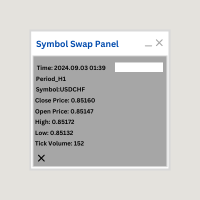
Symbol Swap Panel: Effortlessly switch the active symbol on your chart while simultaneously adding the new symbol to Market Watch. This tool ensures seamless integration and access to real-time market data, optimizing your trading workflow.
Description:
The "Symbol Swap Panel" is a versatile utility designed for traders seeking to manage their chart symbols and Market Watch more efficiently. This tool allows you to easily swap the current symbol on your chart while automatically adding the se
FREE

Signal Anywhere is an advanced version of Panel Anywhere , featuring an additional panel called Signal panel. This panel allows you to copy trades from a Signal Anywhere Provider to a Signal Anywhere Subscriber seamlessly. With Signal Anywhere , you can view market symbols and copy signals simultaneously without the need to switch between Expert Advisors (EAs). Features of the Signal panel: Local and internet-based trade copying Searchable, request, and acceptance functionalities Support for mu

Panel Anywhere with Server is similar to the free version of Panel Anywhere but includes server files and allows you to edit the host URL. In the free version, the host URL is set to "forex.chjonline.com" and cannot be changed. With this version, you can build a complete client-server system in your local environment without worrying about data being sent elsewhere. Additionally, you’ll experience faster internet response times since you won’t be connecting to a server on the other side of the

Turbo Close All is a powerful and versatile script designed to help traders quickly and efficiently manage their trading positions and pending orders on MetaTrader 5. With its advanced features and customizable settings, this script is an essential tool for traders who want to streamline their trading process and maintain control over their positions and orders.
Key Features: Comprehensive Closing Options: Turbo Close All allows you to close all market positions and/or delete pending orders bas

Overview: The TropangFX AutoMgmt is a versatile trading utility designed to enhance your averaging strategy by automatically placing take profit and stop loss orders. This utility empowers traders by integrating a risk calculator and lot-size customization, ensuring that each trade aligns with their risk management preferences and financial goals. Key Features: Automated Take Profit & Stop Loss: Automatically sets take profit and stop loss levels for each trade based on predefined criteria. Ens

Signal Anywhere is an advanced version of Panel Anywhere , featuring an additional panel called Signal panel. This panel allows you to copy trades from a Signal Anywhere Provider to a Signal Anywhere Subscriber seamlessly. With Signal Anywhere , you can view market symbols and copy signals simultaneously without the need to switch between Expert Advisors (EAs). Features of the Signal panel: Local and internet-based trade copying Searchable, request, and acceptance functionalities Support for mu

Automatic scale that shows the distance in pips on the chart, so the user can get a sense of the size of the bar. More options and features will be added over time and as requested by users. The software has been tested on many variables, if there are bugs or errors, please report it describing as best as possible what their cause is and if possible, with a screenshot attached so that I can understand how to fix it. Report it only in English language.

Description ea-PartialClose&VirtualTrailing – fully automated advisor for transaction support. Version = Multi = provides support for any BUY or SELL positions. The adviser almost perfectly averages profit and loss. In open positions, it is recommended to use Stop-Loss, and do not set TakeProfit, which limits profit during sharp surges of the symbol price. The trailing process is virtual, since each movement of the levels that are responsible for a certain part of the position does not modify th
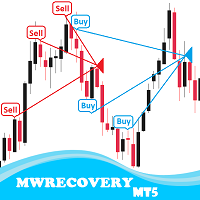
MWRecovery is a system designed to recover unprofitable positions.When the market moves by a certain amount against the direction of a trade and brings it to a loss, the system opens other trades in the same direction at specified intervals. Once these trades reach a certain profit, a magic trailing stop is activated to maximize your profit. How it works : The utility resets StopLoss levels for all processed orders. New trades will be placed if the conditions are met according to what you hav

BuySellClose Hotkeys provides an efficient and rapid way to manage trades with just a single keystroke on your keyboard. This feature allows you to assign specific hotkeys for Buy, Sell, and Close All actions, making your trading experience smoother and faster. Key Benefits: Instant Order Execution: Assign hotkeys to quickly execute buy and sell orders, enabling immediate trade entry without navigating through multiple menus or moving the mouse extensively. Easy Order Closure: Configure a hotke

Metatrader5 Trailing Stop Loss Program Platform Compatibility : This program is designed for the MetaTrader 5 platform. Functionality : The program scans all open Forex currency pair trades on MetaTrader 5 and adjusts their STOP LOSSES to a PROFIT position based on your specified input parameters. Parameters and Example : Example Trade : EURUSD Long (BUY) trade @ 1.0800 STOP LOSS (-50 pips) @ 1.0750 TAKE PROFIT (+50 pips) @ 1.0850 Program Settings : WhenToTrail = 20 PIPS (Pips profit amount to

The Day Trading Price Patterns Scanner is an EA that searches for all Day Trading Price Patterns on the all pairs and send to your Telegram Channel. Scan all the main Price Patterns are introduced in the Ebook Day Trading With Price Action - Galen Wood You won't never miss any potential trading setup.
[ Demo ] [ Manual ] [ Free Indicator ]
Setup
A step by step user guide is available. No knowledge of Telegram API is required; all you need is provided by the developer.
Free Day Trading

Quick Close 1S è un’utilità progettata per una gestione rapida e organizzata delle operazioni. Offre un pannello di controllo pulito per aprire o chiudere ordini istantaneamente, applicare impostazioni SL/TP flessibili, gestire obiettivi del paniere e controllare il profitto o la perdita complessivi. Adatta ai trader che apprezzano precisione, efficienza ed esecuzione chiara nelle operazioni quotidiane. Caratteristiche principali Controllo semplificato delle operazioni: Gestisci le posizioni da
FREE
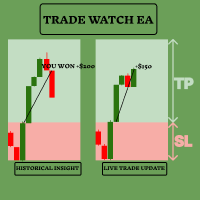
Migliora la tua strategia di trading con TradeWatch EA TradeWatch EA è uno strumento potente che offre informazioni in tempo reale e controllo sulle tue operazioni, semplificando così il tuo processo di trading e migliorando la gestione del rischio. Caratteristiche principali: Operazioni Visive: Mostra i livelli di stop-loss e take-profit direttamente sul grafico per un monitoraggio facile. La rappresentazione visiva aiuta a prendere decisioni rapide e a una migliore gestione del rischio. Indice
FREE

Trade shot è uno strumento di gestione. Chiude automaticamente gli ordini pendenti con profitto X o perdita Y. Definisci i $ che vuoi guadagnare o perdere per operazione, il vantaggio rispetto al take o allo stop loss è che qui definisci i soldi da guadagnare o perdere e non in base ai punti. . Ideale per le strategie di trading giornaliero del cuoio capelluto Le tue operazioni saranno facilmente gestite meglio in base a ciò che vuoi vincere o perdere, gli ordini vengono chiusi automaticamente
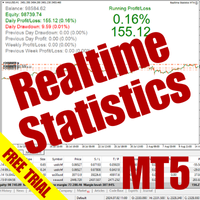
The Realtime Statistics MT5 is an innovative tool designed for traders who want to keep track of their trading performance in real-time. This MetaTrader 5 Expert Advisor (EA) is packed with customizable features that allow you to monitor crucial trading statistics directly on your chart, ensuring you always have the insights you need to make informed trading decisions. Check out the Realtime Statistics MT5 User Guide Here Try out the FREE Realtime Statistics MT5 Demo Here Key Features: Compr

A bot utility designed to streamline trade management. It offers auto lot calculation based on money, account risk, or fixed lot size, with order setup featuring draggable take profit, stop loss, and entry price to fit your plan. It supports Buy/Sell market, Buy/Sell limit, and Buy/Sell stop orders, with or without stop loss and take profit. Additional features include single-click breakeven, deleting positions/orders, and more, making trade management efficient and easy.
FREE

Make Trades in MetaTrader 5 with Profit Panel! If you are a MetaTrader 5 trader, you know how important it is to act quickly and accurately. With this in mind, we created the Profit Panel – an essential tool for negotiations What is the Profit Panel? Designed to make your daily trading easier. It offers a simplified and intuitive interface where you can open, manage and close transactions with just a few clicks. How does it work? The MT5 Trading Dashboard puts all the most important trading func

This custom indicator enhances your MetaTrader 5 trading experience by adding an intuitive crosshair tool that follows your mouse's movement across the chart. Here's what it does:
1. **Real-Time Mouse Tracking**: As you move your mouse over the chart, the indicator dynamically draws a crosshair on the exact point your cursor is hovering over. This crosshair consists of two lines—a horizontal and a vertical line—that intersect at the current mouse position.
2. **Precise Data Reference**: The c
FREE

OrderCalc opens a window in the chart with the data of your orders:
Position size, stop loss, take profit, profit/loss
Only the positions for this symbol are displayed. If several positions exist, these are totalled and displayed in the last line. If you work with pyramids, you can see at a glance how big the total profit or loss is.
M can be used to display information about the symbol: Margin, spread, minimum order size, increment etc. R opens the risk calculator. A click in the chart calc
FREE

Overview Custom Logic for Trading MT5 Mini is the free version that designed to execute trades based on custom indicator signals, with robust position management features with break-even settings. This script allows traders to implement their strategies with high precision and flexibility, enhancing their trading efficiency and profitability. Input Parameters Indicator Settings indicator_name : Name of the custom indicator to be used for generating signals. buy_signal : Signal value indicating a
FREE

Unlock the Power of Automated Trading with Human Intelligence and Advanced Technical Analysis in GOLD (XAUUSD)! Are you ready to take your trading to the next level? Introducing our cutting-edge trading bot, designed for MetaTrader 5 (MT5) users, that seamlessly integrates human intelligence with sophisticated technical analysis to deliver consistent and reliable trading signals in GOLD (XAUUSD) directly to your account. Why Choose Our Trading Bot? Automated Precision : Say goodbye to missed op
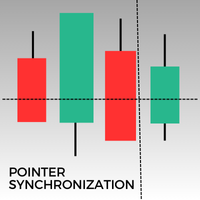
Questo indicatore per MetaTrader 5 sincronizza automaticamente il puntatore su tutti i grafici aperti dello stesso asset. Che si tratti di un grafico a 1 minuto o giornaliero, il puntatore si allineerà automaticamente allo stesso prezzo su tutte le finestre aperte. Questa funzionalità garantisce un'analisi coerente e rapida, migliorando il processo decisionale. La sincronizzazione del puntatore tra più grafici è uno strumento prezioso per i trader che mirano a mantenere una visione accurata dei
FREE

Watermark Versione MT4: https://www.mql5.com/en/market/product/120783 Versione MT5: https://www.mql5.com/en/market/product/120784
Logo Versione MT4: https://www.mql5.com/en/market/product/121289 Versione MT5: https://www.mql5.com/en/market/product/121290
Lo script "Watermark" è progettato per migliorare il tuo grafico di trading visualizzando informazioni cruciali direttamente sullo sfondo. Questo script offre un modo chiaro e discreto per tenere traccia di dettagli chiave come la coppia di t
FREE

Logo Versione MT4: https://www.mql5.com/en/market/product/121289 Versione MT5: https://www.mql5.com/en/market/product/121290
Filigrana Versione MT4: https://www.mql5.com/en/market/product/120783 Versione MT5: https://www.mql5.com/en/market/product/120784
Lo script "Logo" è progettato per visualizzare un logo o un'immagine personalizzata come sfondo su un grafico di trading in MetaTrader 4 (MT4). Questo script consente ai trader di personalizzare i propri grafici con loghi o qualsiasi altra im
FREE

Proteção contra volatilidade durante eventos de notícias
Movimentos bruscos de mercado são comuns durante a divulgação de notícias econômicas. Esses eventos impactam significativamente as operações de negociação, volatilidade inesperada e podem resultar em perdas.
O Impacto das Notícias no Mercado
1. Volatilidade inesperada: notícias econômicas podem causar flutuações graves de preços, potencialmente levando a perdas. 2. Imprevisibilidade: A incerteza em torno do impacto das notícias pode in

Enhance Your Trading with the Support and Resistance Alert! Ready to take your trading to the next level? Introducing the Support and Resistance Alert—the ultimate tool to precisely identify market turning points! Key Features: Dynamic Support and Resistance Lines: The indicator automatically draws support and resistance levels based on local lows and highs, giving you clear guidance on where the market is likely to reverse. Real-Time Alerts: Stay ahead of the market with customizable alerts. G
FREE

SL Maestro - Forex Expert Advisor SL Maestro - Forex Expert Advisor with Advanced Stop-Loss Features Introducing SL Maestro , the ultimate Forex Expert Advisor (EA) designed to enhance your trading strategy by adding stop-losses to existing trades with precision and flexibility. SL Maestro is not just limited to simple pips-based stop-losses; it incorporates a variety of advanced techniques to ensure optimal protection for your trades. Key Features: Pips-Based Stop-Loss : Easily set a stop-loss
FREE

This MT5 Utility is designed to simplify the process of managing multiple trades. If you have several open positions, it can be time-consuming to close each one manually. With this tool, you can easily close all profit trades, losing trades, or just the trades that are linked to the chart you're currently viewing. It saves you time and effort by allowing you to manage your trades with just a few clicks, making your trading experience smoother and more efficient. Whether you're focusing on profit
FREE

Zone Trader is a professional semi-automated trading assistant designed to help manual traders execute precise grid strategies with built-in risk management. Instead of manually calculating lot sizes and placing individual pending orders, Zone Trader allows you to visually define your grid directly on the chart using drag-and-drop lines. With a single click, the EA calculates the risk, splits the volume across your specified layers, and places the necessary orders to fill the zone between your S

This is an EA that supports simple order closing on MT5. EA Close MT5 (Homemade ) - EA closes orders when profit >= x$ - EA closes orders when loss >= -x$ - EA closes orders when Equity >= x$ - EA closes orders when Equity <= x$ - EA closes orders for all currency pairs or pairs using EA If you have any questions, please contact me: https://t.me/EAForexFree_Channel

Hedge Assistant - Hedge Assistant è un Expert Advisor (EA) intuitivo, progettato per semplificare le operazioni di copertura. Questo EA supporta due strategie di copertura: semplice e doppia. Per maggiori dettagli su queste strategie, consulta i video esplicativi disponibili sul nostro canale YouTube (link e immagini allegati). Funzionalità: Backtest: Non è possibile eseguire un backtest poiché gli ordini vengono eseguiti manualmente tramite i pulsanti del pannello, richiedendo l'intervento dir

Migliora il tuo trading manuale: Trade Manager Assistant per una gestione automatizzata del rischio rapida e precisa Ottieni istruzioni di configurazione complete ed esplora le funzionalità di Trade Manager Assistant utilizzando la versione demo gratuita fornita. Per maggiori dettagli vedere https://www.mql5.com/blogs/post/758625 . . Il trading manuale richiede un'analisi attenta e decisioni rapide, ma il rischio di errori di esecuzione, incongruenze e confusione sui parametri di trad
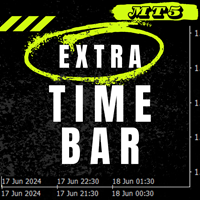
Barra del tempo extra / Extra Time Scale Bar MT4 version
è uno strumento progettato per migliorare il tuo trading permettendoti di aggiungere una barra temporale personalizzata ai tuoi grafici. Con questo strumento, non sei più limitato solo al tempo del server: puoi impostare il grafico per visualizzare qualsiasi fuso orario di tua scelta, come l'ora locale, l'ora del meridiano di Greenwich o qualsiasi altra.
Caratteristiche della barra del tempo extra: 1. Personalizzazione del fuso orario:

Universal EA — гибкий торговец для тех, кто ценит контроль Основные возможности Сигналы на основе структуры цены :
Торгует по бычьим и медвежьим импульсам с настраиваемой строгостью фильтрации. Интеллектуальный фильтр тренда :
Определяет направление и силу тренда в процентах. Возможность торговать только по тренду или в любом режиме . Двойной траллинг-стоп :
— Базовый трал — по ATR с динамическим множителем.
— Дополнительный трал на выбор: по свечам, фракталам, Parabolic SAR, скользящей
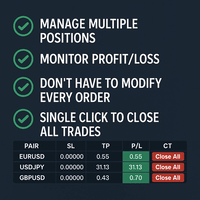
Tired of manually adjusting stop-loss and take-profit levels for multiple positions across different pairs? The Manage Multiple Positions Expert Advisor is your solution. MT4 Version - https://www.mql5.com/en/market/product/120916/ This powerful tool streamlines your trading experience by allowing you to manage multiple positions on a single pair with ease. Modify stop-loss and take-profit levels for all open positions on a specific pair with a single click. Plus, the EA provides clear visibili

Introducing our advanced Fast Trades Manager for MT5 Designed to seamlessly copy trades and provide comprehensive trade statistics. Link to MT4 version: Fast Trades Manager for MT4 Key features include: Fast Trade Copying: Efficiently copy trades from one broker to another, ensuring your strategies are implemented across different platforms. MT4 support: Fast copying between different terminal version, you copy trades from MT4 to MT5 or the opposite from MT5 to MT4 easier. Symbol Copying with

BreakEvan Utility Is a simple tool in a panel with this utilities: This utility will draw a Golden Line in the chart applied showing the breakeven price, considering all the positions opened for that specific symbol.
Also the information panel shows: Balance Breakeven Price for that chart Force Breakeven (for that symbol) as ON/OFF Force Breakeven Global (takes into account all trades opened) as ON/OFF Total Lots opened for Symbol Total Lots opened Global
And two buttons: Force Breakeven: Whe

This MetaTrader 5 (MT5) indicator script is designed to create a visual book representation of the market order book, displaying buy and sell orders directly on the chart. The indicator uses the following features: Customizable Width and Colors : The width of the visual book can be adjusted, and different colors can be set for buy and sell orders. Market Book Data Handling : It retrieves the current market order book data for the symbol and visualizes this data as rectangles overlaid on the char

This Utility is designed for price action strategies, trading flags and retests, such as Guerrilla Trading and similar strategies It allows to: place pending orders for retests (on the Retest line or x PIPs away from the retest line) place orders for flag formations calculate lotsizes based on account size, currency pair and risk percentage split trades and place multiple trades if lot size exceeds max lot size given by broker manage trades with a trailing SL/TP behind the most recent highs/lows
Questa utility EA chiude qualsiasi ordine di acquisto o vendita quando raggiunge il valore di profitto desiderato o quando viene attivato lo stop guadagno. Chiude gli ordini aperti manualmente o da altri robot. Molto efficace per proteggere o garantire guadagni in rapidi movimenti dei prezzi. Funziona su qualsiasi periodo e su qualsiasi asset disponibile su MT5.
Trailing Start: ad esempio, se il prezzo si sposta di 70 pip a favore, attiva lo stop gain. Traling Stop: o Traling Step: se il pre
FREE
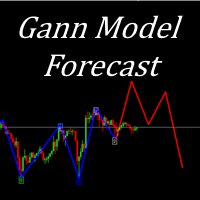
I present to your attention a powerful utility for predicting the future movement of an asset based on W.D. Ganna’s law of vibration. This utility analyzes the selected market model and provides codes for future possible market movement patterns. If you enter the selected code into the appropriate box, you will receive a forecast of the potential market movement. The utility has the ability to display several potential forecast models. The forecast is not yet tied to time and price and gives th

Program Features 1. Calculation of Margin Call and Liquidation Prices Monitoring all open positions: The program continuously analyzes all open positions on the trading account. Determining critical price levels: Margin Call Price: The price at which additional funds must be deposited to keep positions open. If this does not occur, liquidation follows. Liquidation Price: The price at which positions are automatically closed by the broker to prevent further losses. 2. Display of Prices on the Ch
FREE
Hola Traders. By popular demand from my fellow traders, I am excited to announce the release of my newly developed tool for placing pending order grids. Many of you have already benefited from this tool, and several have requested a version for MT5. Now, it is available for everyone! This automatic grid trading placement tool is convenient, easy to use, and fast. It also includes quick action buttons for closing profits, losses, and pending orders. No matter how many pending orders you have, jus

Introduction to SWARM CALCULATOR The SWARM CALCULATOR is a revolutionary tool designed for traders who prioritize effective risk management and optimized trading strategies. With its advanced features and intuitive interface, the SWARM CALCULATOR enhances your trading experience, allowing you to make informed and precise decisions. Key Features: Customized Risk Management: Automatic Position Size Calculation: Automatically determine the optimal position size based on the percentage of risk you a
Hola Traders. By popular demand from my fellow traders, I am excited to announce the release of my newly developed tool for placing pending order grids. Many of you have already benefited from this tool, and several have requested a version for MT5. Now, it is available for everyone! This automatic grid trading placement tool is convenient, easy to use, and fast. It also includes quick action buttons for closing profits, losses, and pending orders. No matter how many pending orders you have, jus

IAMFX offers the ultimate solution to make trading easier and more flexible on IAMFX Web using IAMFX Agent .
With our exclusive IAMFX-Agent and IAMFX-Center, you can effortlessly manage your trading anytime, anywhere through web and mobile interfaces. Fully compatible with both web and mobile environments, IAMFX allows real-time multi-account management and monitoring with a simple installation. IAMFX Benefits Manage multiple MT5 accounts Easy orders with market, stop and limited Manage orde
FREE

DRS Semi Automated: Fair Value Gap Trading Inspired by the DRS strategy made by SMT FX. To learn more, visit their website.
Key Features:
1. Fair Value Gap Detection: Identifies bullish and bearish Fair Value Gaps on the 5-minute timeframe. 2. Customizable Trading Sessions: Trade London, New York, or both sessions with adjustable start times. 3. Risk Management: Set risk percentage and choose between equity-based or fixed balance risk calculation. 4. Bias Selection: Manually select bullish or
Symbol Drawdown Protector is a utility tool used to manage your desired Max Daily Drawdown only on a specific trading symbol. It's like a %-based stop loss, but it's functioning as a revenge protector tool too.
In the era of prop firms and challenges, it's highly important to be aware of daily drawdown limits. It's an effective EA that is simple to use for Equity Drawdown Management and prevention of revenge trading. Input parameters: Daily % Drawdown - Here you set the Maximum Daily Dra

Panoramica Utilizza il Pannello Statistiche per monitorare, analizzare e migliorare le tue prestazioni di trading. Visualizza una selezione di statistiche chiave su vari periodi, inclusi giornaliero, settimanale, mensile e personalizzato. Identifica facilmente i tuoi strumenti con le migliori e peggiori prestazioni utilizzando il grafico a linee interattivo. EA non funziona nel tester di strategia. Contattaci per una prova gratuita. Statistiche Visualizzate: Profitto - % di profitto e profitto n

Questo consulente è una dashboard che ti consente di scambiare più coppie con un solo clic. Clicca su aprire Questo pulsante apre un ordine per la coppia selezionata. Clicca su chiudere Questo pulsante chiude l'ordine per la coppia selezionata. Il lotto dell'ordine è il numero inserito dall'utente. I numeri positivi corrispondono agli ordini di acquisto, mentre i numeri negativi corrispondono agli ordini di vendita. Fare clic sul pulsante Chiudi per chiudere l'intero

Descrizione: VPS Health Check EA è un'utilità MetaTrader 5 progettata per monitorare la connessione al tuo broker e fornire notifiche tempestive sullo stato della connessione. Questo strumento assicura che tu venga immediatamente informato di eventuali problemi di connessione, aiutando a mantenere la stabilità e l'affidabilità delle tue attività di trading. Caratteristiche: Modalità di controllo della connessione: scegli se controllare la connessione a ogni nuova candela o a un orario speci
FREE

Trade on Bybit with MT5/MT4 EAs and indicators! GRat_BybitImport is a tool for manual and automated trading , including ANY available EA, ANY cryptocurrency on one the most popular crypto exchanges Bybit 24/7. Features 1. ALL Bybit instruments are available. 2. Import(automatic copying) to the specified Bybit currency all trades (made manually or by an EA) from an MT5 account (including demo) by the specified symbol and/or magic number. 3. Import(automatic copying) to the specified By

Zone Guardian is an advanced Expert Advisor (EA) designed to automate trade management. This EA manages trades within specified risk parameters using automatic lot calculation and multi-layered trade activation. It supports up to 5 layers within the entry zone, each with customizable risk percentages. Visual aids on the chart display entry zones, stop loss (SL), and take profits (TP), ensuring easy level adjustments. The EA adapts to market conditions by closing trades at each TP and moving SLs

Experience the ultimate trendline auto-trading solution! Our expert advisor/utility allows you to effortlessly place one or more trendlines from different timeframes - it places a trade in the breakout direction. 1. AUTO TRADING / MANUAL TRADING Trendscout can place orders for you automatically. You have to enable “Auto trading” and also check the “Enable live trading” box at the parameter window. When price crosses a trend lines for the first time two massages are sent to your mobile phon

This utilities can constantly monitors and handle the equity/ balance account to prevent drawdowns and protect your account. This Utilities can handle manually order and automatically order by other Expert Advisors. If the conditions are reached, the open position will be close/ all close (depending your setting).
How to use :
attach this utilities on new chart (same pair) you need to handle make sure magic number is same with other EA you need to handle entry magic number '0' if you need han
Utilidad de uso informativo la cual ayudará a gestionar el riesgo de los trades con la ayuda visual de los datos proporcionados. el usuario se encargará de ubicar sus SL y TP manual acorde al lotaje. Asesor experto desarrollado para MT5 con el objetivo de ingresar ratios de utilidad y % de riesgo, adicional los Pips de SL para el cálculo del lotaje para dicho riesgo. Estos se calculan sobre el balance actual. El usuario tomaría como dato ingresar el lotaje que se calculó y arrastrar el S
FREE

Q市价做空,W市价做多,E市价全部平仓。 持仓最大数量为1,即:禁止加仓。 ea的输入为手数,止损和最大滑点,不支持设置止盈。 专为短线吃一个小波段设计。 无论下单还是止损都会有提示声。 Q W E sell buy close
The Q key is short, the W key is long, and the E key is closed. The maximum number of positions is 1, i.e., it is forbidden to add positions. The EA's inputs are lots, stop loss and maximum slippage, and take profit is not supported. Designed for short-term swing trader. Play sound whenever position open or stoploss.
FREE
This indicator is for " Replaying charts " and is designed for Metatrader 5 , which can be used in all different time frames.
Some of the most important advantages of the indicator are: Switching between time frames: The most important advantage is that, for example, you are working in the time frame M15, when you change your time frame to a higher or lower time frame, the place that you had been doesn't change, and you can easily see your position and candles in other time frames without any

SIATE PAZIENTI CON IL BOT IN QUANTO IL TEMPO DI RISPOSTA POTREBBE ESSERE DI POCHI SECONDI. RISPONDERÀ. ASSICURATI DI PREMERE INVIA E POI ASPETTA. È UN SEMPLICE BOT CHAT GPT PER MT5 E MQL5. Nei commenti, aggiungi la tua chiave API negli input e aggiungili alla richiesta web nella scheda Expert Advisor:
CHAT CON AI SU MQL5 E MT5. IL PROMPT DEVE CONTENERE MQL5 O MT5, ALTRIMENTI NON RISPONDERÀ. È ADDESTRATO SOLO SU MT5 E MQL4. NOTA CHE FUNZIONERÀ SOLO NEI GRAFICI IN TEMPO REALE, NON NEL BACKTEST.
SmartSetup Bot Is an advanced trading tool that combines the flexibility of manual configurations with the power of semi-automated features. It automatically generates graphical objects, displaying critical zones such as support and resistance levels, stop loss and take profit areas, and other essential indicators. SmartSetup Bot provides clear and precise visualization of your trading parameters, facilitating informed decision-making. This bot is designed for traders who value manual control bu
FREE

Risk Oracle - Expert Advisor Description Risk Oracle is a sophisticated yet user-friendly Expert Advisor (EA) designed for risk management and trade execution. This utility tool is tailored to assist traders in executing orders at optimal prices while managing risk efficiently, without the need to manually calculate volumes and other parameters. By automating these critical aspects, Risk Oracle simplifies the trading process and allows traders to focus on strategy and market analysis. All Produc

这是一个辅助ea,在电脑或者vps上开启后,可以方便的在手机上下单,自动设置止损止盈,特别适合超短线和剥头皮的快速止盈,让你在手机上就可以方便的设置损赢。这个ea只有两个参数,TP就是你想要设置的止盈数字,比如xauusd当前价格是2450.32,设置止盈100,当buy后价格达到2451.32的时候即可以止盈。 SL就是你想要设置的止盈数字,比如xauusd当前价格是2450.32,设置止损100,当buy后价格达到2449.32的时候即可以止损。这是一个很方便的工具,可以使您在使用mt5手机软件操作的时候,更方便快捷的交易,而不需要点开下单界面然后再输入止盈止损或者是下单后再去手动设置止盈止损,快人一步就是金钱。
Il MetaTrader Market è il posto migliore per vendere robot di trading e indicatori tecnici.
Basta solo sviluppare un'applicazione per la piattaforma MetaTrader con un design accattivante e una buona descrizione. Ti spiegheremo come pubblicare il tuo prodotto sul Market per metterlo a disposizione di milioni di utenti MetaTrader.

Ti stai perdendo delle opportunità di trading:
- App di trading gratuite
- Oltre 8.000 segnali per il copy trading
- Notizie economiche per esplorare i mercati finanziari
Registrazione
Accedi
Accetti la politica del sito e le condizioni d’uso
Se non hai un account, registrati