EaInfoMaster
- Utilità
-
Dustin Ricardo Pierenz
 Algorithmic trader and MQL5 developer focused on reliable MetaTrader and EA operation. I share practical notes on Linux compatibility, performance, latency and trading infrastructure.
 - Versione: 1.30
- Aggiornato: 28 ottobre 2025
- Attivazioni: 5
Stop clicking through charts to find your EA configurations!
Get a complete overview of all running Expert Advisors with their symbols and magic numbers in seconds.
Managing multiple EAs across different symbols? Monitoring performance on FX Blue or other platforms? This tool instantly displays:
- All running EA names
- Their symbols and magic numbers
- Account details (number, broker, currency)
- Direct FX Blue statistics links (other provider will follow! Tell me what you need)
- Excel-ready format - copy & paste into spreadsheets!
Perfect for traders who:
- Run multiple EAs on different symbols
- Need quick access to FX Blue statistics
- Want organized documentation of their trading setup
- Manage several accounts
Instant Overview - Scans all charts and shows EA configurations FX Blue Integration - Auto-generates statistics links per magic number Combined Overview Link - One link for all your EAs together Excel Export Ready - Tab-separated output for easy documentation Account Information - Shows broker, account number, and currency No Duplicates - Smart detection of unique EA configurations
- Drop the script on any chart
- Enter your FX Blue username (optional - leave blank if not using FX Blue)
- Click OK
That's it! You'll get:
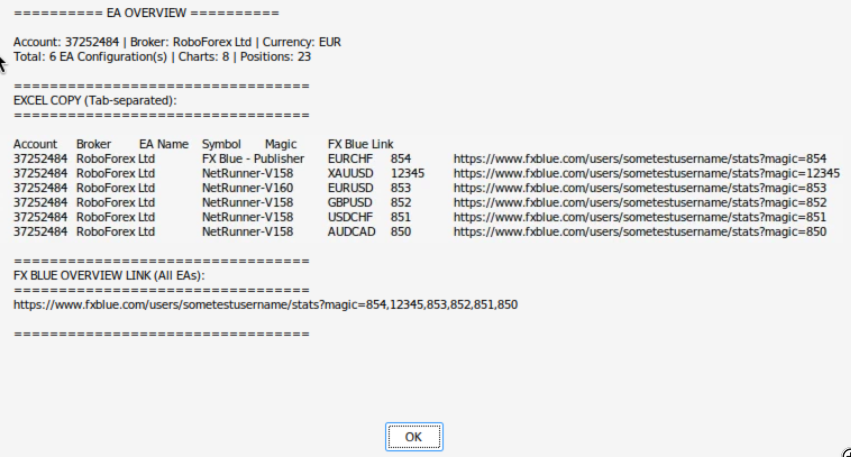
- A popup with all EA information
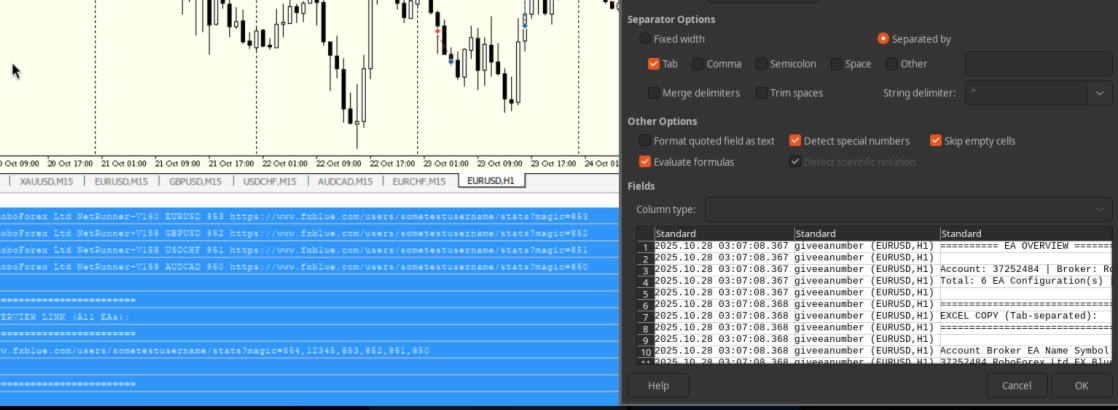
- Terminal output with Excel-friendly format
- Direct clickable FX Blue links
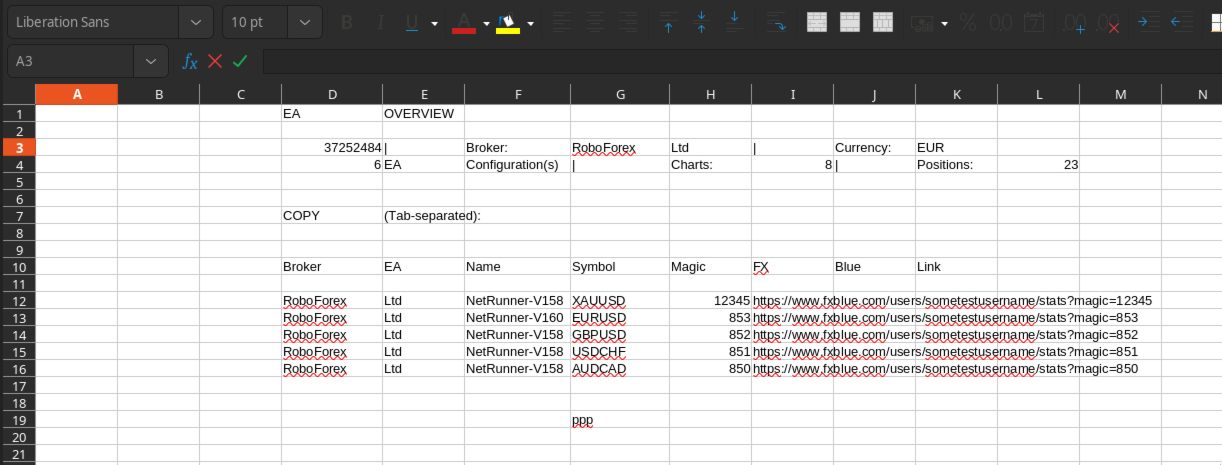
Simply copy the tab-separated section from the terminal output and paste into Excel or Google Sheets. Headers and data will automatically align into columns!
Account: 12345678 | Broker: Your Broker | Currency: USD Total: 5 EA Configuration(s) | Charts: 8 | Positions: 12 EXCEL COPY (Tab-separated): Account Broker EA Name Symbol Magic FX Blue Link 12345678 Your Broker NetRunner-V158 EURUSD 853 https://www.fxblue.com/users/yourname/stats?magic=853 12345678 Your Broker NetRunner-V158 GBPUSD 852 https://www.fxblue.com/users/yourname/stats?magic=852 ... FX BLUE OVERVIEW LINK (All EAs): https://www.fxblue.com/users/yourname/stats?magic=853,852,851,850,854
- Run the script whenever you add/remove EAs to update your documentation
- Keep the Excel export to track your EA setup history
- Use the overview link to monitor all EAs at once on FX Blue
- Works with any number of EAs and charts
- MetaTrader 5
- At least one EA running on a chart
- FX Blue username (optional, for statistics links)
- Professional traders managing multiple strategies
- Account managers tracking several EAs
- Anyone documenting their trading setup
- Quick access to FX Blue performance stats