Telegram Copy Trade System MT5
- Utilità
-
Salman Soltaniyan
 I'm an MQL4/5, Pinescript developer
You can post a job for me: https://www.mql5.com/en/job/new?prefered=salmansoltaniyan - Versione: 1.0
Product Overview
The Simple Telegram Copy Trader is a FREE unified Expert Advisor that combines both Master and Slave functionality in a single EA with easy mode switching. This simplified version focuses on OPEN TRADES ONLY, making it perfect for basic copy trading setups without the complexity of advanced features.
Get professional-grade copy trading with complete lifecycle management:
Key Features
Unified Design
Single EA with Master/Slave mode selection via input parameter
Open Trades Only
Broadcasts and receives position opening signals (no SL/TP complexity)
Simple JSON Format
Streamlined 5-field message structure for reliable communication
Direct Execution
No symbol transformation or lot size modifications - pure simplicity
Free to Use
No purchase required - perfect for testing and basic setups
Easy Setup
Minimal configuration required for quick deployment
Master Mode Features
- Automatic Detection: New positions and pending orders
- JSON Broadcasting: Simplified signals to Telegram channel
- Real-time Tracking: Live trade monitoring and broadcasting
- Rate Limiting: 300ms delay between messages for stability
- Flexible Channel Support: Username and Chat ID compatibility
- Status Display: Chart comment with connection information
Slave Mode Features
- Signal Reception: Processes OPEN trade signals from Telegram
- Direct Lot Usage: No multipliers or transformations
- Timer-Based Checking: Reliable signal reception system
- Auto-Execution: Configurable trade automation
- Queue Processing: Message queuing for reliability
- Permission Validation: Trading safety checks
Supported Trade Types
Pending Orders: Buy Limit, Sell Limit, Buy Stop, Sell Stop
Symbol Handling: Direct usage (no prefix/suffix)
Lot Sizes: Exact amounts from Telegram signals
JSON Message Format
The EA uses a simplified 5-field JSON structure for reliable communication:
Setup Instructions
MetaTrader 5 Configuration
- Open MetaTrader 5
- Go to Tools → Options → Expert Advisors
- Add "https://api.telegram.org" to "Allow WebRequest for listed URL"
- Check the WebRequest checkbox
- Click OK and restart MetaTrader 5
Create Telegram Bots
- Open Telegram and search for @BotFather
- Send /newbot command
- Create separate bots:
- One bot for Master EA (e.g., "My Master Trading Bot")
- Separate bots for each Slave EA (e.g., "My Slave Bot 1", "My Slave Bot 2")
- For each bot, choose a username (must end with 'bot')
- Copy each Bot Token provided by BotFather
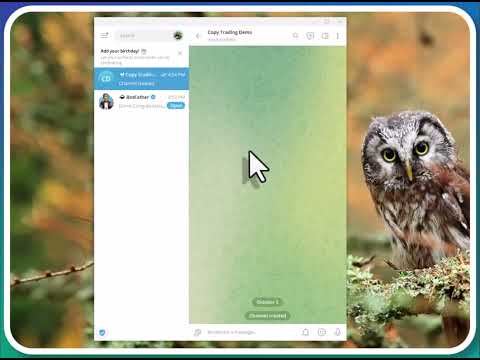
- Create a Telegram channel for signals
- Add ALL bots to the channel as administrators
- Give each bot "Post Messages" permission
Get Channel Information
For Public Channels: Use channel username without @
For Private Channels: Get Chat ID using bot API
Configure the EA
- Attach EA to any chart
- Set EA Mode (MASTER or SLAVE)
- Enter appropriate Bot Token for this specific instance
- Enter Channel Username OR Chat ID
- Configure additional settings as needed
Test the System
Master: Open position → Check Telegram for signal
Slave: Send test signal → Verify execution
Important Notes
- Separate Bot Tokens: Master needs one bot, each Slave needs its own separate bot
- Simple Version: Only handles OPEN trades (no SL/TP)
- Direct Execution: Uses exact symbols and lots from signals
- No Risk Management: Advanced features in paid versions only
- Testing Required: Always test on demo first
Free Version Limitations
Not Included (FREE Version)
- ✗ No Stop Loss / Take Profit handling
- ✗ No trade modifications or closures
- ✗ No symbol transformation
- ✗ No lot size multipliers
- ✗ No partial close functionality
- ✗ No advanced filtering
- ✗ No trade history sync
- ✗ Basic error handling only
Included (FREE Version)
- ✓ Open position broadcasting
- ✓ Pending order signals
- ✓ Real-time signal transmission
- ✓ Reliable message queuing
- ✓ Connection status monitoring
- ✓ Direct symbol/lot execution
- ✓ Clean chart comments
- ✓ Easy mode switching
Troubleshooting
Connection Issues
- Verify bot token accuracy
- Ensure WebRequest URL is added to MT5
- Check bot administrator status in channel
- Confirm channel username/Chat ID
Signal Issues
- Verify JSON format correctness
- Check AutoTrade setting (SLAVE mode)
- Ensure trading permissions granted
- Verify symbol availability on broker
Advanced Versions Comparison
Telegram Signal Broadcaster MT5 (Master)
Advanced Master Features:
- ✓ Complete Trade Lifecycle: Open, Modify, Close operations
- ✓ Stop Loss & Take Profit: Real-time SL/TP broadcasting
- ✓ Trade Modifications: Live tracking of all trade changes
- ✓ Closure Notifications: Position close with profit/loss data
- ✓ Order Management: Pending order deletion notifications
- ✓ Advanced JSON: Comprehensive data format with all trade details
- ✓ Lot Size Options: Configurable balance_per_lot vs actual lots
- ✓ Enhanced Reliability: Advanced error handling and reconnection
- ✓ History Tracking: Comprehensive trade history management
- ✓ Professional Messages: Detailed notification system
Telegram Signal Subscriber MT5 (Slave)
Advanced Slave Features:
- ✓ Complete Signal Processing: Open, Modify, Close operations
- ✓ SL/TP Management: Full stop loss and take profit handling
- ✓ Live Synchronization: Real-time trade modifications following
- ✓ Auto Closure: Automatic position closure with master signals
- ✓ Symbol Transformation: Advanced prefix/suffix mapping system
- ✓ Intelligent Lot Calculation: Multipliers and risk-based sizing
- ✓ Risk Management: Fixed lot sizes and safety controls
- ✓ Symbol Filtering: Allowed symbols list and restrictions
- ✓ Error Recovery: Comprehensive error handling and recovery
- ✓ Trade Validation: Multiple safety and validation checks
- ✓ Multi-Source Support: Compatible with various signal sources
- ✓ Priority Processing: Advanced queue with priority handling
Version Comparison Summary
| Feature | FREE Version | Advanced Versions |
|---|---|---|
| Open Trade Signals | ✓ Yes | ✓ Yes |
| Stop Loss / Take Profit | ✗ No | ✓ Full Support |
| Trade Modifications | ✗ No | ✓ Real-time |
| Position Closures | ✗ No | ✓ Automatic |
| Symbol Transformation | ✗ Direct Only | ✓ Advanced Mapping |
| Lot Size Management | ✗ Direct Only | ✓ Multipliers & Risk |
| Risk Management | ✗ None | ✓ Comprehensive |
| Error Handling | ⚠ Basic | ✓ Advanced |
| Price | FREE | Premium |
| Best For | Basic Testing & Simple Setups | Professional Copy Trading |
Choose Your Version
FREE Version: Perfect for testing, learning, and basic open-only copy trading
Advanced Versions: Complete professional copy trading with full lifecycle management, risk controls, and advanced features
Support & Updates
For technical support and updates, visit:
https://www.mql5.com/en/users/salmansoltaniyan/