ClickCloserExpress Panel
- Utilità
-
Yulia Azan Sabaeva
 Soy Yulia Azan, empecé automatizando mis propios sistemas y hoy convierto ideas en EAs e indicadores para MT5 con MQL5: trabajo con estrategias de tendencia, volatilidad y oro (XAUUSD), SA, divergencias, y variantes DCA/Grid con gestión de riesgo (SL/TP, trailing, parciales). También convierto Pine
 - Versione: 1.2
- Attivazioni: 5
Category: Utilities → Trade Panels
Version: 1.2 (auto-sizing buttons + adjustable font size)
ClickCloserExpress is a super-lightweight panel for MetaTrader 5 that lets you close positions instantly by profit/loss, symbol, side (Buy/Sell), and magic number—without opening new trades or cluttering your chart. Perfect for manual/semi-auto management, scalping, and fast portfolio clean-ups.
What it does
-
One-click closing of:
-
🔹 All positions.
-
🔹 Profitable only or losing only.
-
🔹 Symbol on chart or all symbols.
-
🔹 Only Buy or only Sell (current symbol or all).
-
-
Magic Number filter: act only on the EA/strategy you specify (or on everything).
-
Slippage control (in points) for closing operations.
-
Adaptive UI: auto-sized buttons and configurable font size (new in v1.2) so labels never get clipped.
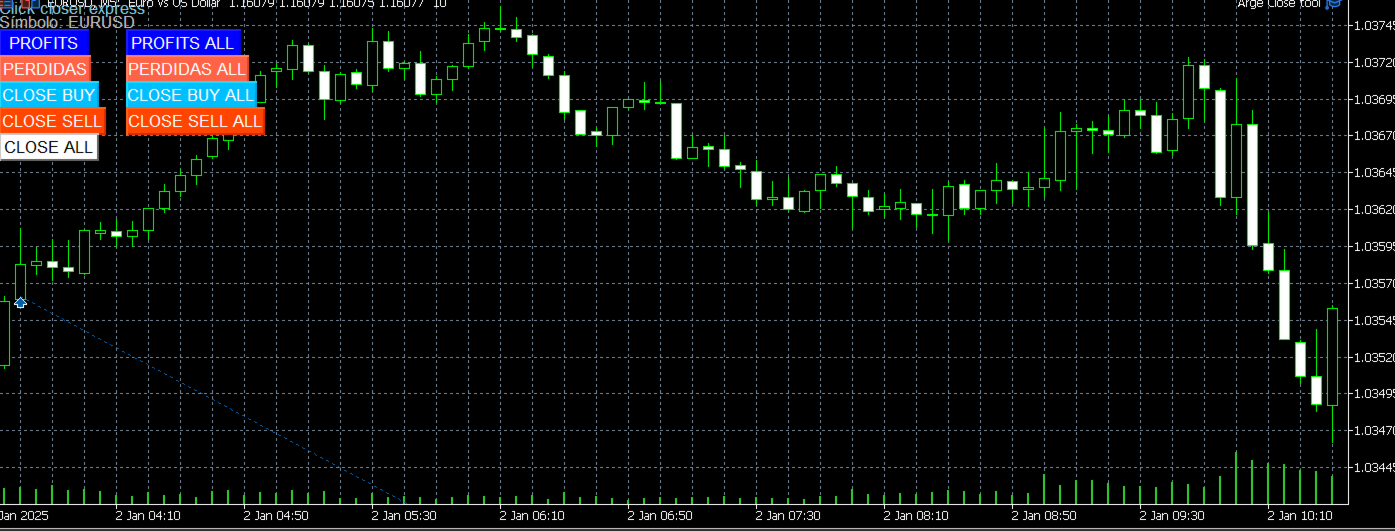
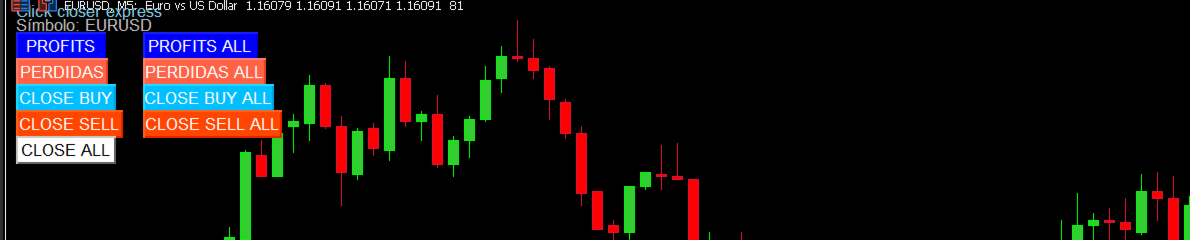
Buttons (actions)
-
PROFITS: closes profitable positions on the current symbol.
-
PERDIDAS (LOSSES): closes losing positions on the current symbol.
-
PROFITS ALL: closes profitable positions on all symbols.
-
PERDIDAS ALL (LOSSES ALL): closes losing positions on all symbols.
-
CLOSE BUY / CLOSE SELL: closes Buy or Sell on the current symbol.
-
CLOSE BUY ALL / CLOSE SELL ALL: closes Buy or Sell on all symbols.
-
CLOSE ALL: closes every filtered position.
Under the hood, each ticket is selected and closed with brief retry logic, ensuring smooth operation on both netting and hedging accounts.
Inputs
-
InpSymbol — target symbol (empty = use chart’s _Symbol ).
-
InpMagicFilter — magic number filter (-1 = any).
-
InpSlippagePoints — allowed slippage (points) on close.
-
InpUIButtonFont — button font size (recommended 8–20).
How to use (2 steps)
-
Attach the EA to any chart (enable AutoTrading).
-
Click the desired button. That’s it.
Compatibility
-
Platform: MetaTrader 5
-
Accounts: Netting & Hedging
-
Behavior: Doesn’t open trades or manage SL/TP; it only closes existing positions.
-
Lightweight: Minimal overhead; no heavy recalculations.
Use cases
-
Quick flush of losers/winners before news.
-
Close only positions from EA X using the Magic Filter.
-
Exit all Buy (or Sell) positions across multiple symbols in one click.
-
Scalpers who need instant actions without digging through the Terminal.
Best practices
-
Tune InpSlippagePoints to your broker’s volatility/liquidity.
-
Use InpMagicFilter when running multiple EAs to avoid unintended closures.
-
Remember final fills depend on latency, broker execution, and liquidity.
What’s new in v1.2
-
Auto-sizing buttons that adapt to label length (no clipping).
-
Font size parameter (InpUIButtonFont) to fit any display/resolution.
FAQ
Does it open trades? No—this is a close-only utility.
Does it work on any symbol? Yes; by default it uses the chart symbol, but “ALL” buttons cover every symbol.
Netting support? Yes—works on both netting and hedging accounts.
Can I target a specific EA? Yes—set InpMagicFilter to that EA’s magic number.