TriZone Semafor Plus
- Indicators
-
Ahmed Hamed Hamed Eadwan
 Hello, I'm Ahmed — a trader and MQL5 developer based in the
United Arab Emirates, and the founder of R protocols.
I've been writing code since 1984 and trading the markets since 2006.
For many years, I developed trading tools for my own use, refining them
through real market experience. - Version: 1.1
- Updated: 9 August 2026
- Activations: 5
If you need structured, multi-level pivot detection combined with real-time dashboard analytics, mobile push notifications, and EA automation integration — TriZone Semafor Plus is built specifically for your workflow.
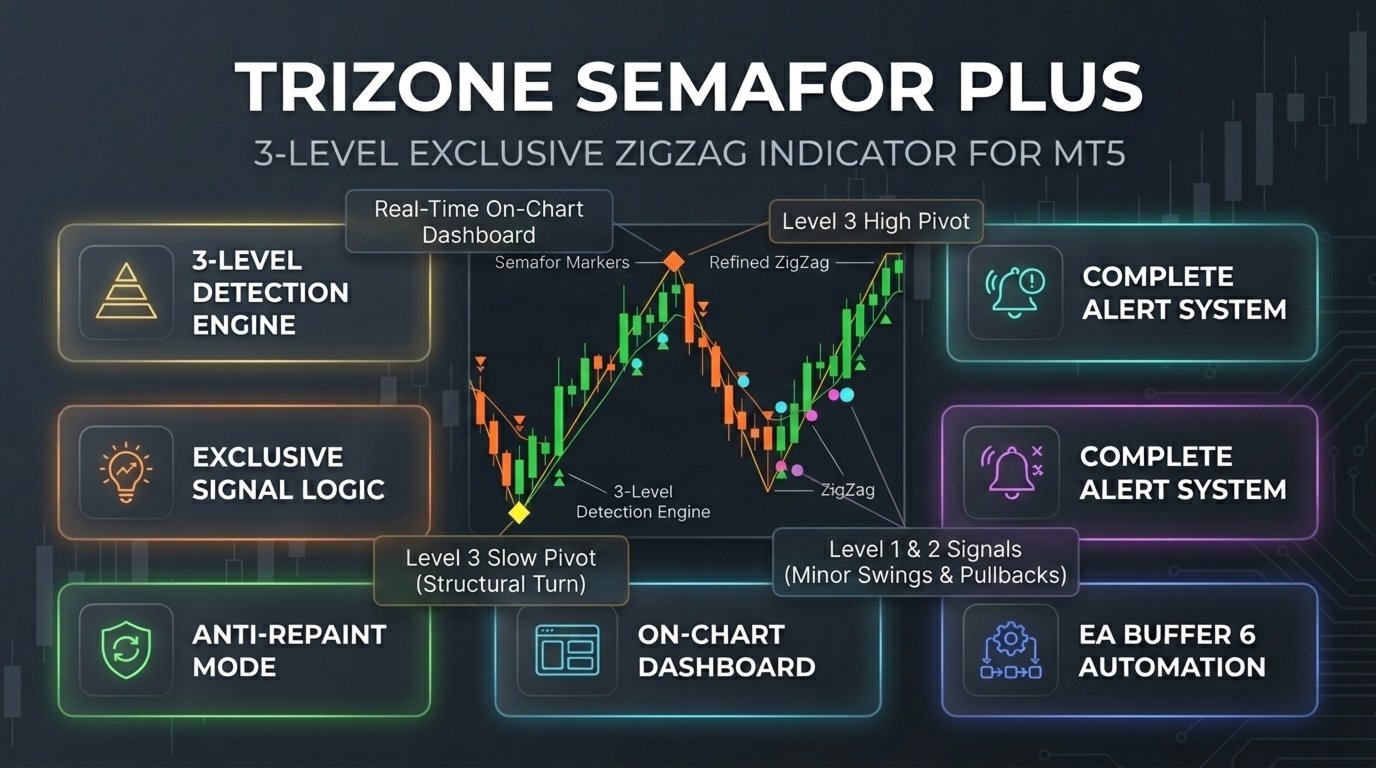
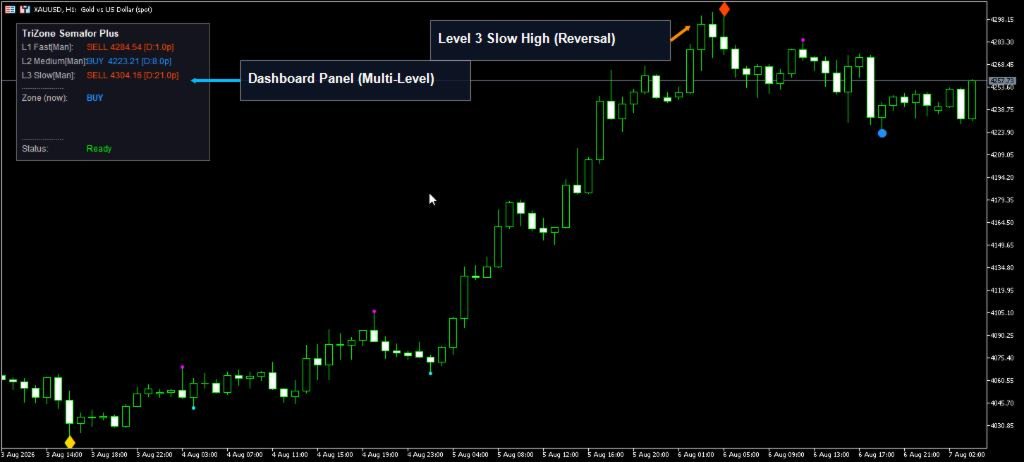
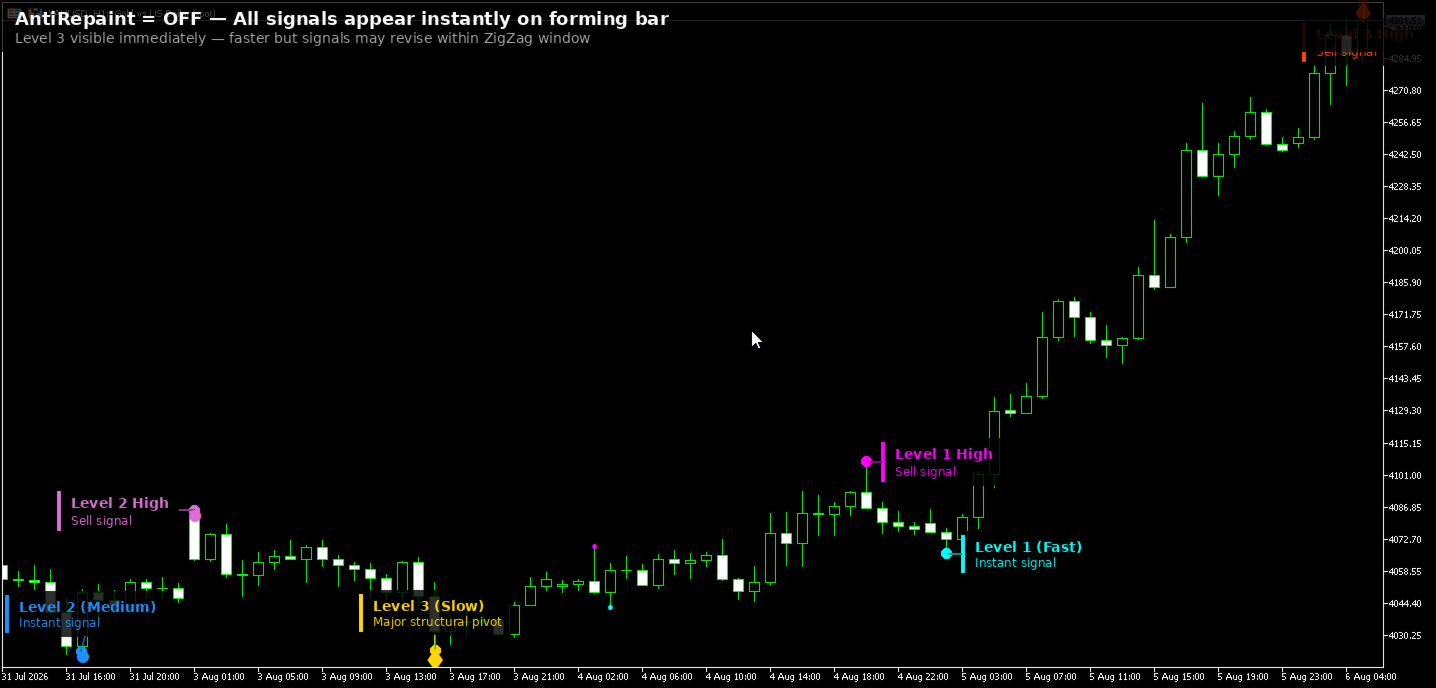
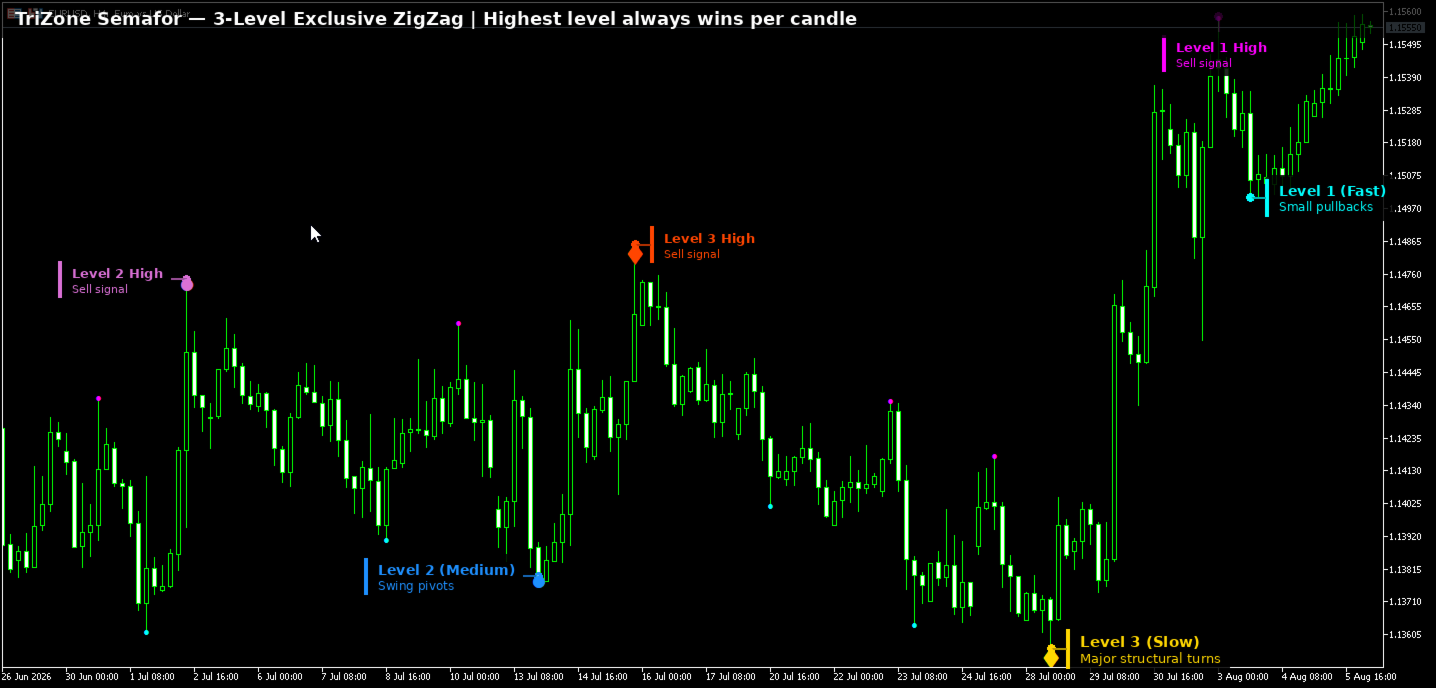
Building on the core exclusive 3-level ZigZag engine (Fast Period 5, Medium Period 13, Slow Period 34), the Plus version transforms standard chart signals into an actionable trading dashboard. When multiple ZigZag levels form on the same candle, only the highest level survives (Level 3 overrides Level 2, Level 2 overrides Level 1), giving you clean, non-overlapping signals both visually and inside indicator buffers.
Why Upgrade to TriZone Semafor Plus?
While standard indicators leave you scanning chart history manually or missing trades when away from your terminal, Plus delivers professional workflow tools:
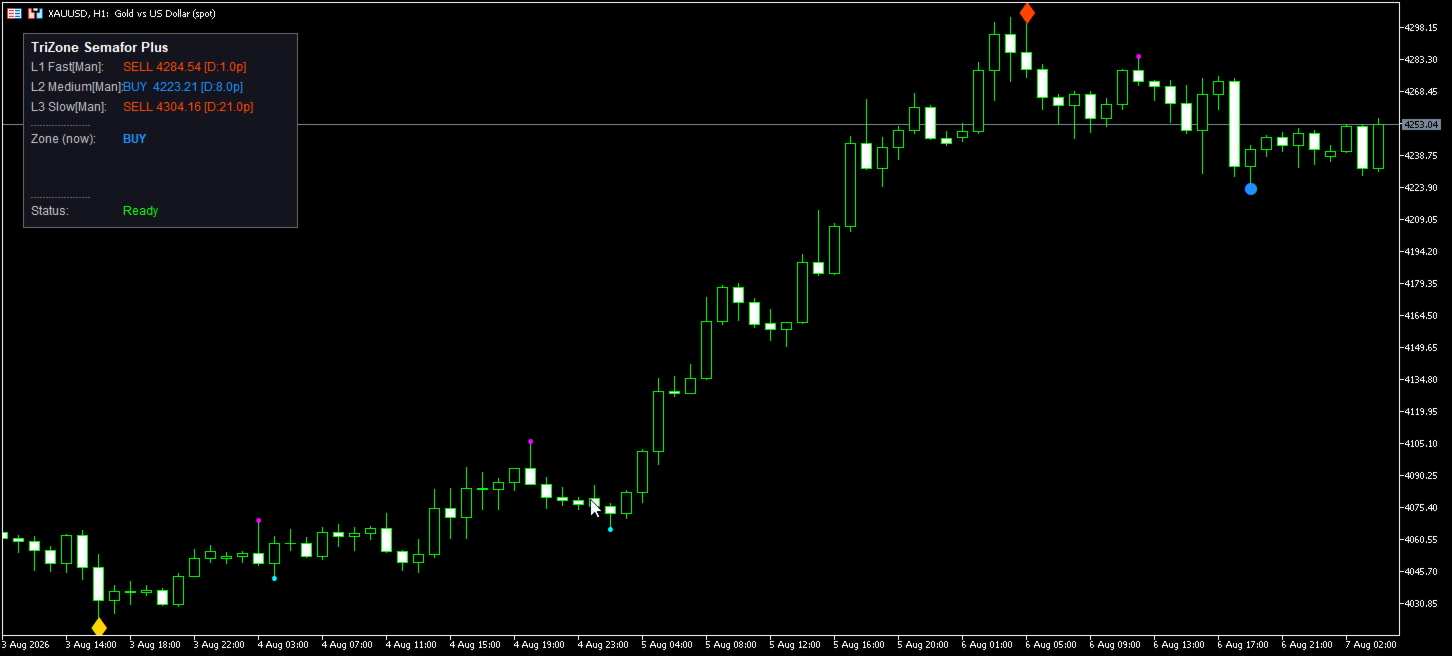
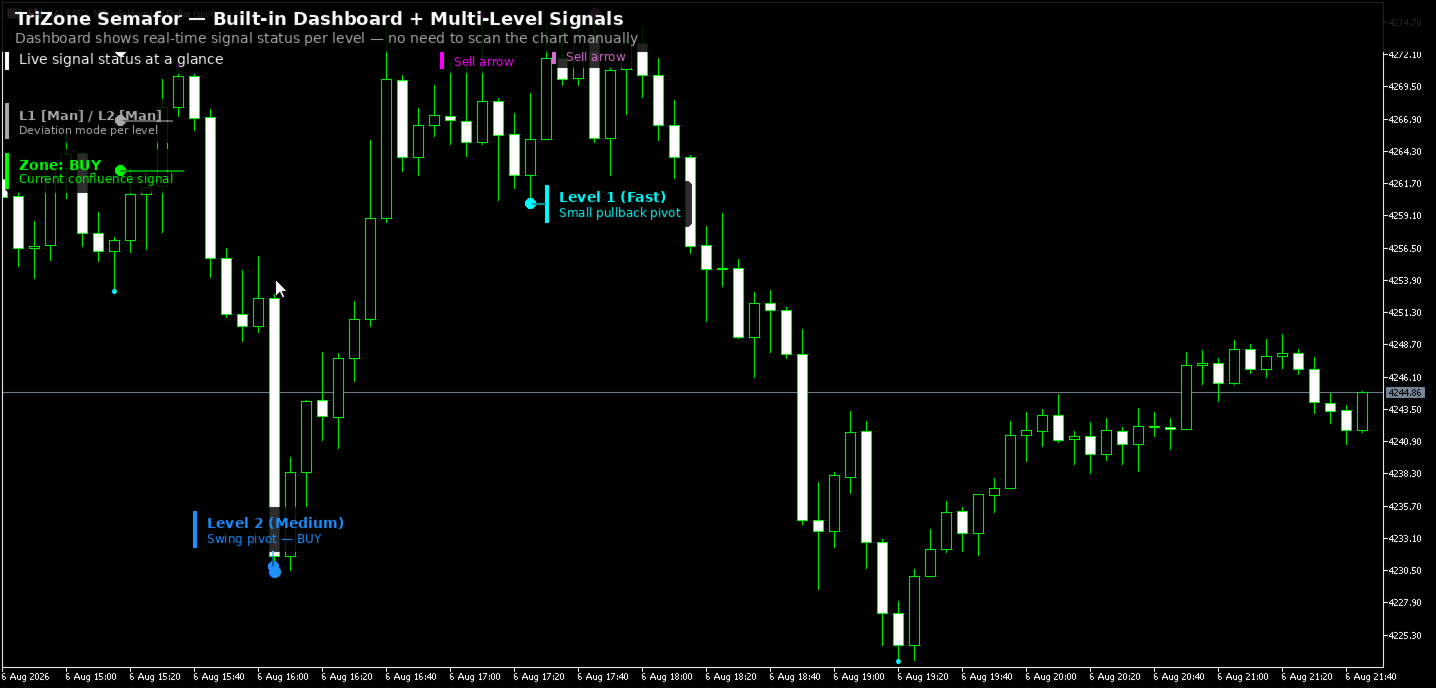
- Real-Time On-Chart Dashboard Panel: Displays current multi-level market stats, active signal level, bars since last pivot, and multi-timeframe directional alignment directly on your chart.
- Complete Notification Suite: Receive instant mobile Push notifications and Email alerts sent directly to your phone the exact moment a pivot is confirmed — never miss a trade again.
- EA Automation Buffer (Buffer 6): Features a specialized EA-readable Signal Strength buffer. Your Expert Advisors can read signal direction and strength with a single iCustom call without scanning 6 separate arrow buffers.
Three Detection Levels & Exclusive Priority
TriZone classifies every pivot by structural significance so you immediately spot key reversal points:
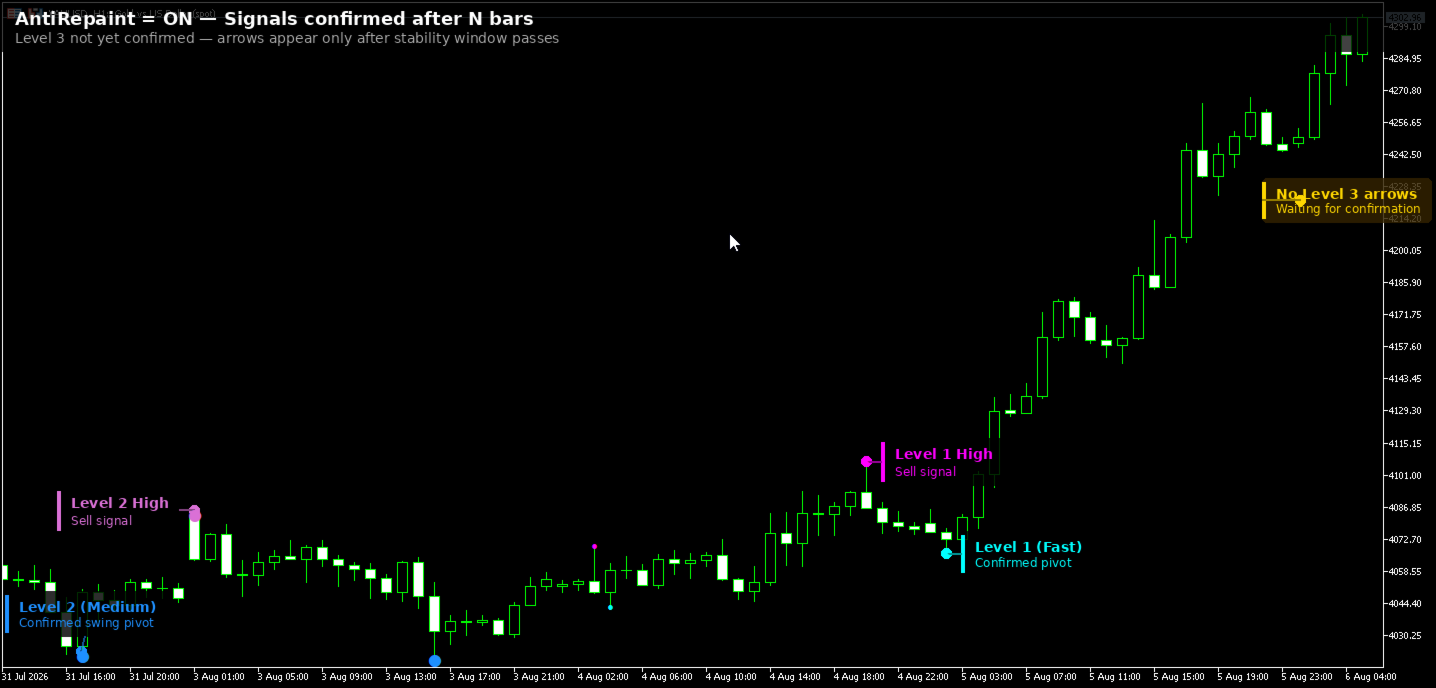
- Level 1 — Fast: Catches short-term pullbacks and minor structural swings.
- Level 2 — Medium: Tracks intraday swings and key reaction points.
- Level 3 — Slow: Identifies major structural turns for swing trading and trend reversals.
Each candle enforces strict exclusivity: if a higher level claims a pivot on a candle, all lower-level claims on that candle are removed at the buffer level before anything reaches your chart or EA.
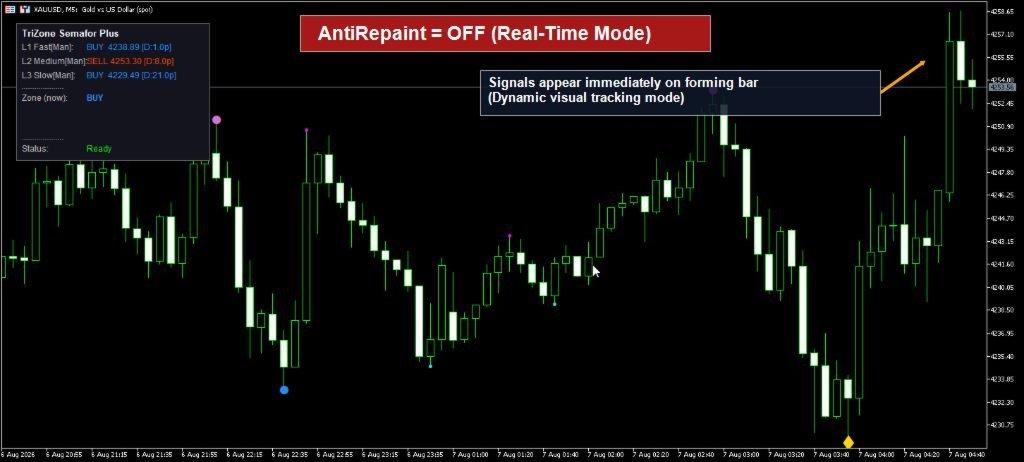
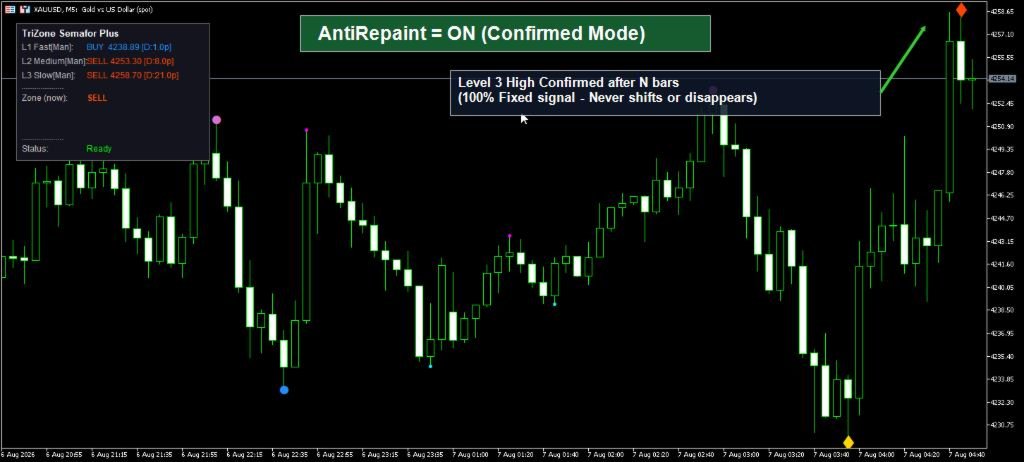
Anti-Repaint Mode (Honest Approach)
With AntiRepaint = ON, signals are strictly rendered after a configurable number of confirmation bars. The arrow you see is 100% final and will never shift or disappear. The chart header clearly indicates the current anti-repaint status and safe EA shift index.
What is Included in Plus
- Three independent ZigZag detection levels with exclusive signal priority
- Real-time interactive chart dashboard panel (toggleable)
- Multi-channel alerts: Popup, Mobile Push Notifications, and Email
- Machine-readable EA Signal Strength buffer (Buffer 6) for 1-call EA integration
- Anti-repaint mode with independent per-level confirmation bars
- Full compatibility across all MT5 symbols and timeframes
What Pro Adds
Looking for advanced institution-grade analytics? The Pro version adds ATR-Adaptive Deviation (automatic volatility adjustment), Supply & Demand Confluence Zones drawn from pivot clusters, Market Structure Labels (BOS and CHoCH), and one-click auto-presets for Forex, Gold, and Indices.
Recommended Usage
Attach Plus to H1 or H4 charts with default Fibonacci settings (5 / 13 / 34). Use the on-chart Dashboard to quickly gauge structure, enable Mobile Push notifications to monitor markets on the go, or connect your EA directly to Buffer 6 for automated strategy execution.
iCustom Reference — TriZone_Semafor_Plus
Output Buffers:
| Buffer | Index | Signal | Content |
|---|---|---|---|
| BufLow1 | 0 | BUY | Level 1 Low pivot price — Fast ZigZag |
| BufHigh1 | 1 | SELL | Level 1 High pivot price — Fast ZigZag |
| BufLow2 | 2 | BUY | Level 2 Low pivot price — Medium ZigZag |
| BufHigh2 | 3 | SELL | Level 2 High pivot price — Medium ZigZag |
| BufLow3 | 4 | BUY | Level 3 Low pivot price — Slow ZigZag |
| BufHigh3 | 5 | SELL | Level 3 High pivot price — Slow ZigZag |
| BufSignal | 6 | BUY / SELL | EA Signal Strength: +1/+2/+3 for BUY (L1/L2/L3), -1/-2/-3 for SELL (L1/L2/L3), 0 = None |
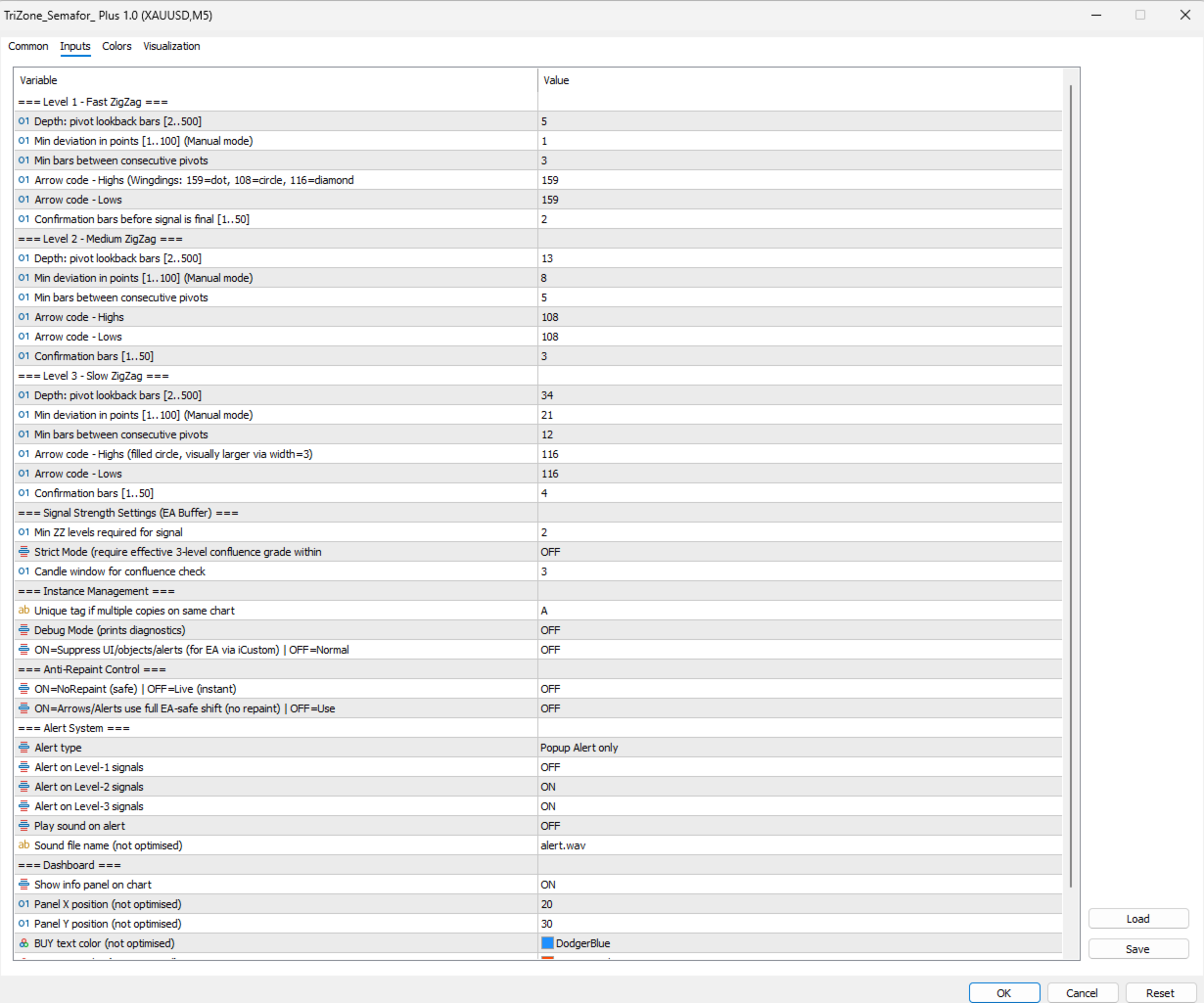
Input Parameters (Indices 0–35):
| # | Name | Type | Default | Description |
|---|---|---|---|---|
| LEVEL 1 — Fast ZigZag | ||||
| 0 | Period1 | int | 5 | Pivot lookback depth (bars) |
| 1 | Deviation1 | int | 1 | Minimum deviation in points |
| 2 | Backstep1 | int | 3 | Min bars between consecutive pivots |
| 3 | HighSymbol1 | int | 159 | Arrow for Highs (159=dot, 108=circle, 116=diamond) |
| 4 | LowSymbol1 | int | 159 | Arrow for Lows |
| 5 | ConfirmBars1 | int | 2 | Confirmation bars before signal is final |
| LEVEL 2 — Medium ZigZag | ||||
| 6 | Period2 | int | 13 | Pivot lookback depth |
| 7 | Deviation2 | int | 8 | Minimum deviation in points |
| 8 | Backstep2 | int | 5 | Min bars between consecutive pivots |
| 9 | HighSymbol2 | int | 108 | Arrow for Highs |
| 10 | LowSymbol2 | int | 108 | Arrow for Lows |
| 11 | ConfirmBars2 | int | 3 | Confirmation bars |
| LEVEL 3 — Slow ZigZag | ||||
| 12 | Period3 | int | 34 | Pivot lookback depth |
| 13 | Deviation3 | int | 21 | Minimum deviation in points |
| 14 | Backstep3 | int | 12 | Min bars between consecutive pivots |
| 15 | HighSymbol3 | int | 108 | Arrow for Highs |
| 16 | LowSymbol3 | int | 108 | Arrow for Lows |
| 17 | ConfirmBars3 | int | 4 | Confirmation bars |
| INSTANCE MANAGEMENT | ||||
| 18 | InstanceID | string | "A" | Unique tag — must differ from chart copy |
| 19 | DebugMode | ENUM_ONOFF | OFF (0) | Print diagnostics to Journal |
| 20 | HeadlessMode | ENUM_ONOFF | OFF (0) | Set 1 (ON) when using via iCustom |
| ANTI-REPARENT | ||||
| 21 | AntiRepaint | ENUM_ONOFF | ON (1) | ON = confirmed signals only (safe for EA) |
| 22 | SafeArrows | ENUM_ONOFF | OFF (0) | ON = arrows use safe shift |
| ALERT SYSTEM | ||||
| 23 | AlertMode | ENUM_ALERT_MODE | 1 (Popup) | 0=None, 1=Popup, 2=Push, 3=All (Set 0 in EA) |
| 24 | AlertLevel1 | ENUM_ONOFF | OFF (0) | Alert on Level 1 pivots |
| 25 | AlertLevel2 | ENUM_ONOFF | ON (1) | Alert on Level 2 pivots |
| 26 | AlertLevel3 | ENUM_ONOFF | ON (1) | Alert on Level 3 pivots |
| 27 | PlaySoundOn | ENUM_ONOFF | OFF (0) | Play sound file on alert |
| 28 | AlertSound | string | "alert.wav" | Sound file name |
| DASHBOARD | ||||
| 29 | ShowDashboard | ENUM_ONOFF | ON (1) | Toggle on-chart dashboard display |
| 30 | DashX | int | 20 | Panel X position |
| 31 | DashY | int | 30 | Panel Y position |
| 32 | DashBuyColor | color | clrDodgerBlue | BUY text color |
| 33 | DashSellColor | color | clrOrangeRed | SELL text color |
| 34 | DashBgColor | color | C'20,20,30' | Background color |
| 35 | DashFontSize | int | 9 | Font size |
iCustom Code Example
File name: "TriZone_Semafor_Plus" (no .ex5) — Always set HeadlessMode = 1 inside any EA.
| //+------------------------------------------------------------------+ //| iCustom handle — TriZone_Semafor_Plus | //+------------------------------------------------------------------+ int g_tzsHandle = INVALID_HANDLE; int OnInit() { g_tzsHandle = iCustom( _Symbol, PERIOD_CURRENT, "TriZone_Semafor_Plus", // exact file name, no .ex5 // ---- Level 1: Fast ---- 5, // Period1 1, // Deviation1 3, // Backstep1 159, // HighSymbol1 (dot) 159, // LowSymbol1 (dot) 2, // ConfirmBars1 // ---- Level 2: Medium ---- 13, // Period2 8, // Deviation2 5, // Backstep2 108, // HighSymbol2 (circle) 108, // LowSymbol2 (circle) 3, // ConfirmBars2 // ---- Level 3: Slow ---- 34, // Period3 21, // Deviation3 12, // Backstep3 108, // HighSymbol3 (circle) 108, // LowSymbol3 (circle) 4, // ConfirmBars3 // ---- Instance ---- "EA1", // InstanceID — must differ from chart copy 0, // DebugMode = OFF (0) 1, // HeadlessMode = ON (1) — required for EA // ---- Anti-Repaint ---- 1, // AntiRepaint = ON (1) 0, // SafeArrows = OFF (0) // ---- Alerts & Dashboard: OFF in EA ---- 0, // AlertMode = ALERT_NONE (0) 0, // AlertLevel1 = OFF 0, // AlertLevel2 = OFF 0, // AlertLevel3 = OFF 0, // PlaySoundOn = OFF "alert.wav",// AlertSound (default) 0, // ShowDashboard = OFF 20, // DashX 30, // DashY clrDodgerBlue, // DashBuyColor clrOrangeRed, // DashSellColor C'20,20,30', // DashBgColor 9 // DashFontSize ); if(g_tzsHandle == INVALID_HANDLE) { PrintFormat("[EA] TriZone_Semafor_Plus handle failed: err=%d", GetLastError()); return INIT_FAILED; } return INIT_SUCCEEDED; } //+------------------------------------------------------------------+ //| Reading Signal Buffer 6 (Single-Call EA Automation) | //+------------------------------------------------------------------+ void OnTick() { int safeShift = 4; double sigBuf[1]; // Buffer 6 delivers signal direction and level in 1 call: // +3 = BUY L3 | +2 = BUY L2 | +1 = BUY L1 // -3 = SELL L3 | -2 = SELL L2 | -1 = SELL L1 // 0 = No Signal if(CopyBuffer(g_tzsHandle, 6, safeShift, 1, sigBuf) != 1) return; int sigValue = (int)sigBuf[0]; if(sigValue > 0) { PrintFormat("BUY Signal Detected! Level %d at shift %d", sigValue, safeShift); } else if(sigValue < 0) { PrintFormat("SELL Signal Detected! Level %d at shift %d", MathAbs(sigValue), safeShift); } } //+------------------------------------------------------------------+ //| OnDeinit — Release the handle | //+------------------------------------------------------------------+ void OnDeinit(const int reason) { if(g_tzsHandle != INVALID_HANDLE) { IndicatorRelease(g_tzsHandle); g_tzsHandle = INVALID_HANDLE; } } |
EA MinShift Global Variable Auto-Detect
| // EA: Auto-detect safe shift from indicator Global Variable int GetMinShift(string instanceID) { string hash = HashToHex8(instanceID); string gvName = "TZP_" + hash + "_MinShift"; if(GlobalVariableCheck(gvName)) return (int)GlobalVariableGet(gvName); return 4; // fallback to default } |