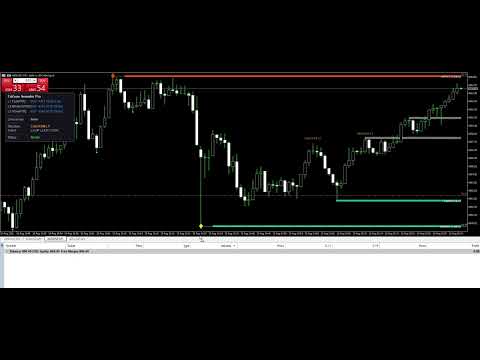
TriZone Semafor Pro
- Indicators
-
Ahmed Hamed Hamed Eadwan
 Hello, I'm Ahmed — a trader and MQL5 developer based in the
United Arab Emirates, and the founder of R protocols.
I've been writing code since 1984 and trading the markets since 2006.
For many years, I developed trading tools for my own use, refining them
through real market experience. - Version: 1.0
- Activations: 5
If you require institutional-grade multi-level pivot detection combined with automated Market Structure analysis, Supply & Demand confluence zones, real-time dashboard analytics, and EA automation integration, TriZone Semafor Pro is the flagship solution for your MetaTrader 5 terminal.
Flagship Pro Power Features
Building on the exclusive 3-level ZigZag engine (Fast Period 5, Medium Period 13, Slow Period 34), TriZone Semafor Pro plots confirmed swing points on three independent timescales with strict exclusive priority pass (Level 3 overrides Level 2, Level 2 overrides Level 1).
- ATR-Adaptive Deviation: Dynamic ATR-based pivot filtering scales automatically with market volatility instead of rigid fixed points. Manual fixed-point mode remains available.
- Market Structure Engine: Real-time automated detection of BOS (Break of Structure) and CHoCH (Change of Character) per timeframe level, alongside HH / HL / LH / LL swing labels.
- Supply & Demand Confluence Zones: Institutional order blocks drawn automatically where multiple ZigZag timescales agree, with strength grading (L1, L2+L3, L1+L2+L3) and automatic polarity breach logic.
- Support & Resistance Rays: Dynamic horizontal rays extended from confirmed swing highs and lows, styled and filtered by structural timeframe level.
- Exclusive Signal Priority: Highest level always wins per candle. No stacking, no double-counting — one clean arrow per direction.
- Real-Time On-Chart Dashboard: Displays current multi-level market stats, active signal level, current zone, structure event, per-level trend, and engine status.
- Complete Notification Suite: Popup, Mobile Push notifications, Email, and Sound alerts — fired once per newly confirmed pivot only.
- 100% Anti-Repaint Mode: Signals are published only after the configurable confirmation window closes. Arrows follow the exact same strict no-repaint floor as the EA buffer.
- EA Automation Buffer (Buffer 6): Features a specialized EA-readable Signal Strength buffer (+1.0 = BUY, -1.0 = SELL, 0.0 = Neutral) for single-call iCustom integration.
- Multi-Instance Safe: Unique object namespaces, heartbeat-based collision guard, and automatic cleanup of chart objects and terminal Global Variables.
- Zero External Dependencies: Native MetaTrader 5 code, works on any symbol and timeframe, zero DLL imports.
Official Links & Documentation
User Manual & Setup Guide: https://www.mql5.com/en/blogs/post/773880
Official MQL5 Channel: https://www.mql5.com/en/channels/rprotocols
Anti-Repaint & EA Contract (Buffer 6)
Buffer 6 exposes Multi-Level Signal Strength for automated EA systems (+1.0 = BUY, -1.0 = SELL, 0.0 = neutral/conflict):
- Exclusivity Grade: Buffer 6 is the hierarchical grade after exclusivity (L3 > L2 > L1).
- No-Repaint Shift Contract: With Anti-Repaint ON, values read at or beyond the published safe shift are final and never revised. The exact minimum safe shift is exposed via Global Variable ( TZP_<Hash8>_MinShift ).
Transparency & Performance
- Tester Optimization: Alerts are automatically suppressed during Strategy Tester optimization passes.
- Headless Mode: Enabling HeadlessMode = 1 inside your EA suppresses visual dashboard elements and chart objects for maximum execution speed.
- Global Variables Cleanup: Leftover Global Variables are automatically swept on start and removal.
If you find TriZone Semafor Pro helpful for your trading and strategy development, please consider leaving an honest review and rating. Thank you for your support!
iCustom Reference Table — Output Buffers
| Buffer Index | Signal | Description |
|---|---|---|
| 0 (BufLow1) | BUY | Level 1 Low pivot price — Fast ZigZag |
| 1 (BufHigh1) | SELL | Level 1 High pivot price — Fast ZigZag |
| 2 (BufLow2) | BUY | Level 2 Low pivot price — Medium ZigZag |
| 3 (BufHigh2) | SELL | Level 2 High pivot price — Medium ZigZag |
| 4 (BufLow3) | BUY | Level 3 Low pivot price — Slow ZigZag |
| 5 (BufHigh3) | SELL | Level 3 High pivot price — Slow ZigZag |
| 6 (BufSignal) | BUY / SELL | EA Signal Strength: +1/+2/+3 for BUY (L1/L2/L3), -1/-2/-3 for SELL (L1/L2/L3), 0 = None |
iCustom Code Example
File name: "TriZone_Semafor_Pro" (no .ex5 extension). Always set HeadlessMode = 1 inside Expert Advisors.
//+------------------------------------------------------------------+ //| iCustom handle — TriZone_Semafor_Pro v1.0 | //+------------------------------------------------------------------+ int g_tzsHandle = INVALID_HANDLE; int OnInit() { g_tzsHandle = iCustom( _Symbol, PERIOD_CURRENT, "TriZone_Semafor_Pro", // Level 1: Fast 5, 1, 3, 159, 159, 2, // Level 2: Medium 13, 8, 5, 108, 108, 3, // Level 3: Slow 34, 21, 12, 108, 108, 4, // Instance "EA1", 0, 1, // Anti-Repaint 1, 0, // Alerts & Dashboard 0, 0, 0, 0, 0, "alert.wav", 0, 20, 30, clrDodgerBlue, clrOrangeRed, C'20,20,30', 9 ); if(g_tzsHandle == INVALID_HANDLE) { PrintFormat("[EA] TriZone_Semafor_Pro handle failed: err=%d", GetLastError()); return INIT_FAILED; } return INIT_SUCCEEDED; } void OnTick() { int safeShift = 4; double sigBuf[1]; if(CopyBuffer(g_tzsHandle, 6, safeShift, 1, sigBuf) != 1) return; int sigValue = (int)sigBuf[0]; if(sigValue > 0) { PrintFormat("BUY Signal Detected! Level %d at shift %d", sigValue, safeShift); } else if(sigValue < 0) { PrintFormat("SELL Signal Detected! Level %d at shift %d", MathAbs(sigValue), safeShift); } } void OnDeinit(const int reason) { if(g_tzsHandle != INVALID_HANDLE) { IndicatorRelease(g_tzsHandle); g_tzsHandle = INVALID_HANDLE; } }
EA MinShift Global Variable Auto-Detect
The indicator exposes its safe minimum read shift via a Global Variable so EAs can auto-detect the correct shift instead of hardcoding:
// EA: Auto-detect safe shift from indicator Global Variable int GetMinShift(string instanceID) { string hash = HashToHex8(instanceID); string gvName = "TZP_" + hash + "_MinShift"; if(GlobalVariableCheck(gvName)) return (int)GlobalVariableGet(gvName); return 4; // fallback to default }