Single Arrow MTF
- Indicators
-
Ahmed Hamed Hamed Eadwan
 Hello, I'm Ahmed — a trader and MQL5 developer based in the
United Arab Emirates, and the founder of R protocols.
I've been writing code since 1984 and trading the markets since 2006.
For many years, I developed trading tools for my own use, refining them
through real market experience. - Version: 1.0
- Activations: 5
One file. One arrow. One decision.
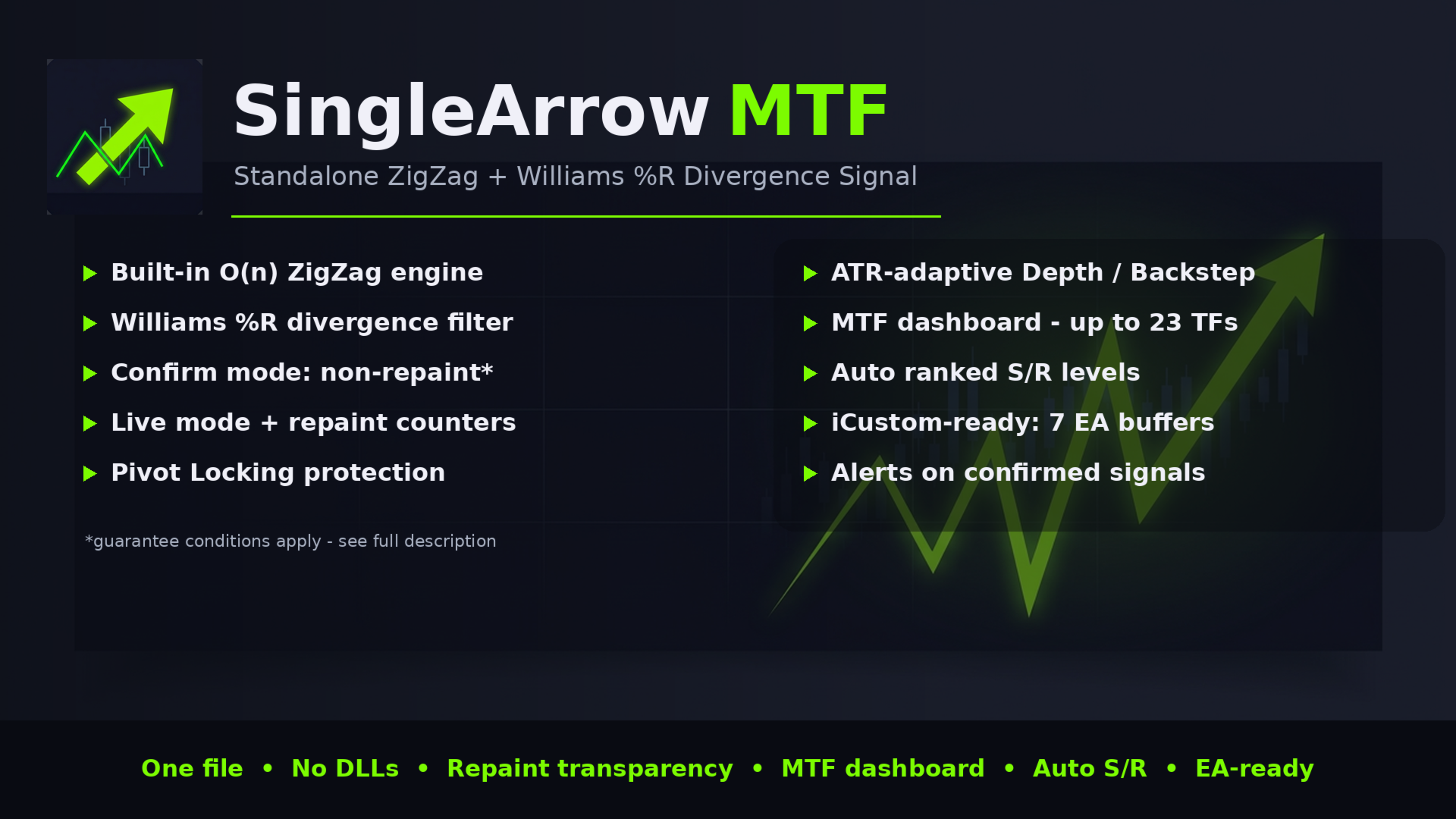
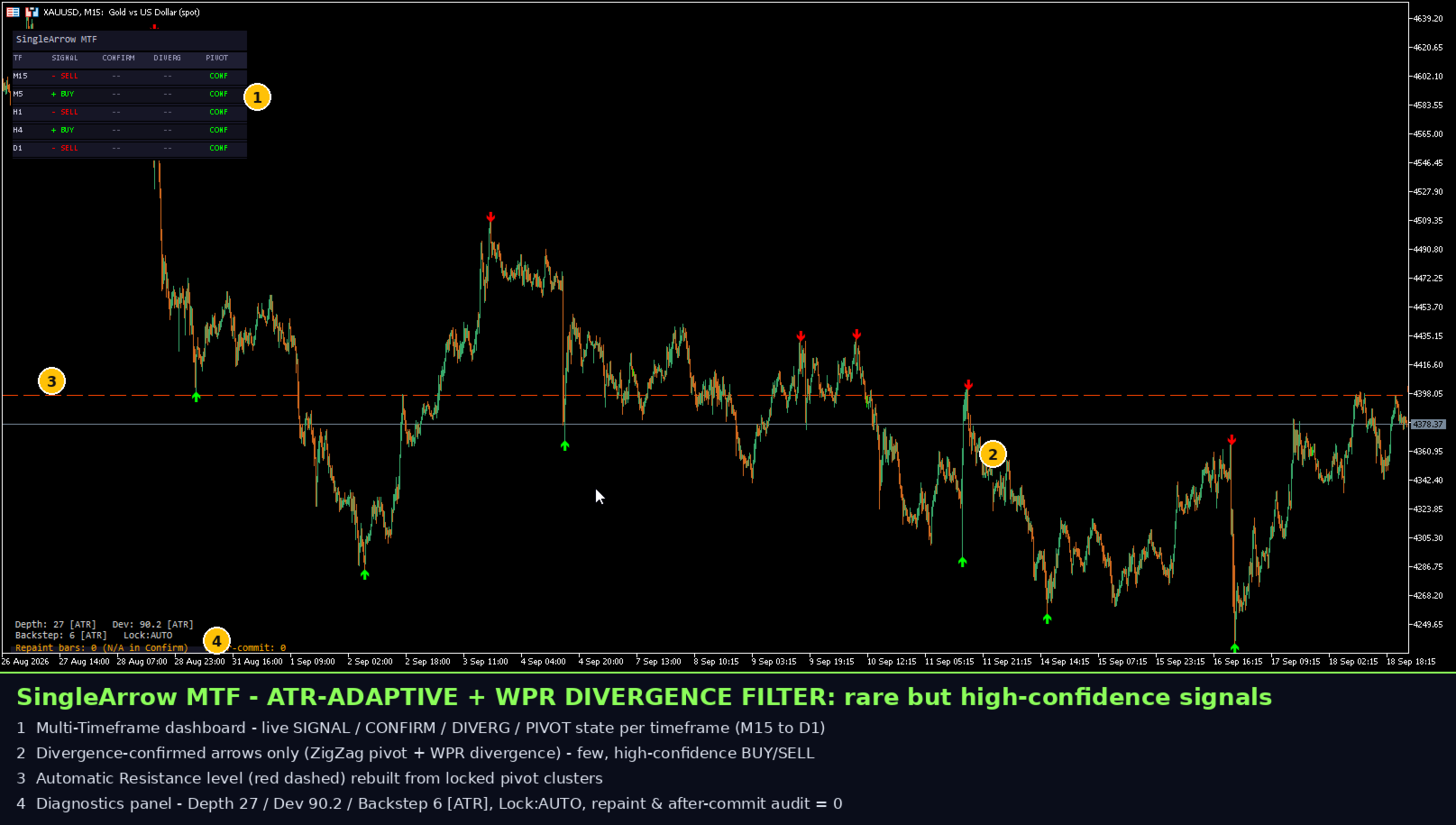
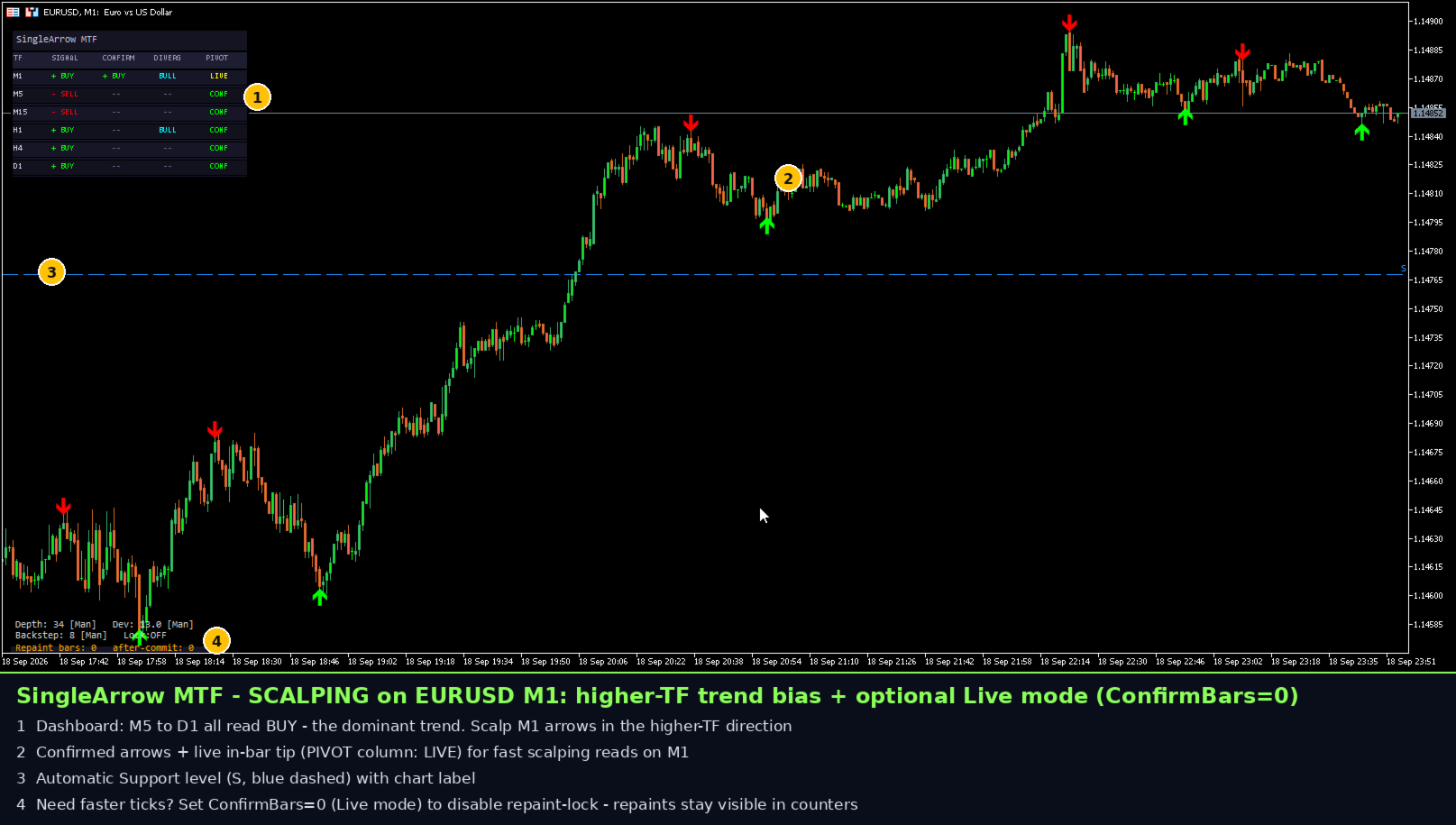
SingleArrow MTF is a professional, self-contained divergence-signal indicator for MetaTrader 5. It combines a purpose-built linear-time ZigZag engine, a Williams %R divergence filter with leg separation, an optional pivot-protection layer, a multi-timeframe agreement dashboard and automatic support/resistance — all compiled into a single file with no external indicators, no libraries and no DLLs.
Who is it for
- Discretionary traders who want clean, rule-based divergence arrows instead of raw oscillators.
- EA developers who need a machine-readable, repaint-transparent signal source (buffers + GlobalVariable channel).
- Backtesters and strategists who need a confirmed, history-stable signal stream (Confirm mode).
Architecture in one picture
- Structure layer: the internal ZigZag engine extracts pivots from price.
- Analysis layer: the Williams %R divergence filter validates each pivot pair with leg separation.
- Presentation layer: arrows, MTF dashboard, S/R levels, alerts and transparency counters.
1) The internal ZigZag engine (why not the platform one?)
- Linear time O(n): the whole loaded history is processed in a single pass; each new tick costs O(1) work, so the indicator stays light on fast ticks and deep history.
- Classical triple, modern core: Deviation / Depth / Backstep keep their familiar meaning, while the internal pivot bookkeeping (bounded Backstep suppression, safe pivot front-insertion) is implemented from scratch and hardened against edge cases.
- No iCustom, no missing buffers: the engine is embedded, so the signal pipeline never depends on another indicator being present on the chart or in the terminal folder. The compiled EX5 works anywhere, including Market rentals.
- Deterministic: identical parameters produce identical pivots on every chart, symbol and terminal build.
2) Williams %R divergence with leg separation
A raw oscillator level crossing is not a signal here. The indicator compares price legs (pivot-to-pivot moves) with oscillator legs on the same span:
- Bearish divergence: price prints a higher high while the Williams %R leg prints a lower high → a sell arrow at the confirmed pivot high.
- Bullish divergence: price prints a lower low while the Williams %R leg prints a higher low → a buy arrow at the confirmed pivot low.
- Leg separation: swings inside a leg are excluded from the comparison, so a noisy mid-leg spike cannot fake or hide a divergence — and two consecutive same-direction pivots are never compared, the classic false-signal source in cheaper ZigZag/divergence combos.
- Only a pivot that satisfies the ZigZag structure rules and the WPR divergence test produces an arrow. Every arrow is a full decision, not a raw hint.
3) Signal modes: Confirm vs Live (read this carefully)
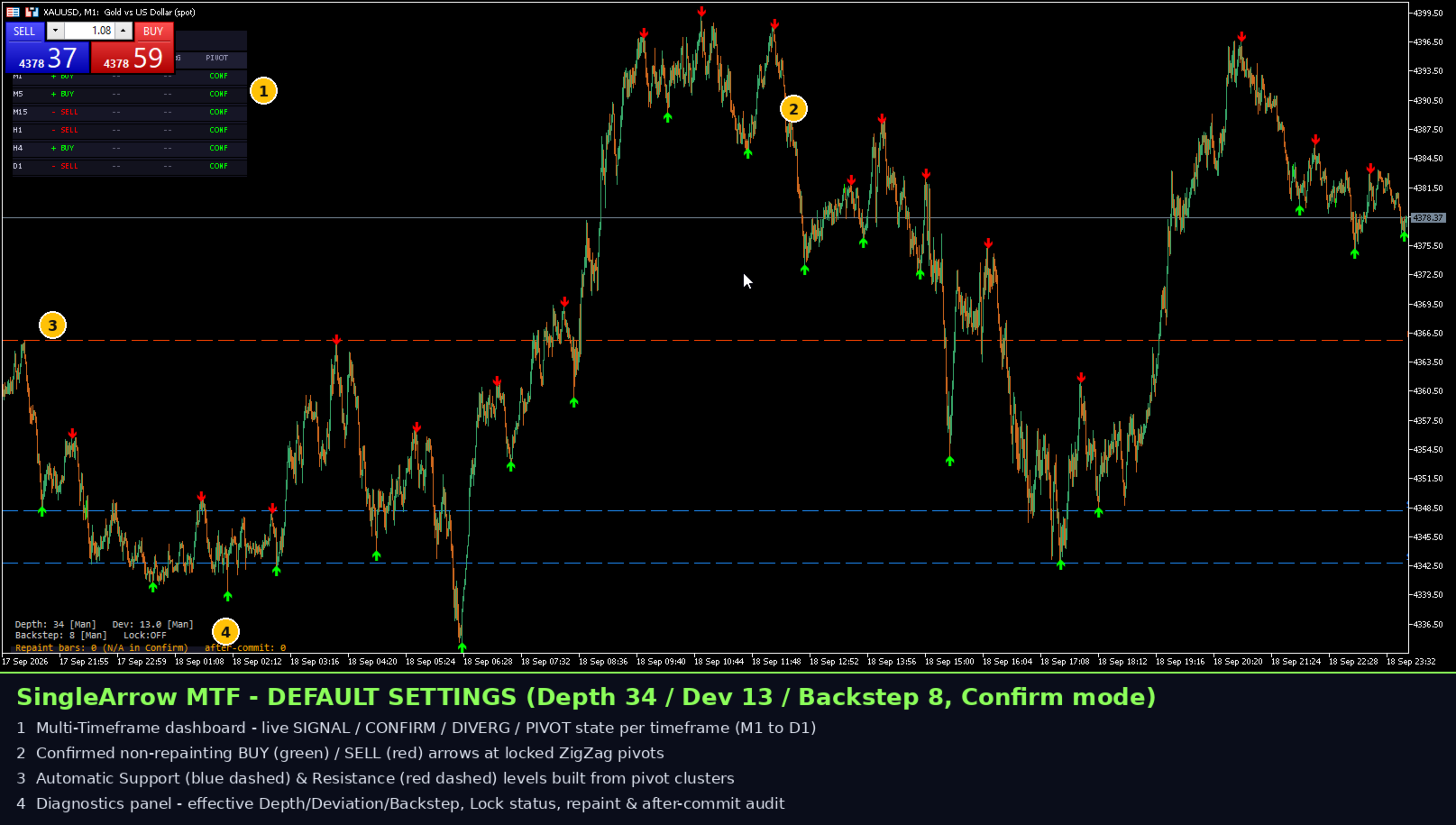
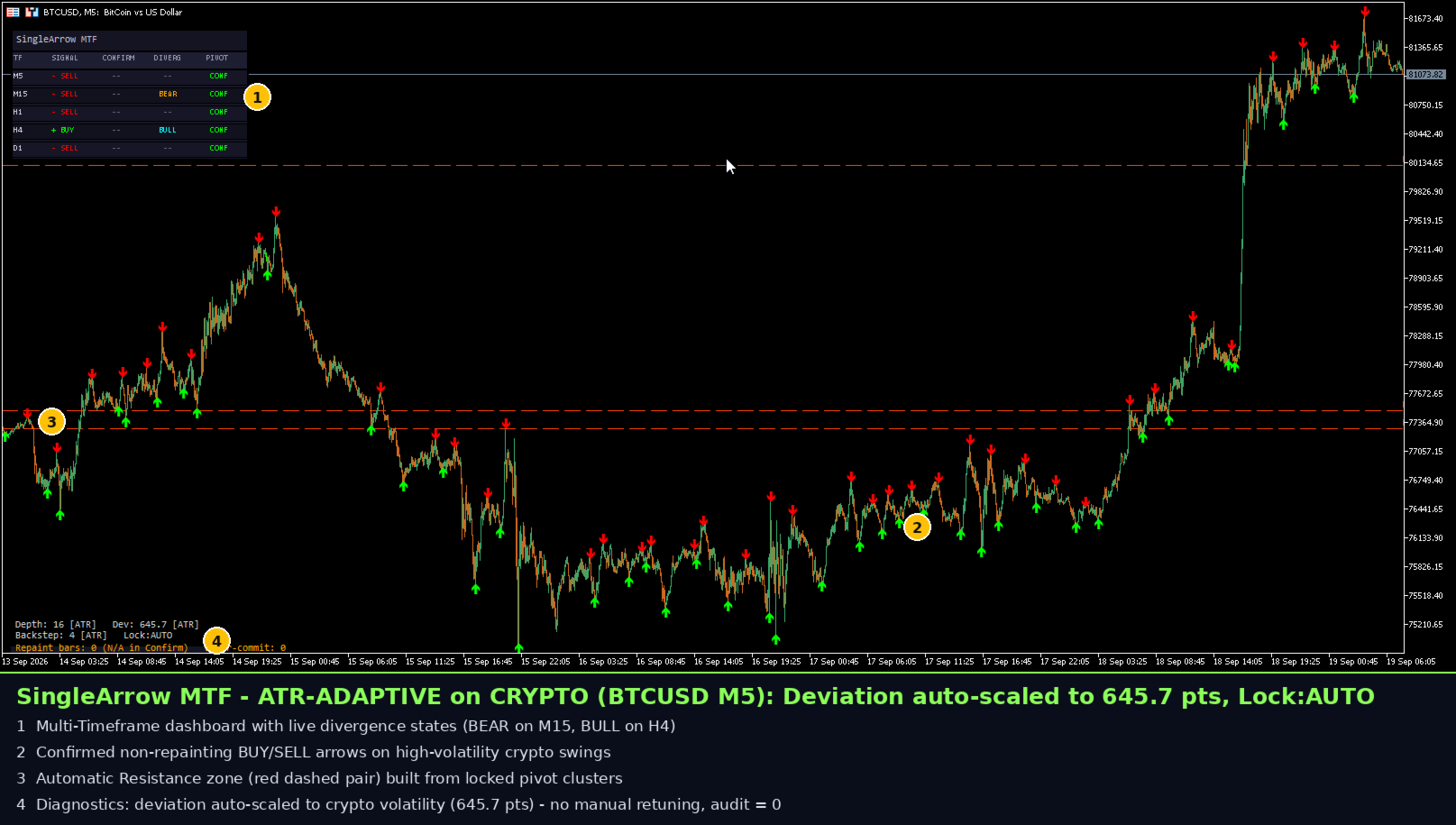
Confirm (default, InpConfirmBars > 0) — history-stable stream. The indicator waits N bars (InpConfirmBars) before printing an arrow: a candidate divergence stays pending until the causing pivot is confirmed by the following price action. Once committed, the arrow is frozen: it never moves, never disappears and never changes direction*. Set InpConfirmBars = 0 to switch to Live mode.
Live — earliest possible read. The arrow is shown inside the forming bar. By design it may shift or vanish while the bar is unfinished; the built-in transparency counters report every such event (section 7).
*The non-repaint guarantee matrix (Confirm mode):
- Deviation/Depth/Backstep = Manual → guaranteed, unconditionally.
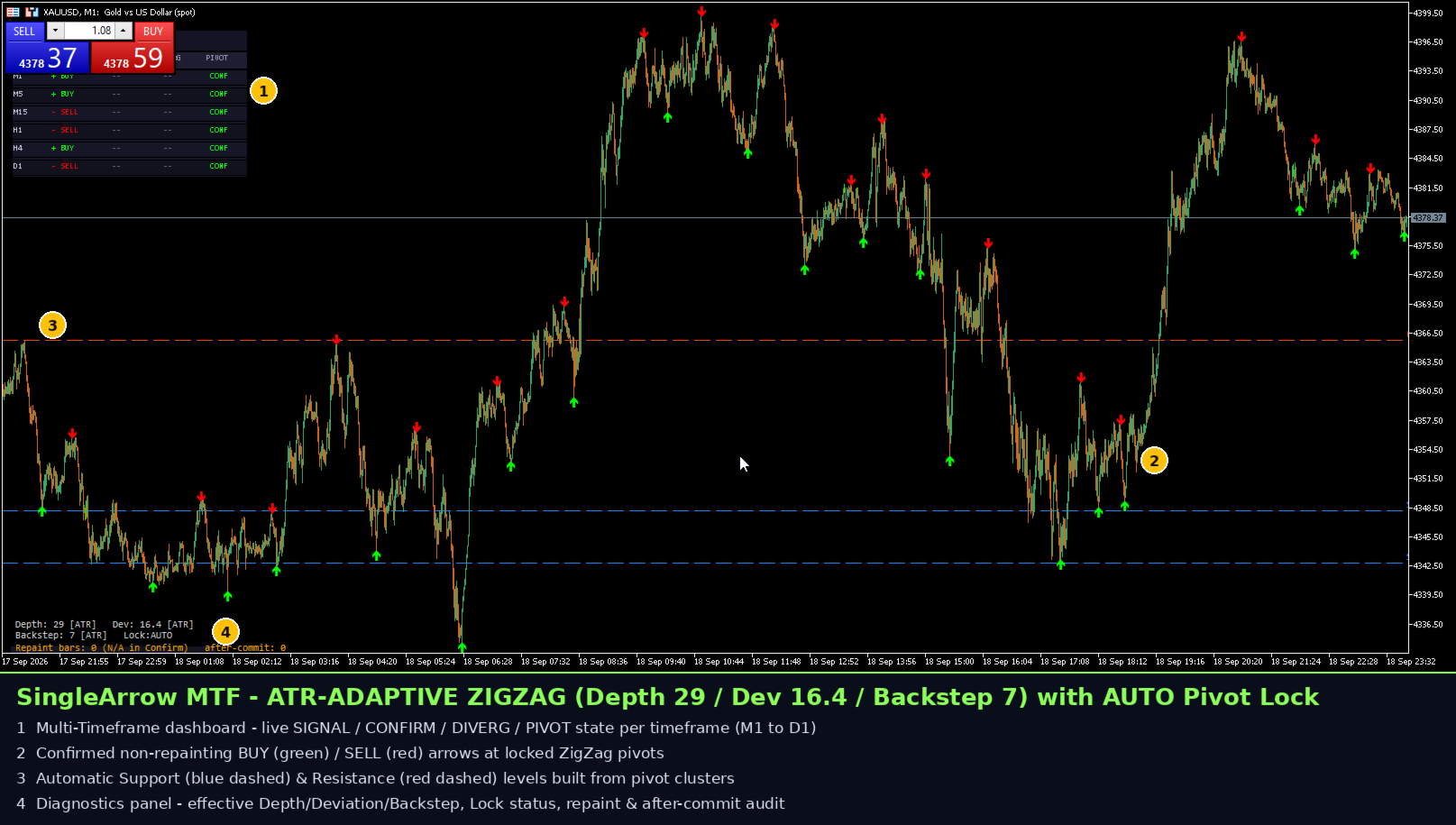
- ATR-adaptive Depth/Backstep + Pivot Locking ON → guaranteed.
- ATR-adaptive Depth/Backstep + Pivot Locking OFF → the indicator auto-enables locking and tells you, precisely to preserve the guarantee.
This conditional guarantee is stated honestly in the product metadata and enforced by input validation at startup.
4) Pivot Locking
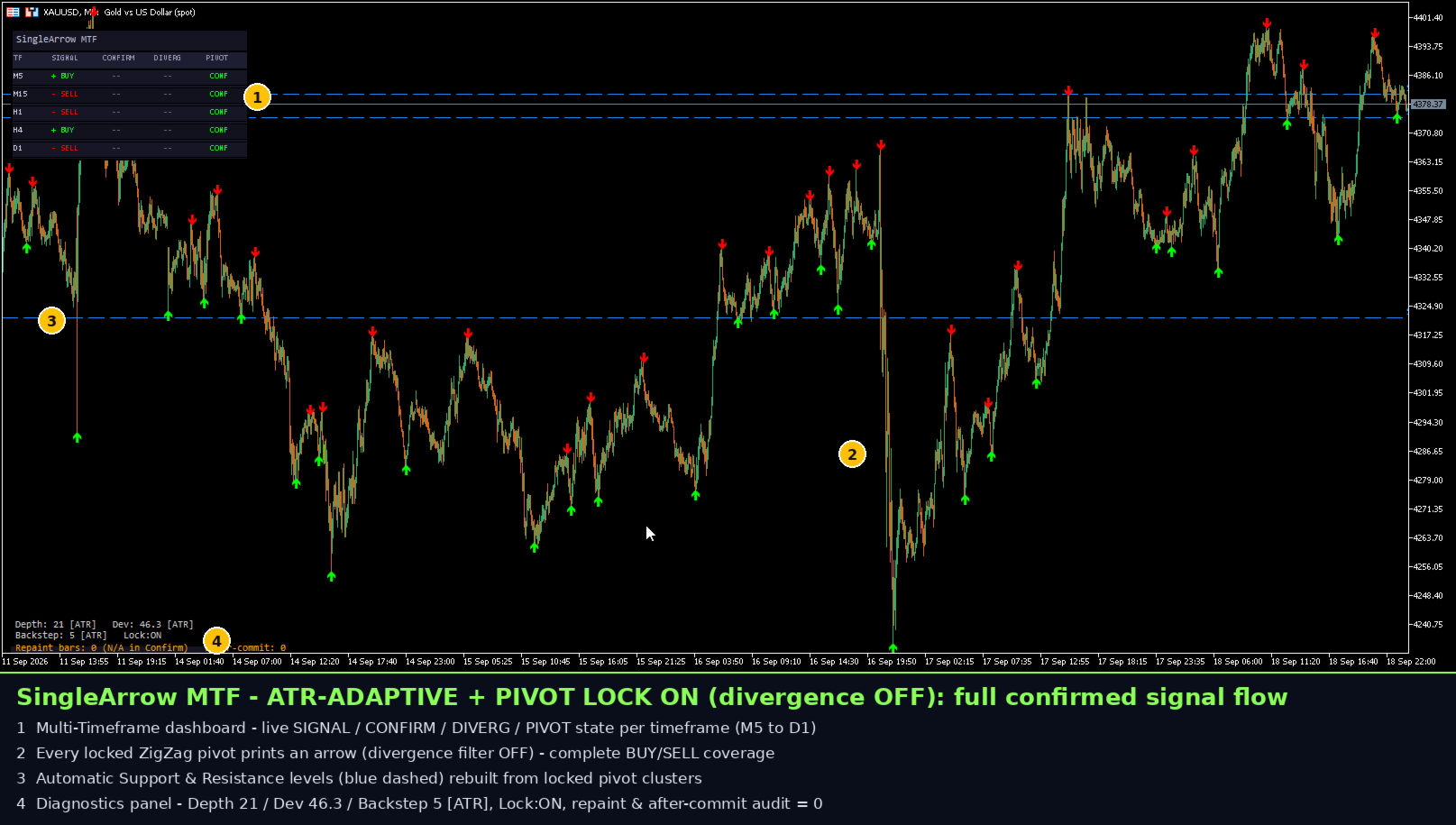
Confirmed pivots are frozen in an internal registry; later recalculations, volatility spikes or parameter edits cannot move them. It is the mechanism that makes the adaptive-mode guarantee possible, and it is recommended whenever you run Live mode.
5) ATR-adaptive ZigZag parameters
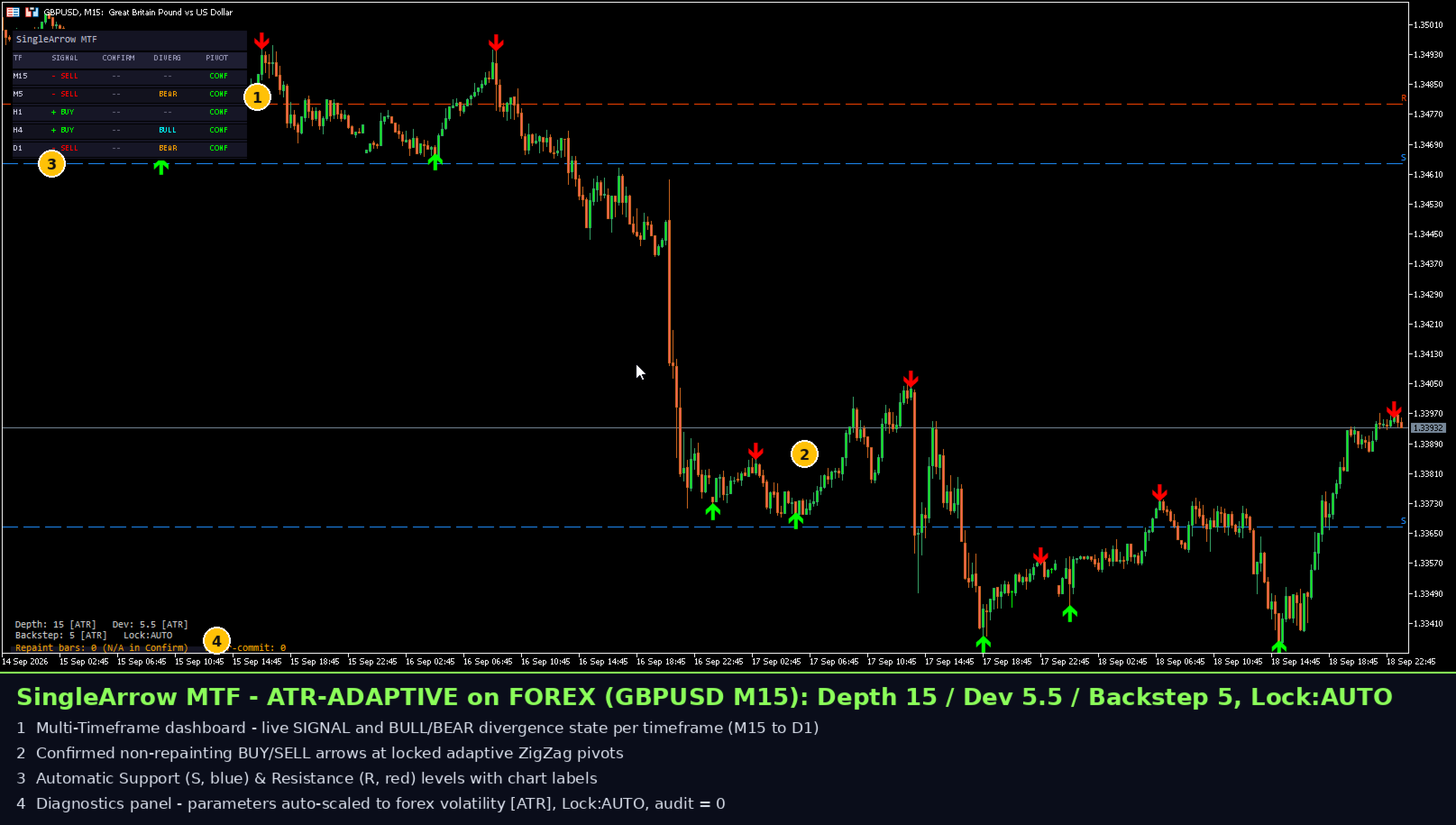
Volatility changes between sessions and symbols. Instead of retuning Deviation/Depth/Backstep by hand, the adaptive mode scales them with the current ATR inside configurable bounds (for example DepthMax caps the adaptive Depth). The structure stays meaningful on gold, crypto, indices and FX without per-symbol babysitting.
6) Multi-timeframe dashboard
The same engine runs in the background on up to 23 additional timeframes (M5/M15/H1/H4/D1 by default, fully configurable via InpMTFTimeframes, with InpMTFLookback as the analysis window). The on-chart dashboard shows the live/confirmed signal, divergence state and pivot status for each timeframe, so you can trade only when your timeframe agrees with the bigger picture — e.g. take M15 bullish arrows when H1/H4 show a bullish divergence context.
7) Transparency tools (for EA developers)
- SA_RepaintBars (buffer 5): running counter of Live-mode repaint events — 0 by design in Confirm mode.
- SA_PostCommitBars (buffer 6): running counter of post-commit adjustments — it audits Confirm mode itself.
- These two are live monotonic counters, not historical series: only their current value (last 2–3 bars) is meaningful. Read bar 0, or the mirrored Global Variables SA_REP_ / SA_POST_ + symbol + timeframe; never scan them historically.
- SA_PivotState (buffer 3) additionally tells whether the pivot at this bar is confirmed (1) or still forming (0).
8) Automatic Support / Resistance
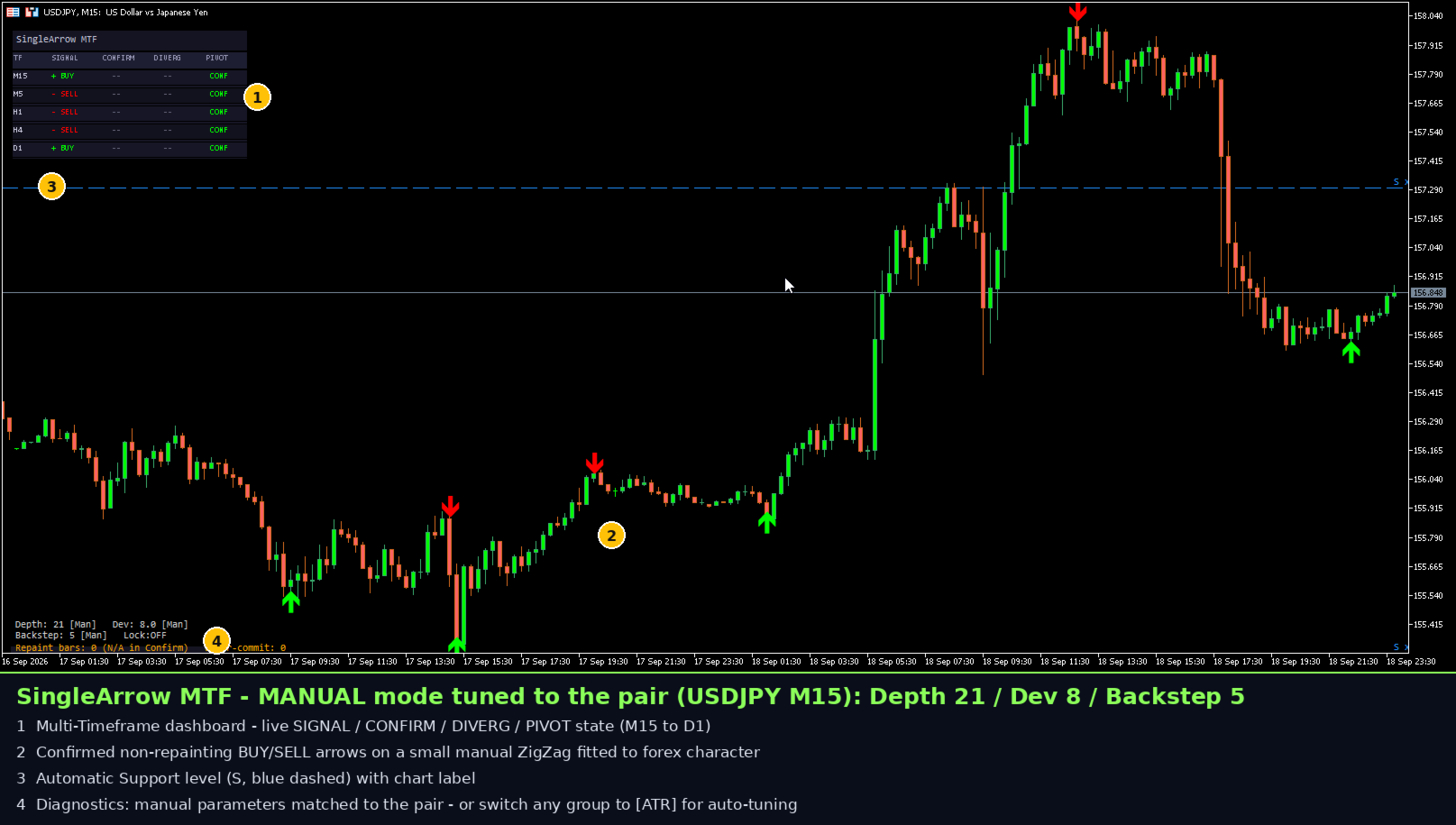
The indicator clusters pivots (from the chart timeframe, or from all monitored timeframes via InpSRUseAllTF) into ranked support/resistance levels with touch-count labels, drawn as horizontal lines, rays or shaded zones (InpSRMode 0/1/2). Levels give immediate context: a bullish divergence arrow forming at a ranked support level carries more information than an arrow in the middle of nowhere.
9) Alerts
Optional alerts fire on newly confirmed signals using the platform's alert/push/mail hooks. Alert texts are English-only by design, consistent with Market compliance rules.
10) Full settings reference (grouped)
- Signal engine: InpConfirmBars (0 = Live, N = Confirm), InpLiveMargin, InpLockPivots + InpLockAfterBars, InpShowDiag.
- ZigZag: InpDepth / InpBackstep / InpDeviation; per-parameter Manual vs ATR-Adaptive via InpDevMode / InpDepthMode / InpBackstepMode, plus InpATRPeriod, InpATRMult, InpDepthATRMult, InpDepthMin/InpDepthMax, InpBackstepATRMult, InpBackstepMin/InpBackstepMax.
- Divergence: InpWPRPeriod, InpUseDivergence, InpLookback — validated against the engine's internal minimum; invalid values are rejected at startup with a clear English message.
- MTF dashboard: InpMTFEnabled, InpMTFTimeframes (e.g. "M5,M15,H1,H4,D1", up to 23), InpMTFLookback, InpDashEnabled, InpDashCorner, InpDashX/Y, InpDashFontSize.
- S/R: InpSREnabled, InpSRLevelsCount, InpSRTolPts, InpSRMinTouches, InpSRSupportClr/InpSRResistClr, InpSRShowLabel, InpSRMode (0=HLine, 1=Ray, 2=Zone), InpSRUseAllTF.
11) Installation & first run
- Install from the Market tab inside your terminal (rentals and lifetime licenses are handled by MetaTrader 5).
- Attach to any chart and any timeframe.
- Start with defaults in Confirm mode, watch the dashboard, then tune the ZigZag triple or switch on ATR-adaptive mode.
12) Practical playbooks
- Intraday: M15 arrows filtered by H1 dashboard agreement; Confirm-mode entries on pullbacks to the projected S/R.
- Swing: H4 pivots as context, H1 arrows as triggers.
- EA: read signal buffers at shift 1 for committed arrows; monitor Live activity via the transparency counters at shift 0.
13) Performance & requirements
- MetaTrader 5, any symbol, any timeframe. No DLLs, no external files, no extra indicators.
- Linear-time core with incremental tick handling — designed for fast tick flow without chart freezes.
- Clean deinitialization: chart objects are removed on detach/timeframe change.
14) What this product is not
It does not place trades, it does not manage money, and it gives no profit guarantees. Divergence is a probabilistic, contextual reading. In Live mode, repainting is by design and is always reported by the counters.
15) Changelog
- v1.03: unified Lookback validation with the engine's internal minimum (removes silent no-signal edge cases); hardened pivot front-insertion; S/R rebuild hardening.
- v1.01: first public Market release.
16) FAQ
- Does it repaint? In Confirm mode under the guarantee conditions (section 3), no. In Live mode, changes are by design and are counted transparently.
- Does it work on every symbol? Yes; the ATR-adaptive mode is specifically built to keep the structure meaningful across symbols.
- Can my EA use it? Yes — signal buffers, the GlobalVariable channel and the repaint counters make it EA-friendly.
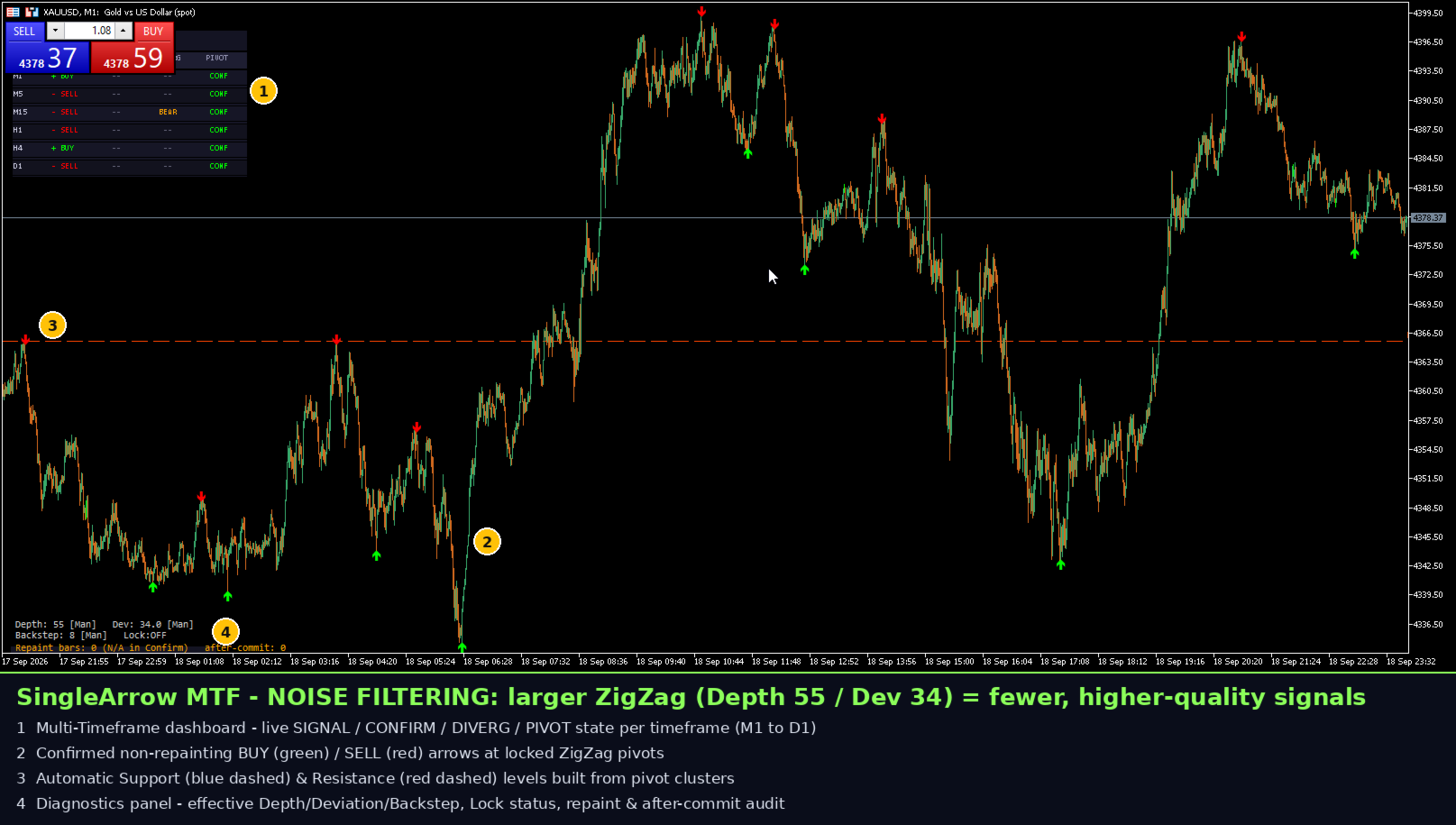
- Why one arrow instead of many hints? Every arrow has passed structure + divergence validation; fewer, higher-quality signals by design.
- Do I need the platform ZigZag on my chart? No. The engine is embedded.
17) iCustom & EA integration (buffers, code, Global Variables)
SingleArrow MTF publishes 7 buffers, all readable from any EA via iCustom() + CopyBuffer() — MetaTrader loads the indicator automatically on the first iCustom call; no manual chart attachment needed.
// BUFFER MAP (index -> content) // 0 SA_Buy BUY arrow price (0.0 = none) // 1 SA_Sell SELL arrow price (0.0 = none) // 2 SA_Signal +1 buy / -1 sell / 0 none // 3 SA_PivotState 1 = confirmed pivot, 0 = still forming // 4 SA_WPR Williams %R value // 5 SA_RepaintBars live-repaint counter (0 by design in Confirm) // 6 SA_PostCommitBars post-commit counter (audits Confirm mode) int h = iCustom(_Symbol, PERIOD_CURRENT, "SingleArrow_MTF", 34, // InpDepth 8, // InpBackstep 13, // InpDeviation 14, // InpWPRPeriod 5000, // InpLookback false, // InpUseDivergence 1); // InpConfirmBars (0 = Live, 1+ = Confirm) double sig[]; ArraySetAsSeries(sig, true); CopyBuffer(h, 2, 0, 3, sig); // buffer 2 = SA_Signal if(sig[1] == 1) { /* confirmed buy on last closed bar */ } if(sig[1] == -1) { /* confirmed sell on last closed bar */ } // Repaint counters via Global Variables (no CopyBuffer needed): double rep = GlobalVariableGet("SA_REP_" + _Symbol + "_" + IntegerToString((int)PERIOD_CURRENT)); double post = GlobalVariableGet("SA_POST_" + _Symbol + "_" + IntegerToString((int)PERIOD_CURRENT));
// FULL iCustom SIGNATURE (positional order - every declared input) iCustom(symbol, timeframe, "SingleArrow_MTF", 34, // InpDepth int default 34 8, // InpBackstep int default 8 13, // InpDeviation int default 13 14, // InpWPRPeriod int default 14 5000, // InpLookback int default 5000 false, // InpUseDivergence bool default false 1, // InpConfirmBars int default 1 (0 = Live) 12, // InpLiveMargin int default 12 true, // InpShowDiag bool default true 0, // InpDevMode enum 0=Manual 1=ATR-Adaptive 14, // InpATRPeriod int default 14 0.15, // InpATRMult double default 0.15 0, // InpDepthMode enum 0=Manual 1=ATR-Adaptive 1.0, // InpDepthATRMult double default 1.0 15, // InpDepthMin int default 15 80, // InpDepthMax int default 80 0, // InpBackstepMode enum 0=Manual 1=ATR-Adaptive 1.0, // InpBackstepATRMult double default 1.0 3, // InpBackstepMin int default 3 30, // InpBackstepMax int default 30 false, // InpLockPivots bool default false 3, // InpLockAfterBars int default 3 true, // InpMTFEnabled bool default true "M5,M15,H1,H4,D1", // InpMTFTimeframes string 1200, // InpMTFLookback int default 1200 true, // InpSREnabled bool default true 5, // InpSRLevelsCount int default 5 15, // InpSRTolPts int default 15 2, // InpSRMinTouches int default 2 clrDodgerBlue, // InpSRSupportClr clrOrangeRed, // InpSRResistClr true, // InpSRShowLabel bool default true 0, // InpSRMode int 0=HLine 1=Ray 2=Zone false, // InpSRUseAllTF bool default false true, // InpDashEnabled bool default true CORNER_LEFT_UPPER, // InpDashCorner 10, // InpDashX int default 10 30, // InpDashY int default 30 7); // InpDashFontSize int default 7
- Handle lifecycle: create the handle once in OnInit and IndicatorRelease() it in OnDeinit; never call iCustom per tick.
- Committed feed at shift 1: read SA_Signal / SA_Buy / SA_Sell on the last closed bar for a stable, backtest-consistent stream; SA_PivotState separates confirmed pivots (1) from the forming tip (0).
- Counters are live monotonic values: buffers 5/6 (and the SA_REP_/SA_POST_ Global Variables) are meaningful only on the last 2–3 bars — read bar 0, never scan history.
- EA-only performance tip: pass InpDashEnabled=false and InpSREnabled=false to skip all chart-object drawing and keep the iCustom handle purely computational.
- Two instances on the same symbol+timeframe share the one Global Variable channel; this affects only the convenience read-out, never the signal calculation.