Single Arrow WaveVolume Reversal MTF
- Indicators
-
Ahmed Hamed Hamed Eadwan
 Hello, I'm Ahmed — a trader and MQL5 developer based in the
United Arab Emirates, and the founder of R protocols.
I've been writing code since 1984 and trading the markets since 2006.
For many years, I developed trading tools for my own use, refining them
through real market experience. - Version: 1.0
- Activations: 5
One rejection. One arrow. One confirmed entry.
Single Arrow Reversal is a standalone reversal-signal indicator for MetaTrader 5. A ZigZag extreme is only a candidate: the arrow is printed on a later CLOSED bar that rejects that extreme — never on the extreme itself. Because the arrow lives on a closed, confirmed bar, the history you see is the history you get: confirmed arrows do not repaint.
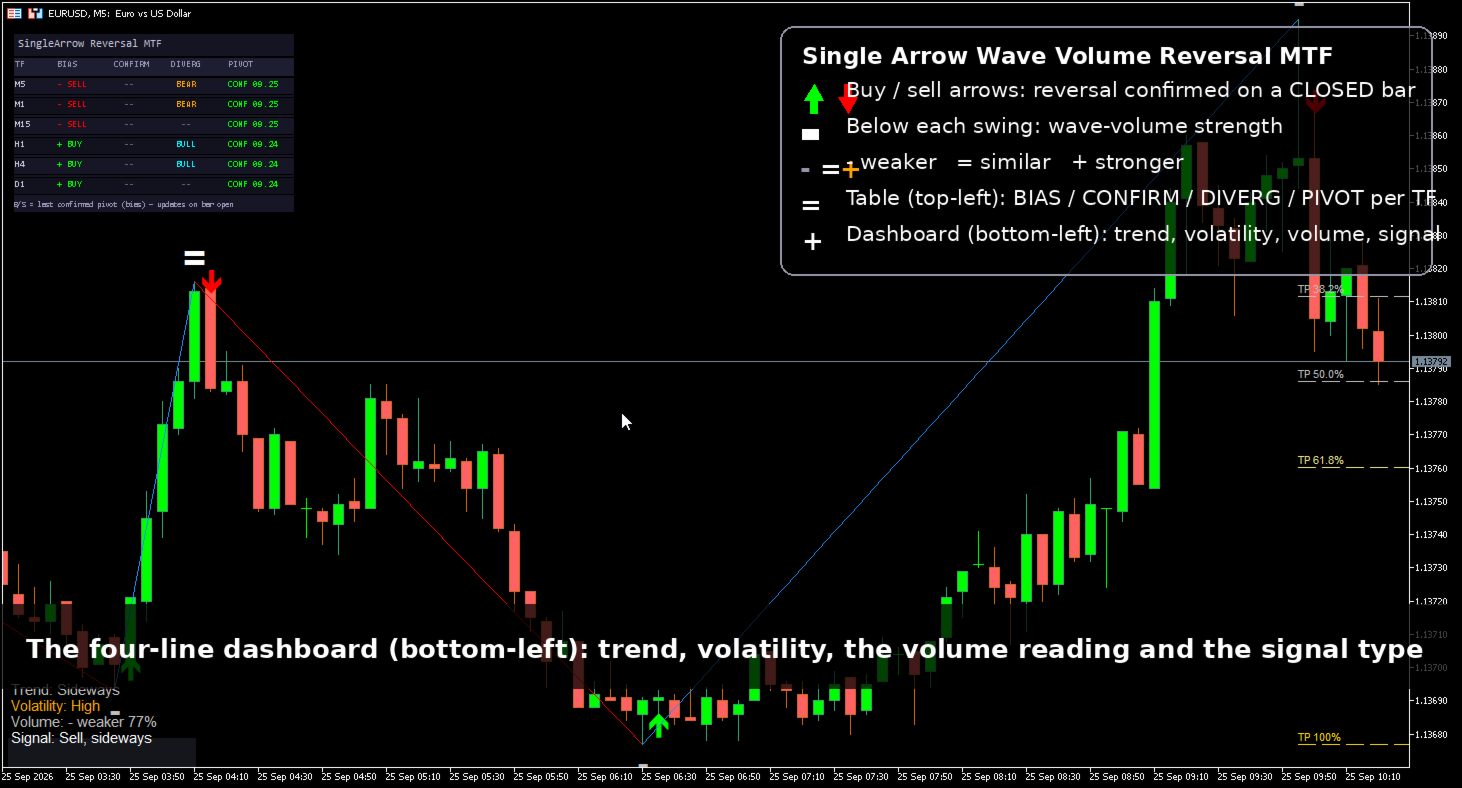
Around the arrow engine you get three decision layers: wave-volume strength marks on every swing, a fib TP ladder of the last confirmed wave, and a live context dashboard (swing trend, volatility, volume reading and signal alignment). One file, no external indicators, no libraries, no DLLs.
From the same family: Single Arrow MT4, Single Arrow MTF MT4 and Single Arrow Scanner MT4.
Multi-timeframe layer (new in this edition)
Under the chart engine the MTF edition runs one extra engine per timeframe you list (default M1, M5, M15, H1, H4, D1) and shows them in a compact table in the top-left corner:
- BIAS: the latest pivot candidate of that timeframe — a bias, not an entry.
- CONFIRM: the latest confirmed pivot with its date.
- DIVERG: bullish / bearish divergence state of that timeframe (when the divergence filter is enabled).
- PIVOT: confirmed with date, or live and still forming.
The chart's own timeframe is always row 0. Rows refresh on bar open and on a one-second timer — the panel reads history only, it never writes the indicator's buffers and never changes an arrow or the wave. Click any timeframe row to switch the chart to it.
The arrow lifecycle (read this first)
- Candidate: the built-in linear-time ZigZag engine prints a swing extreme (a pivot).
- Rejection window: for up to N closed bars (default 8) the indicator waits for a bar that breaks back through the trigger — pivot body, full candle or pivot close, your choice — and closes as a rejection candle.
- Arrow: printed on that rejecting closed bar. If price makes a new extreme before the rejection, the candidate is invalidated: no arrow, no fake signal.
Typical latency is 1–8 bars after the pivot. That is the price of honesty: the tool prefers being right and slightly late over being early and repaint-prone.
Why confirmed arrows do not repaint
- Shift 0 (the forming bar) is never used for an arrow decision.
- Every comparison uses closed bars only: rejection candles, volume sums, trend and volatility readings.
- Once printed, a confirmed arrow is frozen in history.
- Optional pivot locking freezes confirmed pivots so later recalculations cannot move them.
The raw ZigZag wave line, like any ZigZag, may adjust while a swing is still developing. It is shown for context and is clearly separated from the arrow stream.
Wave-volume strength marks (- = +)
At each swing end the indicator compares the wave's average volume with the median of the previous same-direction waves and prints a mark:
- + (orange, large): stronger participation than recent waves.
- = (white): similar participation.
- - (silver, small): weaker participation.
- . — no comparable wave yet.
The exact raw volume and its percentage stay in the object tooltip. Marks are context, not a standalone trade signal.
Fib TP ladder
From the last confirmed wave the indicator draws a static ladder of dashed targets — 38.2 / 50 / 61.8 / 100 / 127.2% — refreshed only when a new pivot confirms. After a buy arrow the ladder sits above the entry; after a sell arrow, below. Display only: a structured way to think about exits, not a promise that price must respect it.
Context dashboard
- Trend: swing structure of the last confirmed pivots (higher highs & lows, lower, or mixed).
- Volatility: short (14) vs long (50) true-range ratio: quiet / normal / high.
- Volume: the latest wave mark with its percentage.
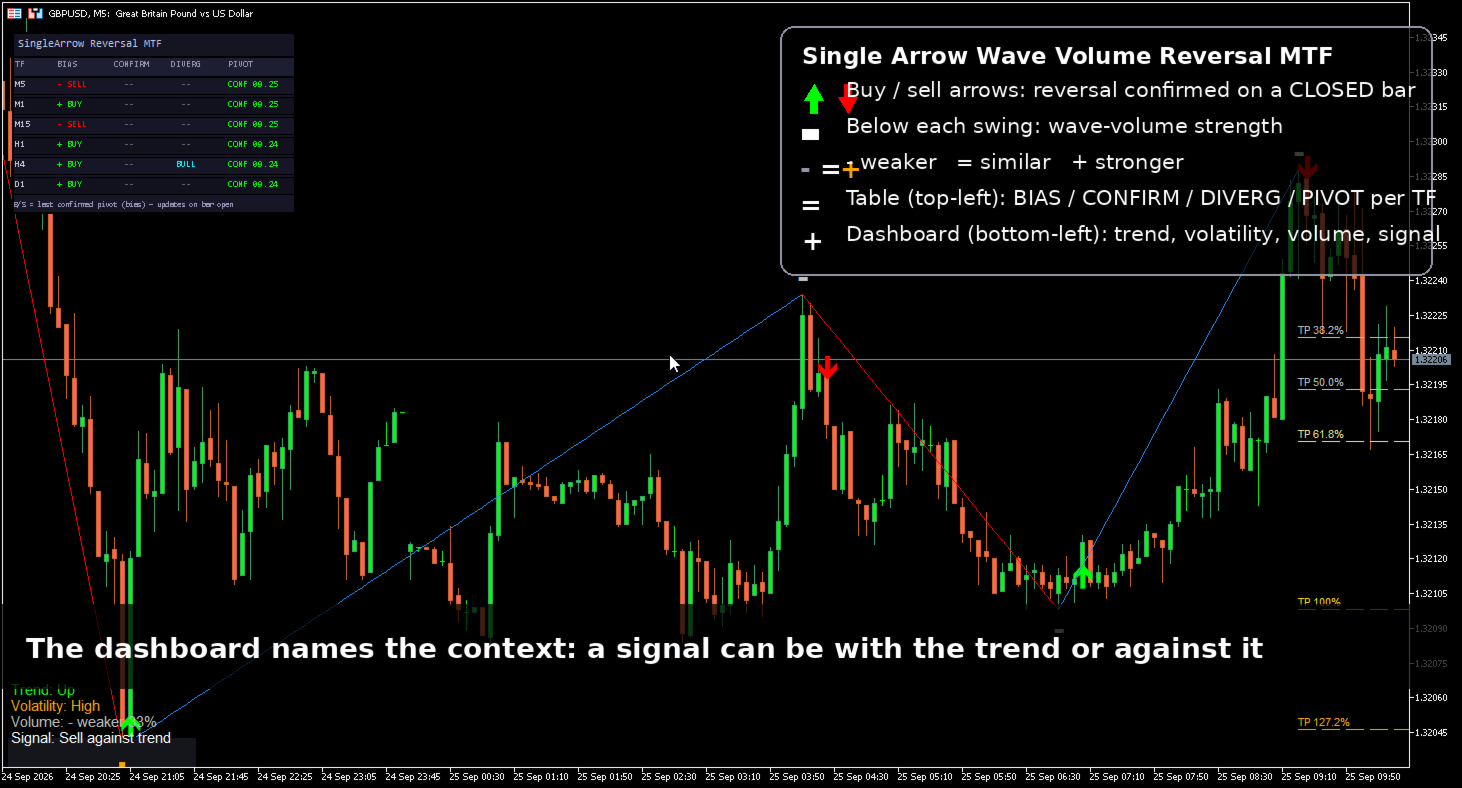
- Signal: the latest closed-bar arrow and whether it is with or against the current swing trend.
All readings use closed bars only and carry a "display only" tooltip.
A honest way to use it
- Signal zone: M1–M5 scalping. The engine was designed and sanity-checked in the native Strategy Tester on low timeframes.
- Prefer arrows aligned with the dashboard trend. Trend-aligned arrows behaved materially better than counter-trend arrows in the vendor's closed-bar tests; the dashboard shows the alignment live.
- Higher timeframes = context. On M15 and above, use the dashboard and wave structure for bias and take entries on a lower timeframe.
- Combine the fib ladder with your own risk rules; the raw arrow stream is a signal source, not a complete system.
Defaults & settings reference
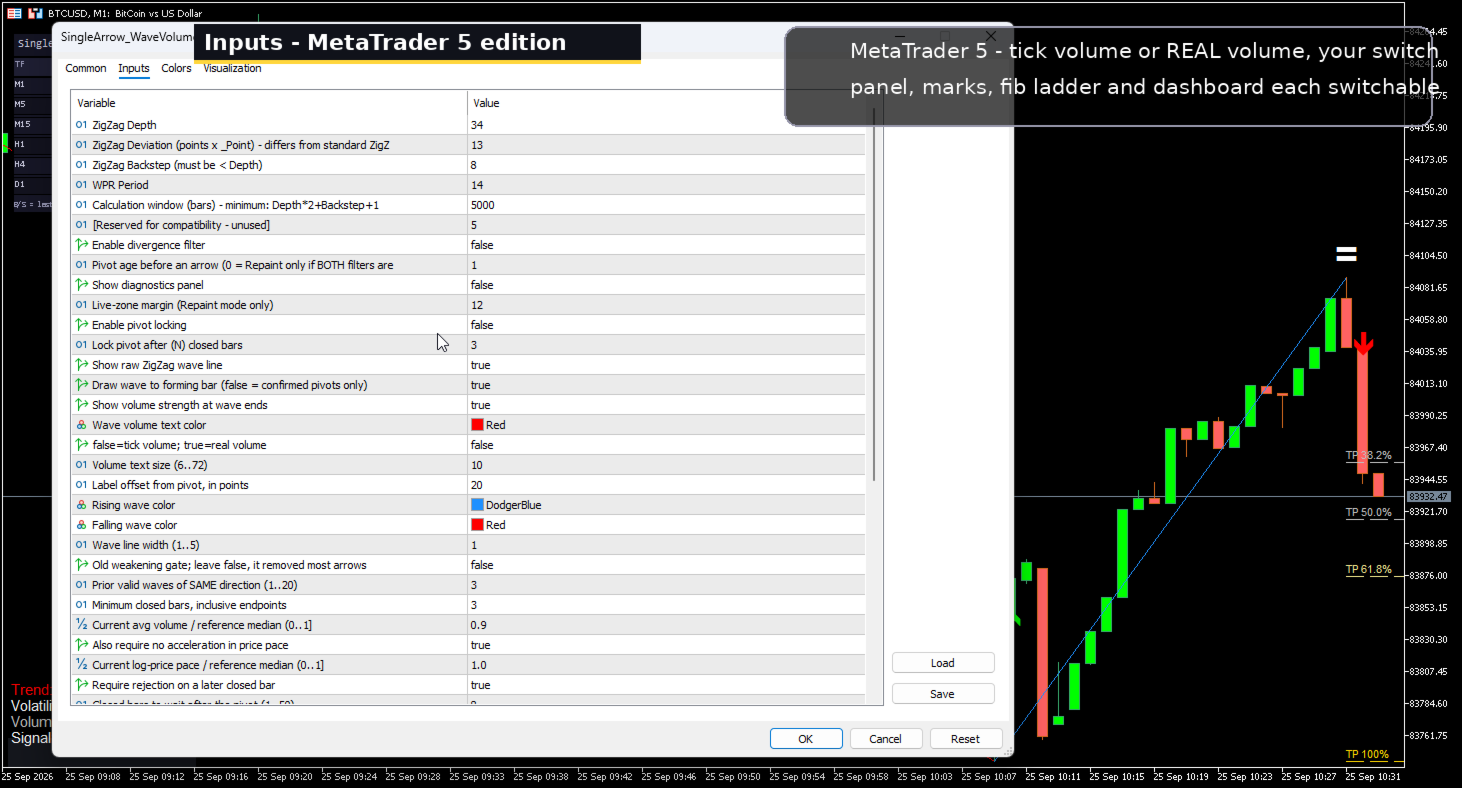
- ZigZag: Depth 34 / Deviation 13 / Backstep 8 · WPR 14 (optional divergence filter) · Lookback 5000.
- Reversal confirm ON · Wait 8 closed bars · Trigger 0 = pivot body, 1 = full candle (stricter), 2 = pivot close (earlier) · rejection candle must close with the reversal.
- Wave line ON · volume marks ON · tick or real volume · fib TP ladder ON · dashboard ON.
- Legacy weakening volume gate OFF by default (it removed most arrows; kept for research).
- Optional: WPR divergence filter, pivot locking, diagnostics panel.
- MTF panel: off/on · timeframes M1,M5,M15,H1,H4,D1 · 1500 bars per panel engine · panel font/position · click-to-switch.
For EA developers — 12 buffers
- 0 buy arrow price · 1 sell arrow price · 2 signal (+1/-1) · 3 pivot direction · 4 WPR series · 5/6 wave price + color index · 7–9 volume-filter state & ratios · 10 pre-filter candidate · 11 reversal state at the pivot.
Important and honest notes
- Decision-support tool. No accuracy or profit claim is made.
- Confirmed arrows do not repaint; the raw wave line can adjust while a swing develops.
- Test in the native Strategy Tester before live use — the closed-bar design keeps backtests representative.