Renko Live Chart UranoTrader
- Utilities
-
Lucas Braz Quintas
 𝐔𝐑𝐀𝐍𝐎 𝐓𝐑𝐀𝐃𝐄𝐑™
𝗪here 𝗬our 𝗘volution 𝗕egins!
➤ 𝐒trategy Developer 𝐁𝐢𝐧𝐚𝐫𝐲 | 𝐅𝐨𝐫𝐞𝐱
➤ 𝐄xpertAdvisior | 𝐌𝐞𝐭𝐚𝐓𝐫𝐚𝐝𝐞𝐫
➤ 𝐄xpert Programming 𝐌𝐐𝐋
⇲[𝚂𝚒𝚐𝚗𝚊𝚕•𝚁𝚊𝚝𝚎𝚜•𝙸𝚗𝚍•𝙴𝙰]⇱
➤ 𝐂heck Out My Professional Profile ↓ - Version: 1.0
- Activations: 5
Short Description
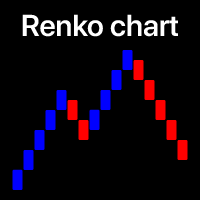
Transform any symbol in your terminal into a genuine real-time offline Renko chart, updated tick by tick, with bricks that accurately reflect price movement — no delays, no freezing, and no reliance on indicators that merely "draw" bricks on top of a standard chart.
Full Description
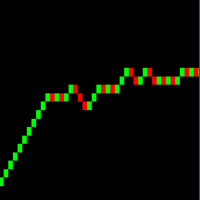
Renko Live Chart creates and maintains a genuine offline chart with real historical data recorded in the terminal, converting price movement into Renko bricks with a fixed size or ATR-based size.
Unlike indicators that simulate the Renko effect by simply drawing graphical objects over a standard timeframe, this solution generates each brick as a real bar — ensuring full compatibility with Expert Advisors, custom indicators, and any tool that directly reads Bars() , Time[] , or iTime() from the data series.
Key Features
100% Real Bricks: Historical data is recorded in its own .hst file, with accurate Open/High/Low/Close and volume values — this is not a visual simulation.
Fixed or Automatic Brick Size via ATR: Set a manual value or let the EA automatically calculate the ideal brick size based on recent volatility using ATR and a configurable moving average.
Multi-Window Synchronization: If you open the same Renko symbol/timeframe in multiple windows — for example, to run two different robot instances — all windows are updated simultaneously in real time.
Historical Data Construction Even When the Market Is Closed: The offline chart is built from the existing historical data as soon as the EA is loaded, without having to wait for the market to open.
Optional Wicks: Enable or disable the display of shadows on the bricks according to your analysis preferences.
Integrated Visual Panel: Monitor the direction of the latest brick in real time, how many bricks have formed during the day, and the distance in points to the next bullish or bearish brick.
Performance Optimized: The forming brick is updated using a configurable frequency throttle, preventing freezing on fast-tick symbols — while never delaying the recording of an already closed brick.
Configurable Historical Limit: Control how many candles from the original chart are converted during initialization, preventing slowdowns when working with very large historical datasets.
Recommended For
Traders and developers who use Renko as the foundation for automated strategies (Expert Advisors) and need a reliable data source without the common limitations of "visual Renko" indicators, which do not generate real bars and therefore are not fully compatible with EAs.
Requirements
-
Allow DLL imports — required to synchronize chart windows in real time.
-
After starting the EA on the source chart, open the corresponding offline chart via File → Open Offline.
Configuration Parameters
| Parameter | Description |
|---|---|
| Box Size | Brick size in points |
| Box Offset | Initial offset of the brick grid |
| Offline TimeFrame | "Artificial" timeframe used to identify the offline chart |
| Render Wicks | Shows or hides brick wicks |
| Real Time | Simulates real-time updates like a standard chart |
| Offline Processing | Builds historical data even when the market is closed |
| Refresh Rate | Minimum interval (ms) between updates of the forming brick |
| Max Historical | Maximum number of candles converted during initialization |
| Enable HUD | Enables/disables the information panel displayed on the chart |
This product generates a Renko chart for technical analysis and use with Expert Advisors. It does not guarantee profits and does not constitute investment advice — trading results depend on the strategy applied by the user.