Renko Live Chart UranoTrader

  • 유틸리티
  • Lucas Braz Quintas
    Lucas Braz Quintas
    𝐔𝐑𝐀𝐍𝐎 𝐓𝐑𝐀𝐃𝐄𝐑™
    𝗚당신의 진화는 여기서 시작됩니다!
    ➤ 𝐁𝐢𝐧𝐚𝐫𝐲 | 𝐅𝐨𝐫𝐞𝐱 전략 개발자
    ➤ 𝐄xpertAdvisior | 𝐌𝐞𝐭𝐚𝐓𝐫𝐚𝐝𝐞𝐫
    ➤ 𝐌𝐐𝐋 전문 프로그래밍
    ⇲[𝚂𝚒𝚐𝚗𝚊𝚕•𝚁𝚊𝚝𝚎𝚜•𝙸𝚗𝚍•𝙴𝙰]⇱
    ➤ 𝐏전문 프로필 확인 ↓
  • 버전: 1.0
  • 활성화: 5
Renko Live Chart — 실시간 오프라인 Renko 차트 생성기

간단한 설명

터미널의 모든 심볼을 진정한 실시간 오프라인 Renko 차트로 변환하세요. 틱 단위로 실시간 업데이트되며, 가격 움직임을 정확하게 반영하는 Renko 블록(Bricks)을 생성합니다. 지연이나 멈춤 없이 작동하며, 일반 차트 위에 블록을 단순히 “그려주는” 방식의 인디케이터에 의존하지 않습니다.

상세 설명

Renko Live Chart는 터미널에 실제 과거 데이터를 기록하면서 진정한 오프라인 차트를 생성하고 유지합니다. 가격 움직임을 고정된 크기 또는 ATR을 기반으로 계산된 크기의 Renko 블록으로 변환합니다.

일반적인 타임프레임 차트 위에 그래픽 객체를 그려 Renko 효과를 시뮬레이션하는 인디케이터와 달리, 이 제품은 각각의 블록을 실제 데이터 바(Bar)로 생성합니다.

따라서 Expert Advisors(EA), 사용자 지정 인디케이터 및 데이터 시리즈에서 Bars() , Time[] , iTime() 등을 직접 읽는 모든 도구와 완벽한 호환성을 제공합니다.

주요 기능

100% 실제 Renko 블록:
과거 데이터는 전용 .hst 파일에 기록되며, 정확한 Open/High/Low/Close 및 거래량 데이터를 포함합니다. 시각적인 시뮬레이션이 아닙니다.

고정 또는 ATR 기반 자동 블록 크기:
블록 크기를 직접 설정하거나, EA가 ATR과 설정 가능한 이동평균을 사용하여 최근 시장 변동성을 기준으로 최적의 블록 크기를 자동으로 계산하도록 설정할 수 있습니다.

다중 차트 창 동기화:
동일한 Renko 심볼/주기를 여러 차트 창에서 열어도 모든 창이 실시간으로 동시에 업데이트됩니다. 예를 들어 서로 다른 두 개의 로봇 인스턴스를 동시에 실행하는 경우에도 사용할 수 있습니다.

시장이 닫혀 있어도 과거 데이터 생성:
EA가 로드되면 기존 과거 데이터를 기반으로 오프라인 차트를 즉시 구성합니다. 시장이 다시 열릴 때까지 기다릴 필요가 없습니다.

선택 가능한 꼬리(Wicks):
분석 목적과 선호도에 따라 Renko 블록의 꼬리(그림자) 표시 여부를 자유롭게 설정할 수 있습니다.

통합 시각화 패널:
최신 Renko 블록의 방향, 당일 형성된 블록 수, 그리고 다음 상승 또는 하락 블록까지의 거리(포인트)를 실시간으로 확인할 수 있습니다.

성능 최적화:
현재 형성 중인 블록의 업데이트 빈도를 설정 가능한 Throttle 기능으로 제어하여 틱 빈도가 높은 심볼에서도 차트의 멈춤이나 과도한 부하를 방지합니다. 동시에 이미 완성된 블록의 기록은 지연되지 않습니다.

설정 가능한 과거 데이터 범위:
초기화 과정에서 원본 차트에서 변환할 캔들의 개수를 직접 설정할 수 있습니다. 매우 많은 과거 데이터를 사용하는 경우에도 불필요한 로딩 지연을 줄일 수 있습니다.

권장 사용자

Renko를 자동화된 트레이딩 전략(Expert Advisors)의 기반으로 사용하는 트레이더 및 개발자에게 적합합니다.

일반적인 “시각적 Renko” 인디케이터는 실제 바를 생성하지 않고 그래픽 객체를 통해 Renko 블록을 표시하기 때문에 EA와의 호환성에 문제가 발생할 수 있습니다.

본 제품은 실제 데이터 바 형태로 Renko 블록을 생성하므로 EA 및 실제 데이터 시리즈에 직접 접근하는 다양한 도구와 안정적으로 호환됩니다.

요구 사항

  • DLL 가져오기 허용 (Allow DLL imports) — 차트 창을 실시간으로 동기화하기 위해 필요합니다.

  • 원본 차트에서 EA를 실행한 후 파일 → 오프라인 열기 (File → Open Offline) 를 통해 해당 오프라인 차트를 열어주세요.

설정 매개변수

매개변수 설명
Box Size Renko 블록 크기(포인트)
Box Offset Renko 블록 그리드의 초기 오프셋
Offline TimeFrame 오프라인 차트를 식별하기 위해 사용하는 “인공” 타임프레임
Render Wicks 블록의 꼬리(그림자)를 표시하거나 숨김
Real Time 일반 차트와 같은 방식으로 실시간 업데이트를 시뮬레이션
Offline Processing 시장이 닫혀 있어도 과거 데이터를 생성
Refresh Rate 형성 중인 블록 업데이트 사이의 최소 간격(ms)
Max Historical 초기화 시 변환할 최대 캔들 수
Enable HUD 차트의 정보 패널을 활성화/비활성화

본 제품은 기술적 분석 및 Expert Advisors 사용을 위한 Renko 차트를 생성합니다. 수익을 보장하지 않으며 투자 조언을 제공하지 않습니다. 실제 트레이딩 결과는 사용자가 적용하는 전략에 따라 달라집니다.


추천 제품
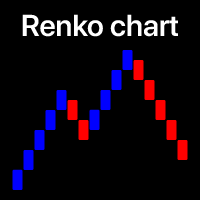
Power Renko MT4
Pierce Vallieres
Power Renko is an indicator which plots Renko bricks underneath the chart using a histogram. You can select the brick size and the timeframe of the Renko bricks as well as whether or not to use the close price or the high/low price of the candles. Renko bricks are based on price alone, not time, therefor the Renko bricks will not be aligned with the chart's time. They are extremely useful for trend trading and many different strategies can be formed from them. Buffers are provided allowing you t
Advanced CRT Indicator MT4 — Candle Range Theory Tool Advanced CRT Indicator MT4 is a professional analysis tool that automates Candle Range Theory. It identifies consolidation ranges, breakout levels, Fair Value Gaps (FVG), and profit targets, with a real-time dashboard and alerts. Overview - Multi-timeframe candle range detection   - Automatic breakout levels with buffer settings   - Fair Value Gap identification and tracking   - Up to three customizable target levels (Risk:Reward ratios)  
Rira Renko
Vitor Palmeira Abbehusen
RENKO on Time Chart This indicator is an enhanced Renko, so you can watch the Renko bricks on the chart to understand price movement more clearly the other improvement is automated box size according to ATR (Average True Range) period you can set the ATR number as you want and the box size of Renko changes automatically based on price movement Inputs Mode: Box size is the input to specify the size of the Renko box you want to print on the chart. This input lets you choose the fixed box siz
Renko Chart Profile
Makarii Gubaydullin
작은 가격 변동을 걸러내고 큰 추세에 집중하세요 . Renko 차트 인디케이터는 작은 가격 변동을 걸러내어 전체적인 추세에 집중할 수 있도록 도와줍니다. 가격이 지정된 금액만큼 이동해야 Renko 블록이 생성됩니다. 이로 인해 가격이 이동하는 현재 추세 방향을 쉽게 파악할 수 있습니다. 다기능 유틸리티 : 66개 이상의 기능 포함  |   질문이 있으면 저에게 연락하세요   |    MT5 버전 인디케이터 설정에서 다음을 구성할 수 있습니다: 계산 설정: 블록 크기, 포인트 단위; 인디케이터 스타일: 블록 색상; 프로그램 파일은 " Indicators " 디렉토리에 배치해야 합니다. //--------------- 다기능 유틸리티 : 66개 이상의 기능 포함  |   질문이 있으면 저에게 연락하세요   |    MT5 버전
The AlgoKing Squawk Trendlines script will auto draw trendlines on your chart to use with trendline break and retest strategies. Simply drag the script onto your chart. Recommendation: Be sure all candle bars that you want to include in the trendline calculation are visible. Draw trend lines using multiple timeframes. Delete all lines that you do not want to use in your strategy. Benefits: Join the AlgoKing Lightning Bolt Expert Advisor support group:   https://www.mql5.com/en/messages/02E3BDCF
Velas RENKO
Ramon Sobrevals Arce
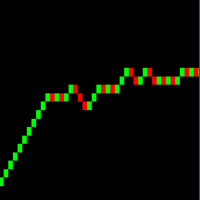
Immediately plots renko bars in an external/indicator window.  One of the distinctive advantages Renko charts offer is the fact that they are not time dependent. Therefore, the new Renko blocks are only traced when the price moves higher or lower by the specified number of points.  For example, a 10 pip (100 points) Renko chart would plot the blocks when price moves 10 pips higher in an uptrend or 10 pips lower in a downtrend. Renko charts removes "noises" from the Market and i t helps to identi
Renko Moving Average
Vitor Palmeira Abbehusen
This indicator gives you the Moving Average based on Renko chart. A   Renko chart   is a type of chart that is built using price movement rather than both price and standardized time intervals like most charts are. A Moving Average based on Renko chart is considered less noisy since it is not based on the time and only based on price change. You can see my free enhanced Renko indicator here . Inputs: Box Size: Renko box size based on market Points. Period: Moving Average Period Method: Moving
ADM Multiframe
Dmitriy Susloparov
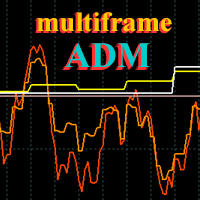
ADM Oscillator Multiframe Unlike the classic indicator " Average Direction Movement index ", this indicator shows directly the difference between the +DI and -DI values. When +DI is greater than -DI results above zero and vice versa. This is more visual and, in addition, allows you to clearly see the interaction of indicator readings for different timeframes. It also uses a proprietary technology that allows you to see different timeframes simultaneously on a single time scale. For example, fo
Order Closer Manager Order Closer Manager Order Closer Manager is a powerful and easy-to-use MetaTrader 4 (MT4) Expert Advisor designed to help traders efficiently manage their open orders. This EA is ideal for traders who want precise control over their trades with minimal manual intervention. Key Features: Close Orders by Percentage: Automatically close a specified percentage of your total open lot size with a single click. Breakeven Management: Apply breakeven levels to buy, sell, or all open
RenkoSarCCI
Sergey Deev
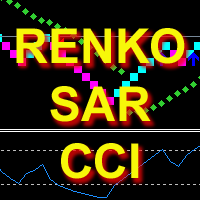
The indicator calculates and displays Renko bars using PSAR and CCI data as well as provides buy/sell signals. Renko is a non-trivial price display method. Instead of displaying each bar within a time interval, only the bars where the price moved a certain number of points are shown. Renko bars do not depend on a time interval, therefore the indicator works on any timeframe without losing its efficiency. The buy signal is generated when the CCI indicator crosses the 100 level upwards, and the PS
RenkoSarMA
Sergey Deev
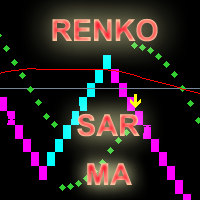
The indicator calculates and displays renko bars using MA and PSAR data as well as provides buy/sell signals. Renko is a non-trivial price display method. Instead of displaying each bar within a time interval, only the bars where the price moved a certain number of points are shown. Renko bars do not depend on a time interval, therefore the indicator works on any timeframe without losing its efficiency. Buy signal forms when PSAR readings are moving down, MA is moving up, the price is closing ab
EMACrossRenko
Hong Ling Mu
1 (1)
<LOGIC> The EMA RENKO EA should run in Renko chart to show the best performance. The EA will entry based on 2 EMA line cross. (it is changeable in parameter.) As a result of FT , the best box size for XAUUSD (GOLD) is BOX 60 to 100.  Renko box size should be larger than spread value. Normally 3 times of spread. Please decide your box size with yourself. The EA will place addtional order as Grid if the trend move  to xxx pips from the last order. You can turn on/off in the parameter. The MAC
KT Renko Live Chart MT4
KEENBASE SOFTWARE SOLUTIONS
KT Renko Live Chart 유틸리티는 MT5에서 Renko 차트를 생성하는 도구로, 이를 활용해 실시간 거래 또는 트레이딩 전략 분석이 가능합니다. 이 유틸리티로 생성된 Renko 차트는 대부분의 사용자 정의 인디케이터와 자동매매 EA(전문가 어드바이저)를 지원합니다. 당사의 Renko Patterns 인디케이터 및 Renko Patterns EA와 완벽하게 호환됩니다. 기능 복잡한 설정 없이 간단하고 직관적으로 MT5에서 Renko 차트를 생성할 수 있는 유틸리티입니다. 대부분의 커스텀 인디케이터 및 EA와 호환되어 100% 자동화된 트레이딩이 가능합니다. 전략 테스터를 통해 Renko 차트에서 백테스트를 수행할 수 있습니다.  Renko 캔들의 윅(꼬리)은 표시 여부를 설정할 수 있습니다. 입력 파라미터 Renko 박스 크기 (핍): Renko 차트를 생성할 때 사용할 박스 또는 블록 크기를 핍 단위로 입력합니다. 윅 표시: Renko 캔들의 윅을 켜거나 끌 수 있습
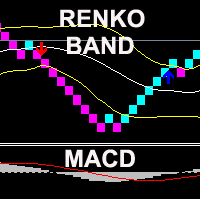
The indicator displays Renko bars on the chart, uses their data to calculate and display the Bollinger Bands, MACD oscillator and generates buy/sell signals. Renko is a non-trivial price display method, in which a bar within a time interval is shown on the chart only if the price has moved a certain number of points. Renko bars do not depend on a time interval, therefore the indicator works on any timeframe without losing its efficiency. When attached to a chart, the indicator checks for presenc
Introduction to Smart Renko The main characteristics of Renko Charting concern price movement. To give you some idea on its working principle, Renko chart is constructed by placing a brick over or below when the price make the movement beyond a predefined range, called brick height. Therefore, naturally one can see clear price movement with less noise than other charting type. Renko charting can provide much clearer trend direction and it helps to identify important support and resistance level
개요 Candle Timer Countdown Pro for MT4 는 MetaTrader 4용 캔들 종가 카운트다운 인디케이터입니다. 현재 캔들이 마감되기까지 남은 시간을 차트에 표시하고, 원형 진행 아크를 함께 제공해 트레이더가 현재 캔들의 진행 단계를 한눈에 파악할 수 있게 합니다. 새 tick이 도착할 때만 갱신되는 일반적인 카운트다운 인디케이터와 달리, 이 인디케이터는 서버 시간 앵커링과 로컬 시계 보간 방식을 사용합니다. tick이 드문 상황에서도 안정적인 카운트다운 표시를 유지하여 멈춤, 튐, 시간 드리프트 문제를 줄입니다. M1 차트에서 단기 매매를 하든, H1, H4, D1 차트에서 추세와 캔들 패턴을 확인하든, 현재 캔들이 언제 마감되는지 정확히 아는 것은 진입 타이밍을 개선하고, 마감 기준 패턴을 확인하며, 너무 이른 매매 판단을 피하는 데 도움이 됩니다. 이 타이머가 다른 이유 많은 MT4 카운트다운 인디케이터는 주로 TimeCurrent() 에 의존합니다. M
Median Renko Terminator
Lesedi Oliver Seilane
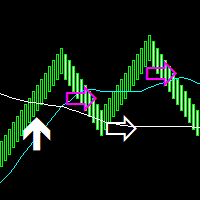
Median Renko Terminator works best with renko charts if you do not have a renko chart generator I will email it to you for free and give you the correct settings for scalping or to swing trade NON-REPAINT  COMES WITH ALERTS WHEN THERE IS A SIGNAL Conditions to sell: big purple arrow shows you the direction first then you take the small purple arrow to enter the same direction of the purple arrow. Conditions to buy: big white arrow shows you the up direction first then you take small white arrow
RENKOincrease
Jia Jie Tian
极大的提升了交易感官,一目了然的走势展示,简洁高效。 极大的突出展示了行情的趋势脉络,跟随时间周期适应变化,替用户交易者研判了行情走势,简洁高效 同时我们还提供了主窗口和副窗口的展现,有需要可以联系我作者本人,感谢支持。 像传统的renko,又不是传统的renko,技术在发展,同样的砖图可以有不一样的绘制和计算展现。 希望可以帮到大家的交易,再次感谢。 极大的提升了交易感官,一目了然的走势展示,简洁高效。 极大的突出展示了行情的趋势脉络,跟随时间周期适应变化,替用户交易者研判了行情走势,简洁高效 同时我们还提供了主窗口和副窗口的展现,有需要可以联系我作者本人,感谢支持。 像传统的renko,又不是传统的renko,技术在发展,同样的砖图可以有不一样的绘制和计算展现。 希望可以帮到大家的交易,再次感谢。
Renko + ATR Trend Envelope PRO+ (Non-Repainting) Renko + ATR Trend Envelope PRO+ is a clean trend-filter indicator that combines a Renko-style step histogram with an ATR-based trend envelope. It highlights trend direction, volatility expansion/contraction and trend reversals with arrows and optional alerts. This tool is ideal for: Trend following strategies Breakout confirmation Filtering false entries during choppy markets Visualizing volatility using ATR envelopes Key Features Renko-Style Hi
RSI TrendLine Divergency Message is an indicator for the MetaTrader 4 trading platform. Unlike the original indicator, this three in one version has a system of alerts that inform on market situation changes. It consists of the following signals: when the Main line crosses the levels of extreme zones and 50% level; when the Main line crosses the Trend line in the indicator window; divergence on the last bar. Parameters of levels of extremum, 50-level and divergence are adjustable. Parameters La
Before
Nadiya Mirosh
The Before indicator predicts the most likely short-term price movement based on complex mathematical calculations. Most of the standard indicators commonly used in trading strategies are based on fairly simple calculations. This does not mean that there were no outstanding mathematicians in the world at the time of their creation. It is just that computers did not yet exist in those days, or their power was not enough for the sequential implementation of complex mathematical operations. Nowad
The Renko indicator is a technical analysis tool used in the forex market to visualize price movements and trends by eliminating market "noise." Unlike traditional candlestick or bar charts, Renko is built based on price changes of a specified number of points, called the "brick size." When the price moves by this amount of points, a new "brick" is added to the chart. This indicator ignores time and volume, focusing exclusively on price changes. The main features of the Renko indicator include:
Attraverso l'indicatore Savius Zone potrai finalmente: Definire delle zone oggettive da attenzionare Ridurre la discrezionalità Filtrare i tuoi pattern operativi Avvalerti di un metodo comprovato Qui di seguito alcune funzioni dell'indicatore Savius Zone: Zone Buy & Sell L’indicatore fornisce delle zone buy e sell ogni giorno dopo l’apertura del mercato cash sui seguenti mercati: DAX, S&P500, Nasdaq, Russel2000, Dow Jones Occasioni giornaliere Savius Zone fornisce occasioni di trading tutti i
Chaser
Thebo Junior Mahlangu
Introduction  This Indicator Is Based On Average Price/Maximum Price Moves, And Using Moving Bollinger Bands And Moving Averages. The Advantage Of Using It With YOUR own Analysis Will Confirm Potential Supports And Resistances While it Compliments With Your Analysis  The Indicator Is Non-Repainting AND Along With Our Special Trend METRE that Changes With The Conditions OF A Bullish Or Bearish Trend....  Recommend Time-Frames: H1  H4 M15 Usage: The Indicator Is Very Profitable If Use
FREE
Find and fill Gaps
Leandro Oliveira
This indicator shows the gaps on the current chart with a rectangle shape and indicates when the gap is filled by closing the shape. Gaps are considered over the shadows. Allows sending alerts by e-mail or push notifications when a gap is found. Parameters SizeGAP - Size of the gap that you want to indicate; HGcolor1 - Color of the gap in an upward movement; HGcolor2 - Color of the gap in a downward movement; HGstyle - The style of rectangle to be drawn; StartCalculationFromBar - How many candl
Ready trading system. The indicator arrow shows when and in what direction you need to open an order. At the end of the blue rectangle we put TakeProfit, and at the end of the red rectangle we put StopLoss. The indicator calculates the size of TakeProfit and StopLoss automatically, depending on the market volatility and the probability of price direction. Therefore, the indicator does all the work instead of the trader. He analyzes the market himself, determines the distance for TakeProfit and
RenkoChart
Boris Sedov
5 (1)
Renko Chart — opens renko charts for MetaTrader 4. Renko charts can be created using this utility with all bars being in the form of Renko "bricks". All bars on the renko chart are the same size, which can be changed to get the desired chart. You can add indicators, EAs and scripts to the resulting chart. You get the completely operational chart which can be processed just like a regular one. The Renko Chart utility is not only history based, but also builds online. At the same time, the data is
Bigger chart labels would allow the user to be entirely aware of which chart he/she is on. Each chart window is unique, containing different patterns and economic motives so acknowledging the chart window would be absolutely essential! There are well known Economic Time Zones included in clear view, by choice!    Simple does it! Use your computing mouse scroller, clicking with the right finger on the label, in order to customize the label properties. From there, choose your preferred color, fon
FREE
Renko, Heiken Ashi, Ticks Bar, Range Bar.    Easy switching, easy setup, all in one window.        Place the Custom Chart indicator and view Renko, Heiken Ashi, Tick bar, Range bar charts in real time at real chart.    Position the offline chart window so that the indicator control panel is visible.    Switch the chart mode by click of a button.    Connect to the output chart any indicator, expert advisor without any restrictions.    No, it doesn't work in the tester.    Yes, you can use an
GIA Symbol Changer
Ruddy De Jesus Saavedra
동일한 창에서 기호와 마침표를 변경하여 플랫폼의 창으로 가득 차거나, 너무 많은 창에서 어지럽고, 기회를 놓치는 것을 방지하는 데 도움이 됩니다. Symbol Changer는 이 모든 것을 단순화하고 단일 창에서 분석하거나 관찰하려는 그래프의 시각화를 용이하게 합니다. 형질 - 기호를 변경합니다. - 변경 기간. - 현재 자산이 아닌 자산에서 개체를 숨깁니다. - 현재 자산의 개체를 표시합니다. - 현재 자산 규모의 크기를 조정합니다. - 하나 이상의 창에서 기호를 동기화합니다. - 사용하기 매우 쉽습니다. 동일한 창에서 기호와 마침표를 변경하여 플랫폼의 창으로 가득 차거나, 너무 많은 창에서 어지럽고, 기회를 놓치는 것을 방지하는 데 도움이 됩니다. Symbol Changer는 이 모든 것을 단순화하고 단일 창에서 분석하거나 관찰하려는 그래프의 시각화를 용이하게 합니다.
이 제품의 구매자들이 또한 구매함
Trade Manager EA에 오신 것을 환영합니다. 이 도구는 거래를 보다 직관적이고 정확하며 효율적으로 만들기 위해 설계된 궁극적인 리스크 관리 도구 입니다. 단순한 주문 실행 도구가 아닌, 원활한 거래 계획, 포지션 관리 및 리스크 제어를 위한 종합 솔루션입니다. 초보자부터 고급 트레이더, 빠른 실행이 필요한 스캘퍼에 이르기까지 Trade Manager EA는 외환, 지수, 상품, 암호화폐 등 다양한 시장에서 유연성을 제공합니다. Trade Manager EA를 사용하면 복잡한 계산은 이제 과거의 일이 됩니다. 시장을 분석하고 진입, 손절 및 익절 수준을 차트의 수평선으로 표시한 후 리스크를 설정하면, Trade Manager가 이상적인 포지션 크기를 즉시 계산하고 SL 및 TP 값을 실시간으로 표시합니다. 모든 거래가 간편하게 관리됩니다. 주요 기능: 포지션 크기 계산기 : 정의된 리스크에 따라 거래 크기를 즉시 결정합니다. 간단한 거래 계획 : 진입, 손절, 익절을 위한
거래하고자 하는 주요 영역을 파악한 후 자동으로 거래 지원 및 저항 또는 공급 및 수요 구역을 설정합니다. 이 EA를 사용하면 한 번의 클릭으로 매수 및 매도 구역을 그린 다음 가격이 바뀔 것으로 예상되는 정확한 위치에 배치할 수 있습니다. 그런 다음 EA는 해당 구역을 모니터링하고 구역에 대해 지정한 가격 액션에 따라 자동으로 거래를 수행합니다. 초기 거래가 수행되면 EA는 대상 구역이 되는 반대 구역에서 이익을 얻습니다. 그런 다음 거래를 종료하고 진입할 새 구역을 그리거나 이익을 얻고 즉시 반대 방향으로 거래를 역전하여 "항상 시장" 스타일 전략을 만드는 두 가지 선택이 있습니다. 입력 및 전략이 포함된 전체 매뉴얼은 여기에 있습니다: https://www.mql5.com/en/blogs/post/760256 이 EA는 시장에서 고정 또는 하드 스톱 로스를 사용하지 않는 포지션 트레이더 또는 달러 비용 평균 거래 전략을 위해 설계되었습니다. 대신, 다음에 가능한 지지 또는
News Filter EA: Advanced Algo Trading Assistant News Filter EA is an advanced algo trading assistant designed to enhance your trading experience. By using the   News Filter EA , you can integrate a Forex economic news filter into your existing expert advisor, even if you do not have access to its source code. In addition to the news filter, you can also specify   trading days   and   hours   for your expert. The News Filter EA also includes   risk management   and   equity protection   features
목표 수익 도달 시 자동 수익 실현 EquityTargetCloser   — 는 MetaTrader 5용 유틸리티 전문가 어드바이저(EA)로,   순자산(Equity)이 현재 잔고를 지정된 수익 금액만큼 초과하면 모든 시장 포지션을 청산하고 예약 주문을 삭제합니다. 모든 포지션을 청산한 후 목표는 자동으로 상향 조정됩니다. 새 임계값 = 새 잔고 + 지정된 수익. EA는 거래를 시작하지 않고 기존 포지션만 관리하여 수익을 확실하게 고정하고 축적된 자금을 보호합니다. MT5-version:  https://www.mql5.com/en/market/product/169839 작동 방식 전문가 어드바이저는   순자산(Equity)   을 동적 목표와 지속적으로 비교합니다. 목표 =   현재 잔고(Balance) + plusMoney   (미국 달러). 순자산이 이 금액 이상이 되면 보호 기능이 작동합니다.   모든 시장 포지션   (모든 심볼)을 청산합니다. 매개변수   Delete p
DrawDown Limiter MT4
Haidar Lionel Haj Ali
5 (8)
Drawdown Limiter EA You are in the right place if you were searching for Drawdown control, Drawdown limiter, Balance protection, Equity Protection or Daily Drawdown Limit related to Prop Firm, FTMO, or Funded account trading, or if you want to protect your trading account. Have you suffered from controlling your drawdown when trading funded accounts? This EA is meant for you. Prop firms usually set a rule called “Trader Daily Drawdown”, and if it is not respected, you are disqualified.  I am an
Telegram to MT4 Multi-Channel Copier 는 Telegram 채널의 트레이딩 신호를 자동으로 MetaTrader 4로 직접 복사합니다. 봇도, 브라우저 확장 프로그램도, 수동 복사도 필요 없습니다. Telegram에서 신호를 받으면 EA가 몇 초 안에 터미널에서 거래를 엽니다. 본 제품은 두 가지 구성 요소로 구성되어 있습니다: Telegram 채널을 감시하는 Windows 애플리케이션과 MT4 터미널에서 신호를 실행하는 이 Expert Advisor입니다. MT5 버전도 제공됩니다. 설정 가이드 및 애플리케이션 다운로드: https://www.mql5.com/en/blogs/post/768988 작동 방식 Windows 애플리케이션은 봇이 아닌 사용자 자신의 API 자격 증명을 사용하여 Telegram에 연결됩니다. 이는 프라이빗 및 VIP 채널을 포함하여 구독 중인 모든 채널, 그룹 또는 주제를 읽을 수 있음을 의미합니다. 신호를 감지하면 이를 파싱하여
TradePanel MT4
Alfiya Fazylova
4.84 (95)
Trade Panel은 다기능 거래 도우미입니다. 이 애플리케이션에는 50개 이상의 수동 거래 기능이 포함되어 있으며 대부분의 거래 작업을 자동화할 수 있습니다. 구매하기 전에 데모 계정에서 데모 버전을 테스트할 수 있습니다. 데모 계정용 애플리케이션 체험판 다운로드: https://www.mql5.com/en/blogs/post/750865 . 전체 지침 여기 . 거래. 한 번의 클릭으로 거래를 수행할 수 있습니다: 리스크 자동 계산과 함께 예약 주문 및 포지션 열기. 한 번의 클릭으로 여러 주문 및 포지션 열기. 주문 그리드 열기. 예약 주문 및 포지션을 그룹별로 닫기. 포지션 방향 전환 (Buy 닫기 > Sell 열기, Sell 닫기 > Buy 열기). 포지션 잠금 (부족한 포지션을 열어 Buy와 Sell 포지션의 수량을 동일하게 만들기). 모든 포지션 한 번의 클릭으로 부분적으로 닫기. 모든 포지션의 테이크 프로핏과 스톱로스를 같은 가격 수준에 설정. 모든 포지션의 스톱로스를
Strategy Builder offers an incredible amount of functionality. It combines a trade panel with configurable automation (covert indicators into an EA), real-time statistics (profit & draw down) plus automatic optimization of SL, TP/exit, trading hours, indicator inputs. Multiple indicators can be combined into an single alert/trade signal and can include custom indicators, even if just have ex4 file or purchased from Market. The system is easily configured via a CONFIG button and associated pop-up
The product will copy all telegram signal to MT4   ( which you are member  ) , also it can work as remote copier.  Easy to set up, copy order instant, can work with almost signal formats, image signal, s upport to translate other language to English Work with all type of channel or group, even channel have "Restrict Saving Content", work with  multi channel, multi MT5 Work as remote copier: with signal have ticket number, it will copy exactly via ticket number. Support to backtest signal. How to
PZ Trade Pad Pro MT4
PZ TRADING SLU
3.67 (3)
Effortlessly calculate lot sizes and manage trades to save time and avoid costly errors The Trade Pad Pro EA is a tool for the Metatrader Platform that aims to help traders manage their trades more efficiently and effectively. It has a user-friendly visual interface that allows users to easily place and manage an unlimited number of trades, helping to avoid human errors and enhance their trading activity. [ Installation Guide | Update Guide | Troubleshooting | FAQ | All Products ] One of the k
MT4 to Telegram Signal Provider 는 사용하기 쉽고 완전히 사용자 정의가 가능한 도구로, 텔레그램으로 신호를 보내어 계정을 신호 제공자로 변환할 수 있습니다. 메시지 형식은 완전히 사용자 정의가 가능합니다! 그러나 간단한 사용을 위해 미리 정의된 템플릿을 선택하고 메시지의 특정 부분을 활성화하거나 비활성화할 수도 있습니다. [ 데모 ]  [ 매뉴얼 ] [ MT5 버전 ] [ 디스코드 버전 ] [ 텔레그램 채널 ]  New: [ Telegram To MT5 ] 설정 단계별 사용자 가이드 가 제공됩니다. 텔레그램 API에 대한 지식이 필요 없으며, 개발자가 필요한 모든 것을 제공합니다. 주요 기능 구독자에게 보낸 주문 세부 정보를 사용자 정의할 수 있는 기능 예를 들어 브론즈, 실버, 골드와 같은 계층 구독 모델을 만들 수 있습니다. 골드 구독은 모든 신호 등을 받게 됩니다. ID, 심볼 또는 코멘트별 주문 필터링 주문이 실행된 차트의 스크린샷을 포함 보낸
수동 매매를 위한 전문가용 트레이딩 패널로, 정밀한 진입부터 계좌 보호까지 매매의 전 과정을 차트 위 하나의 창에 담았습니다. 정해진 리스크에 정확히 맞춰 모든 포지션의 거래량을 산정하고, RR Tool로 차트에 직접 라인을 그려 거래를 설계하며, Market 주문과 예약 주문은 물론 Grid와 OCO까지 사용할 수 있습니다. 포지션 관리는 패널이 대신 처리합니다. 최대 다섯 단계 부분 청산, 여섯 가지 트레일링 스탑, 브레이크이븐, Virtual SL/TP를 지원합니다. 일간·주간·월간 한도가 예치금을 지키며, 기준을 넘기는 즉시 자동으로 발동됩니다. 가이드와 무료 Live 데모 무료 Live 데모 버전은 여기에서 이용할 수 있습니다 ( Free Live Demo ). 제품 사용 가이드는 여기에서 확인할 수 있습니다 ( User Manual ). NT Trade Manager는 트레이더의 모든 작업 흐름을 차트 위 작고 간결한 패널 하나에 모아, 터미널 창을 오갈 필요도, 진입할
TradeMirror 은 MT4/MT5 플랫폼을 위해 특별히 설계된 현지화된 주문 복사 도구로, 실시간 거래 작업을 동기화합니다. 튜토리얼 더 많은 튜토리얼을 보려면 Trademirror 튜토리얼 링크를 클릭하세요. 제품 장점 금융 소프트웨어의 보안성, 안정성 및 개인정보 보호에 대한 높은 표준 요구사항을 기반으로, 우리는 세 가지 핵심 차원에서 심층 최적화를 수행했습니다: 직관적이고 간결한 그래픽 인터페이스로 누구나 쉽게 조작 가능 강화된 개인정보 보호 메커니즘으로 금융 환경의 민감한 데이터 격리 요구 충족 밀리초 단위의 주문 동기화로 신호 분배의 정확성과 지연 없음 보장 MT4/MT5 양 플랫폼과 완전히 호환되어 다양한 거래 환경에 원활하게 적용 지능형 시스템 모니터링과 이메일 알림을 결합하여 거래 안정성을 실시간으로 보장 핵심 기능 특성 제품은 다음과 같은 전문적인 복사 기능을 탑재하고 있습니다: 다중 계정 병렬 연결 이메일 실시간 푸시 맞춤형 로트 크기 조정 신호 필터링 메커
Trade Copier Global
Laszlo Tormasi
5 (15)
Trade Copier Global: The name speaks for itself. This copier allows you to copy orders between MT4 terminals even if they are not installed on the same computer. Features Copying trades between MT4 terminals around the world with a short delay. Automatically recognizes symbol prefixes. Can connect many Slaves to the same Master. Supports pending and market orders. Supports partial order close (with limitations, see below) Can send messages and notifications to the Slaves from the Master Several
복사기->편리하고 빠른 인터페이스 상호작용으로 사용자가 바로 사용 가능       ->>>> Windows 컴퓨터 또는 VPS Windows에서 사용하는 것이 좋습니다. 특징: 다양하고 개인화된 복사 거래 설정: 1. 다양한 신호 소스에 대해 다양한 로트 모드를 설정할 수 있습니다. 2. 다양한 신호 소스를 포워드 및 리버스 복사 거래에 대해 설정할 수 있습니다. 3. 신호는 주석으로 설정할 수 있습니다. 4. 계약 로트에 따라 로트를 교정할지 여부 다양하고 개인화된 복사 주문 설정 2: 1. 다양한 품종에 대해 다양한 로트 모드를 설정할 수 있습니다. 2. 정방향 및 역방향 복사 주문에 대해 다양한 품종을 설정할 수 있습니다. 3. 주석으로 신호를 설정할 수 있습니다. 4. 계약 로트에 따라 로트를 교정할지 여부 댓글 필터링, MAGIC 필터링, 시그널 로트 필터링, 로컬 제품 필터링 근무시간 설정 역동기화 SLAVE 닫힘 주문 바인딩 기능: 모든 주문은 설정된 신호 소스 주문
Простая в управлении Торговая панель обеспечит безопасную торговлю. Вычислит объём сделки от заданного уровня Stop Loss и величины убытка. Поможет рассчитать сейф, и в ноль закрыть неверную сделку. Интуитивно понятный интерфейс делает панель удобной в управлении, освобождая внимание трейдера для принятия решения о входе в сделку. Программа сделает все расчёты за вас. Поэтому работа с помощью панели Снайпер - оптимальное решение для торговли с соблюдением Мани-менеджмента. А это главный ключ к по
Auto Trade Copier
Vu Trung Kien
4.76 (85)
Auto Trade Copier is designed to copy trades to multiple MT4, MT5 and cTrader accounts/terminals with 100% accuracy. The provider and receiver accounts must be on the same PC/VPS. With this tool, you can copy trades to receiver accounts on the same PC/VPS. All trading actions will be copied from provider to receiver perfectly. This version can be used on MT4 accounts only. For MT5 accounts, you must use Auto Trade Copier for MT5 . Reference: - For MT4 receiver, please download Trade Receiver Fre
Trader Evolution MT4
Siarhei Vashchylka
5 (2)
" Trader Evolution " - A utility designed for traders who use wave and technical analysis in their work. One tab of the utility is capable of money management and opening orders, and the other can help in making Elliott wave and technical analysis. Manual (Be sure to read before purchasing) | Version for MT5 Advantages 1. Trading in a few clicks. Immediate and pending orders are available in the panel 2. Money management. The program automatically selects the appropriate lot size 3. Simplifies
Telegram to MT4 Coppy
Sergey Batudayev
4.09 (11)
Telegram에서 MT4로:   최고의 신호 복사 솔루션 최첨단 유틸리티인   Telegram to MT4를   사용하여 거래를 간소화하세요. DLL 없이도 Telegram 채널과 채팅에서 MetaTrader 4 플랫폼으로 거래 신호를 직접 복사할 수 있습니다. 이 강력한 솔루션은 탁월한 정밀도와 맞춤 설정 옵션을 통해 원활한 신호 실행을 보장하여 시간을 절약하고 효율성을 높여줍니다. [ Instructions and DEMO ] 주요 특징 직접 Telegram API 통합 전화번호와 보안 코드를 통해 인증하세요. 사용자 친화적인 EXE 브리지를 사용하여 채팅 ID를 손쉽게 가져오고 관리하세요. 여러 채널/채팅을 추가, 삭제, 새로 고침하여 동시에 신호를 복사합니다. 고급 필터를 사용한 신호 파싱 사용자 정의 예외 단어(예: "보고서", "요약")가 포함된 원치 않는 신호를 건너뜁니다. 유연한 SL 및 TP 형식을 지원합니다: 가격, 핍 또는 포인트. 신호가 가격 대신 지점을 지정
Custom Alerts AIO: 다중 시장을 동시에 모니터링 – 설정 없이 즉시 사용 가능 개요 Custom Alerts AIO 는 복잡한 설정 없이 즉시 사용할 수 있는 통합 시장 모니터링 도구입니다. FX Power, FX Volume, FX Dynamic, FX Levels, IX Power 등 필요한 모든 지표가 내장되어 있어 별도의 설치나 구성 없이 알림 기능을 바로 사용할 수 있습니다. 차트 그래픽 없이 작동하며, Forex, 금속, 지수, 암호화폐 등 주요 자산군을 모두 지원합니다. 주식(Symbols)은 별도로 입력하여 추가할 수 있으나, MetaTrader에서는 일반적으로 제한적으로만 사용됩니다. 1. 왜 Custom Alerts AIO를 선택해야 하나요? 추가 라이선스가 필요 없습니다 • 모든 Stein Investments 지표가 내장되어 있어 별도 구매가 필요 없습니다. • 즉시 알림 기능을 시작할 수 있어 빠르고 간편합니다. 모든 시장을 하나의 도구로
MACD Divergence Scanner is a multi-timeframe and multi-symbol dashboard and alert that checks all timeframes and symbols to find regular and hidden divergences between price chart and MACD indicator. This divergence scanner is integrated with support and resistance zones so you can check the MACD divergences in the most important areas of the chart to find trend reversals in the price chart. Download demo version   (works on M 1,M5,M30,W1   timeframes) Full description of scanner parameters ->  
The News Filter
Leolouiski Gan
5 (25)
이 제품은 뉴스 시간 동안 모든 전문가 어드바이저 및 수동 차트를 필터링하여 수동 거래 설정이나 다른 전문가 어드바이저가 입력한 거래가 파괴될 수 있는 급격한 가격 상승으로부터 걱정하지 않아도 됩니다. 이 제품은 또한 뉴스 발표 전에 열린 포지션과 대기 주문을 처리할 수 있는 완전한 주문 관리 시스템이 함께 제공됩니다. The News Filter  를 구매하면 더 이상 내장 뉴스 필터에 의존할 필요가 없으며 이제부터 모든 전문가 어드바이저를 여기서 필터링할 수 있습니다. 뉴스 선택 뉴스 소스는 Forex Factory의 경제 캘린더에서 얻어집니다. USD, EUR, GBP, JPY, AUD, CAD, CHF, NZD 및 CNY와 같은 어떤 통화 기준으로 선택할 수 있습니다. Non-Farm (NFP), FOMC, CPI 등과 같은 키워드 식별을 기준으로 선택할 수도 있습니다. 저, 중, 고 영향을 가지는 뉴스를 필터링할 수 있도록 선택할 수 있습니다. 차트와 관련된 뉴스만 선택하

EasyInsight AIO MT4
Alain Verleyen
4 (2)
EASY Insight AIO – 스마트하고 손쉬운 트레이딩을 위한 올인원 솔루션 개요 외환, 금, 암호화폐, 지수, 심지어 주식까지 — 전 시장을 몇 초 만에, 수동 차트 확인이나 복잡한 설치, 인디케이터 설정 없이 스캔할 수 있다고 상상해 보세요. EASY Insight AIO 는 AI 기반 트레이딩을 위한 궁극의 플러그 앤 플레이(Plug & Play) 데이터 내보내기 도구입니다. 단 하나의 깔끔한 CSV 파일로 전체 시장 스냅샷을 제공하며, ChatGPT, Claude, Gemini, Perplexity 등 다양한 AI 플랫폼에서 즉시 분석할 수 있습니다. 창 전환, 복잡함, 차트 오버레이는 더 이상 필요 없습니다. 자동으로 내보내지는 순수하고 구조화된 데이터 인사이트만으로, 반복적인 차트 감시 대신 데이터 기반의 스마트한 의사결정에 집중할 수 있습니다. 왜 EASY Insight AIO인가요? 진정한 올인원 • 별도의 설정, 인디케이터 설치, 차트 오버레이가 필요 없습
RSI Divergence Scanner is a multi-timeframe and multi-symbol dashboard and alert that checks all timeframes and symbols to find divergences between price chart and RSI indicator. This divergence scanner is integrated with support and resistance zones so you can check the RSI divergences in the most important areas of the chart to find trend reversals in the price chart. Download demo version   (works on M 1,M5,M30,W1 timeframes) Full description of scanner parameters ->   click here . How to get
Unlimited Trade Copier Pro is a tool to copy trade remotely to multiple MT4, MT5 and cTrader accounts at different computers/locations over internet. This is an ideal solution for you if you are a signal provider and want to copy your trades to other receivers globally on your own rules. One provider can copy trades to multiple receivers and one receiver can get trade from multiple providers as well. The provider can even set the subscription expiry for each receiver, so that receiver will not b
Coppy Master MT4
Sergey Batudayev
4 (3)
카피 마스터 MT4       MetaTrader 4 및 MetaTrader 5 터미널용 트레이딩 복사 도구입니다. 양방향 복사를 지원합니다. MT4에서 MT5로, MT5에서 MT4로, 그리고 동일 유형의 계정 간 MT4에서 MT4로. 올바르게 작동하려면 모든 터미널이 동일한 PC나 VPS에서 실행되어야 합니다. [ Instruction  and Demo ]  MetaTrader 4에 복사하려면 별도 버전이 필요합니다.       카피마스터 MT5       — 필수입니다. 주요 특징: 복사 모드 마스터 및 리시버 역할을 모두 지원합니다. 거래 송수신을 위한 유연한 설정이 가능합니다. 주문 관리 시장가 및 보류 주문을 복사합니다. 동기화 및 부분 마감, 매매 반전, 손절매/실현가 수정을 지원합니다. 심볼 처리 접두사와 접미사를 지원합니다. 특정 기호를 제외하거나 포함하고, 자산에 사용자 지정 이름을 지정할 수 있습니다. 위험 관리 및 한도 일일 거래 한도, 최대 손실 한도,
ManHedger MT4
Peter Mueller
5 (2)
THIS EA IS A SEMI-AUTO EA, IT NEEDS USER INPUT. Manual & Test Version Please TEST this product before   BUYING  and watch my video about it. Contact me for user support or bug reports, or if you want the MT5 version! MT5 Version I do not guarantee any profits or financial success using this EA. With this Expert Advisor, you can: Implement your own   Zone Recovery   strategy to capitalize on trending markets. Create   Grid   trading strategies, to profit from ranging markets. Place orders easil
Trade Manager MT4 DaneTrades
Levi Dane Benjamin
4.09 (11)
거래 관리자는 위험을 자동으로 계산하는 동시에 거래를 빠르게 시작하고 종료하는 데 도움을 줍니다. 과잉 거래, 복수 거래 및 감정 거래를 방지하는 데 도움이 되는 기능이 포함되어 있습니다. 거래를 자동으로 관리할 수 있으며 계정 성과 지표를 그래프로 시각화할 수 있습니다. 이러한 기능은 이 패널을 모든 수동 거래자에게 이상적으로 만들고 MetaTrader 4 플랫폼을 향상시키는 데 도움이 됩니다. 다중 언어 지원. MT5 버전  |  사용자 가이드 + 데모 트레이드 매니저는 전략 테스터에서 작동하지 않습니다. 데모를 보려면 사용자 가이드로 이동하세요. 위기 관리 % 또는 $를 기준으로 위험 자동 조정 고정 로트 크기 또는 거래량과 핍을 기반으로 한 자동 로트 크기 계산을 사용하는 옵션 RR, Pips 또는 Price를 사용한 손익분기점 손실 설정 추적 중지 손실 설정 목표 달성 시 모든 거래를 자동으로 마감하는 최대 일일 손실률(%)입니다. 과도한 손실로부터 계정을 보호하고 과도한
Close by percentage MT4
Konstantin Kulikov
5 (1)
Hello friends. I wrote this utility specifically for use in my profile with a large number of Expert Advisors and sets ("Joint_profiles_from_grid_sets" https://www.mql5.com/en/blogs/post/747929 ). Now, in order to limit losses on the account, there is no need to change the "Close_positions_at_percentage_of_loss" parameter on each chart. Just open one additional chart, attach this utility and set the desired percentage for closing all trades on the account. The utility has the following function
VirtualTradePad PRO SE MT4 — MetaTrader 4용 고급 트레이딩 패널 및 차트 워크스페이스 VirtualTradePad PRO SE 는 MetaTrader 4 용 전문 트레이딩 패널이자 거래 관리 워크스페이스입니다. 하나의 차트 기반 인터페이스에서 거래를 더 빠르게 열고, 관리하고, 보호하고, 닫고, 분석할 수 있도록 도와줍니다. 이 제품은 단순한 버튼 모음 이상의 기능이 필요한 적극적인 수동 트레이더를 위해 만들어졌습니다. PRO SE는 원클릭 실행, 예약 주문, 포지션 제어, 부분 청산, 바스켓 손익 로직, 평균가 레벨, ATM 규칙, 신호 모니터링, 시장 정보, 전략 테스터 워크플로, VPS 중심 준비를 하나의 구조화된 워크스페이스로 통합합니다. MT5 버전 | 전체 설명 및 스크린샷 | 구입 방법 | 설치 방법 | 로그 파일을 얻는 방법 | 테스트 및 최적화 방법 | Expforex의 모든 제품 일반 수동 트레이딩 대비 장점 여러 창 대신 하나의 워
제작자의 제품 더 보기
BINARYEXPERT 는 정확한 진입 신호를 원하는 바이너리 옵션 트레이더를 위해 설계된 강력한 기술 인디케이터입니다. MetaTrader 4용으로 개발된 이 도구는 EMA, RSI, MACD, Stochastic, ATR 등 여러 기술 지표를 결합하여 신뢰성 높은 CALL 및 PUT 신호를 생성합니다. 직관적인 인터페이스와 실시간 통계 패널을 통해 BINARYEXPERT 는 트레이더가 더 나은 결정을 내릴 수 있도록 지원합니다. 주요 기능 다중 지표 분석: EMA, RSI, MACD, Stochastic, ATR을 조합하여 강력하고 일관된 신호를 생성합니다. 신호 점수 시스템: 여러 조건을 만족하면 점수를 부여하고, 임계점 이상일 때만 신호를 생성합니다. 실시간 통계 패널: 승률, 트렌드 방향, 거래 세션 상태 등을 실시간으로 표시합니다. 사용자 정의 가능한 설정: EMA, RSI, Stochastic, ATR 기간과 점수 임계값을 사용자가 설정할 수 있습니다. 거래 시간 설정
MHI Probability로 시장의 신비를 밝혀보세요! 캔들 패턴을 전략적 나침반으로 바꾸는 혁신적인 인디케이터 4가지 독보적인 전략( MHI 다수, MHI 소수, 밀리언 다수, 밀리언 소수 )으로 최근 5개 캔들의 움직임을 확률적으로 분석. 시각적 정밀도로 트레이딩 기회를 포착합니다. MHI Probability의 혁신적 특징 4가지 전략, 무한한 가능성   MHI 다수 : 추세 추종   MHI 소수 : 반전 예측   밀리언 다수 : 주류 강화   밀리언 소수 : 역류 포착 각 전략은 여러분의 트레이딩 스타일에 맞춰 설계되었습니다. 투명한 분석 로직 양봉(종가>시가), 음봉(종가<시가), 도지(Doji)를 자동 계측 소수 전략 에서는 5분 간격으로 엄격한 신호 발생 생생한 시각적 신호 정확한 매수/매도 화살표 표시 색상 구분(녹색=매수/빨강=매도/회색=도지)으로 전략 조건 한눈에 파악 종합 통계 패널 실시간 승률, 손실률, 게일(Gale) 데이터 표시 다음
VALUE EDITION LIMITED 는 시장 분석에서 명확성, 정확성 및 속도를追求的(추구하는) 트레이더를 위해 개발된 고급 기술 지표입니다. MetaTrader 4 및 5와 호환되며, 스마트한 과매수/과매도 존, 동적 가격 채널, 정규화된 캔들 분석 및 실시간 알림 기능을 통합하여 어떤 자산이나 시간대에서의 거래에도 신뢰할 수 있는 지원을 제공합니다. 주요 특징 스마트 트레이딩 존:   구성 가능한 최대, 평균, 최소 수준을 갖춘 과매수 및 과매도 영역 자동 식별. 동적 가격 채널:   Floating Axis(浮动轴 / 변동 축)와 평균 변동성을 자동 계산하여 중요한 반전 및 Exhaustion( exhaustion / 소모) 영역을 강조 표시. 정규화 캔들 분석:   평균 대비 편차를 기반으로 캔들을 비례적으로 재구성하여 가격 극한점을 정확하게 파악할 수 있는 시각을 제공. 자동 매수/매도 신호:   시각 및 청각 경고 옵션이 포함된 구성 가능한 신호 생성. 반등, 돌파,
Combiner_EA는 MetaTrader 4용 다목적 자동매매 프로그램으로, 외환 및 기타 시장에서 자동 거래를 위해 설계되었습니다. 외부 지표 신호와 이동평균 전략을 통합하며, 그리드 트레이딩, 마틴게일, 맞춤형 이익실현 및 손절 설정 등 고급 기능을 제공합니다. 실시간 통계 패널을 통해 계좌 성과를 확인할 수 있어, 체계적인 자동 매매를 원하는 트레이더에게 적합합니다. 주요 기능 ️ 외부 지표 통합: iCustom을 통해 맞춤형 지표 신호를 지원하여 유연한 전략 구현 가능 ️ 이동평균 전략: 이동평균 교차에 기반한 거래 실행, 위험 설정 조정 가능 ️ 그리드 트레이딩: 지정한 가격 간격마다 추가 주문 오픈으로 시장 움직임 포착 ️ 마틴게일 시스템: 손실 후 로트 크기 증대(설정 가능한 단계 및 배수)로 자본 회복 ️ 이익실현/손절 옵션: 포인트, 백분율, 또는 캔들 마감 기준 설정 가능 ️ 일일 제한: 일일 거래 횟수, 수익, 손실 제한으로 위험 관리 ️ 실시간
PROSPERIUM 은 분석과 거래 실행에서 최대의 신뢰성을 추구하는 트레이더를 위해 개발된 포괄적인 기술 지표입니다. MetaTrader 4 및 5용으로 제작되었으며, 여러 인기 지표(RSI, OBV, MACD, 볼린저 밴드, ADX, 일목균형표, 그래비티 이동 평균)를 통합하여 매수(CALL) 및 매도(PUT) 신호를 생성하는 시스템을 갖추고 있습니다. 고급 통계 패널과 자동 승률 계산 기능으로 PROSPERIUM은 실시간 성능을 명확하게 보여줍니다. 주요 특징 다중 지표 분석:   RSI, OBV, MACD, 볼린저 밴드, ADX, 일목균형표, 그래비티 이동 평균을 결합하여 시장의 중요한 포인트를 식별합니다. 통합 신호 시스템:   여러 기술적 조건이 일치할 때 매수(CALL) 및 매도(PUT)에 대한 시각 및 청각 경고를 생성합니다. 고급 통계 패널:   총 거래 수, 승리, 패배, 승률, 연승/연패 횟수 및 CALL과 PUT 간의 성능 비교를 표시합니다. 통합 백테스트 기능
Smart Cross
Lucas Braz Quintas
UranoTrader Smart Cross UranoTrader Smart Cross는 추세와 모멘텀을 기반으로 한 정확한 진입점 식별을 추구하는 트레이더를 위해 개발된 기술적 지표입니다. MetaTrader 4용으로 설계된 이 지표는 이동평균선 교차와 RSI 확인을 결합하여 명확한 매수(BUY) 및 매도(SELL) 신호를 생성함으로써 시장 노이즈를 줄이고 낮은 확률의 거래를 피할 수 있도록 돕습니다. 객관적이고 효율적인 접근 방식을 통해 이 지표는 차트에 직접 화살표를 표시하고 모든 조건이 일치할 때 실시간 알림을 제공하여 신속하고 합리적인 의사 결정을 가능하게 합니다. 주요 특징 스마트 교차 시스템:   6과 14 기간의 이동평균선을 사용하여 시장 방향 전환을 감지합니다. 추세 필터:   50 기간 이동평균선이 필터 역할을 하여 주된 추세 방향으로의 거래만 유효화합니다. 모멘텀 확인 (RSI):   5 기간 RSI는 움직임에 실제적인 힘이 있을 때만 신호가 생성되도록 보장합니다.
Deriv Sinteticos Win
Lucas Braz Quintas
NIXBOT AI – UranoTrader NIXBOT AI is an advanced trading analysis system designed for traders who want to go beyond traditional indicators and operate based on probability, statistics, and strategic intelligence . Developed for MetaTrader 4 and 5 , NIXBOT AI integrates a robust set of automated strategies capable of analyzing market behavior in real time, identifying recurring patterns, and selecting the best trading opportunities. More than just an indicator, NIXBOT AI acts as a true decision
CombinerPRO 는 MetaTrader 5용으로 설계된 고급 지표로, 바이너리 옵션, OTC 시장, 파생 자산, 암호화폐 및 외환 거래에 이상적입니다. 여러 기술 필터를 결합하여 CALL 및 PUT 신호를 정밀하게 생성하며, 외부 지표와의 통합을 지원합니다. 실시간 통계 패널과 백테스트 기능을 통해 전략의 효율성을 극대화할 수 있습니다. 주요 기능 ️ 다중 필터 기반 신호 생성 : 이동 평균, RSI, ADX, ATR, 캔들 크기 필터를 결합하여 신뢰도 높은 CALL 및 PUT 신호 생성 ️ iCustom 외부 지표 통합 : 최대 2개의 외부 지표를 추가 검증 필터로 연결 가능 ️ 실시간 통계 패널 : 성공률, 실패율, 최대 6단계 마틴게일 전략 퍼포먼스를 실시간으로 표시 ️ 과거 캔들 백테스트 : 기본 288개의 캔들 분석을 통해 전략 유효성 검증 ️ 신호 간 시간 제어 : 과도한 진입 방지를 위한 신호 간 최소 시간 간격 설정 ️ 다중 시장 호환성 : OTC,
필터:
리뷰 없음
리뷰 답변