
NT Risk Ratio Tool
- Utilities
- Version: 1.0

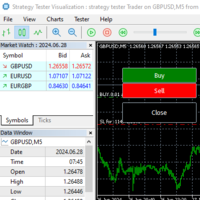
With this product, you no longer need to calculate trade volumes in a third-party calculator and manually transfer the figures to the chart. The utility calculates trades directly on the chart. This panel is used to mark and enter trades. Drag entry, StopLoss, and TakeProfit lines to the position where you see the trade, and the panel will immediately display the volume, risk in cash and as a percentage of balance, expected profit, and the RR ratio. Click the entry button, and the utility will send an order with these levels, selecting either market or pending order type based on the entry line position.
Useful links: Other developments - Link, MT4 version - Link
The leading value can be either risk or volume. Switch between them by clicking the label in the panel. If risk is assigned, the volume is calculated based on the distance to the StopLoss: if you move the line further, the lot size becomes smaller, but the risk amount remains the same. If volume is assigned, the panel shows the cost of the StopLoss for this lot size as a percentage of the balance. The point value is taken from the instrument specification, and the volume is rounded to the broker's increment, minimum, and maximum, so the lot on the panel matches what the terminal confirms.
There are separate tools for working with the markup:
- RR Lock: maintains the specified ratio, StopLoss moves TakeProfit along with it and vice versa, and when the lock is removed, RR is recalculated based on what you've drawn.
- Magnet: entry is locked to the current price and follows it, StopLoss and TakeProfit maintain their distances.
- RISK, LOT, and RR fields: values are entered numerically directly in the panel. Entering RR immediately moves TakeProfit, and entering a risk percentage with a locked volume moves StopLoss.
- SL and TP fields in points: distances are specified numerically, and these numbers are updated automatically when dragging the lines.
- Trade Reversal: one button changes Buy to Sell and mirrors StopLoss and TakeProfit around the entry line.
- Buy and Sell tiles: the number of open trades and the current result in money, with a button to close the side nearby.
If you drag StopLoss over the entry line, the trade is reversed. The chart itself is mirrored, so the markup remains accurate. The close buttons only work with trades within the utility itself. Selection is based on the magic number and chart symbol. Input settings specify what exactly they close: market positions, pending Stop orders, pending Limit orders, or both. After a successful order submission, the markup is removed from the chart. The panel can be dragged anywhere on the chart and collapses into a compact mini-chip with a single click.
Additionally, there are four color schemes for dark and light charts, three interface scales (100, 125, and 150 percent) for high-resolution monitors, a customizable font, a hotkey for showing and hiding the markup, as well as the risk percentage, StopLoss distance, magic number, and balance for calculation in the launch parameters.











































I have downloaded this utility and it works well. There is something it should be added to it: Breakeven Button.