Minibull periscope multi time frames
- Indicators
-
Yusuf Levent Aksun
 Platform Engineer и сертифицированный специалист AWS с более чем 20-летним опытом
в разработке программного обеспечения, облачной архитектуре и DevOps-трансформации.
В настоящее время руковожу инициативами платформенной инженерии в World Wide Technology - Version: 1.1
- Updated: 3 April 2026
**🎯 Say goodbye to watching multiple timeframe charts!**
**Product Name:** MiniBull Observer Calculator
**Short Description (for listing):**
Multi-timeframe composite scoring indicator with 9 technical indicators across 11 timeframes, built-in trade calculator, and price level analysis.
---
### Full Description
MiniBull Observer Calculator is a multi-timeframe analysis indicator for MetaTrader 5. It evaluates 9 independent technical indicators across 11 timeframes simultaneously and produces a composite score for each timeframe. The indicator also includes a trade calculator with two SL/TP methods, a price level analysis module, and D1 proximity alerts.
How It Works
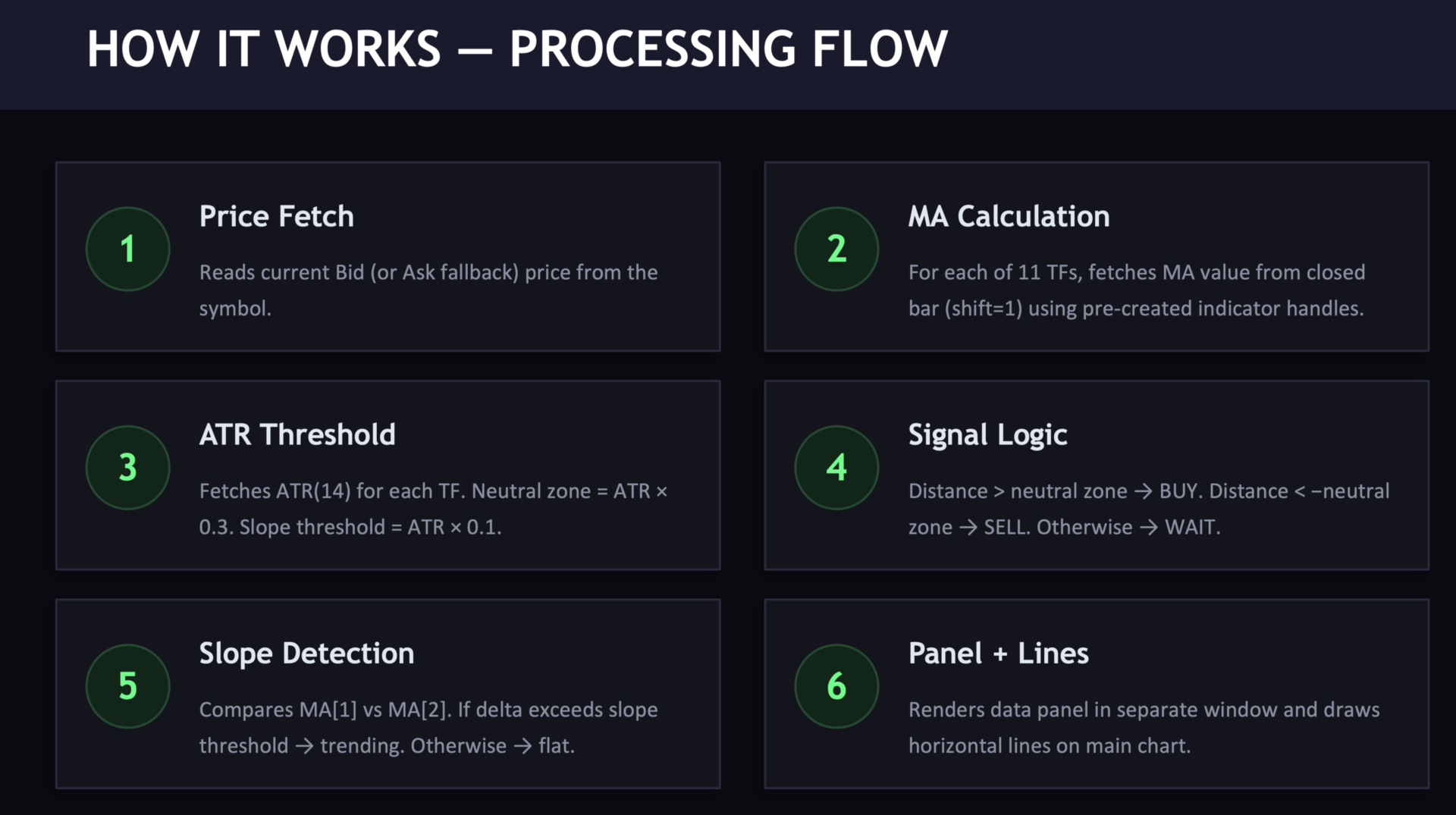
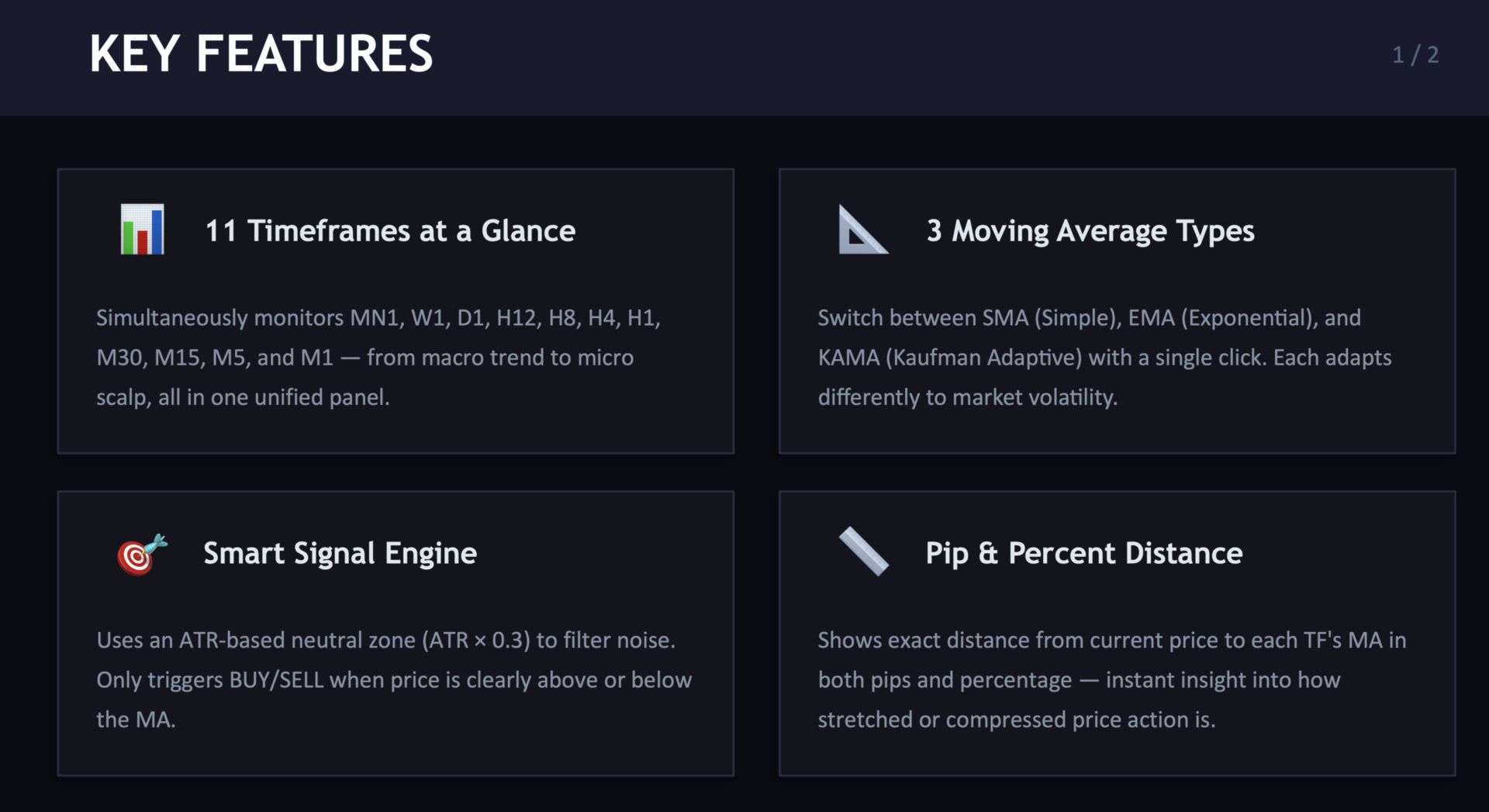
The indicator runs on every tick and timer cycle. For each of the 11 timeframes (MN1, W1, D1, H12, H8, H4, H1, M30, M15, M5, M1), it calculates the following 9 indicators and assigns a vote of +1 (bullish), -1 (bearish), or 0 (neutral):
Five oscillators: RSI, MACD, Stochastic, CCI, and Momentum.
Four moving averages: SMA(5), SMA(20), EMA(21), and EMA(50).
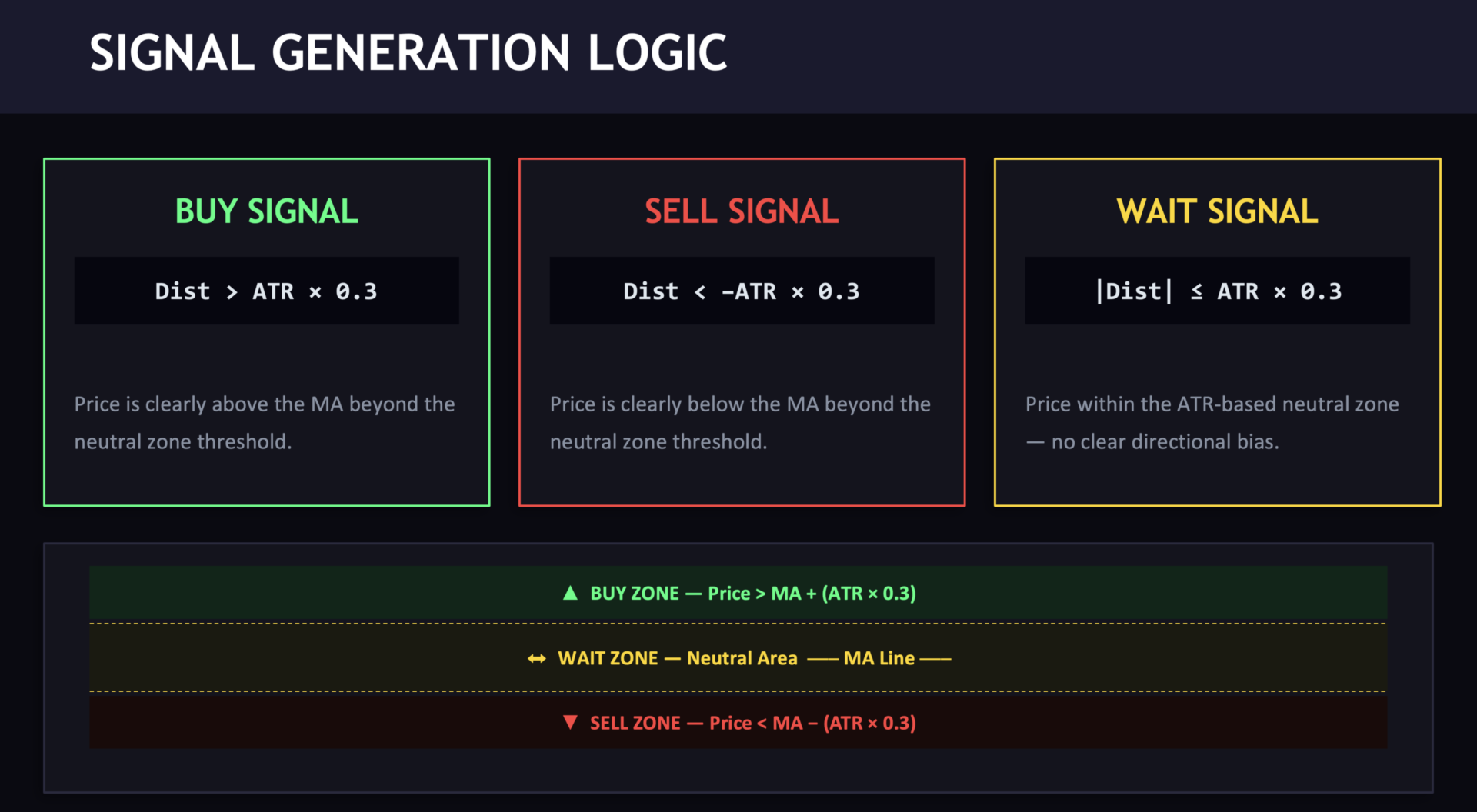
The sum of all 9 votes produces a composite score ranging from -9 to +9. Scores are classified as Strong (+/-7 to 9), Standard (+/-4 to 6), Weak (+/-1 to 3), or Neutral (0).
Panel Layout
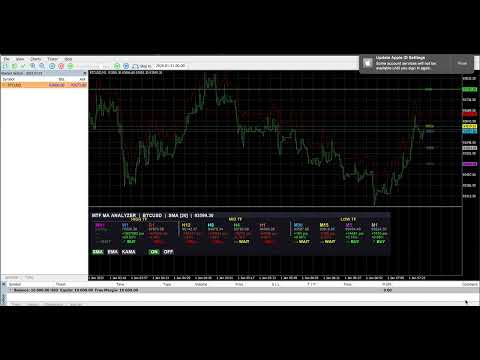
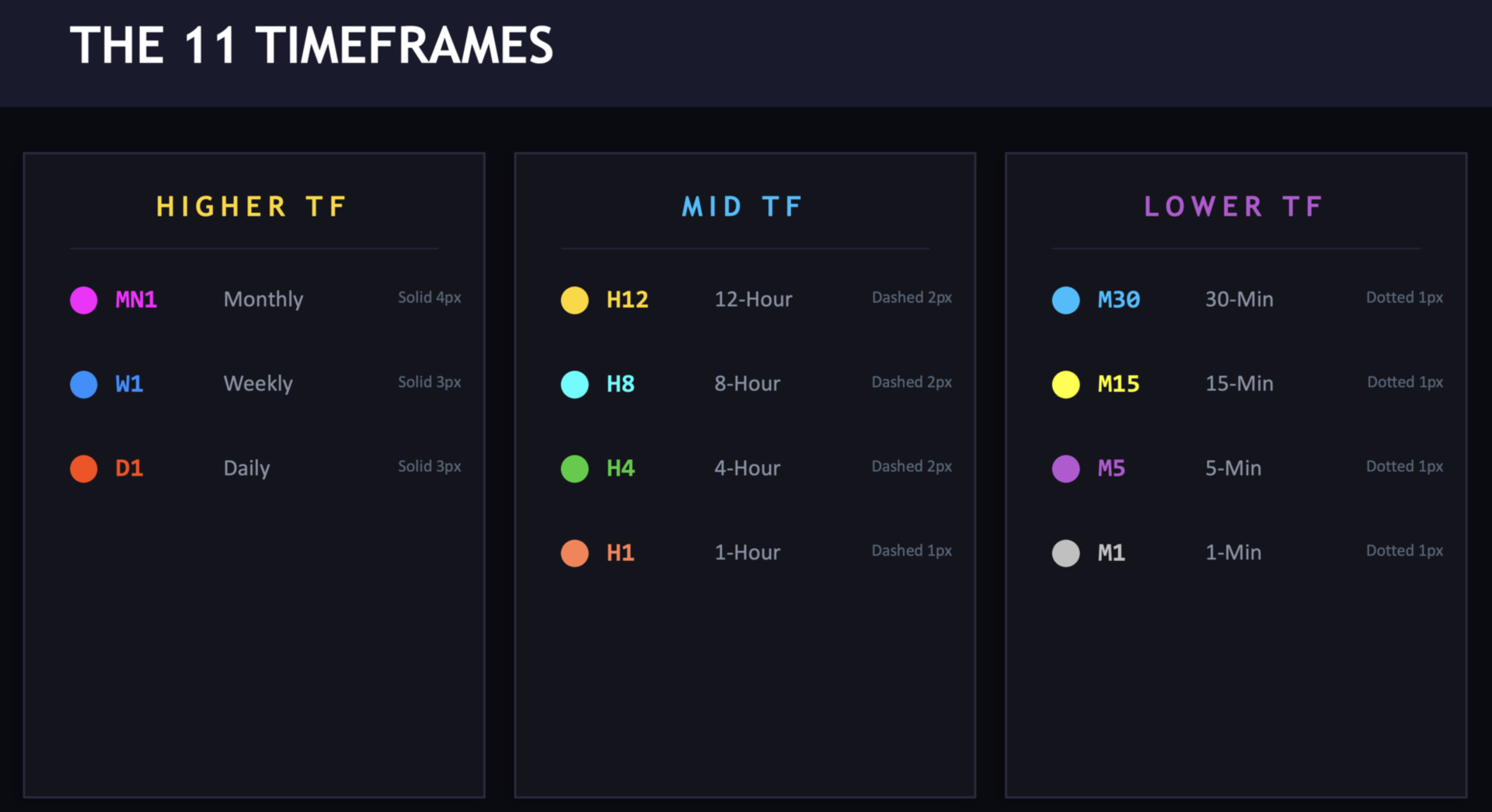
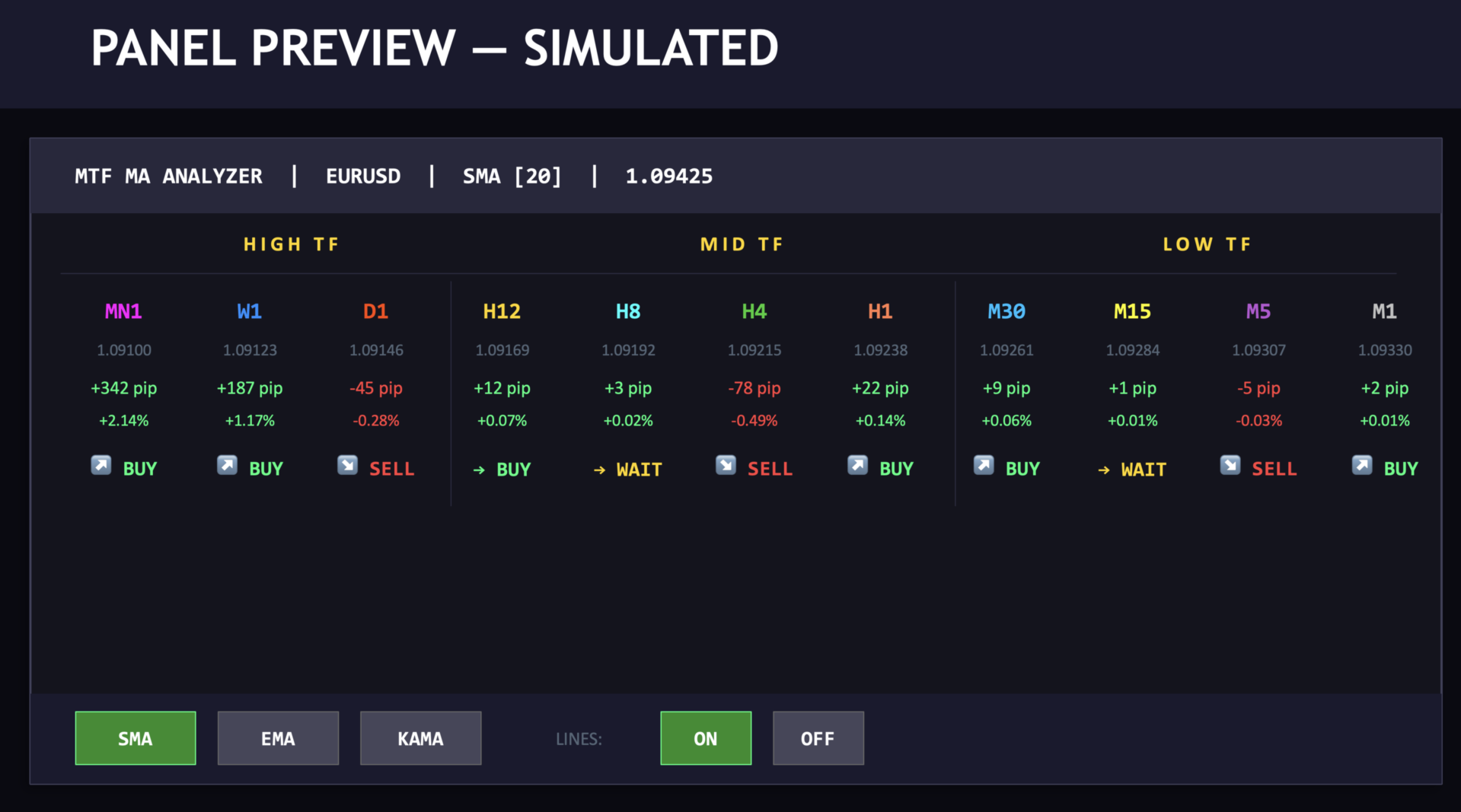
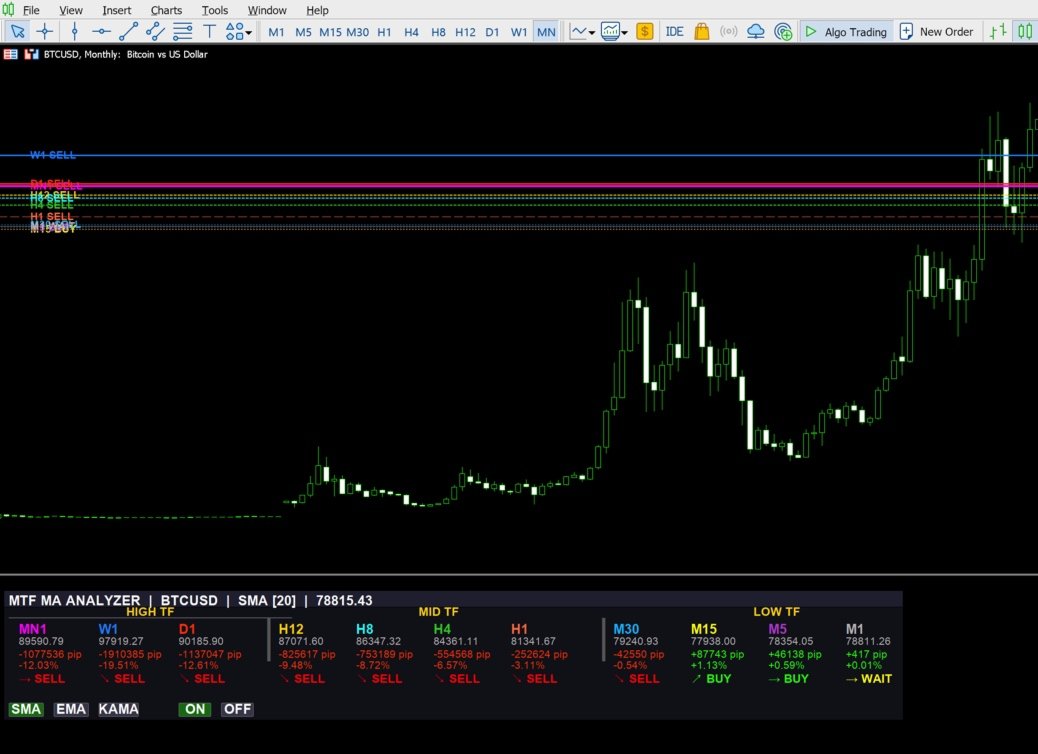
The panel displays data in three timeframe groups: Higher TF (MN1, W1, D1), Mid TF (H12, H8, H4, H1), and Lower TF (M30, M15, M5, M1). Each column shows the MA value, pip distance from price to MA, percentage distance, MA position signal, and the composite score.
The header displays the symbol name, active MA type and period, and the current price.
Main Moving Average
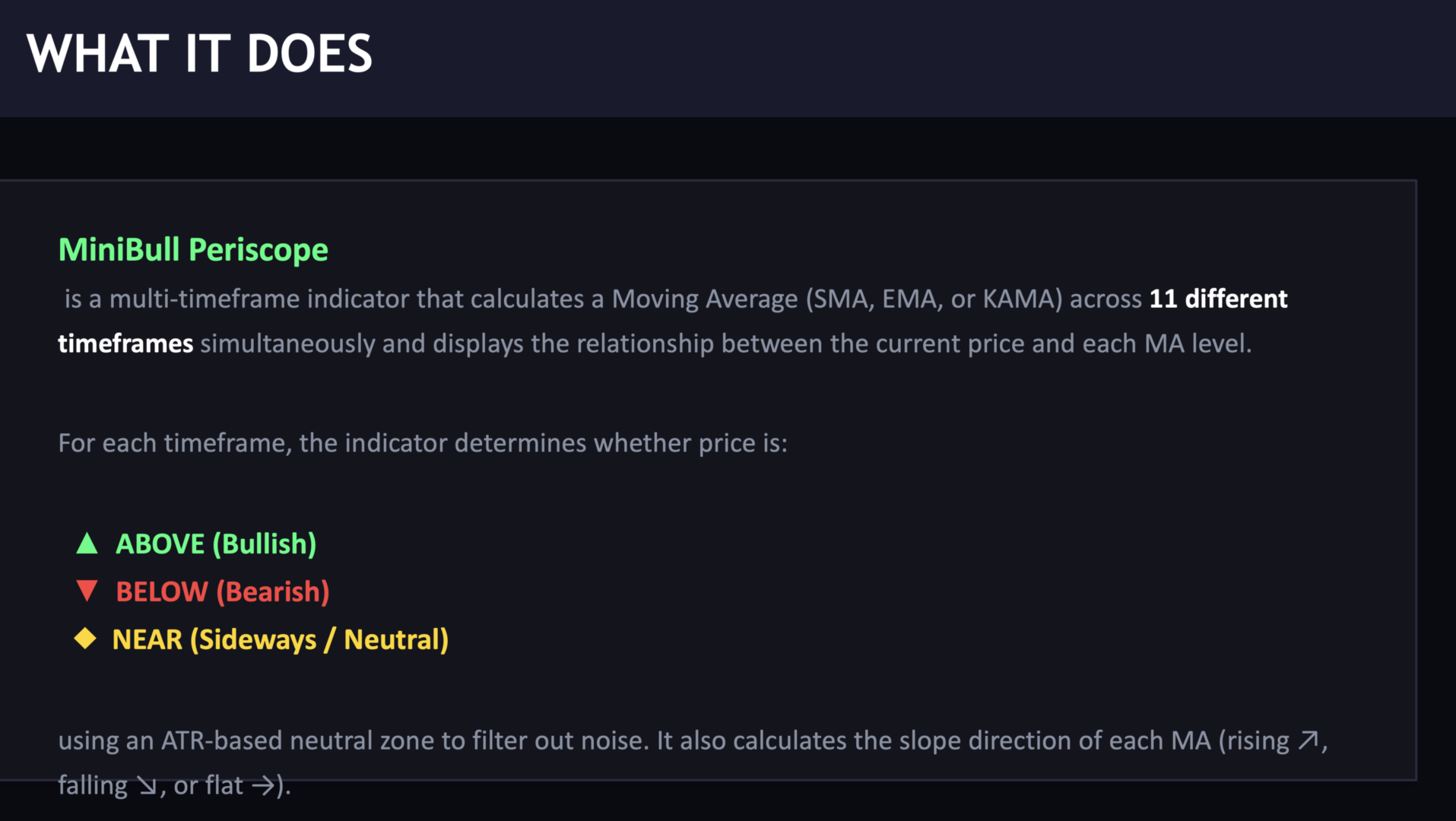
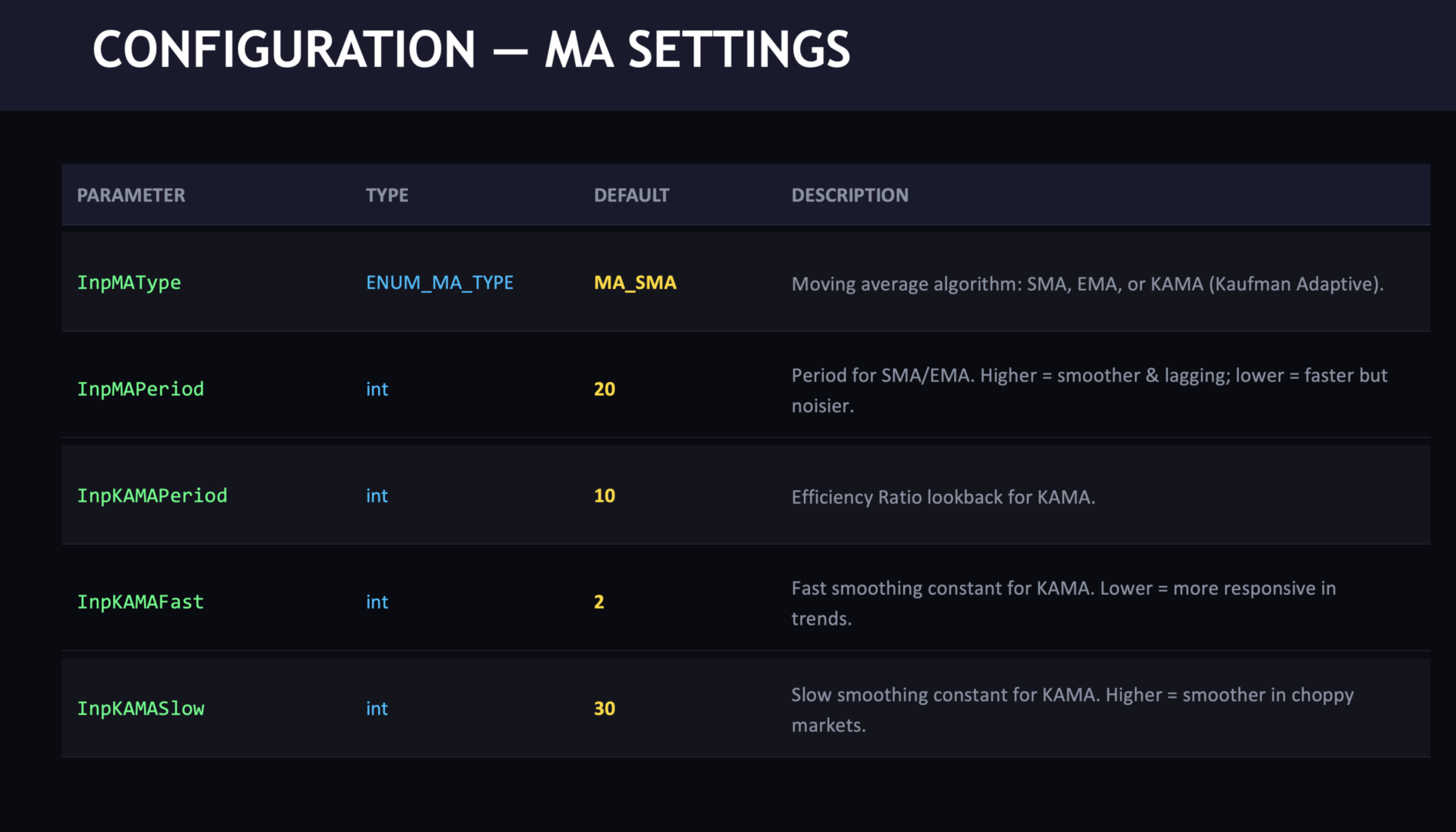
You can select between three MA types for the main moving average calculation: SMA (Simple), EMA (Exponential), or KAMA (Kaufman Adaptive). The selection can be changed at runtime using interactive buttons on the panel. The period is configurable through input parameters.
Trade Calculator
The trade calculator section provides four scenarios for potential trade setups. It is not a trading signal generator. It displays reference levels and calculations for informational purposes.
Method 1 — D1 High/Low: Uses the previous daily candle High and Low as reference levels. For a long scenario, the entry is at ASK, SL at the previous D1 Low, and TP at the previous D1 High. For a short scenario, the entry is at BID, SL at the previous D1 High, and TP at the previous D1 Low.
Method 2 — Wilder ATR: Uses ATR with configurable multipliers for SL and TP distances. Default multipliers are 2.0 for SL and 3.0 for TP. For a long scenario, SL is placed at ASK minus ATR times the SL multiplier, and TP at ASK plus ATR times the TP multiplier.
Both methods display the risk and reward in USD for the minimum lot size, along with the risk-to-reward ratio. The panel header shows the minimum lot, ASK, BID, spread, and the current ATR value.
Price Level Analysis
This module scans historical D1 bars (default: 500 bars) to analyze the current price level. It detects whether the current price is near an All-Time High or All-Time Low within the lookback window. It counts how many times price has previously tested the current level within a configurable tolerance (default: 100 points), and tracks the direction of breaks (upward vs. downward). When 3 or more tests are recorded, it calculates a directional bias percentage.
D1 Level Proximity Alerts
When enabled, the indicator monitors the distance between the current price and the previous D1 High and Low. If the price comes within the configurable alert range (default: 50 points), it can trigger popup, sound, or push notifications. A 60-second cooldown prevents repeated alerts.
Chart Lines
Optional horizontal lines can be drawn on the chart for each timeframe, showing the MA value at a glance. Each timeframe has a distinct color and line style. The composite score can be displayed on the line labels. Lines, MA signals, and chart scores can be toggled on or off using the panel buttons.
Input Parameters
MA Settings: MA type (SMA/EMA/KAMA), MA period (default 20), KAMA period (default 10), KAMA fast constant (default 2), KAMA slow constant (default 30).
Oscillator Settings: RSI period (default 14), MACD fast/slow/signal (default 12/26/9), Stochastic K/D (default 14/3), CCI period (default 20), Momentum period (default 10).
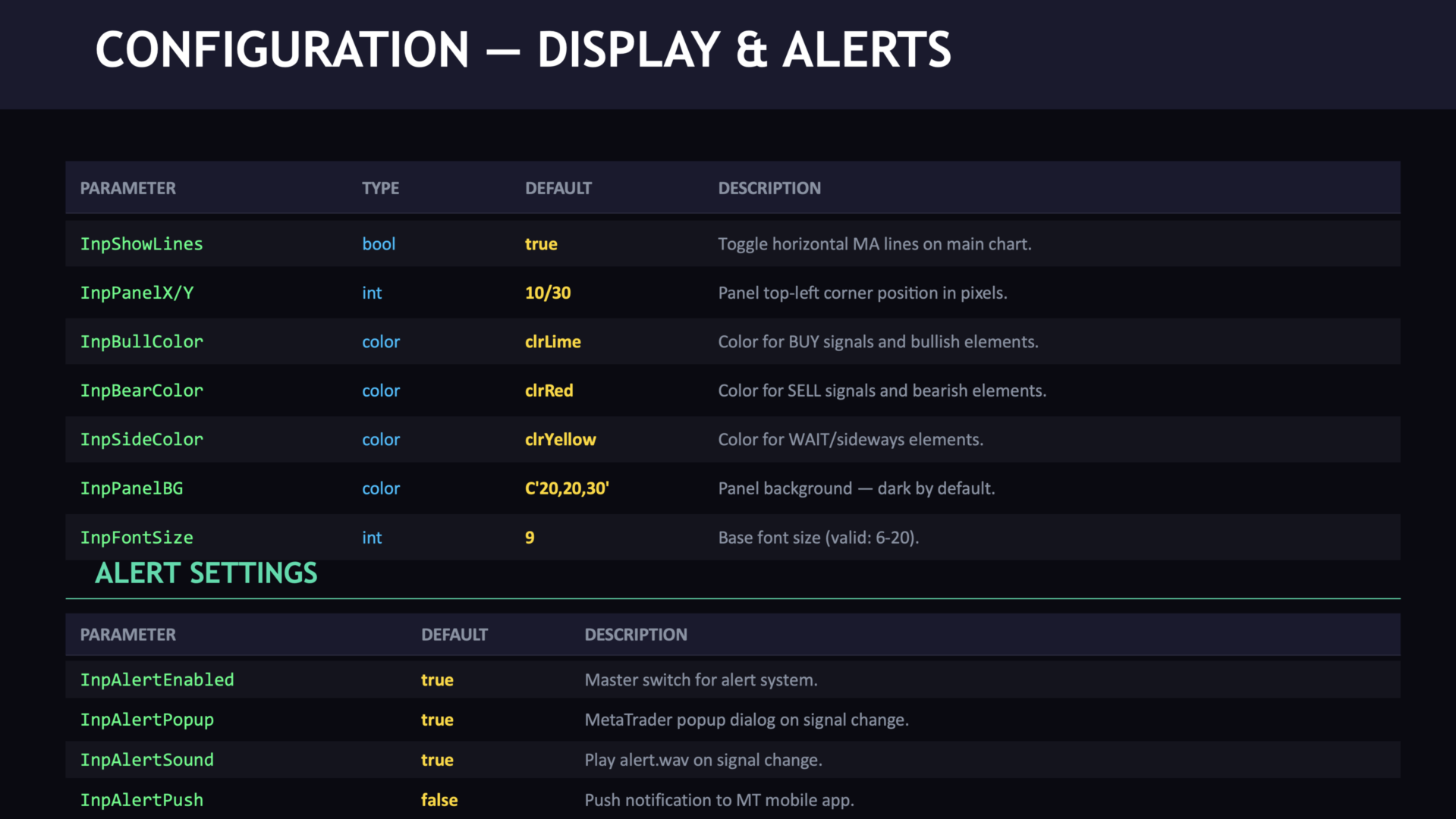
Display Settings: Show lines (true/false), show MA signal row (true/false), show chart score (true/false), panel X/Y position, bull/bear/sideways colors, panel background color, border color, font size.
Alert Settings: Enable alerts (true/false), alert range in points (default 50), popup/sound/push notification toggles.
Price Level Settings: Enable price level analysis (true/false), level tolerance in points (default 100), lookback bars (default 500).
Trade Calculator Settings: Enable trade calculator (true/false), Wilder ATR period (default 14), ATR multiplier for SL (default 2.0), ATR multiplier for TP (default 3.0).
Technical Details
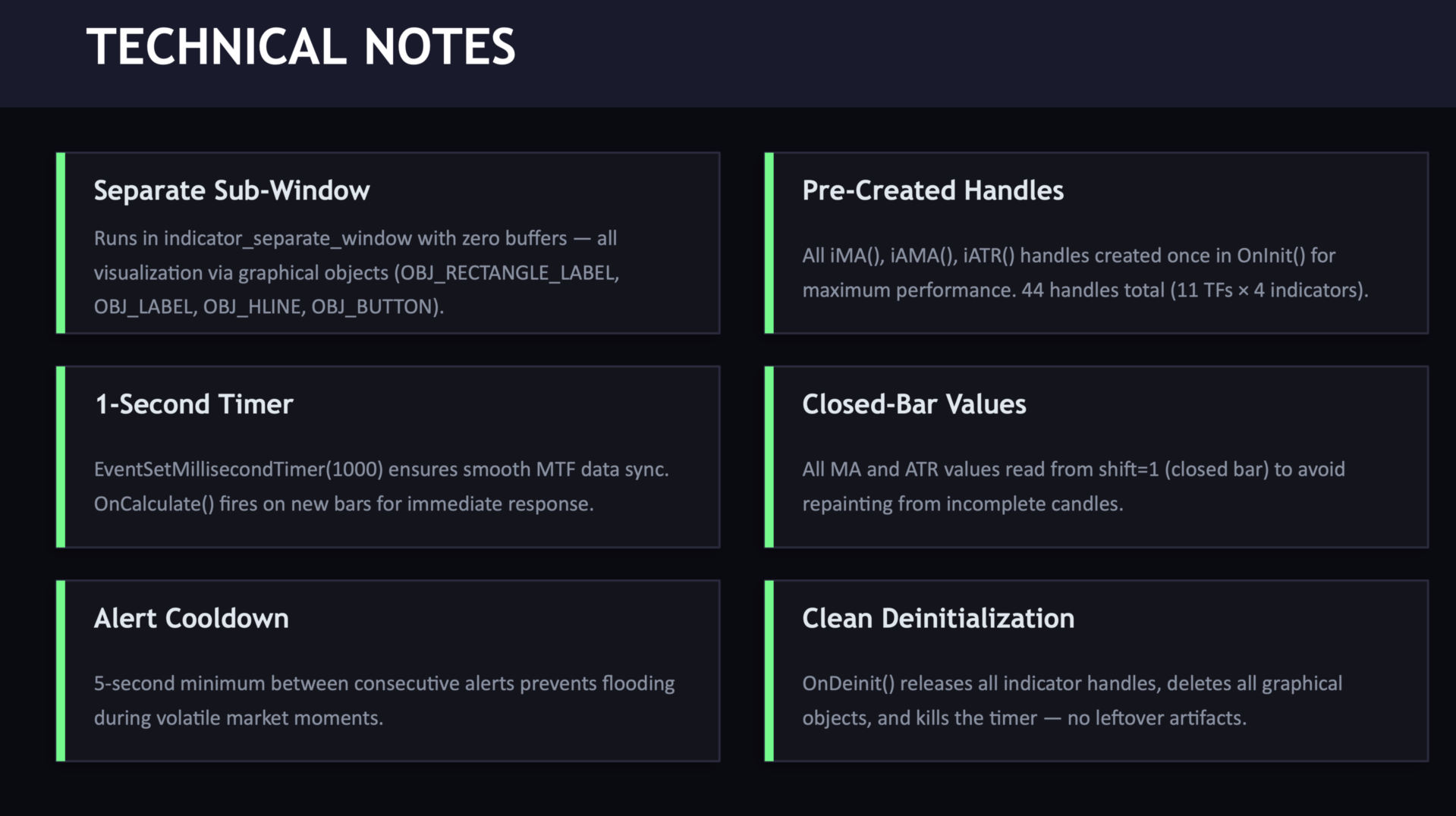
The indicator creates all necessary indicator handles during initialization for consistent performance. All indicator readings are taken from the last closed bar (shift=1) to avoid repainting from incomplete candles. The EMPTY_VALUE guard prevents corrupt readings on higher timeframes with limited history. A 1-second timer ensures smooth panel updates.
Version History
v1.02 (2025.02.04): Added Trade Calculator panel with D1 High/Low and ATR-based SL/TP scenarios. Added Risk/Reward display in USD. Added Price Level Analysis with ATH/ATL detection and break statistics. Added D1 proximity alerts.
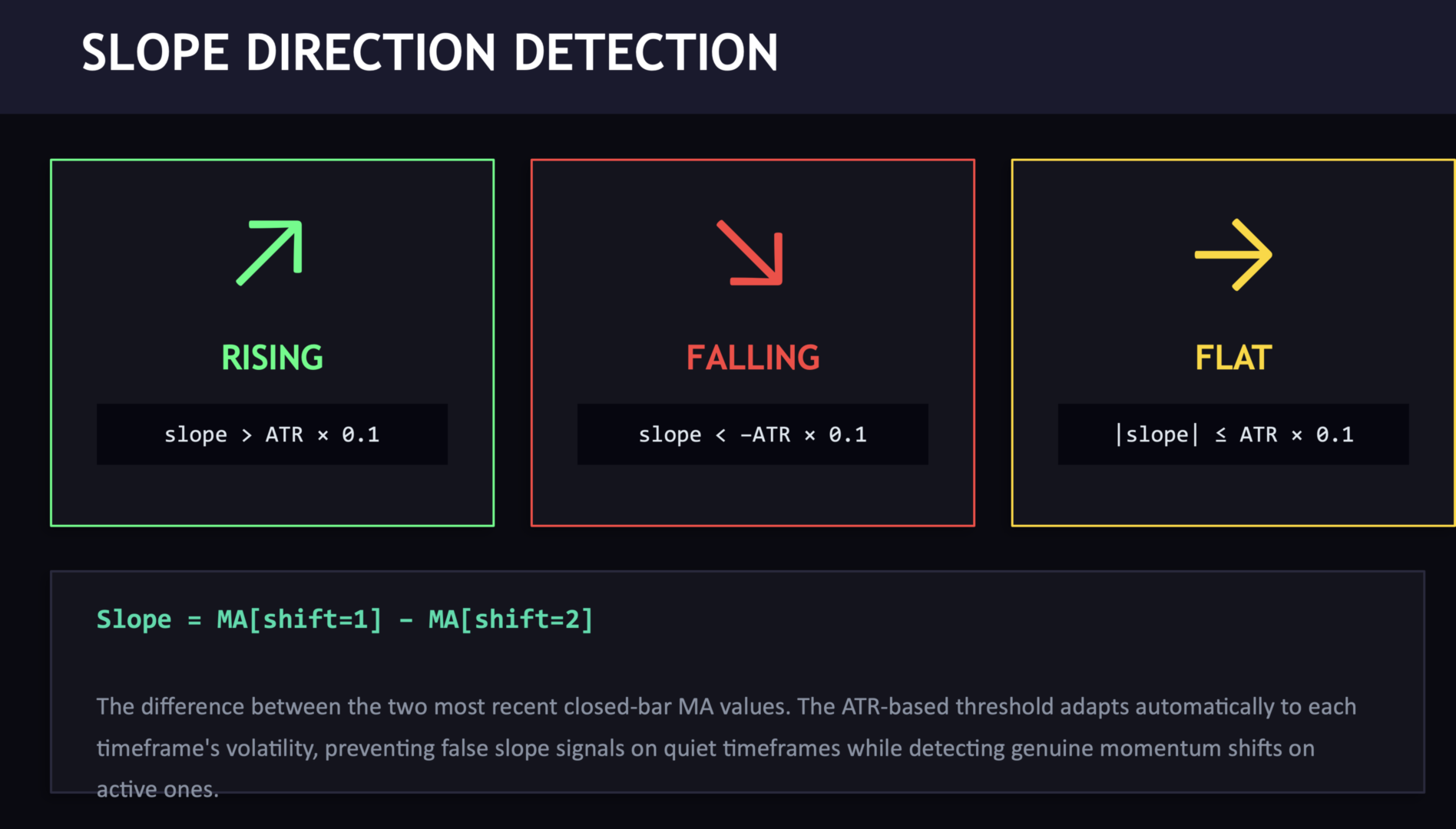
v1.01 (2025.02.02): Fixed EMPTY_VALUE filtering for higher timeframes. Added guard to all 9 composite signal functions. Removed slope arrows from MA Signal row.
v1.00: Initial release with 9-indicator composite scoring, interactive panel buttons, and chart lines.