Volume Profile Multi Mode
- Indicators
-
Opeyemi Fuad Anokwu
 I am Opeyemi, a Civil Engineering graduate who developed a strong passion for Forex trading and algorithmic strategy development. Over time, I became deeply interested in MQL5 programming, where I build custom indicators and automated trading systems to translate trading ideas into executable
 - Version: 1.0
- Activations: 5
Volume Profile Multi-Mode: Analyze Volume Your Way—Not Your Indicator's Way.
Most Volume Profile indicators limit traders to predefined analysis ranges. But the market doesn't move inside fixed templates, so why should your analysis?
Volume Profile Multi-Mode gives you complete freedom to decide where, when, and how volume is analyzed. Whether you're studying market structure, profiling trading sessions, monitoring higher-timeframe activity, or tracking a developing auction, this indicator adapts to your trading style instead of forcing you to adapt to it.
Designed for beginners seeking an intuitive workflow and professionals demanding flexibility, Volume Profile Multi-Mode combines four powerful profiling methods into one highly interactive and customizable trading tool.
Four Powerful Profiling Modes
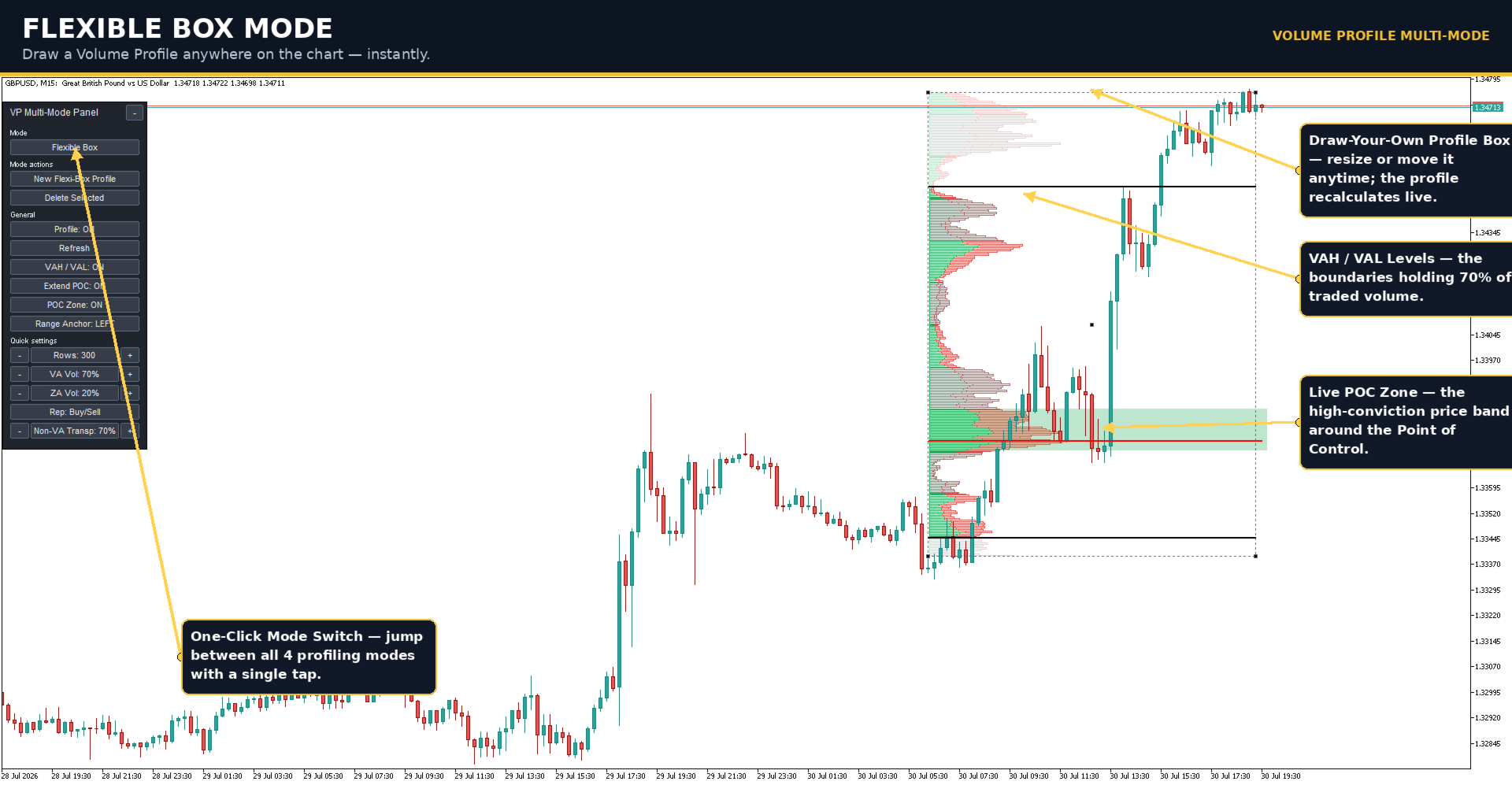
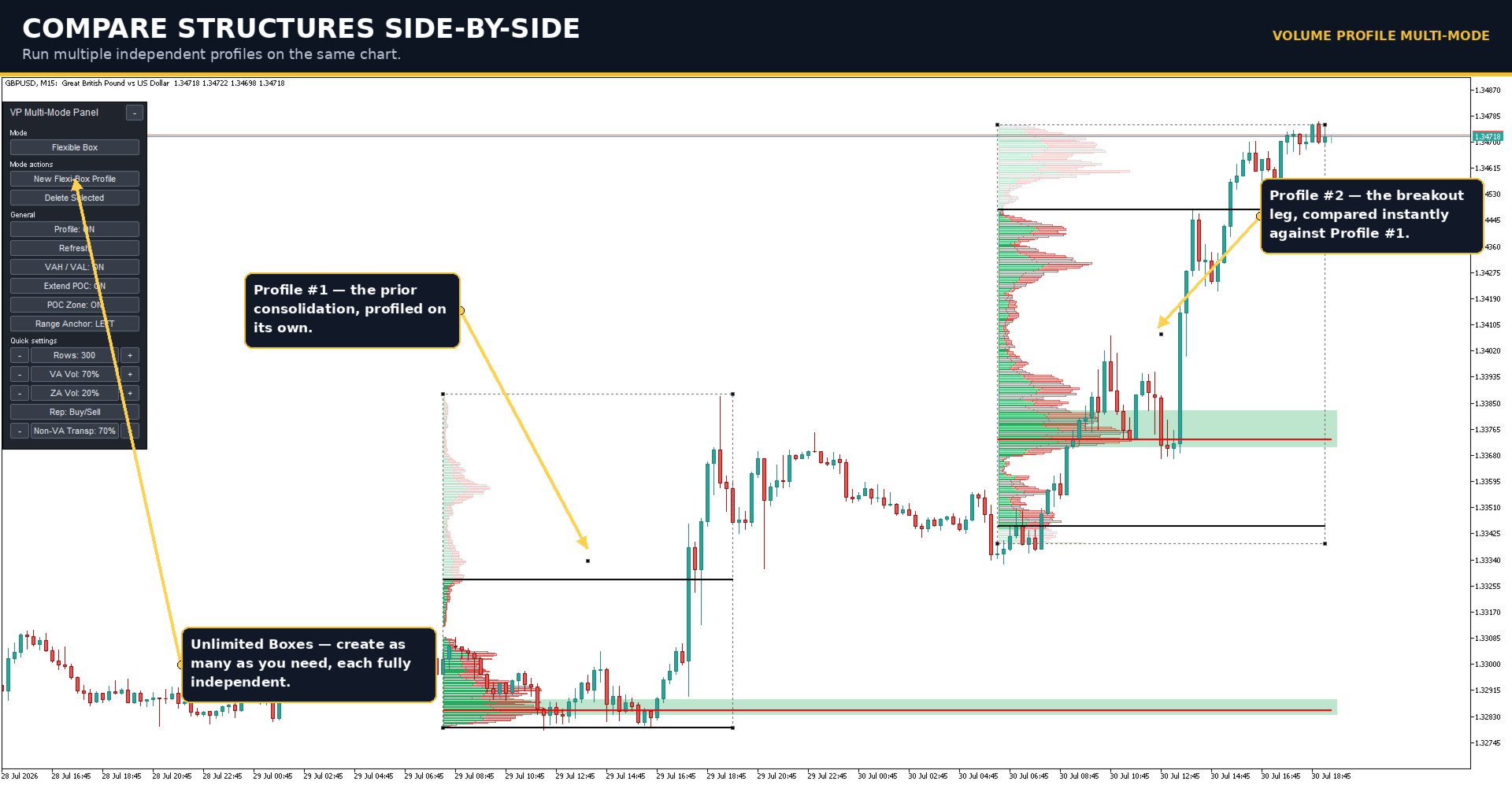
1. Flexible Box: Set toggle button to Flexible Box from the dashboard and click Create New Flexible Box. Simply draw a rectangle around any price structure, and the indicator instantly generates a Volume Profile within that selected area. Move, resize, or delete the box whenever your analysis changes, and create multiple independent profiles to compare different market structures simultaneously.
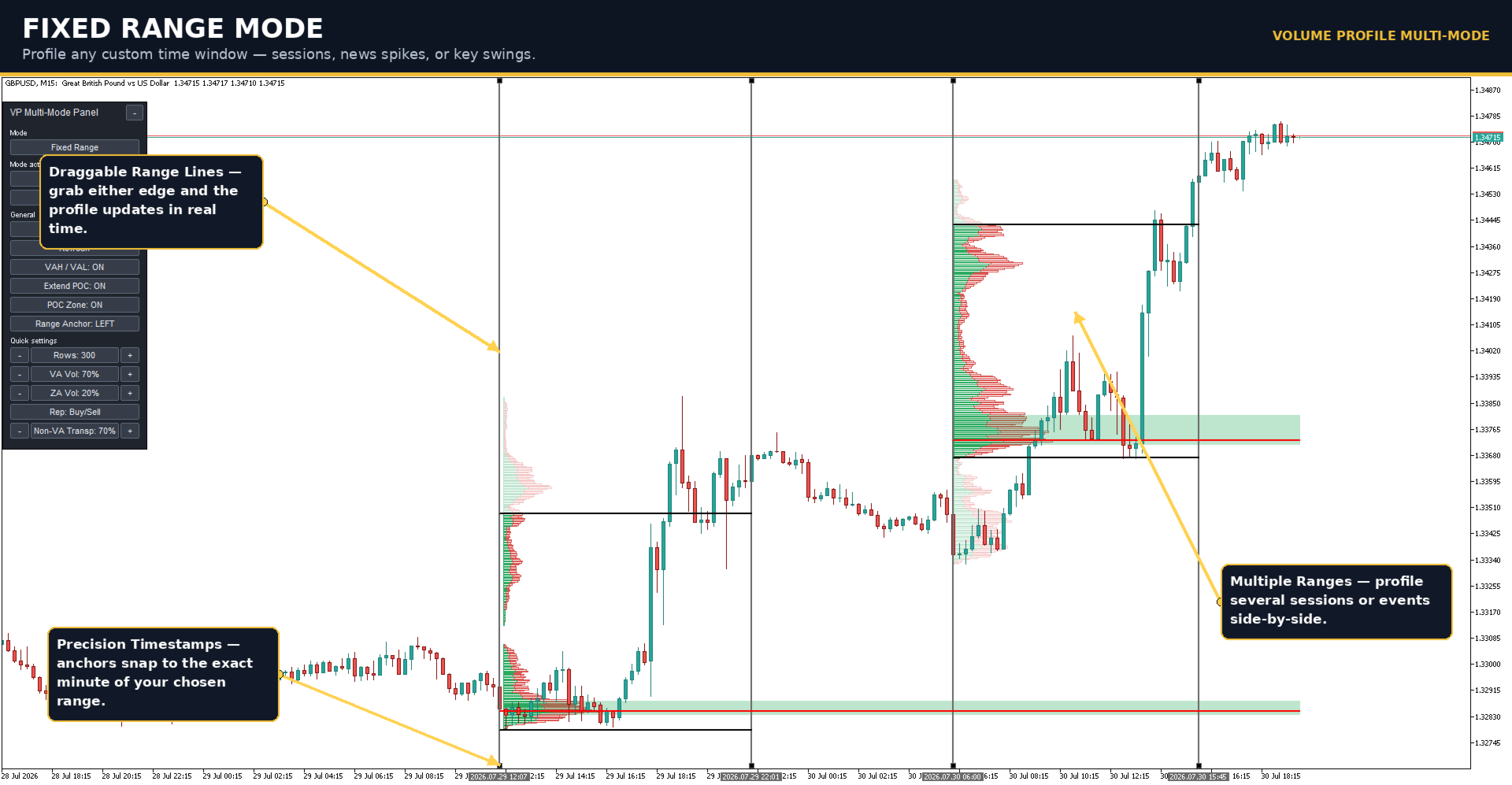
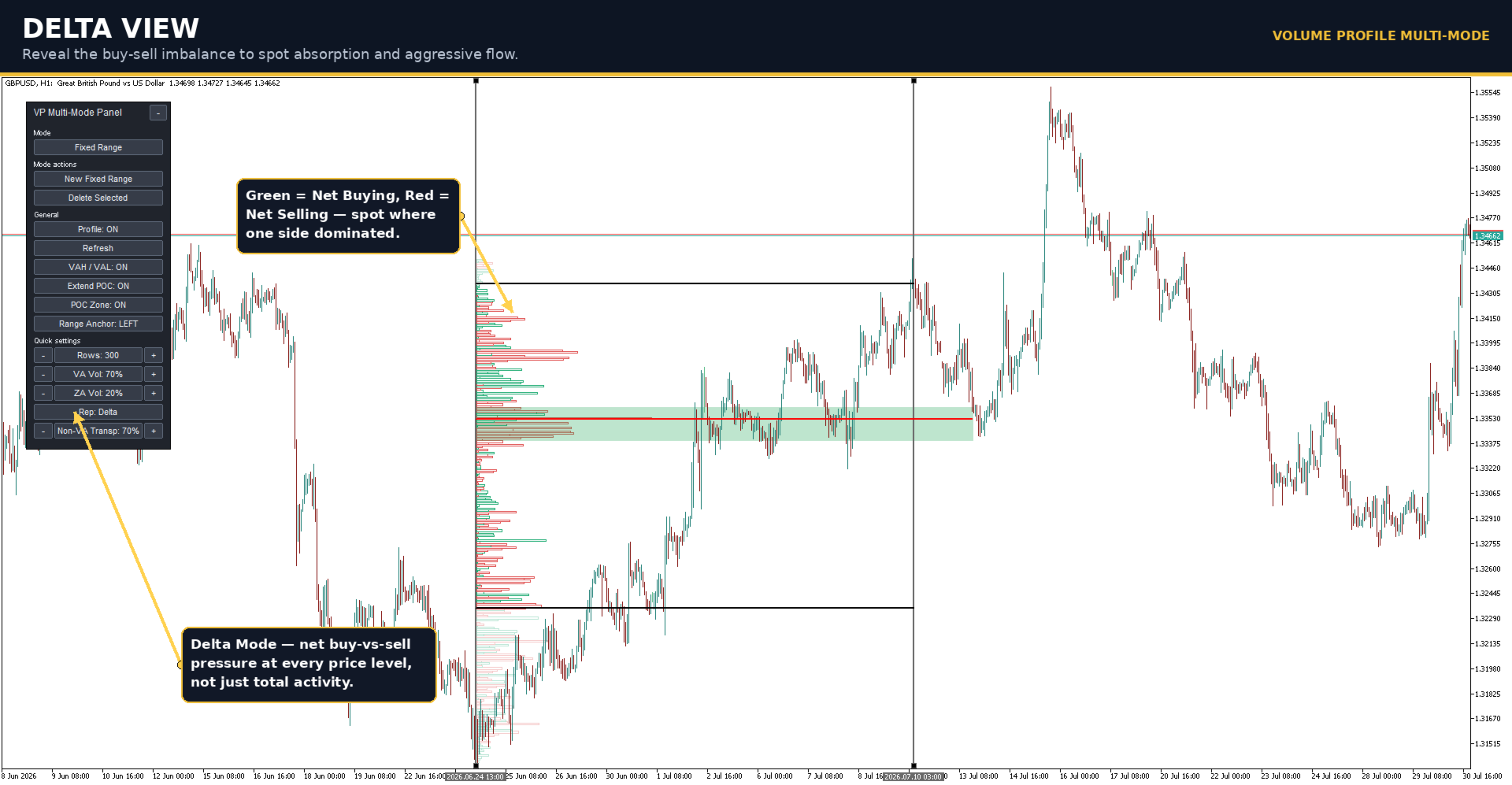
2. Fixed Range: Set toggle button to Fixed Range and click Create New Fixed Range. Two movable vertical lines are placed on the chart to define the beginning and end of the profiling range. Drag either line to any point in time, and the Volume Profile updates automatically. This mode is ideal for analyzing trading sessions, news events, custom time windows, or any historical market movement.
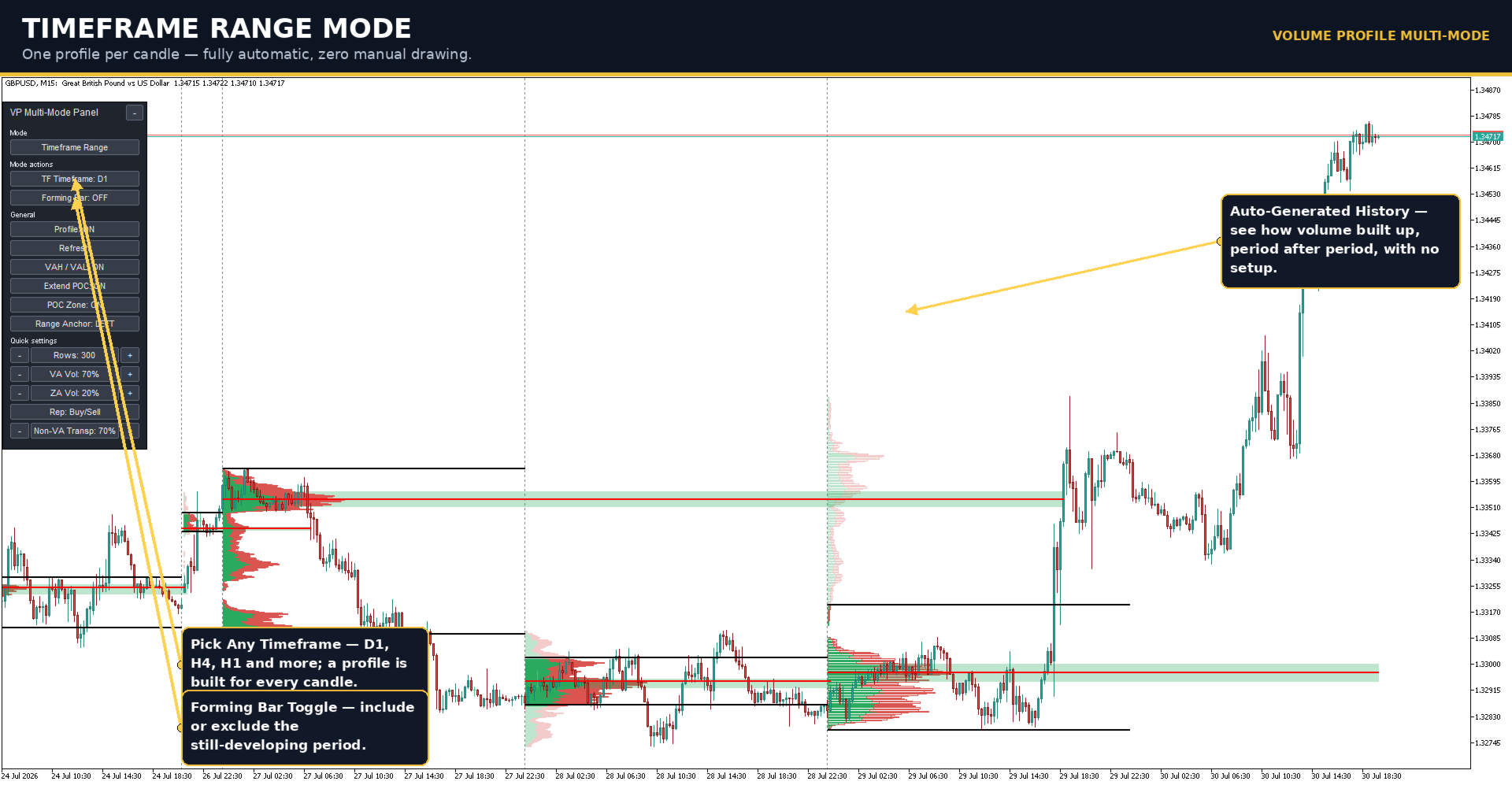
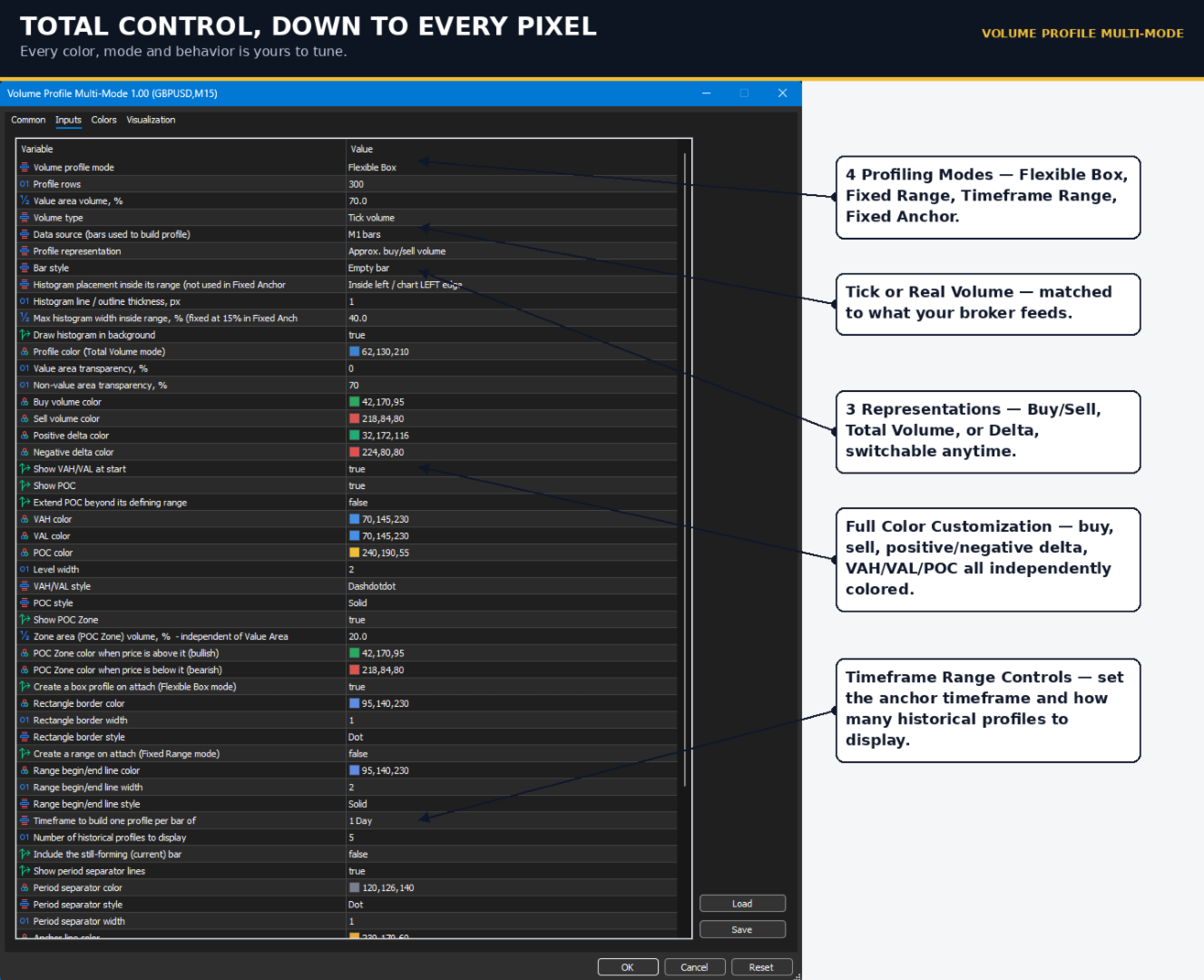
3. Timeframe Range: Set toggle button to Timeframe Range from the dashboard and select your preferred timeframe. The indicator automatically generates a Volume Profile for every candle of the selected timeframe. Control how many historical profiles are displayed and choose whether to include the currently forming period for continuous market monitoring.
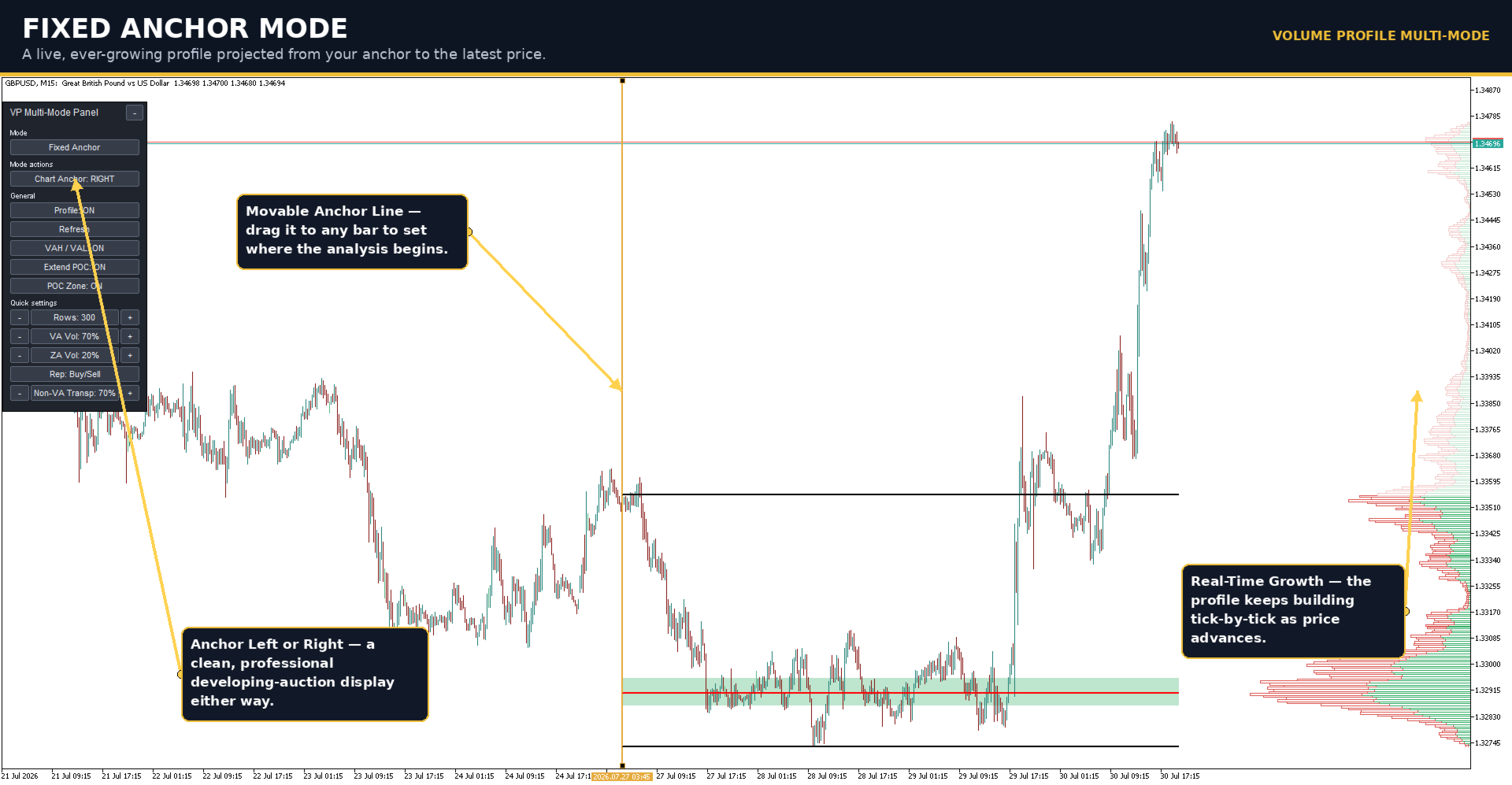
4. Fixed Anchor: Set toggle button to Fixed Anchor and position the movable anchor line where you want the analysis to begin. The indicator continuously builds the Volume Profile from the anchor point to the latest market price, updating in real time as new data arrives. Unlike the other modes, this profile can be projected from either the left or right side of the chart, providing a clean and professional developing auction display.
Fast and Intuitive Dashboard
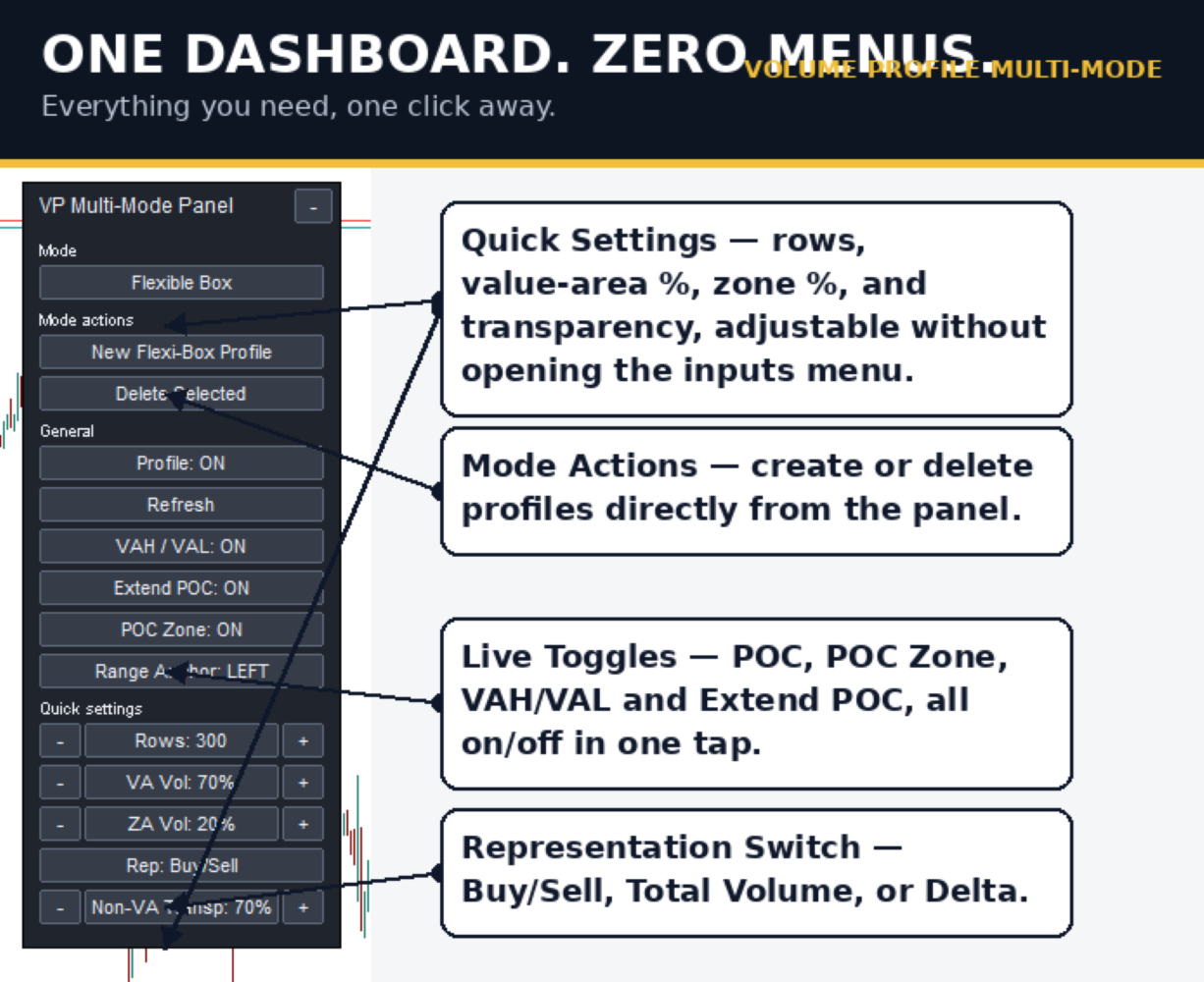
Everything is controlled directly from the built-in dashboard, allowing you to spend less time configuring settings and more time analyzing the market.
With just a few clicks, you can:
- Switch instantly between all four profiling modes
- Create new profiles directly from the chart
- Delete existing profiles whenever they're no longer needed
- Manage multiple independent profiles simultaneously
- Access each profiling method without navigating through complex menus
The interactive workflow makes Volume Profile analysis faster, cleaner, and significantly more efficient for both discretionary and systematic traders.
Key Features
- Four unique Volume Profile operating modes
- Flexible Box, Fixed Range, Timeframe Range and Fixed Anchor profiling
- Multiple independent profiles on a single chart
- Interactive draggable boxes, anchors and range lines
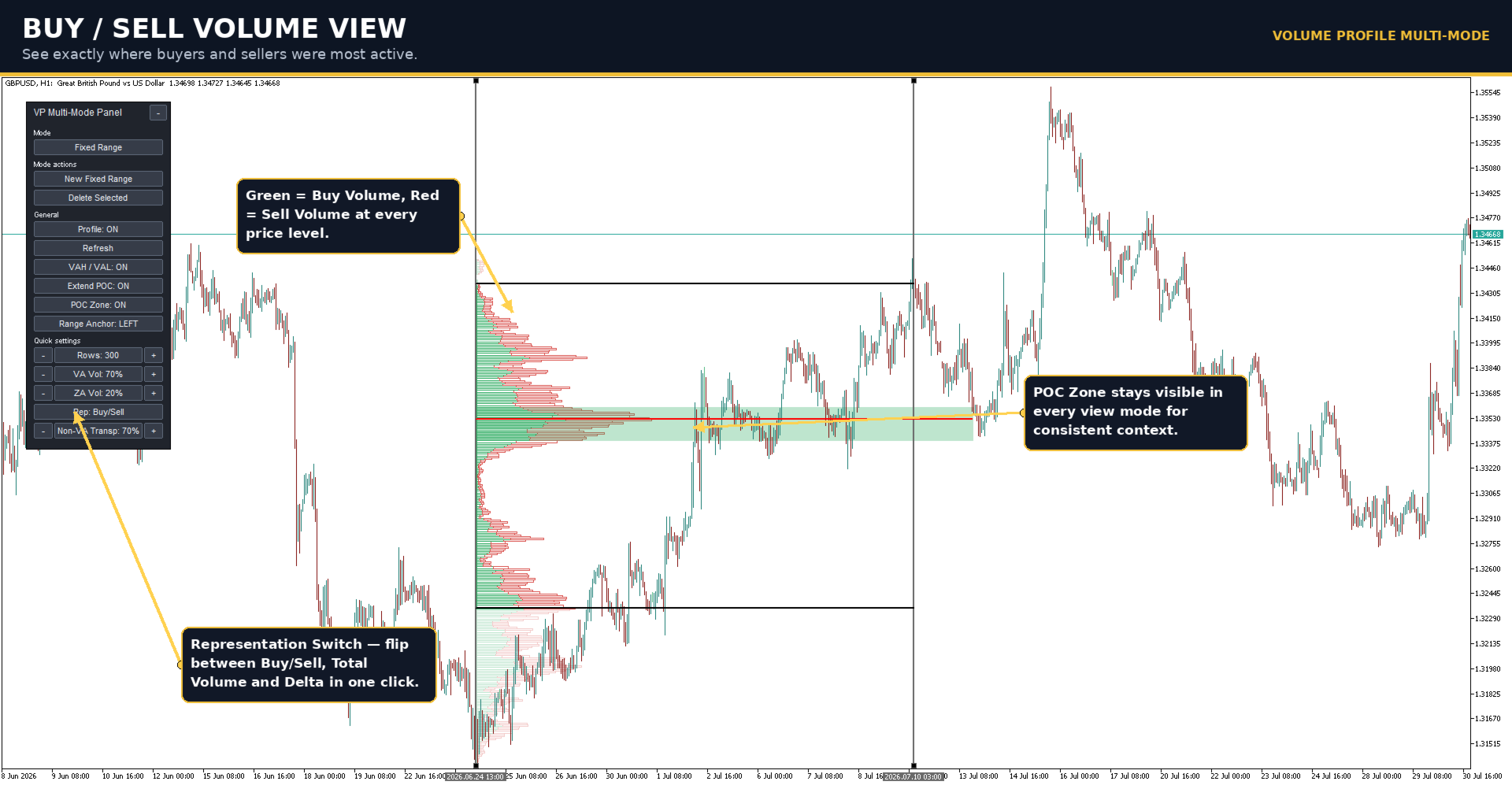
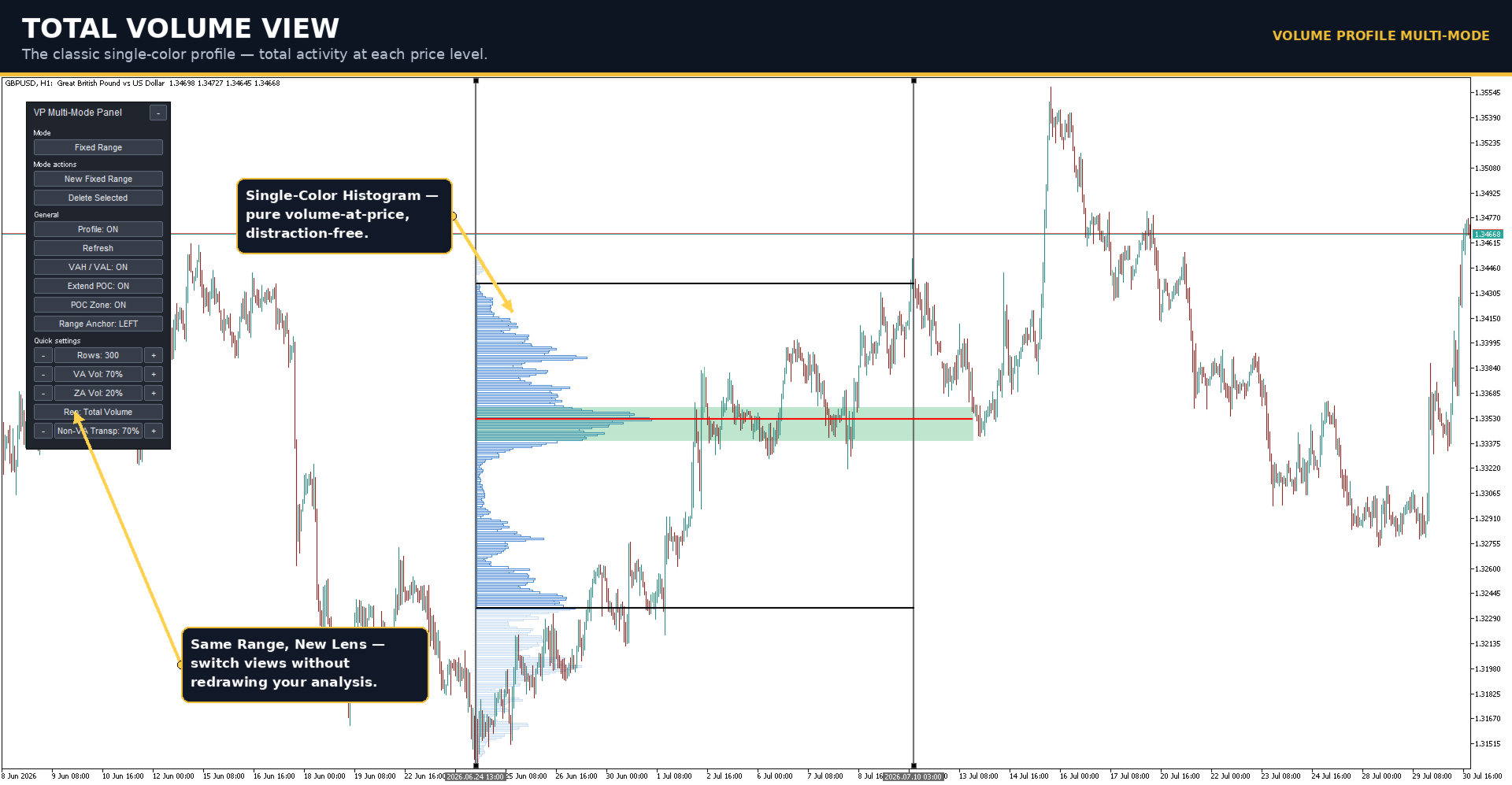
- Total Volume, Buy/Sell Volume and Delta profile display
- Point of Control (POC), Value Area High (VAH) and Value Area Low (VAL)
- Dynamic POC Zone and Optional POC extension
- Tick Volume and Real Volume support (broker dependent)
- Adjustable profile resolution
- Filled or outline histogram styles
- Left or right profile positioning
- Background or foreground display
- Historical profile generation
- Extensive color and appearance customization
- Clean, modern, and intuitive interface
Whether you're identifying accumulation and distribution zones, analyzing trading sessions, studying higher-timeframe auctions, or following developing market structure in real time, Volume Profile Multi-Mode provides the flexibility and precision to build Volume Profiles exactly where your analysis demands.
One indicator. Four powerful profiling modes. Unlimited possibilities for market analysis.