Info Exporter MT5
- Utilities
- Version: 1.0

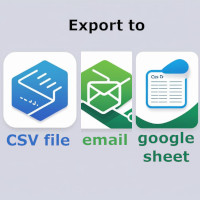
Info Exporter MT5 supports exporting Terminal information, Account information, History Deals and History Orders to local csv file, send emails and export them directly to Google sheets using apps script deployed url.
You can choose between exporting to csv or exporting using email or exporting to google sheets. and you can even modify the exported file names and sheet names too.
Input parameters used:
export terminal informations? : choosing whether to export terminal informations or not. You can change the value to true or false.
terminal info file or sheet name : default is "Terminal_Info" but you can change it in the input prompt.
export historical deals? : choosing whether to export history deals or not. You can change the value to true or false. Default is false i.e. not to export.
history deals file or sheet name : defaulted is "History_Deals" but you can change it in the input prompt.
export historical orders? : choosing whether to export history orders or not. You can change the value to true or false. Default is false i.e. not to export.
history orders file or sheet name : default is "History_Orders" but you can change it in the input prompt.
export account informations? : choosing whether to export account info or not. You can change the value to true or false. Default is false i.e. not to export.
account info file or sheet name : default is "Account_Info" but you can change the value in the input prompt.
do you want to write to file? : option to export the enabled data to csv file or not. Default is false i.e. not to write.
do you want to send informations to email? : option to export the enabled data to email or not. Default is false i.e. not to send email.
do you want to export to Google sheet? : option to export the enabled data to google sheet or not. Default is false i.e. not to write to google sheet.
Apps Script deployed url: deployed Apps Script url .
working apps script code is given below (just copy paste it in doPost function):
function doPost(e) {
  try {
    // Validate input
    if (!e || !e.postData || !e.postData.contents) {
      throw new Error("no Input data found");
    }
    // Parse JSON safely
    const json = JSON.parse(e.postData.contents);
    const sheetName = json.sheetName || "Sheet1";

    // Get sheet (with error handling)
    const spreadsheet = SpreadsheetApp.getActiveSpreadsheet();
    var sheet = spreadsheet.getSheetByName(sheetName);
    if (!sheet) {
      sheet = spreadsheet.insertSheet(sheetName);
    }

    // formatting data to be written in sheet
    var terminalInfo = json.data.split("#;#");
    var insertingData = [];
    for(var i = 0; i < terminalInfo.length; i++) {
      insertingData.push(terminalInfo[i].split("#:#"))
    }
    var startRow = 1;
    var startColumn = 1;
    var numRows = insertingData.length;
    var numColumns = insertingData[0].length;
    var range = sheet.getRange(startRow, startColumn, numRows, numColumns);

    // Overwrite the rows with the new data
    range.setValues(insertingData);

    // Return success
    return ContentService.createTextOutput(JSON.stringify({
      status: "success",
      message: "Data written to sheet"
    })).setMimeType(ContentService.MimeType.JSON);

  } catch (err) {
    // Return error details
    return ContentService.createTextOutput(JSON.stringify({
      status: "error",
      message: err.message
    })).setMimeType(ContentService.MimeType.JSON);
  }
}