Info Exporter MT5

Info Exporter MT5는 터미널 정보, 계좌 정보, 거래 내역 및 주문 내역을 로컬 CSV 파일로 내보내고, 이메일을 발송하고, 앱 스크립트에 배포된 URL을 사용하여 Google 스프레드시트로 직접 내보낼 수 있도록 지원합니다. CSV로 내보내거나, 이메일을 사용하거나, Google 스프레드시트로 내보낼 수 있으며, 내보낸 파일 이름과 시트 이름도 수정할 수 있습니다. 사용된 입력 매개변수:

export terminal informations? : 터미널 정보를 내보낼지 여부를 선택합니다. 값은 true 또는 false로 변경할 수 있습니다.

terminal info file or sheet name : 기본값은 "Terminal_Info"이지만 입력 프롬프트에서 변경할 수 있습니다.

export historical deals? : 거래 내역을 내보낼지 여부를 선택합니다. 값은 true 또는 false로 변경할 수 있습니다. 기본값은 false입니다. 즉, 내보내지 않습니다.

history deals file or sheet name : 기본값은 "History_Deals"이지만 입력 프롬프트에서 변경할 수 있습니다.

export historical orders? : 주문 내역을 내보낼지 여부를 선택합니다. 값은 true 또는 false로 변경할 수 있습니다. 기본값은 false입니다. 즉, 내보내지 않습니다.

history orders file or sheet name : 기본값은 "History_Orders"이지만 입력 프롬프트에서 변경할 수 있습니다.

export account informations? : 계좌 정보를 내보낼지 여부를 선택합니다. 값은 true 또는 false로 변경할 수 있습니다. 기본값은 false입니다. 즉, 내보내지 않습니다.

account info file or sheet name : 기본값은 "Account_Info"이지만 입력 프롬프트에서 변경할 수 있습니다.

do you want to write to file? : 활성화된 데이터를 CSV 파일로 내보낼지 여부를 선택합니다. 기본값은 false입니다. 즉, 쓰지 않습니다.

do you want to send informations to email? : 활성화된 데이터를 이메일로 내보낼지 여부를 선택합니다. 기본값은 false입니다. 즉, 이메일을 보내지 않습니다.

do you want to export to Google sheet? : 활성화된 데이터를 Google 시트로 내보낼지 여부를 설정하는 옵션입니다. 기본값은 false입니다. 즉, Google 시트에 쓰지 않습니다.

Apps Script deployed url : Apps Script URL을 배포했습니다.

작동하는 Apps Script 코드는 아래와 같습니다(doPost 함수에 복사하여 붙여넣기만 하면 됩니다).

function doPost(e) {
  try {
    // Validate input
    if (!e || !e.postData || !e.postData.contents) {
      throw new Error("no Input data found");
    }

    // Parse JSON safely
    const json = JSON.parse(e.postData.contents);
    const sheetName = json.sheetName || "Sheet1";

    // Get sheet (with error handling)
    const spreadsheet = SpreadsheetApp.getActiveSpreadsheet();
    var sheet = spreadsheet.getSheetByName(sheetName);
    if (!sheet) {
      sheet = spreadsheet.insertSheet(sheetName);
    }
    
    // formatting data to be written in sheet
    var terminalInfo = json.data.split("#;#");
    var insertingData = [];
    for(var i = 0; i < terminalInfo.length; i++) {
      insertingData.push(terminalInfo[i].split("#:#"))
    }
    var startRow = 1;
    var startColumn = 1;
    var numRows = insertingData.length;
    var numColumns = insertingData[0].length;
    var range = sheet.getRange(startRow, startColumn, numRows, numColumns);

    // Overwrite the rows with the new data
    range.setValues(insertingData);


    // Return success
    return ContentService.createTextOutput(JSON.stringify({
      status: "success",
      message: "Data written to sheet"
    })).setMimeType(ContentService.MimeType.JSON);

  } catch (err) {
    // Return error details
    return ContentService.createTextOutput(JSON.stringify({
      status: "error",
      message: err.message
    })).setMimeType(ContentService.MimeType.JSON);
  }
}


추천 제품
Limiter Drawdown EA – Automatic Account Protection for MetaTrader 5 Description Limiter Drawdown EA is a lightweight risk management tool for MetaTrader 5. It monitors your account drawdown in real time and will automatically close all open trades once the threshold you define is reached. This provides a reliable safeguard for any trading strategy. Main Functions Monitors equity versus balance continuously Closes all positions when your chosen drawdown percentage is reached Optionally removes
FREE
Dhokiyas Market Screener
Dhokiyas Money Map Investment Consultants - FZCO
Dhokiya's Market Screener 사용자 가이드 원클릭 트레이딩과 종합 기술 분석을 제공하는 MetaTrader 5 다중 심볼 분석 패널 공식 업데이트 채널 채널 참여 : Dhokiyas 지원 직접 메시지 : Contact 1. 제품 기능 Dhokiya's Market Screener 는 MetaTrader 5용 다중 심볼 기술 분석 도구입니다. 여러 심볼을 동시에 스캔하여 다양한 기술적 확인 신호를 기반으로 매수 또는 매도 방향과 점수를 표시합니다. 이 제품은 하나의 패널에서 빠르게 시장을 확인하고 시간을 절약할 수 있도록 설계되었습니다. 2. 중요 안내 본 제품은 수익을 보장하지 않으며 특정 결과를 약속하지 않습니다. 거래에는 위험이 따릅니다. 적절한 자금 관리 전략을 사용하십시오. 신호는 플랫폼에서 제공되는 시장 데이터와 기술적 지표를 기반으로 계산됩니다. 성과는 브로커 조건, 스프레드, 체결 방식 및 심볼 사양에 따라 달라질 수 있습니다. 3. 설치 방
Binance is a world-renowned cryptocurrency exchange! In order to facilitate the real-time data analysis of the encrypted digital currency market, the program can automatically import the real-time transaction data of Binance Futures to MT5 for analysis. The main functions are: 1. Support the automatic creation of USD-M futures trading pairs of the Ministry of Currency Security, and the base currency can also be set separately. The base currency BaseCurrency is empty to indicate all currencies,
SPECIAL ANNOUNCEMENT: Get the Ultimate Trading Suite! Before you grab this utility, did you know? The LogicLadder Visual Trade Planner is so powerful that it serves as the core visual execution engine for my flagship MT5 trading systems! If you are looking for a massive, all-in-one trading dashboard, advanced trade management, or strict prop-firm guardrails, you can get this exact visual planner already included inside my premium and free full-suite EAs: Pro LTS TradeDashboard MT5 (Paid
FREE
TrailingFusion
Christos Iakovou
FusionTrailing EA – Your Ultimate Weapon for Market Domination! Transform your trading and crush every market move with the most advanced trailing stop system available. FusionTrailing EA delivers unstoppable power with its dual-mode setup: • Fusion Mode: Automatically sets a bulletproof stop loss using a maximum loss threshold and activates smart trailing
FREE
News History Expoter
Donaldo Sande Angiela
This program is designed to download economic calendar news events for a specified country over a selected date range, allowing traders to analyze and incorporate important economic data into their trading strategies. By specifying both a start and end date, as well as a country code, the program retrieves relevant news events within the defined period and exports them to a CSV file for easy review and analysis. This tool helps traders stay informed about scheduled economic events that may impac
FREE
Binance Quotes Updater
Andrey Khatimlianskii
5 (1)
This service is designed to stream online cryptocurrency quotes   from the Binance exchange to your MetaTrader 5 terminal. You will find it perfectly suitable if you want to see the quotes of cryptocurrencies in real time — in the Market watch window and on the MetaTrader 5 charts. After running the service, you will have fully featured and automatically updated  cryptocurrency charts in your MetaTrader 5. You can apply templates, color schemes, technical indicators and any non-trading tools to
By :Rapid Growth  Ea. 1.0     Positive Grid System With New Logic and The Best R/R Ratio. You Can Only lose on The First trade (The percentage That You Choose), On The Rest of The Top-ups you will BrakeEven. In
Are you the type that likes to protect your trades by moving the stop loss to the entry point and also using trail stop? Cool! This EA will help you with that. What's more, it also partially closes the trade when the trail stop is activated. That's it! Beyond all this it shows the stop loss projection (which you can move)   and notify you when it is activated. EA can be used by configuring the default window or by using a custom window , which makes it easy to change settings. You can test
Bneu News Filter
Marvinson Salavia Caballero
``` Bneu News Filter Free — Economic Calendar Protection Utility for MT5 Bneu News Filter is a trading utility Expert Advisor for MetaTrader 5 designed to monitor economic calendar events and protect trading activity during high-impact news releases. The utility provides automatic position management and a visual panel interface for monitoring upcoming events. Main Functionality Economic Calendar Integration: - Automatic retrieval of economic calendar events from MetaTrader 5 built-in calen
FREE
FF4 Scalper
Valerii Gabitov
Ea does not use martingale or grid and has a stop loss for every position.  Symbols: EURCHF, EURCAD, USDCHF and other. Time frame: M15 Best results on EURCAD M15. Live signals and other products here -  https://www.mql5.com/ru/users/leron34/seller#products The EA should run on a VPS continuously without interruption.  Multicurrency advisor. You can enter pairs in the EA settings for tests. I recommend the default settings. You can install an adviser on any pair on M15. The EA has a news filter
Donchian Breakout And Rsi
Mattia Impicciatore
4.5 (2)
개요 이 지표는 클래식 돈치안 채널(Donchian Channel) 의 향상된 버전으로, 실전 트레이딩을 위한 다양한 기능이 추가되었습니다. 표준 세 개의 선(상단, 하단, 중앙선) 외에도 브레이크아웃 을 감지하여 차트에 화살표로 시각적으로 표시하며, 차트를 깔끔하게 보기 위해 현재 추세 방향의 반대 라인만 표시 합니다. 지표 기능: 시각적 신호 : 브레이크아웃 시 컬러 화살표 표시 자동 알림 : 팝업, 푸시 알림, 이메일 RSI 필터 : 시장의 상대 강도를 기반으로 신호 검증 사용자 맞춤 설정 : 색상, 선 두께, 화살표 코드, RSI 임계값 등 동작 원리 돈치안 채널은 다음을 계산합니다: 상단선 : 최근 N개의 종가 완료 캔들에서 가장 높은 고가 하단선 : 최근 N개의 종가 완료 캔들에서 가장 낮은 저가 중앙선 : 고가와 저가의 평균값 상방 브레이크아웃 은 종가가 상단선을 돌파할 때 발생하며, 하방 브레이크아웃 은 종가가 하단선 아래로 내려갈 때 발생합니다. 이 지표는: 세 개의
FREE
Get Economic Calendar History Script is an economic calendar data downloader. The time of the Economic Calendar is based on your broker's time, so if you are going to use the same calendar history file on different brokers, make sure their times are the same. The economic calendar history is organized as follows: Time: Date and time of the news. Importance: Degree of Possible impact of the news on the market. Currency: Currency. Country: Country. Description: Description of the news. Peri
FREE
Smart FVG Stats
- Md Rashidul Hasan
The  Smart FVG Statistics Indicator  is a powerful MetaTrader 5 tool designed to automatically identify, track, and analyze Fair Value Gaps (FVGs) on your charts. Love it? Hate it? Let me know in a review! Feature requests and ideas for new tools are highly appreciated. :) Try "The AUDCAD Trader": https://www.mql5.com/en/market/product/151841 Key Features Advanced  Fair Value Gap  Detection Automatic Identification : Automatically scans for both bullish and bearish FVGs across specified histo
FREE
Tdo
Ivan Simonika
TDO is a free utility for optimizing the Trading Direction indicator. In addition to signals for trading, the indicator also has an information vector that fully provides all the statistical information on the operation of the indicator; this effect can be used to ensure that the indicator is automatically optimized. You just need to select the instrument and timeframe and specify the hourly interval in the utility settings and drop it on the chart chart. That's all, now we are waiting for the
FREE
Fx Trade Monitor – Professional Strategy Tracker & Risk Manager A powerful, free utility to monitor open/closed trades, visualize history, and manage risk with advanced Drawdown Alerts. Includes Excel-ready CSV export. Fx Trade Monitor  is an essential dashboard tool designed for both manual traders and EA users. It provides a crystal-clear overview of your trading performance directly on the chart, filtering by Magic Number or Comment. Unlike simple info panels, this tool focuses heavily on  Ri
FREE
Бесплатная версия советника Trade Panel PRO Данная торговая панель предназначена для быстрой и удобной торговли в один клик. Создавался продукт для частичной автоматизации своей личной ручной торговли  https://www.mql5.com/ru/signals/1040299?source=Site+Profile+Seller Советник имеет ряд возможностей, а именно: Открытие BUY или SELL ордеров. SL выставляется ниже (выше)  минимальной (максимальной) цены, задаваемых в параметрах количества свечей. Размер TP рассчитывается в соотношении от размера S
FREE
The RSI Engine
Md Abdul Manann
The RSI Engine EA 는 SPLpulse가 개발한 MetaTrader 5 (MT5) 플랫폼용 자동 거래 로봇입니다. 핵심 기능은 상대강도지수(RSI) 지표의 신호를 기반으로 거래 전략을 실행하는 것입니다. 이 EA는 고도로 설정 가능하여 사용자가 여러 RSI 기반 진입 전략을 선택하고, 확인 필터를 적용하며, 특정 위험 매개변수로 거래를 관리할 수 있습니다. 거래 전략 및 신호 EA의 로직은 주로 사용자가 선택할 수 있는 진입 및 청산 전략에 의해 구동됩니다. 진입 신호 사용자는 거래 신호를 생성하기 위해 다음 방법 중 하나 이상을 선택할 수 있습니다. RSI 다이버전스 (기본 전략): 기본적으로 활성화된 주요 전략은 RSI 다이버전스 기반 거래입니다. EA는 지난 60개의 바(설정 가능)를 스캔하여 가격 움직임과 RSI 지표가 반대 방향으로 움직일 때를 식별하며, 이는 종종 임박한 반전을 신호합니다. 강세 다이버전스 (매수 신호): 가격이 새로운 저점을 기록했지만 RSI
FREE
Friend of the trend
Anderson De Assis
Friend of the Trend: Your Trend Tracker Master the market with Friend of the Trend , the indicator that simplifies trend analysis and helps you identify the best moments to buy, sell, or wait. With an intuitive and visually striking design, Friend of the Trend analyzes price movements and delivers signals through a colorful histogram: Green Bars : Signal an uptrend, indicating buying opportunities. Red Bars : Alert to a downtrend, suggesting potential selling points. Orange Bars : Represent cons
FREE
PZ Goldfinch Scalper EA MT5
PZ TRADING SLU
3.31 (52)
This is the latest iteration of my famous scalper, Goldfinch EA, published for the first time almost a decade ago. It scalps the market on sudden volatility expansions that take place in short periods of time: it assumes and tries to capitalize of inertia in price movement after a sudden price acceleration. This new version has been simplified to allow the trader use the optimization feature of the tester easily to find the best trading parameters. [ Installation Guide | Update Guide | Troublesh
FREE
IMPORTANT NOTE: This is a professional Trade Management Utility and on-chart assistant. It is NOT an automated trading robot. It does not open trades on its own. The UltraFast Trade Manager MT5 is the ultimate execution and risk-management suite designed to give you absolute control over your manual and algorithmic trades. When managing multiple positions, calculating complex net break-even points, or constantly monitoring the economic calendar, hesitation can lead to costly mistakes. This utili
FREE
Bar Follow EA
Aurelio Miguel Machado Da Silva
1 (1)
This robot has the purpose of operating in favor of force bars, the size of the force bar can be configured, the takeprofit and stoploss can be defined by the users or can be automatically placed by the robot (in this case the takeprofit and stoploss targets are the size of the previous bar). The values ​​defined in the parameters must be changed according to the users' needs. 
FREE
SmartPanel EA MT5 v1.0 Hello trader! Ready to meet an EA that makes your trading easier and cooler? Introducing the latest EA Display Panel packed with powerful features! Key Features That Make Trading Effortless 1. All-in-One Trading Panel Modern, sleek dashboard with all essential info at a glance: Real-time account info: Balance, Equity, Today’s Profit Separate Buy & Sell position tracking with P/L One screen, everything visible. No tab hopping. 2. One-Click Trading Buttons Instant executi
Go Long Advanced
Phantom Trading Inc.
4.78 (9)
Go Long EA는 다중 기술적 확인을 통한 체계적인 일일 거래 원칙을 기반으로 한 고급 장중 거래 전략을 구현합니다. 많은 트레이더들이 복잡한 알고리즘을 찾는 반면, 이 EA는 단순하지만 효과적인 개념과 정교한 위험 관리 및 다중 기술적 필터를 결합합니다. EA는 매일 특정 시간에 포지션을 열지만, 시장 조건이 여러 기술적 지표와 일치할 때만 실행됩니다. 이러한 체계적인 접근 방식은 수익을 잠식할 수 있는 야간 보유 비용을 피하면서 장중 움직임을 포착하는 데 도움이 됩니다. EA는 사전 설정된 시간에 자동으로 포지션을 종료하므로, 야간 노출을 피하고자 하는 트레이더에게 완벽합니다. 이 EA를 특별하게 만드는 것은 적응형 위험 관리 시스템입니다. 포지션 크기는 여러 요인을 기반으로 자동 조정됩니다: - 기본 자금 및 위험 비율 설정 - 기술적 지표 조건 (이동평균선, RSI, MACD 등) - 조건이 특히 유리할 때 포지션 크기를 증가시키는 특별 승수 EA는 활성화/비활성화
FREE
Exact Time — detailed time on the seconds chart. The utility shows the opening time of the selected candle. This is necessary when working with seconds charts. For example, it can be used on a seconds chart built using the Seconds Chart utility. Inputs Base corner — the chart corner to which an object Is attached. X distance — the horizontal distance from the chart corner. Y distance — the vertical distance from the chart corner. Text font — font name Font size — font size Color — text color
FREE
Signals for Telegram
Elidio Xavier Guimaraes
It is a utility that posts customized messages on Telegram based on account trading activity. Once the utility is on the chart, with each new position opened from the same chart symbol the utility is added, a customized message will be sent to the Telegram group defined in the input parameters. The utility will post to the Telegram group if a new position is opened and if it is the same symbol as the chart the utility is running on. If you are using an Expert Advisor for Buy and Sell and want to
VR 컬러 레벨은 추세선, 직사각형, 텍스트 등의 요소를 사용하여 기술적 분석을 적용하는 사람들에게 편리한 도구입니다. 차트에 직접 텍스트를 추가하고 스크린샷을 찍는 것이 가능합니다. 설정, 세트 파일, 데모 버전, 지침, 문제 해결 등은 다음에서 얻을 수 있습니다. [블로그] 다음에서 리뷰를 읽거나 작성할 수 있습니다. [링크] 버전 [MetaTrader 4] 표시기 작업은 한 번의 클릭 으로 수행됩니다. 이렇게 하려면 선이 있는 버튼을 클릭하세요. 그러면 커서 아래에 추세선이 나타납니다. 그런 다음 커서를 움직여 선 위치 를 선택하고 다시 클릭하여 수정하면 됩니다. 표시기 의 특징은 스타일과 색상의 모든 변경 사항이 자동으로 저장되고 나중에 새로 생성된 모든 그래픽 개체에 적용된다는 것입니다. 이 지표에는 서로 다른 스타일의 추세선을 설정하기 위한 두 개의 독립 버튼, 서로 다른 스타일의 두 개의 독립 직사각형, 자체 스타일이 있는 하나의 텍스트 필드 및 스크린샷 생성용 버튼
FREE
Introduction Welcome to the world of Forex trading, where every tick of the market can be influenced by news events. Introducing our expert advisor for MetaTrader, your ultimate tool for navigating the complexities of news trading. This innovative advisor is specifically designed to automate your trading strategy during key macroeconomic releases, ensuring you never miss an opportunity.  When important indicators are announced, volatility often spikes, creating potential for profit. Our expert
FREE
MT5 history exporter for accurate trade analysis and CSV export. Export trades to Excel from MetaTrader 5 with full performance metrics. Advanced MT5 trade analyzer with MAE, trade duration, and reconstruction. Usually platforms hide critical information about how your trades actually behave. History Downloader and Trade Analyzer solves this. It rebuilds your trades from raw deal history and exports a clean, structured dataset with accurate metrics MT5 does not provide. What You Get A fully s
Mirror Chart MT5
Andrej Hermann
5 (1)
The Mirror Chart MT5 is a overlay indicator specifically designed to project a second financial instrument directly onto the main chart window. This tool is invaluable for traders who rely on correlation analysis, as it visualizes the price movements of two different instruments in real time. Unlike traditional overlays, this indicator utilizes intelligent, dynamic centering and scaling logic. It continuously analyzes the visible price range in the current window for both symbols and calculates
FREE
이 제품의 구매자들이 또한 구매함
Trade Assistant MT5
Evgeniy Kravchenko
4.42 (207)
거래당 위험 계산, 라인을 사용한 손쉬운 신규 주문, 부분 청산 기능을 통한 주문 관리, 7가지 유형의 트레일링 스탑 및 기타 유용한 기능을 제공합니다. 추가 자료 및 지침 설치 지침   -   애플리케이션 지침   -   데모 계정용 애플리케이션 평가판 라인 기능       - 차트에 개시선, 손절매, 차익실현을 표시합니다. 이 기능을 사용하면 새로운 주문을 쉽게 하고 개봉 전에 추가 특성을 볼 수 있습니다. 위기 관리       -       위험 계산 기능은 설정된 위험과 손절매 주문의 크기를 고려하여 새 주문의 볼륨을 계산합니다. 이를 통해 손절매 크기를 설정하고 동시에 설정된 위험을 존중할 수 있습니다. 로트 계산 버튼 - 위험 계산을 활성화/비활성화합니다. 필요한 위험 값은 위험 필드에 0에서 100 사이의 백분율 또는 예금 통화로 설정됩니다. 설정 탭에서 위험 계산 옵션을 선택합니다. $ 통화, % 잔액, % 지분, % 자유 마진, % 사용자 정의, % AB 이전
Trade Manager EA에 오신 것을 환영합니다. 이 도구는 거래를 보다 직관적이고 정확하며 효율적으로 만들기 위해 설계된 궁극적인 리스크 관리 도구 입니다. 단순한 주문 실행 도구가 아닌, 원활한 거래 계획, 포지션 관리 및 리스크 제어를 위한 종합 솔루션입니다. 초보자부터 고급 트레이더, 빠른 실행이 필요한 스캘퍼에 이르기까지 Trade Manager EA는 외환, 지수, 상품, 암호화폐 등 다양한 시장에서 유연성을 제공합니다. Trade Manager EA를 사용하면 복잡한 계산은 이제 과거의 일이 됩니다. 시장을 분석하고 진입, 손절 및 익절 수준을 차트의 수평선으로 표시한 후 리스크를 설정하면, Trade Manager가 이상적인 포지션 크기를 즉시 계산하고 SL 및 TP 값을 실시간으로 표시합니다. 모든 거래가 간편하게 관리됩니다. 주요 기능: 포지션 크기 계산기 : 정의된 리스크에 따라 거래 크기를 즉시 결정합니다. 간단한 거래 계획 : 진입, 손절, 익절을 위한
Local Trade Copier EA MT5
Juvenille Emperor Limited
4.96 (134)
Local Trade Copier EA MT5 를 사용하여 매우 빠른 거래 복사 경험을 해보세요. 1분 안에 간편하게 설정할 수 있으며, 이 거래 복사기를 사용하면 Windows 컴퓨터 또는 Windows VPS에서 여러 개의 MetaTrader 터미널 간에 거래를 0.5초 미만의 초고속 복사 속도로 복사할 수 있습니다. 초보자든 전문가든   Local Trade Copier EA MT5 는 다양한 옵션을 제공하여 사용자의 특정 요구에 맞게 맞춤 설정할 수 있습니다. 이는 수익 잠재력을 높이려는 모든 사람을 위한 최고의 솔루션입니다. 지금 사용해보시고 이것이 왜 시장에서 가장 빠르고 쉬운 무역용 복사기인지 알아보세요! 팁: 여기 에서 데모 계정에서 Local Trade Copier EA MT5 데모 버전을 다운로드하여 사용해 볼 수 있습니다. 다운로드한 무료 데모 파일을 MT5 >> File >> Open Data Folder >> MQL5 >> Experts 폴더에 붙여넣고 터
TradePanel MT5
Alfiya Fazylova
4.87 (149)
Trade Panel은 다기능 거래 도우미입니다. 이 애플리케이션에는 50개 이상의 수동 거래 기능이 포함되어 있으며 대부분의 거래 작업을 자동화할 수 있습니다. 주의! 할인은 시간 제한이 있으며, 매주 화요일마다 가격이 5달러씩 인상됩니다. (최대 100달러까지). 구매하기 전에 데모 계정에서 데모 버전을 테스트할 수 있습니다. 데모 계정용 애플리케이션 체험판 다운로드: https://www.mql5.com/en/blogs/post/750865 . 전체 지침 여기 . 거래. 한 번의 클릭으로 거래를 수행할 수 있습니다: 리스크 자동 계산과 함께 예약 주문 및 포지션 열기. 한 번의 클릭으로 여러 주문 및 포지션 열기. 주문 그리드 열기. 예약 주문 및 포지션을 그룹별로 닫기. 포지션 방향 전환 (Buy 닫기 > Sell 열기, Sell 닫기 > Buy 열기). 포지션 잠금 (부족한 포지션을 열어 Buy와 Sell 포지션의 수량을 동일하게 만들기). 모든 포지션 한 번의 클릭으로 부
베타 출시 Telegram to MT5 Signal Trader 는 곧 공식 알파 버전을 출시할 예정입니다. 일부 기능은 아직 개발 중이며, 작은 버그가 발생할 수 있습니다. 문제가 있으면 꼭 보고해 주세요. 여러분의 피드백은 소프트웨어 개선에 도움이 됩니다. Telegram to MT5 Signal Trader 는 Telegram 채널 또는 그룹의 거래 신호를 자동으로 MetaTrader 5 계정으로 복사하는 강력한 도구입니다. 공개 및 비공개 채널을 모두 지원하며, 여러 신호 제공자를 여러 MT5 계정에 연결할 수 있습니다. 소프트웨어는 빠르고 안정적으로 동작하며, 복사된 거래를 완벽히 제어할 수 있습니다. 인터페이스는 깔끔하며 대시보드와 차트가 시각적으로 구성되어 있고, 직관적인 네비게이션이 가능합니다. 여러 Signal Account를 관리하고, 공급자별 설정을 세밀하게 조정하며, 모든 동작을 실시간으로 모니터링할 수 있습니다. 필수 조건 MQL의 제한으로 인해 EA는 Te
Exp COPYLOT CLIENT for MT5
Vladislav Andruschenko
3.82 (34)
MT5용 트레이드 복사기는 metaТrader 5 플랫폼용 트레이드 복사기입니다   . 그것은 사이의   외환 거래를 복사합니다       모든 계정   COPYLOT MT5 버전의 경우   MT5   -   MT5, MT4   -   MT5 (또는 COPYLOT MT4 버전의 경우   MT4 -   MT4 MT5   -  MT4) 믿을 수 있는 복사기! MT4 버전 전체 설명   +DEMO +PDF 구입 방법 설치하는 방법     로그 파일을 얻는 방법     테스트 및 최적화 방법     Expforex의 모든 제품 МТ4 터미널에서 거래를 복사할 수도 있습니다(   МТ4   -   МТ4, МТ5   -   МТ4   ):   COPYLOT CLIENT for MT4 이 버전은 МТ5   -   МТ5, МТ4   -   МТ5   터미널 간을 포함합니다. 거래 복사기는 2/3/10 터미널 사이의 거래/포지션을 복사하기 위해 만들어졌습니다. 데모 계정 및 투자 계정에서
Trade Dashboard MT5
Fatemeh Ameri
4.94 (120)
Tired of complex order placement and manual calculations? Trade Dashboard is your solution. With its user-friendly interface, placing orders becomes effortless, by a single click, you can open trades, set stop loss and take profit levels, manage trade lot size, and calculate risk to reward ratios, allowing you to only focus on your strategy. Say goodbye to manual calculations and streamline your trading experience with Trade Dashboard. Download  Demo Version  right now. You can find  Details of
VERIFIED TRADING RESULTS - Farmed Hedge Yield Axi Copy:  https://www.mql5.com/en/signals/2356376 - Farmed Hedge Yield Exn Copy:   https://www.mql5.com/en/signals/2356404 - Farmed Hedge Yield V Copy:  https://www.mql5.com/en/signals/2357156 Contact me via private message to receive the User Manual and Setup Video. * Thai Lauguage Support Available Farmed Hedge Yield Farming - Professional Pair Trading Dashboard (Manual - Hybrid - Semi/Automated EA) VERSION 3 - WILD HARVEST UPDATE Trading A
Timeless Charts
Samuel Manoel De Souza
5 (3)
Timeless Charts is an advanced charting solution designed for professional traders seeking for custom charts / custom timeframes , including seconds charts / seconds timeframe, renko charts / renko bars, cluster charts / footprint charts and advanced tools present in most of the popular platforms. Unlike traditional offline charts or simplistic custom indicators, this solution constructs fully custom bars with true timestamp accuracy , down to miliseconds, allowing for a powerful and precise tr
Footprint Chart Pro — Professional OrderFlow EA for MetaTrader 5 Version 6.34 | Professional tool for real traders | Institutional-Grade Visualization DEMO USERS - PLEASE SELECT EVERY TICK / REAL TICK WHEN TESTING AND YOU HAVE DOWNLOADED HISTORICAL DATA. IF YOU SEE A WAITING SCREEN AND IT IS NOT DOWNLOADING, IT MEANS YOU HAVE LOW HISTORICAL DATA. TRY 1 MIN AND 5 MIN FIRST ON 1 DAY DATA. ONE DAY DATA SHOULD BE THE NEWEST AND MOST CURRENT DATE. PLEASE WAIT UNTIL THE MARKET HAS ROLLED OVER PERIOD.
Copy Cat More Trade Copier MT5 (복사 고양이 MT5) 는 오늘날의 거래 과제를 위해 설계된 로컬 거래 복사기이자 완전한 위험 관리 및 실행 프레임워크입니다. 프롭펌 챌린지부터 개인 포트폴리오 관리까지, 견고한 실행, 자본 보호, 유연한 구성 및 고급 거래 처리의 조합으로 모든 상황에 적응합니다. 복사기는 마스터(송신자)와 슬레이브(수신자) 모드 모두에서 작동하며, 시장 주문과 예약 주문, 거래 수정, 부분 청산 및 헷지 청산 작업의 실시간 동기화를 제공합니다. 데모 및 실계좌, 거래 또는 투자자 로그인과 호환되며, EA, 터미널 또는 VPS가 재시작되어도 지속적인 거래 메모리 시스템을 통해 복구를 보장합니다. 고유 ID로 여러 마스터와 슬레이브를 동시에 관리할 수 있으며, 브로커 간 차이는 접두사/접미사 조정 또는 사용자 정의 심볼 매핑을 통해 자동으로 처리됩니다. 매뉴얼/설정  | Copy Cat More MT4 | 채널  특별 기능: 설정이 간편함 —
Trade copier MT5
Alfiya Fazylova
4.56 (39)
Trade Copier는 거래 계정 간의 거래를 복사하고 동기화하도록 설계된 전문 유틸리티입니다. 복사는 공급자의 계정/단말기에서 동일한 컴퓨터 또는 vps에 설치된 수신자의 계정/단말기로 발생합니다. 구매하기 전에 데모 계정에서 데모 버전을 테스트할 수 있습니다. 데모 버전 여기 . 전체 지침 여기 . 주요 기능 및 이점: 복사기는 "МТ5> МТ5", "МТ4> МТ5", "МТ5> МТ4" 복사를 지원합니다. 복사기는 데모 계정 > 실 계정, 실 계정 > 데모 계정, 데모 계정 > 데모 계정 및 실제 계정 > 실 계정 복사를 지원합니다. 복사기는 읽기 전용 암호가 적용된 투자자 계정에서 복사를 지원합니다. 하나의 공급자 터미널은 여러 수신 터미널로 트랜잭션을 보낼 수 있고 하나의 수신 터미널은 여러 공급자 터미널에서 트랜잭션을 수신할 수 있습니다. 복사기는 귀하 또는 귀하의 고문이 거래하는 동일한 터미널에서 작동할 수 있습니다. 높은 복사 속도(0.5초 미만). 복사기에는 간편
Trade Manager DaneTrades
Levi Dane Benjamin
4.36 (28)
거래 관리자는 위험을 자동으로 계산하는 동시에 거래를 빠르게 시작하고 종료하는 데 도움을 줍니다. 과잉 거래, 복수 거래 및 감정 거래를 방지하는 데 도움이 되는 기능이 포함되어 있습니다. 거래를 자동으로 관리할 수 있으며 계정 성과 지표를 그래프로 시각화할 수 있습니다. 이러한 기능은 이 패널을 모든 수동 거래자에게 이상적으로 만들고 MetaTrader 5 플랫폼을 향상시키는 데 도움이 됩니다. 다중 언어 지원. MT4 버전  |  사용자 가이드 + 데모 트레이드 매니저는 전략 테스터에서 작동하지 않습니다. 데모를 보려면 사용자 가이드로 이동하세요. 위기 관리 % 또는 $를 기준으로 위험 자동 조정 고정 로트 크기 또는 거래량과 핍을 기반으로 한 자동 로트 크기 계산을 사용하는 옵션 RR, Pips 또는 Price를 사용한 손익분기점 손실 설정 추적 중지 손실 설정 목표 달성 시 모든 거래를 자동으로 마감하는 최대 일일 손실률(%)입니다. 과도한 손실로부터 계정을 보호하고 과도한
MT5 to Telegram Signal Provider 는 사용하기 쉽고 완전히 커스터마이즈 가능한 유틸리티로, 특정 신호를 Telegram의 채팅, 채널 또는 그룹으로 전송하고, 귀하의 계정을 신호 제공자 로 만듭니다. 경쟁 제품과 달리 DLL 임포트를 사용하지 않습니다. [ 데모 ] [ 매뉴얼 ] [ MT4 버전 ] [ 디스코드 버전 ] [ 텔레그램 채널 ]  New: [ Telegram To MT5 ] 설정 단계별 사용자 가이드 가 제공됩니다. 텔레그램 API에 대한 지식은 필요하지 않습니다; 개발자가 제공하는 모든 것이 필요합니다. 주요 특징 구독자에게 보낸 주문 상세 정보를 커스터마이즈할 수 있습니다. 예를 들어, 브론즈, 실버, 골드와 같은 계층 구독 모델을 만들 수 있습니다. 골드 구독에서는 모든 신호를 받습니다. id, 심볼, 또는 코멘트로 주문을 필터링할 수 있습니다. 주문이 실행된 차트의 스크린샷이 포함됩니다 보낸 스크린샷에 닫힌 주문을 그려 추가 검증을 합니다
AntiOverfit PRO MT5
Enrique Enguix
5 (3)
AntiOverfit PRO: 백테스트에 대한 불편한 진실 그 EA를 사기 전에, 잠깐만 멈춰 보세요. 연 250% 수익을 약속하는 시스템을 방금 발견했습니다. 백테스트는 정말 완벽해 보입니다. 판매자는 399달러, 어쩌면 1,999달러를 요구합니다. 겉으로 보기엔 모든 게 그럴듯합니다. 하지만 문제가 있습니다. 그 백테스트는 당신이 생각하는 것을 증명하지 않습니다. 과거 데이터만으로는 거의 아무것도 증명되지 않습니다. 그것이 보여주는 유일한 사실은 그 로직이 하나의 특정한 시장 시퀀스에서 작동했다는 점입니다. 가격이 다른 경로로 움직이기 시작하는 순간, 로봇은 무너지기 시작합니다. 그리고 대부분의 비싼 EA는 სწორედ 여기서 무너집니다. AntiOverfit PRO가 하는 일 AntiOverfit PRO는 시스템을 팔기 전에 거의 아무도 보여주지 않는 것을 제공합니다. 바로 돈을 쓰기 전에 그 시스템의 견고함을 확인할 수 있는 방법입니다. 수학자일 필요도 없고, 복잡하게 생
Anchor Trade Manager
Kalinskie Gilliam
5 (2)
Anchor: The EA Manager A coordination system for traders running multiple EAs. Anchor ensures only one EA can trade at a time, preventing conflicting positions and keeping your portfolio safer. Attach Anchor to any chart. Configure your EAs and their magic numbers. Anchor handles the rest. Built for portfolios. Built for discipline. Built for prop firms. The Problem Running multiple EAs on the same account creates risk. Two gold EAs can open opposite positions on the same candle. Three EA
Ultimate Extractor
Clifton Creath
5 (9)
Ultimate Extractor - Professional Trading Analytics for MT5 *****this is the local HTML version of Ultimate Extractor. For the online version please reach out to me directly****** Ultimate Extractor transforms your MetaTrader 5 trading history into actionable insights with comprehensive analytics, interactive charts, and real-time performance tracking. What It Does Automatically analyzes your MT5 trading history across all Expert Advisors and generates detailed HTML reports with interactive vi
HINN Lazy Trader
ALGOFLOW OÜ
5 (2)
The core idea: using the user interface, you configure the parameters the chart must meet before entering a position (or positions), choose which entry models to use, and set the rules for when trading and planning should end. Lazy Trader  handles the rest: it  takes over all the routine chart watching and execution! full description  :: 3 key videos [1] ->  [2]   ->  [3] What can it do? - Understands Larry Williams market structure - Understands swing market structure by Michael Huddleston
HINN MagicEntry Extra
ALGOFLOW OÜ
4.71 (14)
HINN MAGIC ENTRY – the ultimate tool for entry and position management! Place orders by selecting a level directly on the chart! full description   ::  demo-version  :: 60-sec-video-description Key features: - Market, limit, and pending orders - Automatic lot size calculation - Automatic spread and commission accounting - Unlimited partitial take-profits  - Breakeven and trailing stop-loss and take-profit  functions - Invalidation leves - Intuitive, adaptive, and customizable interface - Works
Advanced Dashboard Ultra
Mirel Daniel Gheonu
5 (1)
MT5용 통계 대시보드 & 저널 ULTRA (Stats Dashboard & Journal ULTRA) 완벽한 트레이딩 지휘 본부: 분석, 자동화 및 뉴스 인텔리전스. Stats Dashboard ULTRA는 Pro 분석 도구의 궁극적인 진화형입니다. 이는 MetaTrader 5를 전문 트레이딩 스테이션으로 변모시키며, 기관급 성과 분석과 자동화된 뉴스 보호 및 고급 심리 지표를 결합합니다. 완전한 통제력을 원하는 수동 트레이더와 EA 포트폴리오 관리자를 위해 설계되었습니다. ULTRA 버전의 새로운 기능 뉴스 인텔리전스 엔진 (News Intelligence Engine): 뉴스를 보기만 하지 말고 분석하십시오. 대시보드는 과거 뉴스 이벤트가 오픈된 포지션에 어떤 영향을 미쳤는지 시뮬레이션하여 포지션을 보유할지 청산할지 알려줍니다. EA 봇 가드 (자동 보호): 중요도가 높은 뉴스(High-Impact News) 발표 중에 다른 전문가 자문(EA)을 자동으로 일시 중지하고 시장이
Seconds Chart MT5
Boris Sedov
4.59 (17)
Seconds Chart - MetaTrader 5에서 초 단위 차트를 생성하는 독특한 도구입니다. Seconds Chart 를 사용하면 초 단위로 설정된 타임프레임으로 차트를 작성할 수 있어, 표준 분 또는 시간 단위 차트에서는 불가능한 유연성과 정밀한 분석이 가능합니다. 예를 들어, S15 타임프레임은 15초 동안의 캔들로 구성된 차트를 의미합니다. 사용자 정의 심볼을 지원하는 모든 인디케이터와 전문가 어드바이저를 사용할 수 있습니다. 이를 사용하는 것은 표준 차트에서 거래하는 것만큼 편리합니다. 표준 도구와 달리, Seconds Chart 는 초고속 타임프레임에서도 높은 정확도와 지연 없이 작업할 수 있도록 지원합니다. Seconds Chart의 장점 1초부터 900초까지 의 타임프레임 지원. 내장 틱 데이터베이스 덕분에 역사 데이터 즉시 로딩 . 실시간 데이터 업데이트로 지연이나 차이 없음 . 여러 초 단위 차트를 동시에 생성 가능. Seconds Chart가 이상적인 경우
Crystal Trade Manager – Advanced MT5 Risk and Trade Control Utility Overview Crystal Trade Manager (CTM) is a professional MetaTrader 5 utility designed for risk management, trade automation, and instant execution control. It provides traders with an integrated system for protecting equity, managing daily drawdowns, controlling lot sizes, and applying automation features such as automatic SL/TP, break-even, and trailing stop. The tool is suitable for manual traders, prop-firm challenge particip
Entry In The Zone and SMC Multi Timeframe   is a real-time 2-in-1 market analysis tool that combines market structure analysis and a No Repaint BUY / SELL signal system into a single indicator, built on Smart Money Concepts (SMC) — a widely adopted framework used by professional traders to understand market structure. This indicator helps you see the market more clearly, make decisions based on structure rather than guesswork, and focus on high-probability zones where price is more likely to rea
Telegram To MT5 Receiver
Levi Dane Benjamin
4.31 (16)
가입한 모든 채널에서 (개인 및 제한된 채널 포함) 시그널을 바로 MT5로 복사합니다.   이 도구는 사용자를 고려하여 설계되었으며 거래를 관리하고 모니터하는 데 필요한 많은 기능을 제공합니다. 이 제품은 사용하기 쉽고 시각적으로 매력적인 그래픽 인터페이스로 제공됩니다. 설정을 사용자 정의하고 제품을 몇 분 안에 사용할 수 있습니다! 사용자 가이드 + 데모  | MT4 버전 | 디스코드 버전 데모를 시도하려면 사용자 가이드로 이동하십시오. Telegram To MT5 수신기는 전략 테스터에서 작동하지 않습니다! Telegram To MT5 특징 여러 채널에서 동시에 신호를 복사합니다. 개인 및 제한된 채널에서 신호를 복사합니다. Bot 토큰이나 채팅 ID가 필요하지 않습니다.   (원하는 경우에는 사용할 수 있습니다) 위험 % 또는 고정된 로트로 거래합니다. 특정 심볼을 제외합니다. 모든 신호를 복사할지 또는 복사할 신호를 사용자 정의할지 선택할 수 있습니다. 모든 신호를 인
Smart Stop Manager – 전문 트레이더 수준의 자동 스톱로스 실행 개요 Smart Stop Manager는 Smart Stop 라인업의 실행 계층으로, 여러 개의 오픈 포지션을 보유한 트레이더를 위해 설계된 구조적이고 신뢰할 수 있으며 완전 자동화된 스톱로스 관리 시스템입니다. 모든 활성 거래를 지속적으로 모니터링하고, Smart Stop 시장 구조 로직을 사용해 최적의 스톱레벨을 계산하며, 명확하고 투명한 규칙에 따라 스톱을 자동으로 업데이트합니다. 단일 자산부터 전체 멀티심볼 포트폴리오까지, Smart Stop Manager는 모든 거래에 규율, 일관성, 그리고 완전한 리스크 가시성을 제공합니다. 감정적 판단을 제거하고, 수동 작업을 줄이며, 모든 스톱이 항상 시장 구조 기반의 논리적 진행을 따르도록 보장합니다. 하이라이트 시장 구조 기반 자동 스톱 배치 • 모든 오픈 포지션을 평가하여 Smart Stop 로직에 기반한 최적의 스톱로스를 자동 적용합니다. 포트폴
KT Equity Protector MT5
KEENBASE SOFTWARE SOLUTIONS
4.25 (4)
쉽고 간편하게 거래 자본을 보호하세요 거래 자본을 보호하는 것은 자본을 키우는 것만큼 중요합니다. KT Equity Protector는 귀하의 개인 리스크 매니저로서, 계좌의 순자산(에퀴티)을 지속적으로 모니터링하며, 사전에 설정한 손절 또는 수익 목표에 도달하면 모든 보유 및 예약 주문을 자동으로 종료하여 손실을 방지하거나 수익을 고정합니다. 감정적인 결정이나 추측은 이제 그만—KT Equity Protector가 24시간 내내 믿을 수 있는 자본 보호를 제공합니다. KT Equity Protector는 모든 차트를 자동으로 닫아 다른 전문가용 자동매매 프로그램(EA)의 거래를 중단시킬 수 있습니다. 이를 통해 EA를 수동으로 다시 시작할 때까지 어떠한 추가 거래도 이루어지지 않으며, 사용자는 완전한 통제권과 심리적 안정을 얻게 됩니다. 작동 방식 에퀴티 손절(손실 방지): 예를 들어 계좌 잔고가 $10,000이고 에퀴티 손절을 $1,000로 설정한 경우, 순자산이 $9,000로
The News Filter MT5
Leolouiski Gan
4.75 (20)
이 제품은 뉴스 시간 동안 모든 전문가 어드바이저 및 수동 차트를 필터링하여 수동 거래 설정이나 다른 전문가 어드바이저가 입력한 거래가 파괴될 수 있는 급격한 가격 상승으로부터 걱정하지 않아도 됩니다. 이 제품은 또한 뉴스 발표 전에 열린 포지션과 대기 주문을 처리할 수 있는 완전한 주문 관리 시스템이 함께 제공됩니다.   The News Filter  를 구매하면 더 이상 내장 뉴스 필터에 의존할 필요가 없으며 이제부터 모든 전문가 어드바이저를 여기서 필터링할 수 있습니다. 뉴스 선택 뉴스 소스는 Forex Factory의 경제 캘린더에서 얻어집니다. USD, EUR, GBP, JPY, AUD, CAD, CHF, NZD 및 CNY와 같은 어떤 통화 기준으로 선택할 수 있습니다. Non-Farm (NFP), FOMC, CPI 등과 같은 키워드 식별을 기준으로 선택할 수도 있습니다. 저, 중, 고 영향을 가지는 뉴스를 필터링할 수 있도록 선택할 수 있습니다. 차트와 관련된 뉴스만 선
한 번의 클릭으로 거래할 수 있는 거래 패널.   위치 및 주문 작업!   차트 또는 키보드에서 거래. 당사의 거래 패널을 사용하면 차트에서 직접 클릭 한 번으로 거래를 실행할 수 있으며 표준 MetaTrader 컨트롤보다 30배 빠르게 거래 작업을 수행할 수 있습니다. 매개변수와 기능의 자동 계산을 통해 트레이더는 더욱 빠르고 편리하게 거래할 수 있습니다. 그래픽 팁, 정보 라벨, 무역 거래에 대한 전체 정보는 MetaTrader 차트에 있습니다. MT4 버전 전체 설명   +DEMO +PDF 구입 방법 설치하는 방법     로그 파일을 얻는 방법     테스트 및 최적화 방법     Expforex의 모든 제품 열기 및 닫기, 반전 및 잠금, 부분 닫기/오토로트. 가상/실제 손절매/이익 실현/후행 정지/손익분기점, 주문 그리드 ... MetaТrader 5   의 주요 주문 거래 컨트롤 패널: 구매, 판매, 구매 중지, 구매 제한, 판매 중지, 판매 제한, 닫기, 삭제, 수
Trade Assistant 38 in 1
Makarii Gubaydullin
4.91 (23)
다기능 도구: 로트 계산기, 그리드 주문, R/R 비율, 트레이드 관리자, 수급 구역, 가격 행동 등 데모 버전   |   사용자 설명서 트레이드 어시스턴트   는 전략 테스터에서 작동하지 않습니다 :   여기에서 데모 버전을 다운로드  하여 유틸리티 를 테스트하세요. 질문/개선 아이디어/버그 발견 시 연락주세요 MT4 버전이 필요하시면 여기 에서 이용 가능합니다 거래   프로세스 를 간소화, 가속화, 자동화하세요. 이   대시보드 로 표준 터미널 기능을 확장합니다. 트레이딩 패널은  모든 거래 상품에서 작동: 외환, 주식, 지수, 암호화폐 등. 1. 새 거래 개시 : 로트 / 위험 / RR 계산 : 수동 거래를 위한 위험 관리 로트 계산기 (위험 크기 기반 거래량 계산) 위험 계산기 (로트 크기 기반 위험 금액) 위험 대비 보상   비율 그리드 주문:  + 동적 간격 옵션, 로트 분할 옵션 주문 활성화 트리거, + 매수 스톱리밋 / 매도 스톱리밋 가상 SL, 가상 TP (숨김
The product will copy all telegram signal to MT5 ( which you are member) , also it can work as remote copier.  Easy to set up, copy order instant, can work with almost signal formats, image signal,  s upport to translate other language to English Work with all type of channel or group, even channel have "Restrict Saving Content", work with  multi channel, multi MT5 Work as remote copier: with signal have ticket number, it will copy exactly via ticket number. Support to backtest signal. How to s
제작자의 제품 더 보기
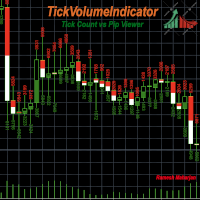
차트에서 추세를 파악하는 데에는 다양한 지표와 방법이 있습니다. TickVolumeIndicator는 그중 하나입니다. 이 지표는 틱 데이터를 사용하여 과거 추세를 표시하여 미래 추세를 파악하고 예측하는 데 도움을 줍니다. TickVolumeIndicator는 차트에서 볼 수 있는 캔들에 틱 볼륨을 사용하여 색상을 표시하는 지표입니다. 틱 볼륨은 매수 및 매도 가격입니다. 사용자는 틱의 매수 및 매도 수 또는 캔들 시간대의 핍 변화량을 선택할 수 있습니다. 매도 가격이 이전 매도 가격보다 높으면 매도 가격이 더해지고, 매수 가격이 이전 매도 가격보다 낮으면 매수 가격이 더해지며, 두 값 모두 캔들의 높이를 기준으로 정규화되어 차트에 표시됩니다. 핍 변화량도 같은 방식으로 계산됩니다. 사용자는 다음과 같은 옵션을 사용할 수 있습니다. 1) 매도 색상: 사용자는 매도 가격 색상으로 빨간색, 녹색, 파란색, 보라색, 노란색, 청록색, 보라색, 갈색, 주황색, 분홍색, 흰색, 없음
FREE
TelegramTrades
Ramesh Maharjan
TelegramTrades는 전문가들이 제공하는 거래 신호를 수신하여 유효한 거래로 전환하는 전문가 어드바이저(EA)입니다. 아래 나열된 7개 채널을 모니터링하며, 해당 채널에 거래 신호가 도착하면 서버에서 상시 실행되는 파이로그램 스크립트가 신호를 분석하여 유효한 거래 신호로 변환한 후 텔레그램 봇으로 전달합니다. 손절매, 목표 수익, 가격, 거래 유형, 종목 코드 등의 유효한 신호가 수신되면 EA가 이를 읽어 차트에서 거래를 실행합니다. 아래에 언급된 모든 차트를 열 필요는 없습니다. 차트 하나만 열고 EA를 실행하면 됩니다. 만약 열려 있지 않은 차트에 거래 신호가 발생하면 EA가 해당 차트를 자동으로 열고 거래 알림을 보내줍니다. 그러면 EA를 해당 차트로 드래그 앤 드롭하면 됩니다. 놓친 거래 내역은 {symbol}.txt 파일에 기록되며 5분 동안 유효합니다. 신호가 도착한 후 5분 이내라면, EA를 해당 차트에 드래그 앤 드롭하는 즉시 놓친 거래가 실행되고 파일은 삭
FREE
분석 대시보드는 과거 및 현재 거래를 분석하고, 추가 원형 차트를 통해 세부 정보 보기로 볼 수 있는 분석 대시보드를 제공하는 지표입니다. 주로 네 가지 분석 범주가 고려됩니다. 1) 성과 지표 2) 거래 행동 지표 3) 실행 품질 지표 4) 포지션 수준 지표. 네 가지 일반적인 분석 지표는 아래와 같이 더욱 구체적인 지표로 세분화됩니다. 성과 지표: 총이익 총손실 전체 이익률 전체 기대수익률 전체 승률 평균 위험 보상률 최대 손실률 최대 상승률 이 모든 지표는 원형 차트를 통해 표시되는 차트별 지표도 있습니다. 거래 행동 지표: 총 거래 총 수익 총 손실 총 평균 보유 시간 사용된 평균 거래 규모 손절매로 중단된 총 거래 손절매로 중단된 총 거래 총 수동 손절매 이러한 지표는 사용된 평균 거래 규모를 제외하고 차트별로 표시됩니다. 실행 품질 지표: 평균 슬리피지 평균 진입 스프레드 평균 청산 스프레드 총 수수료 + 스왑 수수료 총 이익에 미치는 영향 총 손실에 미치
FREE
필터:
리뷰 없음
리뷰 답변