AW Trade Manager
- Utilities
-
AW Trading Software Limited
 ______________ AW Trading Software ______________
📢 mql5com channel 👉 https://www.mql5.com/en/channels/awtradingsoftware - Version: 1.0
- Activations: 15
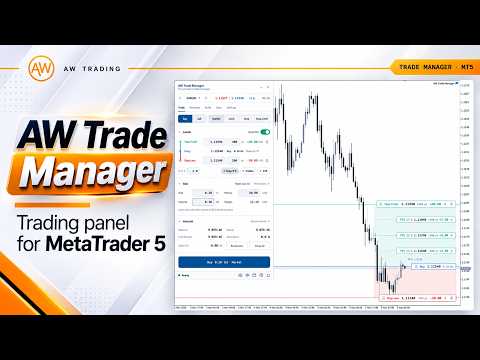
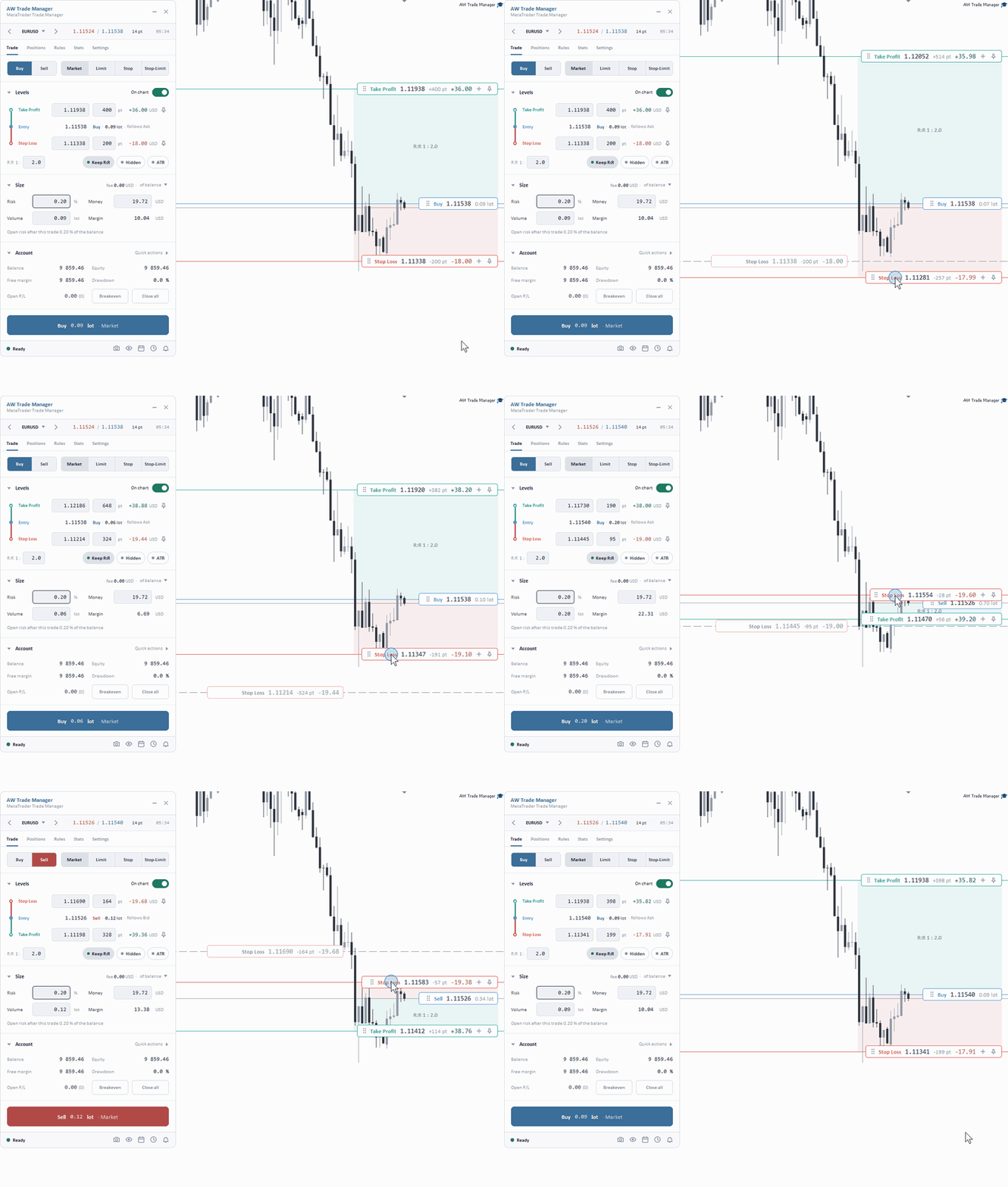
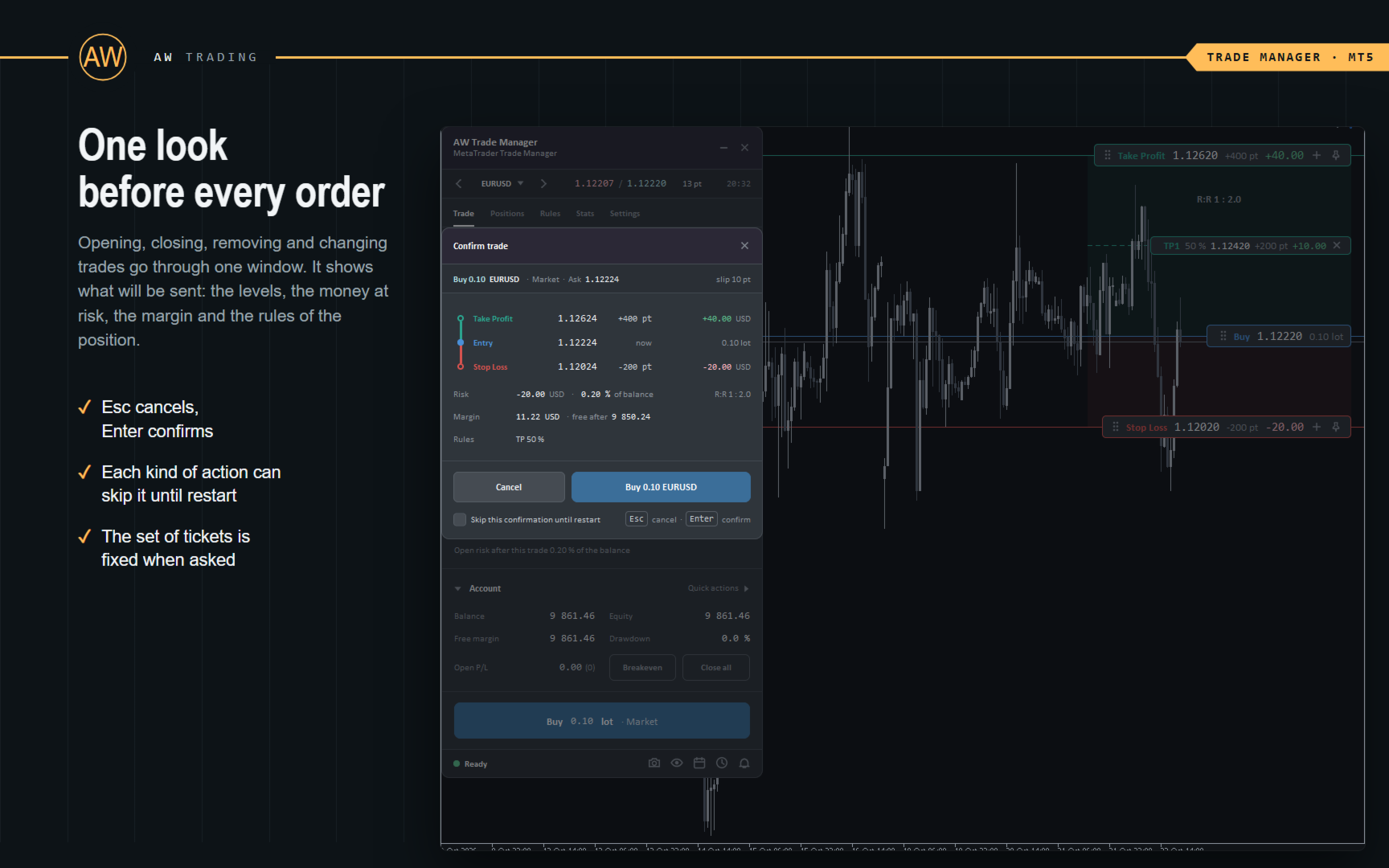
AW Trade Manager is a trade panel for MetaTrader 5 with a risk/reward tool on the chart. A trade is planned with Entry, Stop Loss and Take Profit lines dragged with the mouse: plates show price, distance and money, zones show profit and loss, and the volume is calculated from the risk. Before sending, the confirmation window shows the whole trade with risk, margin and the rules of the position.
To manage a position after the entry the panel has breakeven, trailing, partial closes, closing by time and hidden levels. They are switched on for all new trades on the Rules tab or for one position in its window. Account risk limits, a basket, scheduled tasks, alerts and the MT5 economic calendar work above single trades.Advantages:
- Trade plan on the chart: Entry, Stop Loss and Take Profit lines with plates, zones and R:R
- Volume from the risk in percent or money, the lot is rounded down, the real risk is shown before the entry
- Market and pending orders, Stop-Limit, expiry with a ruler on the chart, OCO: Mirror, Fork, Pair
- Breakeven, 7 trailing types with Step lock, partial closes on the TP and SL side, closing by time
- Hidden SL/TP with an emergency broker stop for the time the terminal is off
- Loss and activity limits, basket, tasks, alerts, news from the MT5 calendar
- Statistics of closed positions with R from the initial risk and CSV export
Features of work:
- A rule never worsens the Stop Loss: the stop moves only towards profit
- One scope for group closes, limits, basket, tasks and statistics: this symbol or all, trades of the panel, manual ones or the whole account
- Rules of positions, hidden levels, limits, alerts and tasks are saved at once and survive a restart
- Works in the visual strategy tester, no DLL and no WebRequest needed
Detailed description of the panel:
- Trade - Buy / Sell, Market / Limit / Stop / Stop-Limit, the Take Profit / Entry / Stop Loss ladder, R:R, Keep R:R, Hidden, ATR, Size and Account with Quick actions
- Positions - open positions and pending orders, actions on a row and group Actions from Close all to Reverse all
- Rules - Breakeven, Trailing, Partials, Auto-close, Hidden SL/TP for new trades and Limits, Basket, Time, News
- Stats - results of closed positions, account, symbol, Export CSV
- Settings - Panel, Execution, Notify, Screenshots, Hotkeys, Profiles
- Position and Pending windows - levels, own rules and actions of one trade, one Apply changes button
- Footer - status line, screenshot, clean chart, calendar, tasks, alerts
Input parameters:
MAIN SETTINGS
Magic number of the panel's orders - the panel recognises its trades by it
Comment of the panel's orders - comment of the orders
Which trades the panel manages - whose positions the rules follow
Trades of this panel only - trades with the magic number of the panel
Panel trades and manual trades (magic 0) - plus manual trades
All trades (any magic) - every trade of the account, trades of other EAs included
Maximum slippage in points (open and close) - allowed slippage
Retries on requote / timeout - repeats of a request
Check the free margin before opening - margin check before sending
Do not open a trade without a Stop Loss - no trades without a stop
Risk limits read-only on the panel (prop accounts) - limits come from the inputs and are locked on the panel
DEFAULTS FOR NEW TRADES - size, risk, Stop Loss and Take Profit, Keep R:R, hidden levels and the emergency stop
RULES FOR NEW TRADES - breakeven, trailing, partial closes
RISK LIMITS (0 = OFF) - loss per day, week, month, daily profit target, entries, positions, volume, spread, actions on a breach
NEWS - warning, importance, lines, pause of entries
NOTIFICATIONS - Alert, sound, Push, e-mail
HOTKEYS - hotkeys and the modifier key
GRAPHICS SETTINGS - scheme, sizes, compact fields, points or pips, lines, colors, plates
Every tab, window and input is described in the manual linked above.