G Channels
- Indicators
-
Evgenii Sutulov
 Premium components
1. https://www.mql5.com/en/market/product/201632 - Rotation Manager Console - Version: 1.3
A support and resistance channel that costs one formula and one setting, and keeps up with price without a single moving window. G-Channels MTF builds its two boundaries recursively, each one reaching towards the extremes and settling back a little every bar, and takes its signal from price crossing their average. There is no array and no window anywhere in it, which is exactly why it stays responsive on any timeframe. It is free: no trial, no locked features, no upgrade page.
Two boundaries are built recursively and without any window at all. The upper one reaches towards the price high and then settles by the current width divided by the length; the lower one reaches towards the low and rises by the same amount. The average of the two is the channel centre. One formula, one parameter, no arrays: the cheapness is the reason the channel was invented.
The signal is price crossing the average, which is what the author draws the average for. The two boundaries stay what they are, support and resistance, and they take no part in the signal.
What is on the chart
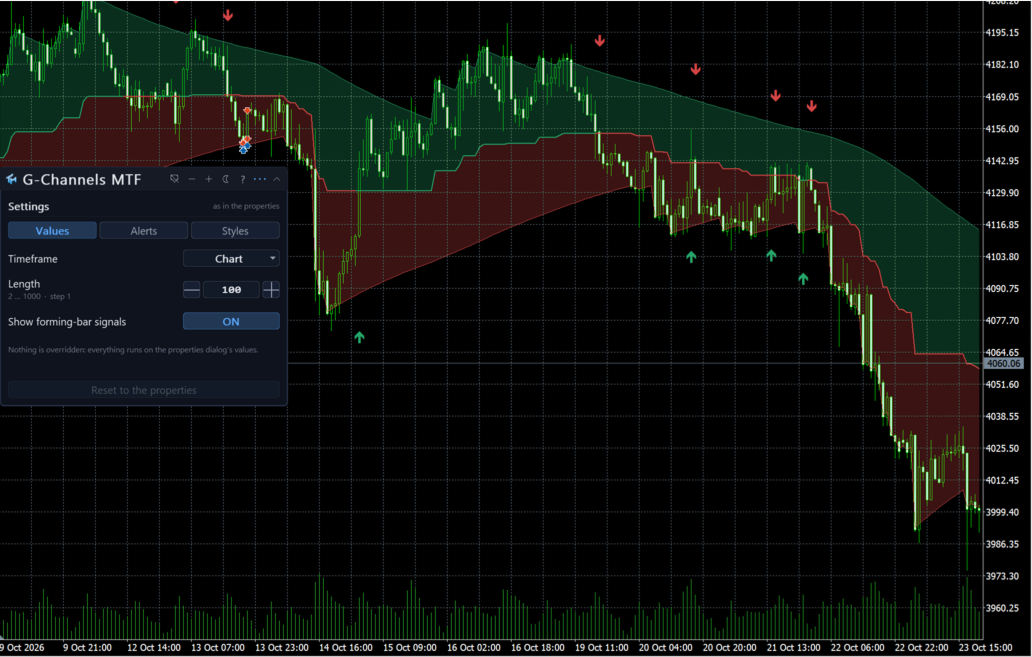
Drawn in the price window: the channel average coloured by the side price is on and unbroken across the crossing, the two boundaries as thin lines, two shades between them, and arrows on the bar where price crossed the average. The boundaries can be switched off on their own.
The panel
A canvas panel on the price chart, draggable, collapsible, closeable. It shows the timeframe in force and the setting values actually being used. It says what the last closed bar was: a BUY signal, a SELL signal, or neither. And it says whether the numbers on screen came from the properties dialog or from the panel, and how many of them were changed by hand.
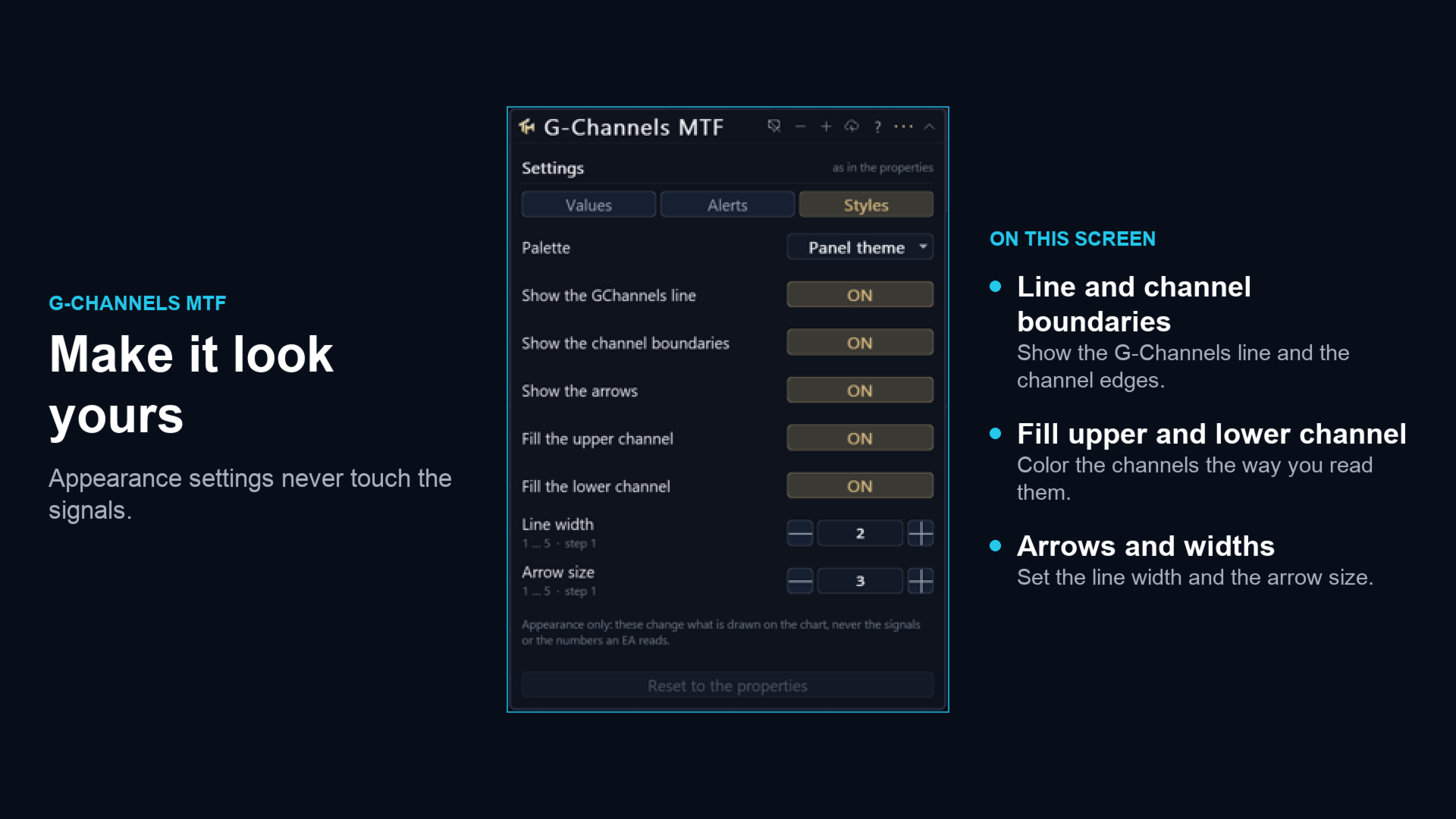
Below that sit the settings the panel can move, with their current values. The gear opens a three-tab sheet.
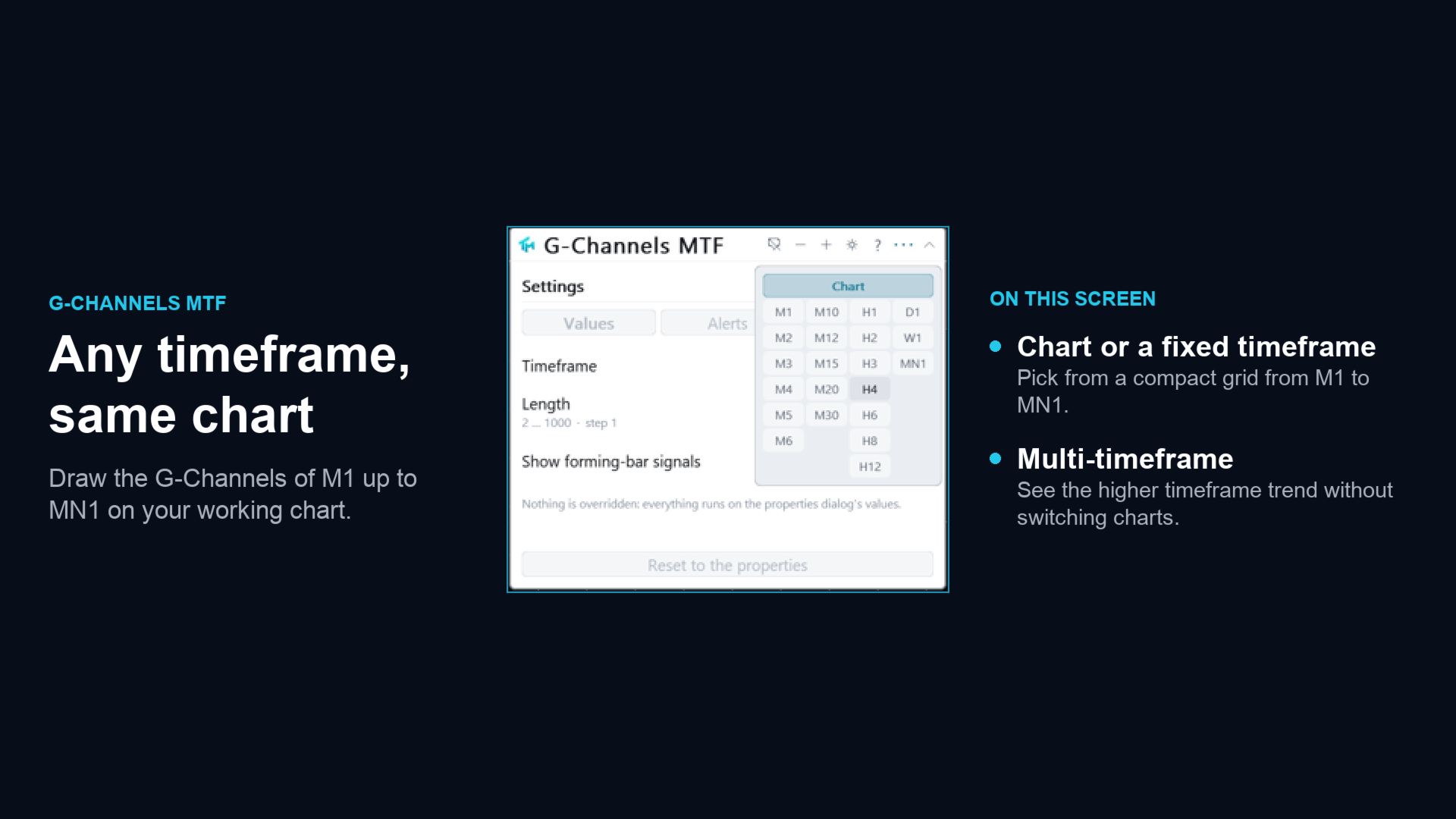
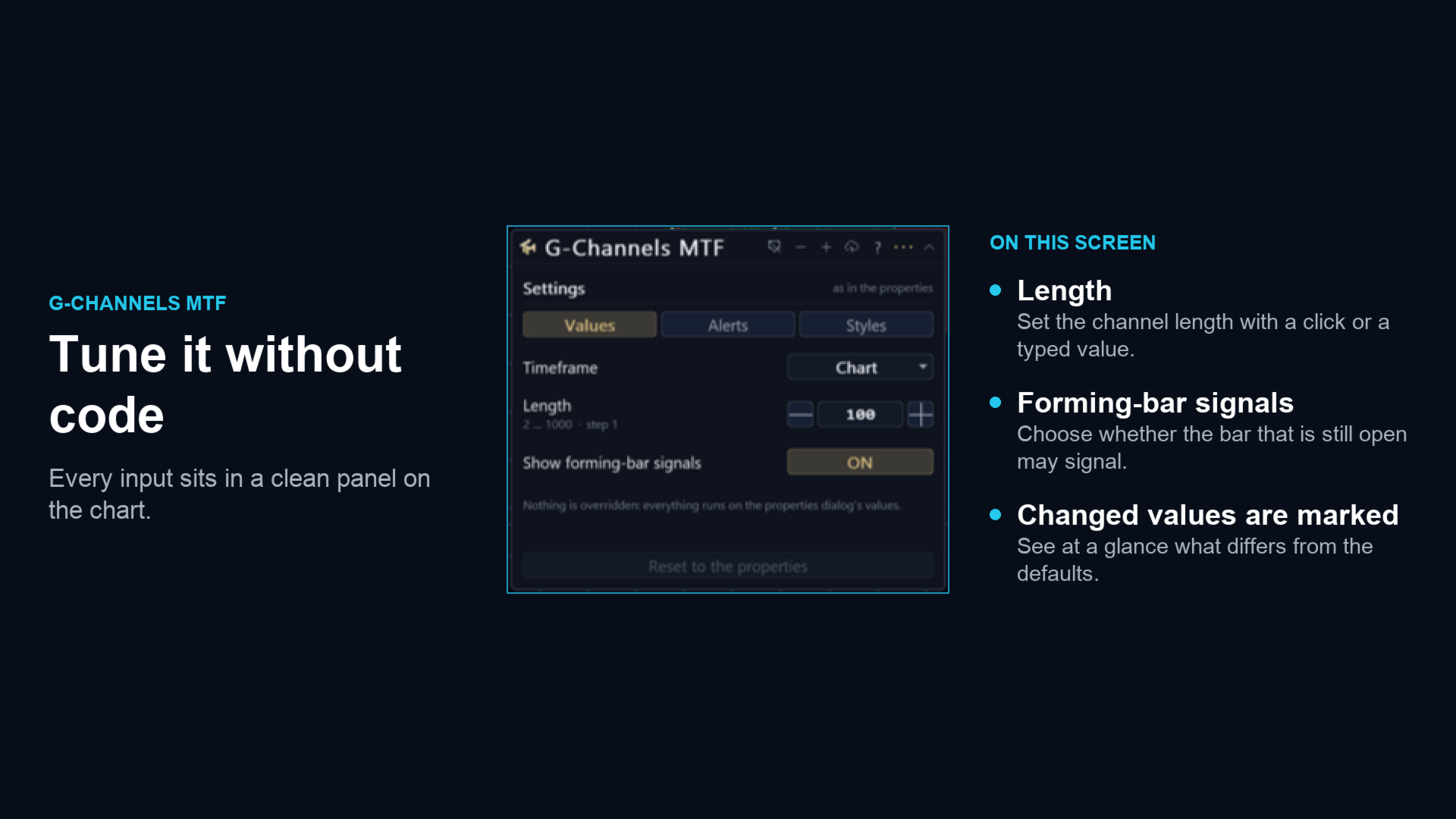
Values covers the timeframe and the length, one hundred by default, which is the one setting the method has and which decides how fast the boundaries may close in on price. Styles covers the palette, the average and its width, the arrow size, the two boundaries and the two shades. Every Values row has steppers, a range and a sentence of help.
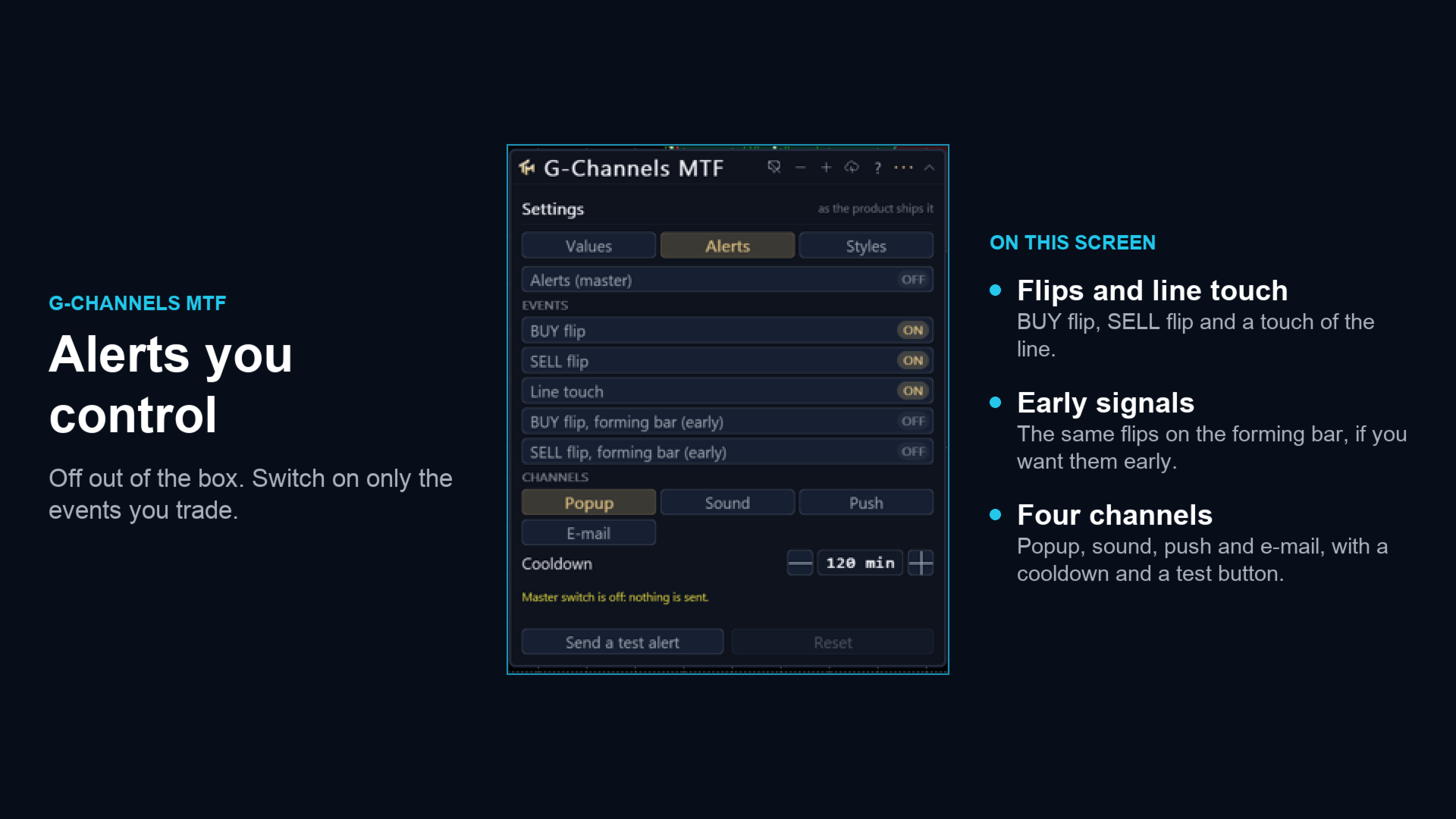
The Alerts tab covers the master switch, the per event switches, the channels, the cooldown in minutes and a test alert.
Three colour schemes: dark, light, and a colour-blind safe one that uses blue and orange rather than red and green. Everything about the panel, including every value changed on the sheet, is stored per chart and survives a timeframe change and a terminal restart. The interface is English.
Alerts
Off out of the box. Three events: a BUY signal, a SELL signal, and a touch of the channel average, which is the pull back event rather than a flip. Each has a switch of its own.
Channels: a popup window, a sound, a push to the mobile terminal and e-mail. There are per-event and per-channel switches, and a cooldown that defaults to two hours.
Alerts fire on the last closed bar. Two further alerts, off by default, speak on the forming bar within a chosen number of seconds of its close, and they are labelled early because a flip that exists mid-bar can un-happen. Telegram is not part of this product.
Signals on the forming bar
There is one switch that matters more than the others, and it is in the Values tab as well as in the inputs: whether buffers and arrows are allowed on the bar that is still forming.
With it on, which is the shipped default, you see a flip as soon as the market makes it. Sometimes that flip is undone before the bar closes and the arrow disappears. With it off, nothing is written on the forming bar at all: there is no repaint of any kind, and every signal arrives one bar late by construction.
Both behaviours are legitimate. The product does not pick for you and it does not hide which one it is doing: the panel and the setting name both say so.
Multi-timeframe
The Timeframe setting computes on a higher timeframe and draws the result here. Only closed senior bars are read: a chart bar shows the newest senior bar that had already closed by that chart bar's own close, so the flip lands on the bar that closes together with the senior bar, and nothing is drawn that could not have been known in real time.
The foreign series is built in the background. The first read of it can come back empty, the indicator retries, and the panel says whether it is waiting for a download or looking at a genuine shortage of history. It never fails initialisation over missing bars.
Reading it from an EA
Sixteen buffers, all readable through iCustom and CopyBuffer. Buffer 0, Buy, carries the arrow price on a BUY bar and EMPTY_VALUE otherwise, and is not drawn; buffer 1, Sell, is the same for a SELL. Buffers 2 to 5 belong to the two fills and are display plumbing, not for reading. Buffer 6 is the channel average while the trend is up and buffer 7 is the same line while it is down; on the turning bar both hold a value, which is what keeps the drawn line unbroken. Buffer 8 is the upper boundary and buffer 9 is the lower boundary. Buffers 10 and 11 are the drawn copies of buffers 0 and 1. Buffer 12, Signal, is +1 on a BUY bar, -1 on a SELL bar and 0 otherwise. Buffer 13 is Override, buffer 14 is the channel average as one unbroken series, and buffer 15 is the trend itself, 0 while up and 1 while down.
Buffers 0 and 1 are the contract: never painted, filled on every pass whatever the Styles tab says, and present in the Data Window. Hiding the arrows on the display cannot starve a strategy of the signal, because hiding is done by changing how a plot is drawn and never by emptying a buffer.
An instance created by iCustom is read only and always uses the parameters you passed. The Override buffer lets a strategy detect that a chart instance is running on numbers changed by hand from the panel.
Provenance
This is a port of "G-Channels" by alexgrover, an openly published Pine script, which makes a port by formula admissible. One deviation is declared: in Pine the recursion starts from zero, so the lower boundary begins at zero and creeps up to price over hundreds of bars; here both boundaries are seeded with the first price, the channel opens from zero width, and after the warm up the two series agree. No other number is touched.
The product is called G-Channels MTF because that is the name of the method, not because authorship of the method is claimed here. The original work belongs to its author.
Honest limits
A recursive channel has memory but no window, so it cannot be reasoned about as a lookback. It reacts to the extremes it has seen, weighted by how long ago it saw them, and there is no bar count that describes it.
Crossing the average in a range produces a signal every time price wanders through the middle, and the product publishes each one rather than filtering by volatility.
The single length setting moves everything: the width of the channel, the position of the average, and therefore every crossing. Two lengths give two different sets of signals and neither is the correct one.
No profit figure, win rate or backtest result is claimed here.