
Buy Sell Trend KPG
- Indicators
- Version: 8.1
- Updated: 16 August 2026

Buy Sell Trend KPG - User Guide (MT5)
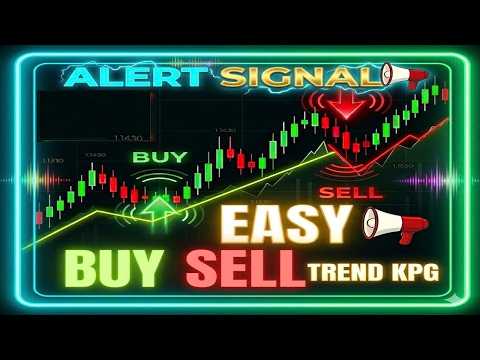
Buy Sell Trend KPG is a multi-function indicator for MetaTrader 5. It displays buy and sell signals on the chart, provides sound alerts, and includes a dashboard that shows trend direction across multiple timeframes.
Features
Real-time signals are shown as coloured arrows on the price chart.
Audio notifications are played when a new signal appears.
A dashboard displays trend direction for Multi-timeframes (from MN1 to M1) together with a summary percentage.
The indicator works on any timeframe chosen by the user.
Signal types
-
Green arrow - basic buy signal.
-
Red arrow - basic sell signal.
-
Dark green arrow - additional buy signal.
-
Dark red arrow - additional sell signal.
A trend line is drawn to indicate dynamic support and resistance levels.
Bar colouring helps to identify the current trend visually.
Dashboard information
The summary percentage shows the overall market bias.
When the percentage for buy signals is above 50%, the dashboard indicates an uptrend.
When the percentage for sell signals is above 50%, the dashboard indicates a downtrend.
A dash (-) means a sideways market.
Suggested usage (for reference only)
Use the dashboard on H1 or H4 to identify the main trend direction.
Look for matching signals on M5 or M15 timeframes.
Consider entering when a dark green or dark red signal aligns with the main trend from H1/H4.
Set stop loss and take profit manually. Sound alerts indicate the moment of entry only.
A possible stop loss level may be placed below a buy signal candle or above a sell signal candle.
A risk-to-reward ratio of 1:2 or 1:3 can be considered.
Trading against the major trend is not recommended. Avoid noisy, very short timeframes.
This tool provides analytical assistance. Trading involves risk. Manage your capital responsibly.
Input parameters (examples)
-
ShowDashboard (bool, default = true)
-
SoundAlert (bool, default = true)
-
TrendLineVisible (bool, default = true)
-
BarColorEnabled (bool, default = true)
-
SummaryTimeframes (string, default = "MN1,W1,D1,H4,H1,M30,M15,M5,M1")
Support
Support is provided through the product comments section or via the mql5.com internal messaging system. Support is not offered via Telegram, other messengers, or external websites.































Best indicator ever!