MrRexo Trade Panel
- Utilities
- Version: 3.6
- Updated: 3 September 2026
- Activations: 5

MrRexo Trade Panel - MT5 Manual Trading Utility
MrRexo Trade Panel is an on-chart trading panel for MetaTrader 5, created for traders who manage positions manually and want fast execution, clear risk control and practical chart-based order management in one interface.
The panel combines a manual order dashboard, risk-based lot calculator, visual R:R planning, Break Even tools, Trailing Stop management, position protection, session tools, trend context, price levels and chart overlays. It can be used on Forex, indices, commodities, metals, CFDs and broker symbols with suffixes, depending on the broker specification.
The product works as a MetaTrader 5 Expert Advisor and supports both Hedging and Netting account types.
Main Purpose
MrRexo Trade Panel is designed to make discretionary trading faster and more structured. It helps the trader prepare a trade, calculate volume, send orders, monitor floating results and manage several positions directly from the chart.
Typical use cases include intraday trading, index trading, gold trading, Forex trading, CFD trading, multi-position management, risk-based entries and visual trade planning.
Manual Trading and Execution
- Buy and Sell execution from the chart panel.
- Market orders with configured lot size, Stop Loss and Take Profit.
- Pending order planning using visual chart levels.
- Configurable SL and TP in points.
- Separate helper levels for Buy TP, Buy SL, Sell TP and Sell SL.
- Close All, Close Profit, Close Loss, Close Buy and Close Sell actions.
- Pending order deletion from the panel.
- Hotkeys for faster trading workflow.
- Optional position splitting into several smaller market entries.
Risk Management and Position Size Calculator
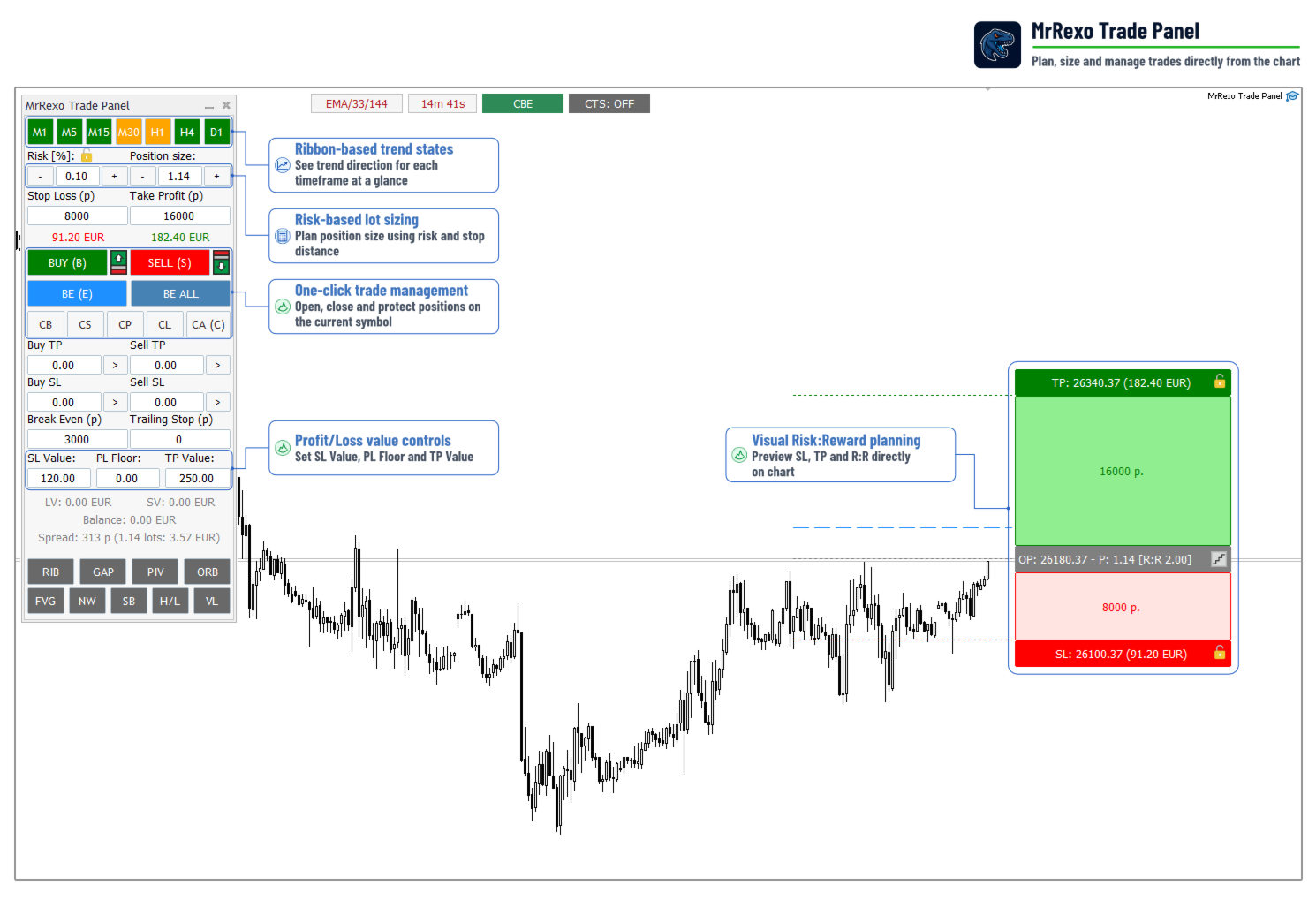
The panel includes a risk-based lot calculator. The trader can enter a risk percentage, and the panel calculates the position size using the selected Stop Loss distance and current symbol parameters.
- Risk [%] input for percentage-based risk.
- Automatic lot calculation from Stop Loss distance.
- Configurable lot step and SL/TP step.
- Automatic recalculation when the visual SL level is moved.
- SL and TP values displayed in account currency.
- Improved tick value handling for Forex, indices, gold, commodities and CFD symbols.
- Broker suffix support for symbols such as DAXEUR.bp, US100.cash and similar broker naming formats.
Visual R:R Trade Planning
The visual R:R panel allows the trader to plan a trade before sending it to the market. Entry, Stop Loss and Take Profit levels are shown directly on the chart together with estimated monetary values and the R:R ratio.
- Draggable entry, SL and TP levels on the chart.
- Live SL and TP value calculation in account currency.
- Risk/reward ratio displayed on the visual setup.
- Buy and Sell planning modes.
- Automatic lot recalculation when SL is changed.
- Snap mode for dragging visual SL/TP levels with a configurable point step.
- SL and TP lock buttons for fixed visual levels.
- Break Even trigger line preview on the chart.
- Direction safeguard to prevent accidental opposite-direction execution while a visual R:R setup is active.
SL and TP Lock
The R:R panel includes lock buttons for Stop Loss and Take Profit. When a level is locked, it remains fixed while the entry price can still be adjusted. The panel recalculates related values and protects the locked field from manual editing.
This is useful when the trader wants to keep a technical SL or TP level unchanged while adjusting the planned entry area.
Break Even Management
MrRexo Trade Panel includes several Break Even modes. The active mode is shown in the compact top status bar and can be changed directly from the chart.
- BE - standard Break Even for each position.
- CBE - Cascade Break Even for same-direction positions.
- ABE - Averaged Break Even for a same-direction position basket.
Standard BE moves each qualifying position to its own break-even level after the configured profit threshold is reached.
Cascade BE is designed for traders who scale into positions. When a later same-direction position reaches the BE threshold, earlier same-direction positions can also be moved to a stronger protected level.
Averaged BE calculates one shared break-even level for a group of same-direction positions on the same symbol. The level is based on the volume-weighted average entry price of the basket. This allows the trader to protect the combined exposure instead of managing every position separately.
Trailing Stop
The panel includes automated Trailing Stop management in points. It can trail positions individually or use a cascade trailing mode for same-direction positions.
- Configurable trailing distance in points.
- Automatic trailing after the selected threshold.
- Cascade trailing stop for same-direction positions.
- Top status switch showing the current cascade trailing state.
Profit and Loss Protection
The panel provides account-currency based protection fields for the current symbol.
- SL Value - close symbol positions when combined floating loss reaches the selected value.
- TP Value - close symbol positions when combined floating profit reaches the selected value.
- PL Floor - protect an already reached floating profit level and close positions if the combined result falls back to the selected amount.
PL Floor can be useful when positions are already profitable and the trader wants to protect part of the floating gain without using a fixed price-level Stop Loss.
Position Splitting
MrRexo Trade Panel can divide the total requested volume into several smaller market entries.
Example: if the main lot field contains 1.00 lot and the split count is set to 5, the panel can send five positions of approximately 0.20 lot each. If the volume cannot be divided perfectly according to the broker lot step, the panel distributes it as accurately as possible and adjusts the final order to complete the requested total size.
Top Status Bar
The compact top status bar keeps important runtime information visible without adding extra controls to the main panel.
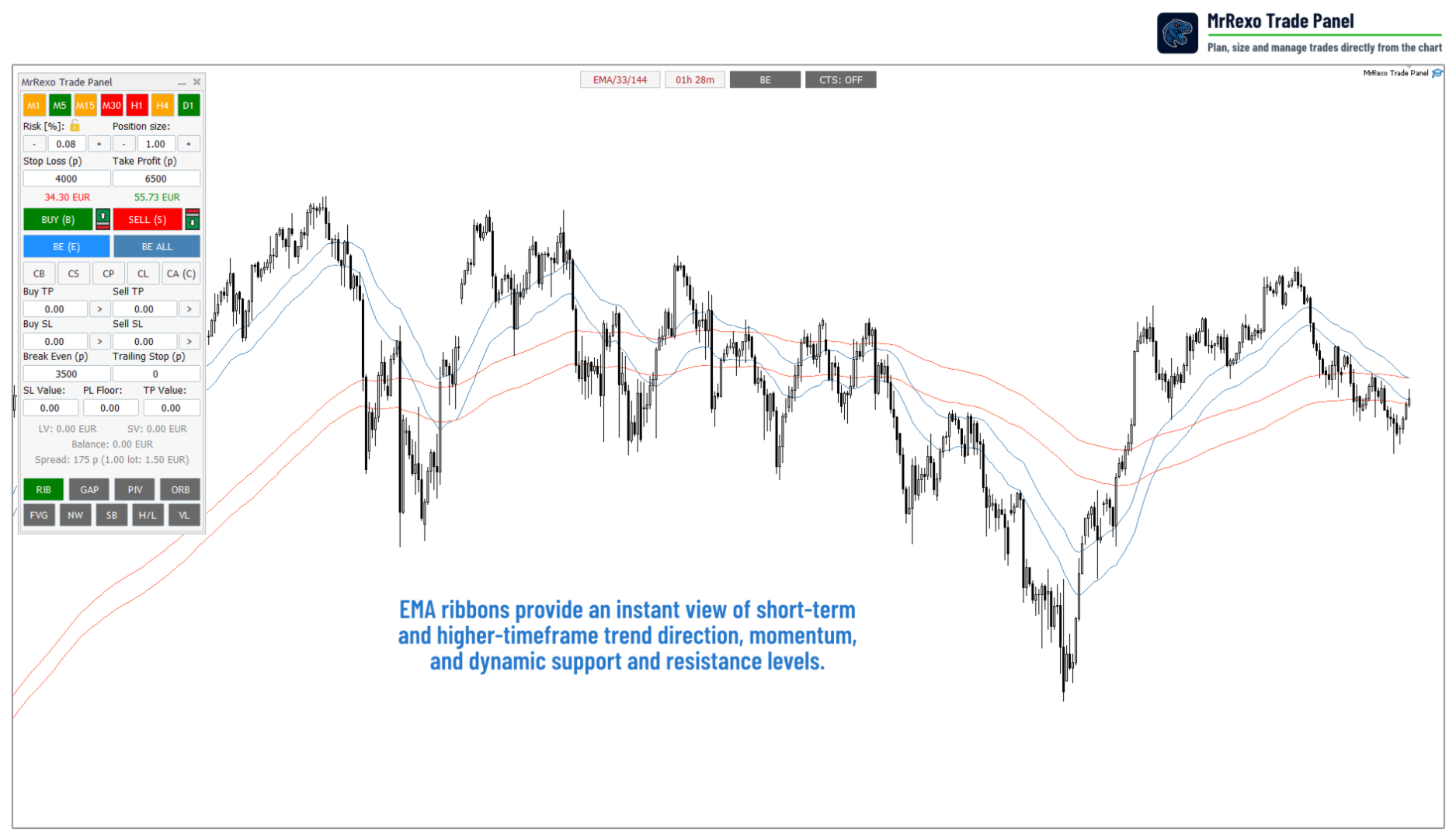
- EMA ribbon status.
- Candle timer.
- BE mode switch: BE, CBE or ABE.
- Cascade trailing stop switch.
Market Context Modules
The panel includes optional chart modules that can be switched on or off depending on the trading style.
- EMA trend ribbons for directional context.
- Multi-timeframe trend buttons from M1 to D1.
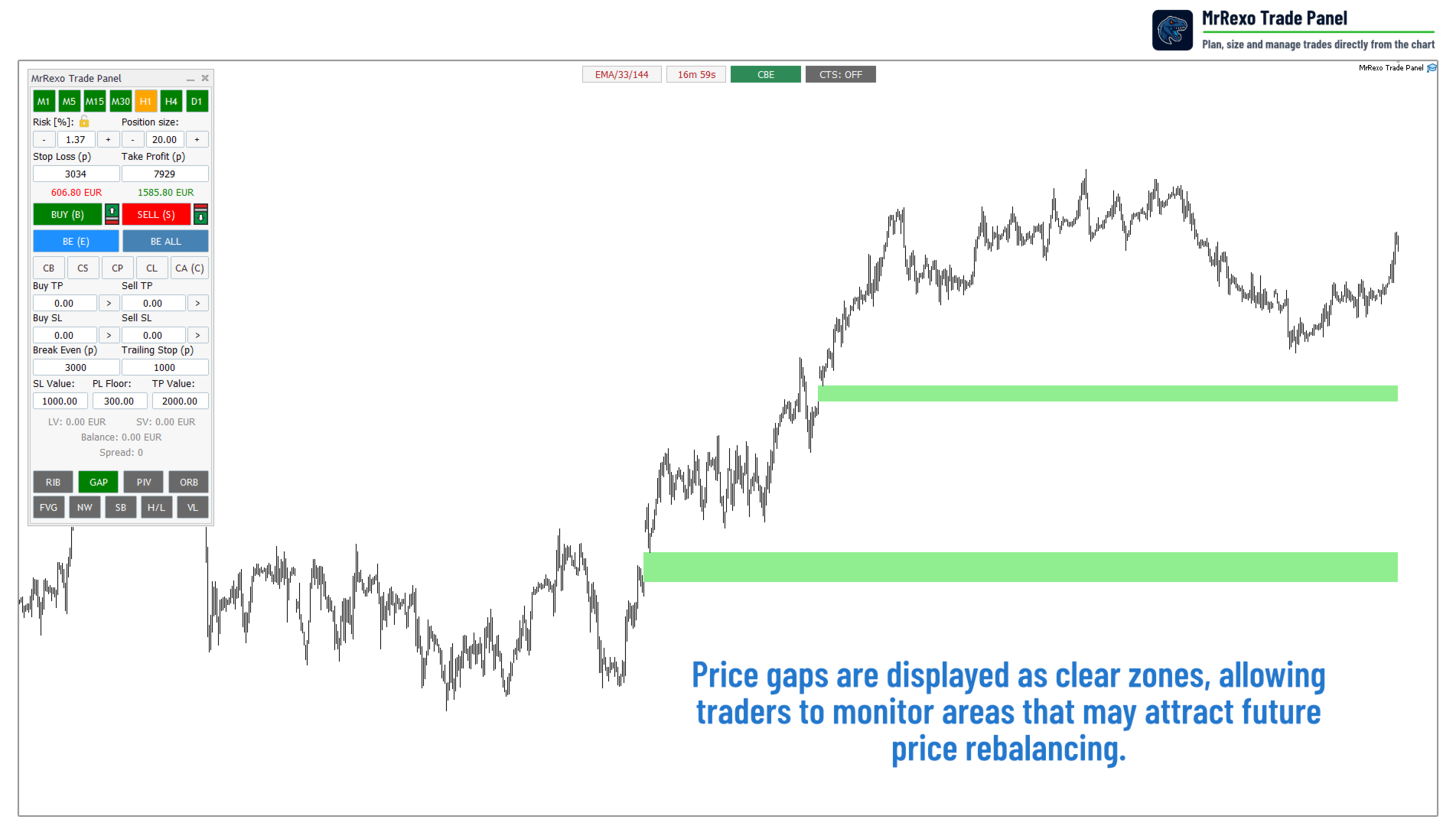
- Gap zones with gap monitoring.
- Pivot Points including Floor, Woodie, Camarilla and Fibonacci models.
- Daily High and Daily Low levels.
- Opening Range Breakout zones.
- Session boxes for Sydney, Tokyo, London and New York.
- Fair Value Gap visual module.
- News visibility toggle.
- Visual levels for chart-based planning.
Session and ORB Tools
The session module can display Sydney, Tokyo, London and New York sessions directly on the chart. Session hours, broker time offset, colors and visual appearance can be configured.
The ORB module highlights selected opening range periods, which can be useful for traders who work with London or New York opening ranges.
Trend and Price Level Tools
The panel includes EMA-based trend context and multi-timeframe buttons for M1, M5, M15, M30, H1, H4 and D1. Price level tools can draw Daily High, Daily Low and several Pivot Point models directly on the chart.
Mini Panel Mode
A compact mini-panel mode is available for traders who want a smaller interface while keeping the most important trading controls visible.
Supported Markets
The panel can be used with many MetaTrader 5 symbols, depending on the broker specification and trading conditions.
- Forex pairs
- Indices
- Commodities
- Metals such as XAUUSD
- CFD symbols
- Symbols with broker suffixes
Main Input Groups
- Panel settings - layout, font size and mini-panel mode.
- Risk controls - risk percentage, volume step, SL/TP step and default values.
- Order management - Break Even, Trailing Stop, BE ALL and protection settings.
- Visual R:R settings - snap step and chart interaction behavior.
- Session settings - session hours and broker time offset.
- Overlay settings - pivots, sessions, gaps, ribbons, ORB, FVG, news and visual levels.
- Appearance settings - colors, line styles and transparency.
Technical Requirements
- MetaTrader 5 terminal.
- Algo Trading must be enabled.
- Trading permissions must be allowed for the Expert Advisor.
- The broker must allow the selected order type, volume and stop levels.
- No external DLLs are required.
- No WebRequest permission is required.
Important Notes
MrRexo Trade Panel is a manual trading utility. It does not predict market direction and does not guarantee profit. All trading decisions remain under the trader's control.
Before using the panel on a live account, test all functions on a demo account and make sure that the broker's symbol specification, minimum lot size, stop level, freeze level, execution rules and trading permissions are suitable for your trading style.















































User didn't leave any comment to the rating