BreakPoint Pro
- Experts
-
Jason Smith
 The best algorithmic developers aren't just programmers - they're traders who code.
 - Version: 1.20
- Activations: 5
BreakPoint Pro – Daily High/Low Breakout EA
This bot is a professional-grade Expert Advisor that trades breakouts of the current day's high and low using a clean, rules-based price action approach. The strategy focuses on capturing directional momentum once price breaches these key intraday levels—one of the most statistically reliable patterns in discretionary and algorithmic trading.
A powerful Expert Advisor designed to capitalize on daily high/low breakouts using a price action-driven strategy.
Each trading day, the EA automatically identifies these levels and enters trades once the price breaches them, aiming to capture strong directional momentum.
Core Strategy
-
Automatically identifies the current day's high and low.
-
Places trades when price breaks above the high (buy) or below the low (sell)
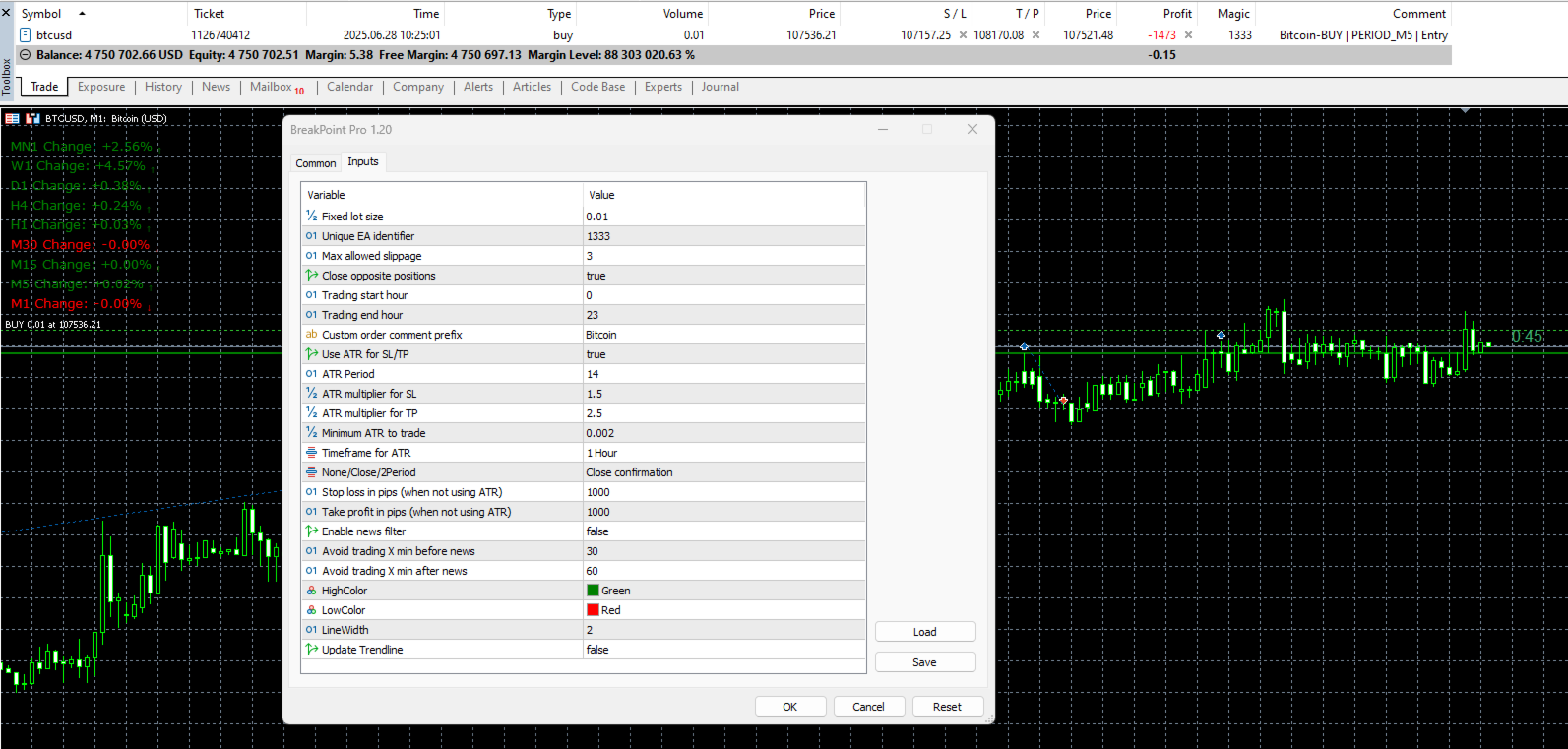
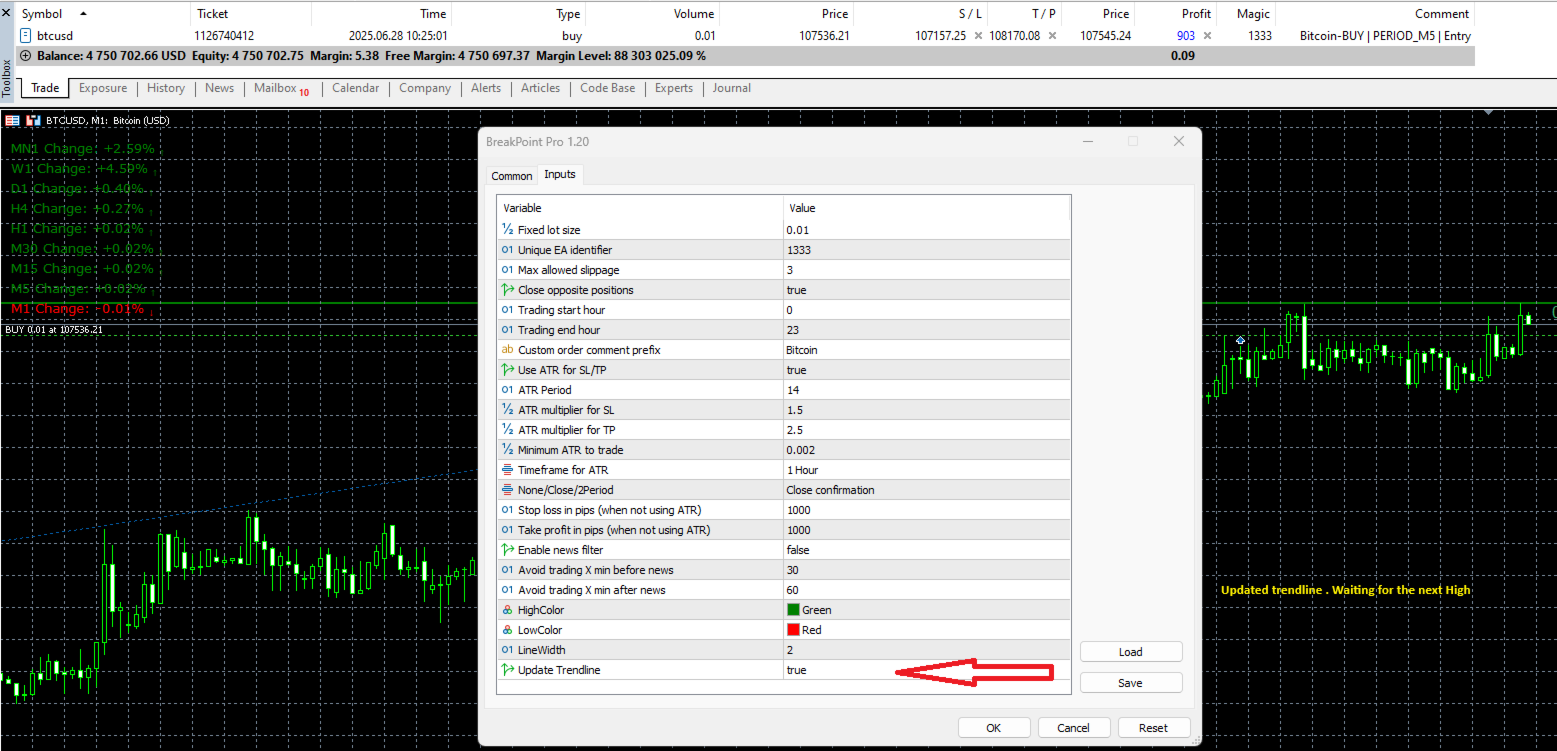
- The trend line can be updated to allow multiple entries as price approaches fresh highs or lows after the initial session open. This is especially useful when trading begins a few hours after the market opens, allowing the EA to adapt to evolving price action. This is based on the Time frame current. The entry is based on price. So being on a certain timeframes make no difference to entry only if you use close or 2-period confirmation.Once the trend line has been updated. It will not enter any trades while update trend line is "true".
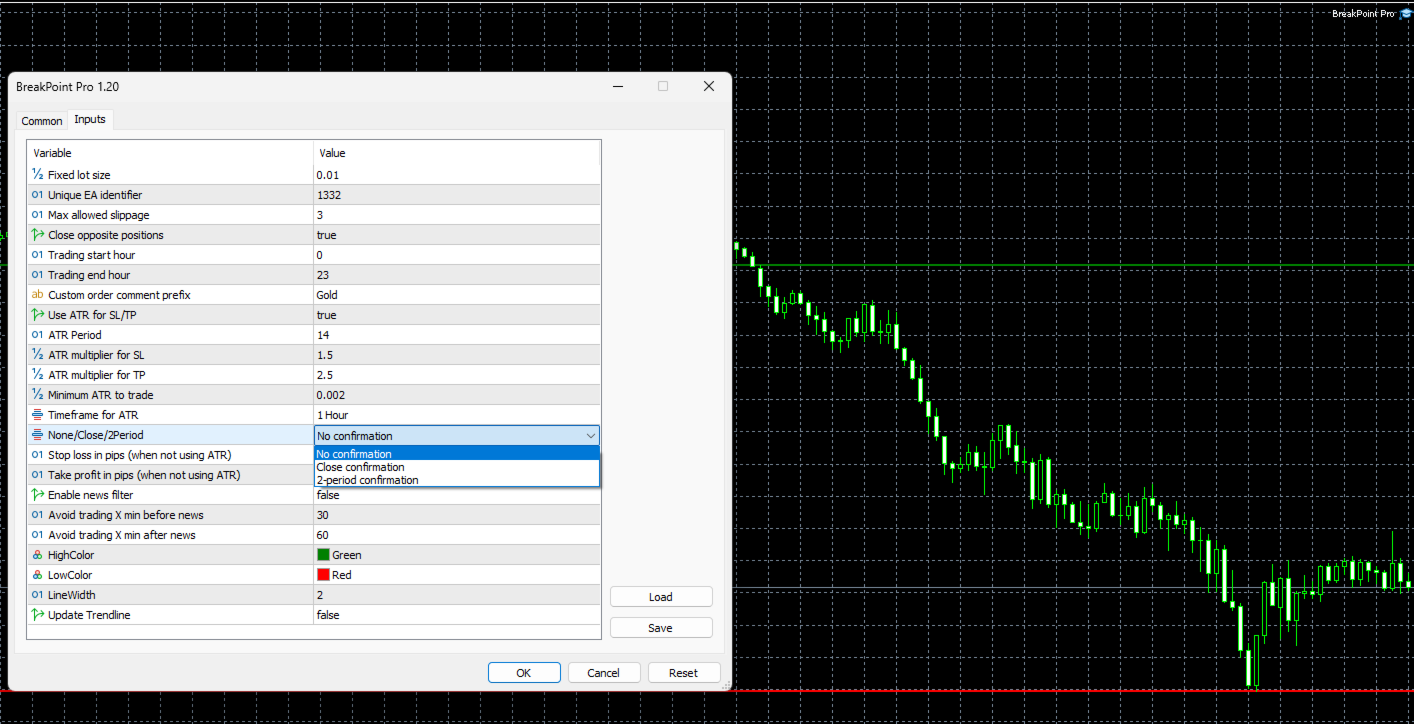
To reduce false breakouts and improve signal accuracy, BreakPoint Pro EA offers several breakout confirmation modes.
In the "No confirmation" mode, trades are entered immediately upon price breaching the high or low.
The "Close confirmation" mode requires at least one bar to close above the high (for buy trades) or below the low (for sell trades) before executing an entry. (Time frame current)
The "2-period confirmation" mode takes a more conservative approach, requiring two consecutive bars to close beyond the breakout level before a trade is placed. These confirmation settings allow traders to adjust the balance between early entries and higher probability setups.(Time frame current)
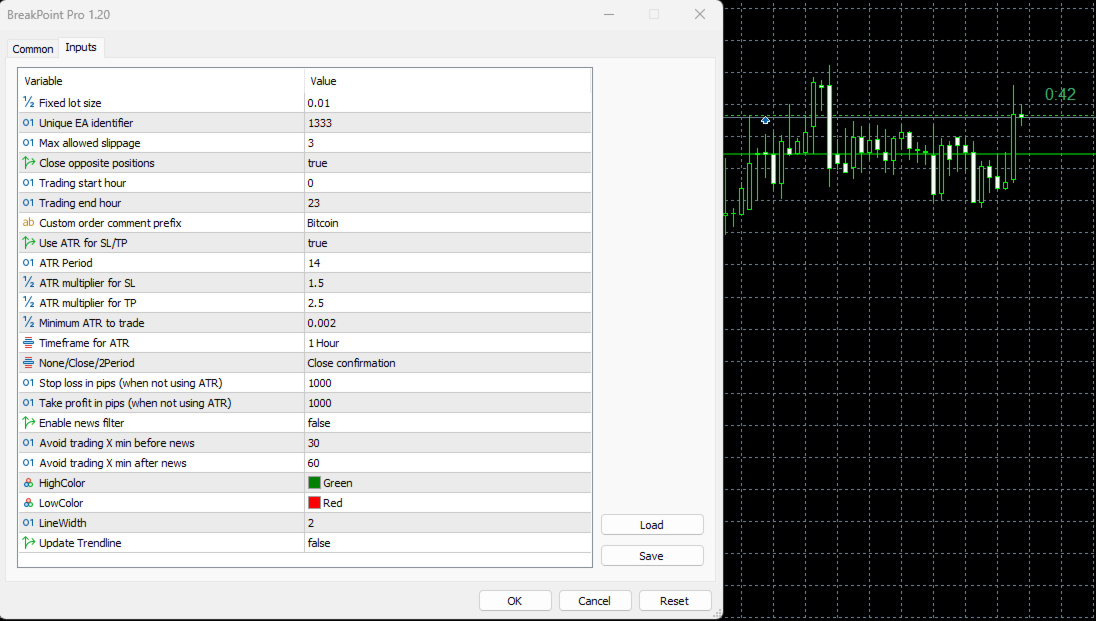
BreakPoint Pro also includes an integrated ATR (Average True Range) volatility filter.
This feature helps the EA avoid trading during low-volatility conditions by skipping entries when the ATR is below a user-defined threshold.
The EA can calculate stop loss (SL) and take profit (TP) levels dynamically, using the ATR value multiplied by custom factors.
This ensures that SL/TP levels adapt to market volatility, improving risk management.
Alternatively, traders can opt to disable ATR-based calculations and use fixed pip values for SL and TP if preferred.
Trading session timing is fully customizable. Traders can set specific trading hours to limit when the EA is active.
It supports full control over session times, including the ability to span overnight hours—for example, starting at 22:00 and ending at 05:00 the next day.
Note: When you update the trend line. (true) You must put that back to (false) or it will not enter a trade.
Bug report
Given the complexity of this EA. Some bugs may not have been discovered yet.
If you think you've found a bug in BreakPoint Pro.
Do not rush the process.
- Write a precise description of the context.
- Write a description of the error as precise as possible.
- Attach the logs of the expert tab for the corresponding date.
- Attach the logs from the log tab for the corresponding date.
These bots will enforce rule-based execution, removing emotional bias and promoting data-driven decision-making.
Over time, you'll learn that edge comes from systematic testing, risk management, and long-term consistency.
Each trade, whether a win or a loss, becomes part of a feedback loop that sharpens both your strategy and your mindset. Once you’ve set up the bot, let it work.
Avoid the urge to micromanage every trade. Trust in the strategy and parameters you’ve defined.