Network Copy

EmilonCopy Receiver is an Expert Advisor (trade copier) for the MetaTrader platform that automatically replicates the trades of a signal provider on a subscriber's account. The product is built around a "signal server" architecture: the provider's trades are published on the Emilon server, and the Receiver polls the server over HTTPS (WebRequest) at a set interval and brings the subscriber's account into line with the provider's account.

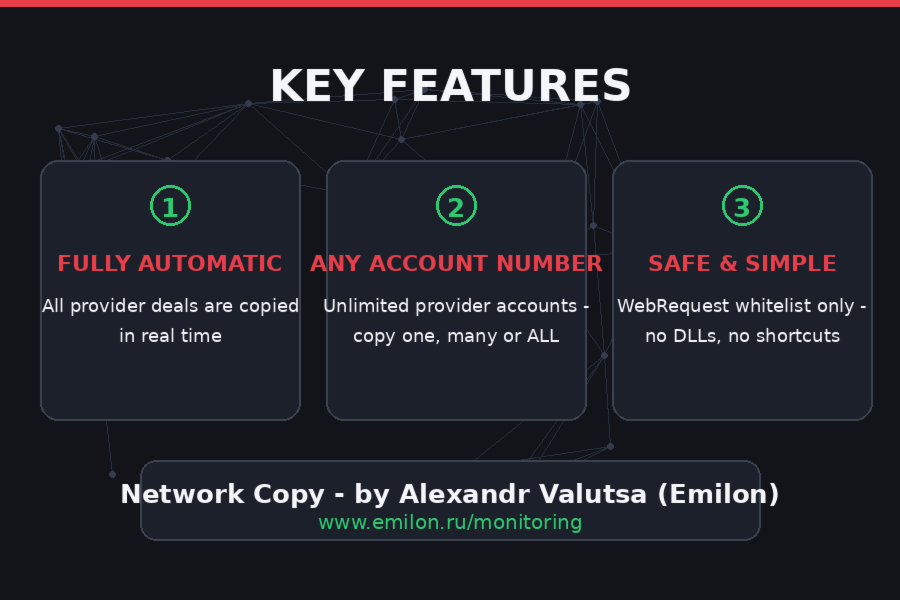
A key feature of the architecture is full state-based synchronization rather than event-based. The Receiver does not try to "catch up" with missed signals; each cycle it compares the provider's complete list of positions with its own: missing ones are opened, extra ones are closed, and those with changed volume are re-synchronized. This makes the EA resilient to connection drops, terminal restarts, and missed polls.

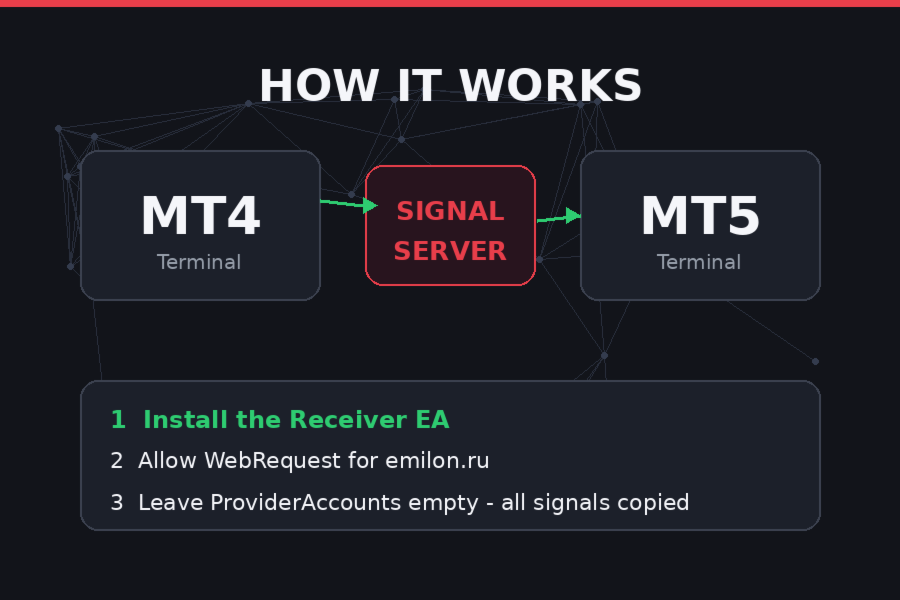
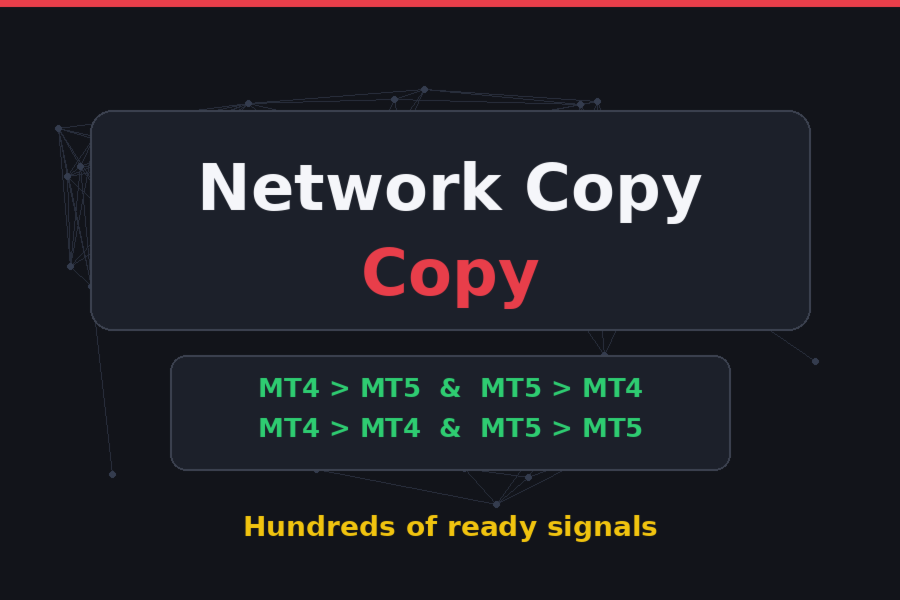
Cross-platform capability: MT4 ↔ MT5

The Receiver ships in two builds — MQL4 and MQL5 — and both work with the same signal server. This gives the product its headline capability:

  • MT4 → MT5: the provider trades on MetaTrader 4 — the subscriber receives trades on an MT5 account.
  • MT5 → MT4: the provider is on MetaTrader 5 — trades are replicated on an MT4 account.
  • MT5 → MT5 and MT4 → MT4: classic same-platform copying.

Because the data transfer goes through the server over HTTP, the provider's and subscriber's terminals do not even need to share the same broker, account currency, or execution type. To publish trades, the provider needs the matching Transmitter (EmilonCopy Transmitter) running on the same platform version as their account.

Platform differences are handled at the code level:

  • on MT4 — direct OrderSend / OrderModify / OrderClose  calls; any MT4 account allows opposite-direction positions, so the hedging check is not required;
  • on MT5 — the trading layer is built on CTrade , with a separate check for ACCOUNT_MARGIN_MODE_RETAIL_HEDGING : on a netting account, multi-account copying is disabled with a clear message;
  • the MQL5 Market license is detected automatically ( ACCOUNT_LICENSE_TYPE ); the website version provides its own activation flow.

Copying modes

Single mode. Trades from one provider account are copied. All subscriber positions receive the MagicNumber  magic and the EmilonCopy  comment.

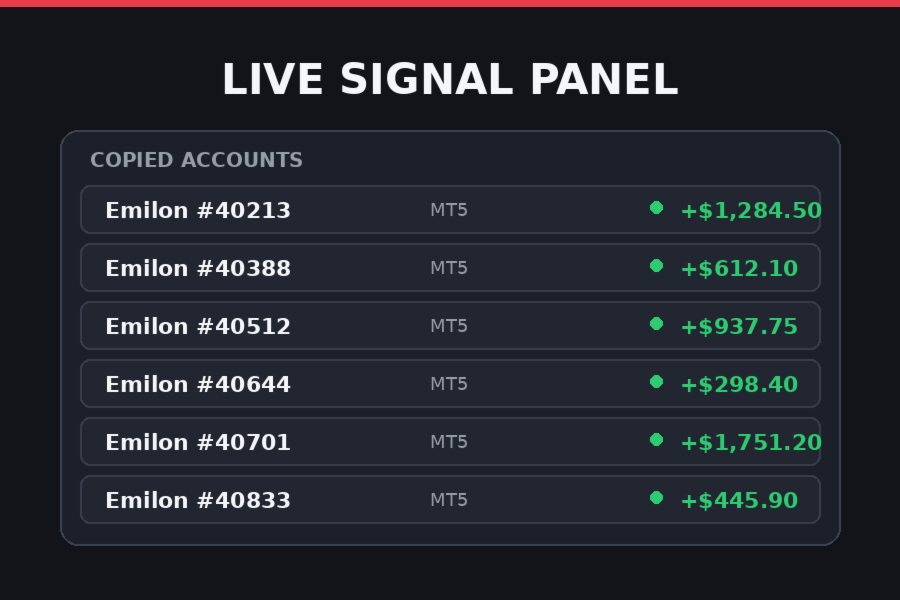
Multi mode ("all signals" package). The ProviderAccounts  field accepts a comma-separated list of accounts ( 123, 456  is normalized to 123,456 ) or the value ALL  (case-insensitive). Each provider account gets its own magic (equal to the account number) and the prov:NNNNN  comment — positions from different sources are never merged or volume-combined. The package is confirmed by the server; an attempt to run multi-copying without it produces a clear MULTI_ACCOUNT_REQUIRES_PACKAGE  error. The panel shows a "Copied accounts" block listing each account, the trader's name, and the number of open trades.

Symbol mapping

Broker symbols rarely match exactly, so a mapping mechanism is built in:

  • a suffix is appended to the provider's symbol ( EURUSD  → EURUSD.pro );
  • auto-search: the Receiver tries a list of common suffixes ( .m , .pro , .ec , .raw , .ecn , _m , etc.) and, conversely, strips known suffixes when the provider's symbol already carries one;
  • each candidate is verified via SymbolSelect  — the first symbol that actually exists in the terminal is used, and every attempt is logged.

Volume handling

  • LotMultiplier  — proportional mode: subscriber lot = provider lot × multiplier. A multiplier above 1 scales up, below 1 scales down.
  • FixedLot  — a fixed lot for all trades (takes priority over the multiplier; 0 — multiplier applies).
  • Alignment to the lot step and clipping to the symbol's MINLOT / MAXLOT . Three behaviors when the volume is below the minimum: round up to the minimum (default), skip the trade, or copy at the minimum.

Stops and take-profits

  • CopyStopLoss  and CopyTakeProfit  — enable transfer of each level individually;
  • SLTP_AddPoints  — shift the levels by N points relative to the provider's values (useful so your stops don't sit at the same popular levels as everyone else's);
  • SYMBOL_TRADE_MODE  and trading-session checks: a closed market does not halt the whole EA — only that trade is skipped with a single log line, while copying of other symbols continues (crypto symbols without sessions are treated as always open);
  • stop level and freeze level handling: when modifying SL/TP, a frozen side is left untouched and the update is deferred without error spam;
  • if the broker rejects an order due to invalid stops (error 130 on MT4, 10016 on MT5) — the trade is re-opened without SL/TP, with a log entry.

Pauses and recovery

When autotrading is off or the market is closed, the EA does not hammer the server or flood the journal: one pause line is printed, the panel status switches to PAUSE, polling continues on the timer, and copying resumes automatically once the cause is gone.

When a subscription expires, the server returns an error — the Receiver stops, starts periodic subscription checks (every 5 minutes), and resumes automatically after the subscription is renewed. Trading blocks do not interfere with polling: server synchronization and trading actions are decoupled.

Panel and ticker

  • Information panel: account and broker, status (ONLINE / PAUSE / STOPPED / Connecting), last sync time, provider and own position counts, counters of opened/closed/re-synced trades, SL/TP updates, freeze-level skips, provider details (account, broker, trader name), subscription type, and the "Copied accounts" block (dynamic rows — the panel grows with the number of accounts).
  • Running ticker along the bottom of the chart: copying events, errors, statuses; line color reflects the message type (info / success / warning / error). History keeps up to 40 events.
  • Fully bilingual UI: the Language  parameter switches all panel, ticker, and journal messages between English and Russian.

Parameters

Parameter Default Description
Language English UI language: English / Russian
ProviderAccounts empty Provider accounts: 123 , 123,456 , ALL , or empty (anchor account)
LotMultiplier 1.0 Lot multiplier (>1 scales up, <1 scales down)
FixedLot 0.0 Fixed lot for all trades; 0 — use the multiplier
Slippage 30 Allowed slippage in points
MagicNumber 770077 Magic of the anchor account (and legacy positions)
CopyStopLoss true Copy the provider's stop loss
CopyTakeProfit true Copy the provider's take profit
SLTP_AddPoints 0 SL/TP offset relative to the provider's levels, in points
UseSymbolMapping true Auto-search for a symbol variant when no exact match exists
SymbolSuffix empty Your broker's symbol suffix ( .pro , _m , etc.)

Service parameters (not meant for manual tuning): the PollInterval  polling interval, ticker speed, panel colors, server URLs. The password and account binding are managed on the subscription side.

Installation and setup

  1. Copy EmilonCopyReceiver.ex5  (or .ex4 ) into MQL5\Experts  (or MQL4\Experts ) and restart the terminal.
  2. In terminal settings (Tools → Options → Expert Advisors), allow WebRequest for the signal server domain — without this, requests will silently fail.
  3. Attach the EA to any chart (the chart symbol does not affect copying — each trade is checked against its own symbol) and enable autotrading.

Requirements and limitations

  • MT4 (build 600+) or MT5 terminal; on MT5 — a hedging account for multi-copying.
  • The signal server URL must be whitelisted for WebRequest.
  • Minimum supported lot precision is 0.01; lot parameters are taken from the subscriber's symbol.
  • MT4 order comments are limited to ~27 characters — the prov:NNNNN  format fits with room to spare.

Common scenarios and how they are handled

  • A signal was missed (internet outage, restart) — the next sync cycle restores the position; no duplicates will occur: matching is done by magic, symbol, and direction.
  • The provider closed a trade — your position is closed in the same cycle, even if the symbol's market was closed at the moment of the signal (the close is deferred until the market reopens, with a journal entry).
  • The provider changed the volume — the position is closed and re-opened at the new volume (Re-sync counter).
  • The symbol is missing at your broker — the trade is skipped with a message; copying of the rest continues.

Configuring the terminal before launch

For the receiver to communicate with the signal server, the Emilon domain must be added to the list of allowed URLs for WebRequest. Without this, the advisor will launch, but every request will return an error—the terminal will not allow access to an address outside the whitelist.

  1. Open the menu Service → Settings → Advisors .
  2. Check the box "Allow WebRequest for the listed URLs" .
  3. Add the following line to the list:
  1. Click   OK   and remove the advisor from the chart (remove it and re-attach it) - the new settings will be picked up immediately.

Where to see what is available for copying

All Emilon accounts open for subscription are collected on the monitoring page:

  — it displays available accounts: trader name, broker, statistics, and results. Select one or more Emilon accounts and enter their numbers in the parameter ProviderAccounts (separated by commas: 123, 456), or ALL/empty field - all signals.

They are copied through the receiver Emilon provider accounts - Alexander Valutsa. Number of accounts with the provider unlimited — all or a selection of ProviderAccounts are copied.

All other accounts (from other providers) are available only by direct subscription on the website — when trying to copy them through the receiver, the server will return a refusal.

Examination

After launching the Expert Advisor, a startup message will appear on the ticker at the bottom of the chart, followed by the first synchronization a few seconds later. If the ticker shows "Server Request Error," return to the WebRequest step: this is almost always due to the domain not being added or being added with a path.

Why Copy Instead of Buying a Robot?

  • No money wasted on unknown robots. Most EAs sell you a backtest. Copying sells you a real, live track record you can verify before paying.
  • No optimization, no backtesting marathons. Skip months of parameter fitting. The strategies are already running live — the numbers you see are real numbers.
  • No complex settings to figure out. Install the Receiver, leave ProviderAccounts  empty, done. Everything else happens automatically.
  • Not locked into one strategy. A single robot is one bet on one market condition. Copying gives you many strategies at once — trend, counter-trend, scalping — so your results don't depend on a single set of parameters.
  • Copy only the profitable ones. Choose accounts by verified profit, drawdown and trading style on the monitoring page. Losing accounts don't get your money — you just don't copy them.
  • A huge selection of signals for one symbolic price. Instead of $200–$500 for one robot, one subscription opens dozens of ready-to-copy strategies.
  • No emotions, no screen-watching. Trades are executed by the Receiver the moment the provider acts — no hesitation, no manual entries, no revenge trading at 3 AM.
  • Fully transparent. Every copied account shows its live history, profit and drawdown on the monitoring page. Nothing is hidden behind a demo.
  • Your capital stays in your account. Signals are copied to your terminal — the provider never gets access to your funds, and you can disconnect any time.
  • No programming skills needed. No DLLs, no VPS setup scripts, no code. If you can install an EA, you can run the Receiver.
  • Diversification in one click. Add or remove copied accounts in the settings whenever you want — rebalance your portfolio of strategies without touching existing trades.
Recommended products
TradePilot
Hossein Khalil Alishir
TradePilot Expert Advisor (EA) for MetaTrader 4 TradePilot is a professional and user-friendly Expert Advisor (EA) for MetaTrader 4 (MT4) . It simplifies automated trading , risk management , and trade execution using a smart trading panel . Perfect for beginners and experienced traders looking for a reliable trade manager EA with automated lot size calculation . Key Advantages User-Friendly Trading Panel: Customizable panel with buttons and hotkeys. Smart Risk Management: Supports percen
VR Cub
Vladimir Pastushak
VR Cub is an indicator for getting high-quality entry points. The indicator was developed to facilitate mathematical calculations and simplify the search for entry points into a position. The trading strategy for which the indicator was written has been proving its effectiveness for many years. The simplicity of the trading strategy is its great advantage, which allows even novice traders to successfully trade with it. VR Cub calculates position opening points and Take Profit and Stop Loss targe
Auto Fibo Pro m
DMITRII GRIDASOV
"Auto FIBO Pro"   Crypto_Forex  indicator  - is great auxiliary tool in trading! Indicator automatically calculate and place on chart Fibo levels and local trend lines (red color). Fibonacci levels indicate key areas where price can reverse. Most important levels are 23.6%, 38.2%, 50% and 61.8%. You can use it   for reversal scalping  or for zone grid trading. There are plenty of opportunities to  improve your current system using Auto FIBO Pro indicator as well. It has Info Spread Swap Displa
Noize Absorption Index MT4
Ekaterina Saltykova
5 (1)
Noize Absorption Index - is the manual trading system that measures the difference of pressure between bears forces and bulls forces. Green line - is a noize free index that showing curent situation. Zero value of index shows totally choppy/flat market.Values above zero level shows how powerfull bullish wave is and values below zero measures bearish forces.Up arrow appears on bearish market when it's ready to reverse, dn arrow appears on weak bullish market, as a result of reverse expectation. S
The Best One Scalping Trade Panel functional manual trade panel with risk reward, auto SL by candle ( original solution), lot size calculation, one-click trading, scale in and out of trades (partial close),  Works with all symbols not just currency pairs, perfect works on DAX, NASDAQ, GOLD, ...... I earn every day during live stream on ZakopiecFX - join Me Risk by lot Risk by percent SL by points SL by Candle, Renko, RangeBar ( original solution) TP by point TP by Risk/Reward Auto Trailing by P
TWO PAIRS SQUARE HEDGE METER INDICATOR Try this brilliant 2 pairs square indicator It draws a square wave of the relation between your two inputs symbols when square wave indicates -1 then it is very great opportunity to SELL pair1 and BUY Pair2 when square wave indicates +1 then it is very great opportunity to BUY pair1 and SELL Pair2 the inputs are : 2 pairs of symbols         then index value : i use 20 for M30 charts ( you can try other values : 40/50 for M15 , : 30 for M30 , : 10 for H1 ,
Trendiness Index
Libertas LLC
5 (3)
"The trend is your friend" is one of the best known sayings in investing, because capturing large trendy price movements can be extremely profitable. However, trading with the trend is often easier said than done, because many indicators are based on price reversals not trends. These aren't very effective at identifying trendy periods, or predicting whether trends will continue. We developed the Trendiness Index to help address this problem by indicating the strength and direction of price trend
FVG DGT Panel [TMT] — Fair Value Gap and Inverse FVG Indicator with Live "% Left" Fill Tracking for MetaTrader 4 Version for MT4 | Non-repainting zone logic | BUY / SELL / NEUTRAL bias panel | FVG + IFVG | Optional second timeframe 1. Overview FVG DGT Panel [TMT] is a chart-window indicator for MetaTrader 4 that finds, draws and tracks Fair Value Gaps (FVG) and Inverse Fair Value Gaps (IFVG) directly on your price chart. It is a MetaTrader 4 port of the popular "Fair Value Gaps by DGT" concept
The indicator displays the data of the Stochastic oscillator from a higher timeframe on the chart. The main and signal lines are displayed in a separate window. The stepped response is not smoothed. The indicator is useful for practicing "manual" forex trading strategies, which use the data from several screens with different timeframes of a single symbol. The indicator uses the settings that are identical to the standard ones, and a drop-down list for selecting the timeframe. Indicator Paramet
VN Trade Panel II
Vyacheslav Nekipelov
4 (1)
The new version of the trading panel, which now has the ability to separately close Buy and Sell orders, display targets for all orders on the chart, as well as the ability to use the panel to trade with brokers working on the FIFO rule. Also, the new version adds option buttons for separate management of open orders. It has a convenient visualized interface and intuitive control without a lot of additional tabs to which traders have to be distracted and switch their attention. Thanks to this,
Auto Trade Copier
Vu Trung Kien
4.77 (86)
Auto Trade Copier is designed to copy trades to multiple MT4, MT5 and cTrader accounts/terminals with 100% accuracy. The provider and receiver accounts must be on the same PC/VPS. With this tool, you can copy trades to receiver accounts on the same PC/VPS. All trading actions will be copied from provider to receiver perfectly. This version can be used on MT4 accounts only. For MT5 accounts, you must use Auto Trade Copier for MT5 . Reference: - For MT4 receiver, please download Trade Receiver Fre
Daily Candle Predictor is an indicator that predicts the closing price of a candle. The indicator is primarily intended for use on D1 charts. This indicator is suitable for both traditional forex trading and binary options trading. The indicator can be used as a standalone trading system, or it can act as an addition to your existing trading system. This indicator analyzes the current candle, calculating certain strength factors inside the body of the candle itself, as well as the parameters of
PZ Harmonacci Patterns
PZ TRADING SLU
3.17 (6)
Trade smarter, not harder: Empower your trading with Harmonacci Patterns This is arguably the most complete harmonic price formation auto-recognition indicator you can find for the MetaTrader Platform. It detects 19 different patterns, takes fibonacci projections as seriously as you do, displays the Potential Reversal Zone (PRZ) and finds suitable stop-loss and take-profit levels. [ Installation Guide | Update Guide | Troubleshooting | FAQ | All Products  ] It detects 19 different harmonic pric
Trade with Gann on your side!! MASTER CIRCLE 360 CIRCLE CHART, originally created by Gann admitted that this is “The Mother of all charts”. It is one of the last studies that this great trader left for us. The numeric tab le is apparently quite simple like all the tables and is based on square numbers, the SQUARE OF 12 and is by evolution, one of the most important square numbers. Here we can find CYCLE, PRICE AND TIME thanks to angles and grades, to show past and future support and resistance.
Price Magnet — Price Density and Attraction Levels Indicator Price Magnet is a professional analytical tool designed to identify key support and resistance levels based on statistical Price Density. The indicator analyzes a specified historical period and detects price levels where the market spent the most time. These zones act as “magnets,” attracting price action or forming a structural base for potential reversals. Unlike traditional Volume Profile tools, Price Magnet focuses on price-time d
Smartility
Syed Oarasul Islam
This utility is designed to help you with your Manual Trading. It allows different ways of closing trades. It can display total number of BUY and SELL orders individually and also their individual profits. It can enter trades without stopl loss and take profits. However upon selecting UseStopLossTakeProfit from the settings it can use best possible stop loss and take profits based on the market conditions. Upon selecting the CloseOppositeTrades  from the settings it can close opposite trades. Fo

Auto Breakeven level
Makarii Gubaydullin
Automatic Breakeven levels Using   this   utility ,   y ou can activate the automatic SL movement, when the trade reaches a desired profit.  Especially   important   for a   short -term   traders.   Offset option is also available: some profit may be protected. Multifunctional utility : 66+ features, including this tool  |   Contact me  if you have any questions  |   MT5 version The process of activating the automatic breakeven function: 1.   Select the Symbol or Trade   for which the Auto BE f
Candle Pattern Engine MT4
Tshidiso Ephraim Mpakanyane
Candle Pattern Engine is a multi-timeframe candlestick pattern recognition indicator. It scans price action across several timeframes simultaneously, detects up to 41 classic candlestick patterns, and can filter signals using a selectable trend indicator to reduce noise from counter-trend patterns. Key Features 1. Multi-Timeframe Pattern Scanning Scans a configurable, comma-separated list of timeframes (e.g. M5, M15, H1) in a single instance. Configurable lookback period controls how many bars
FREE
Candlestick Pattern Scanner is a multi-timeframe and multi-symbol dashboard and alert system that checks all timeframes and currency pairs for different candlestick patterns that are formed in them. Scanner is integrated with support and resistance zones so you can check the candlestick patterns in the most important areas of the chart to find breakout and reversal patterns in the price chart. Download demo version   (works on M30,D1,W1 timeframes and 20 symbols of Market Watch window) Read the
Verdure Forex Calculators
Olawale Adenagbe
1 (1)
Overview Money management is an all-important aspect of trading that many traders often overlook. It is very possible that even with a winning strategy, bad money management can often result in huge loses. Verdure Forex Calculators aims to help traders minimize risk and exposure in the Forex market. Verdure Forex Calculators implements 4 calculators in one single indicator. It is the first of it's kind on MT4 platform. Calculators implemented are: Lot (Trade or Contract Size) Calculator. Margin
Money Flow Profile MT5 HERE   Here   our more valuable tools SMC Trend Trading   ,  Easy SMC Trading  ,  Institutional SMC Architect Volume Analysis Tools  ,  Volume flow Profile  ,  Market volume profile  , FVG with Volume  , Liquidity Heatmap Profile  ,  Volume Spread Analysis This Master Edition is engineered for clarity and speed, featuring a unique Auto-Theme Sync system that instantly beautifies your chart layout upon loading. Key Features: True Money Flow Calculation: Goes beyond stand
Mobile LotSize Trade on the go with confidence Have you ever spotted the perfect trade opportunity on your phone, only to enter with the wrong lot size and end up risking more than you intended? With Mobile LotSize , that’s no longer a problem. Leave this EA running on your trading platform, and it will automatically monitor your pending orders set at 0.01 lots. If you’ve placed a stop loss or take profit from your phone, Mobile LotSize will calculate and adjust the trade size to match your ris
URGENCY “Limited launch pricing” “Price increases after version 2.0” Currencies Gold Momentum Flow Dashboard  — See Market Strength Instantly A powerful all-in-one dashboard that shows real-time momentum across multiple timeframes (M5–D1) for forex and gold. Multi-timeframe ROC analysis Built-in trade signals (alignment & momentum shifts) Currency strength meter Heatmap for instant trend recognition Alerts + one-click pair switching Stop switching charts — see the entire market in

Display Multipair
Kourosh Hossein Davallou
This is an indicator that allows displaying three currency pairs in one window. Input Parameters: Symbol1 - first currency pair. symbol1mirrior - mirror display of the first currency pair. s1color - color of the first currency pair. Symbol2 - second currency pair. symbol2mirrior - mirror display of the second currency pair. Symbol3  - third currency pair. symbol3mirrior -  mirror display of the third currency pair. Symbo4  - fourth currency pair. symbol4mirrior - mirror display of the fourth cur
Alpha Trend sign has been a very popular trading tool in our company for a long time. It can verify our trading system and clearly indicate trading signals, and the signals will not drift. Main functions: Based on the market display of active areas, indicators can be used to intuitively determine whether the current market trend belongs to a trend market or a volatile market. And enter the market according to the indicator arrows, with green arrows indicating buy and red arrows indicating se
Super Reversal Pattern
Parfait Mujinga Ndalika
Super Reversal Pattern Indicator Unlock the power of advanced pattern recognition with our Super Reversal Pattern Indicator. Designed for traders seeking precision and reliability, this indicator identifies one of the most effective reversal patterns in technical analysis, offering a significant edge in your trading strategy. Key Features: Non-Repainting Accuracy: Enjoy the confidence of non-repainting technology. Once a Super Reversal Pattern is detected, it remains static, providing consiste
NRP Risk Manager Pro Institutional-Grade Trade Management & Prop Firm Protection Get the MetaTrader 4 Version Here: https://www.mql5.com/en/market/product/179888 Get the MetaTrader 5 Version Here: https://www.mql5.com/en/market/product/179885 Trading isn't just about finding the right entry; it is about flawlessly executing your edge while fiercely protecting your capital. NRP Risk Manager Pro is not an automated trading robot—it is a comprehensive, institutional-grade trade terminal d
Blahtech Market Profile
Blahtech Limited
4.53 (15)
Was: $249  Now: $99   Market Profile defines a number of day types that can help the trader to determine market behaviour. A key feature is the Value Area, representing the range of price action where 70% of trading took place. Understanding the Value Area can give traders valuable insight into market direction and establish the higher odds trade. It is an excellent addition to any system you may be using. Blahtech Limited presents their Market Profile indicator for the MetaTrader community. Ins
Order Blocks Breaker
Suvashish Halder
5 (2)
Introducing Order Blocks Breaker , a brand-new way to identify and leverage order blocks in your trading strategy. After developing multiple order block tools with unique concepts, I’m proud to present this tool that takes things to the next level. Unlike previous tools, Order Blocks Breaker not only identifies order blocks but also highlights Breaker Order Blocks —key areas where the price is likely to retest after a breakout. MT5 -  https://www.mql5.com/en/market/product/124102/ This tool inco
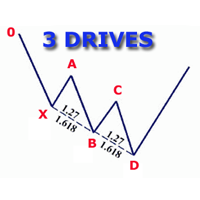
The indicator detects and displays 3 Drives harmonic pattern (see the screenshot). The pattern is plotted by the extreme values of the ZigZag indicator (included in the resources, no need to install). After detecting the pattern, the indicator notifies of that by a pop-up window, a mobile notification and an email. The indicator highlights the process of the pattern formation and not just the complete pattern. In the former case, it is displayed in the contour triangles. After the pattern is com
Buyers of this product also purchase
Forex Trade Manager MT4
InvestSoft
4.98 (447)
Trade Manager MT4 is an advanced position size calculator and trade management tool for MetaTrader 4, designed to help traders plan trades faster, control risk more precisely, and manage open positions directly from the chart. It combines order placement, risk based lot calculation, Stop Loss and Take Profit management, Break Even, Trailing Stop, Partial Close, Equity Protection, and external trade management in one panel. Whether you trade forex, indices, metals, commodities, or crypto, Trade M
TradePanel MT4
Alfiya Fazylova
4.84 (95)
Trade Panel is a multi-functional trading assistant. The app contains over 50 trading functions for manual trading and allows you to automate most trading tasks. Application instructions: https://www.mql5.com/en/blogs/post/756482 Trial version of the application for a demo account: https://www.mql5.com/en/blogs/post/750865 How to install the application: https://www.mql5.com/en/blogs/post/756239 How to test the application in visual mode: https://www.mql5.com/en/blogs/post/770277 How to install
Trade Manager Pro MT4
Bryan Djoufack Nguessong
This is an Utility to make your trading easier by putting at   one click or a few clicks   time-consuming tasks as order management and risk management. Contact for a free trial. Features Risk Management   Calculates automatically lots based on risk specified in either   % or $  in the risk field and let you enter just   by placing lines for SL TP   etc and display   real-time Risk Reward . TrueRisk   so   it includes commissions when calculating lot size on FX pairs only so you risk 1% with
News Filter EA MT4
Rashed Samir
5 (10)
News Filter EA: Advanced Algo Trading Assistant News Filter EA is an advanced algo trading assistant designed to enhance your trading experience. By using the   News Filter EA , you can integrate a Forex economic news filter into your existing expert advisor, even if you do not have access to its source code. In addition to the news filter, you can also specify   trading days   and   hours   for your expert. The News Filter EA also includes   risk management   and   equity protection   features
MT4 to Telegram Signal Provider   turns your trading account into a signal provider. Every trade action, whether manual, by EA or from your phone, is instantly sent as a message to Telegram. You can fully customize the format or use a ready-made template for quick setup. [ Demo ] [ Manual ] [ MT5 Version ] [ Discord Version ]  New: [ Telegram To MT5 ] Setup A step by step user guide is available. Key Features Ability to customize order details sent to subscribers You can create a tiered subs
Telegram to MT4 Multi-Channel Copier   automatically copies trading signals from your Telegram and Discord channels straight to MetaTrader 4. No bots, no browser extensions, no manual copying. A signal arrives in Telegram or Discord and the EA opens the trade in your terminal within seconds. And before you copy a channel, the built-in backtester shows you what that channel would have done in your account. The product has two components: a Windows application that listens to your Telegram channel
Copy Cat More Trade Copier MT4 is not just a simple local trade copier; it is a complete risk management and execution framework designed for today’s trading challenges. From prop firm challenges to personal portfolio management, it adapts to every situation with its blend of robust execution, capital protection, flexible configuration, and advanced trade handling. Need Support? How to setup? Has questions? Ask here in your language , fast reply: https://www.mql5.com/en/market/product/139089/co
PZ Trade Pad Pro MT4
PZ TRADING SLU
3.67 (3)
Effortlessly calculate lot sizes and manage trades to save time and avoid costly errors The Trade Pad Pro EA is a tool for the Metatrader Platform that aims to help traders manage their trades more efficiently and effectively. It has a user-friendly visual interface that allows users to easily place and manage an unlimited number of trades, helping to avoid human errors and enhance their trading activity. [ Installation Guide | Update Guide | Troubleshooting | FAQ | All Products ] One of the k
Trade Indicator Assistant is a powerful MT4 utility designed to turn indicators into automated trading systems. Its main feature is the ability to automatically detect an indicator’s   BUY and SELL signal buffers , without requiring you to know the buffer numbers, search through indicator settings, or modify the indicator source code. Bonus Indicator: After purchasing Trade Indicator Assistant, contact me to receive Trade Signal Pro completely free as a bonus indicator. [Download Demo Version]
The product will copy all telegram signal to MT4   ( which you are member  ) , also it can work as remote copier.  Easy to set up, copy order instant, can work with almost signal formats, image signal, s upport to translate other language to English Work with all type of channel or group, even channel have "Restrict Saving Content", work with  multi channel, multi MT5 Work as remote copier: with signal have ticket number, it will copy exactly via ticket number. Support to backtest signal. How to
Copier->Convenient and fast interface interaction, users can use it right away   ->>>> Recommended to use on Windows computers or VPS Windows Features: Diversified and personalized copy trading settings: 1. Different lot modes can be set for different signal sources 2. Different signal sources can be set for forward and reverse copy trading 3. Signals can be set with comments 4. Whether to calibrate the lot according to the contract lot Diversified and personalized copy order settings 2: 1. Dif
FCK CurrencyStrength Pro
Patel Hitendrakumar Mahendrabhai
Hi Friends, " FCK Currency Strength Pro " is a auto & semi auto trading expert with direction of pair. Buy-Sell separate or multi currency in one click. The strategy of  FCK Currency Strength Pro  is a combination of custom indicator, Trendlines, Support & Resistance levels ( Price Action ) and most important secretive trading algorithm mentioned above. Download News Ex4 and csv file You need the following SDSnews.ex4 in MQL4/Libraries and the daylightsavings.csv in MQL4/Files. Only 4 of 5 copi
Shepherd Safety EA
AW Trading Software Limited
4.92 (13)
AW Shepherd Safety EA is an Expert Advisor for managing open positions. The trader opens the first order from the panel, and from there the EA runs the basket on its own: it adds recovery orders with a trend filter, closes a side on TakeProfit, trailing or stop, and shows the close levels on the chart. Buys and sells are managed separately, and both sides can be open at the same time. A recovery order opens not just on a price step but once Parabolic SAR, two MAs or candle color show a reversal
Trade Assistant Pro 36 in 1
Makarii Gubaydullin
4.76 (21)
Multifunctional tool: Lot Calculator, Grid Orders, R/R ratio, Trade Manager, Supply and Demand zones, Price Action and much more Demo version   |   User manual Trade Assistant   doesn't work in the strategy tester: you can download the Demo Version HERE  to test the utility . Contact me for any questions  / ideas for improvement / in case of a bug found If you need a MT5 version, it is available   here Simplify, speed up and automate your trading process . Expand the standard terminal capabilit
KT Equity Protector MT4
KEENBASE SOFTWARE SOLUTIONS
3.75 (4)
An equity protection EA for MetaTrader that enforces your loss limits and profit target for you: when your account reaches a rule you set, it closes your trades on every symbol, before one bad day turns into a lost account. It suits prop firm challenges and personal accounts alike. Attach it to one chart, answer a few questions in the on-chart setup wizard, and it watches your whole account in the background while you trade by hand or with other EAs. What it protects Daily loss limit: a percenta
Trade Copier Global
Laszlo Tormasi
5 (15)
Trade Copier Global: The name speaks for itself. This copier allows you to copy orders between MT4 terminals even if they are not installed on the same computer. Features Copying trades between MT4 terminals around the world with a short delay. Automatically recognizes symbol prefixes. Can connect many Slaves to the same Master. Supports pending and market orders. Supports partial order close (with limitations, see below) Can send messages and notifications to the Slaves from the Master Several
Unlimited Trade Copier Pro is a tool to copy trade remotely to multiple MT4, MT5 and cTrader accounts at different computers/locations over internet. This is an ideal solution for you if you are a signal provider and want to copy your trades to other receivers globally on your own rules. One provider can copy trades to multiple receivers and one receiver can get trade from multiple providers as well. The provider can even set the subscription expiry for each receiver, so that receiver will not b
Strategy Builder offers an incredible amount of functionality. It combines a trade panel with configurable automation (covert indicators into an EA), real-time statistics (profit & draw down) plus automatic optimization of SL, TP/exit, trading hours, indicator inputs. Multiple indicators can be combined into an single alert/trade signal and can include custom indicators, even if just have ex4 file or purchased from Market. The system is easily configured via a CONFIG button and associated pop-up
Take a Break
Eric Emmrich
5 (31)
Take a Break pauses your Expert Advisors when trading is a bad idea: before news, after a daily loss, outside your trading hours, or when a rule you wrote yourself says so. When the pause is over, your EAs simply continue. Account protection for all your EAs in one tool: news filter, drawdown and equity protection, time filter and custom rules. One EA on one chart protects the whole account, the free indicator gives every chart its own rules on top. Free demo | What is new in 26.09 | Support Ass
Trade Manager MT4 DaneTrades
Levi Dane Benjamin
4.09 (11)
DaneTrades Trade Manager is a professional trade panel for MetaTrader 4, designed for fast, accurate execution with built‑in risk control. Place market or pending orders directly from the chart while the panel automatically calculates position size from your chosen risk, helping you stay consistent and avoid emotional decision‑making. The Trade Manager is built for manual traders who want structure: clear risk/reward planning, automation for repeatable management, and safeguards that help reduc
Zone Trader MT4
Lee Samson
5 (1)
Trade support and resistance or supply and demand zones automatically once you have identified the key areas you want to trade from. This EA allows you to draw buy and sell zones with a single click and then place them exactly where you expect price to turn. The EA then monitors those zones and will automatically take trades based on price action you specify for the zones. Once the initial trade is taken, the EA will then get out in profit at the opposite zone you place, which becomes the target
Riskless Pyramid
Snapdragon Systems Ltd
5 (1)
Introduction This powerful MT4 trade mangement EA offers a way potentially to aggressively multiply trade profits in a riskfree manner. Once a trade has been entered with a defined stoploss and take profit target then the EA will add three pyramid add-on trades in order to increase the overall level of profit. The user sets the total combined profit target to be gained if everything works out. This can be specified either as a multiple of the original trade profit or as a total dollar amount. Fo
The News Filter
Leolouiski Gan
5 (25)
This product filters all expert advisors and manual charts during news time. It is able to remove any of your EA during news and automatically reattach them after news ends. This product also comes with a complete  order management system that can handle your open positions and pending orders before the release of any news. Once you purchase The News Filter , you will no longer need to rely on built-in news filters for future expert advisors, as this product can filter them all from here onwards
Prop Guardian Risk Manager MT4 – Drawdown, Risk & Hedge Protection for Prop Firm and Managed Accounts Prop Guardian Risk Manager is a professional risk-control utility for MetaTrader 4, designed for prop firm traders, money managers and anyone who wants strict account-level risk protection. It does not generate trading signals, strategy entries or trading decisions. Instead, it runs in the background, monitors your account risk and can automatically block new exposure, close managed trades or ac
Automatic profit locking when target profit is reached EquityTargetCloser   — is a utility expert advisor for MetaTrader 5 that automatically closes all market positions and deletes pending orders as soon as   equity exceeds the current balance by a specified profit amount . After all positions are closed, the target automatically increases: the new threshold = new balance + specified profit. The EA does not open trades, it only manages existing positions, helping to reliably lock in profit and
Grid Manual MT4
Alfiya Fazylova
4.71 (17)
Grid Manual is a trading panel for working with grid strategies. The utility is universal, has flexible settings and an intuitive interface. It works with a grid of orders not only in the direction of averaging losses, but also in the direction of increasing profits. The trader does not need to create and maintain a grid of orders, the utility will do it. It is enough to open an order and the Grid manual will automatically create a grid of orders for it and will accompany it until the close. Ful
DrawDown Limiter MT4
Haidar Lionel Haj Ali
5 (8)
DrawDown Limiter v5.0 — Advanced Account Protection Controller DrawDown Limiter v5.0 is a client-side account protection controller designed to supervise your trading account and automatically react when configured risk, profit, news, schedule, rollover, or position limits are reached. It can monitor manual trades, automated strategies, multiple Expert Advisors, pending orders and floating positions from one dedicated chart. It can protect the complete account or be configured to supervise a spe
Risk manager Risk manager - it will simplify the tracking of drawdown and will notify you (alert) when the specified risk is reached, and close/lock orders when the critical DD risk level is reached. If the specified drawdown is exceeded, you can choose two options for actions: All orders will be closed that mean loss will be fixed on depo. The terminal also closes. Instead of fixing the loss on depo, the opposite order will be opened - orders locking will occure. Not a single order will be c
MACD Divergence Scanner is a multi-timeframe and multi-symbol dashboard and alert that checks all timeframes and symbols to find regular and hidden divergences between price chart and MACD indicator. This divergence scanner is integrated with support and resistance zones so you can check the MACD divergences in the most important areas of the chart to find trend reversals in the price chart. Download demo version   (works on M 1,M5,M30,W1   timeframes) Full description of scanner parameters ->  
Lot Architect MT4
Do Thi Phuong Anh
Lot Architect — Trade Panel and Position Size Calculator for MT4 Lot Architect is a trade panel and risk-based position size calculator for MetaTrader 4. It helps calculate lot size from the selected risk, displays trade parameters before entry, and supports Market, Limit and Stop orders from the chart. The utility is designed for traders who want a structured workflow for position sizing, stop-loss placement, take-profit planning and order execution. Purpose Before opening a trade, a trader nee
More from author
Emperor
Aleksandr Valutsa
Monitoring real accounts https://www.mql5.com/en/users/robotstroi/seller Ready-made files with settings are provided Let's take a look at the trading robot designer's capabilities, grouping them into blocks for clarity. 1. Ready-made solutions vs. developing your own strategies Ready-made strategies: Instant start. No need to waste time on development—you can start automated trading right away. Proven algorithms. Strategies have been tested on historical data. Reliability. The risk of code error
Copy Receiver
Aleksandr Valutsa
EmilonCopy Receiver is an Expert Advisor (trade copier) for the MetaTrader platform that automatically replicates the trades of a signal provider on a subscriber's account. The product is built around a "signal server" architecture: the provider's trades are published on the Emilon server, and the Receiver polls the server over HTTPS (WebRequest) at a set interval and brings the subscriber's account into line with the provider's account. A key feature of the architecture is   full state-based sy
Filter:
No reviews
Reply to review